
Jump to content

1 Screenshot

About This File

ESP Mounter Pro is a new top bar application to manage your EFI System Partition(s). You can mount or umount any ESP you have on any disk you have directly from its popover window.


**ESP Mounter Pro v1.9.1 / Require 10.9 +**


NEW: since v1.4 can mount/umount all partitions you have, for example each Recovery HD partitions you have also!!


This app use advanced APIs to perform all operations and no AppleScript or scripts are used: only code!
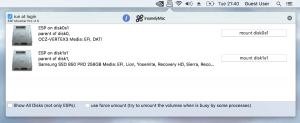
 

post-674334-0-09135100-1473191292.png


New: Dark Mode support (automatic switching):
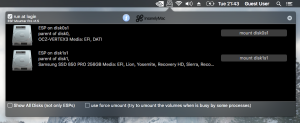
post-674334-0-31414400-1473191279.png


Retina Display Support!


Require 10.9 +, works good in macOS Sierra!


//

// Created by Micky1979 on 15/06/16.

// Copyright © 2016 Micky1979 & InsanelyMac. All rights reserved.

//


app icon by Mirone (thanks)


Does not show an EFI Partition if your disk is not GPT (or if smaller than 1GB). Cannot mount it if corrupted!.


What's New in Version 1.6

Released

  • now the window get closed as soon the mouse click elsewhere. (thanks ErmaC for making me aware)

  • Like 7
  • Thanks 6

User Feedback

Recommended Comments


msbc

Posted

Great tool.

Worked fine for me on Sierra. Just upgraded to 10.13.4. Still works but instead of showing the name of my Boot drive it shows "Untitled 2".

JennyDavid

Posted

Really an outstanding app. I love it :wub:

SavageAUS

Posted (edited)

Needs update for 10.13.6.

Edited by SavageAUS
Matgen84

Posted (edited)

Hi


Some issue in macOS 10.13.5: I can mount, unmount EFI partition of my clone but one time. After I can't 


 Needs update perhaps.


Thanks

Edited by Matgen84
al6042

Posted

Could you please update the tool to be used on 10.13.6 and 10.14?

It's such a great addon, it would be a shame to lose it...


Thanks in advance :)

  • Like 1
Mork vom Ork

Posted (edited)

I could confirm, that v1.9 does mount EFI Volumes again under HighSierra 10.13.6 and Mojave successfully again.

Edited by Mork vom Ork
  • Like 2
al6042

Posted

Just checked it myself... :)


Thanks mate...

Matgen84

Posted

Great job :) thanks

xtddd

Posted

Great tool.i always use it.

ctich

Posted

Please see version 1.9.1 here.

BuXb

Posted

On 7/24/2016 at 4:14 PM, nguyenlc1993 said:

My laptop has 1 hdd and 1 ssd, and it didn't show EFI partitions on both drives. However it did show EFI partition on USB drive. :(

by request I can post a tutorial how I managed to have ESPs show up again in ESP Mounter Pro.

Derty

Posted (edited)

USB not allowed, in the same machine, the older version run OK.


1092986615_Capturadepantalla2021-10-17alas12_50_35.png.8ba494da5acf0cfd7d01f01b7f96e650.png


673780334_Capturadepantalla2021-10-17alas12_53_49.png.5066d4e491cd7aaac8ee2e0d06aaaa8b.png

Edited by Derty
eugene28

Posted (edited)

Here is a fix for statusbar icon for hi-dpi screen. Unzip and replace png's inside ESP Mounter Pro app. Path Contents -->Resources-->.

Archive.zip

Edited by eugene28
  • Like 4
  • Thanks 1
BuXb

Posted

Thanks Eugene. You mean menubar (rather than toolbar) icon, I guess :)

  • Like 1
eugene28

Posted

12 minutes ago, BuXb said:

Thanks Eugene. You mean menubar (rather than toolbar) icon, I guess :)

Yes. Statusbar.

  • Confused 1
ammoune78

Posted

Thanks for the tool, very usefull


×
×
  • Create New...