All Activity
- Past hour
-
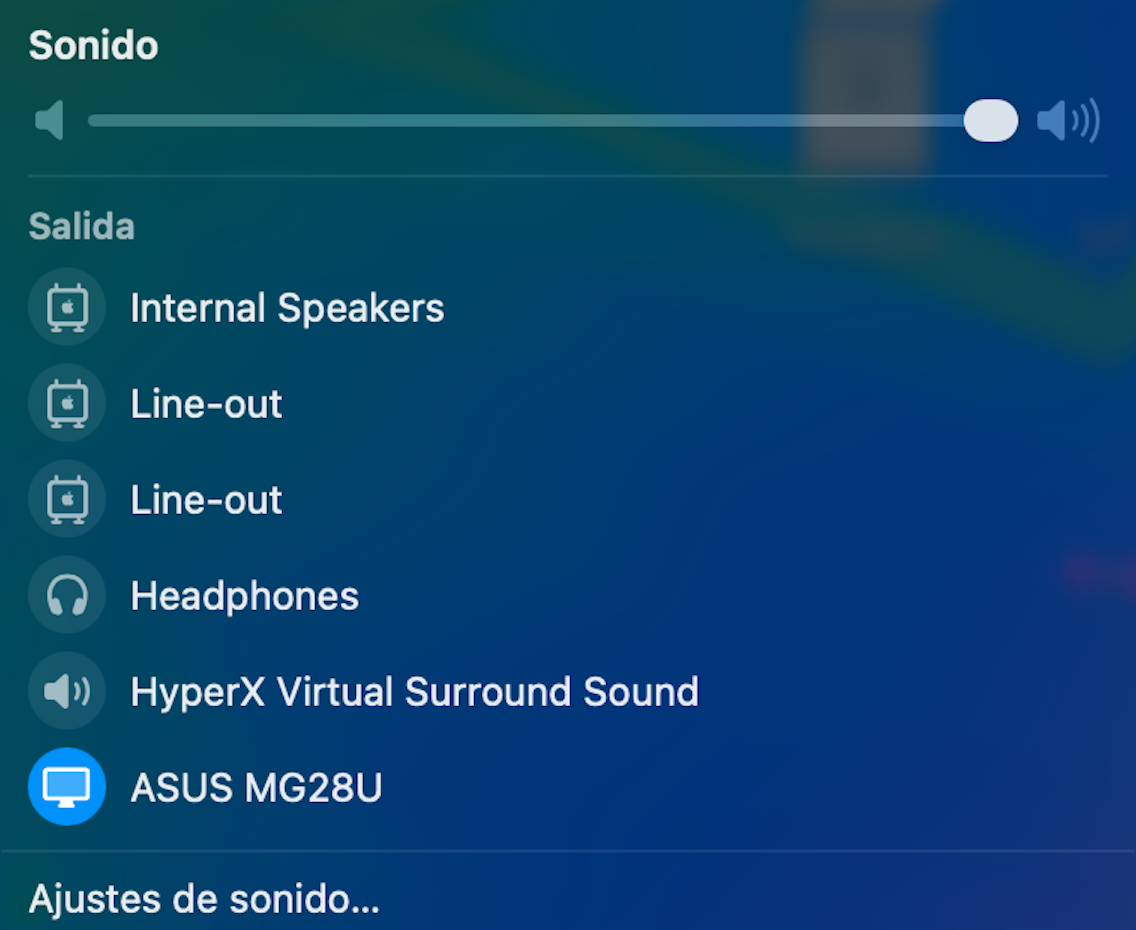
 HDAUniversal does not work for my LG Ultra HD monitor connected via HDMI to the Intel CoffeeLake-H GT2 [UHD Graphics 630] (Slot 0, GPU 1)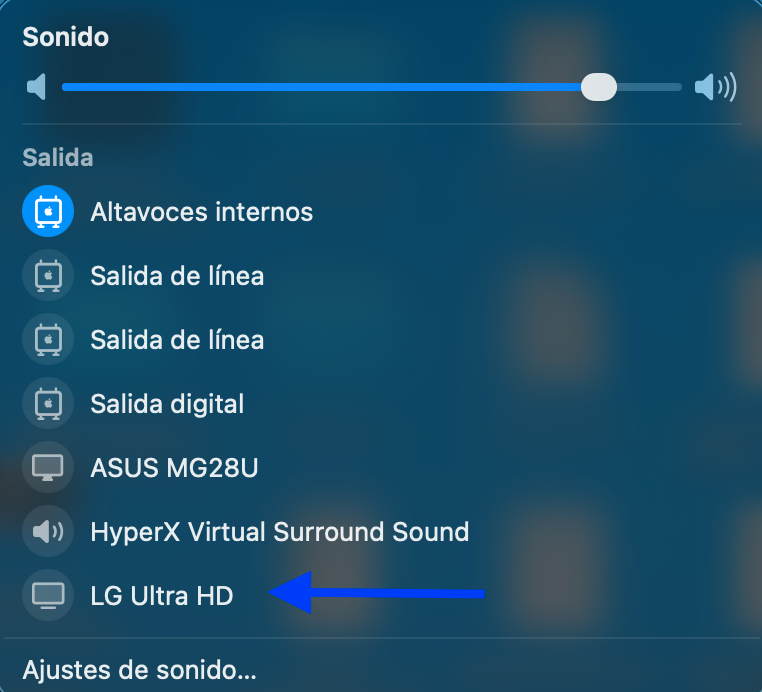
-
 Jorge Abelardo joined the community
 - Today
-
 rr88comse4 joined the community
 -
 c168company11 joined the community
 -
Thanks my friend!!
- 30978 replies
-
- 1
-

-
- bootloader
- efi
- (and 2 more)
-
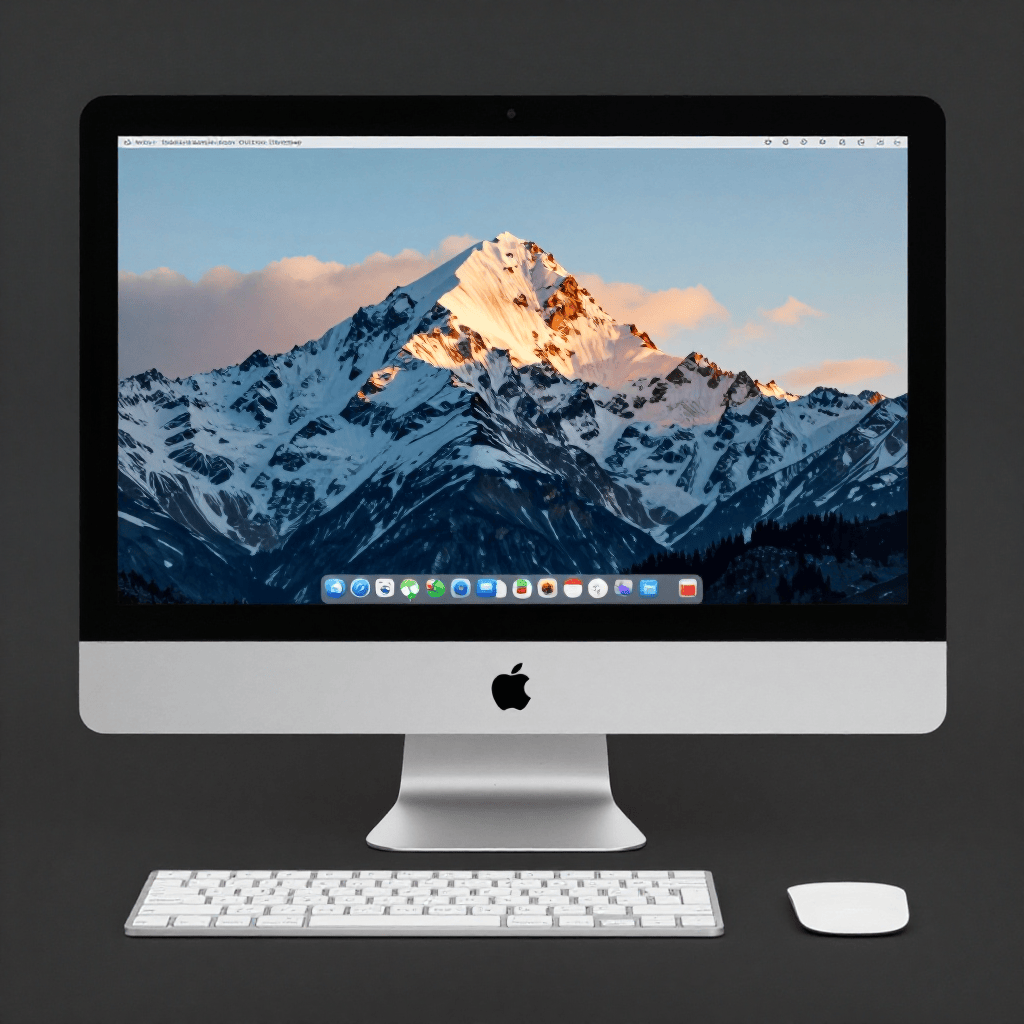
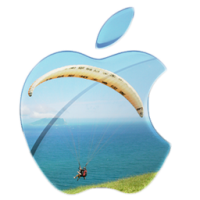
 @engeldlgado Hi there, I've just updated to the last version and I must say I'm impressed by the image generation feature. I've downloaded the base models and tested the app and it creates images really nice on my RX 6800XT. It takes about 102 seconds to generate an image with 8 steps at 1024x1024 pixels 8 steps Z-Image Turbo model The prompt was: An Apple iMac What I noticed is with each generation the image gets replaced with new one.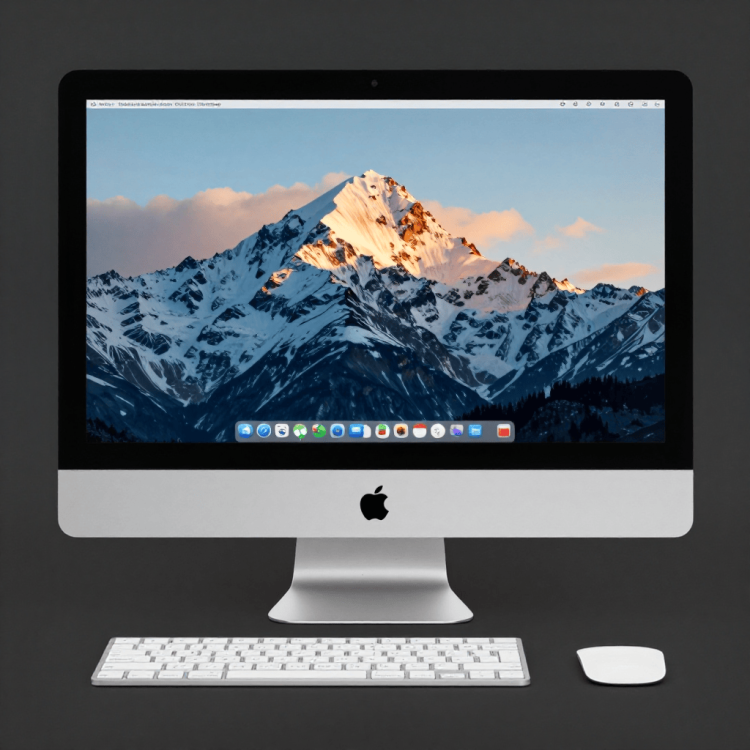
-
 Names Crunch joined the community
 -
Bob Dobbs joined the community
-
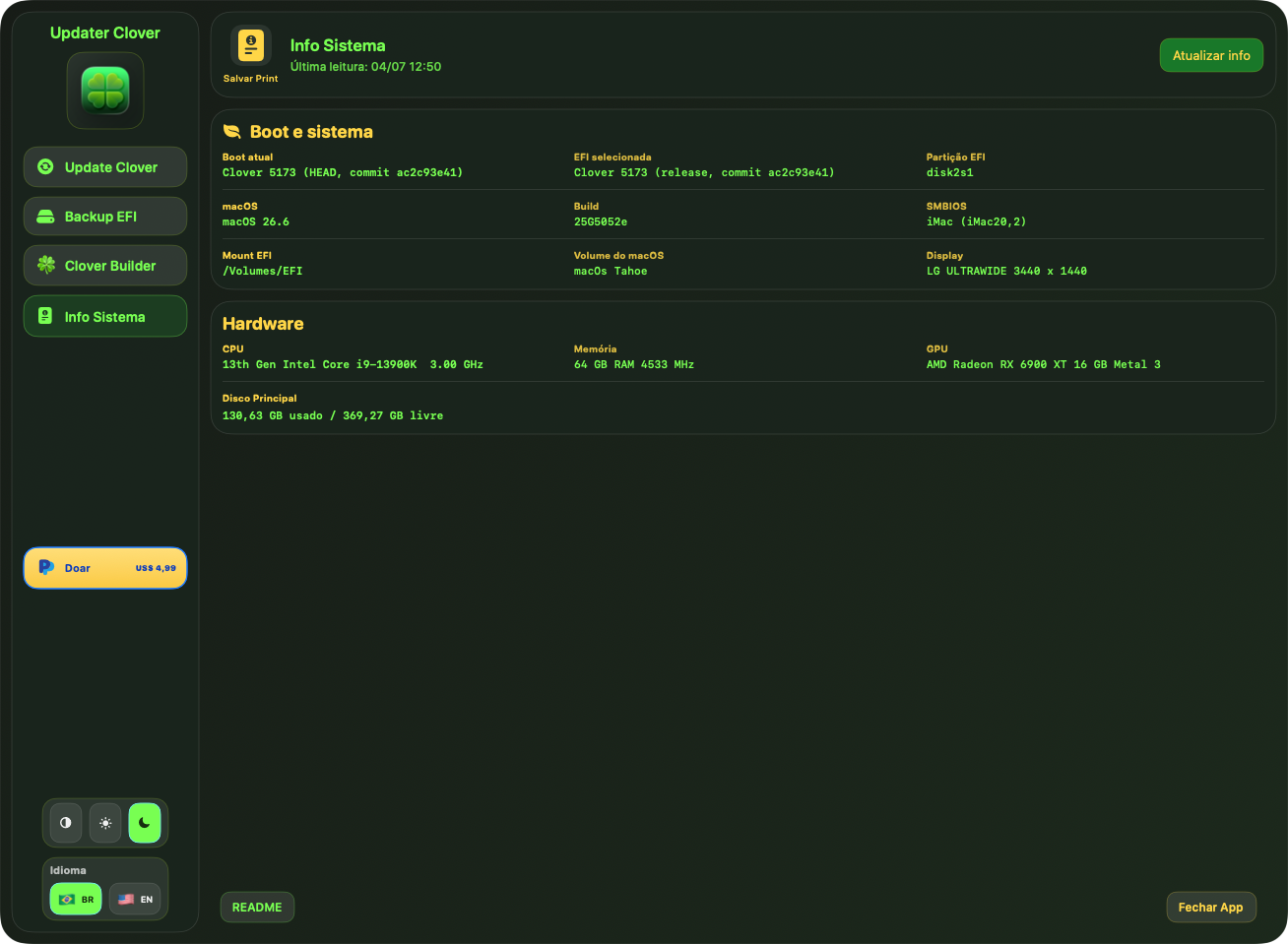
Release 5174 published (GCC 16.1 implemented).
- 30978 replies
-
- 1
-

-
- bootloader
- efi
- (and 2 more)
-
 eslam mongy joined the community
 -
 ChatGPTJP joined the community
 -
 go88kiv1n joined the community
 -
krutal23 joined the community
-
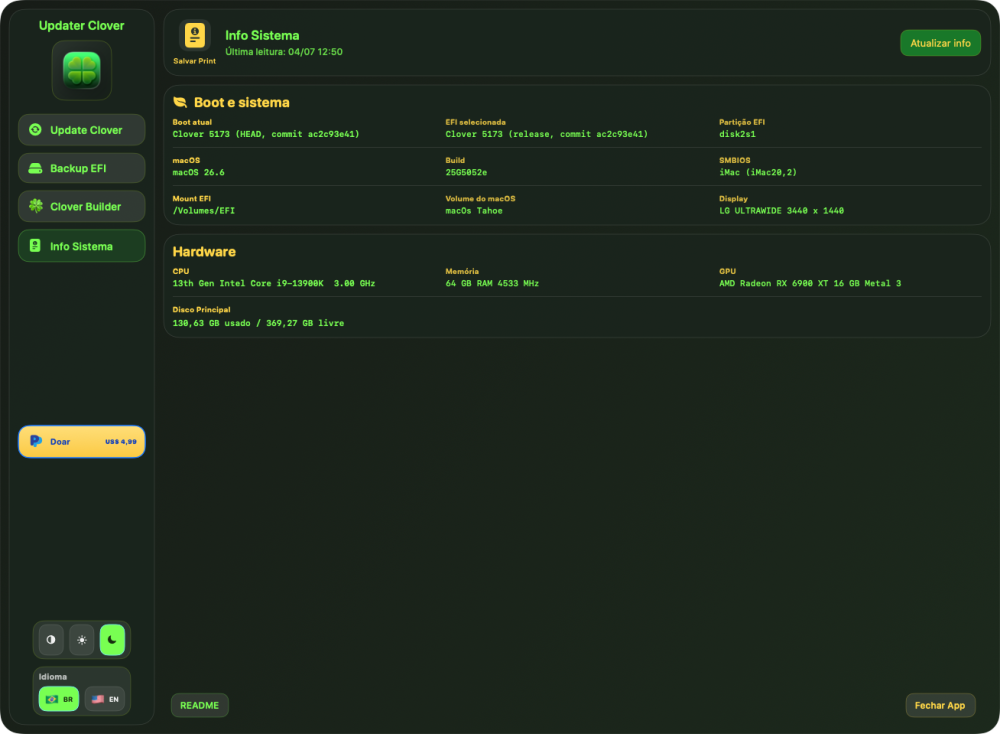
- 30978 replies
-
- 2
-
-
- bootloader
- efi
- (and 2 more)
-
 Global flight Seo joined the community
 -
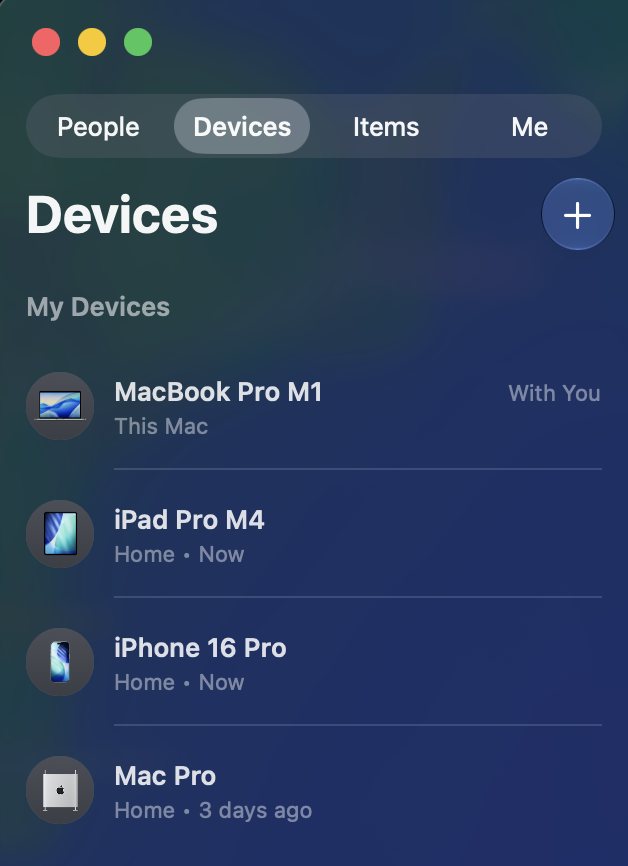
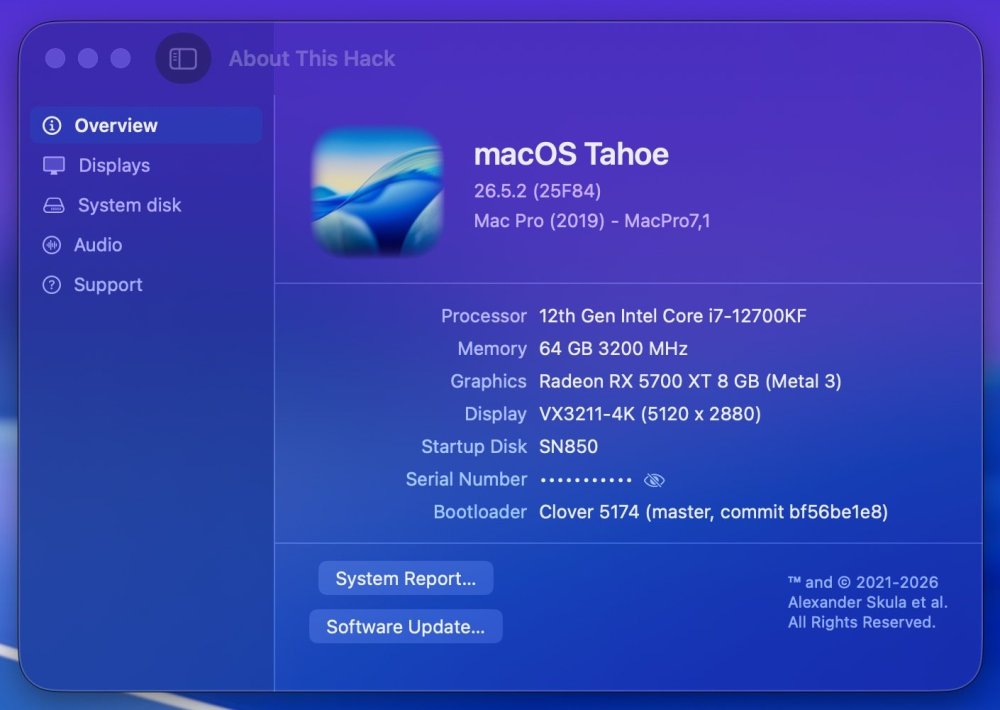
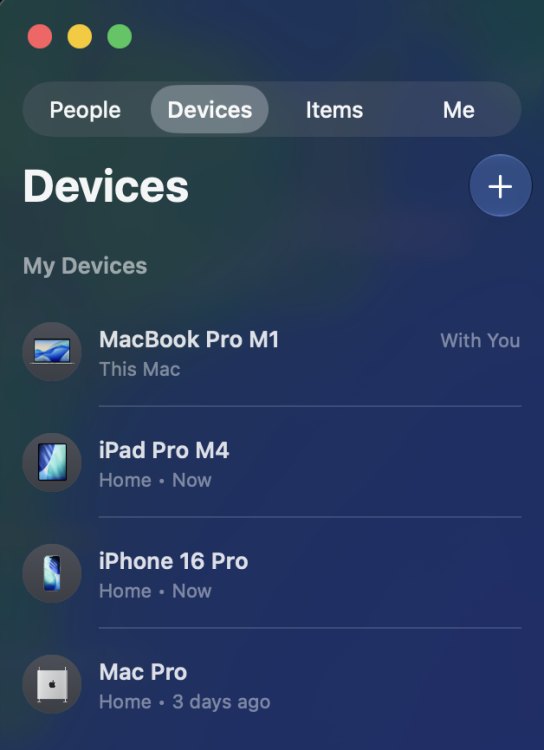
 One additional observation that may be relevant: Besides AirDrop, Personal Hotspot and Continuity Camera, Find My device presence also appears to be affected when using Intel AX210. For comparison, my BCM943602CDP updates its status correctly in Find My on all my Apple devices. Since replacing the BCM943602CDP with the AX210 three days ago, the Mac Pro Hackintosh still sees all devices correctly in Find My, including its own entry. However, on my iPhone, iPad Pro and MacBook Pro, the Mac Pro Hackintosh itself is no longer updated and still shows the last location/status from the time the Broadcom card was installed ("3 days ago"). This has been reproduced on the same Mac Pro Hackintosh, running the same macOS Tahoe installation, with the same Apple ID and the same surrounding Apple devices. The only hardware change was replacing the BCM943602CDP with the Intel AX210. This may indicate that the remaining awdl0 issue is not limited to AirDrop, Personal Hotspot and Continuity Camera, but also impacts other Apple services that rely on the same Nearby/Continuity infrastructure, including Find My device presence.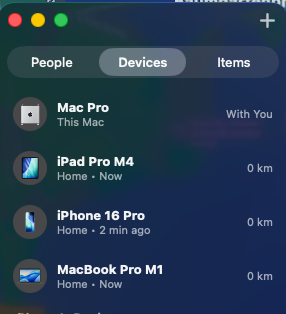
-
 Perfect, ALC1220 well detected, thanks.
 -
 Anant Gear changed their profile photo
 -
Since you have a Catalina in VMware and only need High Sierra, I suggest you to install macOS High Sierra on MBR, it's easy to boot with Enoch and Clover.
-
 KatT changed their profile photo
 -
I may offer you to read about Clover. There is also a book CloverOfHackyColor to teach you what is what.
-
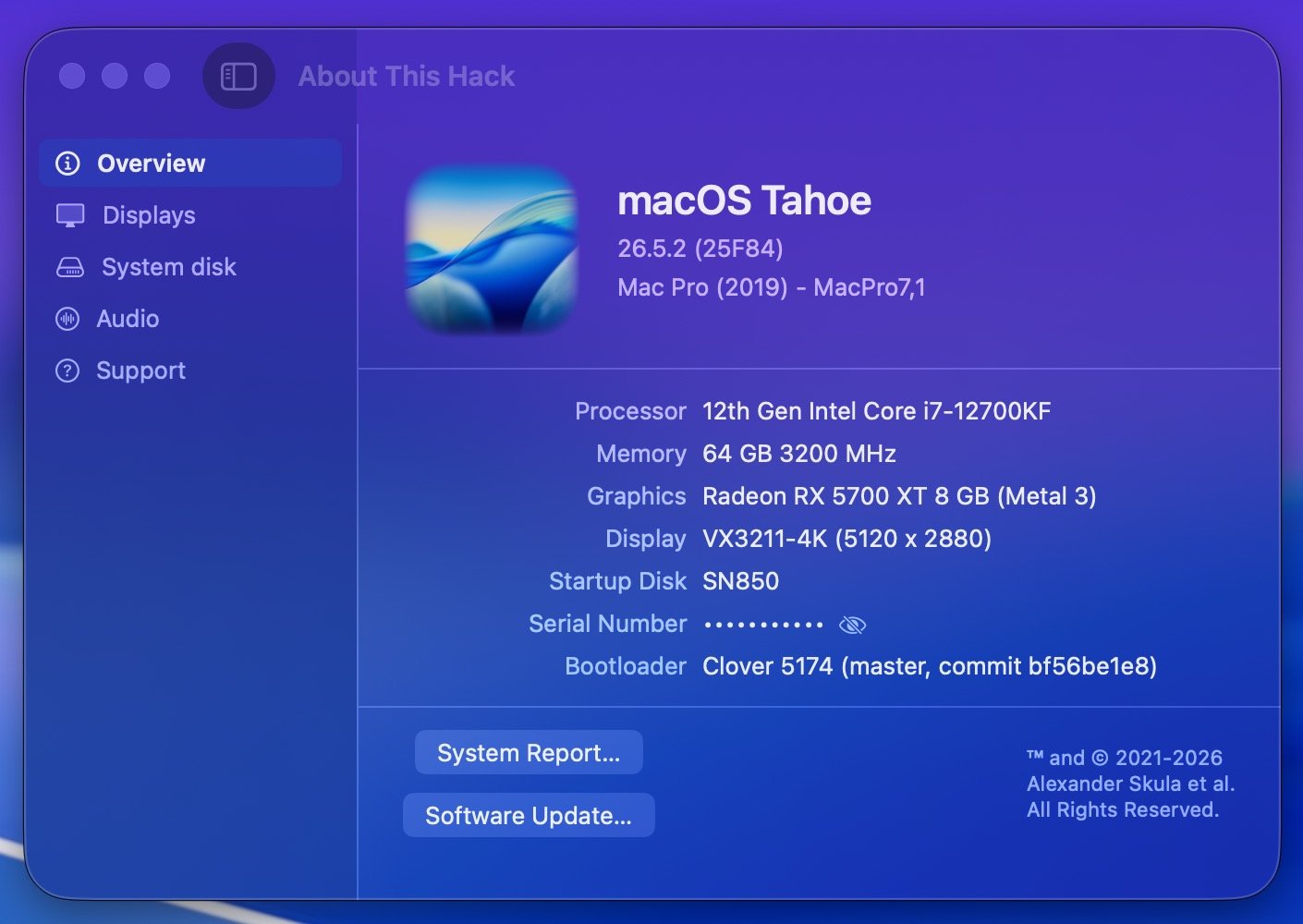
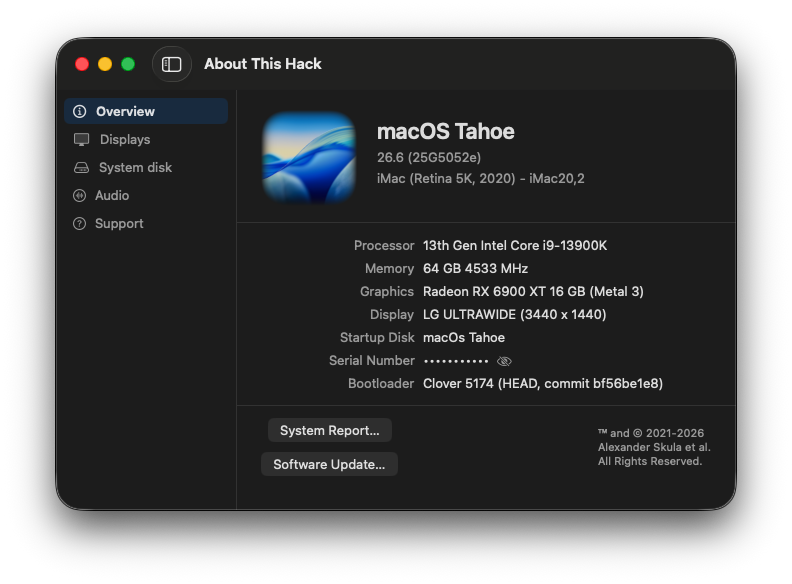
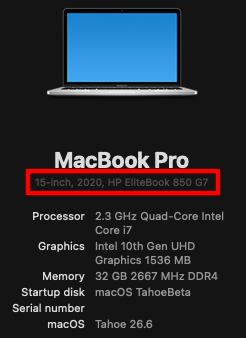
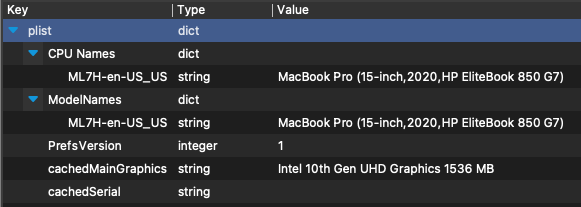
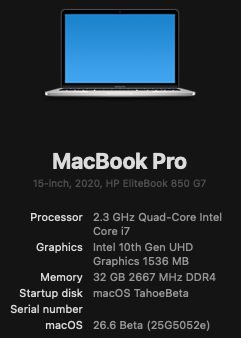
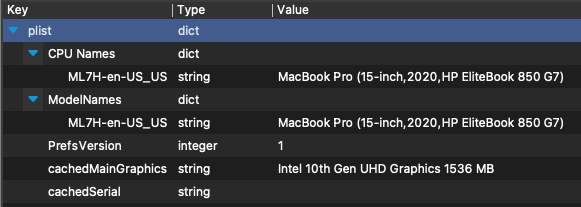
Have you ever wanted to customize the displayed machine information in "About This Mac" so that it displays your hackintosh PC model instead? You can customize this machine name by editing ~/Library/Preferences/com.apple.SystemProfiler.plist as follows: Copy com.apple.SystemProfiler.plist from ~/Library/Preferences to your Desktop and make a backup copy to preserve the original Open com.apple.SystemProfiler.plist on your Desktop with your favorite plist editor You will need to modify all of the machine key/value pairs in one or both of the following dictionaries (modify all machine values in both of these dictionaries if they are present) CPU Names ModelNames The format of each machine key/value pair must be preserved when editing the value. Edit only the text within the parenthesis like this: Original: MacBook Pro (13-inch, 2020, Four Thunderbolt 3 ports) Modified: MacBook Pro (15-inch, 2020, HP EliteBook 850 G7) Do NOT modify anything else in com.apple.SystemProfiler.plist After you have edited all instances of the machine key/value pairs in dictionaries "CPU Names" and "ModelNames" if present, save your modified com.apple.SystemProfiler.plist on your Desktop. The modified com.apple.SystemProfiler.plist should resemble this: Copy your modified com.apple.SystemProfiler.plist back to ~/Library/Preferences (sudo cp ~/Desktop/com.apple.SystemProfiler.plist ~/Library/Preferences) Reboot You should now see your custom machine model in About This Hack. Enjoy!
-
- 2
-
-
 Style Fresh Salon changed their profile photo
 -
About This Hack (2009-Nissan-Cube version migrated to SwiftUI)
deeveedee replied to miliuco's topic in Hackintosh Tools
All good, Miliuco! Well done!!! 👏 Note that I have modified ~/Library/Preferences/com.apple.SystemProfiler.plist so that About This Mac displays my custom machine info ('15-inch, 2020, HP EliteBook 850 G7' in this case). It might be nice for ATH to retrieve this customized machine info from SystemProfiler. EDIT: The format of the machine string in SystemProfiler.plist must be preserved when editing SystemProfiler.plist. The initial Mac identifier must be retained (e.g., MacBook Pro), such that only the text within the parenthesis is modified. All instances of the machine string must be modified (i.e., CPU Names and ModelNames if they exist). I created a simple tutorial here.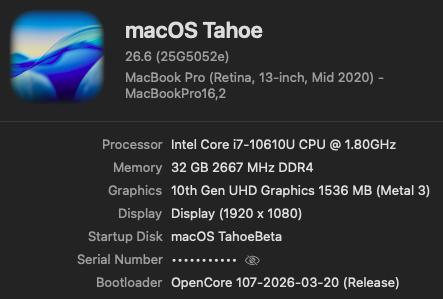
-
 Just enjoy!!!
 -
 Kundan Green Energy changed their profile photo
 -
Thanks Deeveedee, Here is the full config.plist for your viewing pleasure. I don't use any form of OCLP as i don't have any use for it in its current form. Cheers, Howard config.plist
-
 Hack4U changed their profile photo
 -
 missingperson changed their profile photo
 -
.thumb.png.b0009ddc2e6a6f84e9936764664eeffd.png) United_Refrigerants changed their profile photo
United_Refrigerants changed their profile photo -

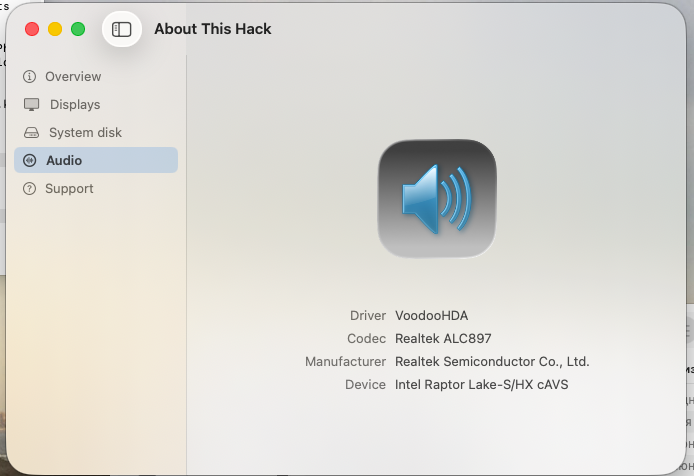
About This Hack (2009-Nissan-Cube version migrated to SwiftUI)
Slice replied to miliuco's topic in Hackintosh Tools
All is good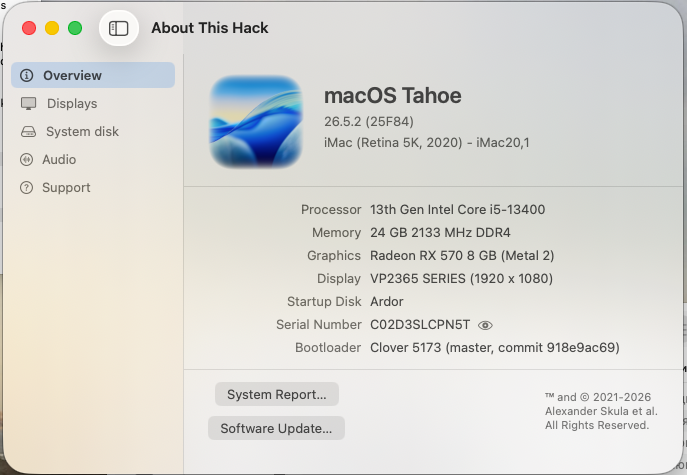
-
O yes! It can be network preferences.
-
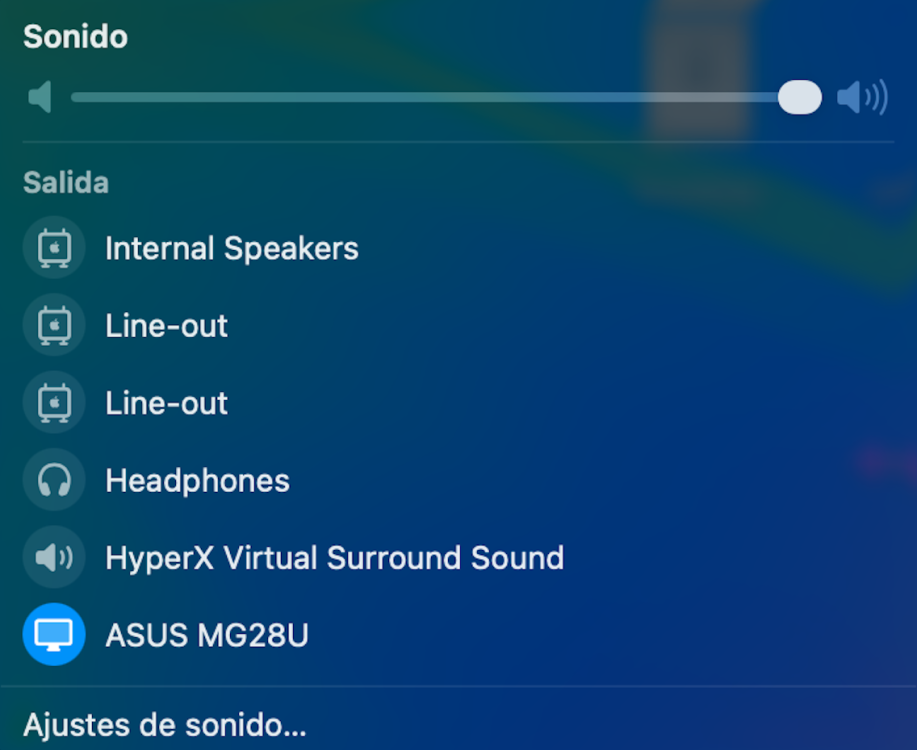
 @MaLd0n you are crazy 😃 I only installed HDAUniversal (and disabled AppleALC), and it works perfectly, including my microphone. That mic wouldn't work with VoodooHDA (even though it was detected), but everything runs fine with your KEXT 🤩 Thank you so much! btw. my machine is a Fujitsu Lifebook with a Realtek ALC255. I set the layout-id via a DeviceProperty entry: "layout-id", type: data, value: <FF000000>
 -
In a what file? Stupid AI doesn’t know that I’m using Clover instead of OpenCore.
-
Just enjoy, bro!
-
 @MaLd0n is a legend! Working great on my old HP EliteBook 840 G5 (Conexant CX8200 with alcid=15). The laptop is Bang & Olufsen tuned and I am impressed by the way it sounds! Thank you, master!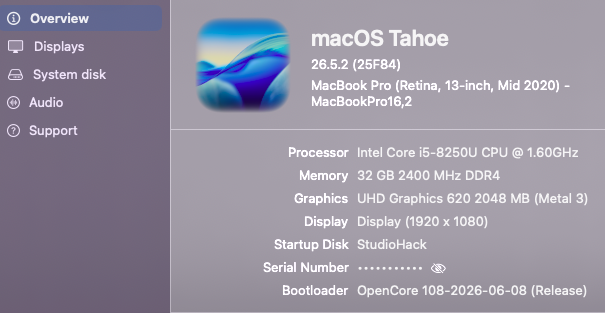
- Yesterday
-
Because GCC 16.1 was not yet implemented. After Shabbat is over, this will be published.
- 30978 replies
-
- 3
-
-
-
- bootloader
- efi
- (and 2 more)
-
 Ali Nsoor changed their profile photo
 -
 Mario 10100 changed their profile photo
 -
 Hey guys, good news! I’ve successfully implemented image generation in the app. I’ll keep improving the app step by step every day. Here is a quick breakdown of what’s new in the last 3 versions: v0.81.44 (Today): Large Performance Leap 50% Faster Prompt Processing: Switched the AMD tiled matmul to packed half-precision math, boosting prompt processing significantly (e.g., Qwen3-8B jumped from ~310 to ~470 t/s). 3x Faster Long Chats: Implemented a new attention kernel that processes prompt tokens in groups of 16. At 4K context, speed went from 103 to 289 t/s on an 8B model, meaning deep conversations will no longer feel sluggish. v0.81.43: Local Image Generation Studio Local Image Studio: Added an experimental "Images" tab running locally via stable-diffusion.cpp on the same Metal stack. It fully supports text-to-image and image-to-image workflows. Hardware-Aware Catalog & Custom Support: Includes a built-in image model catalog tailored to your VRAM budget (from 4GB up to 24GB+ cards), plus the ability to load your own custom checkpoints, VAEs, and text encoders. Multi-GPU Selector: Added a setting to manually choose exactly how many GPUs to split a model across. v0.81.42: Smart Defaults & Clean Benchmarks GPU by Default: The custom AMD Flash Attention kernel is now enabled by default for bundled and TurboQuant engines, prioritizing the faster GPU path over the CPU fallback. Accurate Tracking: Quantized KV caches now correctly force the required parameters, and the benchmark history now explicitly labels and records the exact execution route (FA CPU, FA AMD GPU, etc.). Stay tuned for more updates!
 -
I'm currently testing MaLd0n's new HDAUniversal.kext for audio in macOS Tahoe on our HP EliteDesk Minis. I think audio quality is outstanding. If you want to test, get the HDAUniversal installer from here and do the following: Remove your existing audio solution for macOS Tahoe (e.g., remove VoodooHDA.kext from /Library/Extensions) In your Open Core config.plist, set csr-active-config = <03000000> and reboot for the new SIP setting to take effect. If you already have csr-active-config set to something that's less restrictive than <03000000> (e.g., <03080000>) then you don't need to change SIP. Run the HDAUniversal installer and follow the prompts. Be sure to "Allow" HDAUniversal when prompted. After Restarting, you should have perfectly working audio. You may need to select the audio output (e.g., select 'Line Out' or 'Headphones') If you want more restrictive SIP, set csr-active-config = <01000000>. Just like VoodooHDA.kext, HDAUniversal needs SIP set to allow untrusted kexts since it is installed in /Library/Extensions.
- 1126 replies
-
- 2
-
-
-
- catalina
- hackintosh
- (and 17 more)
-
I installed HDAUniversal on an HP EliteDesk 800 G4 Mini that I'm using for a multimedia system. The EliteDesk 800 G4 Mini has two audio outputs that I'm using to drive 1) main speakers and 2) a subwoofer. HDAUniversal is working perfectly with the Multi-Output Device that I created using macOS Tahoe's Audio MIDI Setup. Sound quality is outstanding. 🎶
-
@Slice The network configuration is bound to the system definition in the same way, as the USB port mapping.