All Activity
- Past hour
-
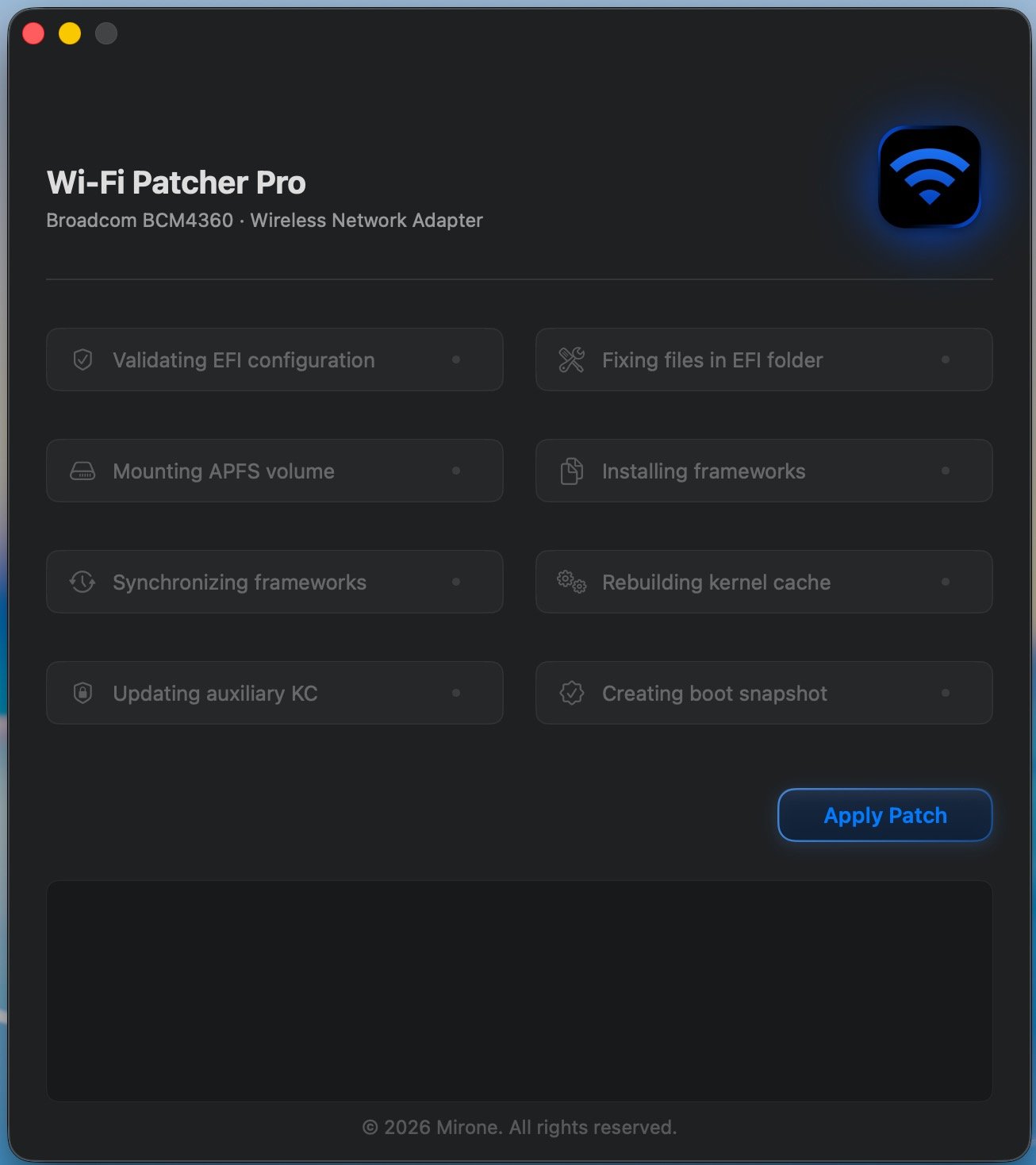
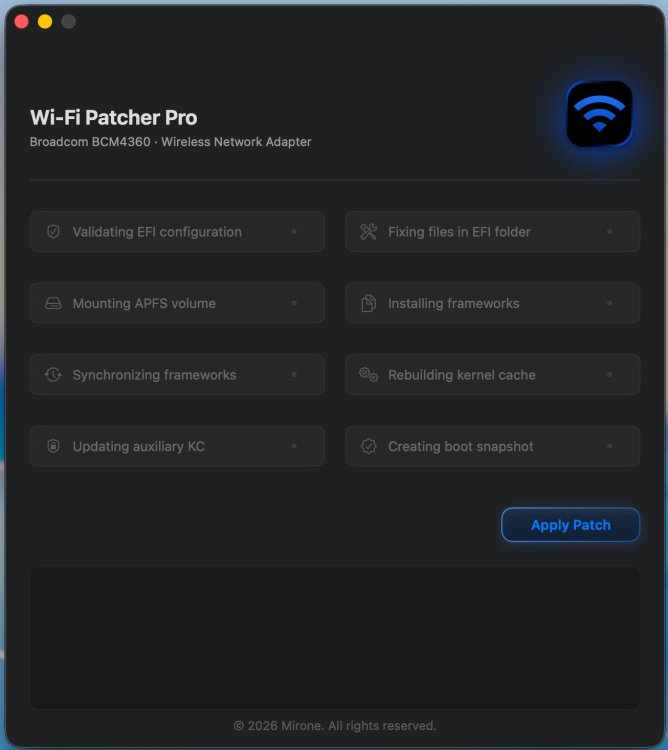
Got around to testing it. My Asrock-Z690-PG-Riptide-hackintosh, Wi-Fi / BT: BCM94360 PCI-E adapter, Clover revision: 5172 (HEAD, commit 79c169ea9) / macOS 26.5.1 (25F80) worked fine. Great work @Mirone. 🤝
-
 Alex Nagy joined the community
 -
 malharpumpsind joined the community
 -
j88study1 joined the community
-
 Zen Play168 joined the community
 -
 bdjlclub3 joined the community
 - Today
-
Problem with random wake was with Sequoia 15.7.8 24G809 Beta. With regular 15.7.7 24G720 everything is fully functional as in final Ventura. I will check in future possible power events. Great work @Mirone.
-
on6886com joined the community
-
 Hi, i tested this NOAVX version on MacBook Pro RX 560. Both models the small 4B one and the lmma8B failed - after much longer run compared to the v .42 version. All normal versions never failed. qwen3 4B Q4_K - Medium | 2.32 GiB | 4.02 B | MTL,BLAS | 6 | 1 | 0 | pp512 | 71.90 ± 0.25 | test_gen: failed to decode generation batch, res = -3 llama_bench: error: failed to run gen For me that's no problem that your app maybe need really a minimum of an RX 5600XT - they are now , buyer used, not. more expensive. That non AVX2 cpus fail or RX 560/RX580 mama probs should not give you sleepless nights! Even they would run - they will be (useless) slow for that kind of KI GPU tasks - I think. I will upload missed RX 5600 XT test with that NONAVX and normal v .42 version later.
 -
keonhacai5uk joined the community
-
 HIGHCLASSREP Lifestyle joined the community
 -
 Miniature Jangz joined the community
 -
 Reailsm Hoodie joined the community
 -
- 30968 replies
-
- 1
-

-
- bootloader
- efi
- (and 2 more)
-
[Info] Fixing Slow POST and Boot Loop issues after Shutdown/Reboot (macOS 11+) some ACPI/DSDT fixes regarding shutdown, reboot, and POST issues that occur on macOS 11 (Big Sur) and later. 1. Fixing Extremely Slow POST after Shutdown In macOS 11 and later, there is a known issue where the POST process becomes extremely slow when powering on the machine after a proper shutdown. This can be bypassed by modifying the ACPI RTC device as follows (adjusting the IO length/alignment): Before: Device (RTC) { Name (_HID, EisaId ("PNP0B00") /* AT Real-Time Clock */) // _HID: Hardware ID Name (RT, ResourceTemplate () { IO (Decode16, 0x0070, // Range Minimum 0x0070, // Range Maximum 0x10, // Alignment 0x02, // Length ) IO (Decode16, 0x0072, // Range Minimum 0x0072, // Range Maximum 0x02, // Alignment 0x06, // Length ) }) Method (_CRS, 0, NotSerialized) // _CRS: Current Resource Settings { Return (RT) } } After: Device (RTC) { Name (_HID, EisaId ("PNP0B00") /* AT Real-Time Clock */) // _HID: Hardware ID Name (RT, ResourceTemplate () { IO (Decode16, 0x0070, // Range Minimum 0x0070, // Range Maximum 0x01, // Alignment 0x02, // Length ) }) Method (_CRS, 0, NotSerialized) // _CRS: Current Resource Settings { Return (RT) } } 2. Fixing Boot Loops / Multiple Restarts Before OpenCore Loads Another common symptom is when the machine is powered on after a shutdown or reboot, it repeatedly restarts a few times right before OpenCore manages to load. This is likely caused by certain power/sleep states not being cleared properly during the shutdown or reboot sequence. To prevent this, you can define the following operation regions and fields, and explicitly clear the statuses in _PTS: OperationRegion (PMCR, SystemIO, 0x1004, 0x02) Field (PMCR, ByteAcc, NoLock, Preserve) { SCEN, 1, //SCI_EN , 9, SLPT, 3, // SLP_TYP SLPN, 1 //SLP_EN } OperationRegion (PMRS, SystemIO, 0x1030, 0x08) Field (PMRS, ByteAcc, NoLock, Preserve) { , 4, SLPE, 1, // SLP_SMI_EN , 31, SLPX, 1 // SLP_SMI_STS } OperationRegion (PMCB, SystemIO, 0x1000, 0x10) Field (PMCB, ByteAcc, NoLock, Preserve) { P1ST, 16, // PM1A status Offset (0x04), P1CN, 16 // PM1A_CNT } Method (_PTS, 1, NotSerialized) // _PTS: Prepare To Sleep { If ((Arg0 == 0x05)) { \_SB.PCI0.EHC1.PMEE = Zero \_SB.PCI0.EHC2.PMEE = Zero \_SB.PCI0.LPCB.AG3E = One P1ST = 0x0800 P1CN = 0x4900 SLPX = Zero SLPE = Zero Local0 = 0x4268 While ((Local0 > Zero)) { Local0-- Stall (0x64) } } } You should also append the status clearing logic to Method (_WAK) and Method (_INI) inside Device (PCI0) as shown below: Method (_WAK, 1, NotSerialized) // _WAK: Wake { P1ST = 0x0800 P1CN = 0x4900 SLPX = Zero SLPE = Zero Sleep (0x10) SCEN = One Sleep (0x10) SMI (0x9A, Arg0) Local0 = SMI (0x6D, Zero) If ((Local0 == 0x03)) { Local0 = SMI (0x46, Zero) \_SB.PCI0.VID.CLID = Local0 If ((Arg0 == 0x03)) { If (((MIS1 != Local0) || (Local0 == Zero))) { If ((OSID () >= 0x20)) { \_SB.PCI0.VID.GLID (Local0) } Else { LIDE () } } } } If ((Arg0 == 0x04)) { Notify (\_SB.PWRB, 0x02) // Device Wake MIS4 = One SOST () } MIS0 = SMI (0x98, Zero) Notify (\_SB.ADP1, 0x80) // Status Change \_SB.PCI0.WKHP () Local0 = HSCO (One) If (Local0) { If ((OSID () >= 0x20)) { Notify (\_SB.MBTN, 0x02) // Device Wake HSCO (0x02) } } Return (Package (0x02) { Zero, Zero }) } Method (_INI, 0, NotSerialized) // _INI: Initialize { P1ST = 0x0800 P1CN = 0x4900 SLPX = Zero SLPE = Zero Sleep (0x10) SCEN = One Sleep (0x10) MIS0 = SMI (0x98, Zero) MIS0 &= 0x13 MIS4 = One Local0 = SMI (0x46, Zero) Local6 = SMI (0x6D, Zero) If ((Local6 == 0x03)) { ^VID.GLID (Local0) } SOST () } add Device (LPCB) or ISAB OperationRegion (LPC0, PCI_Config, 0xA4, One) Field (LPC0, ByteAcc, NoLock, Preserve) { AG3E, 1 } Note: For machines that experience issues when waking up from a second consecutive sleep cycle, writing 0 to SLP_SMI_EN inside _WAK might potentially resolve the issue. By explicitly clearing the statuses like this, the boot loop issue has completely disappeared on my end so far. Hope this helps anyone facing similar ACPI power state headachesOC.zipOC.zip ACPI_original.zip DSDT.aml.zip config.plist.zip
-

The OCLP-Plus 3.x (Tahoe Patch Set).
MakAsrock replied to MakAsrock's topic in New Releases and Updates
Since December 2025, I have been maintaining OCLP-Plus on my own. Looking back, I feel saddened by the end of an era. This project was officially archived on June 28, 2026. 📢 Important notice for users: Unless something extraordinary happens, no further updates will be released. Existing versions will remain functional. Best wishes and prosperity to all. -
 Neo Guimarães changed their profile photo
 - Yesterday
-
 Hey @mitch_de try to teste with a custom build on this issue, https://github.com/engeldlgado/toshllm/issues/1#issuecomment-4775184370 Theres is a custom build im testing for the RX-500 series, so maybe this work better, also the project will be delayed for few days because there was an earthquake in my city few days ago. Fortunately, my family and friends are all safe, but internet connections were severely affected and part of my home was damaged... I hope to fully get back to the project soon. Best regards.
 -
.thumb.png.947bb271a061464d7f7f62a667dcb3c9.png) meherba98 changed their profile photo
meherba98 changed their profile photo -
 Gado Living changed their profile photo
 -
 7m cab changed their profile photo
 -
 Vasco Nuñez Manzano changed their profile photo
 -
 konglo595 changed their profile photo
 -
 Seena Singh changed their profile photo
 -
 @Lost-Entrepreneur439 You might get more responses if you post your EFI (and if you can't upload it because of its size, post a link to it). Note that some offered assistance to you in your previous thread here and you never responded. Good luck.
 -
 socolive2cv2 changed their profile photo
 -

Macos Golden Gate - Experiment Cpu Intel
iSpirit81 replied to Ludox's topic in Front Page News and Rumors
Thats Great -
Hi everyone, I've discovered a potential workaround for the long-standing shutdown issue on the Dell Inspiron 1520 (ICH8M + NVIDIA GPU). It appears that a substantial delay (sleep) is required for the system to shut down properly. By disabling SMI generation (writing 0 to SLP_SMI_EN) followed by a long sleep command—specifically Sleep(0xFFFF) or at least Sleep(0x2710)—I successfully managed to shut down the system on macOS 10.4 to 10.7, as well as Ventura (13), Sonoma (14), and Sequoia (15). Short delays like Sleep(0x10) or Sleep(0x16) invariably fail. Example 1: Standard Sleep Method OperationRegion (PMRS, SystemIO, 0x1030, One) Field (PMRS, ByteAcc, NoLock, Preserve) { , 4, SLPE, 1 } Method (_PTS, 1, NotSerialized) { If (LEqual (Arg0, 0x05)) { Store (Zero, SLPE) Sleep (0x2710) // 10sec // or // Sleep (0x2710) // 10sec // Sleep (0x2710) // 10sec total 20sec // or // Sleep (0x2710) // 10sec // Sleep (0x2710) // 10sec // Sleep (0x24B8) // 9.4sec total 29.4sec [Recommended] // or // Sleep (0xFFFF) // 65.5sec } } Behavior by macOS version (Example 1): 10.4 – 10.7: Mostly successful. However, it takes about 30 seconds to 1 minute for the machine to power off after the display goes black. (Note: 10.4 has NVDAResman disabled and shuts down normally even without the SLPE method). 10.8 – 10.10: Unstable. It sometimes succeeds, but often results in a black screen with fans spinning continuously or triggers a system reboot. 10.11 – 10.12: Always results in a reboot. 10.13 – macOS 12: The screen goes black, but the fans keep spinning indefinitely. 13 – 15: Mostly successful, though reboots still occur occasionally. Example 2: Stall Method (Higher Success Rate) There is an alternative method with a significantly higher success rate using Stall: Method (_PTS, 1, NotSerialized) { If (LEqual (Arg0, 0x05)) { Store (Zero, SLPE) Local0 = 0x4268 While ((Local0 > Zero)) { Local0-- Stall (0x64) } } } Behavior by macOS version (Example 2): 10.4: NVDAResman disabled; shuts down fine without this method. 10.5 – 10.7: Mostly successful, but takes 30 seconds to 1 minute to power off after the screen goes dark. 10.8 – 10.10: Unstable. Mostly results in a black screen with running fans or a reboot. 10.11 – 10.12: Results in a black screen with running fans or a reboot. 10.13 – macOS 12: Screen turns off, but fans spin indefinitely. 13 – 15: 100% successful. Furthermore, the system shuts down in less than 10 seconds. Example 3: While Loop + Short Sleep Method I also tested another approach using a While loop with shorter sleep increments: Method (_PTS, 1, NotSerialized) { If (LEqual (Arg0, 0x05)) { Store (Zero, SLPE) Local0 = 0x2710 While ((Local0 > Zero)) { Local0-- Sleep (0x10) } } } Behavior by macOS version (Example 3): 10.4: Works fine without this method (NVDAResman disabled). 10.5 – 10.6: Mostly successful, but takes 30 seconds to 1 minute to power off after the screen goes dark. 10.7: Unstable. Mostly results in a black screen with running fans or a reboot. 10.8 – 15: Always results in a reboot. Observations & Analysis It remains unclear why the success rate is high on very old and very new macOS versions, yet highly unstable on mid-generation OS versions. Additionally, the fact that the hardware takes about 30 seconds to a minute to complete the shutdown sequence suggests that it requires a significantly longer preparation time to power off compared to other machines of the same generation. This is almost certainly due to a firmware bug. While this is an unconventional workaround, it is encouraging to find a viable method for these models, which were previously thought to have no consistent solution for their shutdown issues. This fix might also apply to the following models: Inspiron 1420 / 1520 / 1720 Vostro 1400 / 1500 / 1700 XPS M1330 (Note: Rebooting on these models is also unstable—sometimes working, sometimes failing—which likely stems from the same root cause). What I've Tested So Far: USB Power: Investigated USB power behavior, but it doesn't seem to be the culprit. OSID: Tested with 0x10 (Windows XP) and 0x20 (Windows Vista), but saw no significant change. BIOS Settings: Disabled LAN, Wi-Fi, Bluetooth, SDHC, and the module bay in the BIOS, but the issue persists. For context, this older thread might be relevant: https://www.insanelymac.com/forum/topic/266803-dsdt-shutdown-nvidia-dells-not-zero-slpe-trick-alternate-ich8-method/ If anyone has any insights, suggestions, or ideas for a more fundamental/cleaner fix, I would love to hear them. Any feedback is highly appreciated!
-
 fithubfashion changed their profile photo
 -
Great to see you work hard for new versions. I did again test on my AMD RX560 (mobile RX 560 in MacBook Pro. Never had probs since first version, now on v .42. I did add that extra option text for RX 560/580 you recommend. 1,5 / 50.2 Will do bench later today also with my RX 5600XT and v .42 ToshLLM benchmark · 2026-06-27T08:05:29Z === model: Qwen3-4B-Q4_K_M.gguf GPU: AMD Radeon Pro 560X engine: bundled · K:f16 V:f16 FA: AMD Flash Attention (GPU) args: -m /Users/andreas/models/Qwen3-4B-Q4_K_M.gguf -ngl 99 --mmap 0 -r 2 -fa 1 ========================= ggml_metal_device_init: probed SIMD-group width = 64 ggml_metal: probed SIMD-group width = 64 (32 = Apple/AMD RDNA, 64 = AMD GCN/Vega) ggml_metal: wave64 safe mode ON (SIMD width 64, non-Apple GPU): simdgroup fast paths disabled for correct output ggml_metal_device_init: tensor API disabled for pre-M5 and pre-A19 devices ggml_metal_library_init: using embedded metal library ggml_metal_library_init: loaded precompiled '/Applications/ToshLLM.app/Contents/Resources/bin/default.metallib' ggml_metal_library_init: loaded in 0.013 sec ggml_metal_rsets_init: creating a residency set collection (keep_alive = 180 s) ggml_metal_device_init: GPU name: MTL0 (AMD Radeon Pro 560X) ggml_metal_device_init: GPU family: MTLGPUFamilyCommon3 (3003) ggml_metal_device_init: simdgroup reduction = false ggml_metal_device_init: simdgroup matrix mul. = false ggml_metal_device_init: has unified memory = false ggml_metal_device_init: has bfloat = false ggml_metal_device_init: has tensor = false ggml_metal_device_init: use residency sets = true ggml_metal_device_init: use shared buffers = false ggml_metal_device_init: recommendedMaxWorkingSetSize = 4294.97 MB
-
Update: Using some bits from a goldfish64 EFI on GitHub, I managed to get acceleration on Sierra, however High Sierra just gives me a black screen after verbose once it's installed (the recovery works fine, however).
-
 sunwinsitecom changed their profile photo
 - Last week
-
To any who have been following this thread and who have hopefully benefited from it... now that macOS 27 is announced and the Beta is available, I have switched my hackintosh focus from tinkering and experimentation to maintaining productive usability of existing hackintosh systems. The fact that our HP EliteDesk 800 G4/G5 Minis are running Tahoe as well as they do is amazing and very satisfying to me. I won't be purchasing any more Intel-based hardware for hackintoshing and I look forward to my first Apple Silicon purchase next year in 2027 (a good used system). If you have any requests for improvements that make our hacks more useful, please don't hesitate to post them here.
- 1122 replies
-
- 2
-
-
- catalina
- hackintosh
- (and 17 more)
-

About This Hack (2009-Nissan-Cube version migrated to SwiftUI)
miliuco replied to miliuco's topic in Hackintosh Tools
@chris1111 Wow! Thanks, you’ll make me work once more on the project 😂 -
thanks for the info brother. If set to zero, it'l fallback to old function aka traditional?
-

About This Hack (2009-Nissan-Cube version migrated to SwiftUI)
chris1111 replied to miliuco's topic in Hackintosh Tools
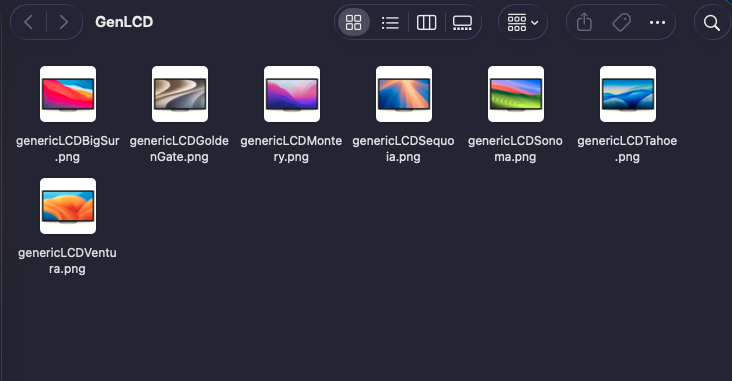
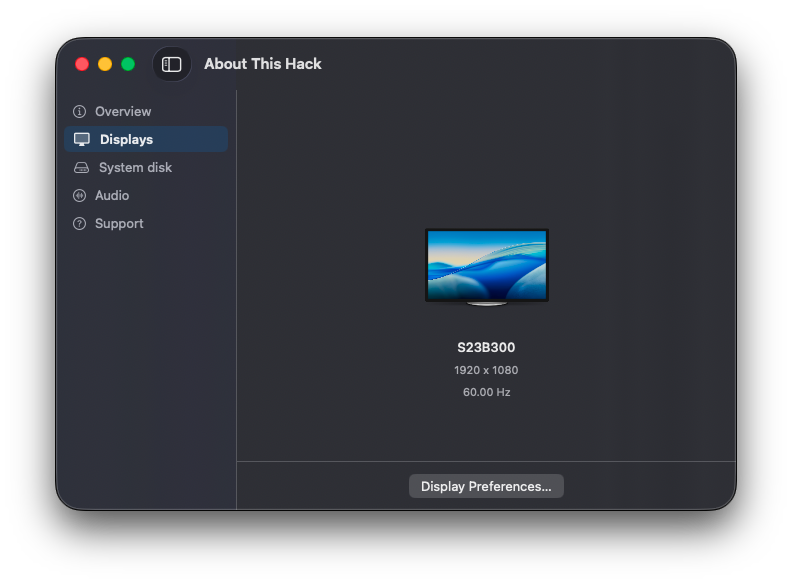
Hi @miliuco Thank you for your effort! It is possible to add latest seven major OS's in Display GenericLCD see spoiler ive create 7 GenericLCD Attach file PNG Archive.zip Looks good on the App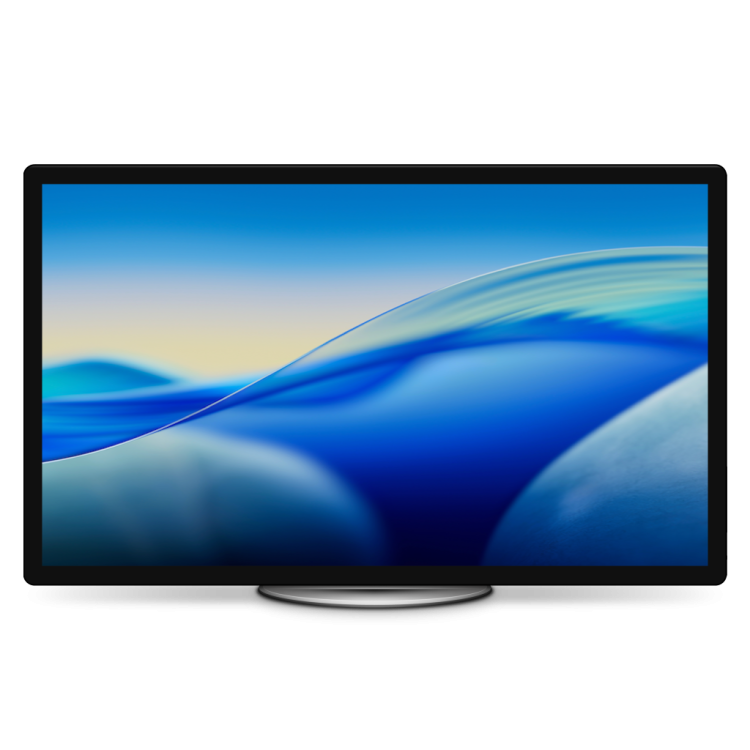
-
Auto detect will be zero.
-

About This Hack (2009-Nissan-Cube version migrated to SwiftUI)
Max.1974 replied to miliuco's topic in Hackintosh Tools
Uowwwww Congrats my friend ! -
About This Hack (2009-Nissan-Cube version migrated to SwiftUI)
miliuco replied to miliuco's topic in Hackintosh Tools
Update Audio image, thanks to @chris1111 https://github.com/perez987/About-This-Hack/releases/tag/4.3.6
-
@Slice <key>LayoutId</key> <integer>80</integer> of all IDs, why 80? does it represent yours or auto detect?
-
Yes, I am aware this is a terrible GPU and I should get something else, but I like having my computers with their stock hardware. I recently got an OptiPlex 780 with a Radeon HD 5450, Dortania's GPU Buyers Guide says the 5450 is supported natively, but when I installed HS, no acceleration at all, GPU just came up as "Display 5 MB", display was stuck at 1024x768, tearing and no transparency. I did some Googling, and things about this card seem to be very mixed, some people say it works natively, other people say you need to bring back kexts from Sierra, some say you need spoofing, others just say you need to go back to Sierra. Can someone please give me clear info about this card? If I need to replace kexts or do root patching in any form, then I'd rather not; I'd rather just go back to the last version with native support. Device ID is 68F9.
-
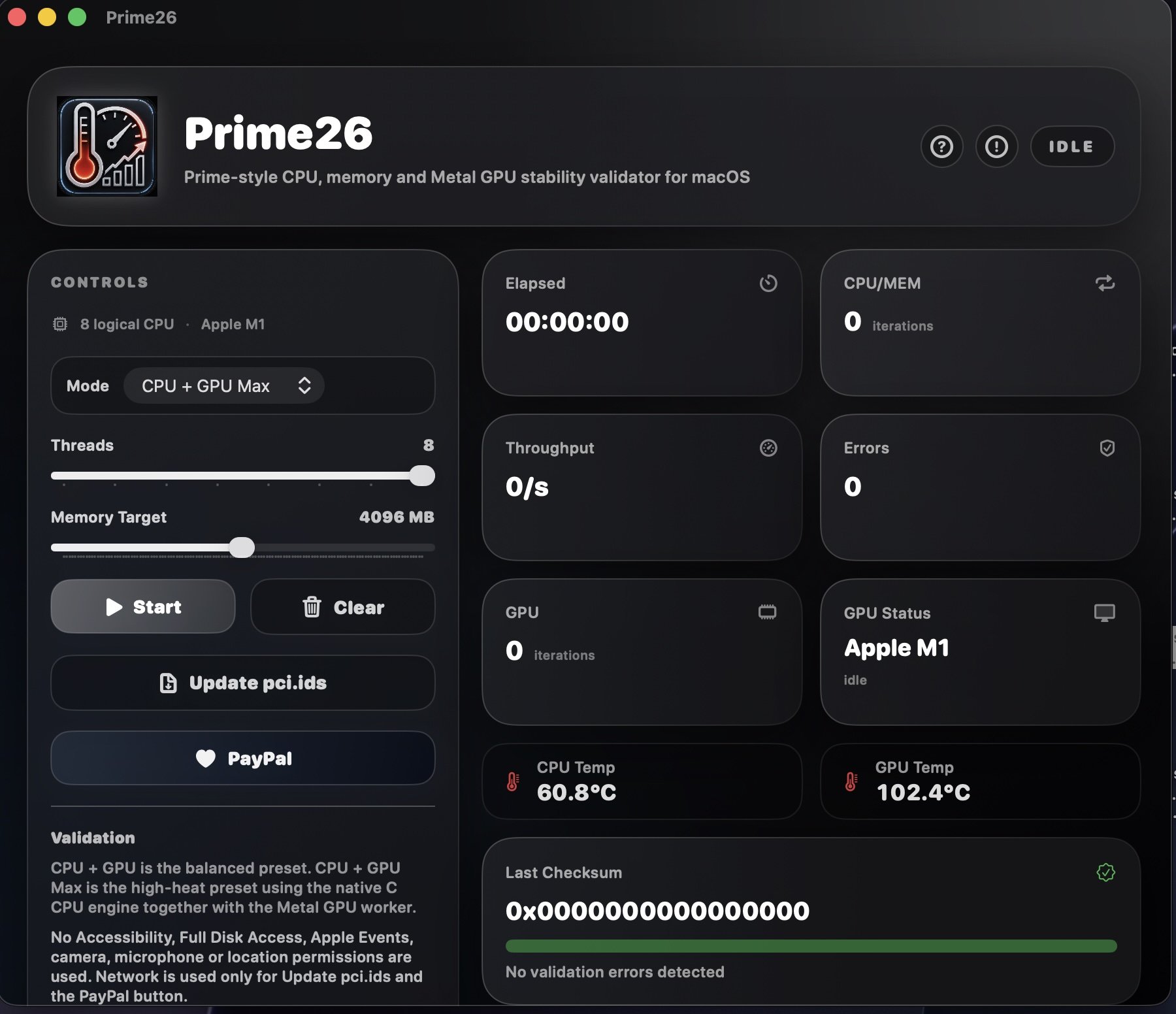
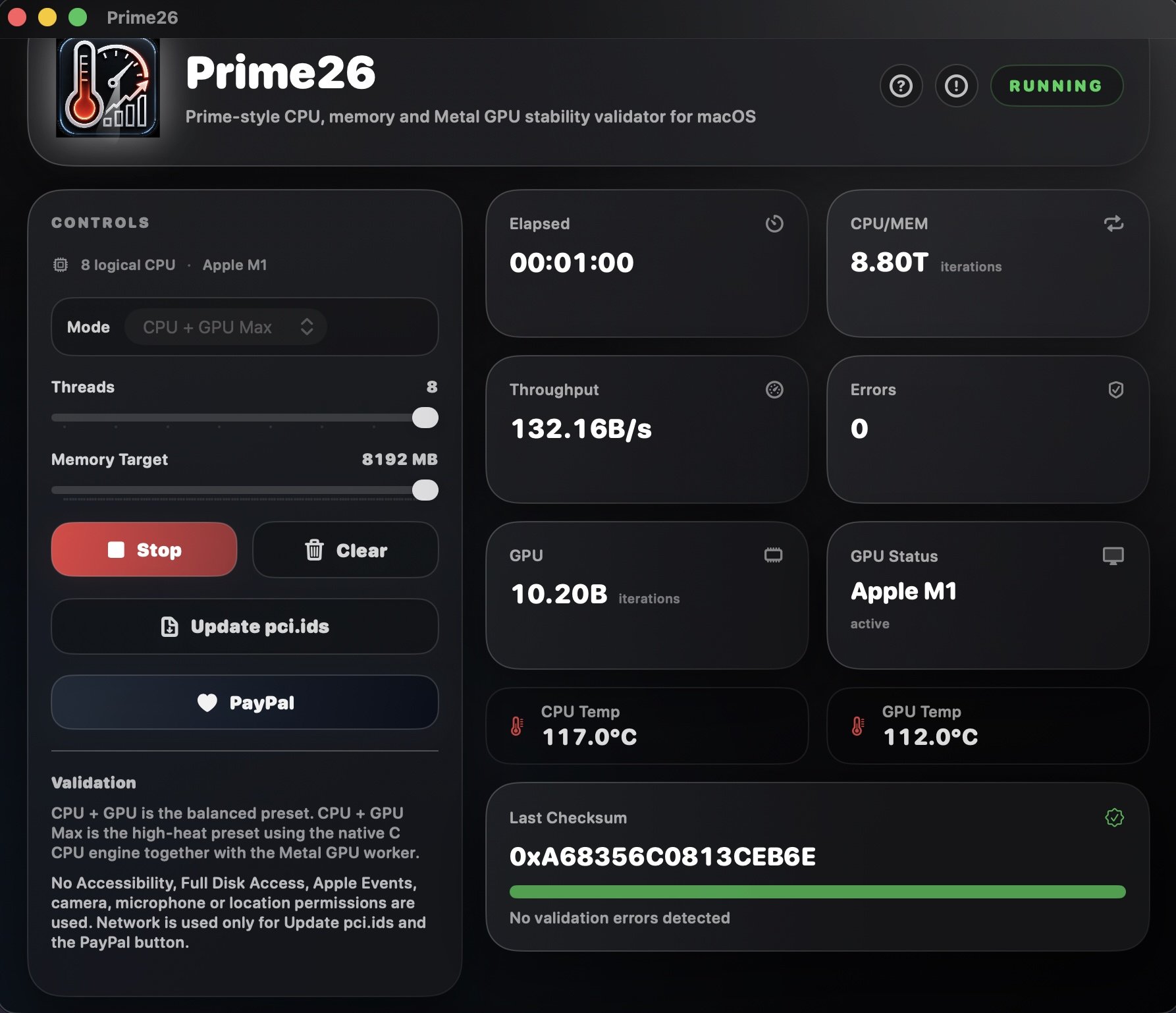
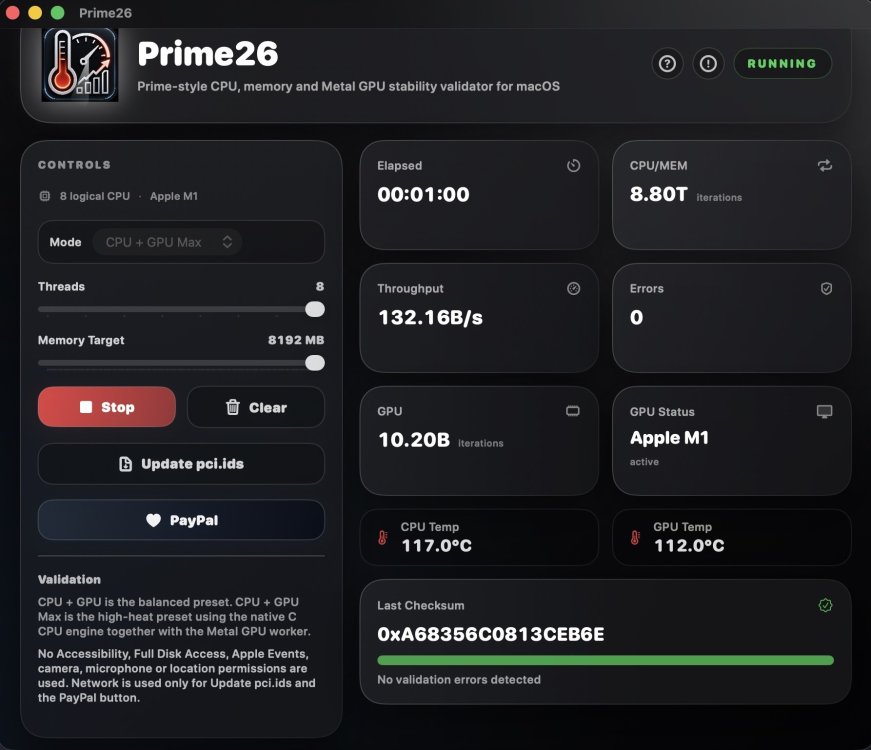
 @MaLd0n, I finally tested Prime26 under macOS 27 on my MacBook Pro M1 as well. While the CPU temperatures appear to be far too high (around 50–60°C at idle and 115°C under load), the GPU temperature remains fixed at exactly 102°C, both at idle and under load, and only occasionally jumps to exactly 112°C or 76°C for a few seconds. It would be great if you could revise the Apple silicon temperature reporting so that the CPU and GPU temperatures are displayed correctly in Prime26. Everything else works flawlessly.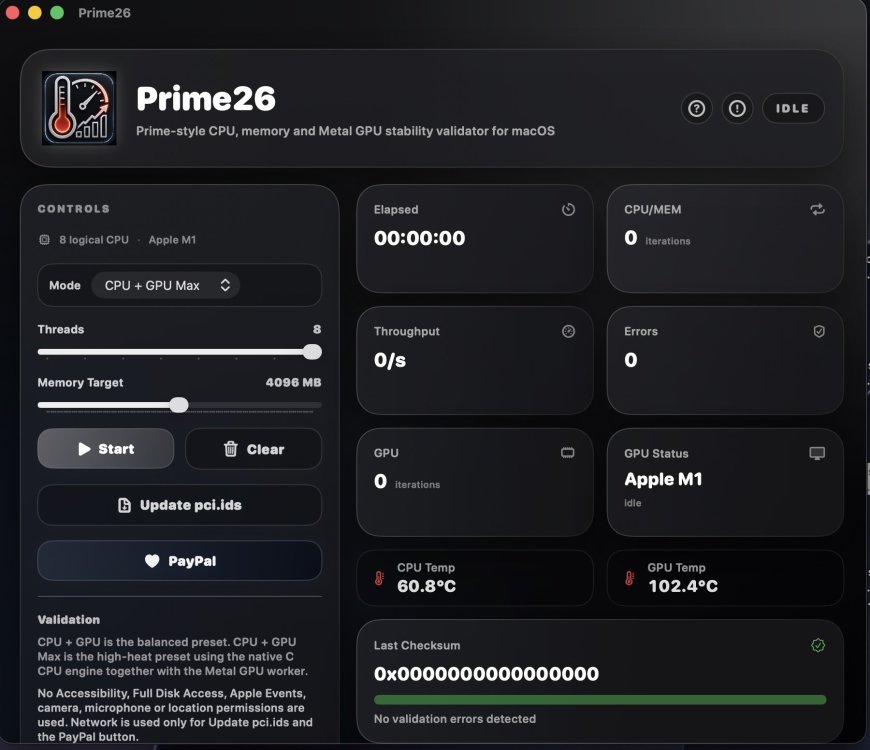
- 37 replies
-
- 3
-
-
- suitebench
- benchmark
- (and 4 more)
-
@notobo Thank you for your testing and feedback!
-
About This Hack (2009-Nissan-Cube version migrated to SwiftUI)
miliuco replied to miliuco's topic in Hackintosh Tools
Updated Unknown imageset, thanks to @chris1111 https://github.com/perez987/About-This-Hack/releases/tag/4.3.5