Jump to content

A member on this forum who prefers to remain anonymous has sent me 3 pictures of Mac OS X Snow Leopard's Installer.


After choosing a language, this is the screen you see. There are no other options. The anonymous member told me that if you want to clean install, you have to erase the disk via Disk Utility.
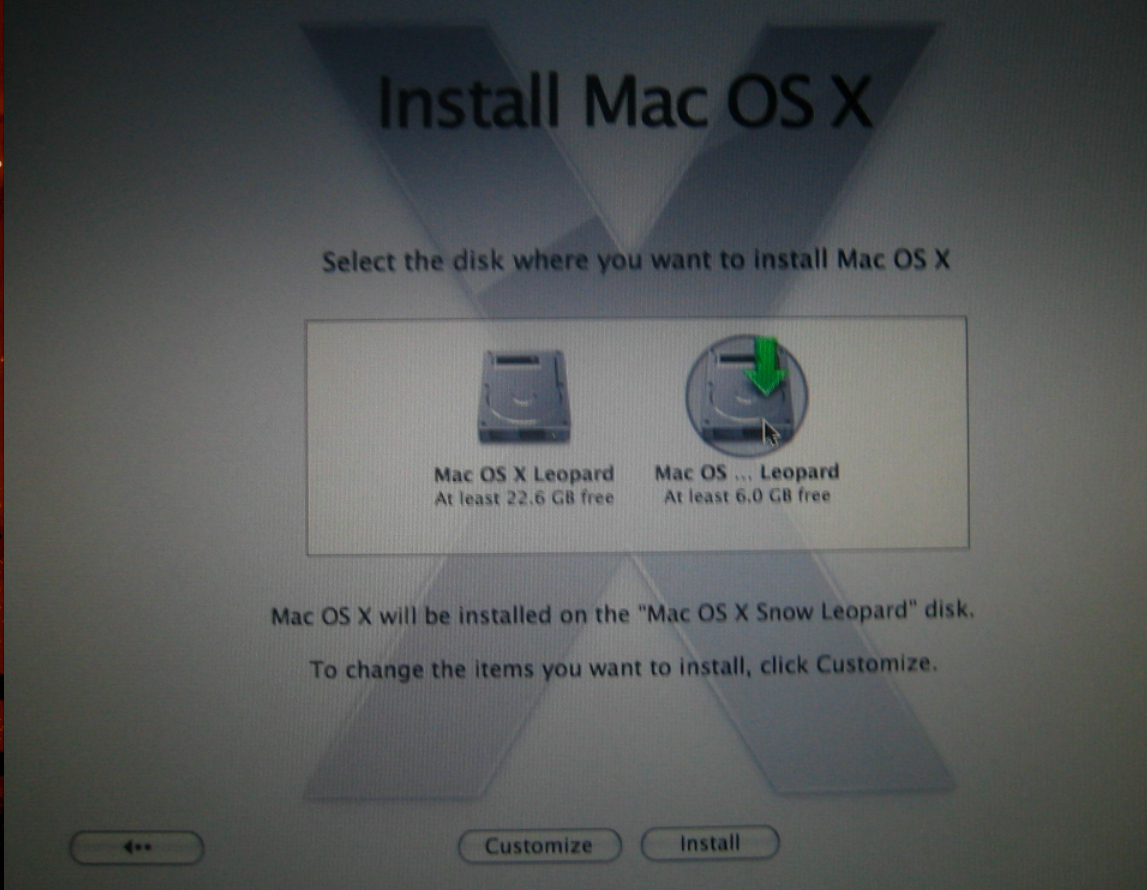
post-52313-1213979776_thumb.png


The second picture displays the only options that are available for Installation.
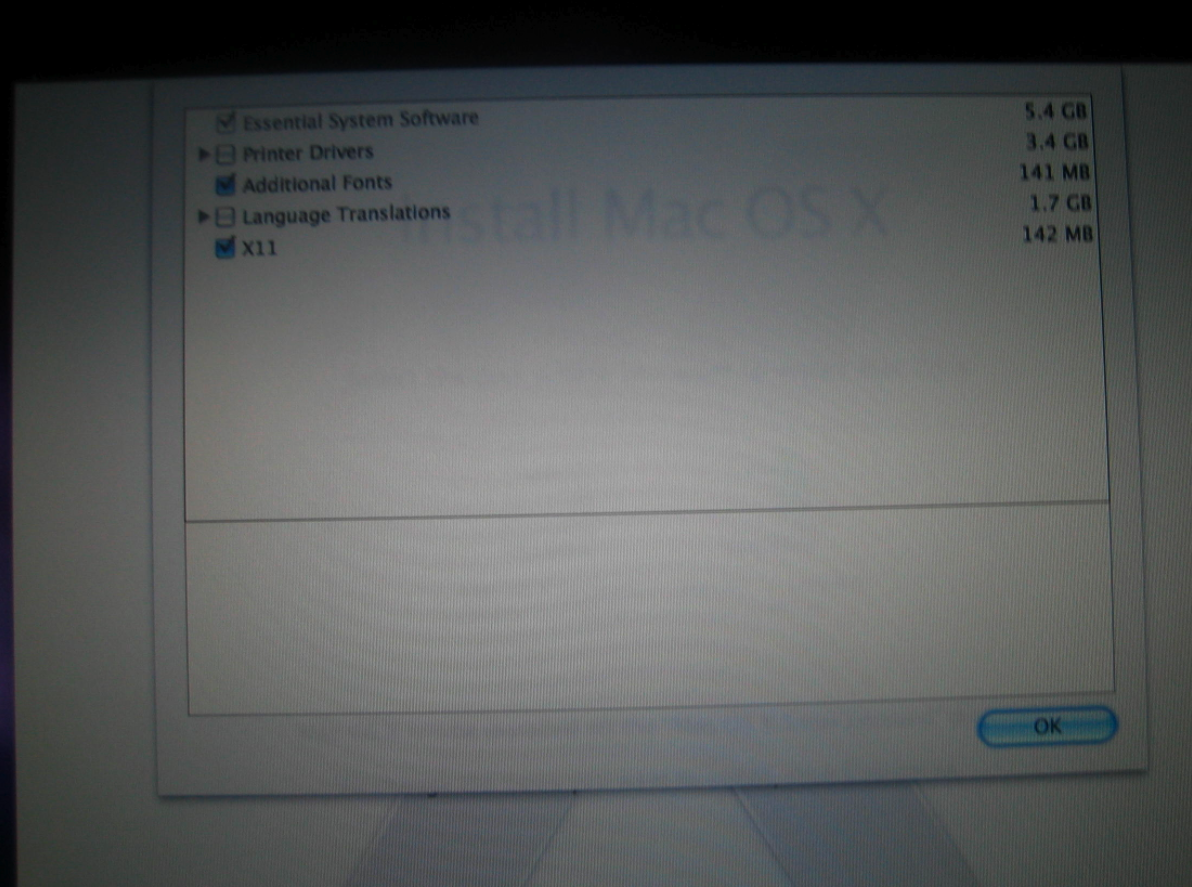
post-52313-1213979868_thumb.png


The third picture is the screen that you get after installation. The anonymous member told me that everything else is the same in Leopard and Snow Leopard.
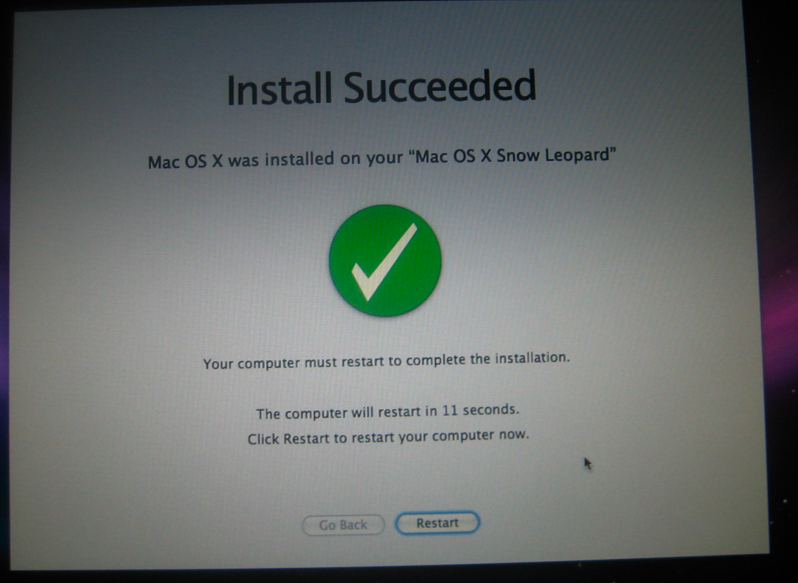
post-52313-1213979916_thumb.png


So what say you? Real or fake?


User Feedback

Recommended Comments


diafebus

Posted

This is real, i have the snow leo CDR and when it inststalled it had that installer


really?

and how does it works?

Embio

Posted

Its not really simplified. Disk Utility, Terminal, etc are all still there.


If the partition is already prepared though, this way is a bit faster so I prefer it, esspecially with the altered default options

diafebus

Posted

but this new system now works ok? or it's still developing and we should wait for an official release?

aliasa_anderson

Posted

Someone have boot-up Snow?This is real! -> http://forum.insanelymac.com/index.php?sho...mp;#entry792343
Does thr client version have ZFS support ? The server edition does claim to have it.
but this new system now works ok? or it's still developing and we should wait for an official release?
I guess its better to wait coz if they release a new build,you will have to reinstall whole OS again.Not sure about the stability of this OS though as compared to Leopard.
This is real, i have the snow leo CDR and when it inststalled it had that installer
Doe it have only one new wallpaper ? or has many ones
DsurioN

Posted

Yup it's real. I'm running it right now. And it doesn't really have any new wallpapers

aliasa_anderson

Posted

Yup it's real. I'm running it right now. And it doesn't really have any new wallpapers


Great!!! And what about the ZFS support,i mean ZFS write support ?

f41qu3

Posted

ZFS works fine! BTW, only by Terminal: "sudo zfs" - not graphical support by Disk Utility at this time.


:mellow:

d235j

Posted

ZFS works fine! BTW, only by Terminal: "sudo zfs" - not graphical support by Disk Utility at this time.


:(


ah, Leopard 10.5 has ZFS (write) support with a few extra files ....

http://zfs.macosforge.org/trac/wiki/

aliasa_anderson

Posted

ah, Leopard 10.5 has ZFS (write) support with a few extra files ....

http://zfs.macosforge.org/trac/wiki/


Thats great.I stumbled upon this website few days ago.But i guess the native ZFS support would be more stable than the third party version.

Maybe Apple will have ZFS as their default filesystem one day instead of HFS+.

HFS+ came first in the server version of OS.Maybe ZFS will follow the same tradition.

Lets see.

f41qu3

Posted

ZFS is not for default.

Ai Haibara

Posted

Has anyone checked if the current build of Snow Leopard can boot from a ZFS partition? That would be interesting, as the feature is currently in development.


Sherry Haibara

iDerf2006

Posted

This is indeed very real.

f41qu3

Posted

Has anyone checked if the current build of Snow Leopard can boot from a ZFS partition? That would be interesting, as the feature is currently in development.


Sherry Haibara


Hi, I can't test boot with ZFS HDDs because I'm testing Snow on mine Laptop. When a comming home, test-up Desktop machine and post back what happened there.


gr8z :)

aliasa_anderson

Posted

Hi, I can't test boot with ZFS HDDs because I'm testing Snow on mine Laptop. When a comming home, test-up Desktop machine and post back what happened there.


gr8z ;)


Apple must also be busy testing ZFS for future versions of OS maybe Snow Leopard 10.6.x.


Also is ZFS supported for both MBR and GUID partion schemes ?

aliasa_anderson

Posted

I was just wondering is it possible to run Snow Leopard on a PC by using efi.

I mean install Snow Leopard and then from a already installed Leopard/Thiger partition install efi on Snow Leopard partition.


Is it feasible ?

Poco

Posted

Now by most people no but later yes.

iPoco

mookid

Posted

Like the install could be any less complicated in the first place.

PGHammer

Posted

Like the install could be any less complicated in the first place.


Actually, ZFS support wouldn't exactly be a bad thing for servers (one of Apple's major targets as of late is the server market). While Solaris (which also supports ZFS) is also a *desktop* OS, the desktop is far from the major reason for ZFS' development.

dsigno

Posted

But if apple buys nvidia and now with P.A. Semi, drops a new generation of integrated chipsets with new processors, could it be the end of the hackintosh era? I suspect that apple will launch this with Snow Leopard.

mikecwest

Posted

Its the Retail version! The choices are always simplified! I can confirm, that was the only choices available!


SticMAN


No, its not the RETAIL version. It is the WWDC preview.


That IS, however, the way the installer works on it.

XanthraX

Posted

I don't understand why that complaining about simplicity. I saw in those pics the button "customize", right? I already saw the little arrow at the left of each package. Why is this installer no configurable?

dr.funk

Posted

My only concern will be drivers. How long it could take and reliability. But mostly from 3rd parties, digidesign, apogee, rme and others.

Denholm

Posted

I like the simplicity offered by the OS X 10.6 installer shown here. :help:

FirstHackintosh

Posted

But if apple buys nvidia and now with P.A. Semi, drops a new generation of integrated chipsets with new processors, could it be the end of the hackintosh era? I suspect that apple will launch this with Snow Leopard.


This would be great. It's time for real Macs. I hate these standard PEECEEs :-)


×
×
  • Create New...