All Activity
- Past hour
-

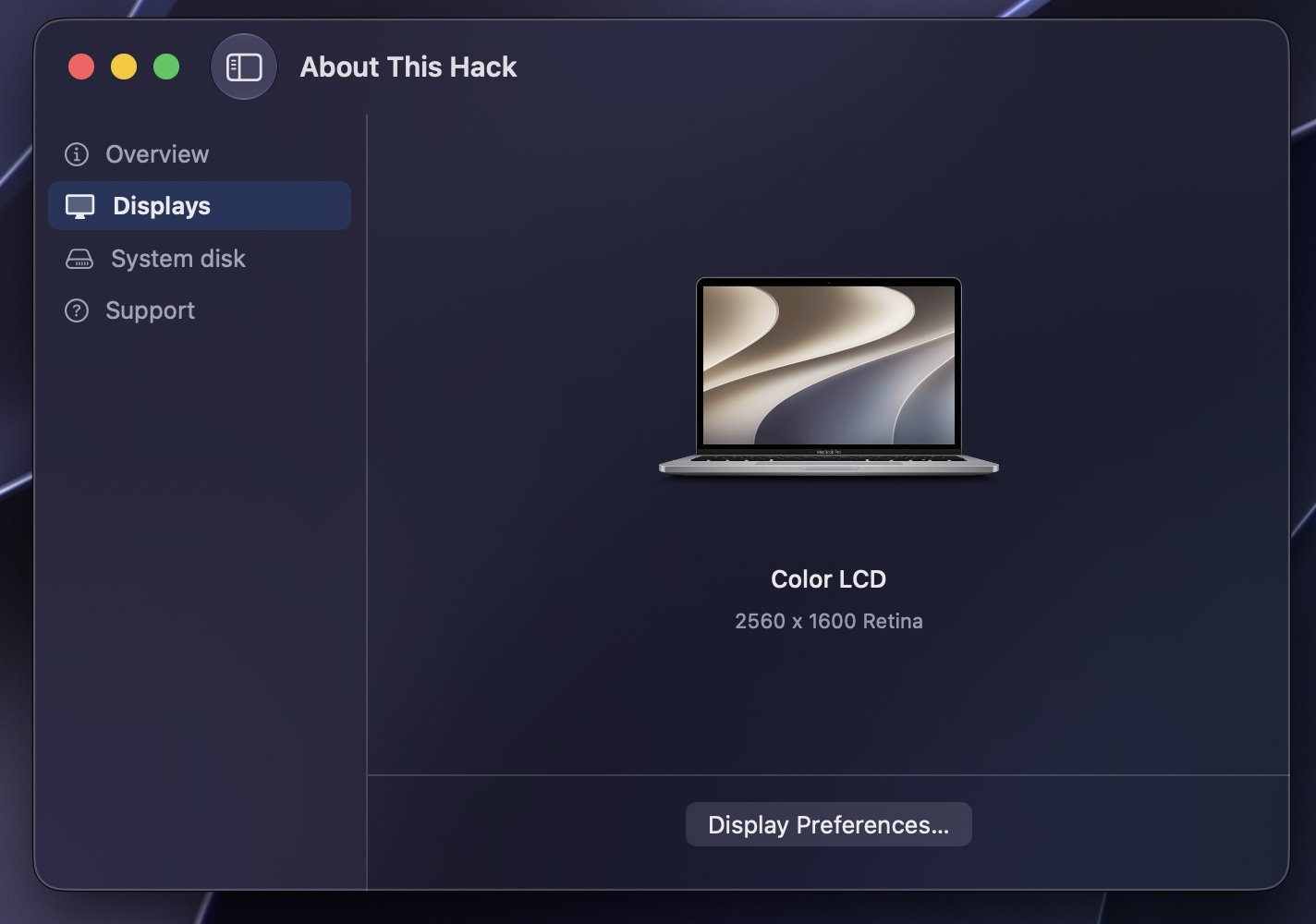
About This Hack (2009-Nissan-Cube version migrated to SwiftUI)
kgp replied to miliuco's topic in Hackintosh Tools
@miliuco and @chris1111, many thanks for another great job!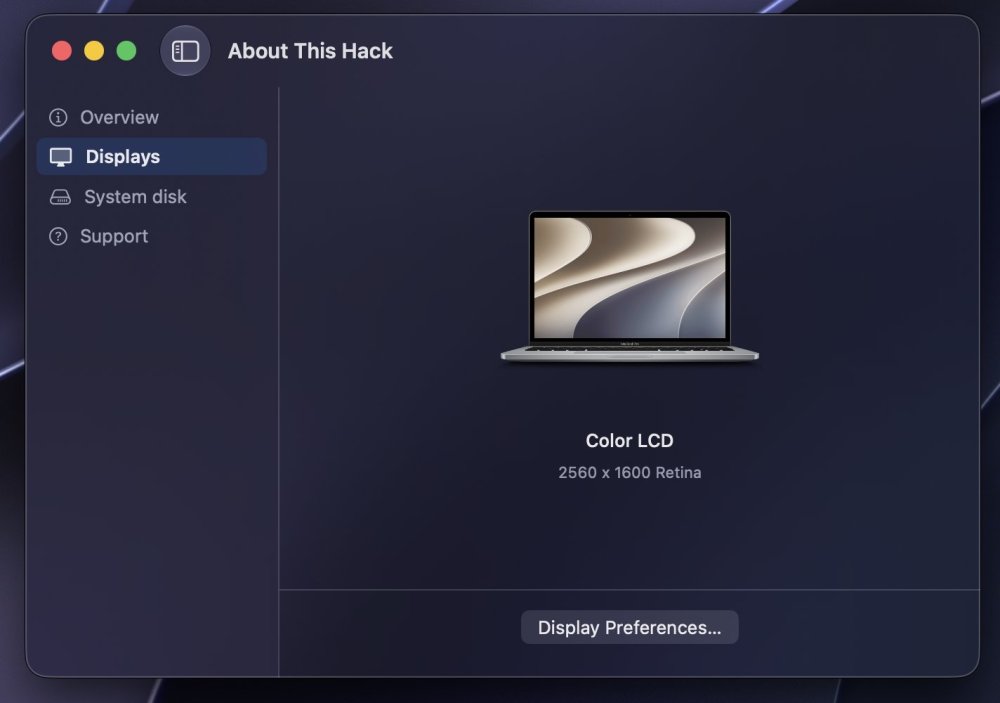
-
 missingperson joined the community
 -
 socoliveinx changed their profile photo
 -
socoliveinx joined the community
-

About This Hack (2009-Nissan-Cube version migrated to SwiftUI)
miliuco replied to miliuco's topic in Hackintosh Tools
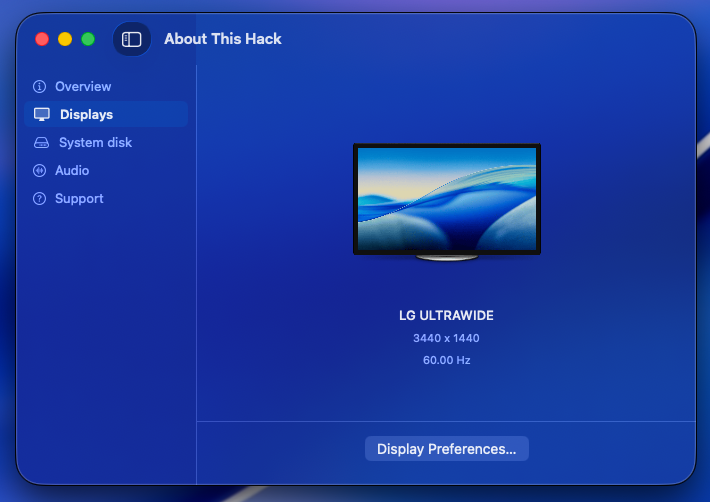
Based on @chris1111's idea of using a per-macOS-version artwork for generic external display (genericLCD assets), I have extended it to built-in screens (MacBook assets) so that, in the Displays tab, the image of the device(s) has the macOS version logo as a background. https://github.com/perez987/About-This-Hack/releases/tag/4.3.7 -
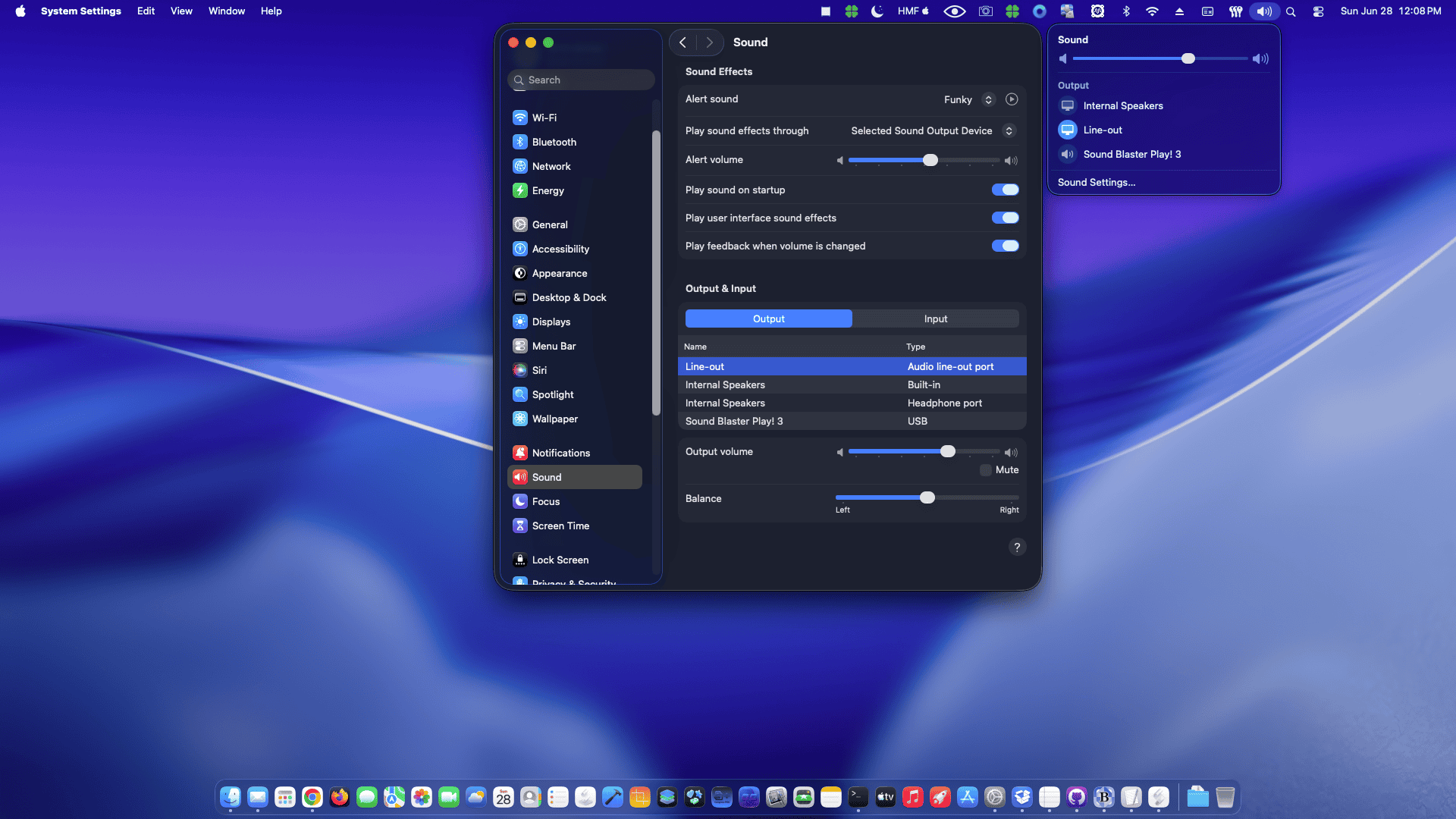
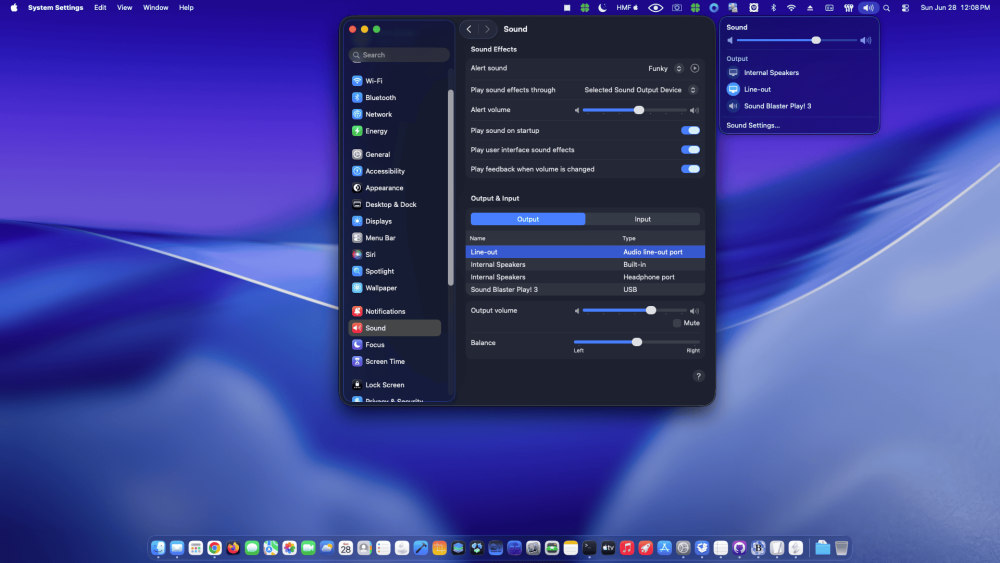
 Options for your codec. You can use my clover version and press F8 key on boot screen for dump audio codec like linux https://limewire.com/d/Qejs6#PedXIuK9gN Files generated on misc folder inside Clover folder No. HDAUniversal does not require a separate preference pane like VoodooHDA. It is designed to integrate with the native macOS audio stack and relies on the standard Sound settings, providing an Apple-like experience similar to AppleALC. Output devices, input devices, volume, balance, sample rate, and other audio preferences are managed directly through the built-in macOS settings. It also includes automatic combo-jack handling for supported laptops, allowing headphone and headset microphone detection to work dynamically without requiring an external control panel. The goal of HDAUniversal is to deliver native integration, broad hardware compatibility, dynamic codec detection, combo-jack support, and automatic configuration while keeping the user experience as close as possible to a real Mac.
 -
 girafa crazy joined the community
 -
 Kacey Lindsey joined the community
 - Today
-
 Thanks! I tested it by manually adding the kext to Library/Extensions and using the following commands (I like doing this kind of tweaks the old way): sudo chmod -Rf 755 /L*/E* sudo chown -Rf 0:0 /L*/E* sudo touch -f /L*/E* sudo chmod -Rf 755 /S*/L*/E* sudo chown -Rf 0:0 /S*/L*/E* sudo touch -f /S*/L*/E* sudo kextcache -Boot -U / sudo kextutil -v /Library/Extensions/HDAUniversal.kext sudo kextload /Library/Extensions/HDAUniversal.kext I booted with SIP=03000000 to install the kext manually and once installed, I changed SIP to 01000000 in the config file and rebooted. After rebooting it worked for me. Does this kext require any preferencepane like VoodooHDA or does it rely on the macOS built-in audio settings like AppleALC? I think the answer is the latter but wanted to confirm.
 -
 Not having any success getting my sound devices to show up with HDAUniversal. I'll keep working on it before I submit a report. I wanted to try this out because I was having problems getting both VoodooHDA and AppleALC working. With those, I get some audio function but my internal speakers don't work after waking from sleep. It may all be due to a layout ID that is not really suited to my system but I have tried all of the layout IDs for my codec (ALC 285) and none of them seem to work well.
 -
 bongdatainfovn joined the community
 -
It should work with any of them, except 00000000; I actually only use 03080000 or FF0F0000.
-
thanks @MaLd0n so, does this mean that I need to boot with SIP=03000000 to install it, right? And once installed, can I change it to 01000000 (allows untrusted kexts)?
-
 Propstellar joined the community
 -
 rbmosush joined the community
 -
We need a CSR value different from 00000000 because 00000000 means SIP is fully enabled, which can block development or unsigned kexts before the Security/Privacy approval prompt appears. 00000000 = SIP fully enabled. 01000000 = allows untrusted kexts. 03000000 = untrusted kexts + unrestricted filesystem. 03020000 = untrusted kexts + unrestricted filesystem + unapproved kexts. 030A0000 = untrusted kexts + unrestricted filesystem + unapproved kexts + unauthenticated root. FF0F0000 = almost everything allowed in the classic CSR bits. This kext is specific for Tahoe, old system i'm using AppleAlc or VoodooHDA.
-
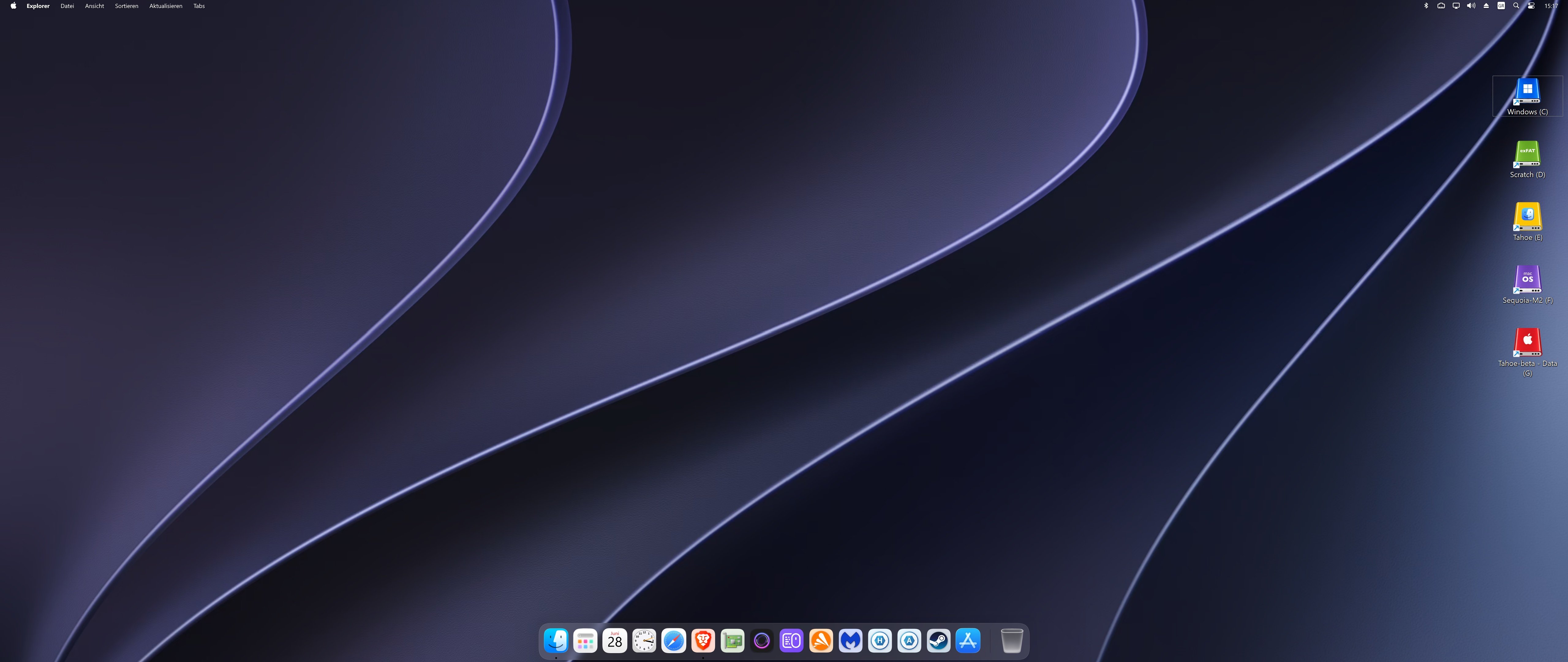
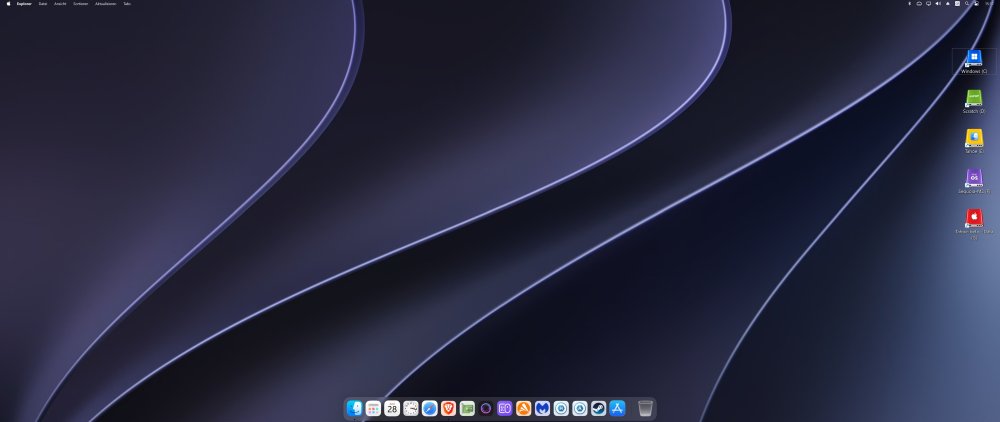
Small update! Just added a Windows 11 + MyDockFinder showcase to the Tahoe Drive Icons Pack. Although the project primarily targets macOS, the included high-resolution PNG assets can also be converted into Windows .ico files, making it possible to create a surprisingly authentic macOS-inspired desktop environment under Windows 11. The README and Post #1 have both been updated accordingly. Enjoy!
-
 zzj88com joined the community
 -
taisunwinonline2 joined the community
-
nk88wcom2 joined the community
-
 Chlomaki changed their profile photo
 -
@MaLd0n Great Job!
-
@MakAsrock Thanks for the feedback!
-
 Did you make release for Old mac 10.6 to Catalina?
 -
@MaLd0n great development. I would like to test it. Is there a need to partially disable SIP when installing for the first time like with VoodooHDA? If yes, what is the csr value to define in config file for installation? Can we change SIP to 01000000 after installation like with VoodooHDA? Or there is no need to tweak SIP?
-
Working on HP Prodesk 600 G1 Thanks dear freind
-
 nohu doithuongslotcom changed their profile photo
 -
 Tested HDAUniversal on my Hackintosh and it works perfectly Thanks @MaLd0n
 -
 Tahoe, aggregate sound: works OK. Good job! 👏
 -
Clover 520x soon A major modernization goal for Clover is full AMD platform support, from Ryzen and Threadripper to EPYC and future AMD generations. Clover should be able to handle AMD-specific macOS boot requirements more cleanly, including kernel patch handling, CPUID compatibility, SMBIOS adaptation, PCI device preparation and stable boot behavior, while still keeping every option controlled by config.plist. Another important goal is to make Clover capable of managing the common ACPI fixes selected by the user, reducing the need for separate manual SSDTs on most chipsets. Clover should not blindly apply ACPI changes by itself. The user still enables the desired fixes in config.plist, and Clover then performs the selected work dynamically and safely according to the real firmware ACPI layout. This means that when the user enables fixes such as EC, USBX, PLUG/plugin-type, PMCR, RTC, AWAC, HPET, IRQ fixes, NVMe injection, USB power properties or _DSM collision handling, Clover should detect the correct ACPI scope, PCI root, bridge and device path instead of relying on fixed names like PCI0, PC00 or PC02. The objective is not to remove user control. The objective is to remove the need for hand-made SSDTs for common fixes. Clover should provide selectable ACPI fixes that work across many Intel and AMD chipsets by detecting where the patch belongs, avoiding duplicate devices, preserving valid firmware devices and renaming only target-device _DSM methods when required. With this approach, Clover becomes more powerful and easier to maintain. Most users can rely on Clover’s built-in selectable ACPI fixes instead of manually creating SSDTs for every board, while advanced users still remain free to disable Clover fixes and use custom SSDTs when they need full manual control.
- 30969 replies
-
- 3
-

-

-
- bootloader
- efi
- (and 2 more)
-
 @MaLd0n This is exciting! I'm looking forward to testing!
 -
@izzat It's best to post your EFI (at least your config.plist) when asking questions like this. Re-read these instructions carefully to learn about modifying your display properties for DP. Starting with macOS Tahoe, audio requires either VoodooHDA.kext (what I use and have documented in this thread) or OCLP.
- 1124 replies
-
- 1
-
-
- catalina
- hackintosh
- (and 17 more)
-
HDAUniversal is a modern AppleHDA-like audio kernel extension for macOS and Hackintosh systems, created to deliver clean, stable, and natural onboard audio with a behavior closer to Apple’s native audio stack. This release represents an important milestone for the project. After extensive development, testing, debugging, and fine tuning across desktop and laptop configurations, HDAUniversal now provides a solid AppleHDA-like foundation with native-style volume handling, reliable output routing, combo-jack support, and compatibility with AppleALC-style layout IDs. The goal has always been clear: make audio feel native, predictable, and stable on supported Hackintosh systems. Donations help keep the project alive, supporting development time, testing hardware, hosting, maintenance, and future improvements. If HDAUniversal helps your system, consider supporting the work so the project can continue growing. Link HERE A New AppleHDA-like Audio Solution HDAUniversal was designed with a strong focus on native macOS behavior. Instead of relying on artificial volume tricks or unstable routing workarounds, the kext follows a cleaner AppleHDA-like approach for codec initialization, output selection, mute handling, and endpoint switching. The current release includes support for: Internal Speakers Headphones Line-out Internal Microphone Headset Microphone Laptop combo-jack detection Desktop non-combo audio paths AppleHDA-like selector/source behavior Stable speaker/headphone switching Correct headset microphone handling Native-style output volume Proper mute and unmute lifecycle Clean Power/EAPD restore order This release is the result of careful iteration and real-world testing, with each change validated to avoid regressions in volume, routing, combo-jack behavior, or system stability. Installation 1- Remove VoodooHDA, AppleAlc or other and inject bootarg alcid=xx or Device Properties. Check Instructions HERE 2- Run the .pkg installer, then open System Settings > Privacy & Security and allow the HDAUniversal kernel extension if macOS asks for permission. Example: In my ALC897 i'm using alcid=98 and HDAUniversal.kext, only it. Why HDAUniversal Must Be Installed in /Library/Extensions HDAUniversal is designed to work as a system-installed macOS audio kext, not as a simple bootloader-injected kext. For this first release, the correct and supported installation path is: /Library/Extensions/HDAUniversal.kext This requirement is intentional. Unlike small helper kexts that can usually be injected from EFI, HDAUniversal publishes real IOAudio devices, IOAudio engines, selectors, controls, volume ranges, mute controls, input/output sources, and AppleHDA-like audio endpoints. These objects are used not only by the kernel, but also by macOS user-space audio services such as CoreAudio, Sound Settings, Audio MIDI Setup, Control Center, and coreaudiod. Installing the kext in /Library/Extensions gives macOS a proper on-disk bundle with the expected structure, metadata, permissions, cache handling, and resource visibility. This is important for stable audio registration, correct IOAudio behavior, system audio discovery, sleep/wake lifecycle, and future localization or UI-related metadata. Loading HDAUniversal only from EFI may load the binary, but it can produce incomplete or inconsistent behavior because macOS may not treat the kext as a fully installed audio bundle. In that case, CoreAudio and the system UI may not reliably see all metadata, resources, localized names, or audio endpoint information the same way they do when the kext is installed properly in /Library/Extensions. For this reason, EFI injection is not supported for the first public release. Supported Installation Method Install HDAUniversal here: /Library/Extensions/HDAUniversal.kext Then rebuild the kext cache / kernel collection and reboot. Not Supported EFI/OC/Kexts/HDAUniversal.kext EFI/CLOVER/kexts/Other/HDAUniversal.kext Temporary manual loading Mixed copies in EFI and /Library/Extensions Only one copy of HDAUniversal should be present on the system. Multiple copies can cause duplicate matching, wrong versions being loaded, broken audio registration, or inconsistent behavior after reboot or sleep/wake. This approach keeps HDAUniversal closer to the way a real macOS audio driver is expected to live in the system and helps provide the most stable AppleHDA-like experience. Compatible with AppleALC-style Layout IDs HDAUniversal works with the same layout-id concept used by AppleALC, making it familiar and practical for Hackintosh users who already understand AppleALC layouts. This allows users to test audio using known layout IDs while HDAUniversal provides its own AppleHDA-like engine, routing logic, and runtime behavior. The layout-based approach makes the kext easier to configure, easier to compare, and easier to integrate into existing Hackintosh setups. Native Volume Philosophy One of the main goals of HDAUniversal is to provide a correct and natural volume experience. The output volume model is designed around real codec capabilities and AppleHDA-like behavior: Output volume reaches 0 dB No positive output boost is used No artificial -dB cap is applied No defensive volume lock is used Volume range follows real AmpCaps Mute is handled independently from logical volume Volume 0 provides real silence Unmute restores the previous logical volume This avoids common issues such as distorted sound, excessive loudness, broken volume steps, mute getting stuck, or inconsistent speaker/headphone volume behavior. Combo-Jack Support Combo-jack support is one of the strongest points of this release. HDAUniversal now supports AppleHDA-like endpoint behavior for laptops with shared headphone/headset microphone jacks. When a headset is connected, the kext can switch the output source to Headphones and the input source to Headset Microphone. When removed, it can safely return to Internal Speakers and Internal Microphone. This behavior was carefully tuned to preserve desktop non-combo systems while improving laptop combo-jack handling. Built for Stability and Real Hardware Testing HDAUniversal has been developed with stability as a priority. Every major stage of the project focused on avoiding regressions, protecting working audio paths, and keeping the kext predictable under real macOS usage. The release was fine tuned around: Boot stability Runtime audio stability Speaker/headphone separation Combo-jack switching Headset microphone detection Mute/unmute behavior Sleep/wake restore order Output volume correctness Avoiding artificial boost and distortion Keeping validated code paths intact This is not just a feature update. It is a carefully tested release built around practical Hackintosh audio behavior. Download HDA-Universal HERE Credits and Acknowledgements HDAUniversal exists because of years of work from Apple, open-source developers, and the Hackintosh audio community. Special thanks to Fabiano and Mirone Credits: Apple For the original AppleHDA architecture, macOS audio stack, IOAudioFamily, codec handling concepts, and the native behavior that inspired the AppleHDA-like design goals of this project. AppleALC For the layout-id ecosystem, codec research, audio patching knowledge, layout data, and years of Hackintosh audio development that helped define how modern macOS audio should be configured on non-Apple hardware. HDAUniversal follows the same layout-id concept familiar to AppleALC users, making testing and configuration easier for the community. VoodooHDA For its long history as one of the most important open-source Hackintosh audio projects, providing valuable knowledge about HDA codecs, routing, mixer handling, and alternative audio implementation strategies. The Hackintosh Community For continuous testing, codec dumps, bug reports, layout experiments, logs, real hardware validation, and years of shared knowledge that make projects like this possible. Olarila For development, testing, debugging, validation, and maintaining tools, guides, patches, and resources for the Hackintosh community. Project development by Daniel Maldonado / MaLd0n - Olarila.com. Disclaimer HDAUniversal is an independent project. It is not affiliated with, endorsed by, or sponsored by Apple, AppleALC, VoodooHDA, or any hardware vendor. Apple, macOS, AppleHDA, and related names are trademarks of Apple Inc. AppleALC and VoodooHDA are separate projects with their own authors, licenses, and development history. Full respect and credit belong to their respective developers and contributors. Reporting Issues If you find a problem with HDAUniversal, please report it with proper logs. Before posting, run the included log collector: Collect-HDAUniversal.command Download HERE This script collects the information needed to understand what is happening on your system, including codec data, IORegistry audio devices, IOAudio engines, CoreAudio state, loaded kexts, system audio information, and relevant HDAUniversal logs. When reporting an issue, please include: 1. The zip generated by Collect-HDAUniversal.command 2. Your codec model 3. Your layout-id 4. macOS version 5. Bootloader used 6. Whether the kext is installed in /Library/Extensions 7. A clear description of the problem 8. Steps to reproduce the issue Please avoid reports without logs. Messages such as “audio does not work” or “headphones are broken” are not enough to debug the problem. Useful examples: - Internal speakers work, but headphones do not switch after plug/unplug. - Headset microphone is not detected on a combo-jack laptop. - Audio works after boot, but not after sleep/wake. - Volume is too low or too high compared to AppleHDA. - The wrong input or output source is selected. For best results, reproduce the problem first, then run Collect-HDAUniversal.command immediately after the issue happens. This gives the log collector a better chance of capturing the real failure. Reports with complete logs are much easier to analyze and help improve HDAUniversal for more codecs, layouts, laptops, and desktop systems.
- 13 replies
-
- 12
-
-
-
 But how did you install for example macOS 15 on Core2Duo system? If it somehow possible. Moreover Inspiron 1520 has 2gb memory which is not enough for systems 10.8 and later.
 -
I upgrade to Tahoe and use the fi from the 1st page. however after do the fresh upgrade, the display is not working, I have to pull out and reconnect again to have a display (im using 2 display via DP) and sound is not working. do you guys have in mind what is actually wrong with the EFI. I forget to backup the previous EFI, my bad
-
 sunwinezcom changed their profile photo
 -
 Austin Finecars changed their profile photo
 -
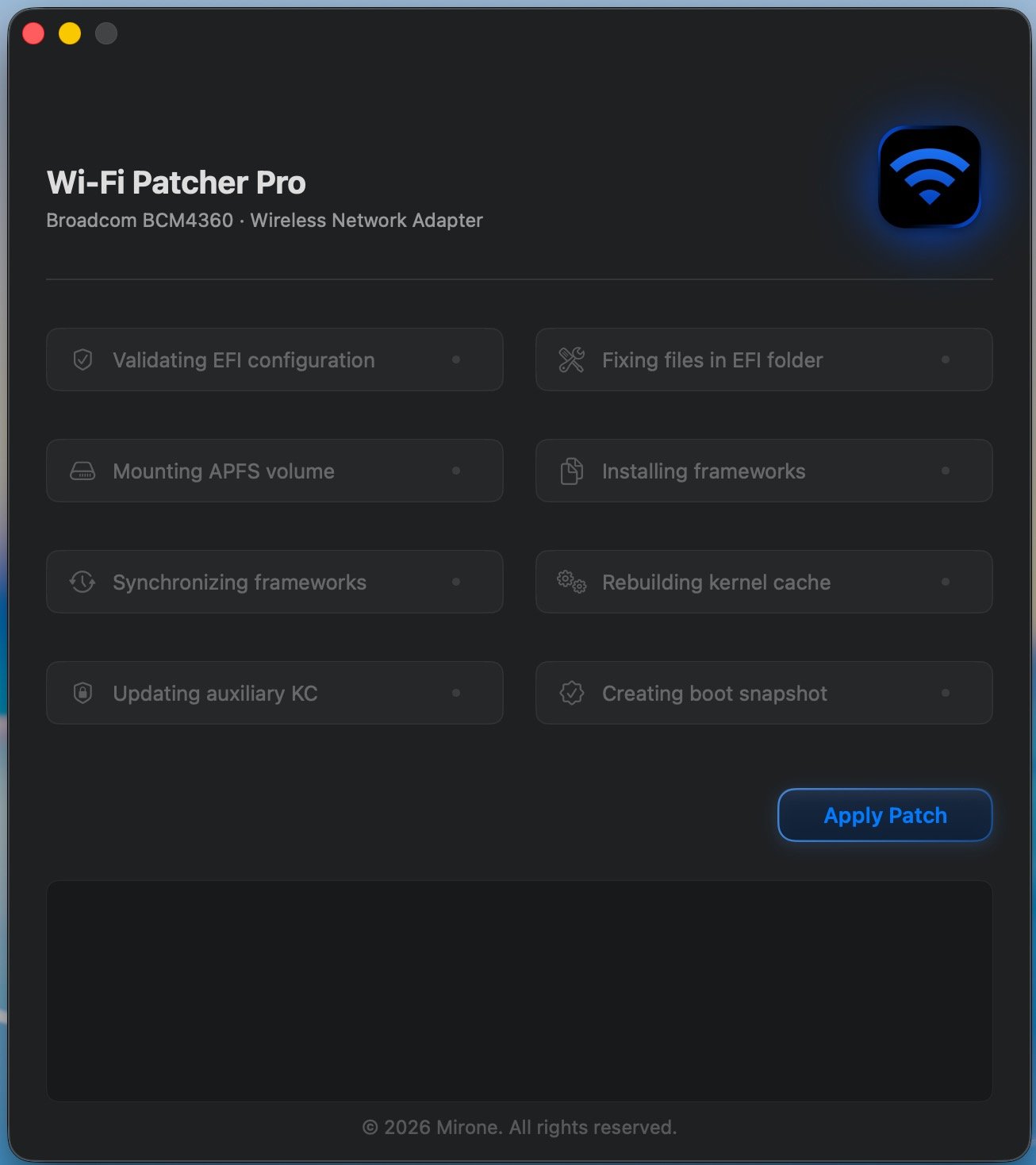
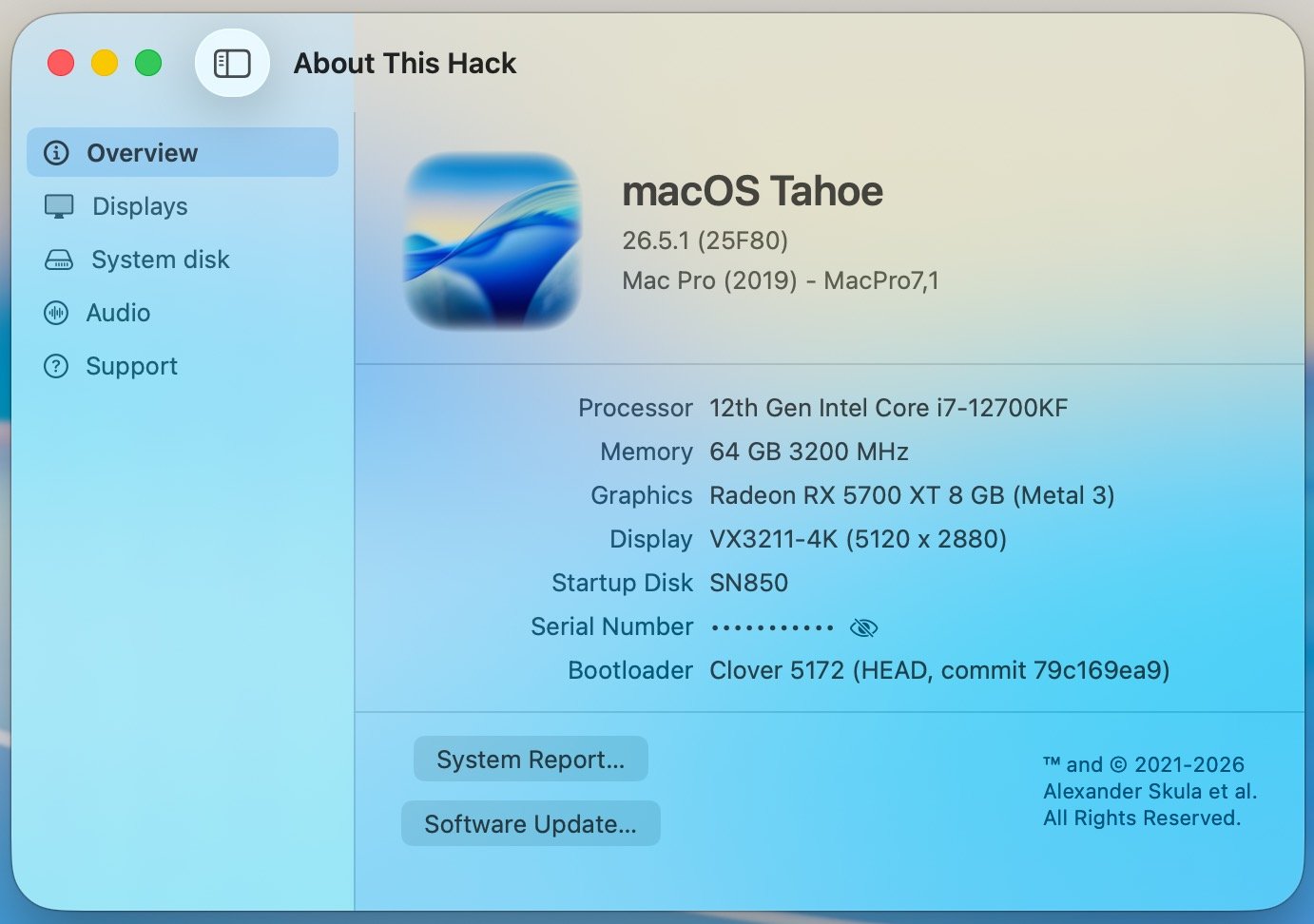
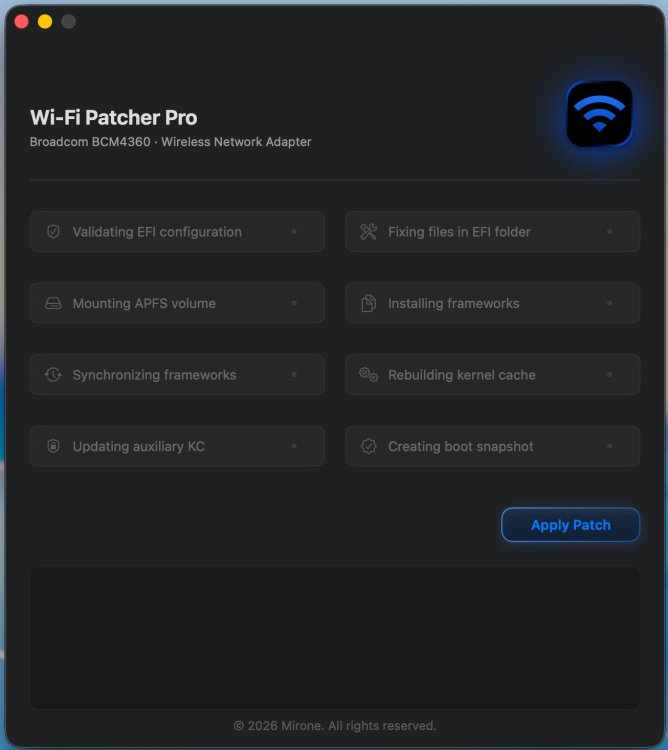
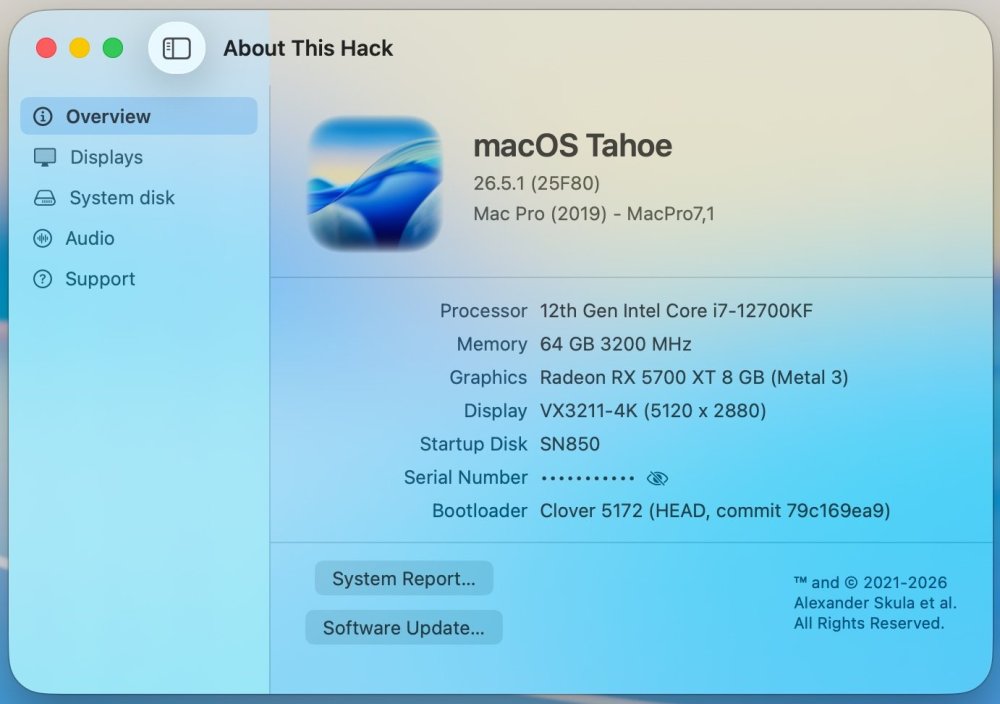
Got around to testing it. My Asrock-Z690-PG-Riptide-hackintosh, Wi-Fi / BT: BCM94360 PCI-E adapter, Clover revision: 5172 (HEAD, commit 79c169ea9) / macOS 26.5.1 (25F80) worked fine. Great work @Mirone. 🤝
-
Problem with random wake was with Sequoia 15.7.8 24G809 Beta. With regular 15.7.7 24G720 everything is fully functional as in final Ventura. I will check in future possible power events. Great work @Mirone.
-
 Hi, i tested this NOAVX version on MacBook Pro RX 560. Both models the small 4B one and the lmma8B failed - after much longer run compared to the v .42 version. All normal versions never failed. qwen3 4B Q4_K - Medium | 2.32 GiB | 4.02 B | MTL,BLAS | 6 | 1 | 0 | pp512 | 71.90 ± 0.25 | test_gen: failed to decode generation batch, res = -3 llama_bench: error: failed to run gen For me that's no problem that your app maybe need really a minimum of an RX 5600XT - they are now , buyer used, not. more expensive. That non AVX2 cpus fail or RX 560/RX580 mama probs should not give you sleepless nights! Even they would run - they will be (useless) slow for that kind of KI GPU tasks - I think. I will upload missed RX 5600 XT test with that NONAVX and normal v .42 version later.