Jump to content

When we all updated our computers to 10.5.2, that update we were all waiting for, something terrible happened. The translucent menus that we once used to enjoy went away, we only heard of them when old parents told their kids about the "old times." But no more! Someone over at MacRumors has discovered that if you replace some of the files in your System folder, you can actually bring the translucent menus back to all your apps.


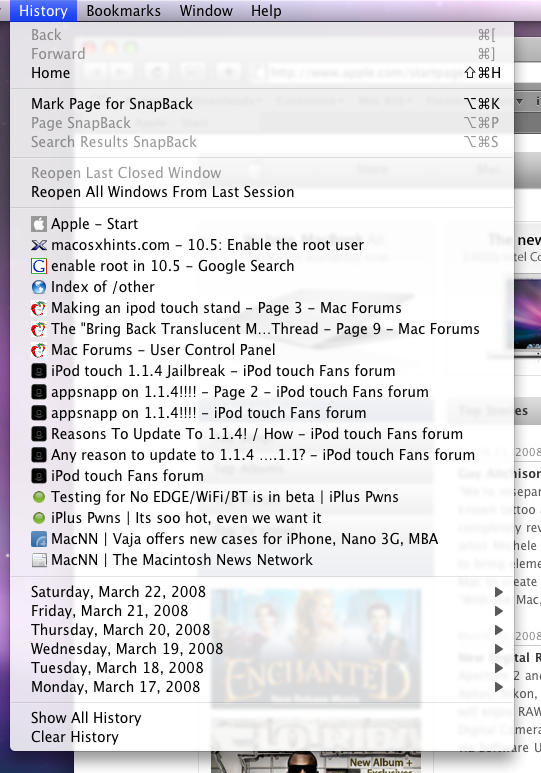
Below is a "pics or it didn't happen moment." The link to the guide is below that. Warning: the guide requires you to use Terminal to set permissions, but I'm sure you can use an app like Fugu to edit the permissions without Terminal.

Thanks Carbon!
 

post-52313-1206301812_thumb.png


Guide


User Feedback

Recommended Comments


Ongeloof

Posted

i noticed this today too, and i am pissed off!!!


Think Mark

Numberzz

Posted

Why are you pissed off?

Ongeloof

Posted

I wanted my menu bar back, and i can confirm it works


Think Mark

khaled_acmilan

Posted

Numberzz i can see now a translucent on my Web Browser(Safari) as you can see:-


picture1ea68b.png


Did You mean you can control what the rate of translucent in any App?.


Thanks.-_-

Ongeloof

Posted

It would be better if Apple sent a nice little update out, i dunno, maybe 10.5.3 and added the use of a slider so we can individually control the amount of translucency...


Think Mark

francola

Posted

It worked, but it also disabled the ability to toggle the translucency of the menu bar! :) Deal breaker for me. My original files are back in place. Whew!

Colonel

Posted

Friggin' awesome. :censored2:

cabron

Posted

I tried here, but not as I expected and not so transparent as we can have on 10.5.1 previously.

Edit: It was my dumb wallpaper, lol.


and I haven't unsupported gfx to use translucent menubar, so I really need silk to use this.


those files just killed the "silk trick" and my menu is opaque again. So if do you use this and have to make silk trick to have the translucent menubar, beware before using and aways have a backup of the original files to restore.


but yeah, works for everyone :censored2:

Paranoid Marvin

Posted

The menus are still translucent, just more opaque than they were before

Look carefully:

20080323-q3dui7ibrhm8f4b5m8mys855gh.jpg

cabron

Posted

It worked, but it also disabled the ability to toggle the translucency of the menu bar! :D Deal breaker for me. My original files are back in place. Whew!


Maybe by some way these files control the whole translucent/transparent stuff on leopard? as I posted here its broken with my "silk trick".


Also this could be a know issue by apple?


well lets wait for 10.5.3 or you could test this with silk installed? (you can turn on or off the translucent menubar under silk by ennable or disable a "magic feature" on the options).


imagem2mg3.png


Maybe this a chance to have fast translucent menubar switch + transparent menus :D

JosefRodger

Posted

thanks alot eh, works like a charm :D

cyclonefr

Posted

didn't work like a charm for me : every UI icons are buggy, like Quicklook or in Safari.


That sucks.

(MoC)

Posted

FTW!!!! WHOOO!


And Marvin, that is confirmed, but people want their UI anorexic.

finetuned

Posted

didn't work like a charm for me : every UI icons are buggy, like Quicklook or in Safari.


That sucks.


Yes, my icons are messed up, too. Nice find, but I'm going back to my old files...

Berzerker

Posted

Same with my icons. Screwed up.

Rufus T. Firefly

Posted

worked like a charm!


a small tweak but a sexy one.

muitommy

Posted

This works great for me!


btw, what kinds of glitches are you guys mentioning?

sponkemonke

Posted

I got buggy icons too. I just deleted the new ones then copied over fresh copies of them. Apparently, Mac OS X doesn't like system files replaced but rather deleted then copied.

pyrates

Posted

I'm confused, wasn't the translacent menu's something users were complaining about?

p1nkrubb3rd1ld0

Posted

WTF ?? everything works here like it worked in 10.5.1 ... didn't need this fix :D


hoorey for me :dev:

~anima

Posted

Lol I didnt even notice that my menus werent transculent anymore. :)

U.C.

Posted

Sweeeet. It works.

(MoC)

Posted

Try repairing permissions, it worked for me. (For the buggy icons)

mindlessmissy

Posted

Quote: "The menus are still translucent, just more opaque than they were before"


Thats Right...


×
×
  • Create New...