All Activity
- Past hour
-
 luck8global2 joined the community
 -
 cm88seocommm joined the community
 -
 miso88ac joined the community
 -
 sc88info joined the community
 -
keonhacai55de1 joined the community
-
 JTCCPAs joined the community
 -
 oasispartyvenue4 joined the community
 -
 The Amino Hub joined the community
 -
 Travel Coffee joined the community
 -
789p30innet1 joined the community
- Today
-
.thumb.jpg.b0d4a8f2ab2aadb504504dea5979222f.jpg) Airlink Tours Niagara Fall changed their profile photo
Airlink Tours Niagara Fall changed their profile photo -
@nmano Are these patches compatible with Arrow Lake - Intel Core Ultra?
-
 officialshopfronts changed their profile photo
 -
-
 The1Day changed their profile photo
 - Yesterday
-
a bit late to the update party. z690 hack. update went well. not patched sound. using bluetooth to creative stage 2 sound bar

-
 ahlam changed their profile photo
 -
An update from the original OCLP Developers: macOS Golden Gate 27 and the Future of OpenCore Legacy Patcher · Issue #1183 · dortania/OpenCore-Legacy-Patcher
-

[Pre-release] macOS Sequoia 15.7.8
deeveedee replied to deeveedee's topic in New Releases and Updates
The RestrictEvents.kext javascriptcore branch is for older pre-AVX systems. GitHub - acidanthera/RestrictEvents at javascriptcore · GitHub -
What's the advantage of DhinakG's javascriptcore branch of RestrictEvents.kext ? Can you pls point to download ?
-
 sun6969win changed their profile photo
 -
 I've sent you a DM with a link to download the language file from the repo. No rush at all, take your time. Thanks a lot, this kind of help is exactly what the project needs.
 -
[Pre-release] macOS Sequoia 15.7.8
deeveedee replied to deeveedee's topic in New Releases and Updates
🙌 Still amazes me that this 2010 hackbookpro can run the latest Sequoia. Posting this with Safari Version 26.5 (20624.2.5.18.3). Booting with OC 1.0.7 using DhinakG's javascriptcore branch of RestrictEvents.kext (with revpatch=jsc).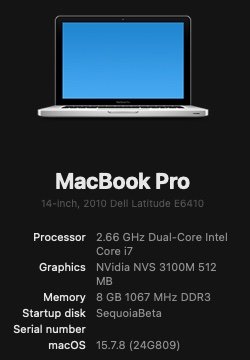
-
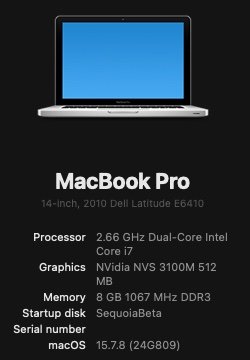
Smooth update to Sequoia 15.7.8 RC2. Status unchanged from my previous post about RC1.
-
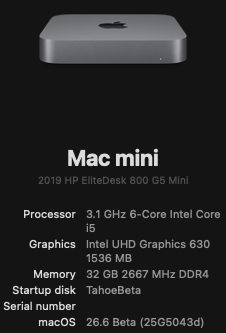
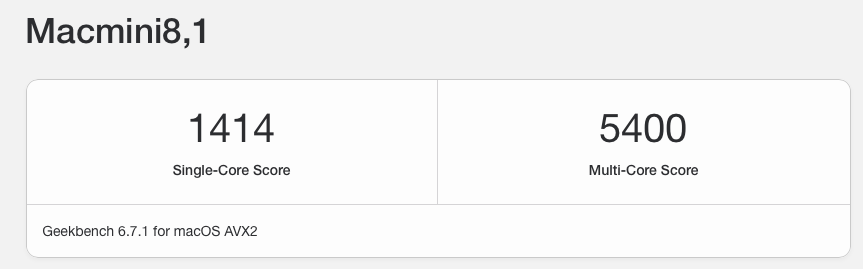
I was pleasantly surprised to find that while the 65W EliteDesk 800 G5 Mini is intended for 9th Gen Intel CPUs, it also supports the 8th Generation i5-8600 CPU. I had a barebones G5 mini and an extra i5-8600 that needed a home. Together they make a perfect, low-cost hack for Tahoe. GeekBench 6 CPU About This Hack
-
 It's great to know it worked, and thank you for the feedback.
 -
 sunwinvorg changed their profile photo
 -
 Bravo, maestro! It works now flawlessly on Apple Silicon and macOS 27! You passed the Golden Gate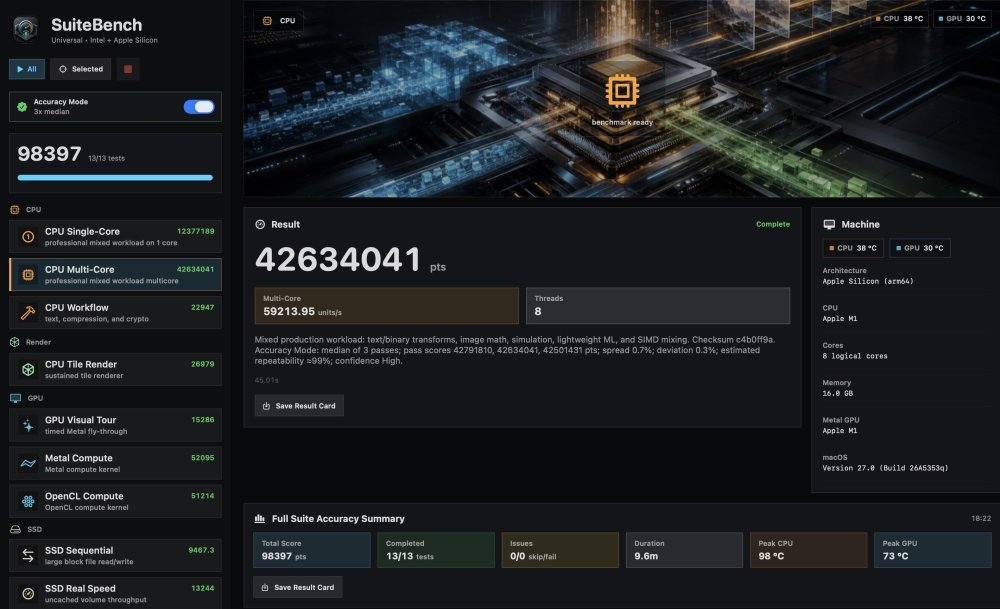
-
Congrats @Mirone !!!
-
 https://limewire.com/d/Wy5Fa#O4zNSkSX3E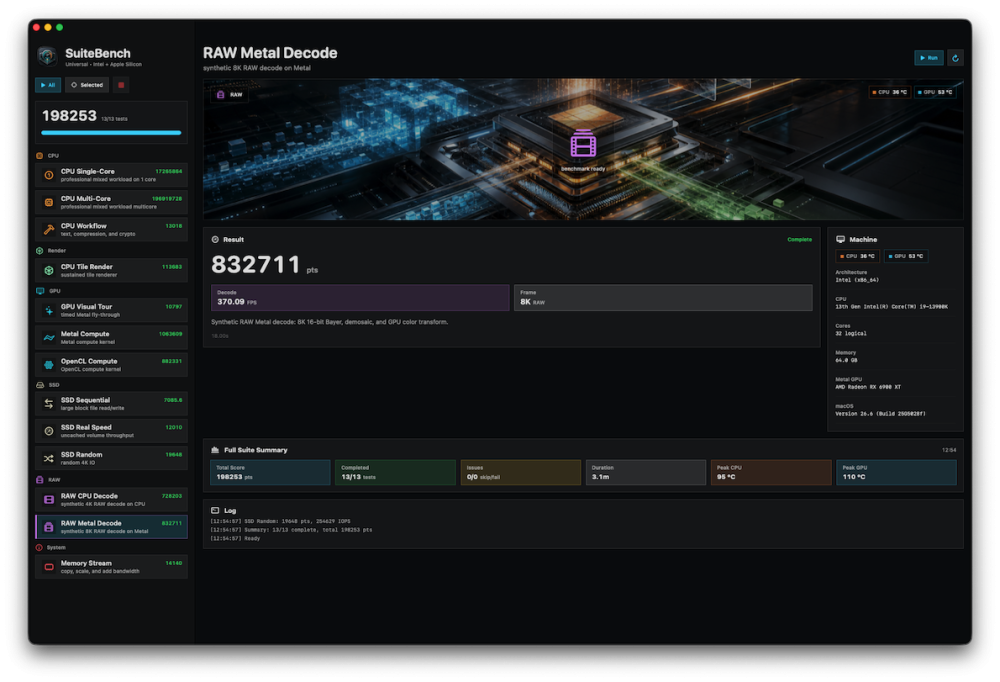
-
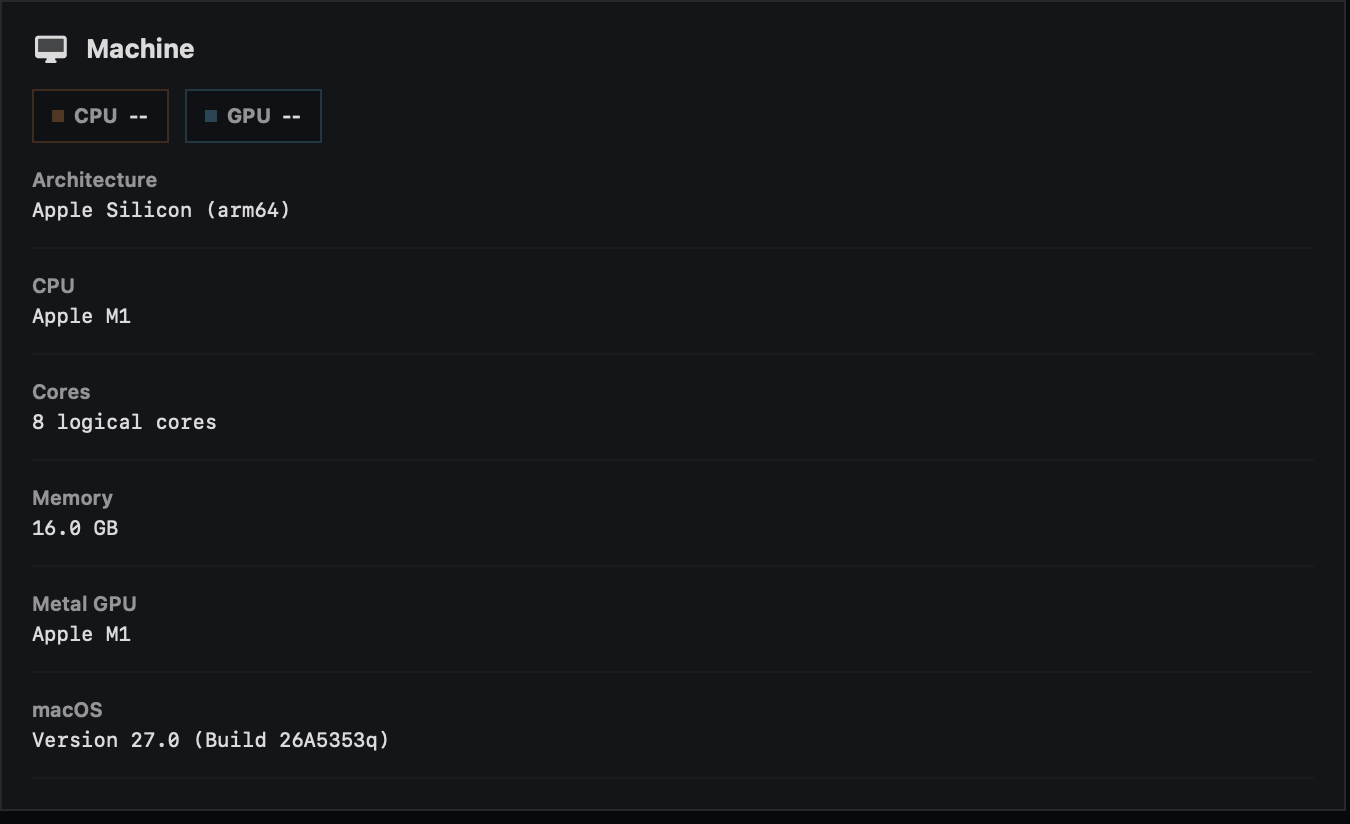
@kgp https://limewire.com/d/85agk#0U2IFHltVg CPU/GPU temperature now tries Apple Silicon SMC keys first, then HID sensors, then the IOReport fallback. If don't work idk.
-
Nope, no CPU/GPU temps either on MacBook Pro 2020 M1...
-
 @MaLd0n test carried out
 -
@KGP Try this https://limewire.com/d/TjAZW#w2jWlK4tvm The problem is that this documentation isn't public. It's a shot in the dark.
-
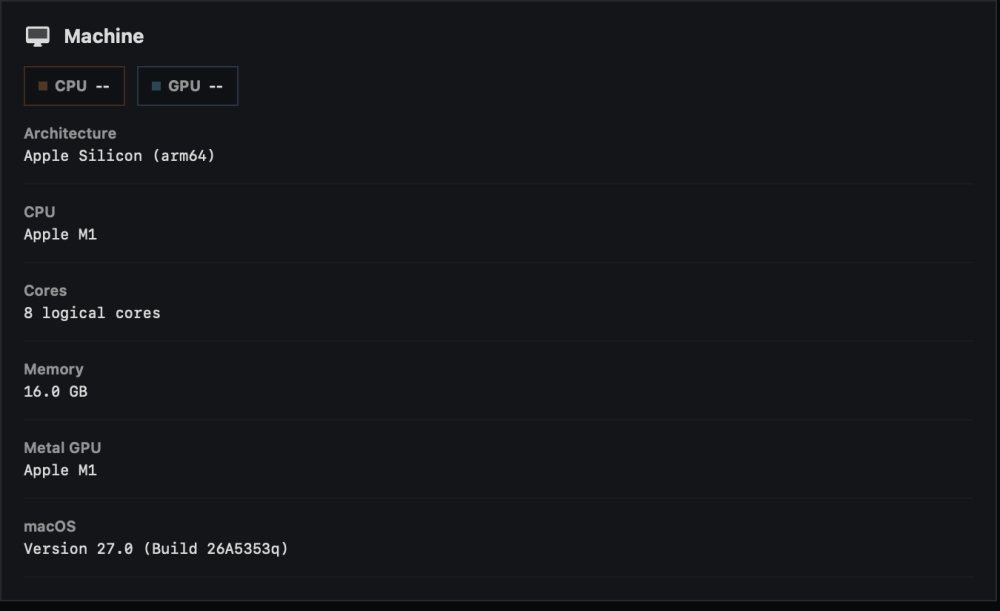
@MaLd0n, are you sure that it is the same link in post 1 to download the new version that includes Apple Silicon CPU/GPU temperatures? No CPU/GPU temperatures on my MacBook Pro 2020 M1 under macOS 27 beta 1.
-
 thanks a lot for the feedback, hit me up with the og english text to translate to italian and I’ll try to do it asap!
 -
@iSpirit81 I did a quick search and found multiple explanations. I'd post here, but it might be better for you to see the original content. Have you tried searching or using your favorite ChatBot?
-
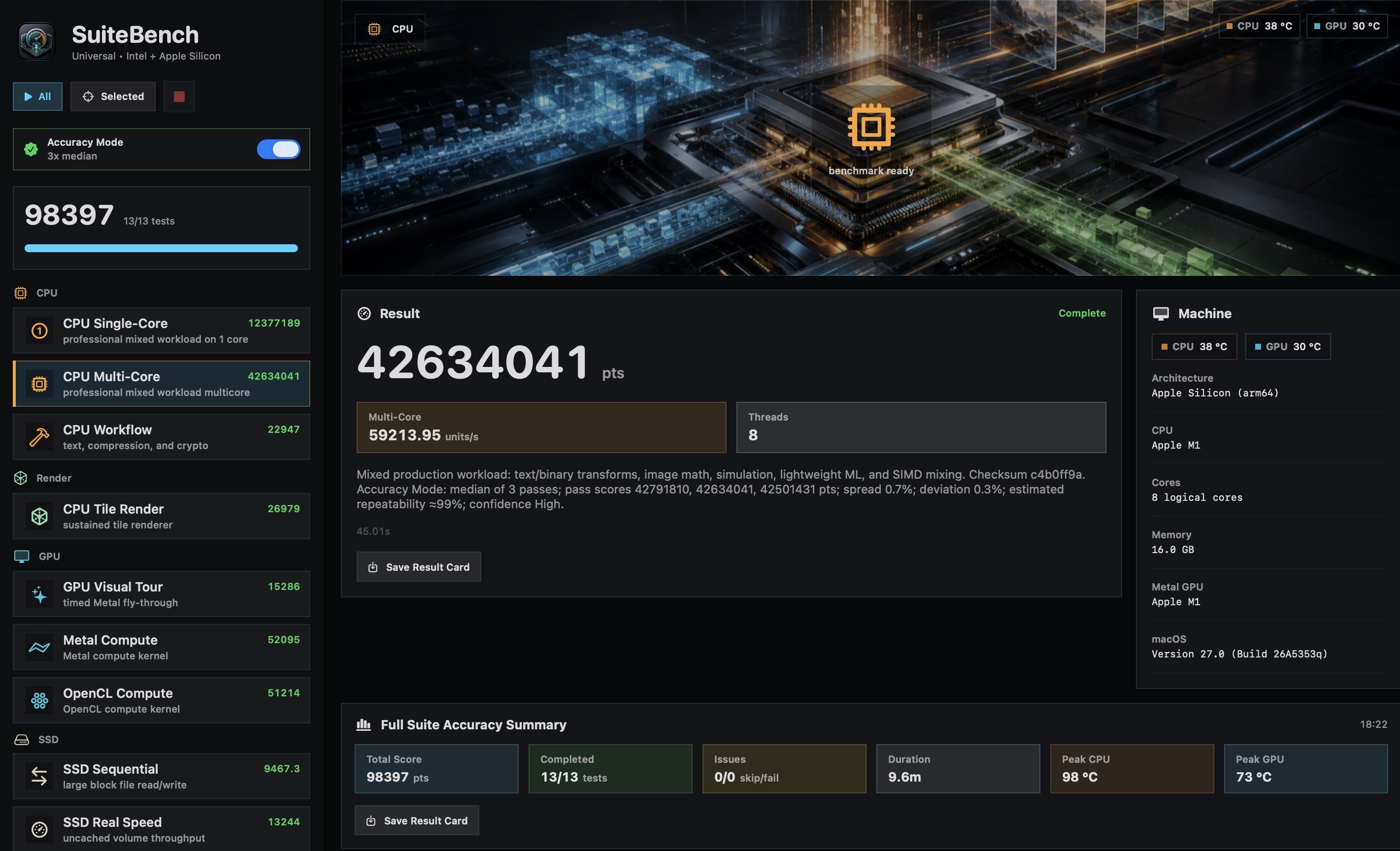
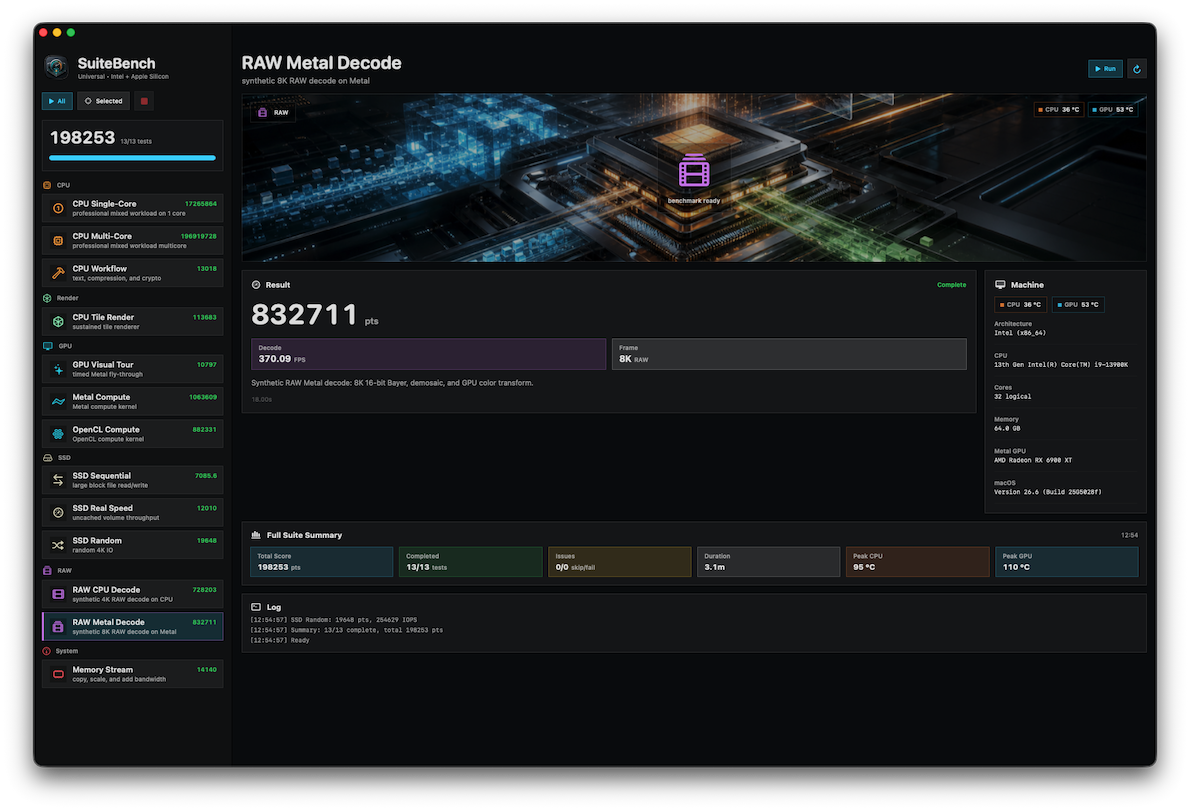
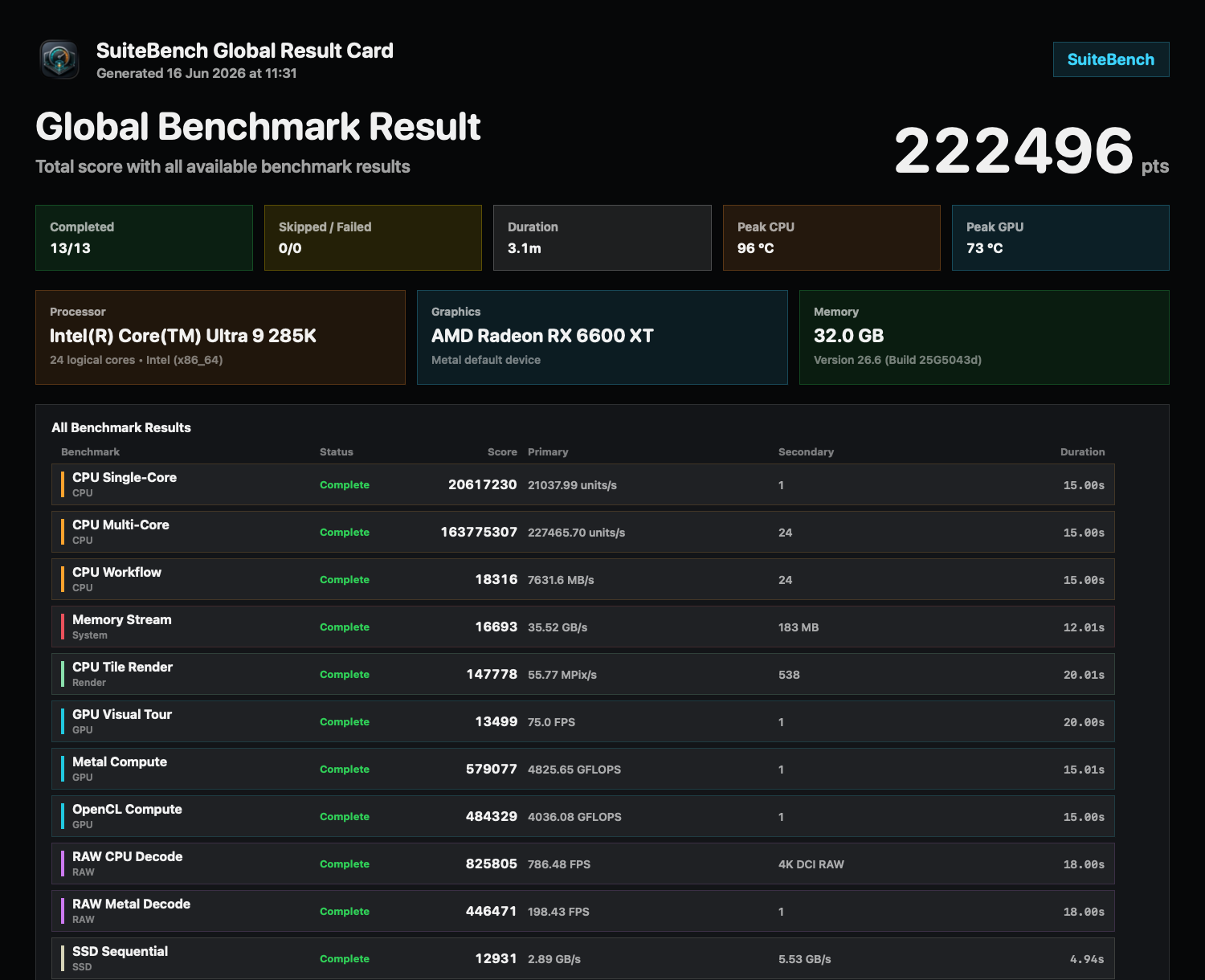
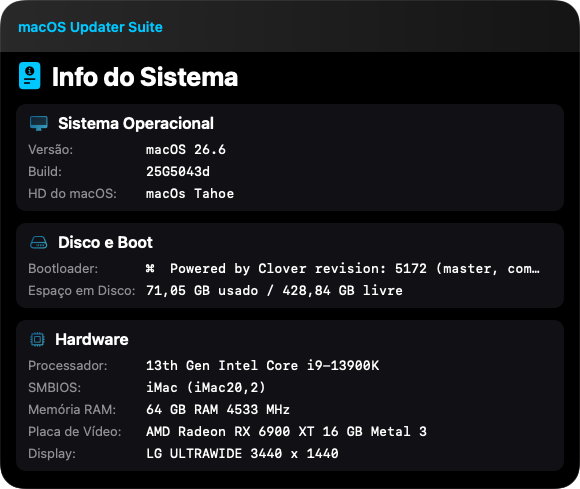
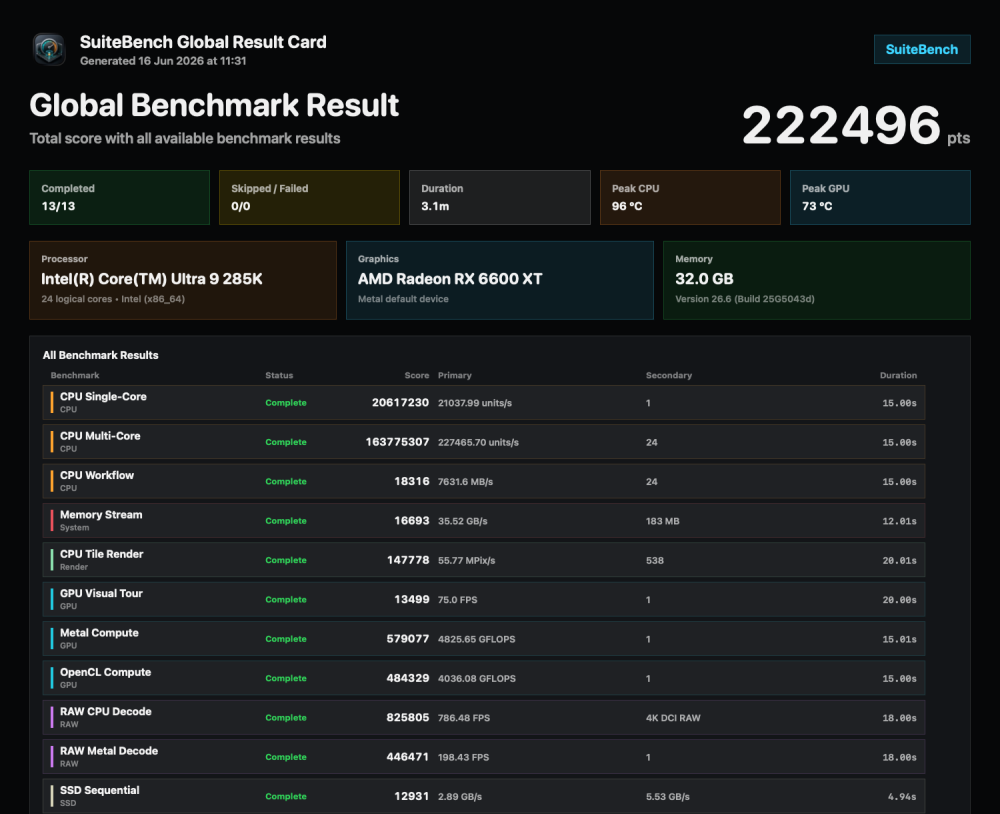
@surenmunoo Check if temps work for AppleSilicon in new version. Download on same link. @benjiolino Try new version SuiteBench changes: Added multi-GPU benchmark support for systems with more than one connected GPU. Metal GPU tests now detect all available Metal devices instead of using only the default GPU. Metal Compute and RAW Metal Decode now distribute work across all detected Metal GPUs and combine the results. GPU Visual Tour keeps the visible scene on the display GPU and runs extra headless Metal workload on additional GPUs, then includes that work in the final score. OpenCL Compute now attempts to use multiple OpenCL GPU devices when available. System/card GPU information now lists all detected Metal GPUs dynamically. Temperature improvements: Added improved Apple Silicon CPU and GPU temperature support. The existing CPU/GPU temperature fields are still used; no new UI was added. The app now tries Apple Silicon SMC-style sensor keys for CPU and GPU. If SMC values are not exposed, it tries a local IOReport fallback from macOS. It only accepts plausible temperature values and shows Unavailable instead of estimating or displaying fake numbers. No external helper, command-line tool, service, or dependency is required. Reliability improvements: Improved Standard Mode result consistency with sustained timed workloads and warm-up/minimum-duration guards. Improved Accuracy Mode by keeping the median result and adding spread, deviation, estimated repeatability, and confidence details. Improved SSD Sequential reliability by using sustained read/write passes instead of allowing very fast drives to finish too quickly.
-
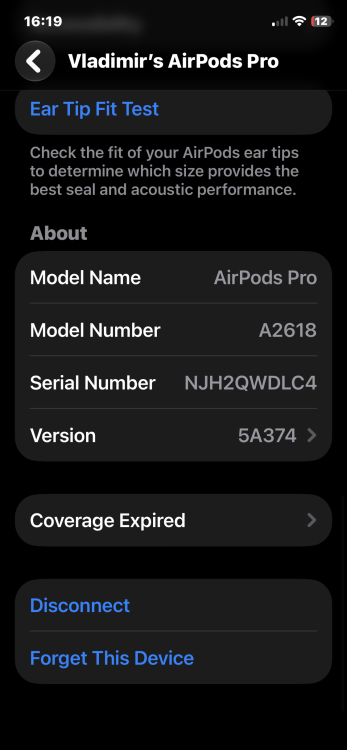
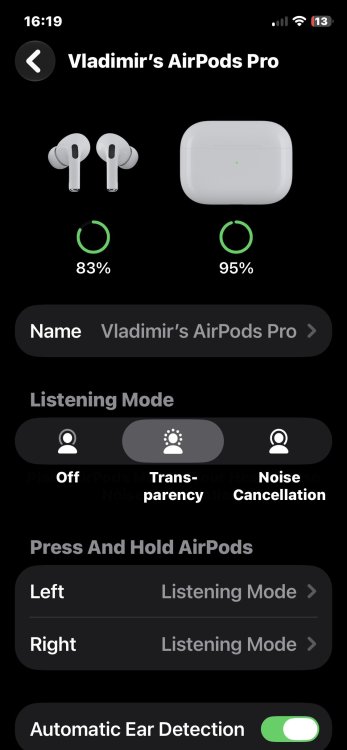
Can someone write me how to update firmware on airpods pro ?
-
Tahoe Drive Icons Pack – Linux Volumes with Paragon extFS A new video presentation by @kaoskinkae demonstrates how Linux volume icons from the Tahoe Drive Icons Pack can be applied directly under macOS using Paragon extFS. The video shows: mounting Linux volumes under macOS enabling read/write access via Paragon extFS assigning custom Linux volume icons using standard macOS ICNS workflow Linux Mint example Many thanks to @kaoskinkae for creating and sharing this tutorial. Video: Please note: The Linux icons included in the Tahoe Drive Icons Pack are intended as custom volume icons under macOS. The icons are applied via Finder using standard macOS ICNS workflow: Right click volume → Get Info Drag desired ICNS file onto the small volume icon in the upper-left corner Paragon extFS offers a free trial version. Tahoe Drive Icons Pack – Windows Volumes with Paragon NTFS A second video by @kaoskinkae demonstrates how Windows volume icons from the Tahoe Drive Icons Pack can be applied directly under macOS using Paragon NTFS. The video shows: mounting NTFS volumes under macOS enabling read/write access via Paragon NTFS assigning custom Windows volume icons using standard macOS ICNS workflow Many thanks again to @kaoskinkae for supporting the project and creating these tutorials. 😊🍏 Video: Please note: The Windows icons included in the Tahoe Drive Icons Pack are intended as custom volume icons under macOS. The icon is stored automatically as a hidden .VolumeIcon.icns file on the NTFS volume and can be assigned directly from Finder: Right click volume → Get Info Drag desired ICNS file onto the small volume icon in the upper-left corner Paragon NTFS also offers a free trial version.
-
HP EliteDesk 800 G4 / G5 Mini with RX560x dGPU (hackintosh)
deeveedee replied to deeveedee's topic in Installation Guides
Upgrade to Tahoe 26.6 Beta 2 went well in my test volume (26.5.1 is still my "production" macOS). I needed this fix for access to Tahoe Beta updates on a new installation of macOS. With Tahoe 26.6 Beta 2, GeekBench Metal benchmarks continue to be consistent with the highest performance that I have observed on this hack.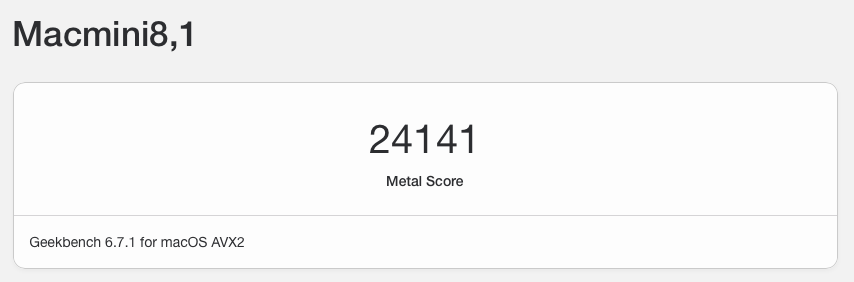
- 430 replies
-
- 1
-

-
- elitedesk 800 g5
- elitedesk
- (and 5 more)