All Activity
- Past hour
-
 Marston John joined the community
 -
 Michael Fang joined the community
 -
 Win BD changed their profile photo
 - Today
-
 Bruno Quintana joined the community
 -
closed, gave permission
-
 MGame changed their profile photo
 -
.thumb.png.758c642983de08fe0ba245d9125b81f9.png) Nhà cái MM881 joined the community
Nhà cái MM881 joined the community -
Final Release 3.6.4 I got clear sound on my AMD RX570 on TV Samsung. https://github.com/CloverHackyColor/VoodooHDA/releases/tag/Release364 If you hear a noise then open Info.plist and change InhibitCache option. Layout 0 will be traditional autodetect, other values same as AppleALC. But PciRoot(0x0)/Pci(0x1F,0x3) voodoo-layout-id <0C000000>
-
Close and re-open....I'm fixing that bug
-
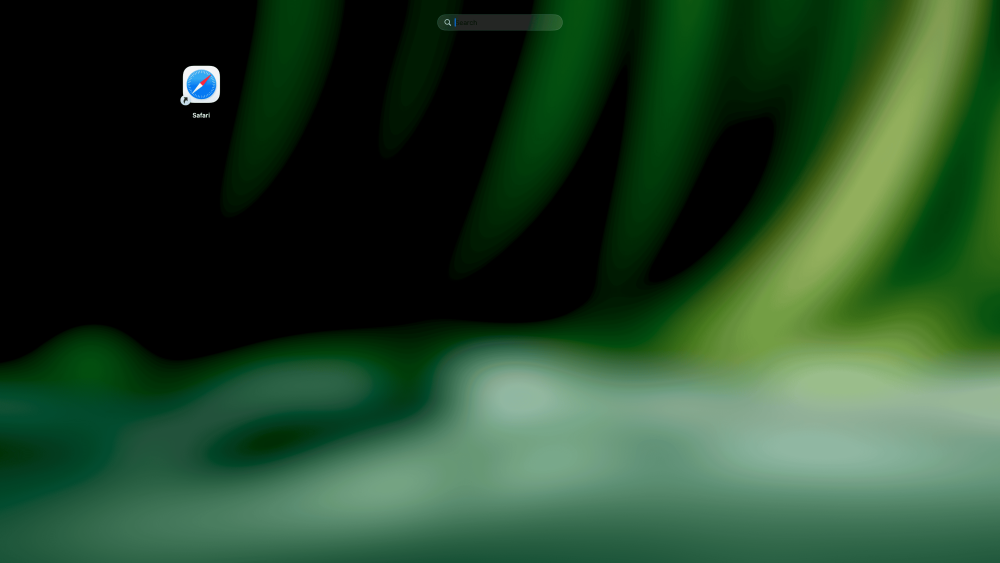
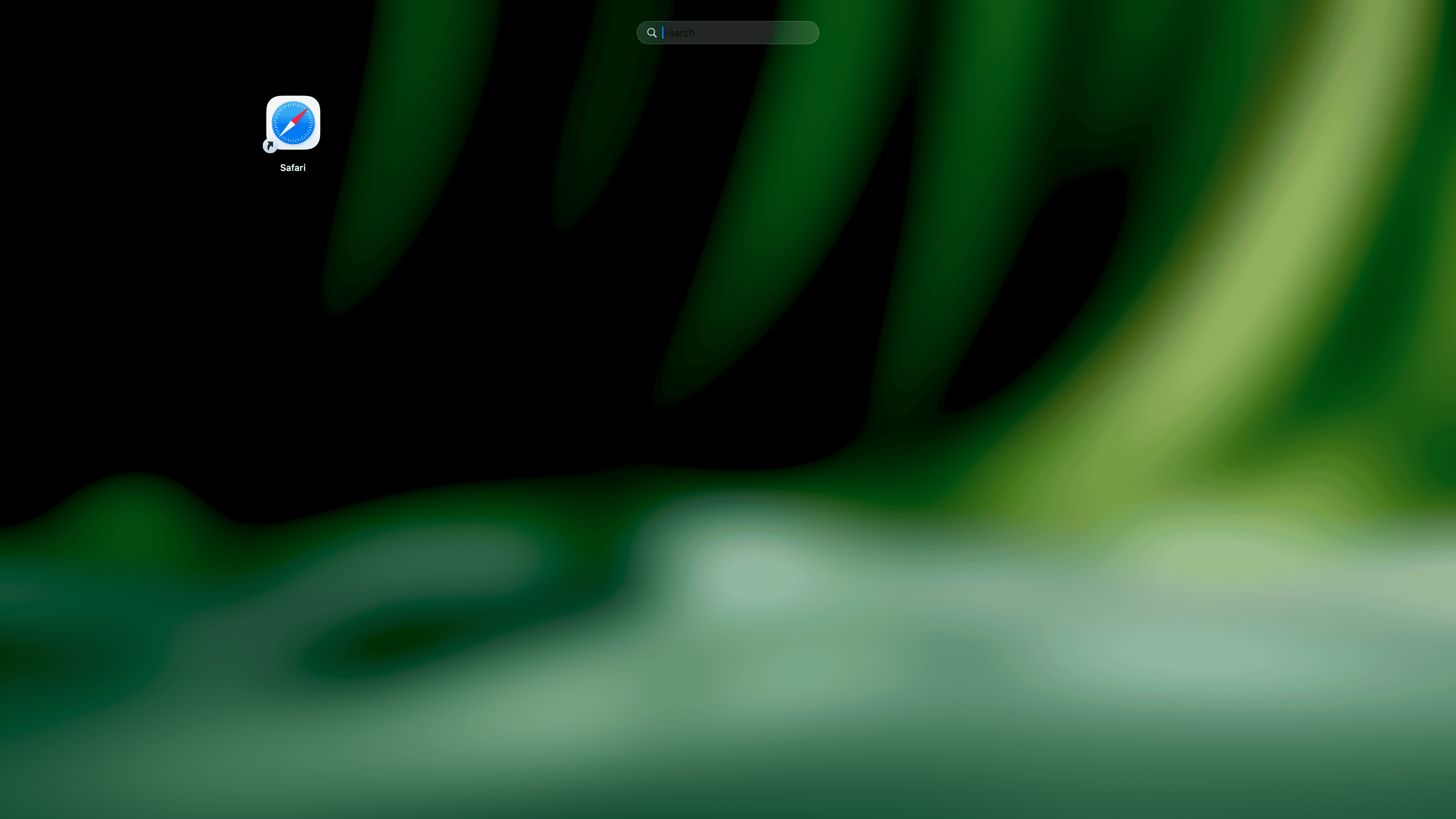
version 1.0.5 shows nothing, only the safari icon
-
 Samera Antar joined the community
 -
 sun6969win changed their profile photo
 -
 C54 surf joined the community
 -
Give me some feedback, and I'll tweak or improve it if necessary.
-
i prefer this Features: Scans /Applications, /System/Applications, and ~/Applications Adaptive SwiftUI grid with native app icons Search by app name or bundle identifier One-click app launching Drag-and-drop folder organization Context menu actions: Open and Show in Finder Organize app icons without deleting or modifying installed apps Native macOS visual effect background Asset catalog with app icon and accent color LaunchPadBasic_1.0_b1.zip
-
 Tatyana Tanya joined the community
 -
 zanada mirukao joined the community
 -
Fixed is latest version 1.0.5: https://github.com/vbored/Launchback/releases/tag/v1.0.5 Just press ⌘Q while the grid is open to quit LaunchBack entirely and you good to go.
-
 Iwin68 cloud joined the community
 -
 33Winbmarkets1vn joined the community
 -
 Working on this
 -
 Not at the moment
 -
 @MaLd0n does this support audio output via HDMI?
 -
@Slice Installation of VoodooHDA.kext 3.6.2 running macOS Tahoe 26.6 Beta (25G5065a): 1) sudo cp -R ~/Desktop/VoodooHDA.kext /Library/Extensions/ 2) PciRoot(0x0)/Pci(0x1F,0x3) layout-id <0C000000> 2) When prompted, allow VoodooHDA.kext in System Settings - Privacy & Security 3) reboot No sound; all you can hear is a rustling noise
-
 touchmanage2 changed their profile photo
 -
@Slice IgnoreNVRAMBoot still exist in clover?
-
 Noblegate Consulting changed their profile photo
 -
 ballooneeusa changed their profile photo
 -
 Cleta Lee changed their profile photo
 -
 jilino1betph changed their profile photo
 -
.thumb.jpg.098029886352bc95dea621f6448a30e0.jpg) conalwalsh changed their profile photo
conalwalsh changed their profile photo -

Apple unveils "macOS Golden Gate"
flashersn0w replied to fantomas's topic in Front Page News and Rumors
.....good old Chameleon......( kommt mir vor, als wäre es erst gestern gewesen ) -
.thumb.png.42d798609eb161e4f2592c7d1a16a916.png) Hypercbnservices changed their profile photo
Hypercbnservices changed their profile photo -
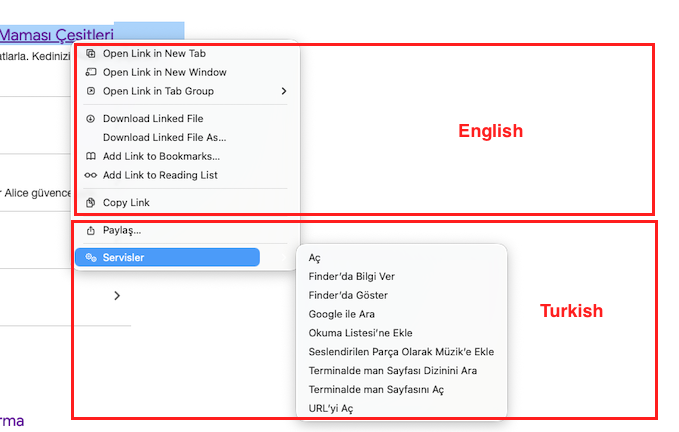
Is anyone experiencing language issues with Safari 27.0 on Tahoe 26.6 Beta 5? There is no issue in Safari 26. The situation arose with the Safari 27.0 update. A system restore was attempted. There is no issue with Safari 26. Safari was updated to 27.0 again. The problem persists. There is no issue in Sequoia. The problem is in Tahoe. Note: There are no issues with other web browsers.
-
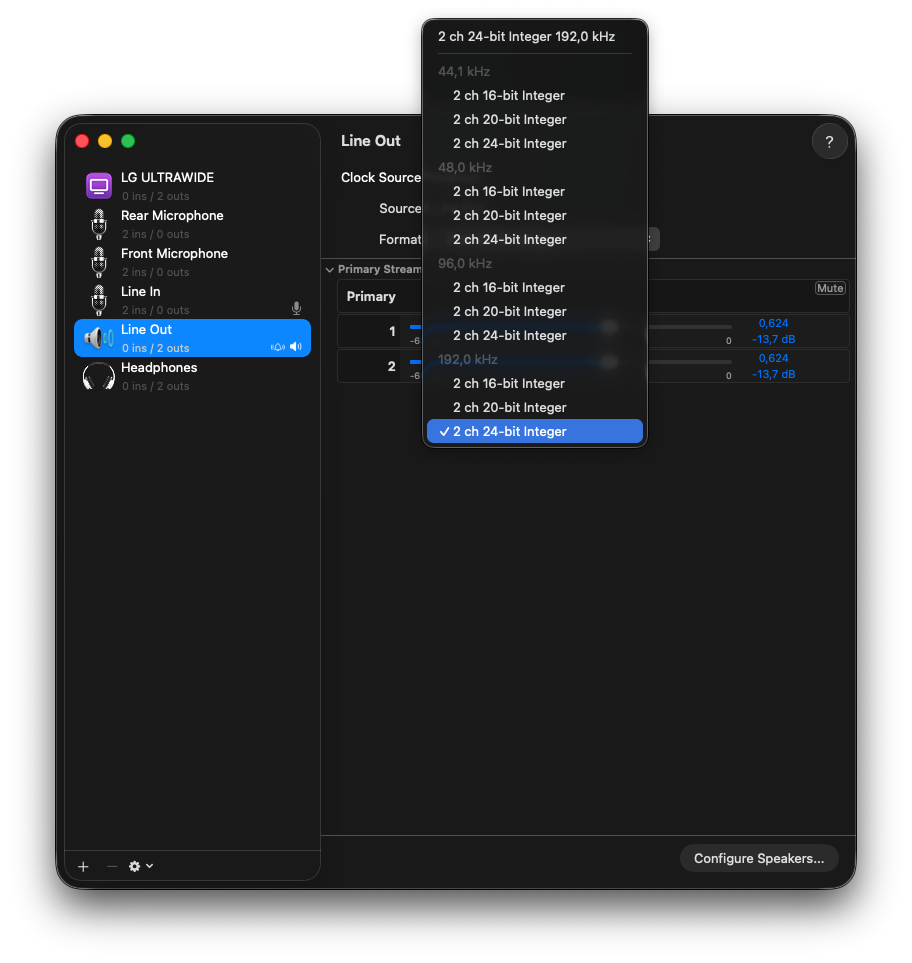
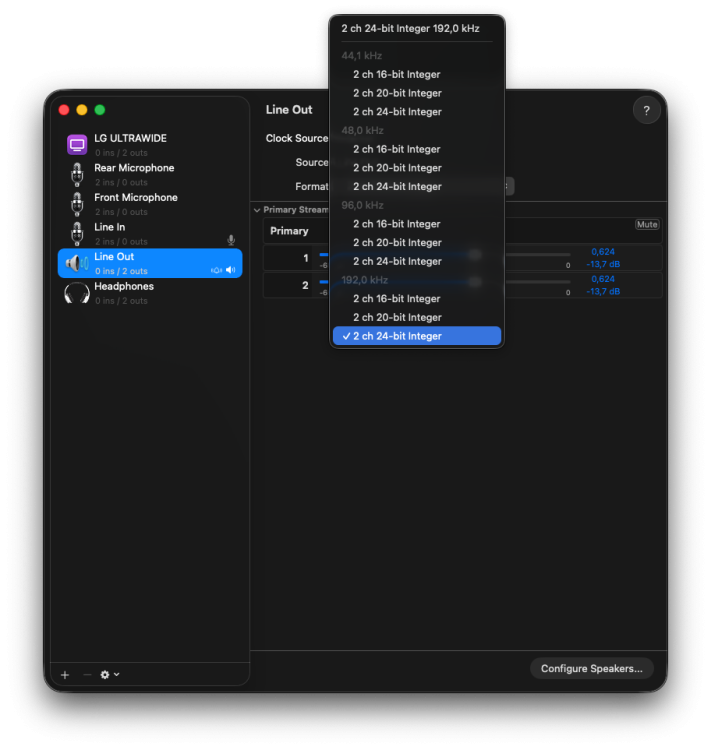
 Hi @MaLd0n thanks. nice that we have 192 kHz TOSLINK also works?
 - Yesterday
-
Check if work. Use alcid=172. I created one layout with your codec dump. Remember, this kext version is beta and have several new things like digital(not full for now), 16, 20, 24bit on 44,1, 48, 96 and 192 kHz. You can report me bugs. HDAUniversal-Release.zip After that try codec-info again and check if audio work.
-
 @The Tech You may want to try VoodooHDA just to confirm that it works. I've seen others who reported using VoodooHDA with ALC888S. I'm not tyrying to discourage your use of HDAUniversal - just suggesting that it might help to confirm that VoodooHDA works (or doesn't).
 -
 Well, just like you, KGP, I'm not fond of posting my "complete" EFI folder, and I didn't ask for help, did I? I just reported what happened, that's all, and that's all I'm going to do at this time. This is not an attack on you or the patcher, actually. It just didn't work. I will report that on Sequoia, with the Oclp standard package (2.4.1), it all worked fine, but that was Sequoia, a different OS, but on the same hardware. So, please, go have a beer or three.......(actually, that sounds good...) Later!
 -
 @meg2014, I am sorry to hear that you experienced this problem. However, without your complete EFI folder and further diagnostic information, it is impossible for me to determine what caused the system to become unbootable. Simply stating that the OCLP 3.0.0 Nightly – amfipassbeta Edition was used is not sufficient, since the result also depends on the complete EFI configuration, the actual Wi-Fi and audio hardware, the KDK used, and the existing macOS installation. Before drawing any conclusions or assigning responsibility to the patcher, please provide your complete EFI folder, exact details of the Wi-Fi and audio hardware involved, and, if available, a photo showing where verbose boot stopped. My guide provides clear instructions on setup, EFI folder configuration, necessary precautions, and recovery procedures in the event of failed root patching. I honestly do not know what further instructions or safeguards I could provide beyond those already documented to prevent such a failure - or such a drastic conclusion before the actual cause has been established. Without examining the actual configuration, I cannot determine whether the patcher itself was responsible or what may have gone wrong in this particular case. If you have already concluded that this patcher is responsible before allowing the actual configuration and circumstances to be examined, I would honestly recommend using a different patcher in the future.
 -
So, I feel obligated to let you all know that I tried installing this on Tahoe 6.6-B5 and it locked up my computer, hard. It would not boot at all, so I had to restore from backup (from another installation-Ventura, to be exact). I installed - OCLP 3.0.0 Nightly – amfipassbeta Edition and my frustration with this is that I could not recover, or uninstall as my computer would not boot. The computer is an Asus Z790 D5, with 64G of DDR5 Ram, 6800XT video card, and the disk was a WD SN850X
-
Yes. I do have some previous codec dumps extracted from Linux. codec_dump.txt
-
Do u use last version from Olarila.com? HERE
-
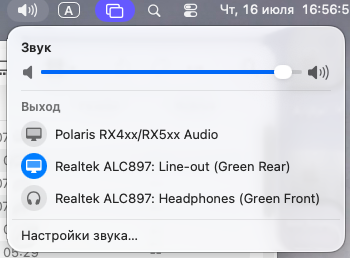
I made new step in the driver improvement: name
-
[Pre-release] macOS Sequoia 15.7.8
Matgen84 replied to deeveedee's topic in New Releases and Updates
Thanks @deeveedee these Safari seed are for Sequoia or Tahoe. -
Hello @MaLd0n My codec is ALC888S but the codec info doesn't finds. I've attached the report from your tool. I never tried VoodooHDA but neither AppleALC or HDAUniversal works. The sound works fine on Windows and Linux Codec-Info-Report.txtCodec-Info-Report2.txt






.thumb.jpeg.7082d67b3394c9399e80144027a7b397.jpeg)