All Activity
- Past hour
-
.thumb.jpg.08ade64aa1f4801985718ea1da96fab1.jpg) jun88dad joined the community
jun88dad joined the community -
.thumb.jpg.13c5c8a65bfb20ed1b994cd3783c7609.jpg) thoitiethanoihomnay joined the community
thoitiethanoihomnay joined the community - Today
-
 Thefox safe joined the community
 -
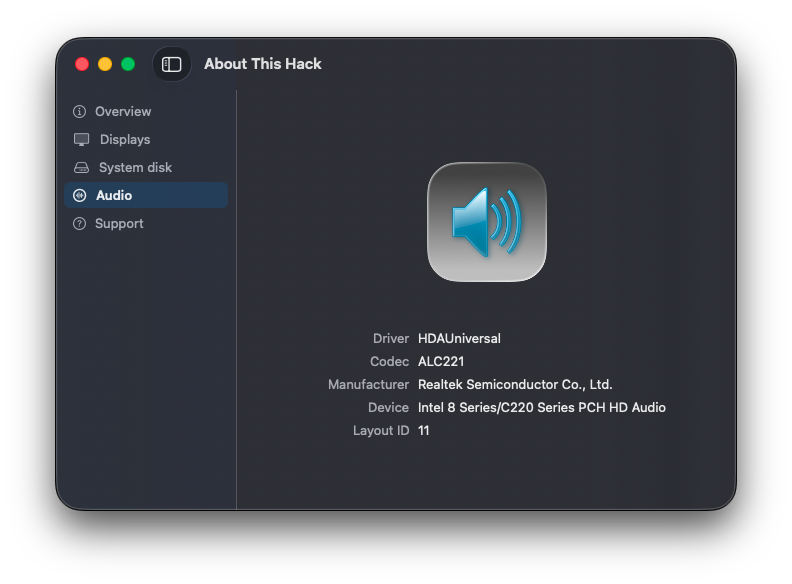
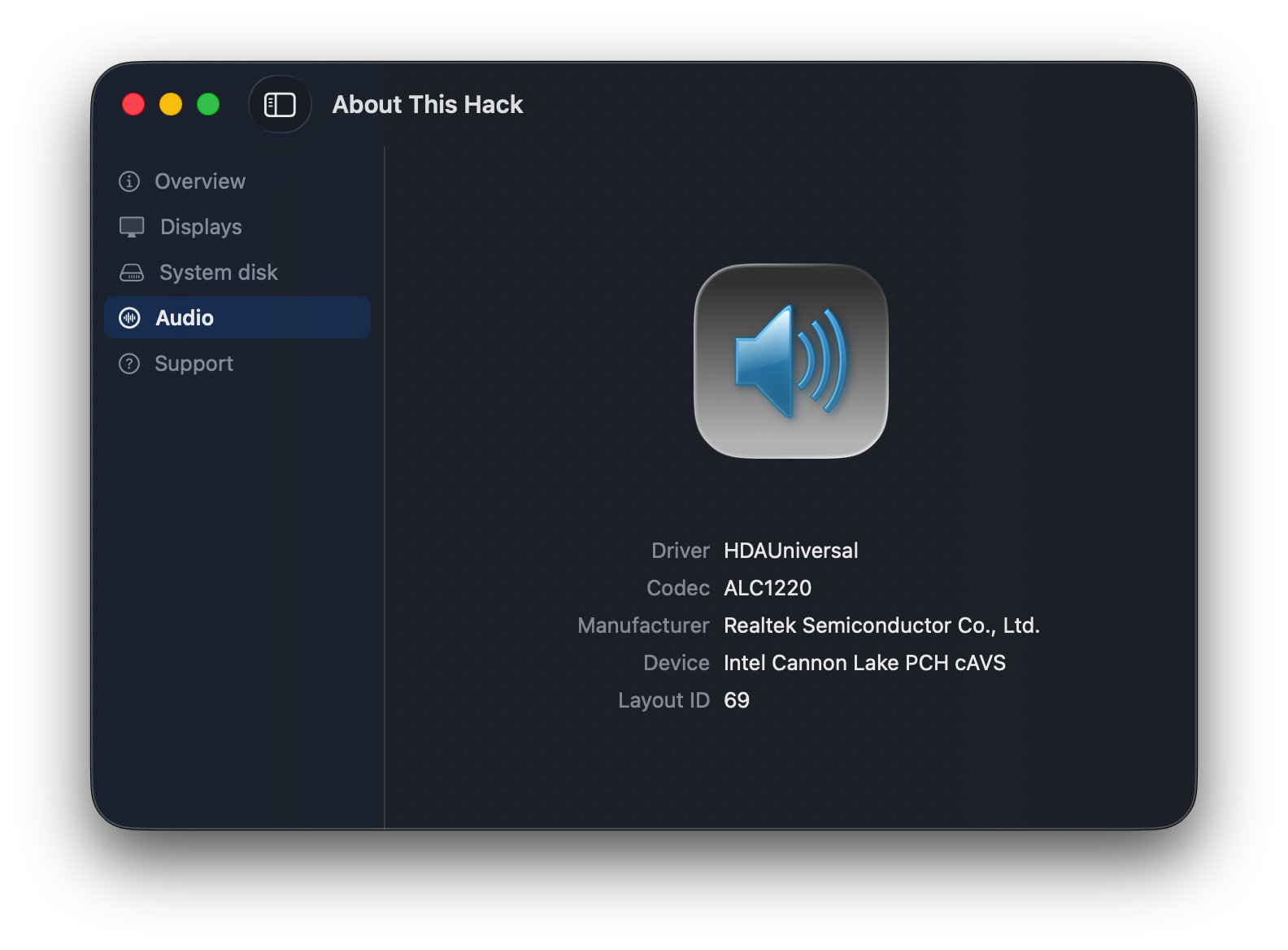
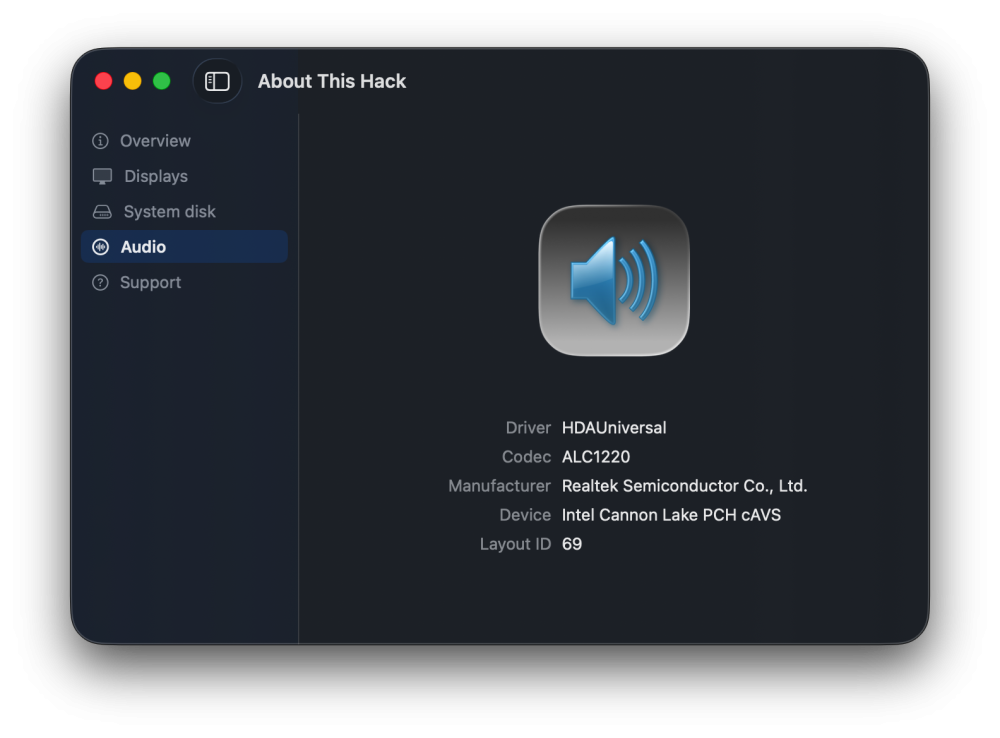
 Please HDAUniversal users, I need feedback of About This Hack, is the Audio tab displaying data as expected? Thank you very much! https://github.com/perez987/About-This-Hack/blob/main/Audio-tab-WIP/About This Hack-glass.zip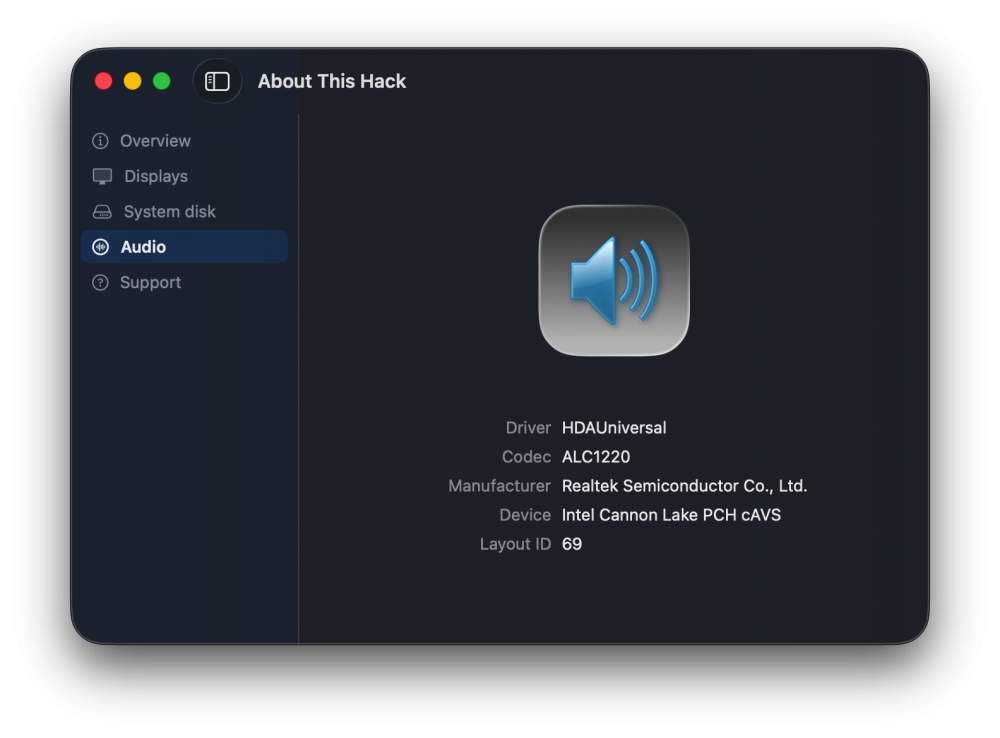
-
About This Hack (2009-Nissan-Cube version migrated to SwiftUI)
miliuco replied to miliuco's topic in Hackintosh Tools
@jlrycm Can you test this and tell me if the device is well detected? Gracias! https://github.com/perez987/About-This-Hack/blob/main/Audio-tab-WIP/About This Hack-glass.zip -
 mb66black3 joined the community
 -
@MaLd0n Thank you!!!
-
 bxn888com joined the community
 -
 Generic Allglobal changed their profile photo
 -
 HDA-Universal on NEWS Releases & Updates https://olarila.com/topic/46593-hdauniversal-applehda-like-audio-kext-for-macos-tahoe-and-hackintosh-systems/
 -
 Dana Ware joined the community
 -
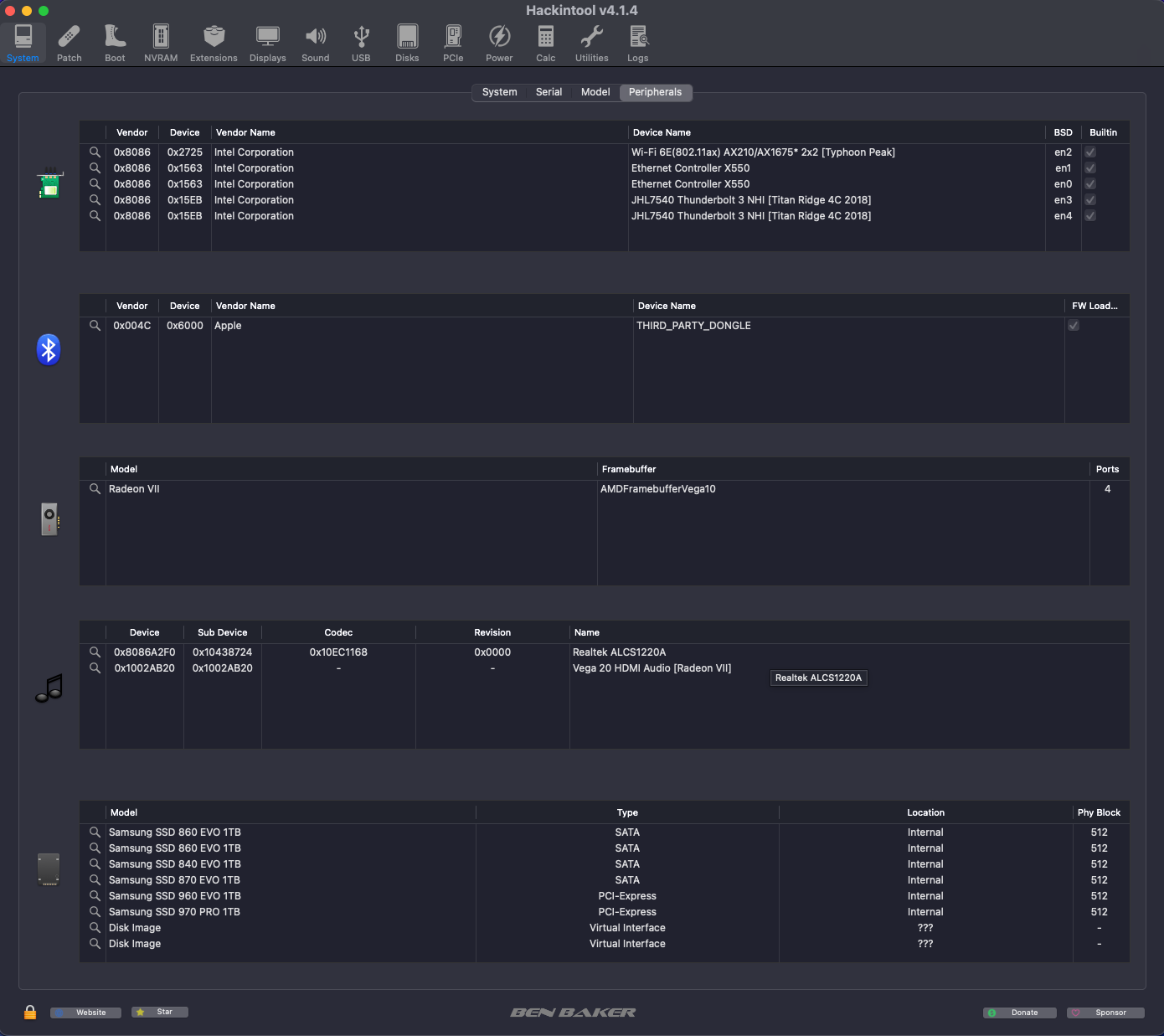
@MaLd0n I see codec-info in Hackintosh tools in Olarila. I think that HDAUniversal is a very important project and must have a place in Hackintool tools. Please add it to the list. Thanks.
-
.thumb.jpg.58b9d26663f5a83b201182a798b76869.jpg) new889blue5 joined the community
new889blue5 joined the community -
Yes. HdaUniversal now uses all codecs found in AppleALC’s Resources folder, greatly expanding codec detection and compatibility. It also includes improvements such as combo-jack handling, etc.
-
 xgjili changed their profile photo
 -
.thumb.jpeg.7082d67b3394c9399e80144027a7b397.jpeg) @MaLd0n Hdauniversal is using all the codecs found in applealc's resources folder?
@MaLd0n Hdauniversal is using all the codecs found in applealc's resources folder? -
 traffic cone tips joined the community
 -
NootedGreen.kext is on air! It's a long long road to complete..
Kourindou Hime replied to Stezza88's topic in Intel
any chance to get video decoding working on raptor lake? I was thinking to upgrade from i7-9700k to 14700k, however I'm used to have youtube video running all the time on separate screen. Vp9 works with hd630 so far. -
uu88norgg joined the community
-
 Just stumbled upon an interesting situation that might be helpful to others... I'm swapping CPUs between EliteDesk 800 Mini motherboards to prepare for a test of i5-8600 performance with a 65W HP EliteDesk 800 G4 Mini motherboard. After initially assembling the new CPU/motherboard combo, my Geekbench 6 multi-core CPU scores were dismal at 2500-3000 (when I was expecting over 5700. Simply re-seating the CPU (completely removing it from the socket and re-installing it), fixed the problem. ChatGPT says that there are multiple reasons why this could be the case (e.g., poor pin connection, poor thermal connectivity, etc.). Now that I have a working i5-8600/G4 Mini 65W system to test, I should have updated GB6 results for this post.
- 1125 replies
-
- 1
-

-
- catalina
- hackintosh
- (and 17 more)
-
@Lost-Entrepreneur439 Have you seen this? Also, search for '[Solved] Enabling ATI Radeon HD 5450 in HS' to find a related thread over at TonyMacx86.
-
About This Hack (2009-Nissan-Cube version migrated to SwiftUI)
miliuco replied to miliuco's topic in Hackintosh Tools
@jlrycm Thanks for your help to debugging this. But I see another possible issue. Device is displayed as hex. It must have a name. Intel 0xf0c8 is the PCI device ID for the Intel 500 Series PCH High Definition (HD) Audio Controller. I’ll review if is in the devices list. -
The app now shows the available AppleALC layout IDs for the detected codec.
-
I think what's happening here is simply a misunderstanding. Wi-Fi Patcher Pro for the Clover bootloader uses the "Other" folder to install the kexts. Because of that, the only check it originally performed was: Does kext "X" exist in /EFI/Clover/Kexts/Other? If all the required Wi-Fi kexts were already in that folder, the app would skip copying them; otherwise, it would copy the required kexts. In your case, what happened is that you're using a macOS version-specific folder, in this case "26". So is it correct to say that the app duplicated the kext? No. The reason is that the routine for checking subfolders when using the Clover bootloader had not yet been implemented. However, I've already fixed that. The app now behaves as follows: it checks all subfolders inside /EFI/Clover/Kexts. If it finds any of the required Wi-Fi kexts—for example, AmfiPass.kext—it determines that this is the folder where the Wi-Fi kexts should be installed, if necessary. Otherwise, it skips the installation. If none of the required Wi-Fi kexts are found in any subfolder, the app installs them into /EFI/Clover/Kexts/Other. In that case, it's up to the user to move the kexts to a different folder if they prefer. That said, in my own testing, the system booted successfully with the Wi-Fi kexts located in the Other folder.
-

About This Hack (2009-Nissan-Cube version migrated to SwiftUI)
jlrycm replied to miliuco's topic in Hackintosh Tools
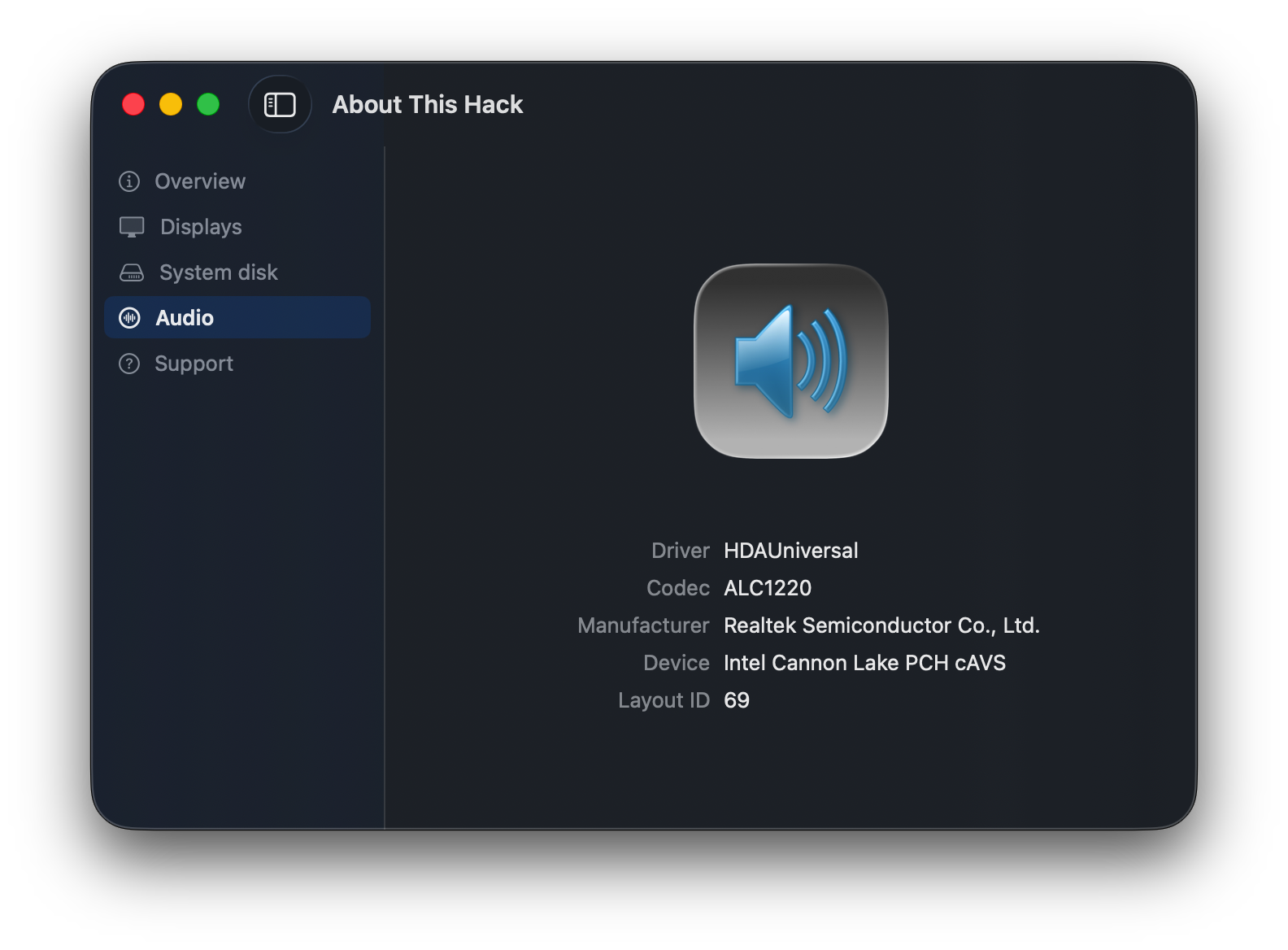
@miliuco thank you. I tested the app and it worked as you can see in the screenshot. Win!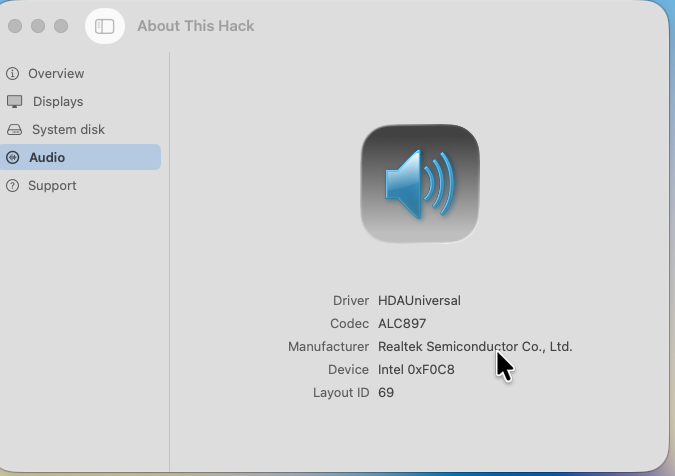
-
I created this tool Codec-Info. Download HERE
-
 HD5450 works up to Sierra. As far as I remember It requires replacement four graphics files from previous system. In ElCapitan it works ab ovo.
 -
 Karl Sebastian changed their profile photo
 -
I have an idea that you should ask DeepSeek "What codec-id have I to use on my hackintosh...?" I am sure he can answer.
-
About This Hack (2009-Nissan-Cube version migrated to SwiftUI)
miliuco replied to miliuco's topic in Hackintosh Tools
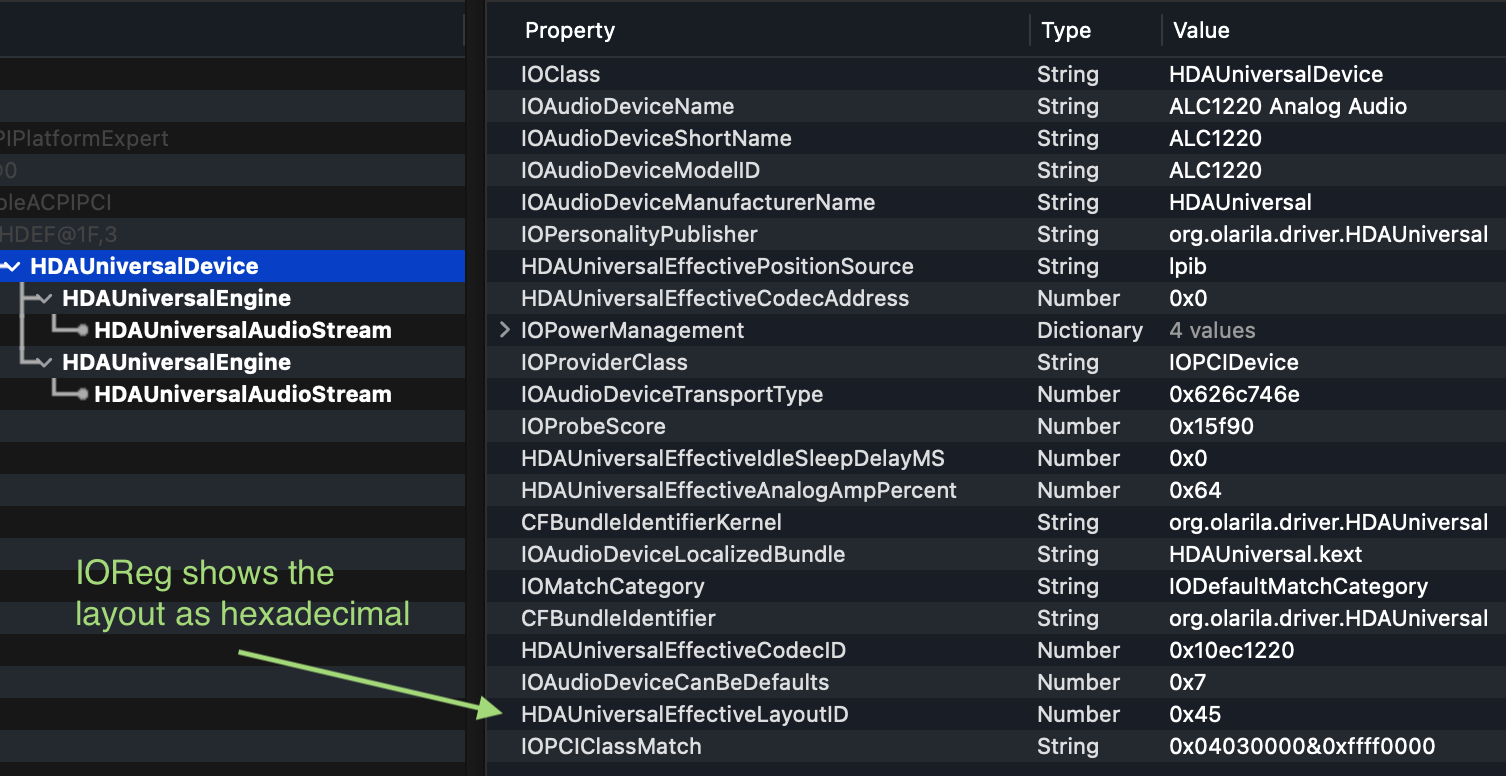
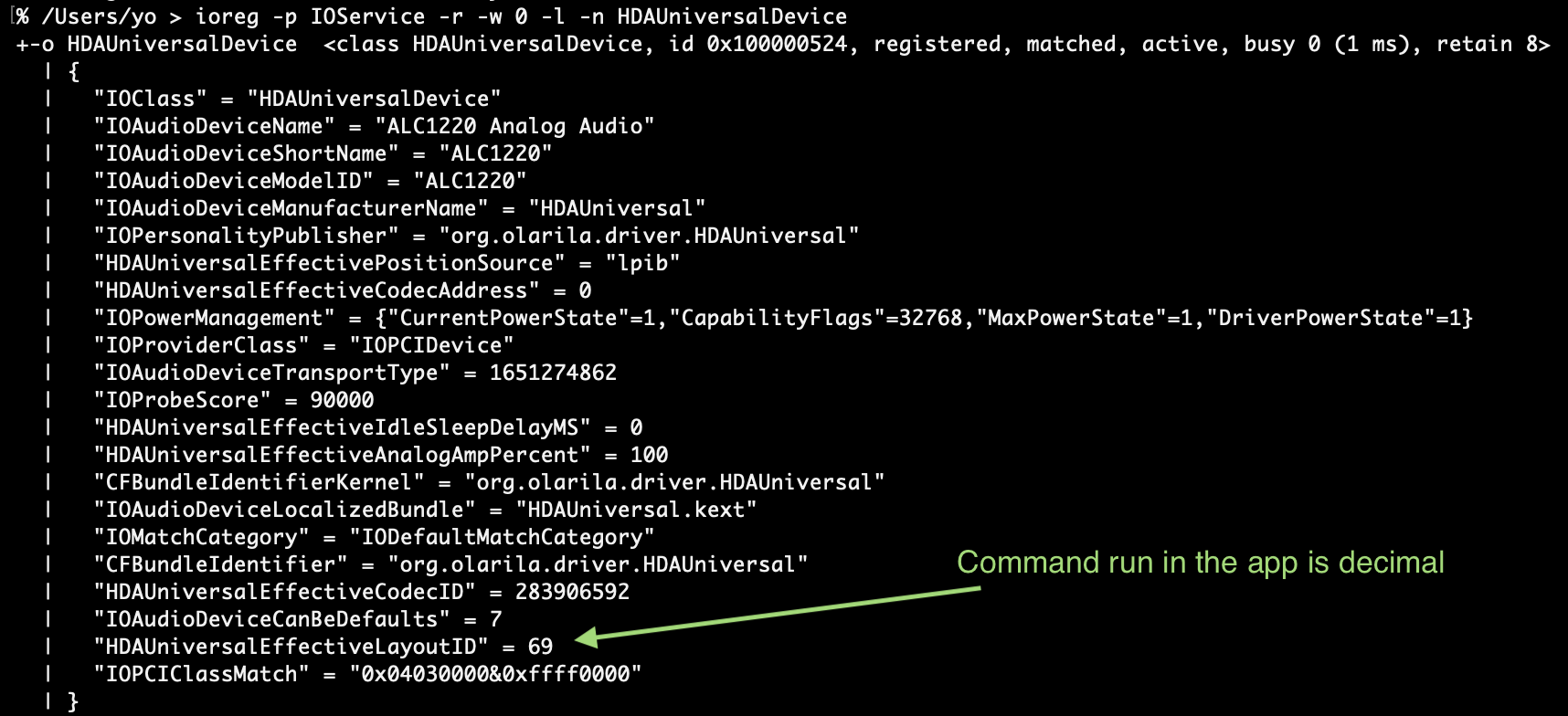
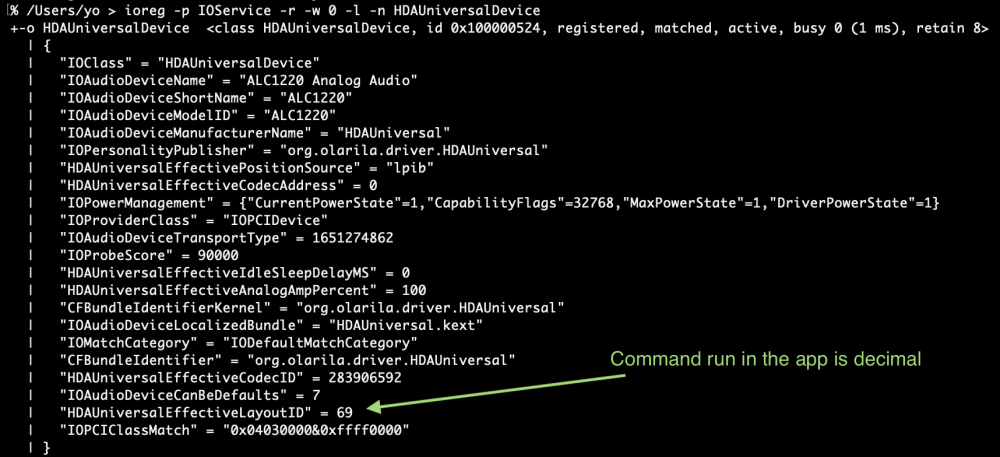
@jlrycm The layout-id seems to be fixed but my test is not enough, try new version and comment. It's already in the releases page and as separate download too: https://github.com/perez987/About-This-Hack/blob/main/Audio-tab-WIP/About.This.Hack-4.3.8-glass.zip I set the layout-id to 0x45000000 in config.plist to mimic your settings. IOReg displays the layout as hexadecimal (this is what disoriented me, assuming that this value has to be converted to decimal). But the command used by the app (ioreg -p IOService -r -w 0 -l -n HDAUniversalDevice) outputs the value as decimal. So, no conversion is needed. Now the app has the right value in Audio tab. Important! Remember that AppleALC (or VoodoHDA) must be deactivated when using HDAUniversal, if enabled, the layout id value is wrong since is got by AppleALC.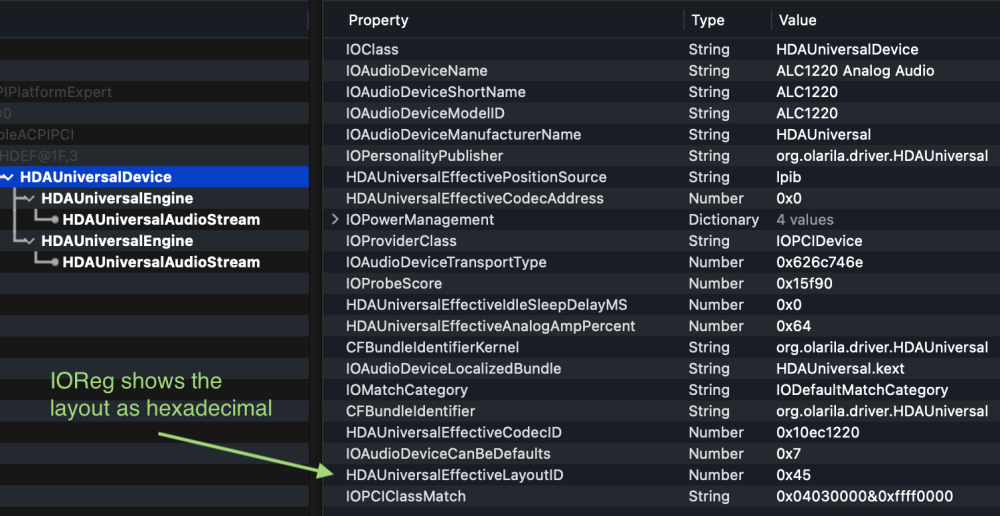
-
@schrup21 what is your card model? Can you share a screenshot of your device properties and boot args defined specifically for this kext?
-
Thanks @MaLd0n One thing i noticed that the onboard properties is full of zeros, just like mine. But it's all good👍
-
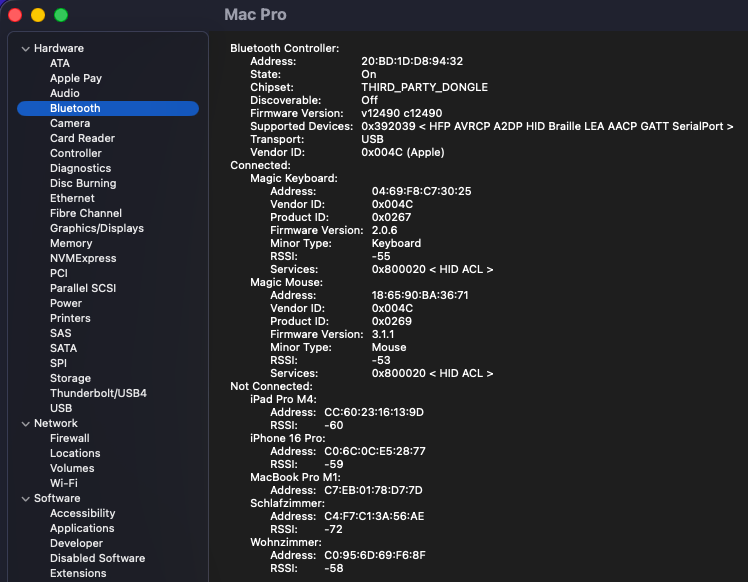
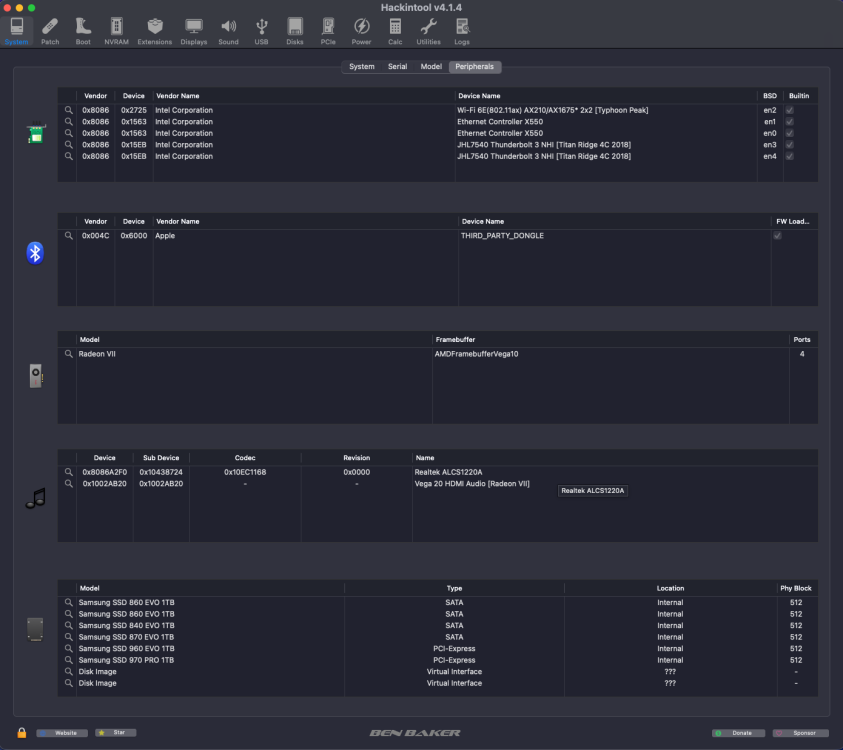
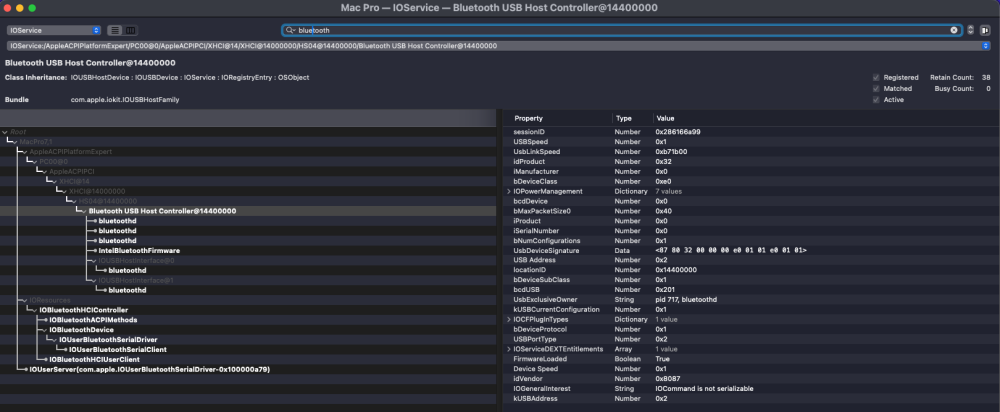
 The latest IntelBluetoothFirmware v2.5.1, released by lshbluesky, has now been successfully tested under macOS Tahoe 26.5.2 and macOS Tahoe 26.6 beta 3. Release: https://github.com/lshbluesky/IntelBluetoothFirmware/releases/tag/v2.5.1 IntelBluetoothFirmware v2.5.1 incorporates the Bluetooth LE fixes for macOS Tahoe 26.5 originally developed by Z3c0ld and Vinhts, while additionally updating the Intel Bluetooth firmware files for all currently supported Intel wireless chipsets. Successfully tested with: Intel AX210 (Wi-Fi 6 / Bluetooth 5.3) — tested by myself Intel AX201 CNVW — tested by beelzebozo Current results: Wi-Fi fully functional Bluetooth controller detected correctly Bluetooth pairing functional Bluetooth connections functional Automatic Bluetooth reconnection after boot working correctly Sleep/Wake working correctly Magic Keyboard and Magic Mouse working correctly AirPlay functional Screen Mirroring functional Handoff functional LinkQuality = 100 No issues observed during initial testing Intel BE200 has not yet been re-tested with IntelBluetoothFirmware v2.5.1. Previous testing indicates that Bluetooth works correctly, while Wi-Fi functionality remains incomplete and is still under investigation. The current AWDL situation remains unchanged. The awdl0 interface is still not being created, leaving the following AWDL-dependent functionality currently unavailable on Intel Wi-Fi under macOS Tahoe: AirDrop Personal Hotspot Continuity Camera Current AWDL investigations: https://github.com/OpenIntelWireless/itlwm/issues/1062 Many thanks to lshbluesky for maintaining IntelBluetoothFirmware and to Z3c0ld and Vinhts for their excellent work on the Tahoe Bluetooth LE fixes for macOS Tahoe 26.5. Post #1 has been updated accordingly and now reflects the latest IntelBluetoothFirmware v2.5.1 recommendation, current Intel Wi-Fi validation results, updated setup recommendations and revised credits.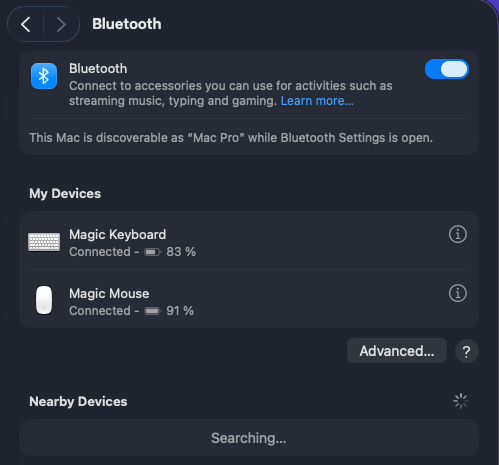
-
About This Hack (2009-Nissan-Cube version migrated to SwiftUI)
miliuco replied to miliuco's topic in Hackintosh Tools
@jlr213 Thanks, the hex to decimal conversion is not working fine. I’ll check this. -
 Narsect Renewable changed their profile photo
 -
I'm not that young, but if you've thought about it, thanks. I'm from the '60s generation, haha.