All Activity
- Past hour
-
 Maarwall Kkarma changed their profile photo
 -
 Kid Morbid joined the community
 -
Maarwall Kkarma joined the community
-
@MakAsrock I was under the impression that if you leave SMBIOS empty in config.plist, Clover will detect the OS and use a compatible smbios. But why is it clover assigned iMac18,1 on my Tahoe which is not compatible for Tahoe? Unless i misundertood the changelog
- Today
-
 Trang chủ LC88 joined the community
 -
 ScrapMyCar joined the community
 -
Yes, that's right. And I'm waiting for my pull request to be approved.
-
 new888kcom2 joined the community
 -
mb66accom joined the community
-
 on68bet68 joined the community
 -
 uy88casinocom0 joined the community
 -
 f8betnnet changed their profile photo
 -
 elanor joined the community
 -
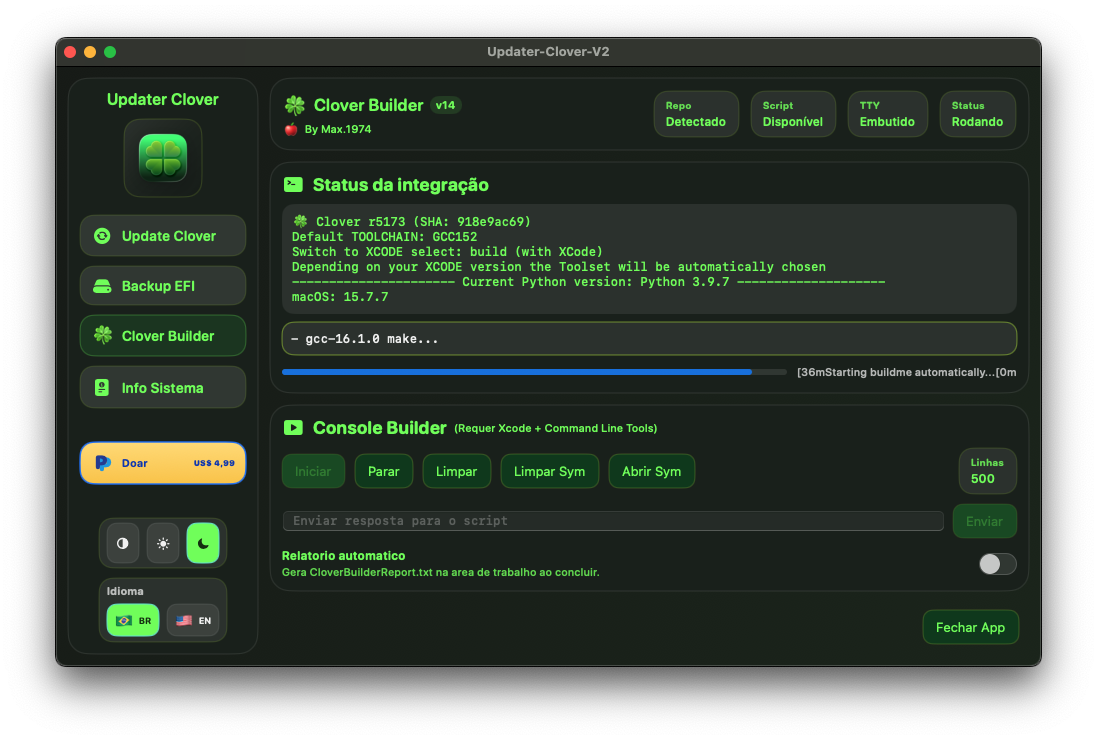
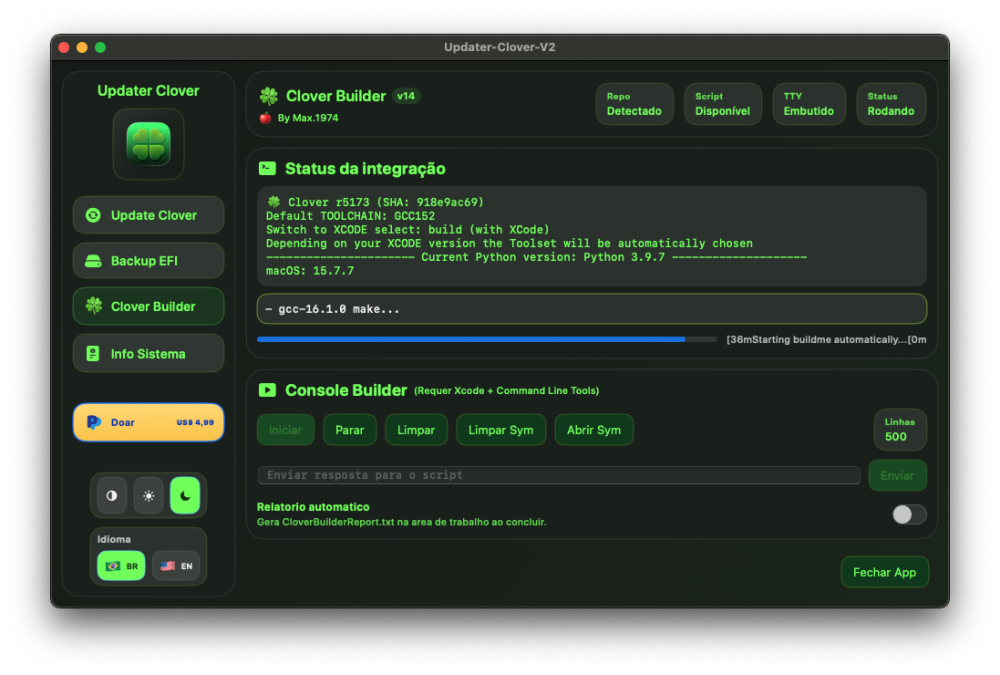
Compiling with GCC16.1.0 smooth too
- 30986 replies
-
- 1
-

-
- bootloader
- efi
- (and 2 more)
-
@MakAsrock Yours is up by 1 version but still synced to slice's repo right?
- 30986 replies
-
- 2
-

-
- bootloader
- efi
- (and 2 more)
-
@MakAsrock thanks!!
- 30986 replies
-
- 1
-
-
- bootloader
- efi
- (and 2 more)
-
- 30986 replies
-
- 2
-
-
- bootloader
- efi
- (and 2 more)
-
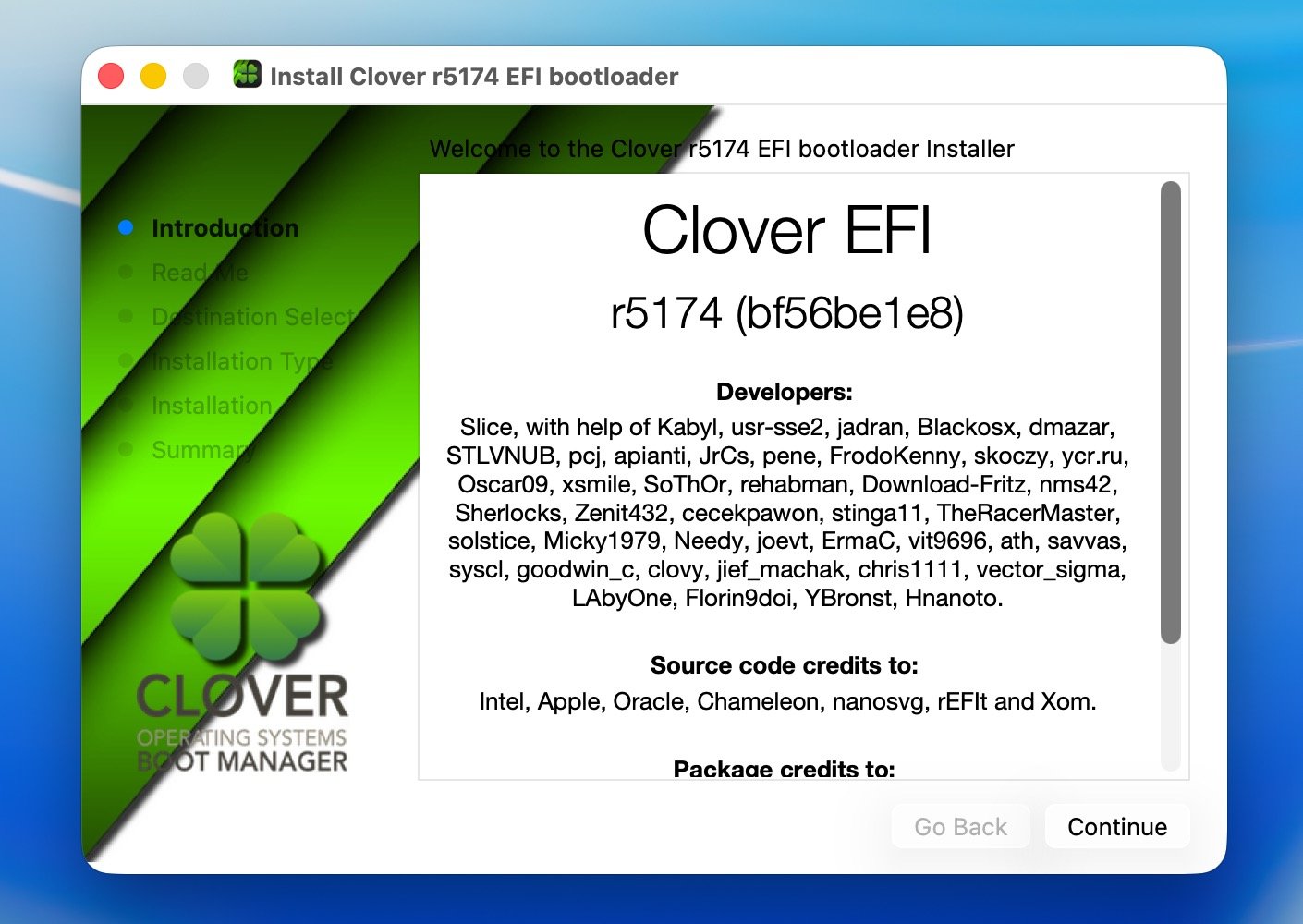
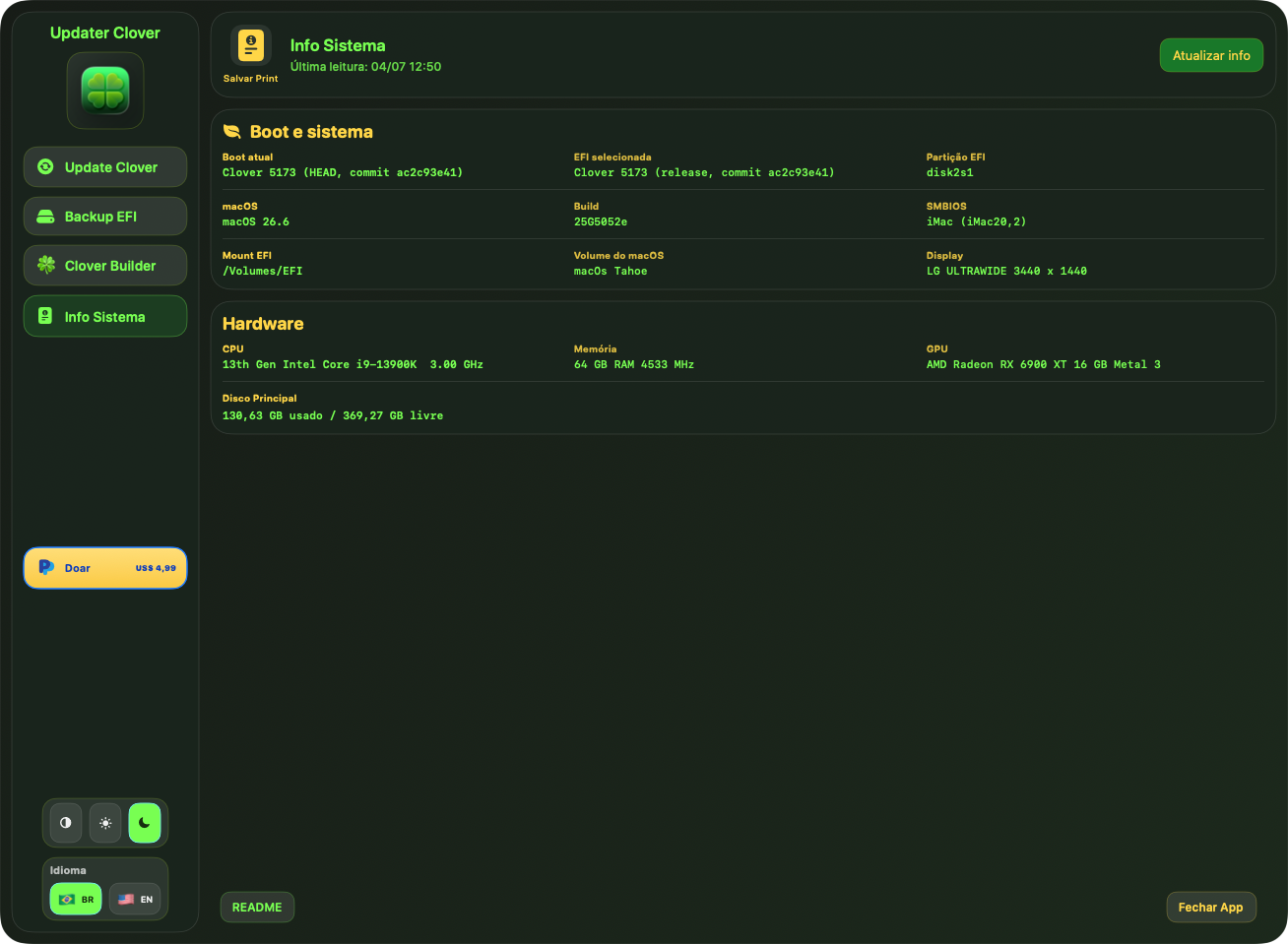
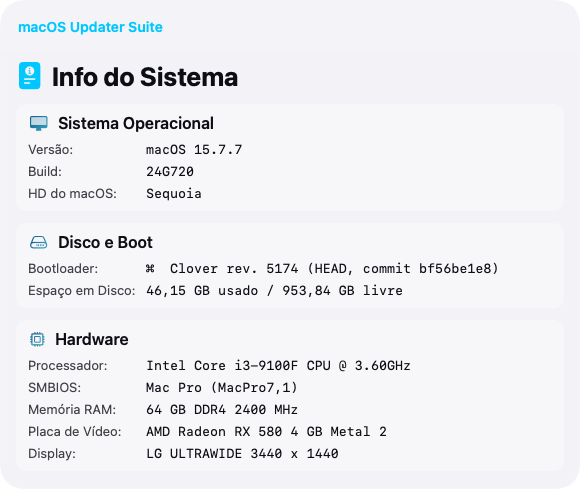
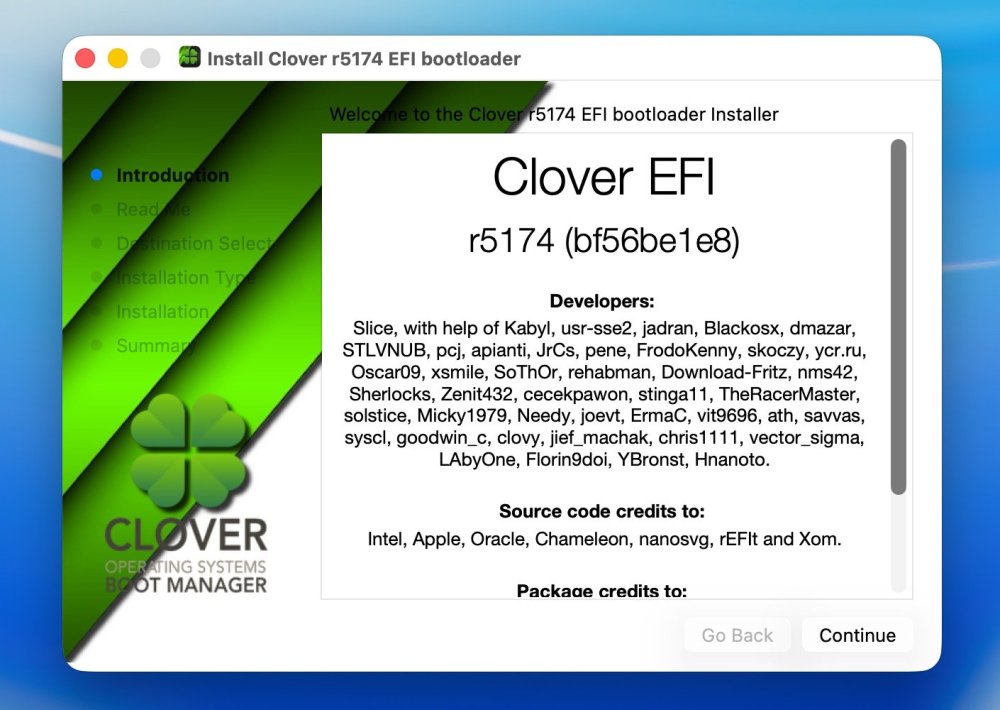
Release 5174 GCC 16.1 full implementation. Advanced SVG graphics, more fast more exact. Repaired feature that SMBIOS choosing automatically according to OS version. Using gcc-16.1.0 as main compiler. MD5 (Clover_r5174.pkg) = 328c3aefe1ef80c724898c8f03d9cc96 What's Changed Bump softprops/action-gh-release from 2 to 3 by dependabot [bot] in #821 Enhance README with logo and CI badge by @YBronst in #823 Add Clover logo by @chris1111 in #824 Bump actions/checkout from 6 to 7 by by dependabot [bot] in #828 Fix unused variable build error in nanosvg.cpp by @chris1111 with @Copilot in #829 Update build script to use GCC 16 by @YBronst in #831 Full Changelog: #832 🏅 Hall of Fame (Special Thanks): Slice – for project general management and dedication. YBronst – for menu refactoring, Quirks layout implementation, audio/GUI bug fixes and GCC 16.1 full implementation. chris1111 – for the Tahoe/Christmas and other Themes assets. Hnanoto – for ModernCPUquirk, completing PT-BR (Brazilian Portuguese) translations, and resolving UI build warnings. 🇧🇷
- 30986 replies
-
- 4
-
-
-
- bootloader
- efi
- (and 2 more)
-
Anytime! Hope it works smoothly for you. 🤗
- 30986 replies
-
- 1
-
-
- bootloader
- efi
- (and 2 more)
- Yesterday
-
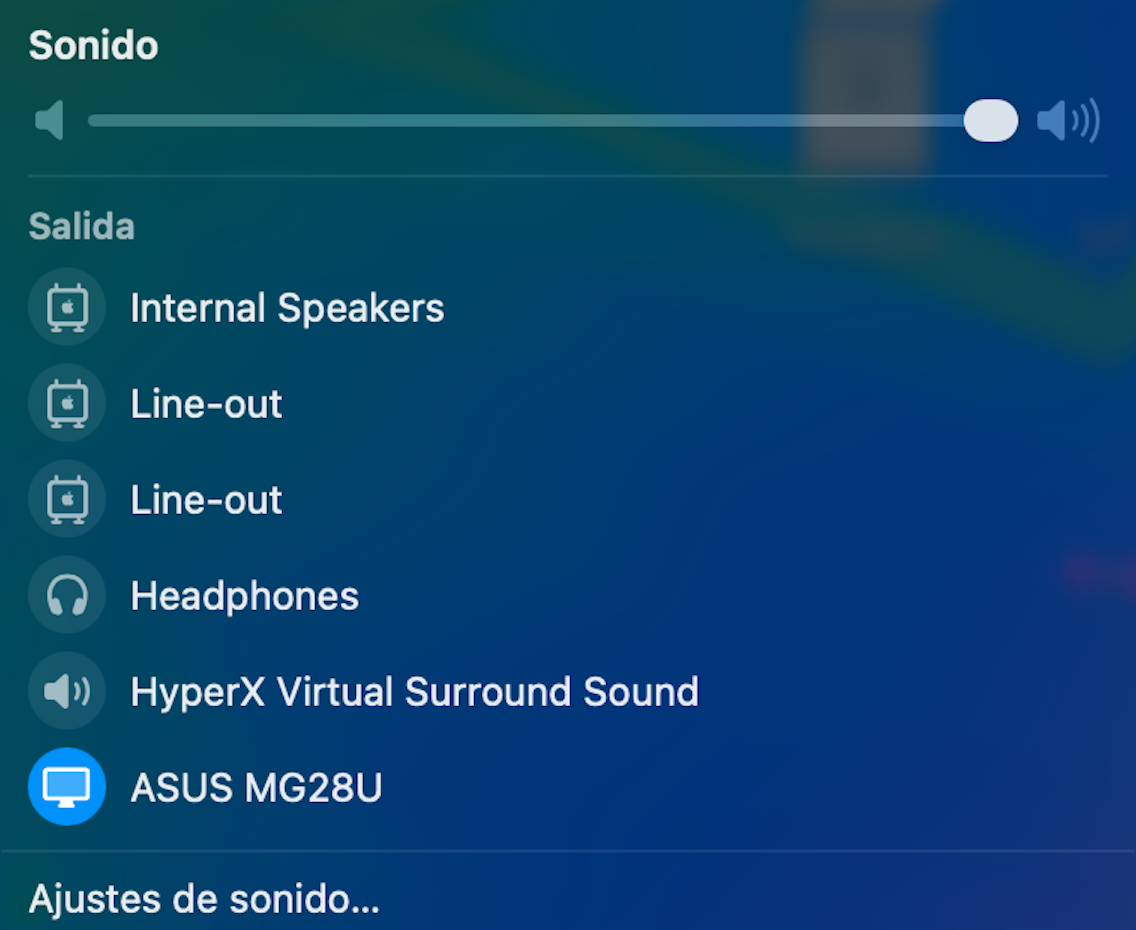
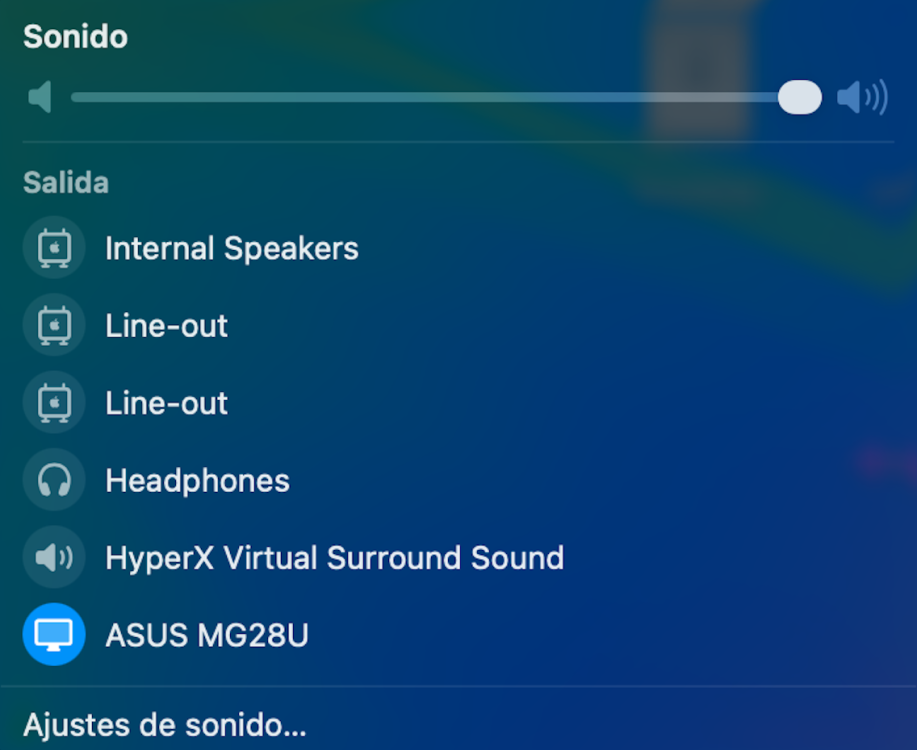
 HDAUniversal does not work for my LG Ultra HD monitor connected via HDMI to the Intel CoffeeLake-H GT2 [UHD Graphics 630] (Slot 0, GPU 1)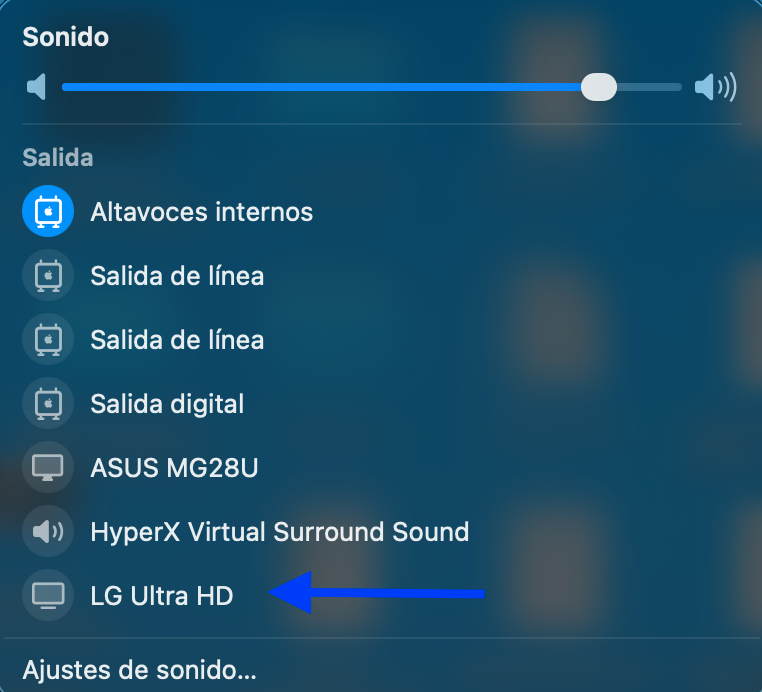
-
Thanks my friend!!
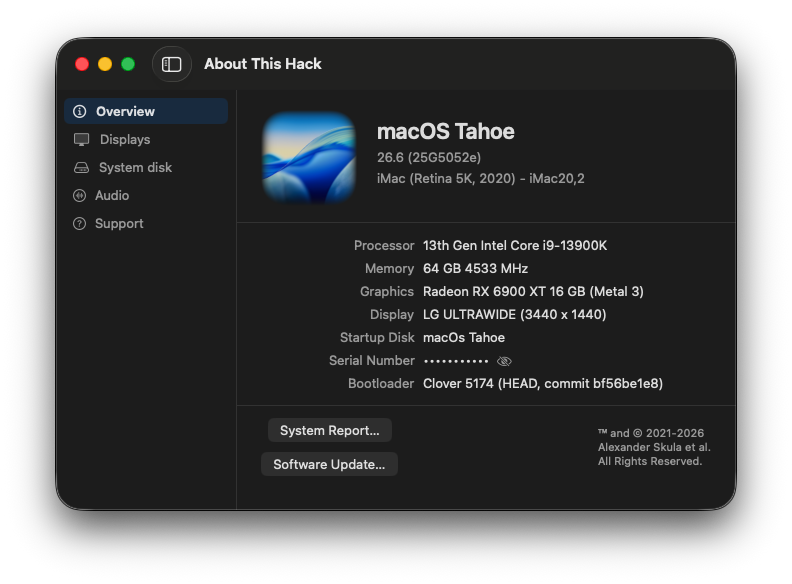
- 30986 replies
-
- 3
-
-
- bootloader
- efi
- (and 2 more)
-
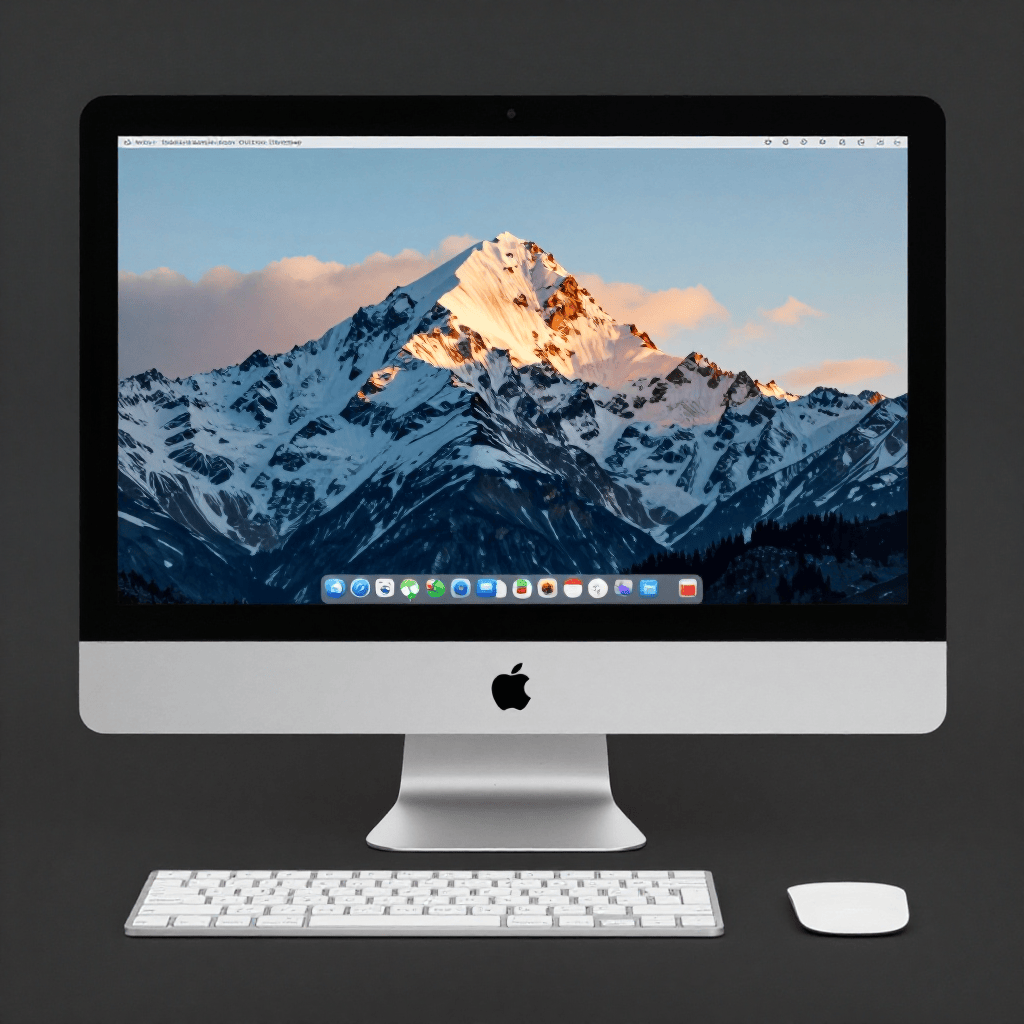
 @engeldlgado Hi there, I've just updated to the last version and I must say I'm impressed by the image generation feature. I've downloaded the base models and tested the app and it creates images really nice on my RX 6800XT. It takes about 102 seconds to generate an image with 8 steps at 1024x1024 pixels 8 steps Z-Image Turbo model The prompt was: An Apple iMac What I noticed is with each generation the image gets replaced with new one.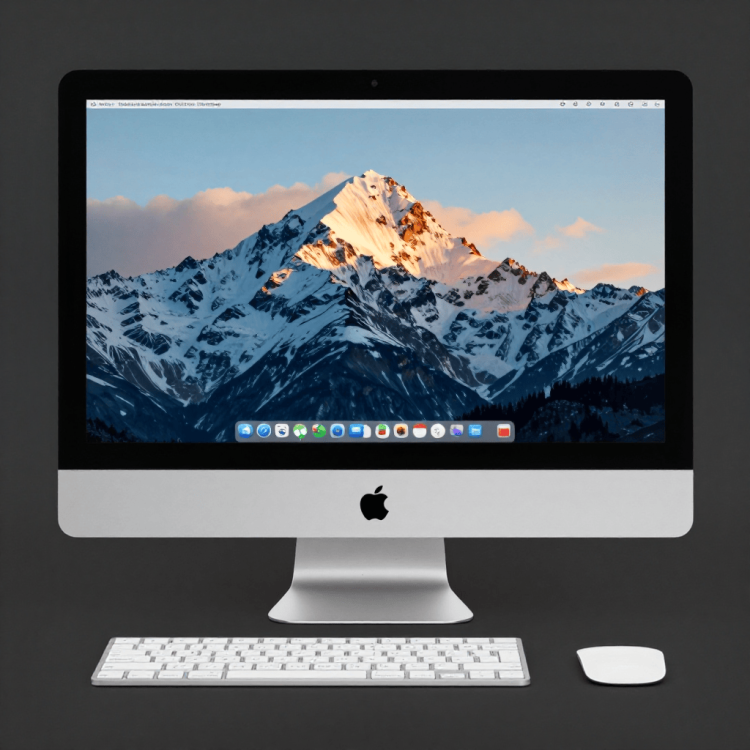
-
Release 5174 published (GCC 16.1 full implemented).
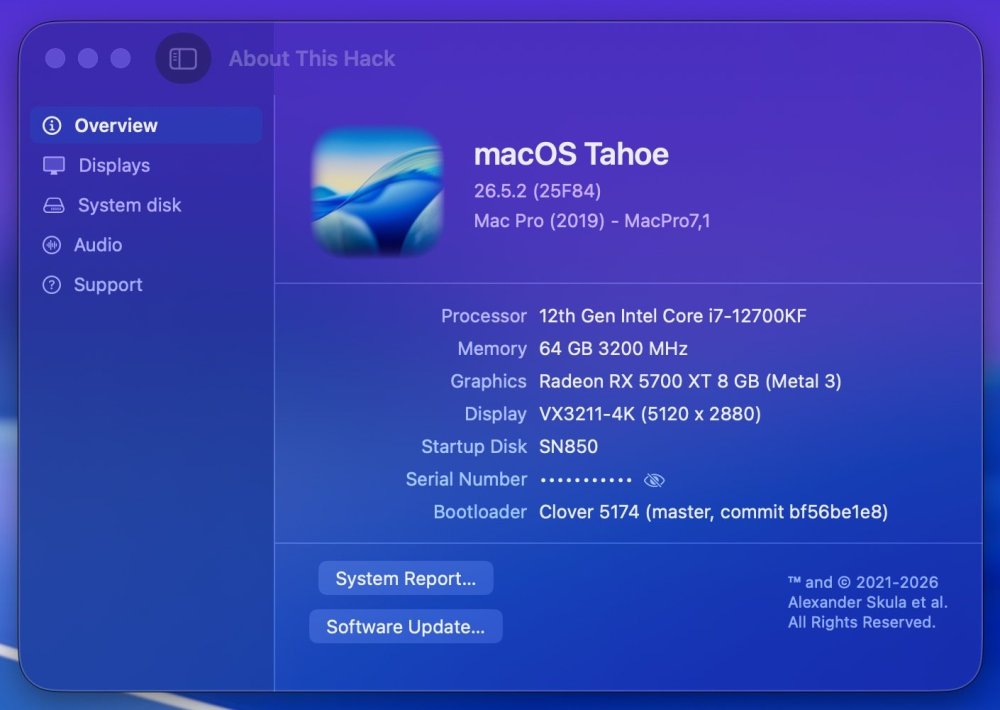
- 30986 replies
-
- 1
-
-
- bootloader
- efi
- (and 2 more)
-
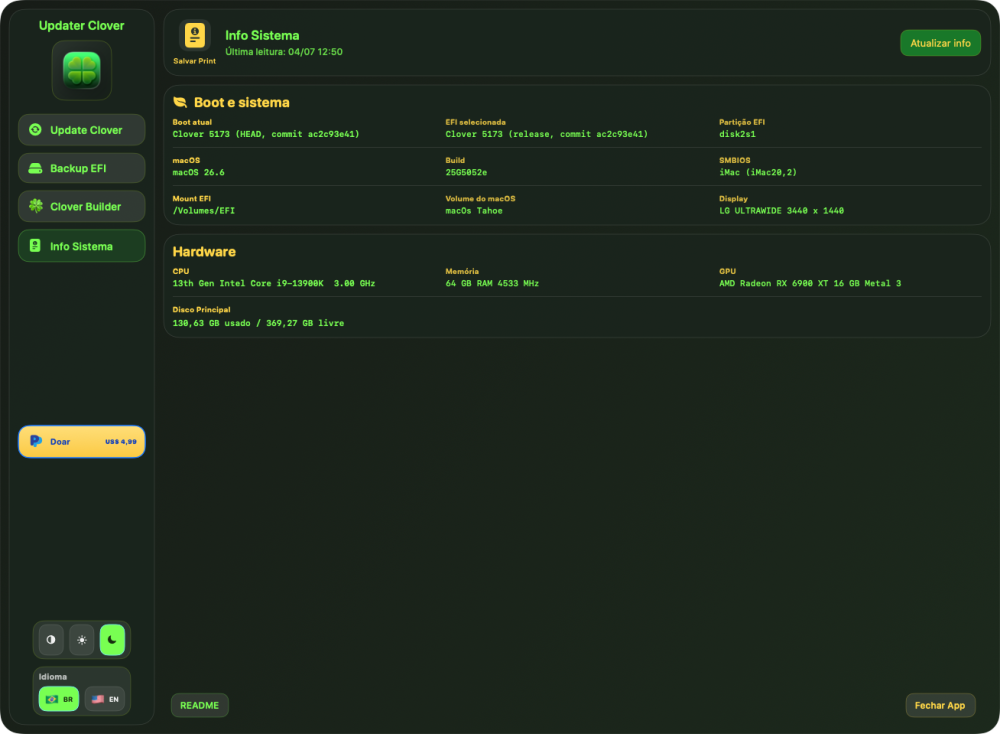
- 30986 replies
-
- 4
-
-
- bootloader
- efi
- (and 2 more)
-
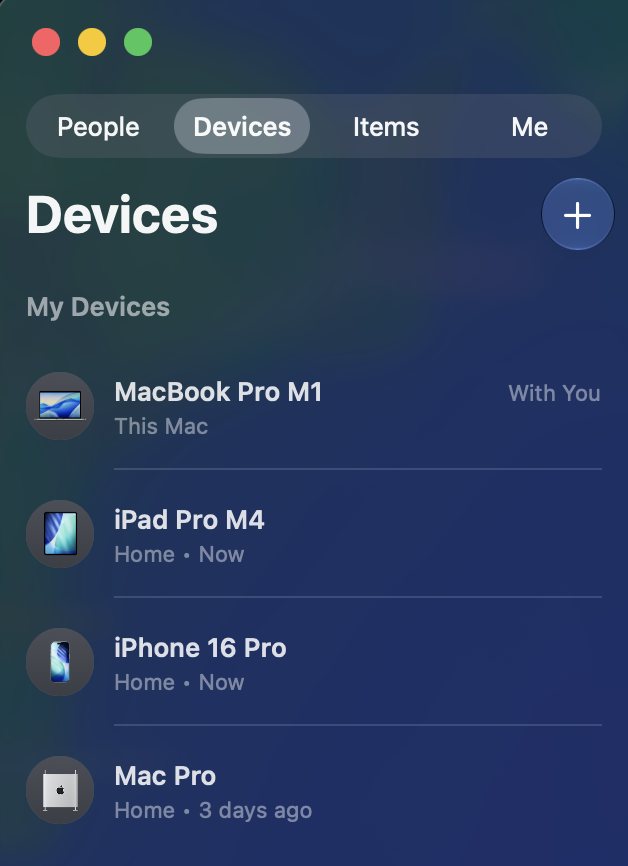
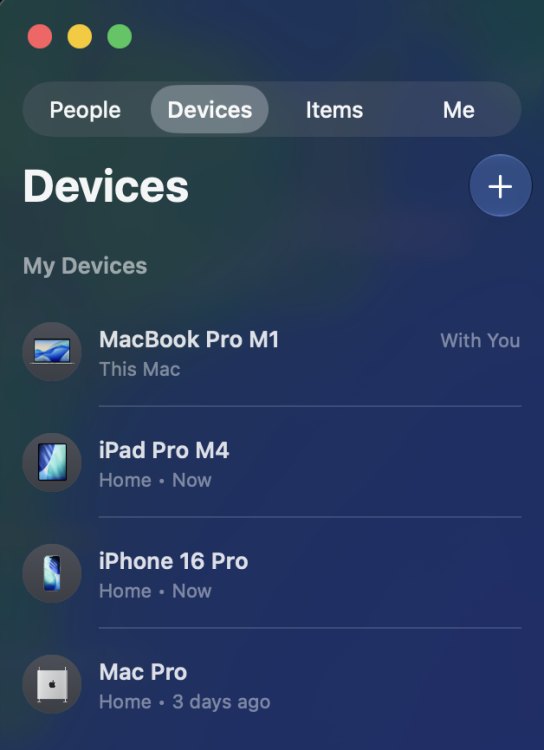
 One additional observation that may be relevant: Besides AirDrop, Personal Hotspot and Continuity Camera, Find My device presence also appears to be affected when using Intel AX210. For comparison, my BCM943602CDP updates its status correctly in Find My on all my Apple devices. Since replacing the BCM943602CDP with the AX210 three days ago, the Mac Pro Hackintosh still sees all devices correctly in Find My, including its own entry. However, on my iPhone, iPad Pro and MacBook Pro, the Mac Pro Hackintosh itself is no longer updated and still shows the last location/status from the time the Broadcom card was installed ("3 days ago"). This has been reproduced on the same Mac Pro Hackintosh, running the same macOS Tahoe installation, with the same Apple ID and the same surrounding Apple devices. The only hardware change was replacing the BCM943602CDP with the Intel AX210. This may indicate that the remaining awdl0 issue is not limited to AirDrop, Personal Hotspot and Continuity Camera, but also impacts other Apple services that rely on the same Nearby/Continuity infrastructure, including Find My device presence.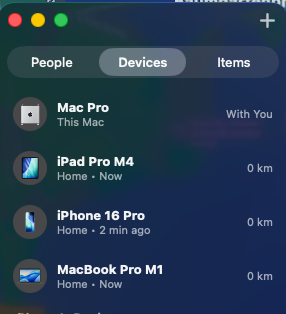
-
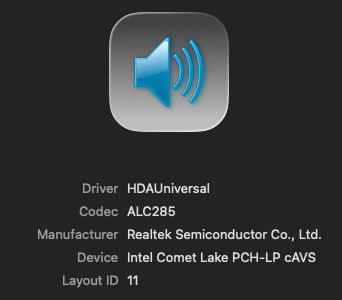
 Perfect, ALC1220 well detected, thanks.
 -
 Anant Gear changed their profile photo
 -
Since you have a Catalina in VMware and only need High Sierra, I suggest you to install macOS High Sierra on MBR, it's easy to boot with Enoch and Clover.
-
 KatT changed their profile photo
 -
I may offer you to read about Clover. There is also a book CloverOfHackyColor to teach you what is what.
-
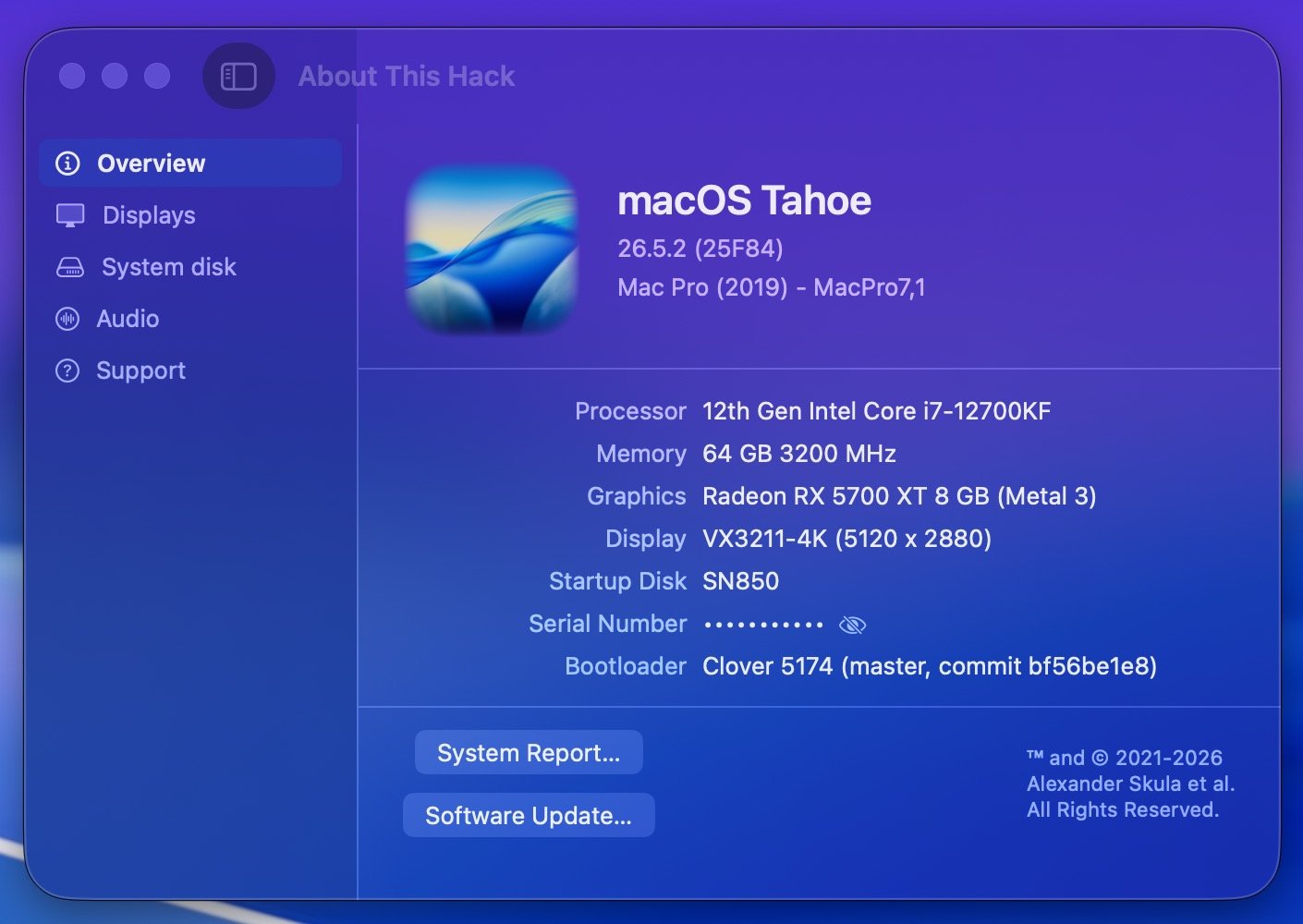
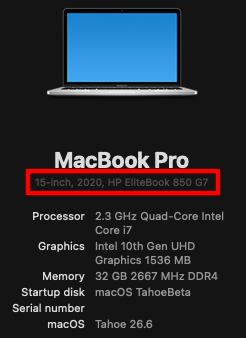
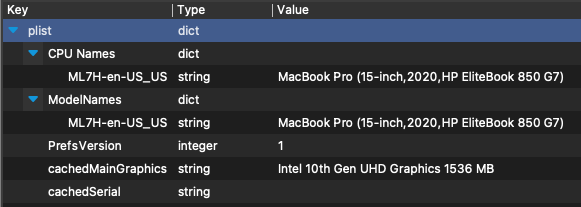
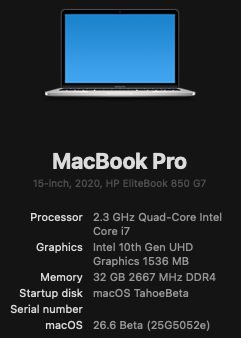
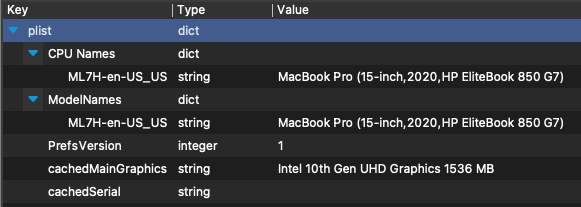
Have you ever wanted to customize the displayed machine information in "About This Mac" so that it displays your hackintosh PC model instead? You can customize this machine name by editing ~/Library/Preferences/com.apple.SystemProfiler.plist as follows: Copy com.apple.SystemProfiler.plist from ~/Library/Preferences to your Desktop and make a backup copy to preserve the original Open com.apple.SystemProfiler.plist on your Desktop with your favorite plist editor You will need to modify all of the machine key/value pairs in one or both of the following dictionaries (modify all machine values in both of these dictionaries if they are present) CPU Names ModelNames The format of each machine key/value pair must be preserved when editing the value. Edit only the text within the parenthesis like this: Original: MacBook Pro (13-inch, 2020, Four Thunderbolt 3 ports) Modified: MacBook Pro (15-inch, 2020, HP EliteBook 850 G7) Do NOT modify anything else in com.apple.SystemProfiler.plist After you have edited all instances of the machine key/value pairs in dictionaries "CPU Names" and "ModelNames" if present, save your modified com.apple.SystemProfiler.plist on your Desktop. The modified com.apple.SystemProfiler.plist should resemble this: Copy your modified com.apple.SystemProfiler.plist back to ~/Library/Preferences (sudo cp ~/Desktop/com.apple.SystemProfiler.plist ~/Library/Preferences) Reboot You should now see your custom machine model in About This Hack. Enjoy!
-
- 2
-
-
 Style Fresh Salon changed their profile photo
 -
About This Hack (2009-Nissan-Cube version migrated to SwiftUI)
deeveedee replied to miliuco's topic in Hackintosh Tools
All good, Miliuco! Well done!!! 👏 Note that I have modified ~/Library/Preferences/com.apple.SystemProfiler.plist so that About This Mac displays my custom machine info ('15-inch, 2020, HP EliteBook 850 G7' in this case). It might be nice for ATH to retrieve this customized machine info from SystemProfiler. EDIT: The format of the machine string in SystemProfiler.plist must be preserved when editing SystemProfiler.plist. The initial Mac identifier must be retained (e.g., MacBook Pro), such that only the text within the parenthesis is modified. All instances of the machine string must be modified (i.e., CPU Names and ModelNames if they exist). I created a simple tutorial here.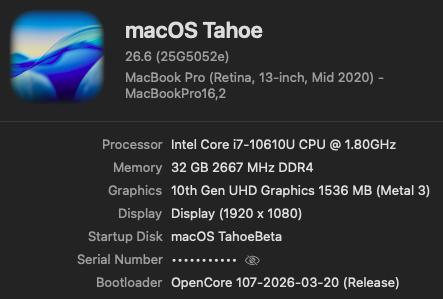
-
 Just enjoy!!!
 -
 Kundan Green Energy changed their profile photo
 -
Thanks Deeveedee, Here is the full config.plist for your viewing pleasure. I don't use any form of OCLP as i don't have any use for it in its current form. Cheers, Howard config.plist
-
 Hack4U changed their profile photo
 -
 missingperson changed their profile photo
 -
.thumb.png.b0009ddc2e6a6f84e9936764664eeffd.png) United_Refrigerants changed their profile photo
United_Refrigerants changed their profile photo -

About This Hack (2009-Nissan-Cube version migrated to SwiftUI)
Slice replied to miliuco's topic in Hackintosh Tools
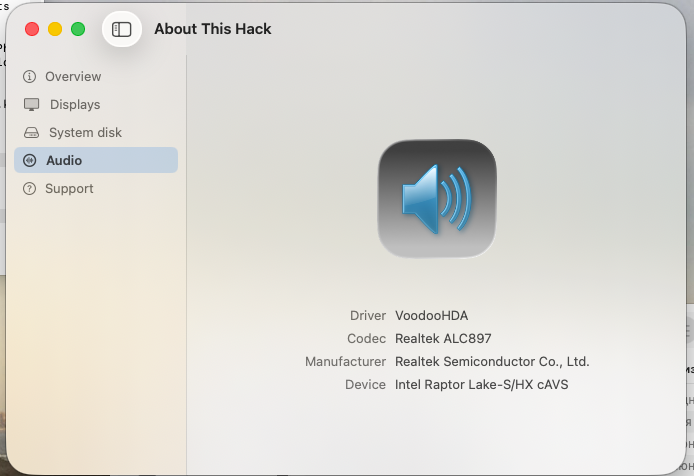
All is good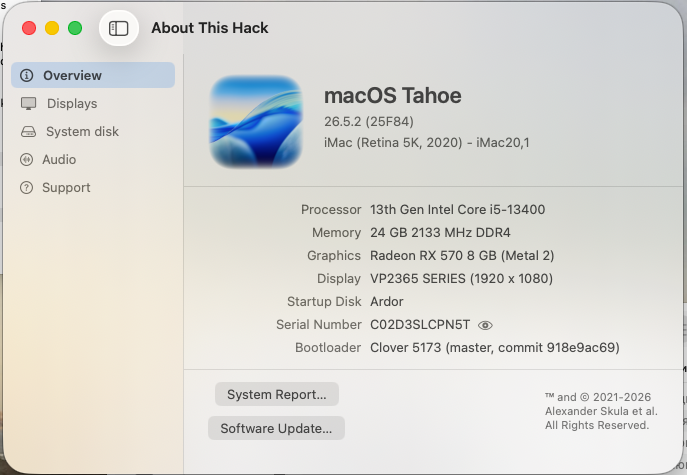
-
O yes! It can be network preferences.
.thumb.jpeg.7082d67b3394c9399e80144027a7b397.jpeg)