All Activity
- Past hour
-
 Ushna Asif joined the community
 -
 Its been a while. The other half took my 800g4 for using with linix. Undeicded now if i want to go back to 800g4 or get a g5.
 -

Download Full Installer app updated for macOS Tahoe
XanthraX replied to miliuco's topic in Hackintosh Tools
I think the app uses this source: https://mrmacintosh.com/category/macos-installer/ Unfortunately, the app also don't find the RC versions too. And also, this site don't have the RC versions. Only beta and final. -
 8kbetincom joined the community
 -
7mcnvotoo joined the community
-
 Love Your Pets123 joined the community
 - Today
-
 Cairo Contracting joined the community
 -
 Rod Bender Fishing Charter changed their profile photo
 -
(1).thumb.jpg.bee8e88961625ea9801079c3a9fe3753.jpg) Lazzat Grill And Shakes changed their profile photo
Lazzat Grill And Shakes changed their profile photo -
Lazzat Grill And Shakes joined the community
-
 Ram Car Key Replacement joined the community
 -
 viop88com2 joined the community
 -
 مركز ديماس الطبي الثاني changed their profile photo
 -
 Galaxy Freight Service joined the community
 -

Download Full Installer app updated for macOS Tahoe
kgp replied to miliuco's topic in Hackintosh Tools
@miliuco, thanks for the continued development of this excellent tool. Unfortunately, it still seems impossible to download macOS 27 beta 1 for Apple Silicon Macs. Is this a known limitation, or am I missing something? Also, would it be possible to keep a Sparkle-based version available as an alternative? The Sparkle updater has worked flawlessly on my system so far, and I never experienced any of the code-signing issues mentioned above. Thanks again for your work on this project. 👍 -
مركز ديماس الطبي الثاني joined the community
-
 uy888io1 changed their profile photo
 -
 Keo68 net changed their profile photo
 -
Tried in my Hack, the wifi is Fenvi T919 (BCM94360CD), it worked fine. Reverted latest snapshot and tried a second time with the same result: all OK. This app works fine for this Broadcom chip. Good job @Mirone
-

Download Full Installer app updated for macOS Tahoe
miliuco replied to miliuco's topic in Hackintosh Tools
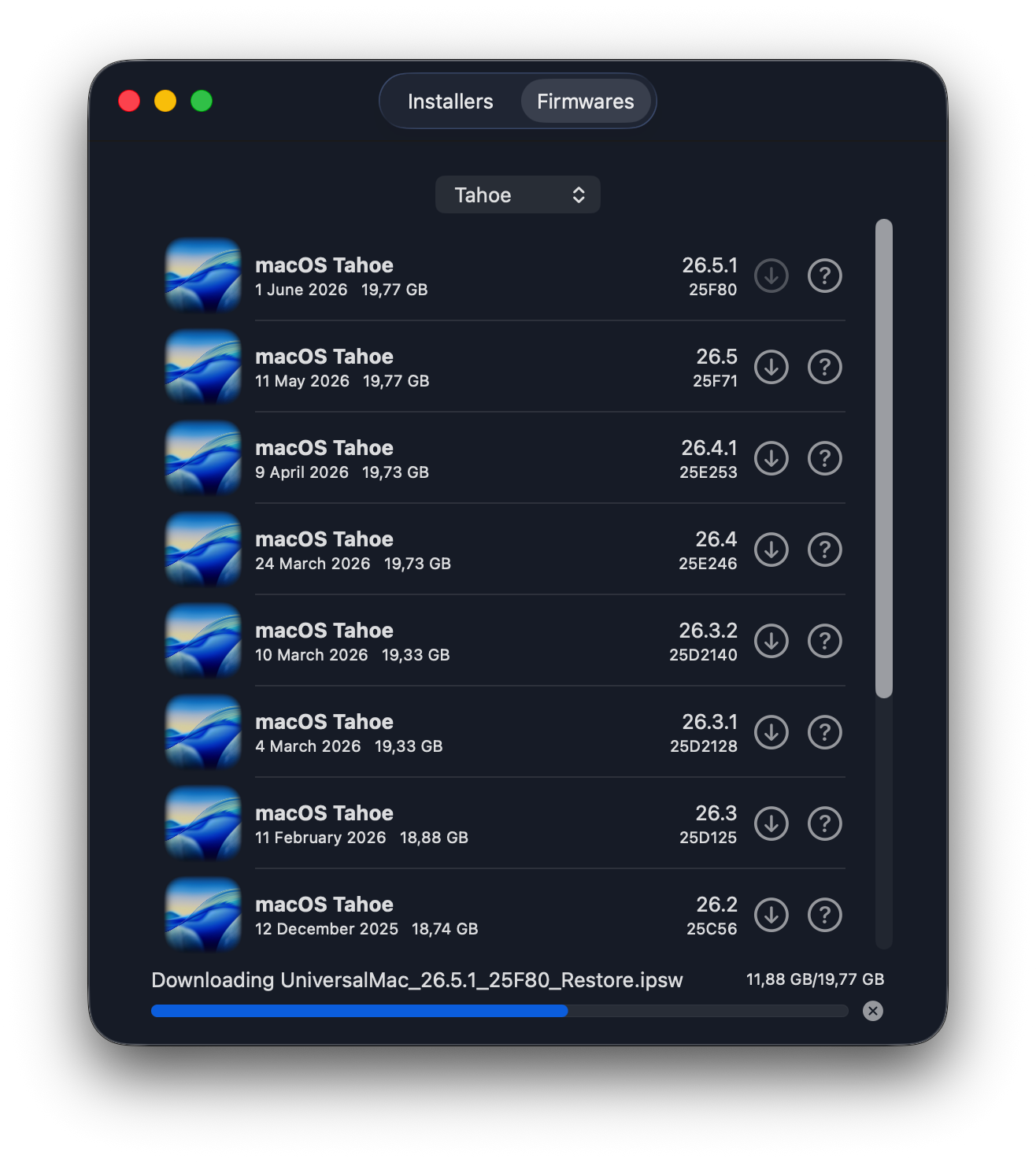
Version 4.5.0 Add Firmwares tab to download IPSW files, used to restore Silicon Macs Remove the legacy DownloadFullInstaller-11 target With the version requiring at least macOS Big Sur removed, macOS 13 Ventura is now the minimum requirement Remove Sparkle updater system, generates code signing errors for quite a few users Add a lightweight GitHub updater system based in the GitHub releases API. https://github.com/perez987/DownloadFullInstaller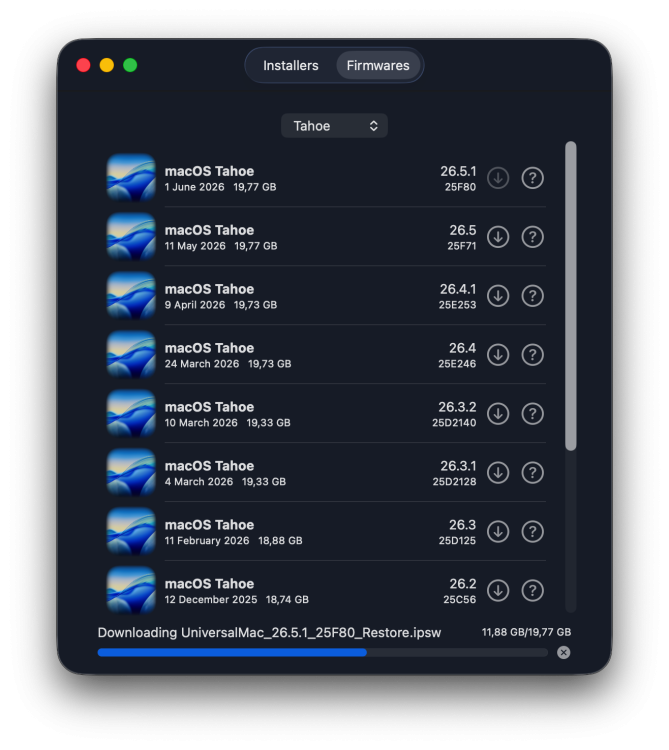
- Yesterday
-
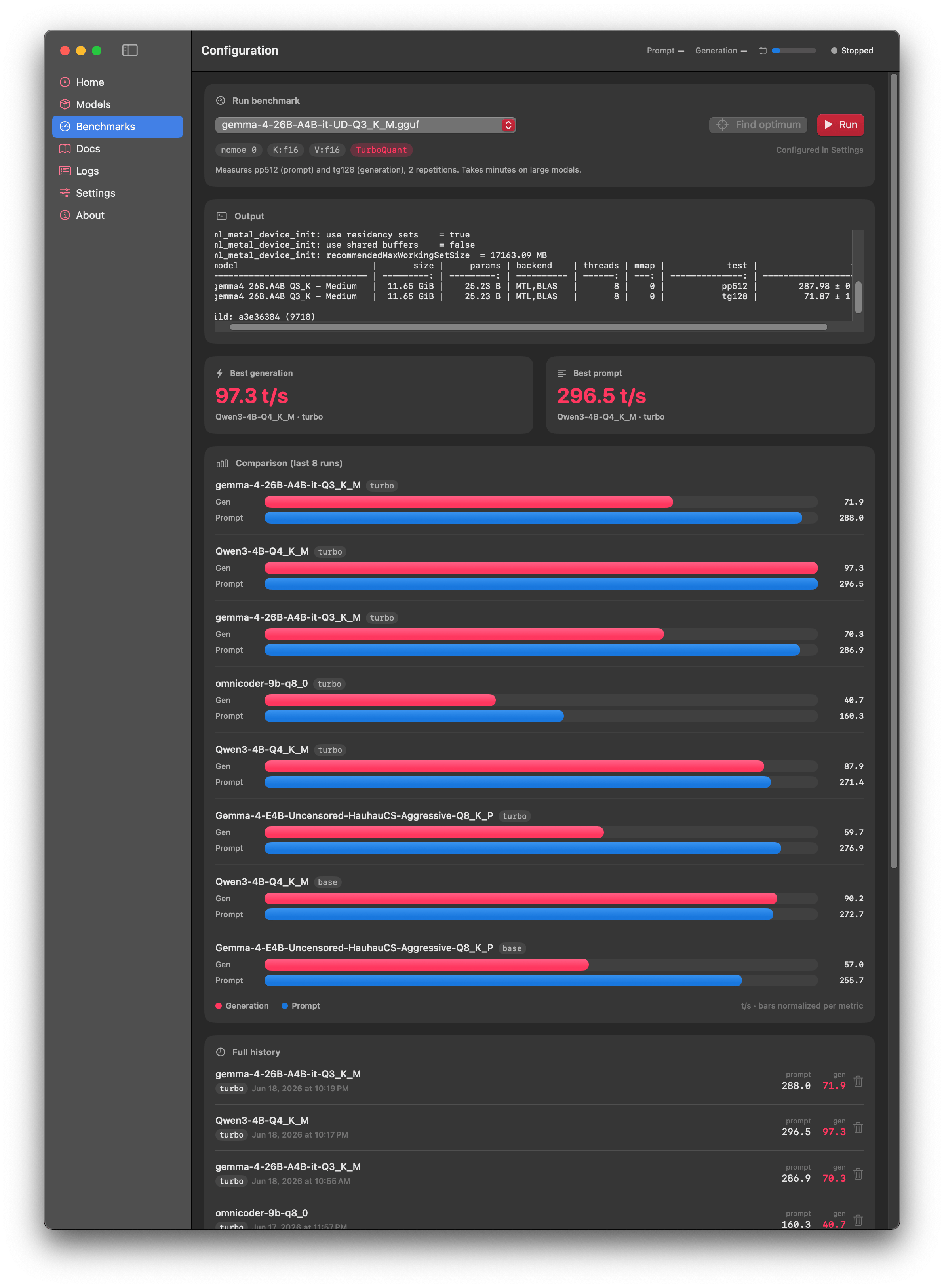
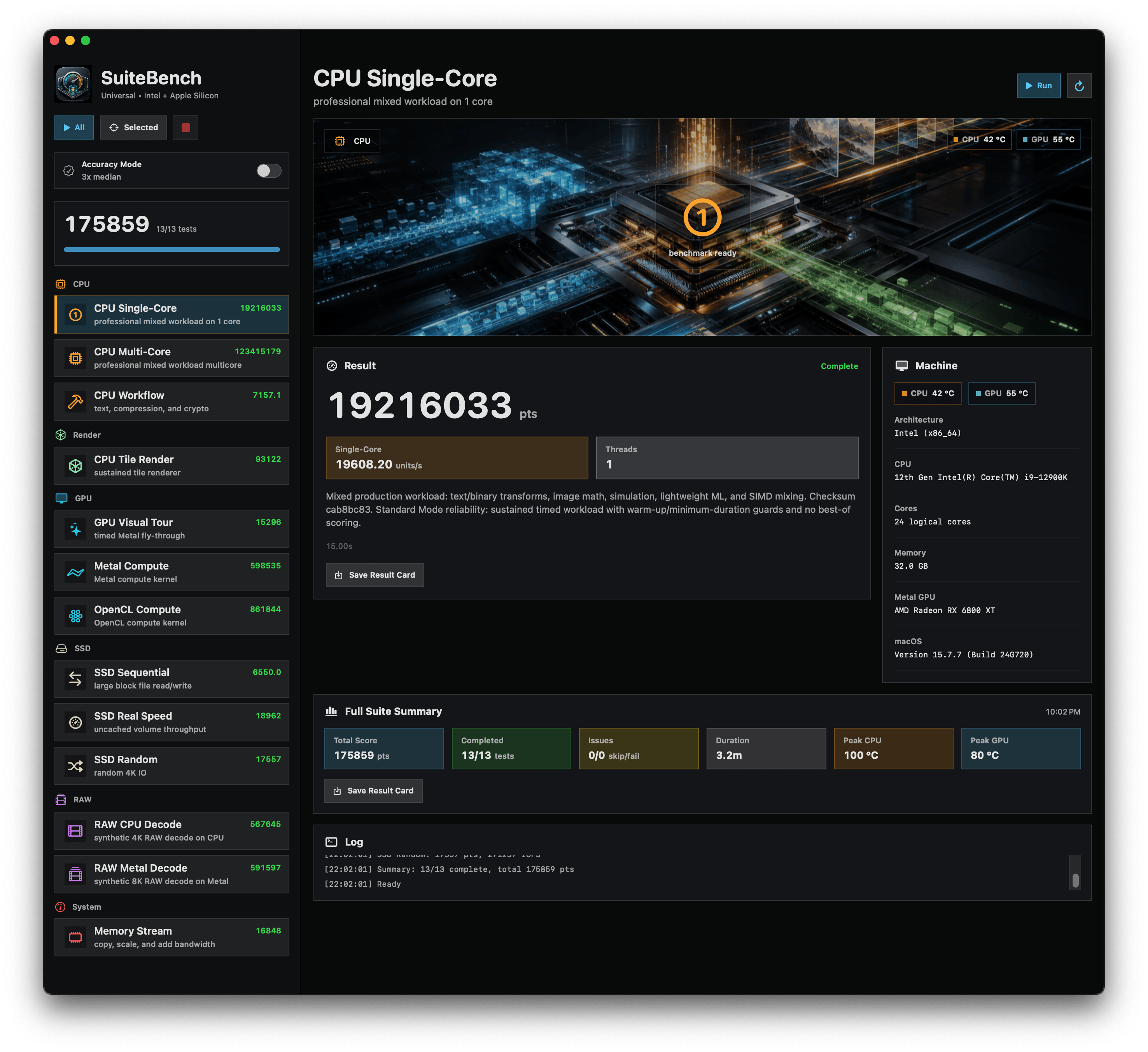
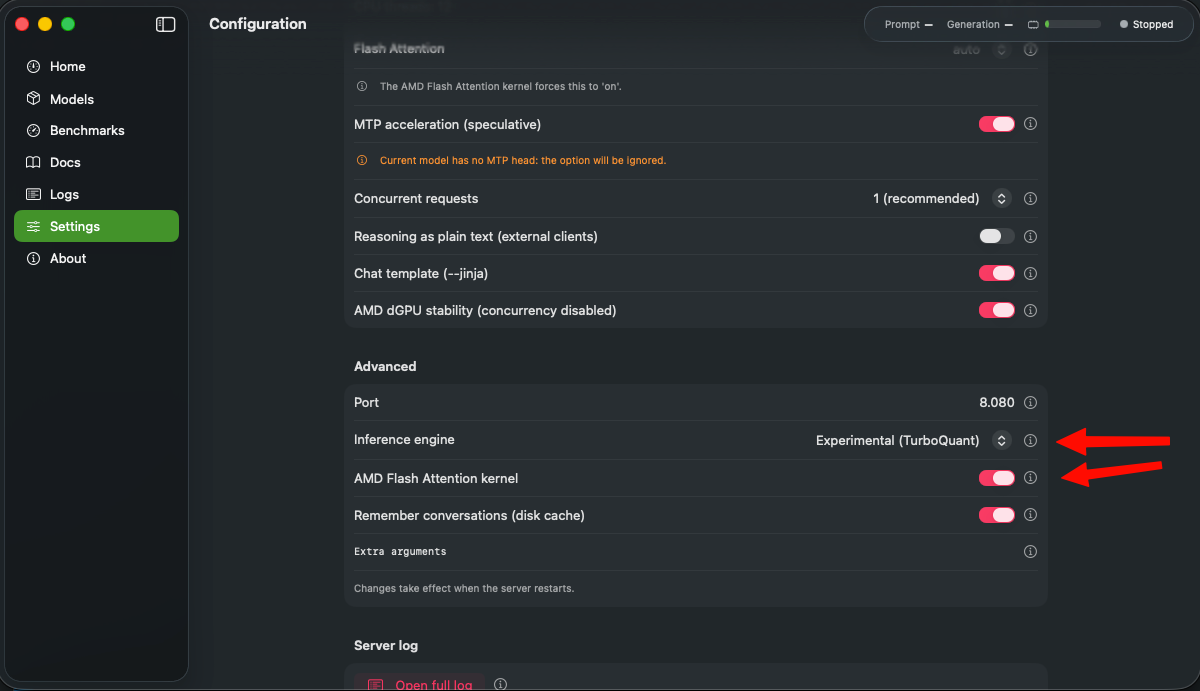
 On my AMD RX6800XT Two top benchmarks are after enabling these settings in version Version 0.81.26 (0.81.26): I'll test my RX580 later and post the results.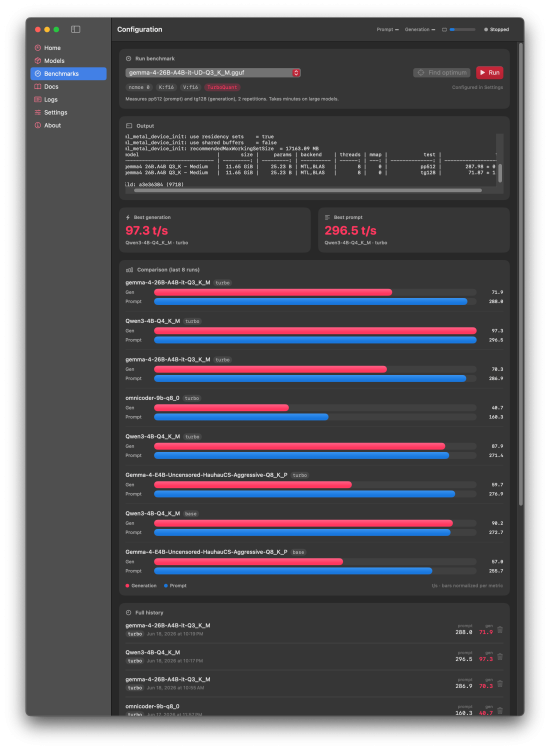
-
 Excellent, it improves the performance on your end... i will take notes about your build, thanks for testing!
 -
 Something's different over there. I can check it out shortly.
 -
 TenderGo changed their profile photo
 -
 @ird good question. I will need to run a few performance comparisons of G4 and G5 to determine whether they are treating PL1/PL2 the same for 8th Gen CPUs.
 -
 Thanks for sharing this @deeveedee. Is the G5 "unlocked" for boost power like G4 if an 8th gen CPU is dropped into it? I remember you mentioned with i5-9600 you observed there were limitations on how high the CPU could boost even with a 250W power brick.
- 1117 replies
-
- 1
-

-
- catalina
- hackintosh
- (and 17 more)
-
.thumb.jpg.feb1bfb4e565493a2f0043041798cdbe.jpg) fly88green changed their profile photo
fly88green changed their profile photo -
@engeldlgado I will give it a try when I can and I'll post the log here. Thanks for the updates and your efforts 👍
-
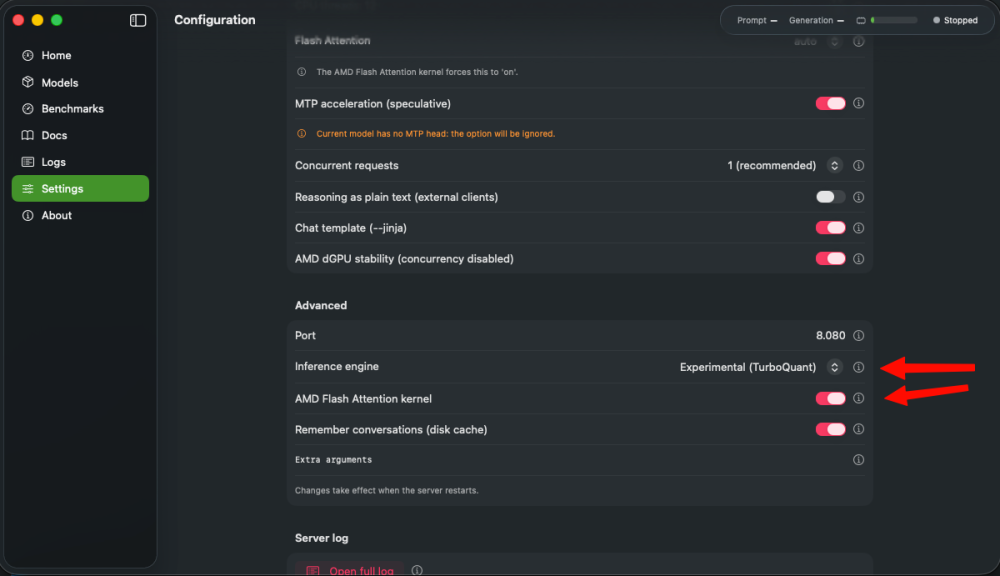
Yeah in settings... theres is an option to change the Inference Engine (llama.ccp) bundle, the experimental one, has better improvements against the normal one
-
 Settings?
 -
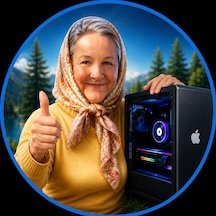
I need a better agent. 🤣 I don't know which is more impressive - that you were creative enough to create the avatar 12 years ago, or that you started hacking at age 4. Admins: Please forgive me for this off-topic excursion. I couldn't help myself.
-
@deeveedee, the thumbs-up and the little computer mascot actually come from my former avatar, which I created myself about 12 years ago. ChatGPT just modernized it by combining it with an Image Playground avatar of myself. 😜 In case ChatGPT runs out of ideas, here’s the original 12-year-old master template: 😂 As for my friend kaoskinkae’s avatar, I honestly have no idea about its history. 😉

-
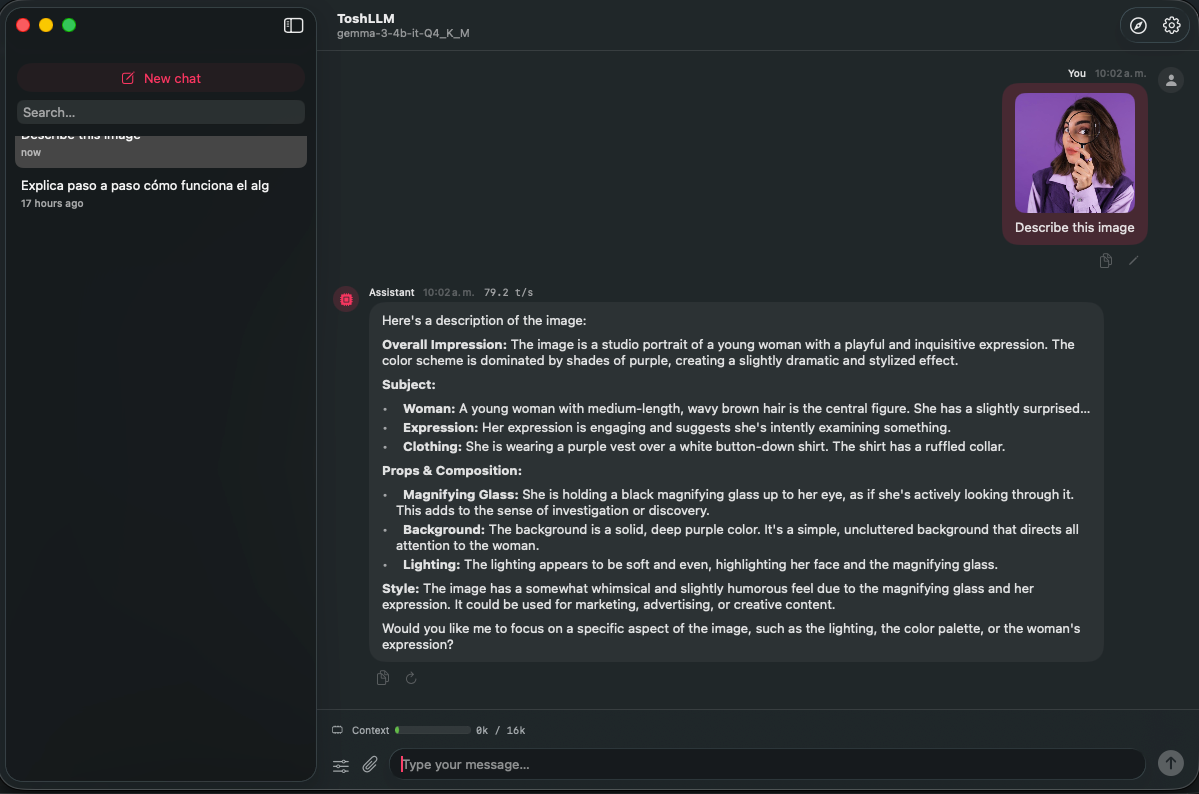
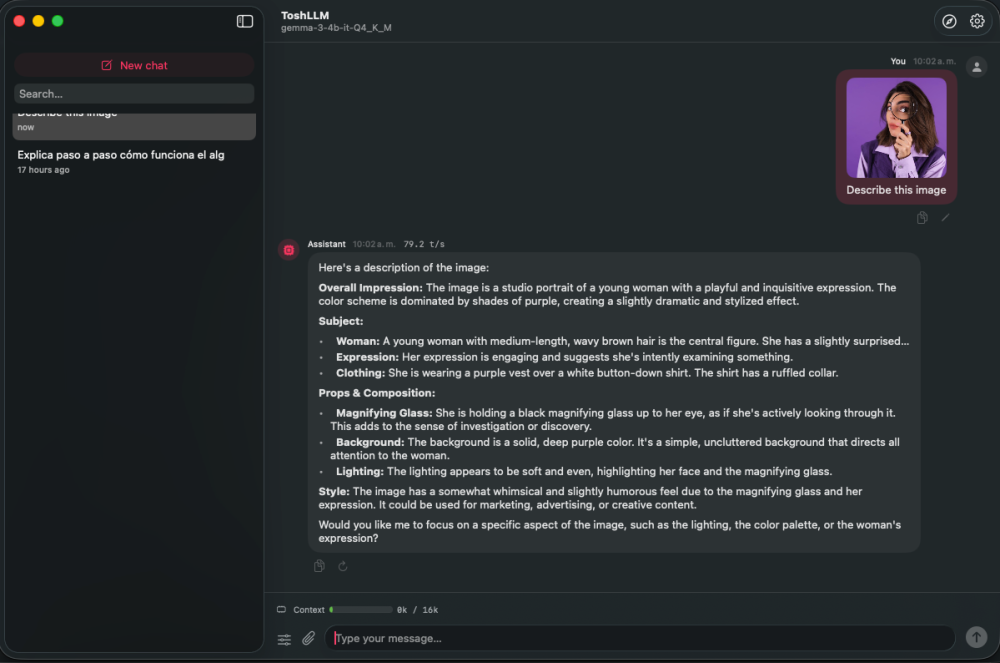
Hi @Cyberdevs Quick update, that i've work today: Update (v0.81.25): you can now attach files in chat — including PDFs (text is extracted automatically, and scanned PDFs are read with on-device OCR), plus more text formats. And image input for vision models is in: drop in a vision model with its mmproj (e.g. gemma-3-4b) and you can attach an image and ask about it. Vision is experimental and the image encoder runs partly on CPU on AMD GPUs (some Metal ops aren't supported), so it works but isn't fully GPU-accelerated yet. DMG is building now. Also i've add a option to change the default location for models Also may ask you for a new test on the RX Card... Update the app, and just load a model and start the server, no benchmark, anyting, just send me the logs, im researching about the VEGA/GCN Cards...
-
Make a signature
-
 8xbetviporg changed their profile photo
 -
Screen flickering issue on macOS / Hackintosh
deeveedee replied to brosce's topic in New Users Lounge
@brosce It would help to have the following from you: Your EFI (at least your config.plist), your graphics card or iGPU, the types of video cables that you are using (e.g., HDMI->HDMI, DP->HDMI, DP->DVI, VGA...) and the types / number of displays Did this start happening after a macOS upgrade? If so, what was the last version of macOS where your screen(s) did not flicker? Does this happen with both macOS and Windows -
Are you guys brothers, or do you have the same agent? ChatGPT told me this should be my new avatar. What do you think?


-
.thumb.jpg.8fd7adecc986b52f722fea9cda05c1b2.jpg) trangchu7c777one changed their profile photo
trangchu7c777one changed their profile photo -
I have been dealing with annoying screen flickering lately and can’t figure out what’s causing it. It happens randomly, sometimes after boot and sometimes while using the system normally. I already checked cables and basic display settings, and I also found this guide while troubleshooting: https://brokenscreen.org/blog/how-to-fix-screen-flickering/ Still no luck. Has anyone here faced something similar on macOS or Hackintosh? Any fix that actually worked?
-
 Genscommunity changed their profile photo
 -
Don't worry, I figured out something like this. I will try if you succeed with that update.