All Activity
- Past hour
-
 Tài Khoảng Windows joined the community
 -
 WENZ joined the community
 -
 Ezee Healthcare joined the community
 -
Creating avatars for the YouTube channel with a nod to TV shows and movies from the 70s to the 90s, avatar change here. Asking questions on various AI forums like ChatGTP, Google, and Grok about Hackintosh topics, but also historical and psychological ones; it's a new beginning that's going to change our lives. I've worked in graphic design and prepress, and what used to take a long time to make a poster is now instantaneous.
-
 luck8now1 joined the community
 -
 Makc1968 UA joined the community
 -
 Vin88fund2 joined the community
 - Today
-
 Narre Warren Locksmiths joined the community
 -
I use ChatGPT to create avatars. I think this is a great idea. 😀
-
 Ghulam Asif joined the community
 -
@Slice, I mainly use ChatGPT nowadays for documentation, improving my English and Spanish, brainstorming, troubleshooting, log analysis, code analysis, code debugging and sometimes creating avatar and cover graphics or drive icon template concepts. Although most of the actual work still has to be done by myself, ChatGPT has indeed become a valuable friend and companion. 😄
-
thapcamtvfundd joined the community
-
 BirdieBoutique06 joined the community
 -
 Muhammad Saleh changed their profile photo
 -
 sc8866com changed their profile photo
 -
 @Christian Wikander The ROM value in your config.plist appears to be invalid - it should be 6 Bytes (12 hexadecimal characters). I'm not sure if this would cause the problem you're seeing. When I run GenSMBIOS by CorpNewt, I get the following after following the instructions I posted previously: Type: Macmini8,1 Serial: C07JG0DMJYVX Board Serial: C072395014NKXPGA8 SmUUID: 0CBAA144-18A5-45A4-BB9C-646B439F179D Apple ROM: 7C01919537F4 Apple ROM is a 6 byte value. To test, try using exactly these values in your config.plist. If that doesn't fix the problem, then it might have to do with the way you are preparing the boot USB, but I'm not sure since I don't have experience with creating the USB installer in Windows. Hopefully someone else with such experience can offer assistance.
 -
@Slice I like your proposal. A new forum is a good idea. I use only one type of AI: Copilot in GitHub for Swift projects. It's certainly impressive what Claude (mostly used by Copilot for code) can achieve when you answer the questions correctly. I started using it about six months ago, and in that time I've noticed improvements in the agent. I suppose the developers are constantly working on it. In my day-to-day work, I hardly use AI; perhaps I'm getting too old, but I see that it's inevitable, and I need to get up to speed.
-
Searching the web, I came across a page where some independent developers are attempting embryonic experiments to create system call emulators/mappers (JIT/AOT compilers) capable of translating macOS 27's ARM64 instructions into x86 instructions. At least the first experiments are underway. Obviously, the road will be long and difficult, but we must be confident and patient. The first tiny glimmer of hope has been shed on this path.
-
- 4
-

-

Can someone provide ACPI Tables from real iMac20,x?
Max.1974 replied to a topic in General Discussion
https://docs.kernel.org/arch/arm64/arm-acpi.html -
Excellent idea, Slice! I’d also like to share a tip that many colleagues ask me about: I use VS Code with Chat Copilot, and given its affordable price, I believe it will help many developers. 😉 https://github.com/copilot
-
 The Exhibition network changed their profile photo
 -
 f8betmeukvn changed their profile photo
 -

Can someone provide ACPI Tables from real iMac20,x?
lorys89 replied to a topic in General Discussion
Macs with Apple Silicon chips (M1, M2, M3, M4, etc.) do not use the ACPI standard. Therefore, it is impossible to dump ACPI tables (such as DSDT or SSDT) on these machines because these tables do not exist in the computer's firmware. -
 Thanks for the quick response. Yes, the computer looks exactly like the pictures posted earlier in this thread, and it says HP EliteDesk 800 G5 Desktop Mini on the bottom of the device. But I do find the naming scheme on these a bit confusing, so I understand the question. Since my daily driver is a Linux/Windows dual boot, I used Rufus on Windows to create the USB-stick according to the process described in Dortania's guide. Here After putting the recovery files on the USB I copied your EFI folder as is to the USB. I used GenSMBIOS to generate the codes and had the tool update the config.plist for me. Noticed that there was no value for ROM, so put my Mac address into that field manually (according to your guide) Booted the Mini with the stick. OpenCore boots into text mode, but doesn't show any other options than Clear NVRam. Thanks config.plist USBPorts.kext.zip
 -
May be we should create new section in Development subforum "Artificial Intelligence" or "Insanely AI"? Where user may exchange information about using different AI: Claude, ChatGPT, DeepSeek etc. There coming new era since 2026. First question "Tell what AI are you using and for a what?"
-
 Auto Restoration Service changed their profile photo
 -
Have anybody dumps from real Apple M* Macs?
-
 sc88mobi1 changed their profile photo
 -
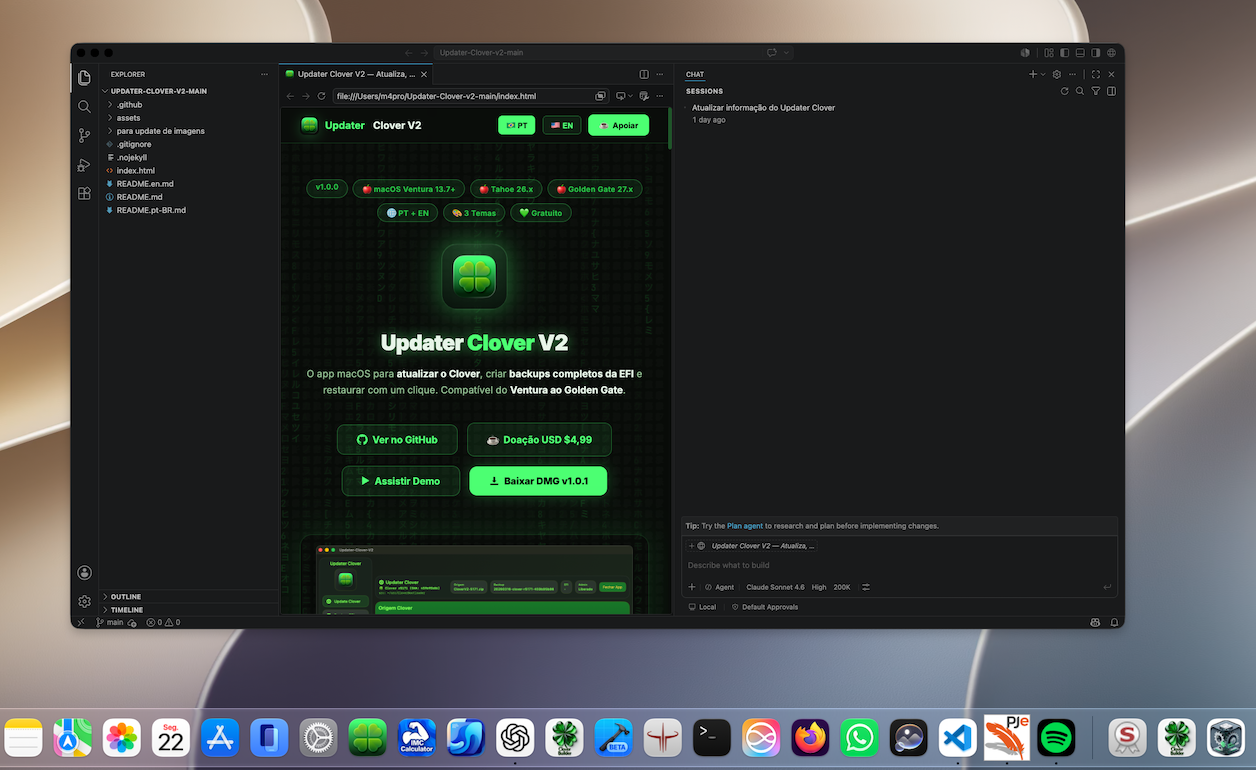
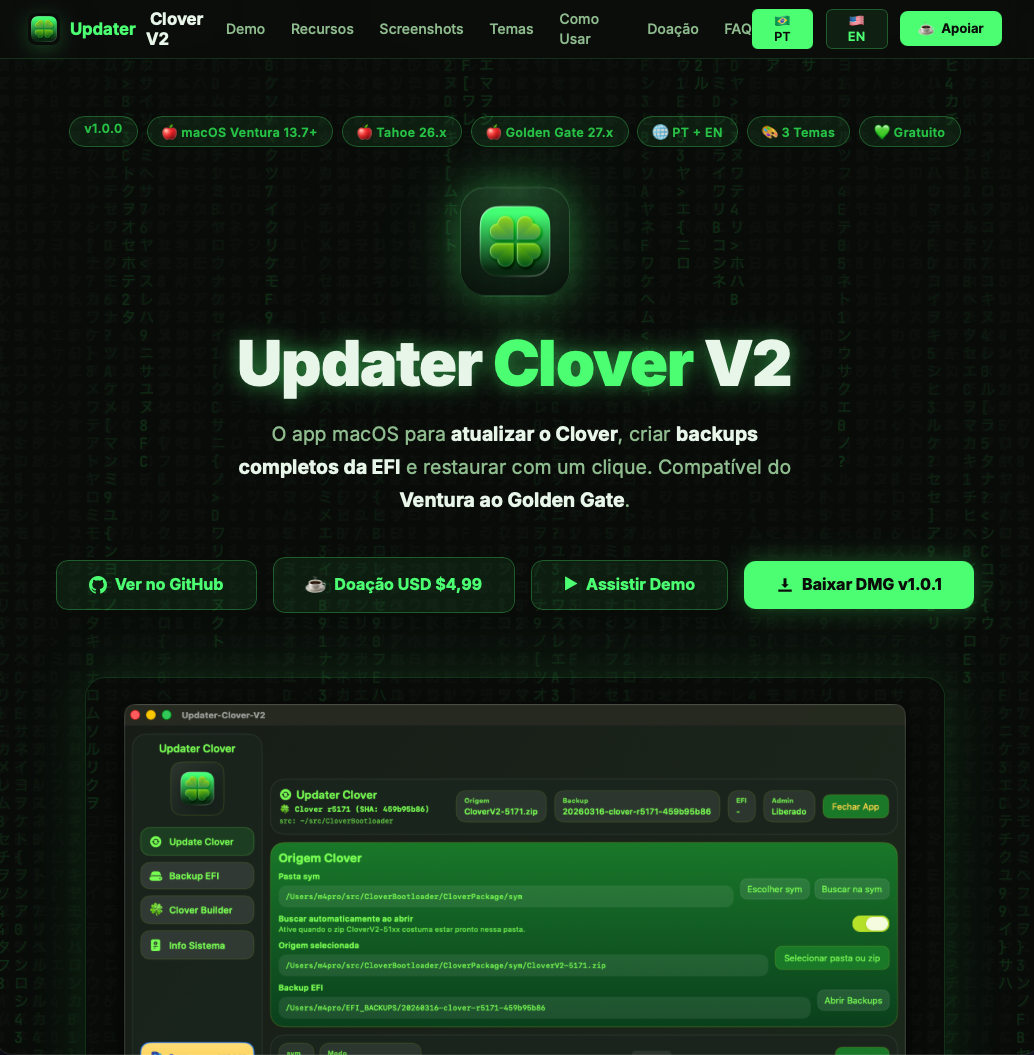
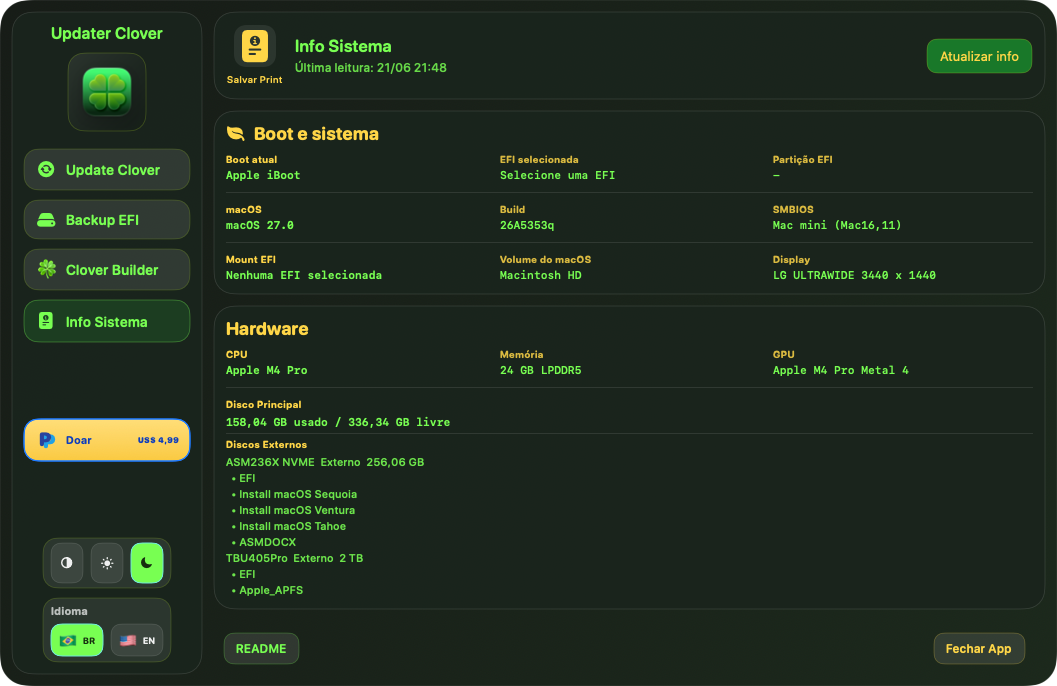
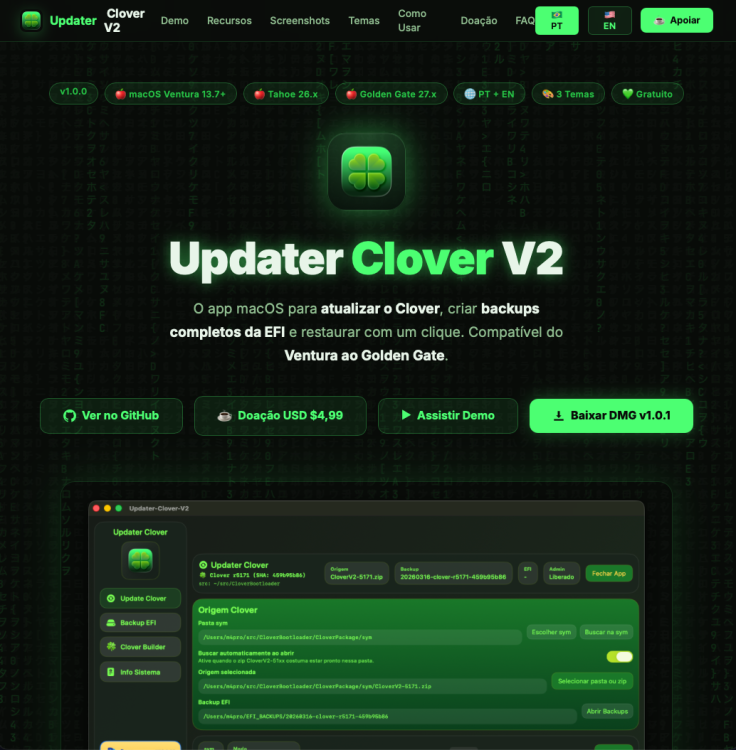
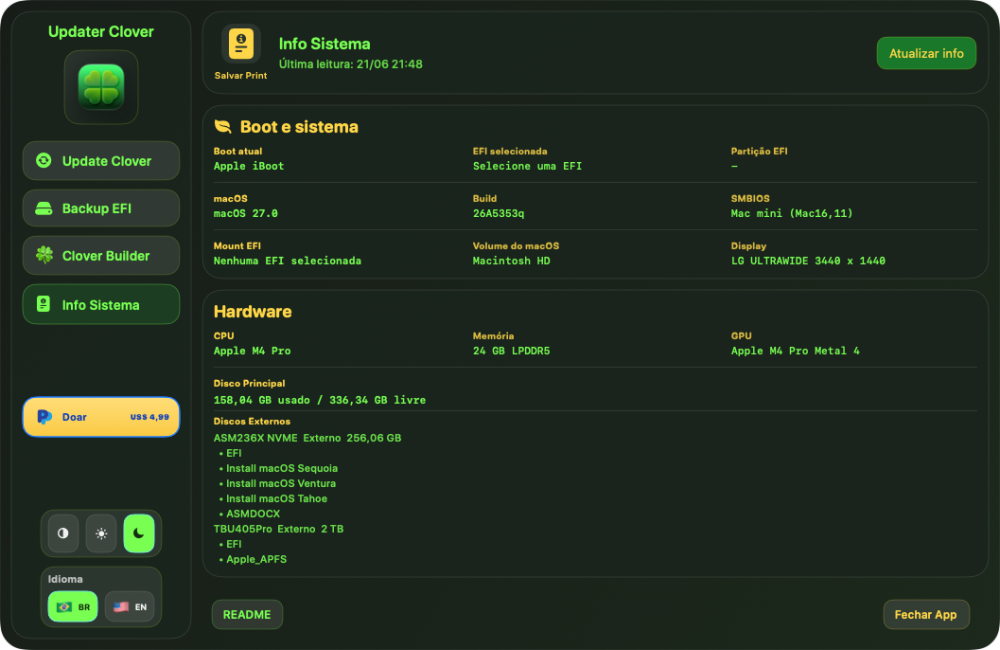
Hello colleagues, I have updated Clover Updater v2 and Clover Builder to support macOS 27. I hope it will be useful. https://maxpicelli.github.io/Updater-Clover-v2/ Freeware app
- 49 replies
-
- 1
-
-
- macos
- golden gate
- (and 1 more)
-
@Christian Wikander If the same USB stick can install macOS on other systems (simply by changing the Open Core EFI), then I would suspect the USB stick or USB map. Are you certain that your EliteDesk 800 G5 is a Mini and not SFF or other EliteDesk variant? Do you have another USB stick to test? Are you able to post the exact Open Core EFI that you're using to attempt your EliteDesk 800 G5 Mini installation? If you can't post the entire EFI due to upload limitations, please post the Open Core config.plist and USBPorts.kext. EDIT: I just performed the following test without any issues: Selected a USB Thumb Drive 16GB or more (I chose SanDisk Cruzer USB 2.0 32GB Flash Drive for my test) Installed a macOS Sequoia installer to the USB Flash Drive by following the instructions here Downloaded my HP EliteDesk 800 G4/G5 Mini Open Core EFI from here and made NO modifications to it Added Platform Info to the Open Core EFI as follows: Download CorpNewt GenSMBIOS Run GenSMBIOS.command (I'm using macOS to create my macOS USB installer) Select Option 3: Generate SMBIOS Specify MacMini8,1 at the SMBIOS prompt Using your favorite plist editor (I am using XCode for my test), copy the generated SMBIOS info to the Open Core config.plist as follows: Serial -> PlatformInfo > Generic > SystemSerialNumber Board Serial -> PlatformInfo > Generic > MLB SmUUID -> PlatformInfo > Generic > SystemUUID Apple ROM -> PlatformInfo > Generic > ROM Copy the Open Core EFI (which now includes your Platform Info) to the USB Drive's EFI Mount your USB Drive's EFI Volume Copy your new EFI folder (which contains BOOT and OC folders) to the USB Drive's EFI Volume. Your USB Drive's EFI Volume should have a folder named EFI with folders OC and BOOT in it. Boot your HP EliteDesk 800 G5 Mini from the USB Drive Select "Install macOS Sequoia (external)". There is no need to press the space bar to see the "Install macOS" option.
- Yesterday
-
 liakatskids247 changed their profile photo
 -
.thumb.jpg.4e9195df9eeb86099cbede518375d225.jpg) luck8monster1 changed their profile photo
luck8monster1 changed their profile photo -
 Ushna Asif changed their profile photo
 -
 Ainnet Alo789 changed their profile photo
 -
I have the exact same Elitedesk G5 it seems. I replaced the NVMe SSD with a non Samsung one. Following your post @deeveedee to make a new install: Set the BIOS according to the pdf, downloaded Seqoia and replacing the keys in config.plist. When trying to boot from the USB I only see the Clear NVRam option, no option to install MacOS, not even after pressing Space. I have been experimenting with this HP for a few days now, and I can get to the installation stepfollowing other guides with the exact same USB stick. Any idea on what might cause this?
-
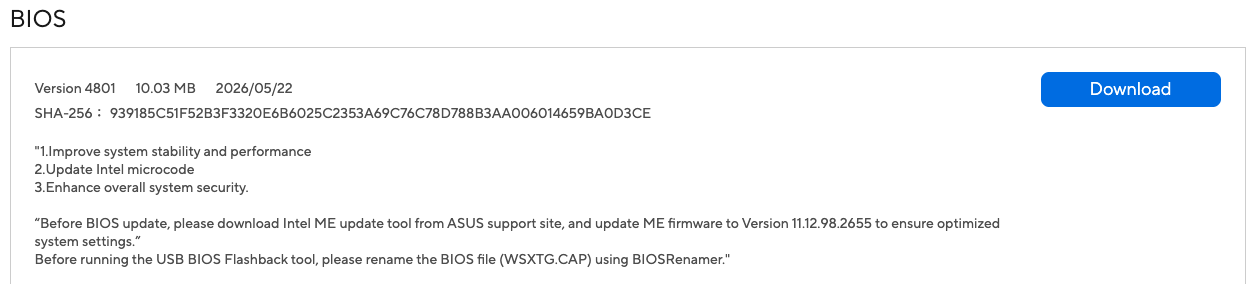
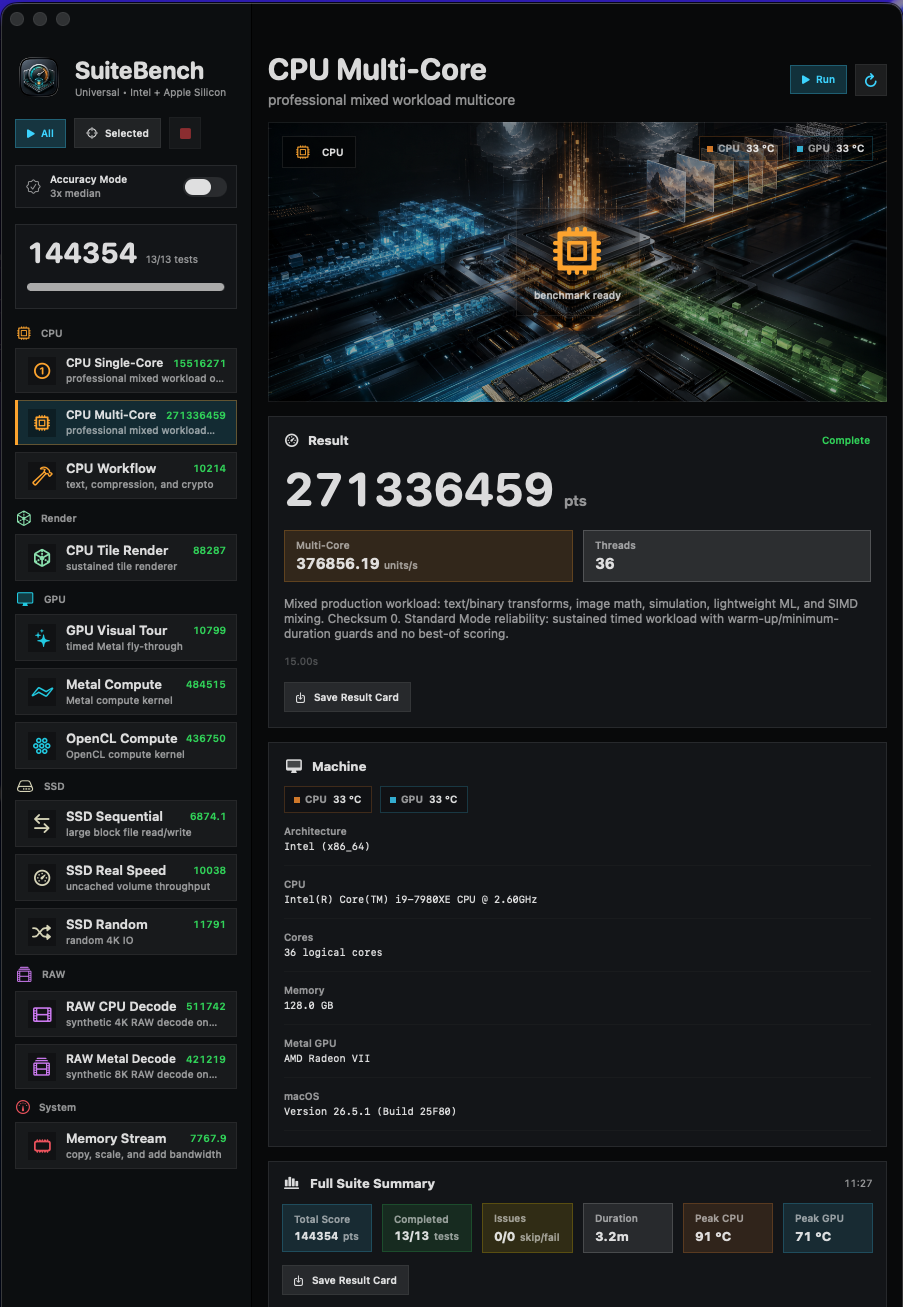
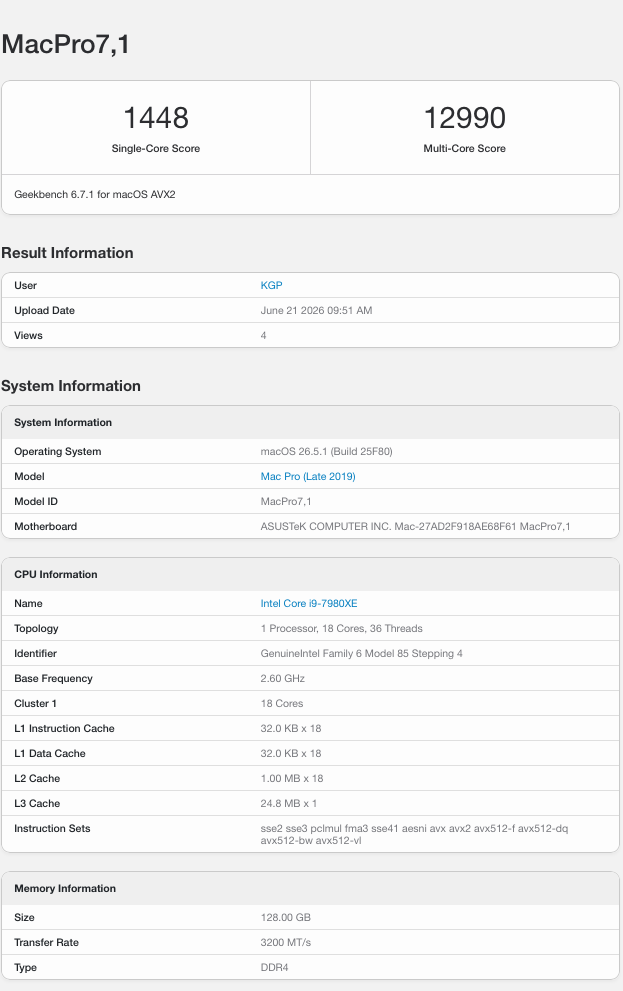
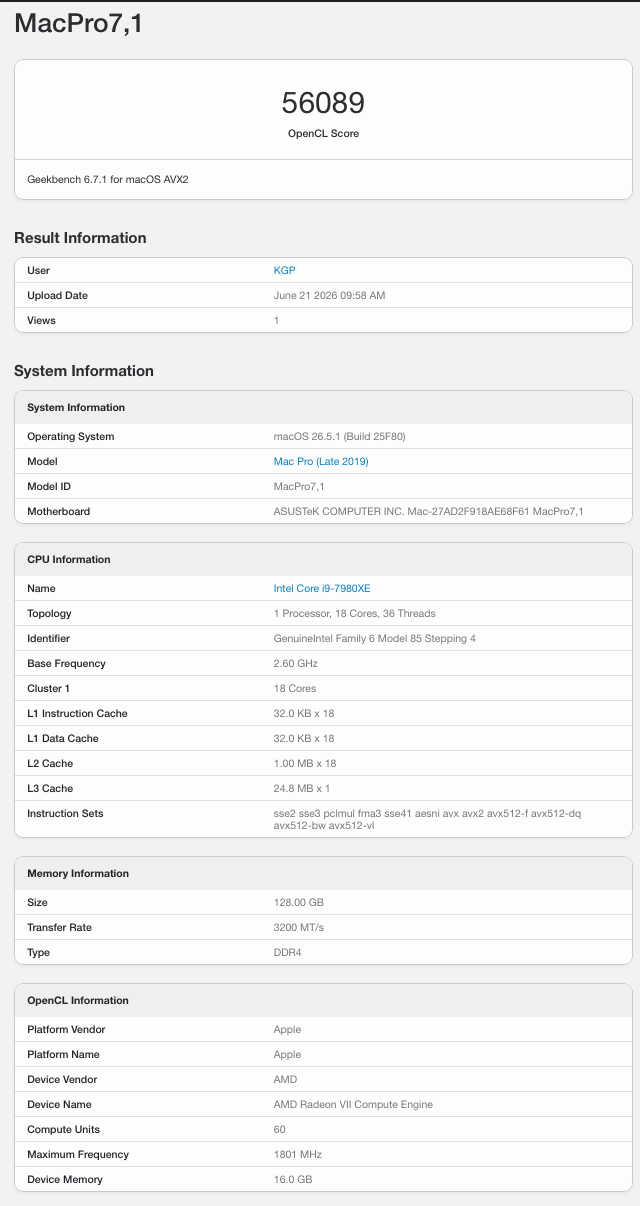
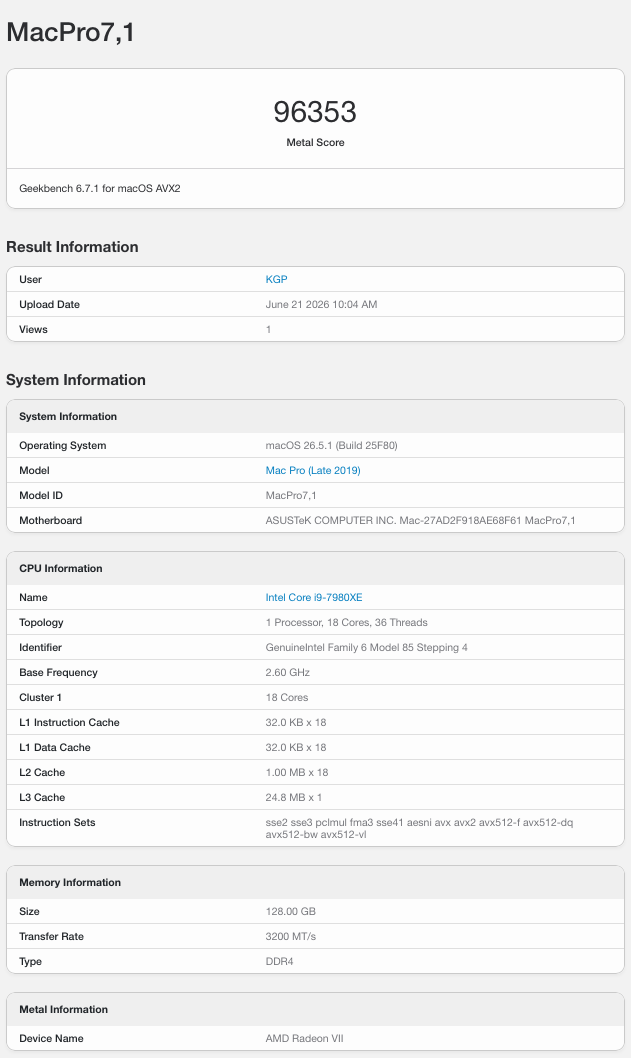
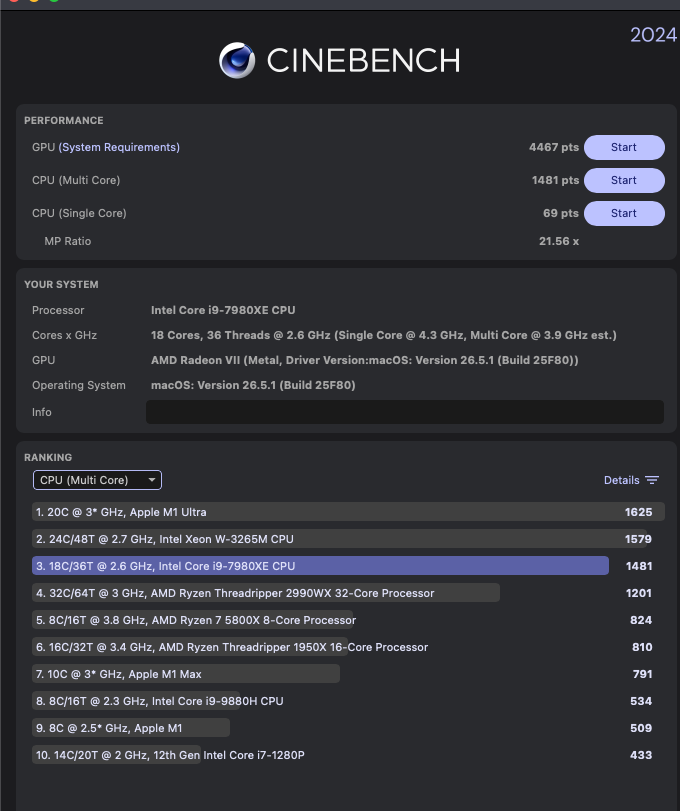
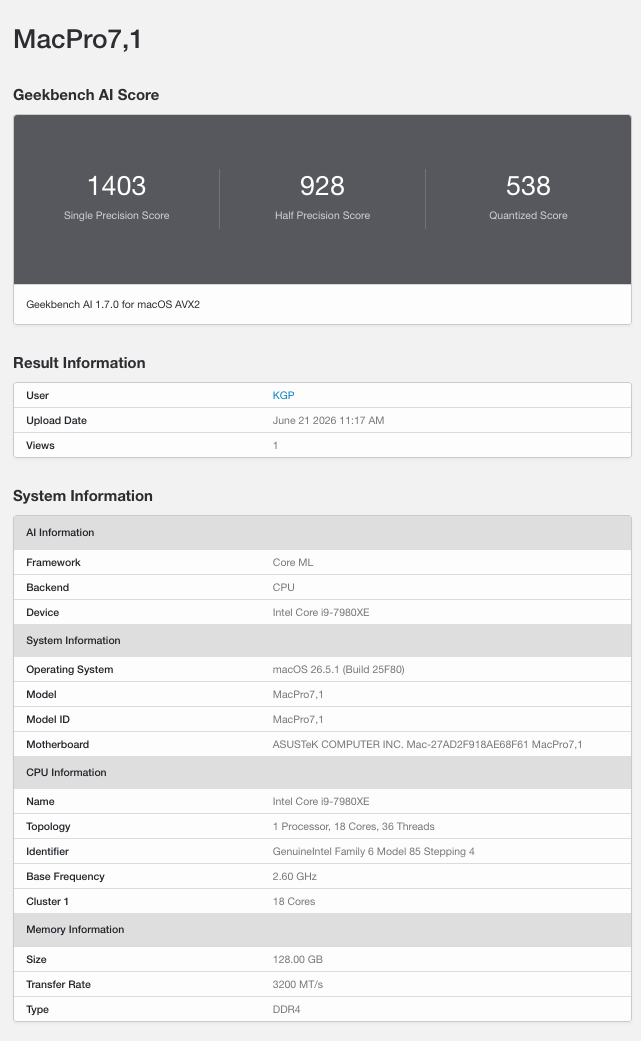
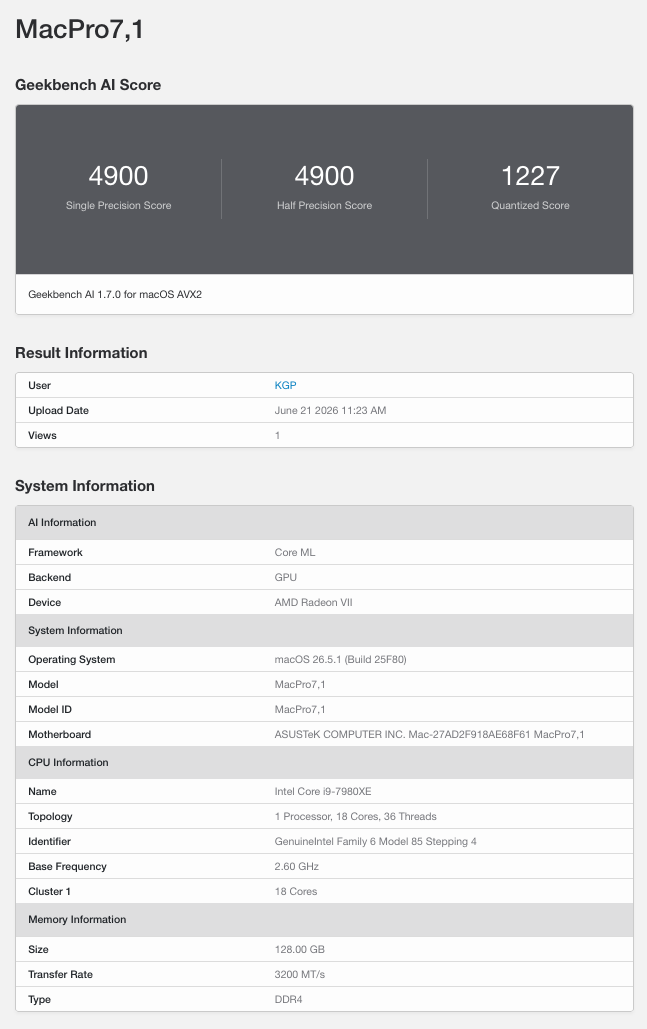
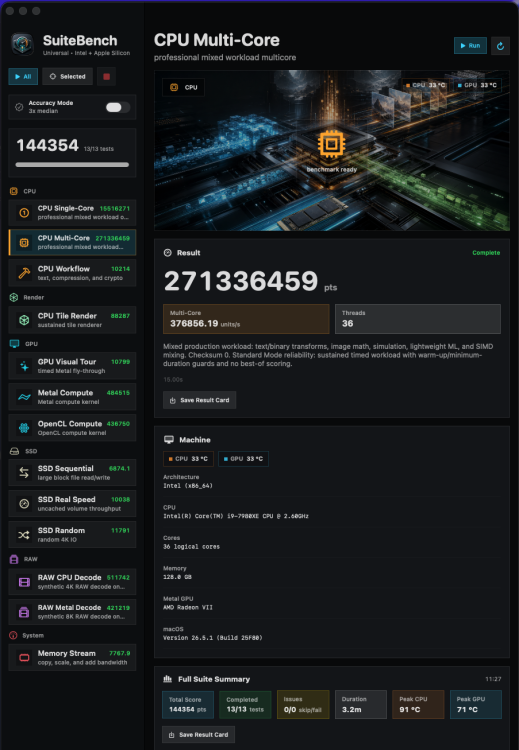
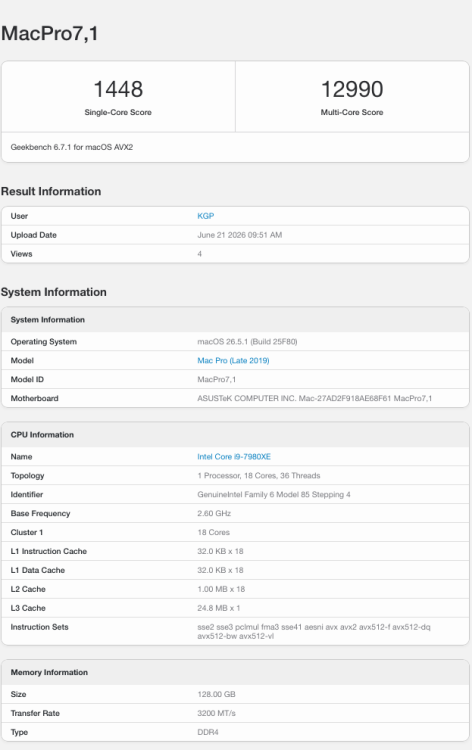
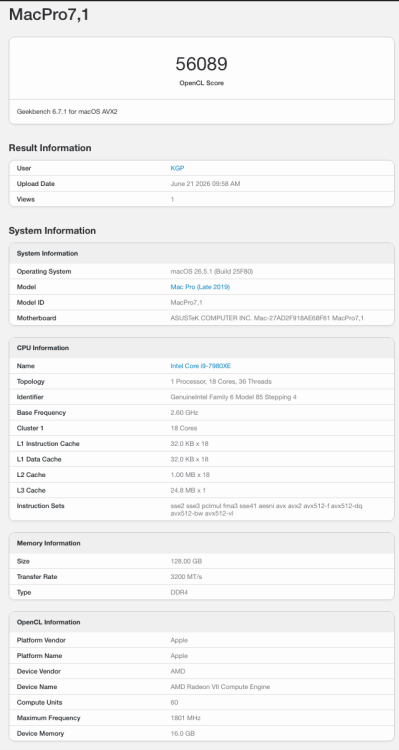
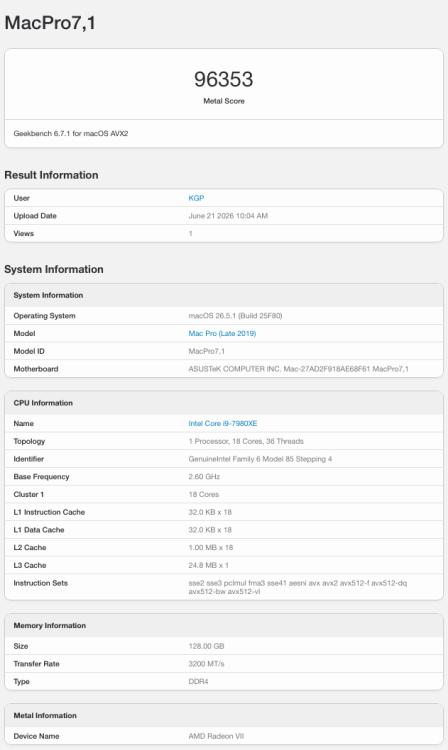
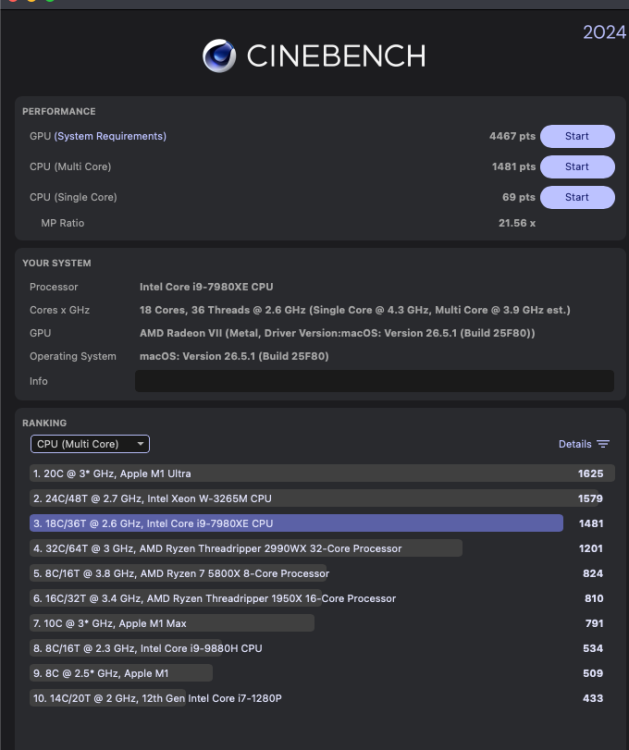
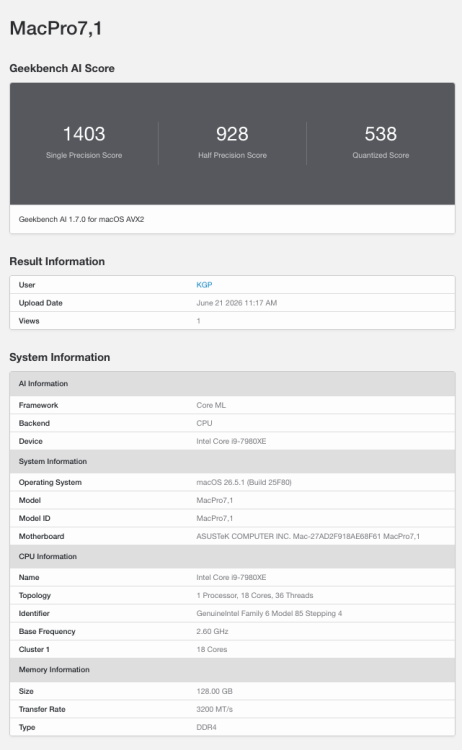
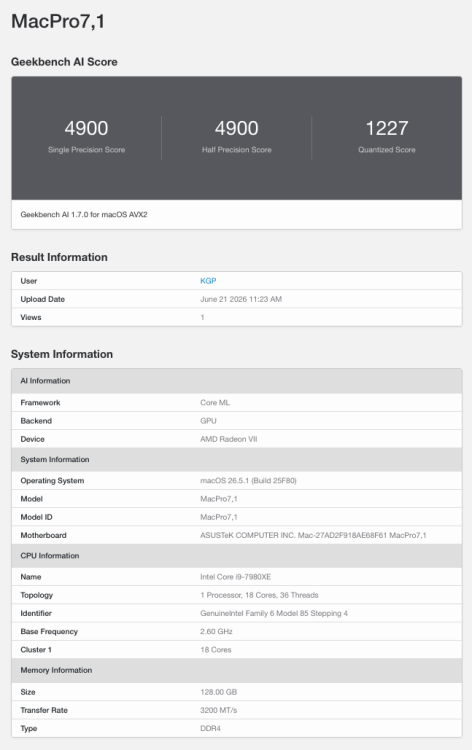
 ASUS releases BIOS 4801 for the ASUS X299 Sage 10G! Unbelievable but true: a 9-year-old ASUS WS X299 Sage 10G motherboard has just received another BIOS update and continues to be officially supported by ASUS. 🎉 Download BIOS 4801 from: https://www.asus.com/de/motherboards-components/motherboards/workstation/ws-x299-sage-10g/helpdesk_bios?model2Name=WS-X299-SAGE-10G For Hackintosh users, the BIOS settings remain as detailed in Section B2.) ASUS BIOS Configuration of my old X299 guide: https://www.insanelymac.com/forum/topic/331658-how-to-build-your-own-imac-pro-successful-buildextended-guide/ Cheers, KGP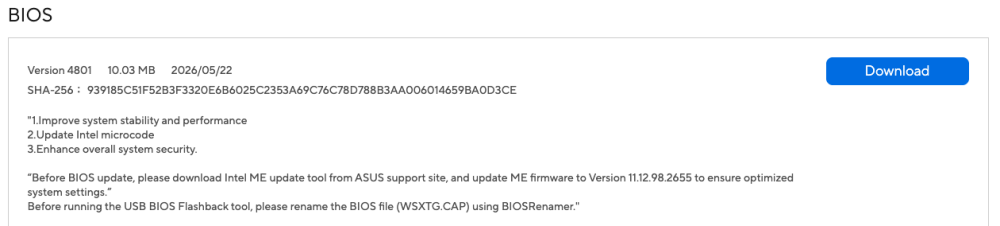
-
 it says here xhub method? well all my ports MAY be 2 none of them are blue on the inspiron 5458 mobile and yes it has a xhc major and then all these muxed i guess ehci ports and a 1.1 port... its the wildcat-point lp and broadwell-u from 2015 it is not the 2 in 1.... but has the touch screen and trackpad... ill give this a look..
 - Last week
-

Download Full Installer app updated for macOS Tahoe
chris1111 replied to miliuco's topic in Hackintosh Tools
You like it 👍 Wonderfull -
 Thank you @deeveede for your always resourceful insights! I really appreciate it.
- 1120 replies
-
- 1
-

-
- catalina
- hackintosh
- (and 17 more)
-

Download Full Installer app updated for macOS Tahoe
miliuco replied to miliuco's topic in Hackintosh Tools
@chris1111 Yes, I use it and I really like it. There is a credit in the release page and in the releases changelog too. Thanks!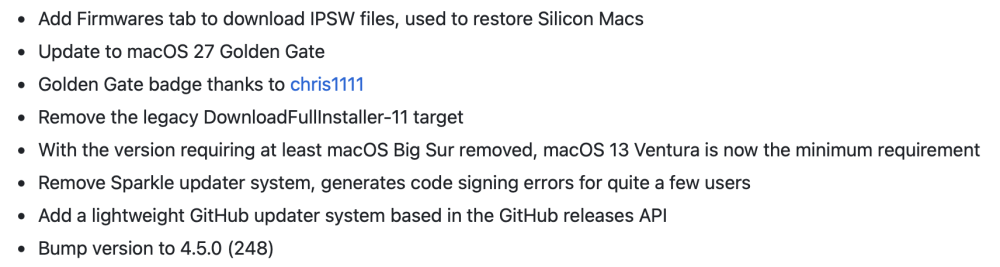
-
Download Full Installer app updated for macOS Tahoe
kgp replied to miliuco's topic in Hackintosh Tools
-
Download Full Installer app updated for macOS Tahoe
chris1111 replied to miliuco's topic in Hackintosh Tools
@miliuco did you use the new badge? because I haven't heard anything from you here or on GitHub -
Download Full Installer app updated for macOS Tahoe
miliuco replied to miliuco's topic in Hackintosh Tools
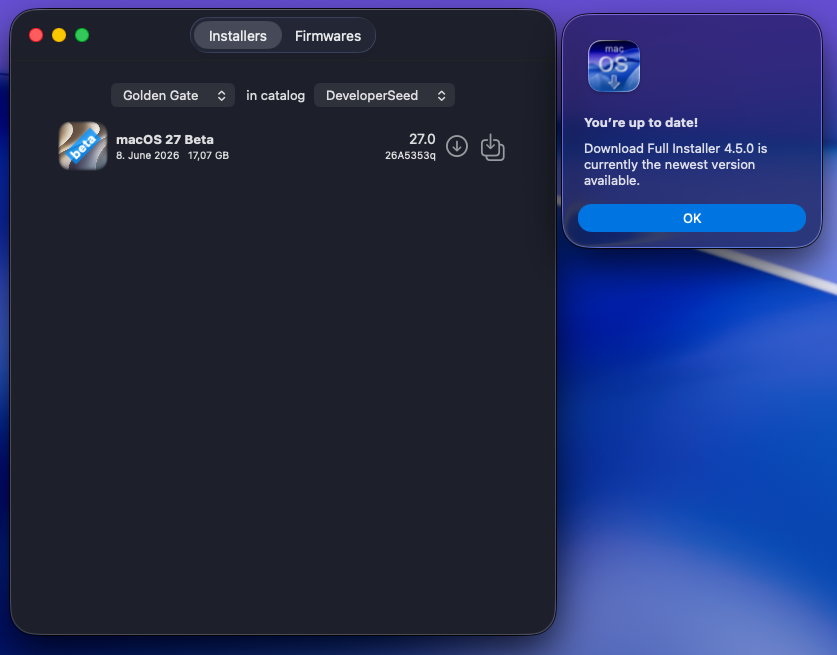
@kgp Added the Sparkle version, I'll keep both versions whit new releases. Updated to Golden gate too. https://github.com/perez987/DownloadFullInstaller/releases -
Completely my fault. You're absolutely right.
-
Like it says: Dell Inspiron 5458 - 2015 - Almost Working in Monterey Perfectly just need USB Help. I have a Wildcat-Point LP Chipset, is Broadwell-U, and the Intel Graphics Chipset Motherboard of this Model, to my Knowledge theres 3 of the Series, and they come in different SIZES... the Trackpad works with the Multitouch Driver for anyones whos not working you'll know when it shows up under Trackpad and you have to shut all the Multitouch Gestures off... Only then will it work like a normal mouse. As for USB I have it SOMETIMES and SOMETIMES NOT* meaning with no helper support KEXTs used.. its Device-ID starts with a 9 not the 8 so whatever the Mac Models like MacbookAir7,2 Device Identifier is is its a Major-Number Higher, and I see that XHCI-Unsupported.kext has a Specific Series 9 Series Kext that provides the whatever it WOULD require but it says since the days of Catalina this Kext no longer works and i can confirm as ive had everything working before under High Sierra, I just dont have the folder anymore that I used because I cleared out my DropBox... if anyone can help then Yay, as for ACPI SSDTs I have <- PNLF, EC, and PLUG.