All Activity
- Past hour
-
 Because Clover set voodoo-layout-id to differ from AppleALC. It was idea from rdmitry0911, I don't know why.
 -
 f168vision2 joined the community
 -
 martaways joined the community
 -
.thumb.jpeg.7082d67b3394c9399e80144027a7b397.jpeg) My bad @MaLd0nalcid=5 now works. Im using clover and added my layout in clover's config >inject and does not work
My bad @MaLd0nalcid=5 now works. Im using clover and added my layout in clover's config >inject and does not work -
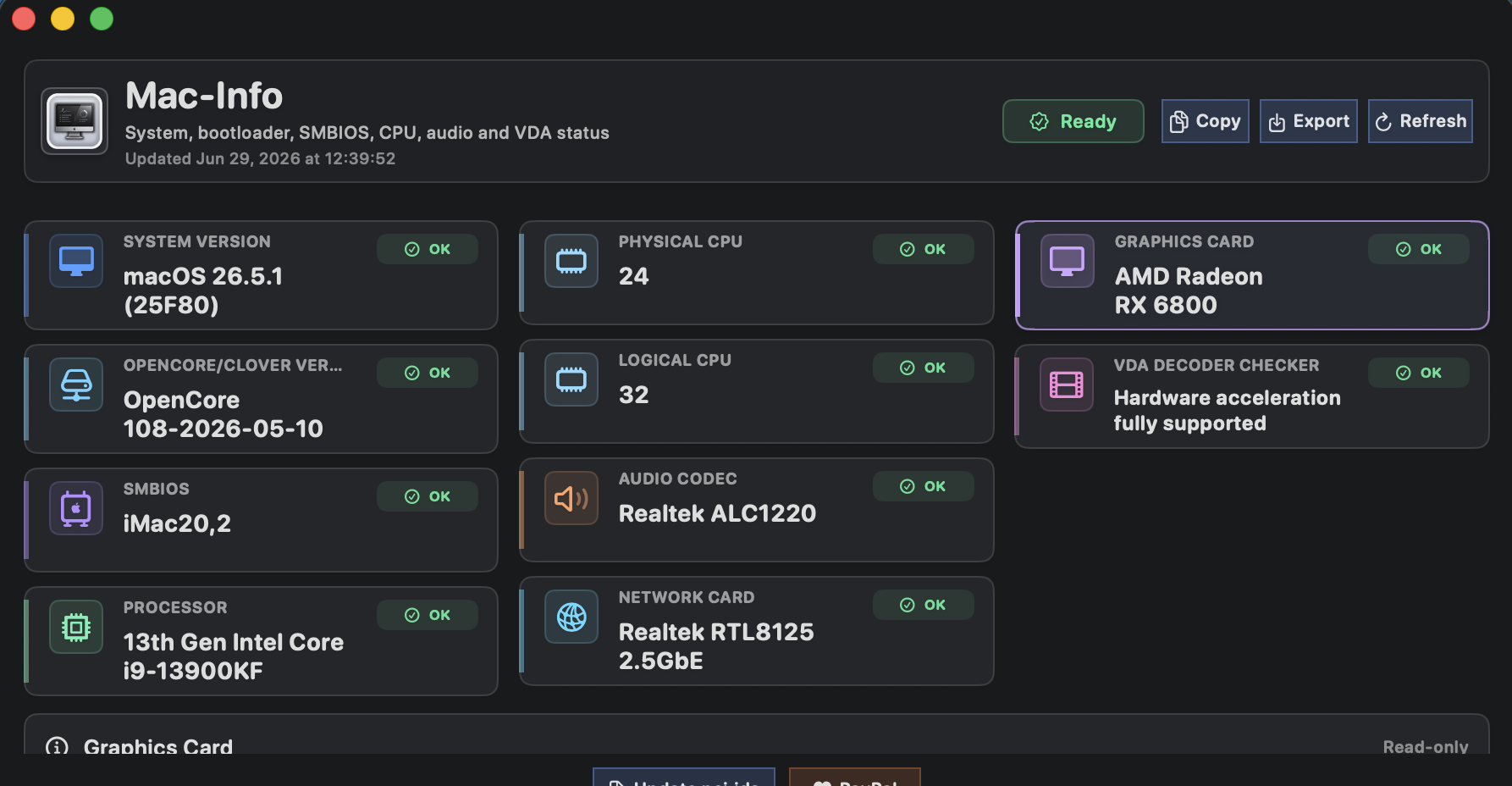
 @MaLd0n Tried in the machine of my signature (ALC1220), the installer has worked fine and the kext too. Sound is okay. Same layout id as AppleALC. Good work! I think that this is a very interesting project, I'd like to have it in a dedicated site (olarila, GitHub, etc.) with the code and the releases to be downloaded. Any way, thanks for this project.
 -
 nk88ucom1 joined the community
 - Today
-
 alcid=5 don't work for u and u need to use 11?
 -
 macinonit joined the community
 -
Oh i completely forgot about that. sending asap. Thanks
-
 Bắp Mộc Vị joined the community
 -
Thanks @MaLd0n for this new Clover. I suppose that Z390 is including in Full Intel Platform Support (not listed in Quote).
-
Collect-HDAUniversal.command Download HERE
-

About This Hack (2009-Nissan-Cube version migrated to SwiftUI)
kaoskinkae replied to miliuco's topic in Hackintosh Tools
perfect in NEW: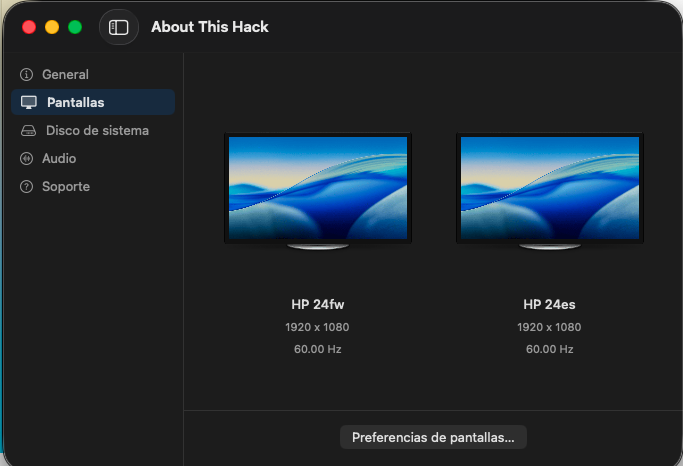
-
 Umiya Elevators joined the community
 -
Irene Bell joined the community
-

About This Hack (2009-Nissan-Cube version migrated to SwiftUI)
Alpha22 replied to miliuco's topic in Hackintosh Tools
@miliuco perfect -
90sofia joined the community
-
 national tax pk national tax pk joined the community
 -
xepelin joined the community
-
 Woodside Club changed their profile photo
 -
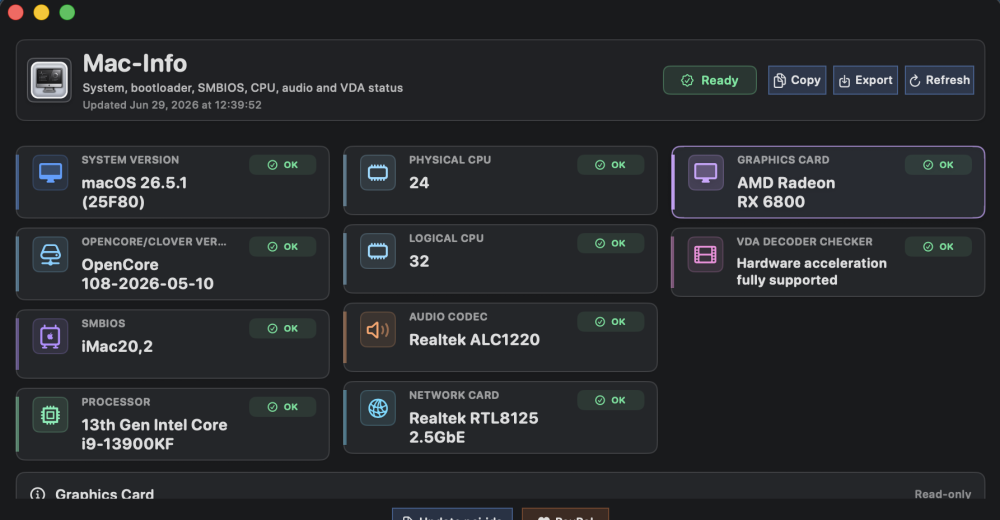
Everything is recognized properly on my Hack. I use the HDAUniversal from MaLd0n for internal audio.
- 38 replies
-
- 1
-

-
- suitebench
- benchmark
- (and 4 more)
-
Way to go @MaLd0n👍 One thing though... Desktop1 is using AppleALC with 892 layout5. Followed your instruction, but HDAUniversal is forcing it to use layout11 (as reported by ioreg) no matter what i do. Audio works but i wanted layout5
-
 Mark Mart changed their profile photo
 -
 trangcadobongda bio changed their profile photo
 -
 velki live 123 agent list changed their profile photo
 -
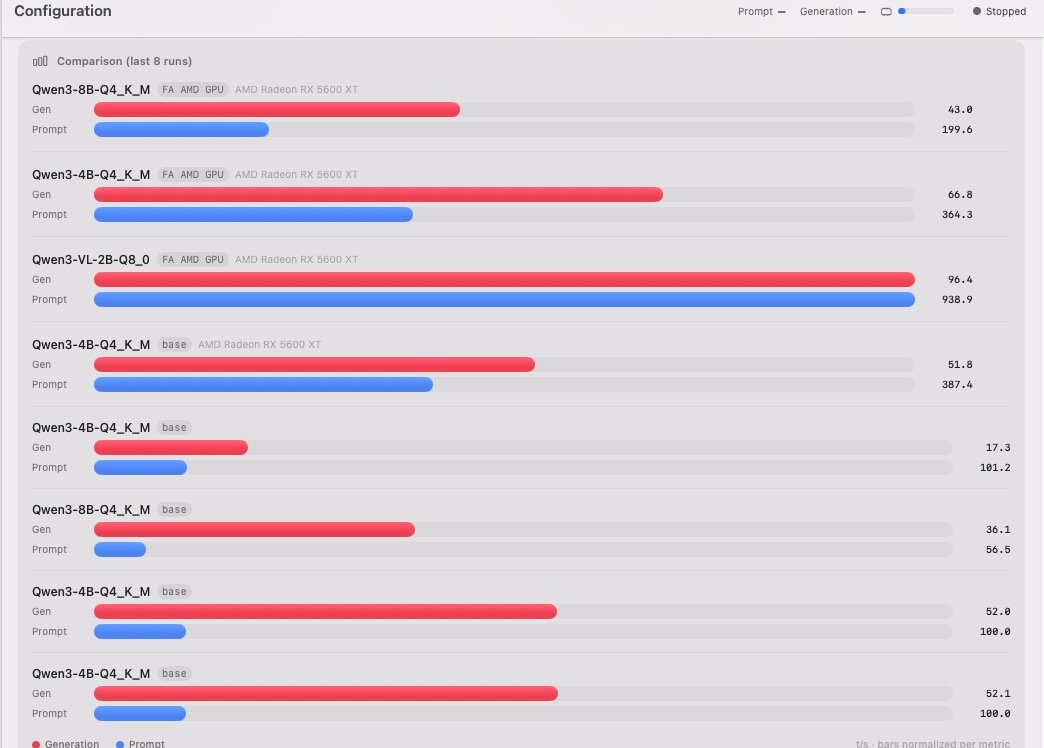
 Hi, now i tested my RX 5600 XT with 3 models ... V .42 The results below the first 3 are with older versions - much faster compared to v < .31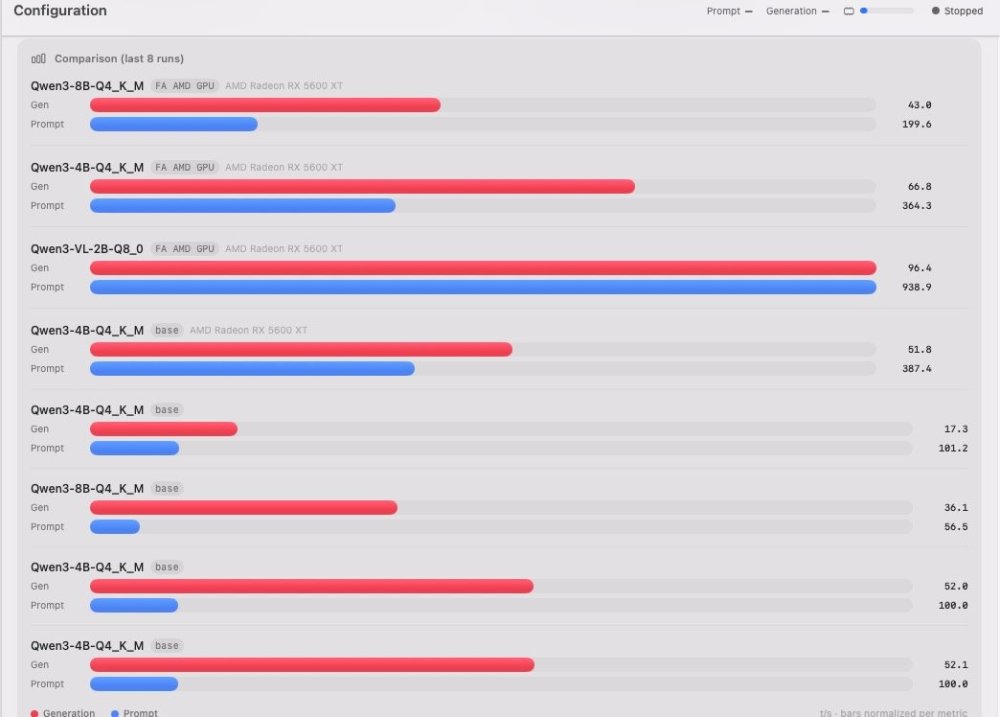
-
 cannabismdtelemed changed their profile photo
 -
Approximately, but the development is not finished yet. If you don't want AMD HDMI audio then you can use version 3.0.5 Traditional. It's perfect.
-
 922bet org changed their profile photo
 -
 Yes, I tried it. It works the same as the non-codec-specific version of VoodooHDA.kext. The only problem is that, when my laptop wakes from sleep, the internal speakers don't work until I reboot. Patching the nodes didn't make any difference. I suppose I should say that I'm using your SSDT (MaLd0n.aml) along with SSDT-GPRW.aml.
 -
 on68kcom changed their profile photo
 -
Do u tested this voodoohda? https://limewire.com/d/8Fn1L#zmd7hT5Dca I created this app for personal use, for quick checks. There is no release.
-
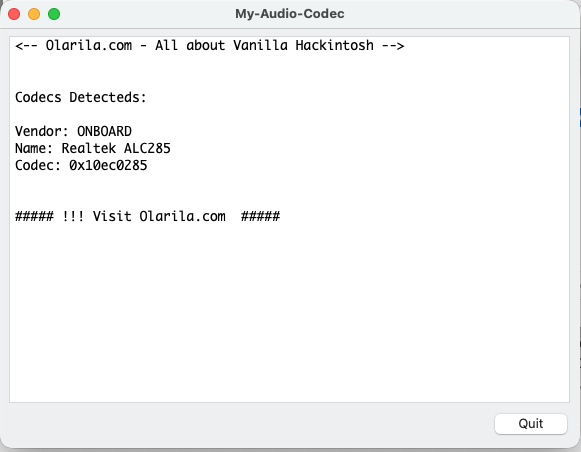
BTW, my GetDump from VoodooHDA also says that it's ALC285. ALC285 Audio Dump.txt Also, do you have a link for the Codec-specific version of HDA-Builder?
- Yesterday
-
Try this VoodooHDA https://limewire.com/d/8Fn1L#zmd7hT5Dca U can use AppleALC or VoodooHDA on previous versions. The focus is on Tahoe and avoiding the root patch.
-
 Main 3782 changed their profile photo
 -
@MaLd0n Great job. Looks very exciting ! Question 1: Why is it called "HDAUniversal" but does not work for 10.6 to Catalina ? Question 2: Can you post your images directly into these forums instead of external websites which are blocked in the UK ? (this is what we see:)

-
 32win agency changed their profile photo
 -
Thanks for the suggestions. I've tried all of the layout IDs and, with AppleALC, only layouts 33 and 66 produce any audio devices and neither of them have the exact layout I have because much of my audio is digital and not controlled by the Realtek codec but by my disabled Nvidia GPU. That said, none of the layouts work with HDAUniversal. And another funny thing is that, when I use the My-Audio-Codec app (or Aida64 in Windows), it tells me that I have the ALC 285 codec but when I use the Audio dump in Clover, it tells me that I have the ALC 295 codec. Here's the My-Audio-Codec: Here's the audio dump from Clover: HdaCodec#0 (Realtek ALC295).txt BTW, the pin configuration in the Clover audio dump looks to be more correct than the pin configuration for either layouts 33 or 66 with ALC 285. However, non of the layouts for ALC 295 work except for layout 33 which works for both ALC 285 and 295.
-
About This Hack (2009-Nissan-Cube version migrated to SwiftUI)
miliuco replied to miliuco's topic in Hackintosh Tools
@jlrycm Not tried yet this new but promissing audio kext. I have it in the pending tasks list: try HDAUniversal.kext in my hack and add it to the audio systems detected by About This Hack. -

About This Hack (2009-Nissan-Cube version migrated to SwiftUI)
jlrycm replied to miliuco's topic in Hackintosh Tools
@miliuco I'm testing the new Tahoe audio kext (HDAUniversal.kext) that @MaLd0n just shared in one of the IM threads and it seems promising. Would you consider adding in the About my Hack app support for the audio stack enabled through this kext? -

About This Hack (2009-Nissan-Cube version migrated to SwiftUI)
kgp replied to miliuco's topic in Hackintosh Tools
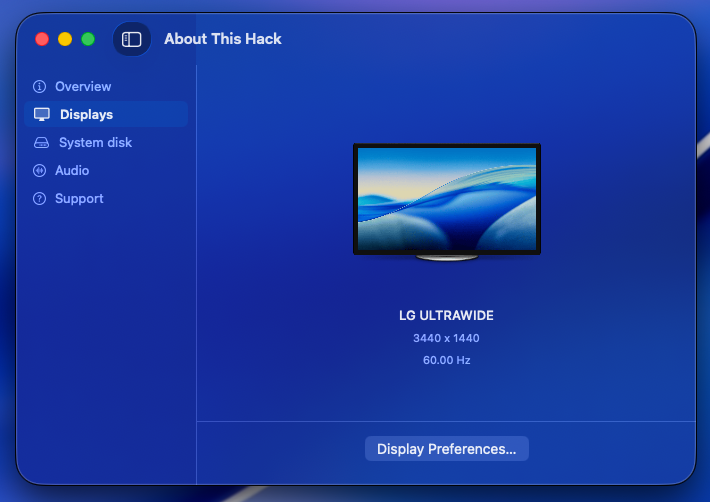
@miliuco and @chris1111, many thanks for another great job!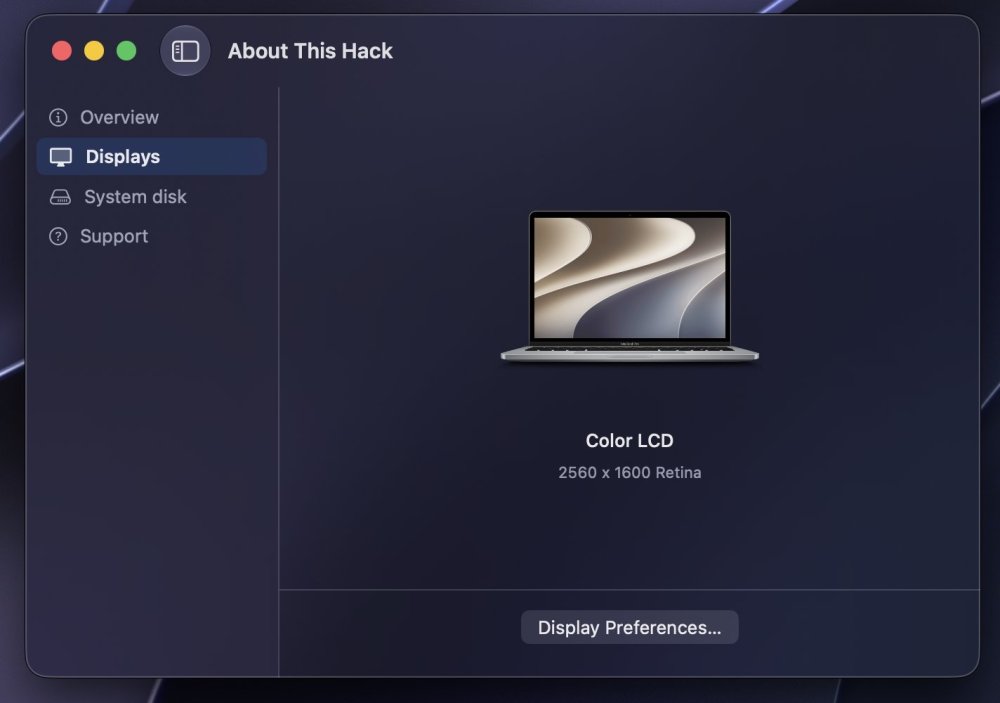
-
 socoliveinx changed their profile photo
 -
About This Hack (2009-Nissan-Cube version migrated to SwiftUI)
miliuco replied to miliuco's topic in Hackintosh Tools
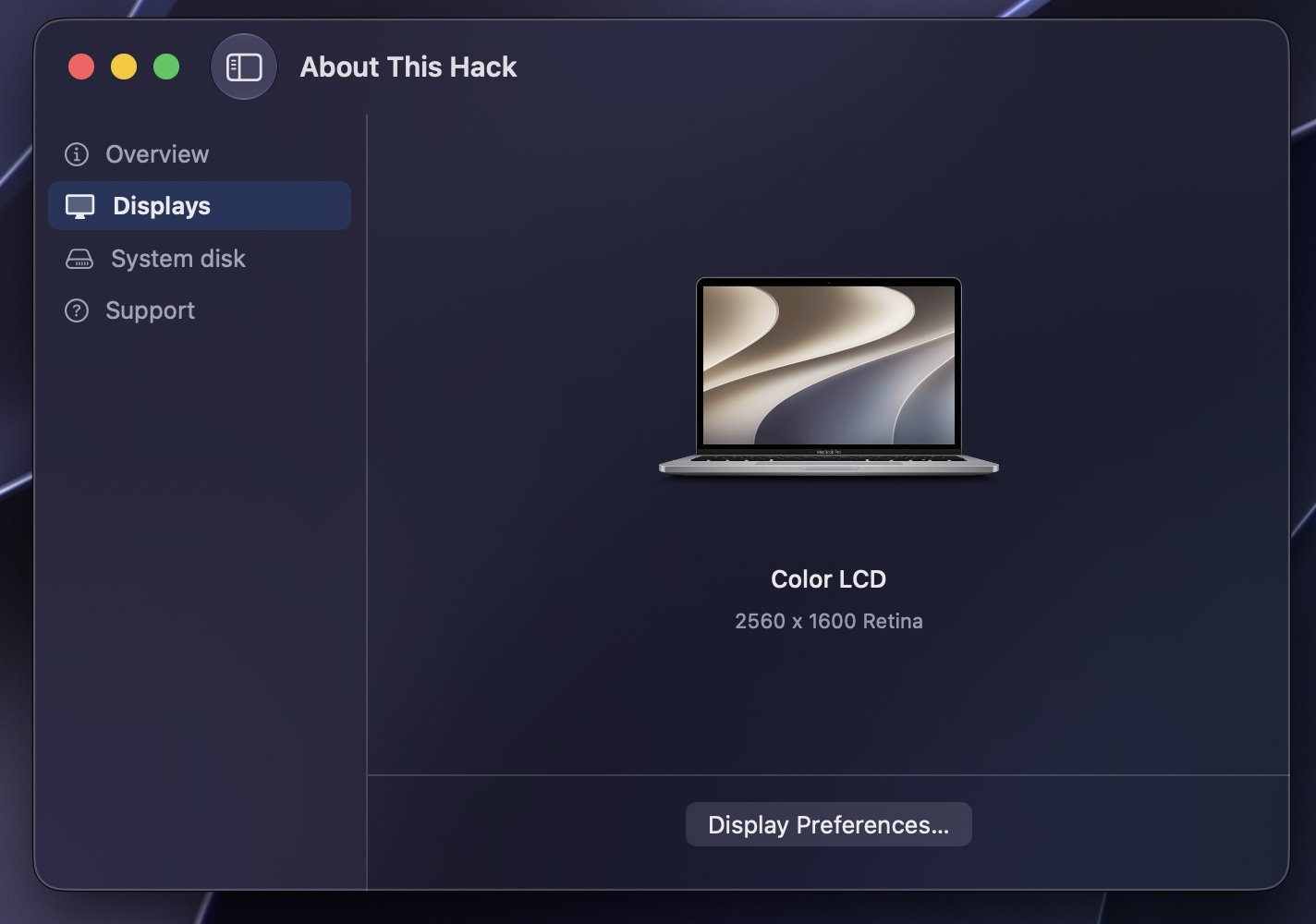
Based on @chris1111's idea of using a per-macOS-version artwork for generic external display (genericLCD assets), I have extended it to built-in screens (MacBook assets) so that, in the Displays tab, the image of the device(s) has the macOS version logo as a background. https://github.com/perez987/About-This-Hack/releases/tag/4.3.7 -
Options for your codec. You can use my clover version and press F8 key on boot screen for dump audio codec like linux https://limewire.com/d/Qejs6#PedXIuK9gN Files generated on misc folder inside Clover folder No. HDAUniversal does not require a separate preference pane like VoodooHDA. It is designed to integrate with the native macOS audio stack and relies on the standard Sound settings, providing an Apple-like experience similar to AppleALC. Output devices, input devices, volume, balance, sample rate, and other audio preferences are managed directly through the built-in macOS settings. It also includes automatic combo-jack handling for supported laptops, allowing headphone and headset microphone detection to work dynamically without requiring an external control panel. The goal of HDAUniversal is to deliver native integration, broad hardware compatibility, dynamic codec detection, combo-jack support, and automatic configuration while keeping the user experience as close as possible to a real Mac.
-
Thanks! I tested it by manually adding the kext to Library/Extensions and using the following commands (I like doing this kind of tweaks the old way): sudo chmod -Rf 755 /L*/E* sudo chown -Rf 0:0 /L*/E* sudo touch -f /L*/E* sudo chmod -Rf 755 /S*/L*/E* sudo chown -Rf 0:0 /S*/L*/E* sudo touch -f /S*/L*/E* sudo kextcache -Boot -U / sudo kextutil -v /Library/Extensions/HDAUniversal.kext sudo kextload /Library/Extensions/HDAUniversal.kext I booted with SIP=03000000 to install the kext manually and once installed, I changed SIP to 01000000 in the config file and rebooted. After rebooting it worked for me. Does this kext require any preferencepane like VoodooHDA or does it rely on the macOS built-in audio settings like AppleALC? I think the answer is the latter but wanted to confirm.