All Activity
- Past hour
-
 officialsuvm joined the community
 -
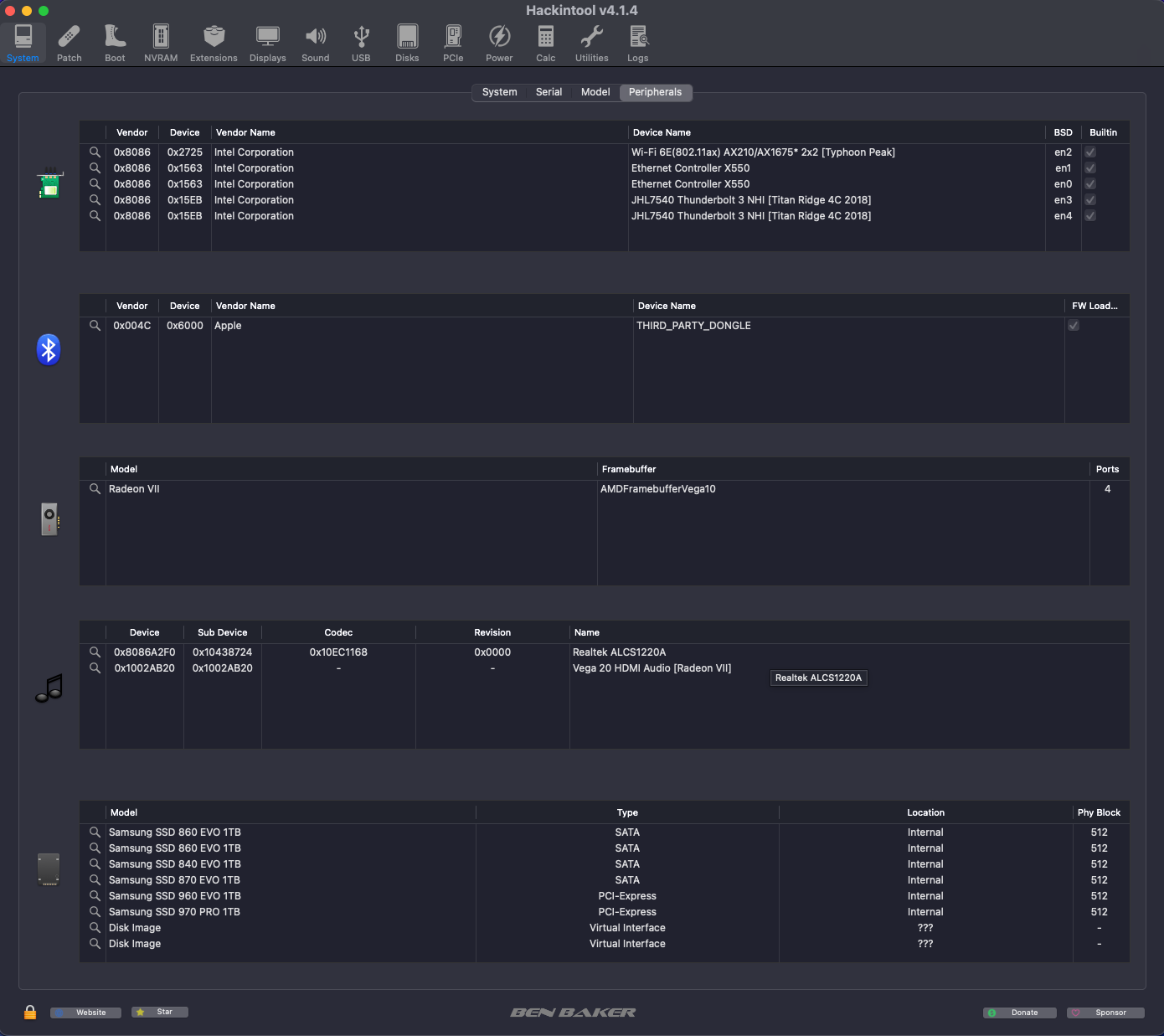
.thumb.jpeg.7082d67b3394c9399e80144027a7b397.jpeg) Thanks @MaLd0n One thing i noticed that the onboard properties is full of zeros, just like mine. Probably because AppleHDA does not exist. But it's all good👍
Thanks @MaLd0n One thing i noticed that the onboard properties is full of zeros, just like mine. Probably because AppleHDA does not exist. But it's all good👍 -
 188jili1bet joined the community
 -
 f8betproo joined the community
 -
 thanhtienstyle joined the community
 -
 lodibetphcomcoo joined the community
 -
 Fairpplay joined the community
 -
 donghobabykid joined the community
 -
 Atom Wallets joined the community
 - Today
-
 IPTV Forum joined the community
 -
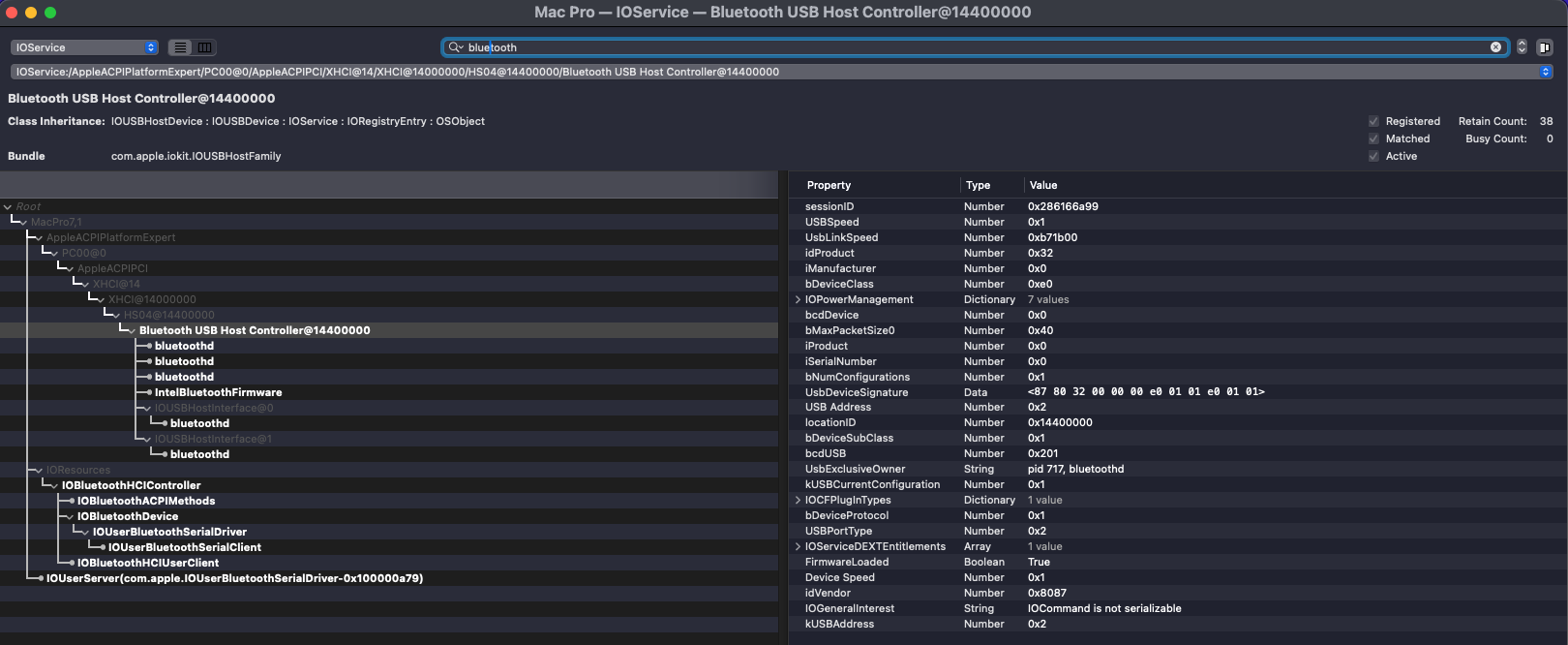
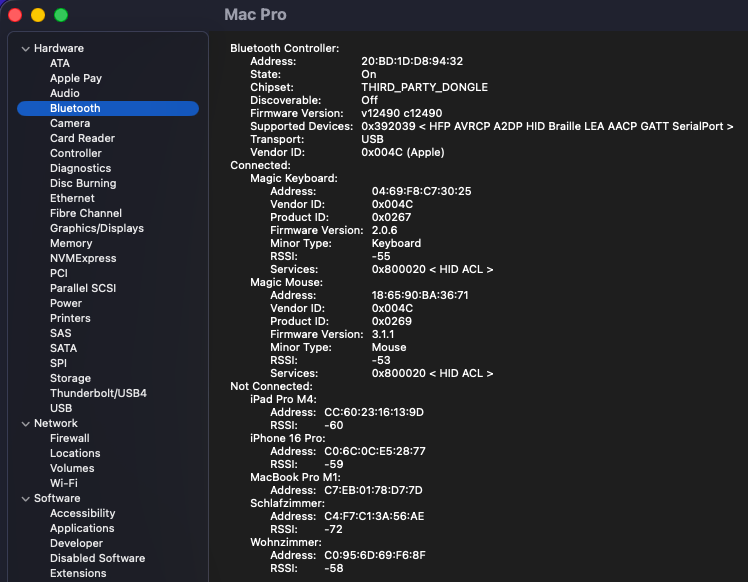
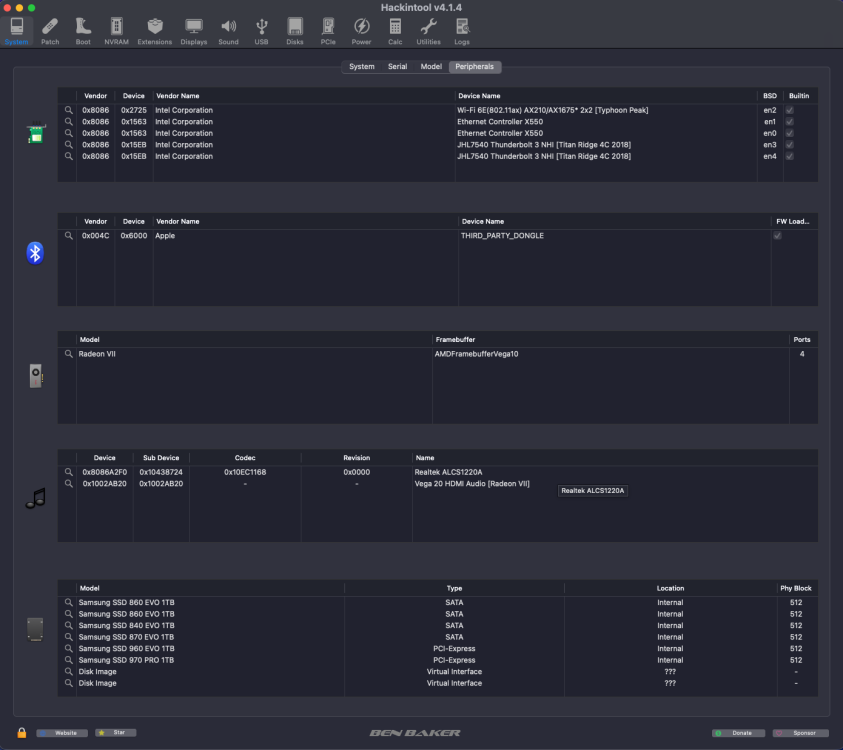
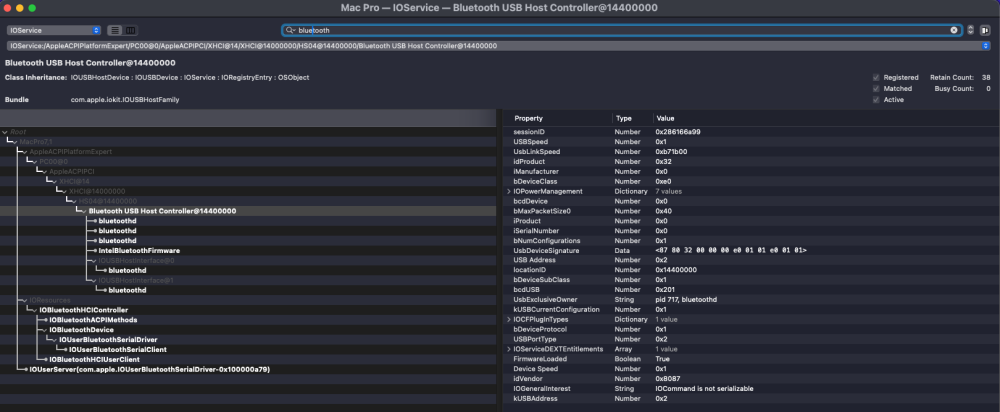
 The latest IntelBluetoothFirmware v2.5.1, released by lshbluesky, has now been successfully tested under macOS Tahoe 26.5.2 and macOS Tahoe 26.6 beta 3. Release: https://github.com/lshbluesky/IntelBluetoothFirmware/releases/tag/v2.5.1 IntelBluetoothFirmware v2.5.1 incorporates the Bluetooth LE fixes for macOS Tahoe 26.5 originally developed by Z3c0ld and Vinhts, while additionally updating the Intel Bluetooth firmware files for all currently supported Intel wireless chipsets. Successfully tested with: Intel AX210 (Wi-Fi 6 / Bluetooth 5.3) — tested by myself Intel AX201 CNVW — tested by beelzebozo Current results: Wi-Fi fully functional Bluetooth controller detected correctly Bluetooth pairing functional Bluetooth connections functional Automatic Bluetooth reconnection after boot working correctly Sleep/Wake working correctly Magic Keyboard and Magic Mouse working correctly AirPlay functional Screen Mirroring functional Handoff functional LinkQuality = 100 No issues observed during initial testing Intel BE200 has not yet been re-tested with IntelBluetoothFirmware v2.5.1. Previous testing indicates that Bluetooth works correctly, while Wi-Fi functionality remains incomplete and is still under investigation. The current AWDL situation remains unchanged. The awdl0 interface is still not being created, leaving the following AWDL-dependent functionality currently unavailable on Intel Wi-Fi under macOS Tahoe: AirDrop Personal Hotspot Continuity Camera Current AWDL investigations: https://github.com/OpenIntelWireless/itlwm/issues/1062 Many thanks to lshbluesky for maintaining IntelBluetoothFirmware and to Z3c0ld and Vinhts for their excellent work on the Tahoe Bluetooth LE fixes for macOS Tahoe 26.5.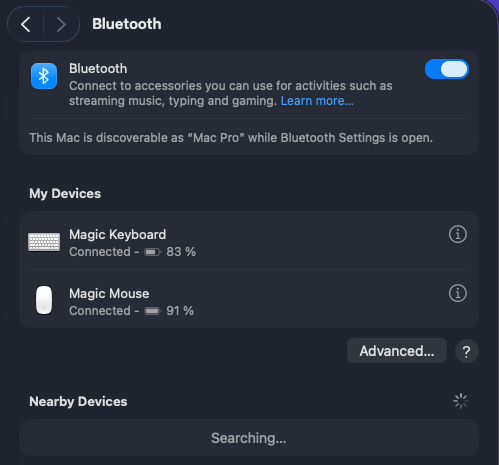
-
ea88buzz joined the community
-

About This Hack (2009-Nissan-Cube version migrated to SwiftUI)
miliuco replied to miliuco's topic in Hackintosh Tools
@jlr213 Thanks, the hex to decimal conversion is not working fine. I’ll check this. -
 Narsect Renewable changed their profile photo
 -
I'm not that young, but if you've thought about it, thanks. I'm from the '60s generation, haha.
-
 55ddappnet changed their profile photo
 -
 I modified the drawers, red margin for Applications, blue margin for Documents and green margin for Downloads. I wanted to send them here as a zip (1.2 M) but the site not let me
 -
 289winapporg changed their profile photo
 -
 Ggongta-KR1 changed their profile photo
 -
A "find" would be a better approach to avoid duplication
-
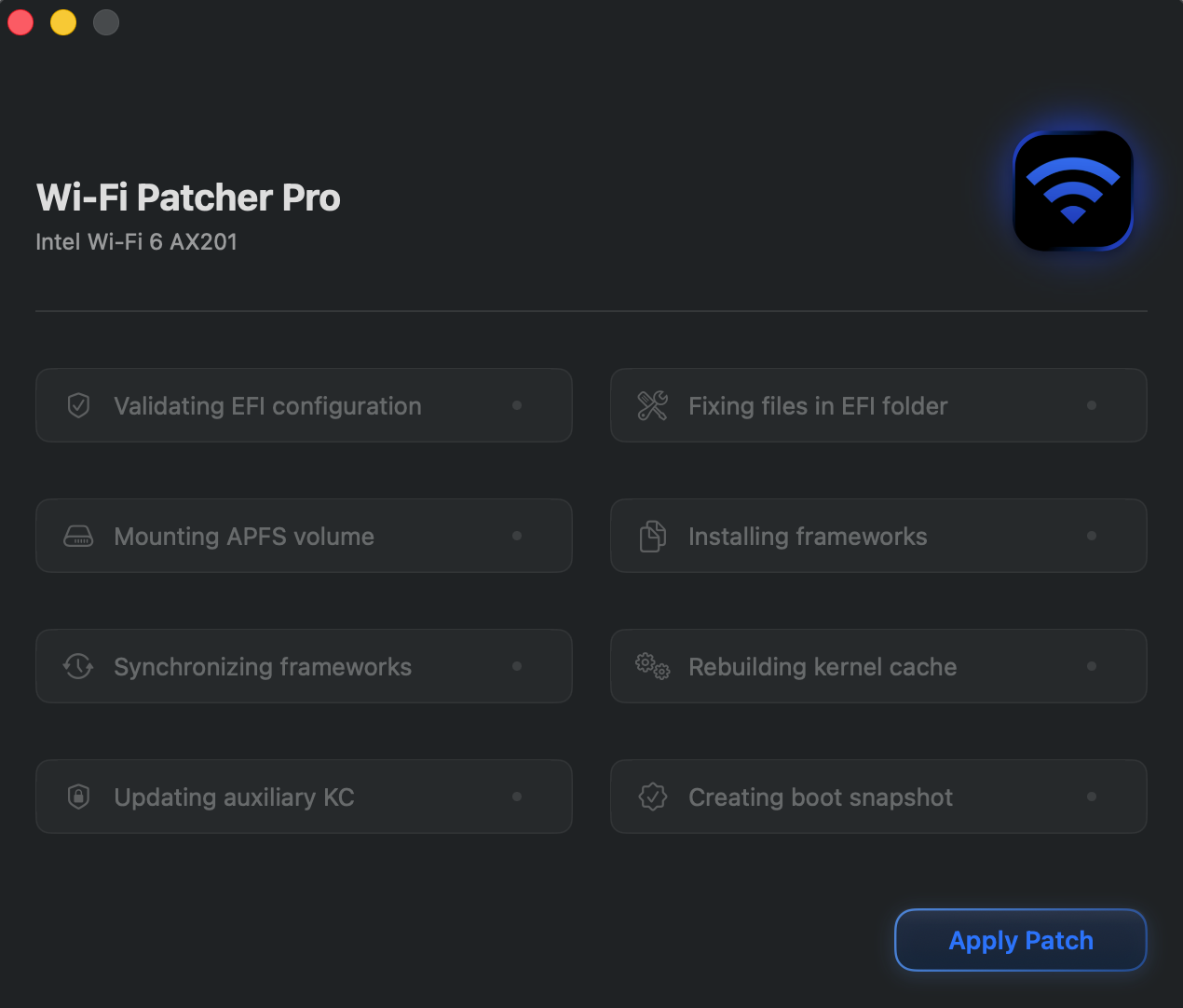
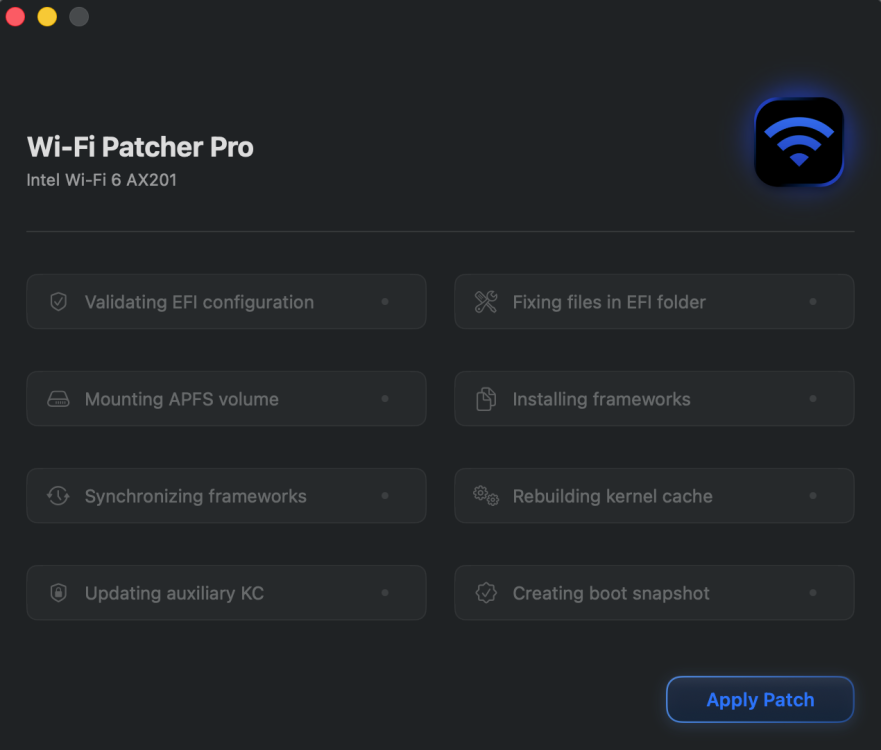
I didn't have any duplicates before using Wi-Fi Patcher Pro, but it created them. Why does this happen: I organize kexts into folders according to the Clover setup instructions (Clover_Of_Khaki_Color_5172-en.pdf). It would be nice if Wi-Fi Patcher Pro didn't create these duplicates. 😉
-
 David Gail changed their profile photo
 -
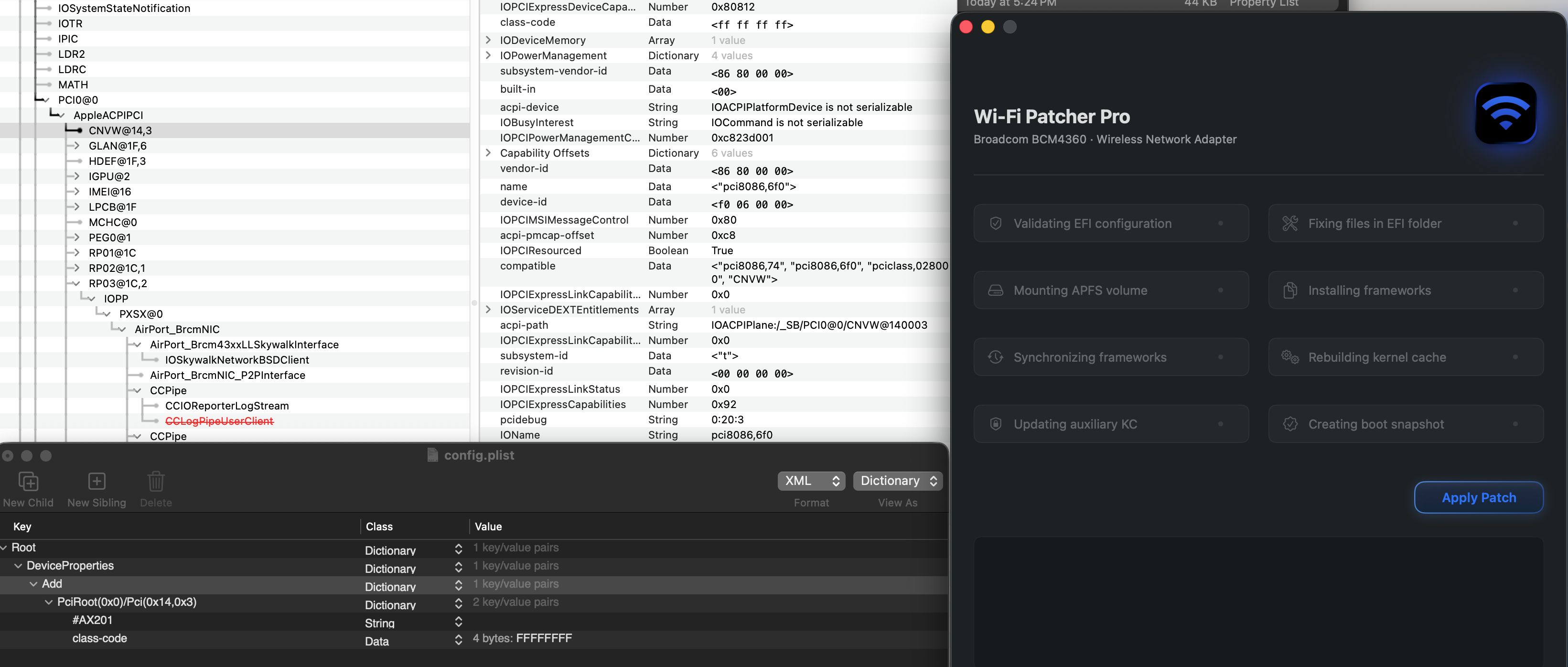
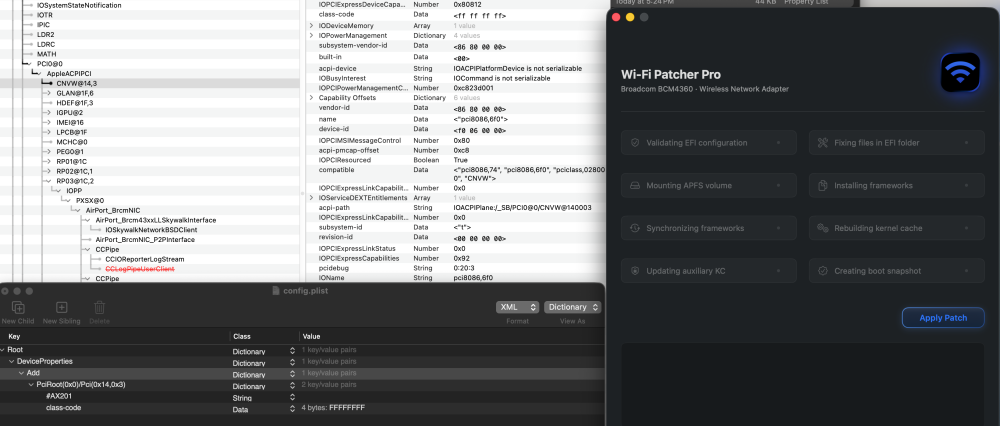
Hi - As you may have suspected, CNVi is visible in IOREG. With the injection of invalid class-code, the patcher does not see the Intel Wi-Fi anymore. Thank you.
-
 Chlomaki changed their profile photo
 - Yesterday
-
Could you send me a copy of your IOREG?
-

2 downloads
SMCExplorer is a macOS non-sandboxed app that allows to showing some "known" SMC keys on Apple Silicon: M1-M5+ and A18 cpus only -
Based on your description, this wasn't an issue with Wi-Fi Patcher Pro. The problem was that you had duplicate copies of the same kext in different folders. I can certainly improve the app's verification process there's always room for improvement—but users still need to do their part as well. And of course, OCLP works because it only applies Root Patching; configuring the config.plist and managing the kexts is still the user's responsibility.
-
Here's my EFI: https://files.catbox.moe/0i9li2.7z (catbox is my preferred place to upload stuff, lmk if you would rather a different site) SMBIOS info is removed from that EFI, but I'm using an iMac10,1 SMBIOS.
-

About This Hack (2009-Nissan-Cube version migrated to SwiftUI)
jlrycm replied to miliuco's topic in Hackintosh Tools
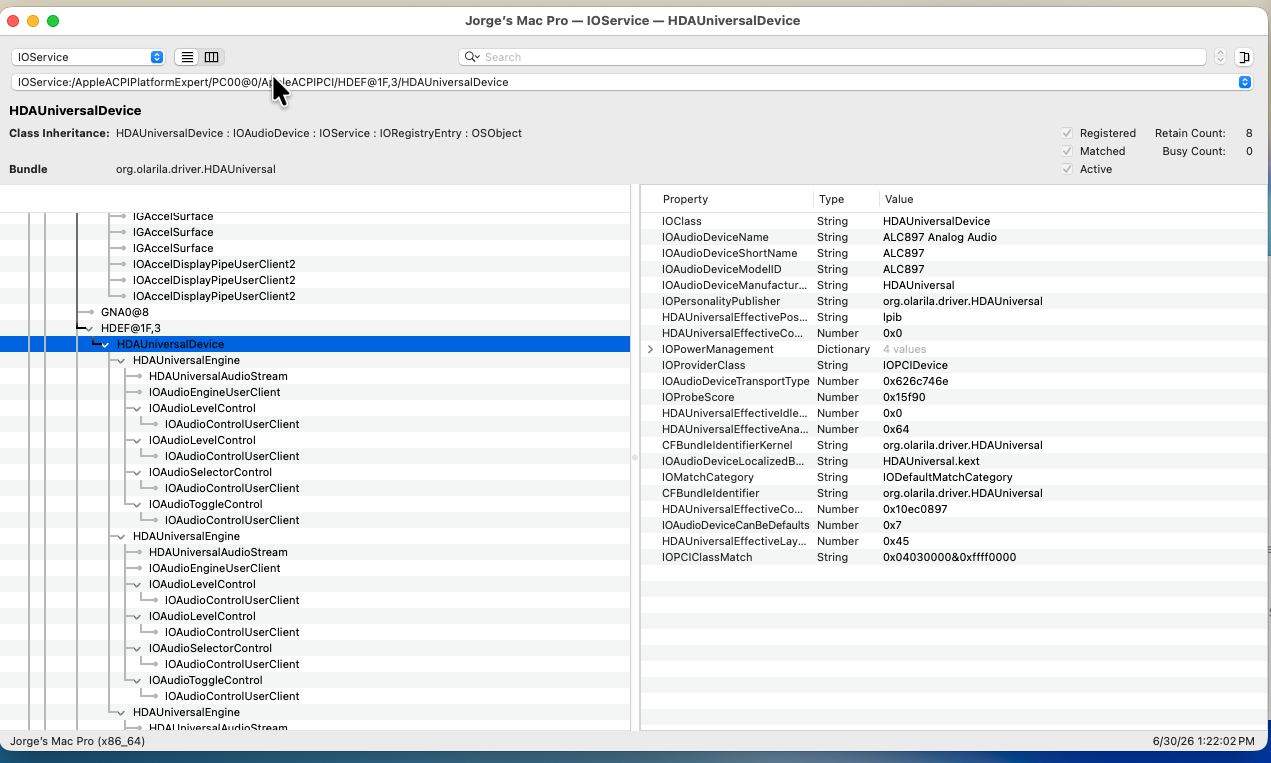
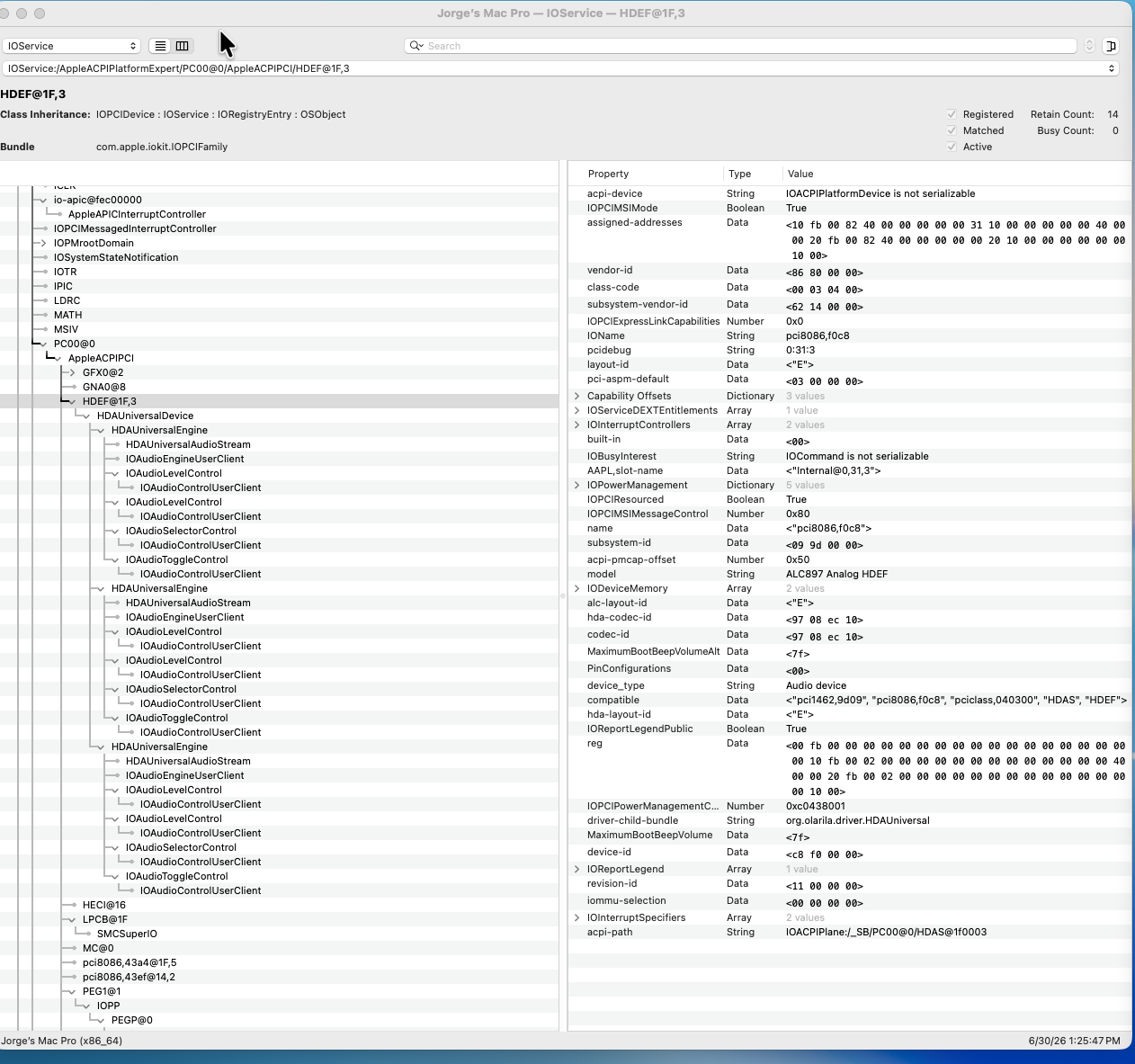
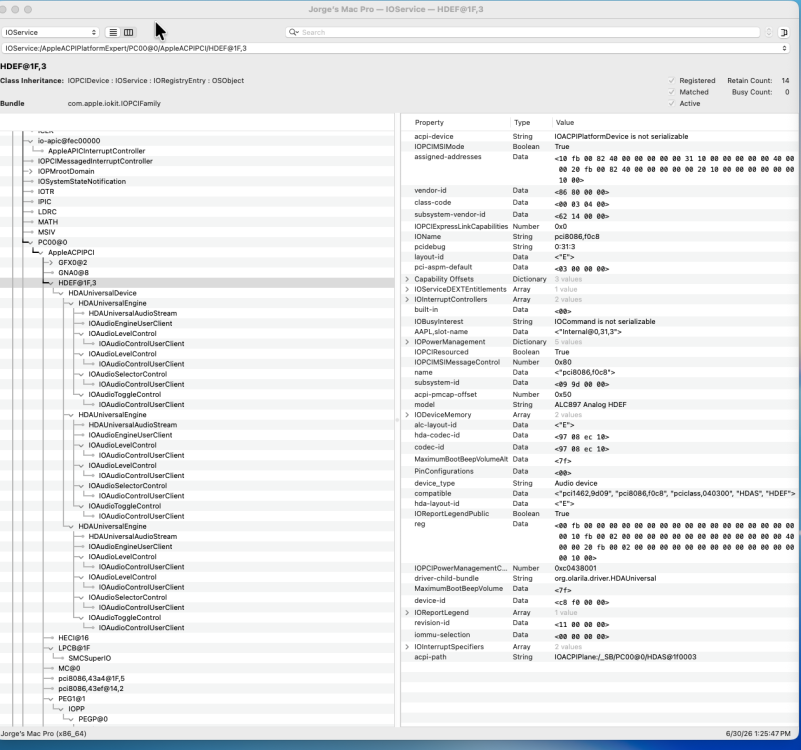
@miliuco Here is the screenshot showing what I see in the audio tab. The layout id displayed is now 105, still no 69. I believe the app is reading 69 as hexadecimal which in decimal is 105. The hexadecimal for 69 is 0x45, right?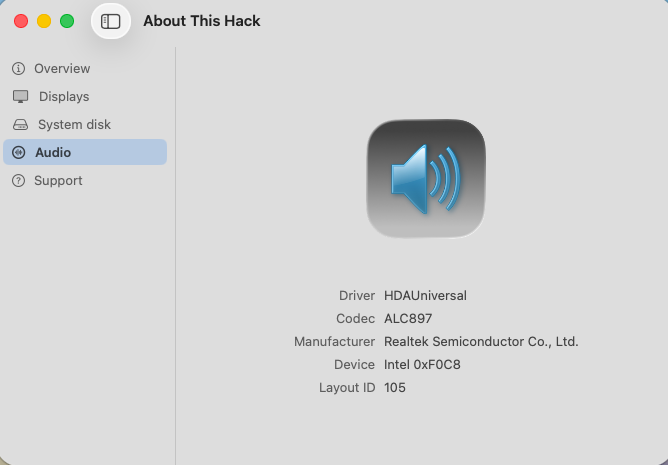
-
Thanks! It's working good on my Z490! I currently have both M.2 AX201 and FV-T919 in CNVI slot and PCIE slot respectively. The AX201 is not being used in macOS but no option to disable it in BIOS. When I run the patch, it only detects AX201 and downloads the required kexts for Intel Wi-Fi/BT but I can opt out of the patcher modifying the config.plist. Regardless, after the Wi-Fi patch, it worked well for me as long the config.plist is configured correctly for Broadcom Wi-Fi. Thank you for this patcher!
-
About This Hack (2009-Nissan-Cube version migrated to SwiftUI)
miliuco replied to miliuco's topic in Hackintosh Tools
@Alpha22 Please test this version and comment, it has fixed the Produttore field, Realtek in ALC1220. Thanks. @jlrycm Asking to you too, test this version and tell me if the layout-id is well displayed. https://github.com/perez987/About-This-Hack/blob/main/Audio-tab-WIP/About This Hack.zip EDIT: still can't upload files to the forum, sorry. -
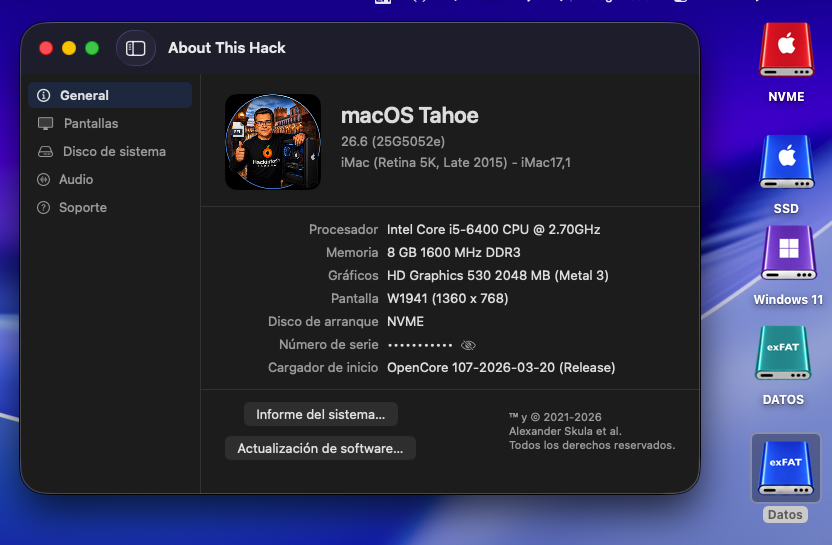
@kaoskinkae, my friend! 🤗 I would suggest collecting proposals for additional drive icons, such as FAT, FAT32, Network, etc., which could be considered for inclusion in a future release of the drive icon package. However, an exFAT network drive would be far too user-specific for a general release. If someone really needs such an icon, it could easily be created using one of the included master templates. Since the overall impact of the package has been rather limited so far, I would only expand it further if there is clearly enough demand from the community. Cheers, KGP BTW.. I wasn’t sure whether “xFAT” was just a typo or if you were referring to something different.
-

About This Hack (2009-Nissan-Cube version migrated to SwiftUI)
Alpha22 replied to miliuco's topic in Hackintosh Tools
@miliuco perfect -
Perfect in OLD2: AppleHDA.kext + Wifi Intel OCLP (OpenCore Legacy Patcher) 😄 The blue exFAT drive is a network drive on another computer; it's a mechanical hard drive formatted as xFAT, but it only shows xFAT, not xFAT Network. I don't know if it would be possible to tell the difference.
-
About This Hack (2009-Nissan-Cube version migrated to SwiftUI)
miliuco replied to miliuco's topic in Hackintosh Tools
You are very welcome. -
About This Hack (2009-Nissan-Cube version migrated to SwiftUI)
jlrycm replied to miliuco's topic in Hackintosh Tools
@miliuco I was injecting the layout id in Device Properties in hexadecimal format.
-
About This Hack (2009-Nissan-Cube version migrated to SwiftUI)
miliuco replied to miliuco's topic in Hackintosh Tools
@jlrycm Thanks. How do you inject the layout-id? alcid=69 in boot args or layout-id=45 in DeviceProperties? Your codec admits layouts 11, 12, 13, 21, 22, 23, 31, 66, 69, 77, 98 and 99, so 69 is okay. In the pics that you uploaded, I see the possible issue. You have this key: HDAUniversalEffectiveLayoutID = 0x45 0x45 hexadecimal is 69 in decimal, it's as it should, but it must be converted from hex to decimal. The app was looking for the layout-id in the places where AppleALC usually looks for them: layout-id and alc-layout-id. But HDAUniversalEffectiveLayoutID is the key included in the HDAUniversal block, so I'll change the layout-id source to this. And I'll add the conversion. I'll send it to you when done, to test it. -

About This Hack (2009-Nissan-Cube version migrated to SwiftUI)
surenmunoo replied to miliuco's topic in Hackintosh Tools
Looks amazing, thanks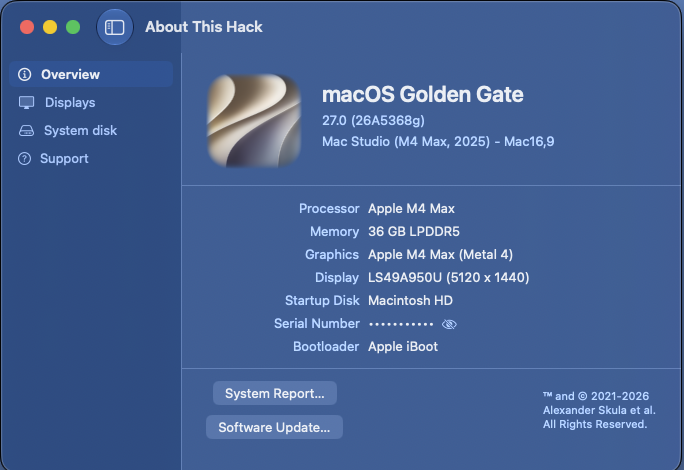
-
About This Hack (2009-Nissan-Cube version migrated to SwiftUI)
jlrycm replied to miliuco's topic in Hackintosh Tools
@miliuco please see in the screenshots the requested information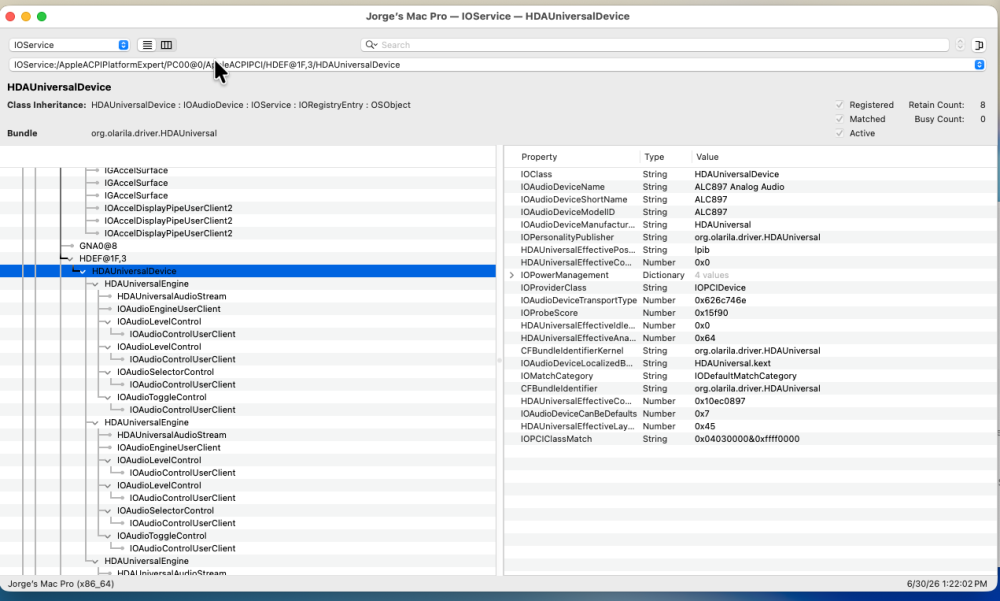
-
 I needed to perform some testing in macOS Catalina and made an interesting discovery: use of a Comet Lake graphics device-id (e.g., 0x9BC8) breaks the Chess and PhotoBooth apps in macOS Catalina. The crash report points to a framebuffer problem. Fortunately, simply replacing the device-id with 0x3E9B (a Coffee Lake device-id) fixes the problem without changing the frame buffer patching required for working HDMI. I am now using device-id 0x3E9B, AAPL-ig-platform-id 3ea60005 (Intel Iris Plus Graphics 645 frame buffer) and framebuffer-con0-flags 0x98 for fully working internal display and HDMI port in Catalina, Sequoia and Tahoe (the only macOS versions I've tested on this hack). The working patches that I described previously in this thread also work with device-id 0x3E9B. EDIT: With the frame buffer patching that I have described in this thread, the internal display and HDMI port work as well as or better than they do in Windows 11 (the native OS for this laptop). in macOS, the HDMI port works when the display is connected at boot and also when the display is hot-plugged after boot. I did notice that, while making frame buffer patch changes during my experiments, there were times when I needed a second reboot for patches to become fully effective. This is consistent with what I have observed in my iGPU frame buffer patching with other PCs. EDIT2: I turned to AI, because after my experiments determined the need for changing the device-id, I didn't understand why changing the device-id would "fix" Catalina. Here's an AI explanation for why changing the device-id fixes this.