All Activity
- Past hour
-
 Jagannadham joined the community
 -
mxprizenewcom joined the community
-
 Buyitrentitprofit joined the community
 -
 africannaturalproducts joined the community
 -
 Данило Надкерничний joined the community
 -
Beasley Tomlinson Law joined the community
-
 on68tv joined the community
 -
 922bet org changed their profile photo
 -
.thumb.png.68b8b5e2ac8d7eb66b4308d8608ffc3e.png) Countvisits joined the community
Countvisits joined the community -
 ev99food joined the community
 -
Ethanmathews joined the community
- Today
-
 Yes, I tried it. It works the same as the non-codec-specific version of VoodooHDA.kext. The only problem is that, when my laptop wakes from sleep, the internal speakers don't work until I reboot. Patching the nodes didn't make any difference. I suppose I should say that I'm using your SSDT (MaLd0n.aml) along with SSDT-GPRW.aml.
 -
 on68kcom changed their profile photo
 -
 Do u tested this voodoohda? https://limewire.com/d/8Fn1L#zmd7hT5Dca I created this app for personal use, for quick checks. There is no release.
 -
BTW, my GetDump from VoodooHDA also says that it's ALC285. ALC285 Audio Dump.txt Also, do you have a link for the Codec-specific version of HDA-Builder?
- Yesterday
-
Try this VoodooHDA https://limewire.com/d/8Fn1L#zmd7hT5Dca U can use AppleALC or VoodooHDA on previous versions. The focus is on Tahoe and avoiding the root patch.
-
 Main 3782 changed their profile photo
 -
@MaLd0n Great job. Looks very exciting ! Question 1: Why is it called "HDAUniversal" but does not work for 10.6 to Catalina ? Question 2: Can you post your images directly into these forums instead of external websites which are blocked in the UK ? (this is what we see:)

-
 32win agency changed their profile photo
 -
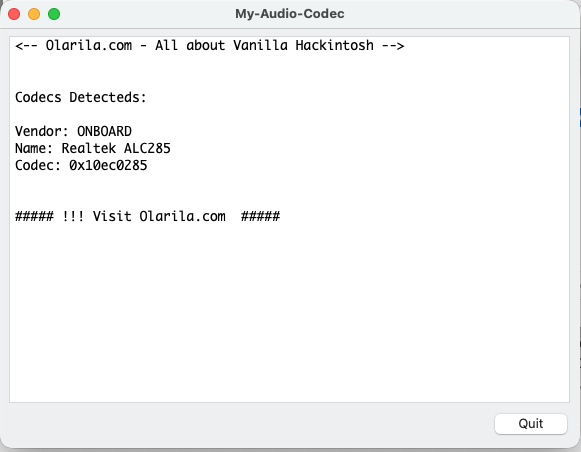
Thanks for the suggestions. I've tried all of the layout IDs and, with AppleALC, only layouts 33 and 66 produce any audio devices and neither of them have the exact layout I have because much of my audio is digital and not controlled by the Realtek codec but by my disabled Nvidia GPU. That said, none of the layouts work with HDAUniversal. And another funny thing is that, when I use the My-Audio-Codec app (or Aida64 in Windows), it tells me that I have the ALC 285 codec but when I use the Audio dump in Clover, it tells me that I have the ALC 295 codec. Here's the My-Audio-Codec: Here's the audio dump from Clover: HdaCodec#0 (Realtek ALC295).txt BTW, the pin configuration in the Clover audio dump looks to be more correct than the pin configuration for either layouts 33 or 66 with ALC 285. However, non of the layouts for ALC 295 work except for layout 33 which works for both ALC 285 and 295.
-

About This Hack (2009-Nissan-Cube version migrated to SwiftUI)
miliuco replied to miliuco's topic in Hackintosh Tools
@jlrycm Not tried yet this new but promissing audio kext. I have it in the pending tasks list: try HDAUniversal.kext in my hack and add it to the audio systems detected by About This Hack. -

About This Hack (2009-Nissan-Cube version migrated to SwiftUI)
jlrycm replied to miliuco's topic in Hackintosh Tools
@miliuco I'm testing the new Tahoe audio kext (HDAUniversal.kext) that @MaLd0n just shared in one of the IM threads and it seems promising. Would you consider adding in the About my Hack app support for the audio stack enabled through this kext? -

About This Hack (2009-Nissan-Cube version migrated to SwiftUI)
kgp replied to miliuco's topic in Hackintosh Tools
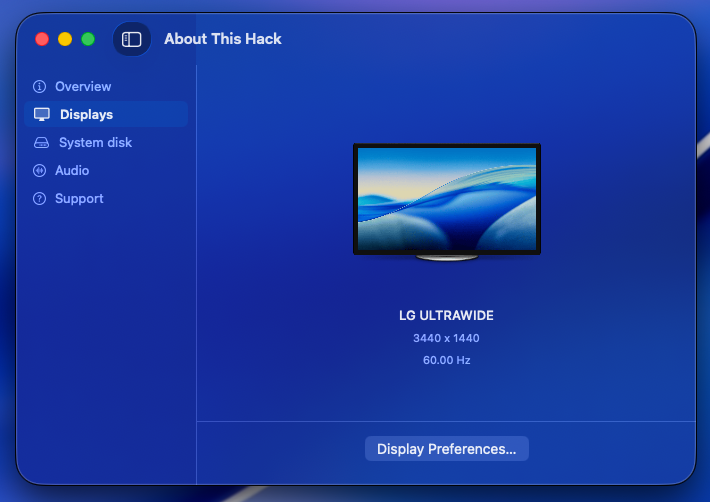
@miliuco and @chris1111, many thanks for another great job!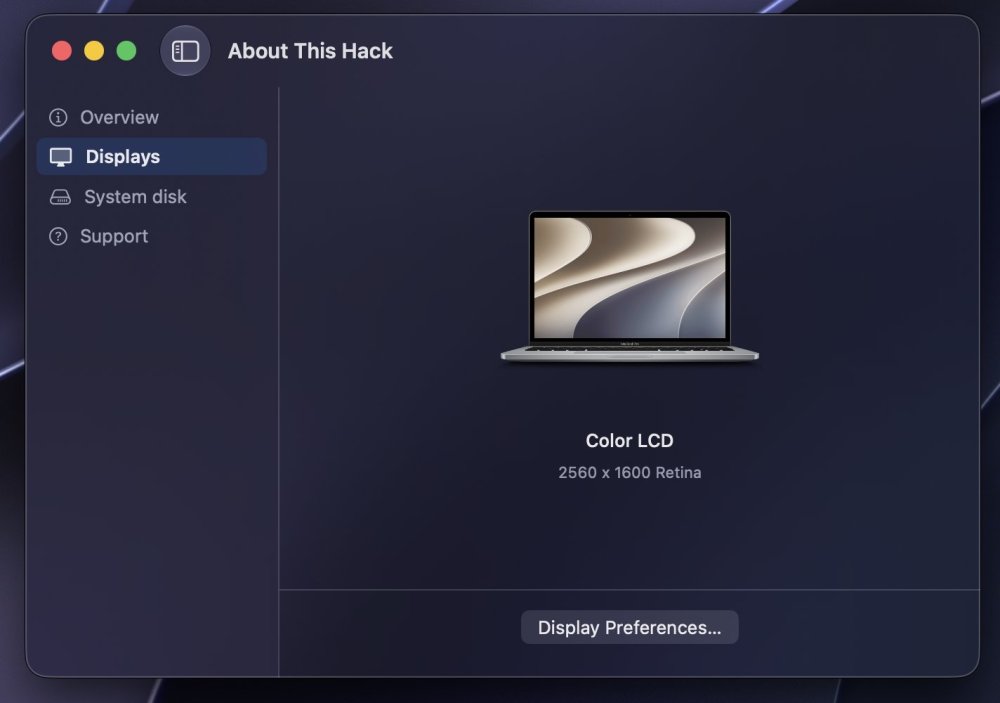
-
 socoliveinx changed their profile photo
 -
About This Hack (2009-Nissan-Cube version migrated to SwiftUI)
miliuco replied to miliuco's topic in Hackintosh Tools
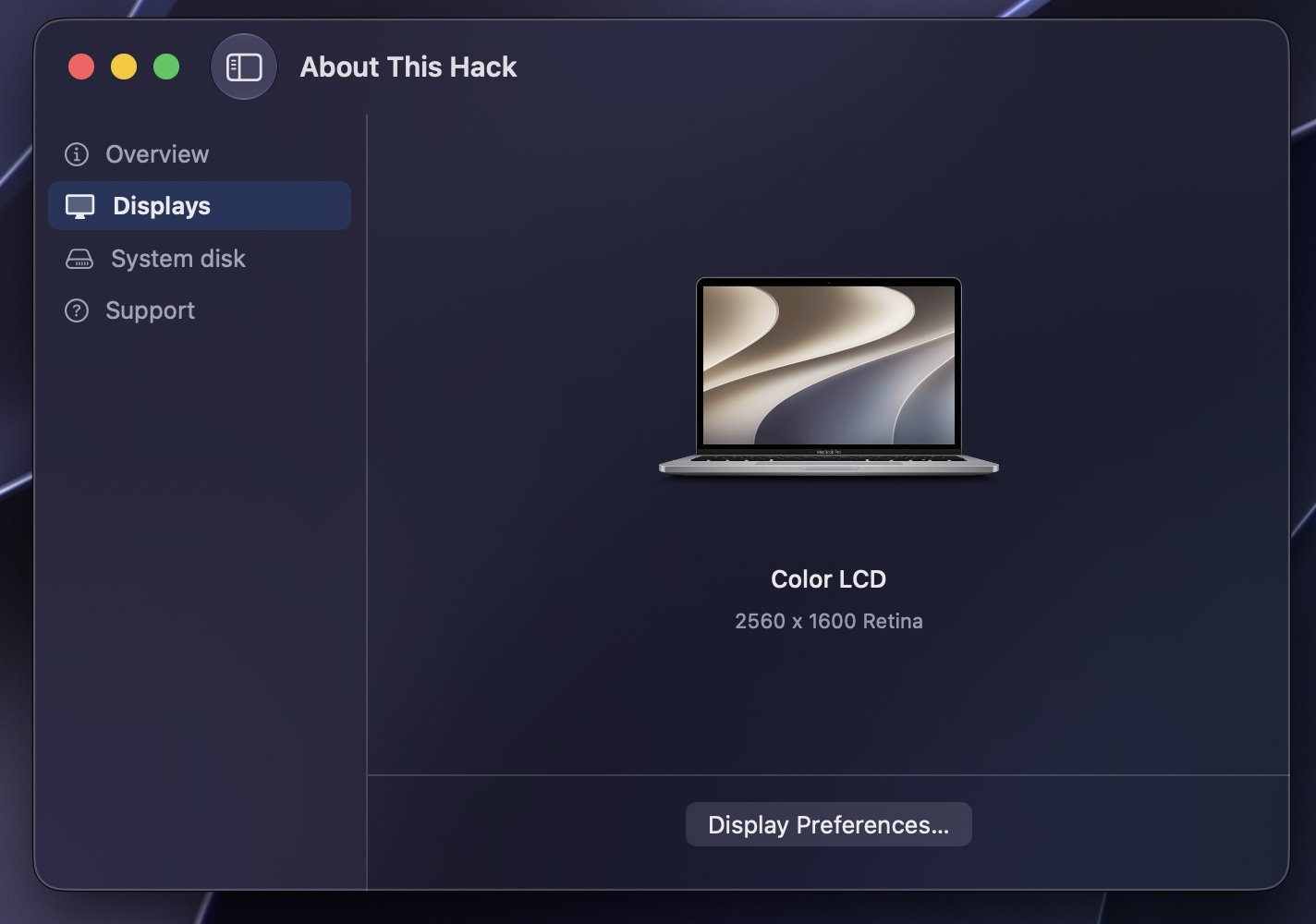
Based on @chris1111's idea of using a per-macOS-version artwork for generic external display (genericLCD assets), I have extended it to built-in screens (MacBook assets) so that, in the Displays tab, the image of the device(s) has the macOS version logo as a background. https://github.com/perez987/About-This-Hack/releases/tag/4.3.7 -
Options for your codec. You can use my clover version and press F8 key on boot screen for dump audio codec like linux https://limewire.com/d/Qejs6#PedXIuK9gN Files generated on misc folder inside Clover folder No. HDAUniversal does not require a separate preference pane like VoodooHDA. It is designed to integrate with the native macOS audio stack and relies on the standard Sound settings, providing an Apple-like experience similar to AppleALC. Output devices, input devices, volume, balance, sample rate, and other audio preferences are managed directly through the built-in macOS settings. It also includes automatic combo-jack handling for supported laptops, allowing headphone and headset microphone detection to work dynamically without requiring an external control panel. The goal of HDAUniversal is to deliver native integration, broad hardware compatibility, dynamic codec detection, combo-jack support, and automatic configuration while keeping the user experience as close as possible to a real Mac.
-
Thanks! I tested it by manually adding the kext to Library/Extensions and using the following commands (I like doing this kind of tweaks the old way): sudo chmod -Rf 755 /L*/E* sudo chown -Rf 0:0 /L*/E* sudo touch -f /L*/E* sudo chmod -Rf 755 /S*/L*/E* sudo chown -Rf 0:0 /S*/L*/E* sudo touch -f /S*/L*/E* sudo kextcache -Boot -U / sudo kextutil -v /Library/Extensions/HDAUniversal.kext sudo kextload /Library/Extensions/HDAUniversal.kext I booted with SIP=03000000 to install the kext manually and once installed, I changed SIP to 01000000 in the config file and rebooted. After rebooting it worked for me. Does this kext require any preferencepane like VoodooHDA or does it rely on the macOS built-in audio settings like AppleALC? I think the answer is the latter but wanted to confirm.
-
Not having any success getting my sound devices to show up with HDAUniversal. I'll keep working on it before I submit a report. I wanted to try this out because I was having problems getting both VoodooHDA and AppleALC working. With those, I get some audio function but my internal speakers don't work after waking from sleep. It may all be due to a layout ID that is not really suited to my system but I have tried all of the layout IDs for my codec (ALC 285) and none of them seem to work well.
-
It should work with any of them, except 00000000; I actually only use 03080000 or FF0F0000.
-
thanks @MaLd0n so, does this mean that I need to boot with SIP=03000000 to install it, right? And once installed, can I change it to 01000000 (allows untrusted kexts)?
-
We need a CSR value different from 00000000 because 00000000 means SIP is fully enabled, which can block development or unsigned kexts before the Security/Privacy approval prompt appears. 00000000 = SIP fully enabled. 01000000 = allows untrusted kexts. 03000000 = untrusted kexts + unrestricted filesystem. 03020000 = untrusted kexts + unrestricted filesystem + unapproved kexts. 030A0000 = untrusted kexts + unrestricted filesystem + unapproved kexts + unauthenticated root. FF0F0000 = almost everything allowed in the classic CSR bits. This kext is specific for Tahoe, old system i'm using AppleAlc or VoodooHDA.
-
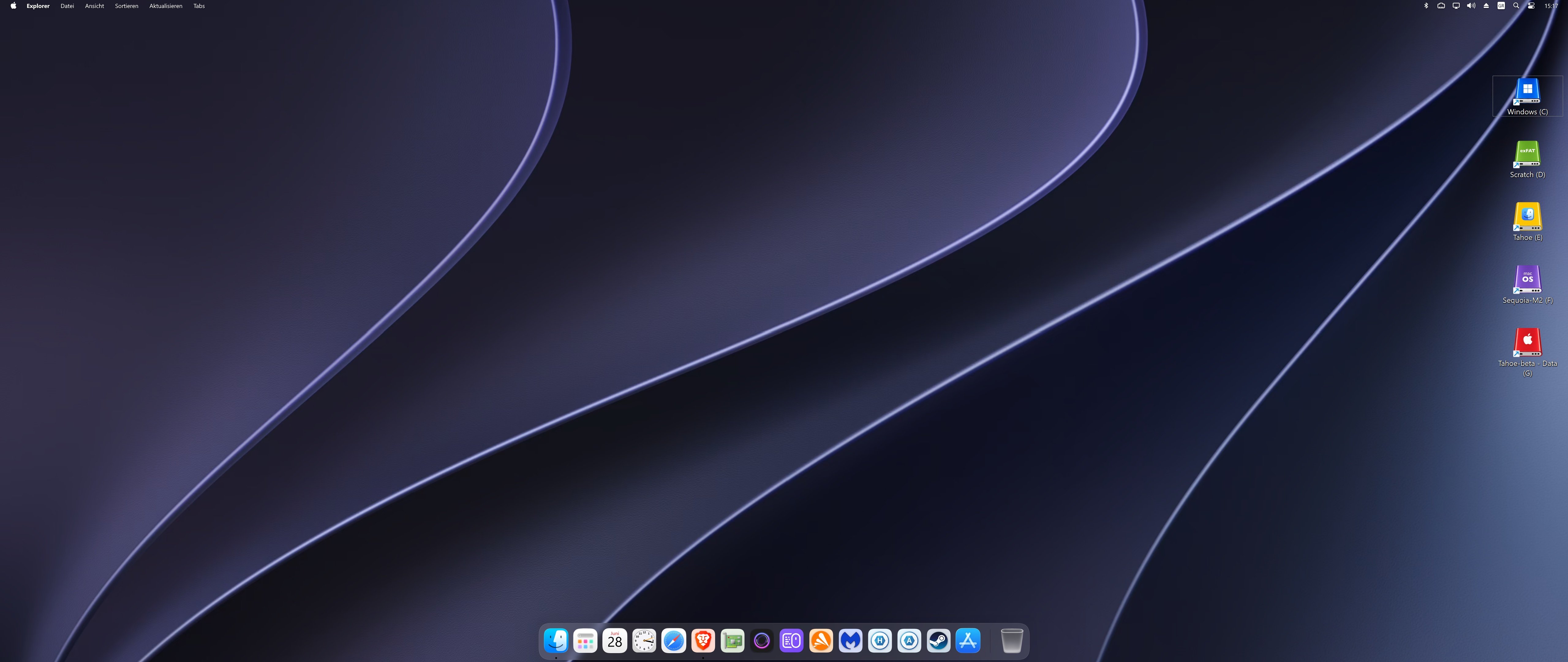
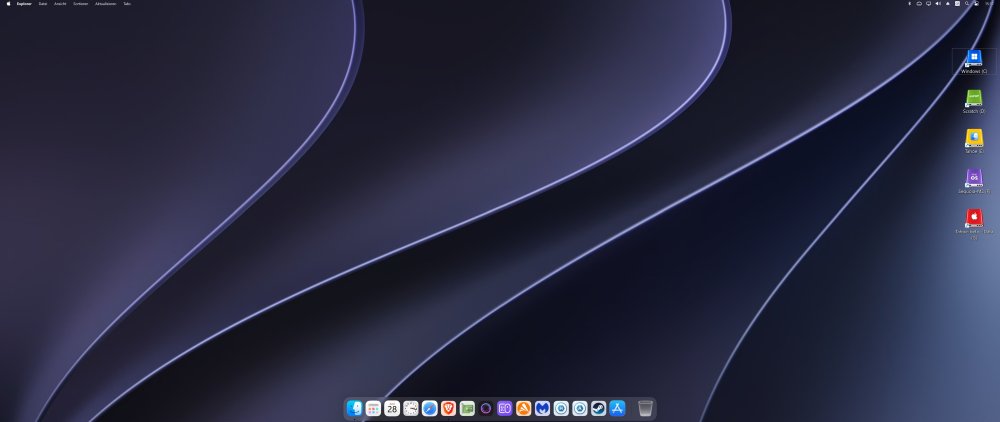
Small update! Just added a Windows 11 + MyDockFinder showcase to the Tahoe Drive Icons Pack. Although the project primarily targets macOS, the included high-resolution PNG assets can also be converted into Windows .ico files, making it possible to create a surprisingly authentic macOS-inspired desktop environment under Windows 11. The README and Post #1 have both been updated accordingly. Enjoy!
-
 Chlomaki changed their profile photo
 -
@MaLd0n Great Job!
-
@MakAsrock Thanks for the feedback!
-
 Did you make release for Old mac 10.6 to Catalina?
 -
@MaLd0n great development. I would like to test it. Is there a need to partially disable SIP when installing for the first time like with VoodooHDA? If yes, what is the csr value to define in config file for installation? Can we change SIP to 01000000 after installation like with VoodooHDA? Or there is no need to tweak SIP?
-
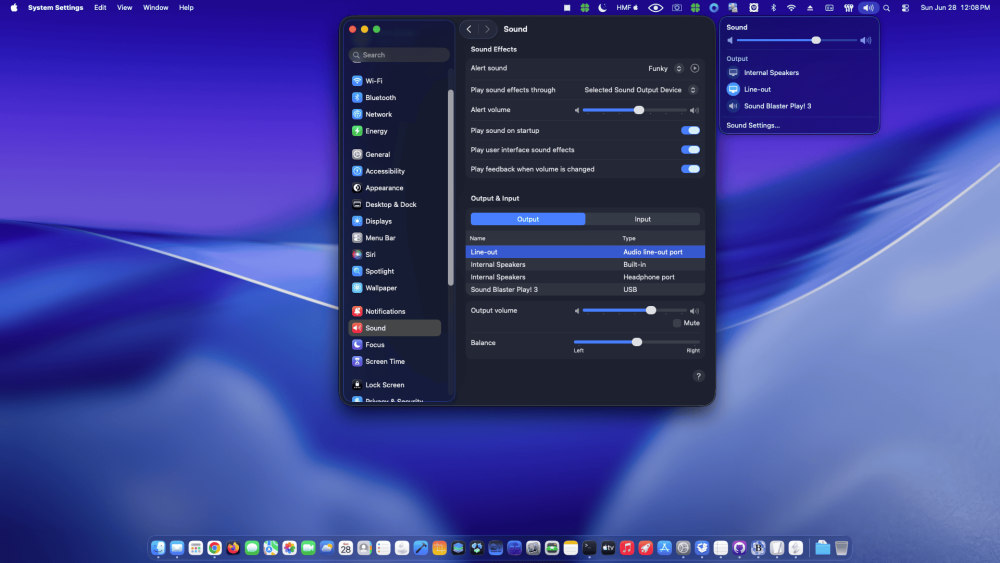
Working on HP Prodesk 600 G1 Thanks dear freind
-
 nohu doithuongslotcom changed their profile photo
 -
 Tested HDAUniversal on my Hackintosh and it works perfectly Thanks @MaLd0n
 -
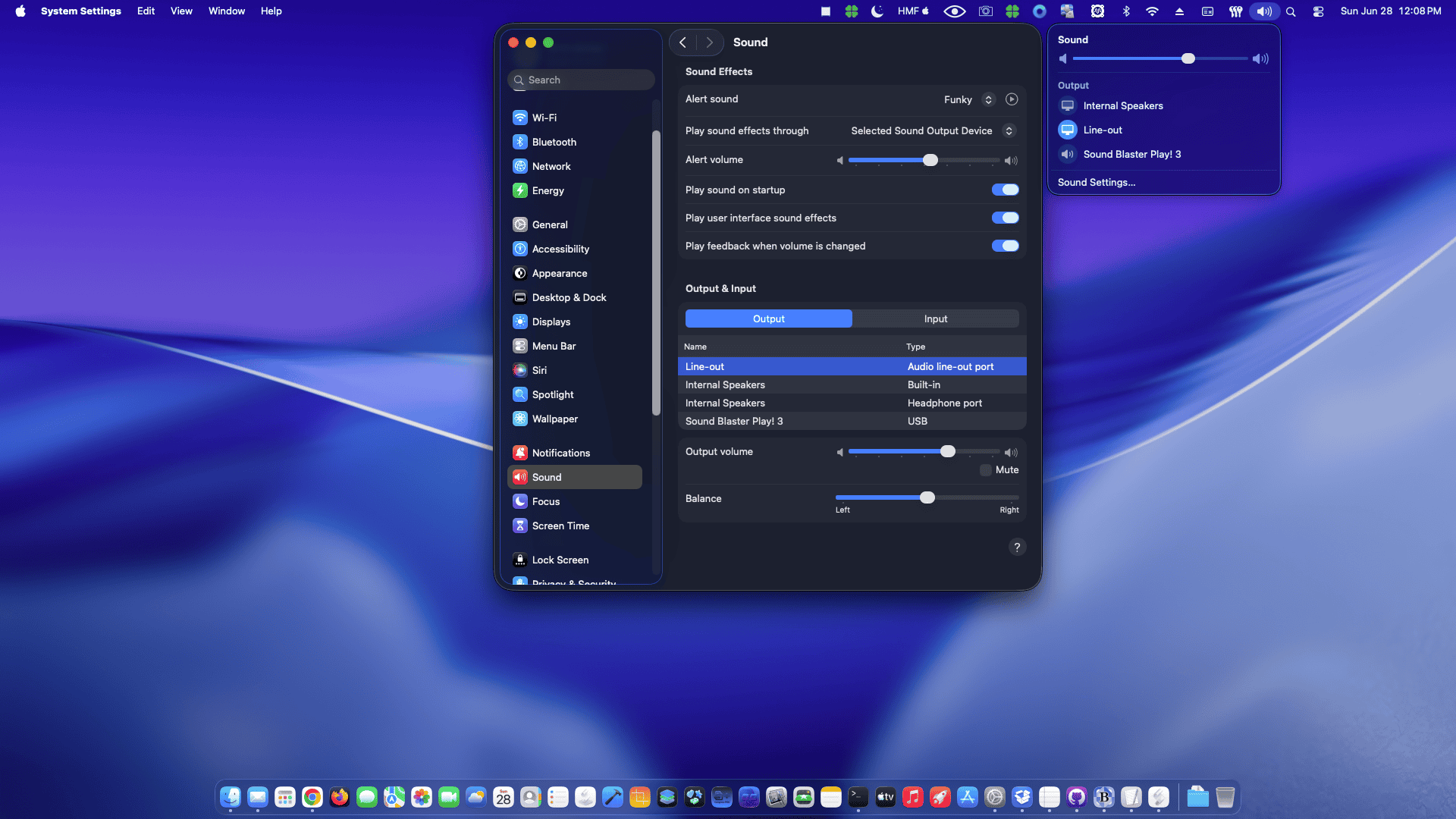
 Tahoe, aggregate sound: works OK. Good job! 👏
 -
Clover 520x soon A major modernization goal for Clover is full AMD platform support, from Ryzen and Threadripper to EPYC and future AMD generations. Clover should be able to handle AMD-specific macOS boot requirements more cleanly, including kernel patch handling, CPUID compatibility, SMBIOS adaptation, PCI device preparation and stable boot behavior, while still keeping every option controlled by config.plist. Another important goal is to make Clover capable of managing the common ACPI fixes selected by the user, reducing the need for separate manual SSDTs on most chipsets. Clover should not blindly apply ACPI changes by itself. The user still enables the desired fixes in config.plist, and Clover then performs the selected work dynamically and safely according to the real firmware ACPI layout. This means that when the user enables fixes such as EC, USBX, PLUG/plugin-type, PMCR, RTC, AWAC, HPET, IRQ fixes, NVMe injection, USB power properties or _DSM collision handling, Clover should detect the correct ACPI scope, PCI root, bridge and device path instead of relying on fixed names like PCI0, PC00 or PC02. The objective is not to remove user control. The objective is to remove the need for hand-made SSDTs for common fixes. Clover should provide selectable ACPI fixes that work across many Intel and AMD chipsets by detecting where the patch belongs, avoiding duplicate devices, preserving valid firmware devices and renaming only target-device _DSM methods when required. With this approach, Clover becomes more powerful and easier to maintain. Most users can rely on Clover’s built-in selectable ACPI fixes instead of manually creating SSDTs for every board, while advanced users still remain free to disable Clover fixes and use custom SSDTs when they need full manual control.
- 30969 replies
-
- 3
-

-

-
- bootloader
- efi
- (and 2 more)