Jump to content

InsanelyMac

Manage articles
  • Ed
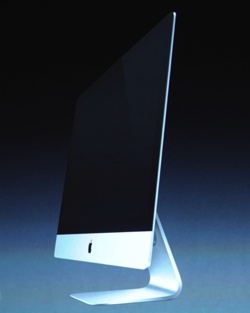
    When it rains, it pours! After being relatively starved of Mac updates this year, we get a whole slew in one go, with arguably the most radical one being the all-new iMac.
     
    The new iMacs feature Intel's Ivy Bridge architecture with Core i5 and i7 processors, and a new manufacturing process to Apple called "friction stir welding". The screen is laminated to the glass to provide a "gapless" space between the two, which I'm sure must look incredible in the flesh, not to mention a less reflective display, no doubt using the same processes as the recently announced MacBook Pro Retain Display earlier this year.
     
    The most stunning feature of course is the sheer drop in weight and thickness, with the edges clocking in at just 5mm thin - thanks in part to dropping the optical drive, which Apple appears to be championing across its entire range.
     
    Specs are clocking in as follows:
     
    • 21.5" 1920x1080 or 27" 2560x1440 IPS monitor models as before
    • 2.7GHz i5 on 21.5", 2.9GHz i5 on 27" (i7 BTO option)
    • 8GB RAM expandable to 32GB
    • 1TB-3TB HDD
    • Up to 768GB SSD
    • Optional "Fusion Drive": 128GB SSD + 1TB-3TB HDD
    • Ivy Bridge architecture
    • 21.5" pricing starts at $1,299
    • 27" pricing starts at $1,799 available from December
     
    Who's in the market for one of these bad boys? Anyone expecting retina display or hoping for more than this?

  • zpeti

    Best Online Backups for OSX

    By zpeti, in OSx86,

    Are your files at risk? Time machine is great, but what if your whole computer dies? An external hard drive might be a good backup, as long as you keep remembering to back up. This article looks at the alternative, a relatively new market, online backups. Are they a scam? Which one is the best?

    This is a guest post by Peter Zaborszky who runs Best Backups and has reviewed over 30 online backup providers.
     
    Macs and OSX used to be solely the purview of graphic designers and serious photographers, thanks to the Mac platform's ease in developing stunning visuals. Now, though, the Mac's audience is expanding rapidly. Not only do you see more graphic designers make use of the Mac, you also see Macs in schools, MacBooks in university students' backpacks and a variety of executive offices. The wider audience of Mac users means that, just like their PC cousins, they will be in need of a solid backup system that isn't necessarily a physical one. Certainly, Mac users already have a solid external backup system thanks to Time Machine. However, one good power surge and Time Machine becomes little more than a boat anchor, and you can kiss your backup files goodbye. As a Mac user, you need other options, just in case.
     
    Certainly, there are a number of online companies that will offer you great service if you have a PC, but generally speaking, those who own a Macintosh computer have found in the past that they seem to be a forgotten audience. However, thanks to the growing audience of Mac users, there are a good many companies that are jumping on the Mac bandwagon and offering the same sorts of services for Mac as they would for PC. There are a variety of online backup solutions, and thankfully, these are relatively simple to execute. However, you can also guarantee that for every good and reliable backup provider out there in cyberspace, there is likely a scam. Does that mean you should live by the mantra, "Trust no one?" Definitely not. What it means, though, is you need to carefully look at what these providers offer you as the user.
     
    While there are a variety of online companies that offer backups, this article goes through six at random. The core offers are more or less the same across companies, but as always, the devil is in the details, and that's the interesting part. Each company has certain fees, of course, and their software and how it functions will likely be different. Some let you back up by sending you a hard drive for an initial backup - however, this comes with additional fees, as can be expected. Others may offer other similarly enticing things. Some are simply not that effective at all, though it may offer you exactly what you're looking for in terms of price and the most basic of services. The backup service you choose to go with, however, is ultimately up to you.


    Mozy, like other companies are currently doing, offers users a free trial prior to committing to their subscription plan. This gives users an opportunity to try both their 50 GB and 125 GB plans with no firm commitment. The system is designed for efficient backups; using a "block level" backup system means that the software will only back up new or changed portions of files. As a result, you save a great deal of bandwidth and time. Your computer won't be bogged down with the numbers of files being entirely backed up, either. All hard drives connected via USB or Firewire can also be backed up, which is certainly handy for those users looking to continue using their portable drives and still have an easily-accessible backup system.
     
    Certainly, Mozy doesn't offer unlimited storage, but for personal backup needs, 50 GB or 125 GB is plenty. That amount of storage is effective for those who do some work with graphics or photography, though you might want to consider something a little larger in terms of space. The fees are reasonable, too; with charges of only $5.99/month for 50 GB storage space per computer or $9.99/month for 125 GB, plus one free month with a year's commitment, Mozy offers users a very financially reasonable backup plan.
     
    For users whose internet service providers might put them on a a bandwidth cap, there is also an option to throttle the bandwidth, which allows users to make use of the service without having to worry about losing out on their monthly bandwidth. If you need to access Mozy's restoration service, you can either tap into the Web restoration service or order a DVD restore. As can be expected, the fees for the DVD restore are a little high, as Mozy charges for setup per GB of data and shipping via FedEx's Next Day Air service. 60GB of data can run you around $100. While it can be convenient to restore your data via Mozy's web-based restoration, the interface isn't very efficient for users who have large amounts of data. Mozy gives you multiple disk images that you can download. Each image runs about 1 GB, and this results in the restoration process being lengthier and more painful than it really should be.
     
    Most of Mozy's features are relatively easy to access, and the preferences pane is easy to follow. This means that even the novice user can follow, with relative ease, exactly what to do. Bandwidth can be controlled and adjusted, and you can filter files, establish backup schedules and browse backup logs as well. You can find Mozy at www.mozy.com


    While Carbonite is an effective backup site, the options the company offers aren't quite as kind to Mac users as it should be. Windows users will get 90 days of file versioning, advanced throttling and other features. However, the Mac version of the software doesn't offer those same details, and this can be troubling for Mac users wanting to deal with this very efficient, reasonably-priced company.
     
    Pricing is about $4.58 per month per computer, and if you commit for three years in advance, you can get as low as $3.61. The software will backup the usual suspects like photos, emails, documents, music and personal settings, by default. However, you can also add videos, executable files and files larger than 4 GB.
     
    Mac leaves Carbonite open as a preference pane, but there are distinctive limitations which aren't necessarily placed on the PC version of the software. The software doesn't offer any advanced backup scheduling options or detailed bandwidth controls, which can cause problems for those wanting to refine their settings. Thankfully, there is a low priority mode available for those who need to conserve their bandwidth, and while that is always a welcome option, it doesn't make the rest of the software more effective. A really neat and helpful feature of Carbonite, though, is the way the file icons are tweaked so that you can see the status of the backups being completed. This means that you're not wasting time wondering when your file backups are going to be completed and can see exactly the status of your files as you go. Mac users, though, don't get file versioning, so they should prepare to be disappointed by the lack of this feature, especially if they're used to going back to previous versions of files during the editing process.
     
    The only option to restore files with Carbonite is over the internet. If you have a lot of data in your backup file, that could take a great deal of time, even with high speed internet. There is no option to request a DVD or hard drive to be shipped to you, which is very disappointing, as it can truly slow down your entire system if you're trying to restore your system online. For further information about the company, go to www.carbonite.com


    JungleDisk offers users a different take on the online backup world. The software and the network is all provided by JungleDisk, but storage space is provided either via Amazon S3 or Rackspace Cloud. Users can opt for whichever storage space they want, with all the associated fees.
     
    There are two personal plans for users to choose from: Simply Backup and Desktop Edition. Simply Backup gives you the opportunity to backup your files, but that's the only thing it does. However, Desktop Edition offers you a Dropbox-like experience which allows you to mount your backup storage space in much the same way as you would a virtual or network drive. Both are effective and easily executed.
     
    There's only a dollar difference between the pricing for Simply Backup and Desktop Edition. At $2 and $3 per month, this seems like an amazing deal to take advantage of, but you need to remember your storage space needs to be paid for as well. At 14 cents per GB per month at Amazon, as well as data transfer and data request fees, you may find that Rackspace is the more financially beneficial option. In addition, Rackspace will probably be a cheaper choice even though it technically costs a cent more per GB per month. With Rackspace, you get first 5GB of data for free, which means you're ultimately getting more space for less cost.
     
    JungleDisk also allows you to use an unlimited number of computers and you only pay for what you ultimately use. In addition, you can configure JungleDisk to keep older versions of your files Not only that, JungleDisk will let you configure how long it keeps older versions of your files, although you have to configure that manually. Once that's done, though, you can adjust the settings as you see fit. And yes, there will be storage cost for that too. Knowing your versioning history can be kept for an unlimited time is great, but given it does count against your storage quota, it may be a bit cost-prohibitive for you to play with the versioning history settings too much. There are also no restrictions in terms of the types of files you can save as well. JungleDisk will also backup ANY files you want it to, including applications.
     
    The interface has issues though, as it doesn't really look like a Mac-application but rather a Windows application forced to be on Mac. Getting to options and changing them isn't as hard though so it's still a good thing.
     
    Unfortunately, the only restoration option JungleDisk opens is through the internet. No DVD or hard drive can be requested from the company. This means, of course, you could be spending several hours restoring files via the internet to your computer. Go to www.jungledisk.com to see exactly what the company has to offer.


    Dropbox has gained a great deal of notoriety as a syncing service and while it isn't technically a backup software, its focus is still on data syncing, which still makes it a viable consideration as a backup. The free offer offers 2 GB of storage and with referral invites, you can garner up to 16 GB. 50 GB can be had for $9.99 a month and 100 GB is up for grabs for $19.99 a month.
     
    When installed on a Mac, Dropbox creates a "magic folder" where you can drop any file. Once the file is dropped, it will automatically be uploaded and synced across any computer or device linked to your Dropbox account. In addition, you can still access the files through the Dropbox website. You have a default 30 days versioning history; thankfully, the revisions listed don't count against your storage amount. If you pay for the Pack-Rat option, your version history becomes unlimited. The $3.99 monthly fee doesn't hurt either, in terms of Dropbox's advantages.
     
    As long as you have free space on your Dropbox account, you can sync whatever types of files. There is a small graphic which shows up above your file icons to show what part of the syncing process the file is in as well.
     
    While Dropbox isn't exactly an automated backup, its ability to sync regularly with the files on your computer “ thereby creating a backup “ is unparalleled. The site's functionality is really good and you might be surprised by everything you can do with the program. Go to www.dropbox.com to learn more.


    CrashPlan offers software that allows you to obtain off-site backups as well as backups to your computer or another that belongs to you or your friends. The best part of an offer like that is that it's free, at least as far as simple backups are concerned.
     
    It's not until you look at paying for storage space that you start running into a fee schedule. There are three plans to choose from. CrashPlan+ 10 GB only runs you $2.50 per month per computer. Certainly, this is good for someone who really doesn't have much need for a lot of space or who doesn't have countless files to back up. CrashPlan+ Unlimited nets you unlimited storage space for a price of about $5.00 per month per computer. However, CrashPlan+ Family Unlimited is the best option by far; it lets you backup between two and 10 computers for only $10 per month per computer. Even better, you can save $4 per month per computer if you prepay for four years.
     
    The CrashPlan versioning system is superior, as it keeps your deleted files forever, unless otherwise specified, and the files don't count against your storage space if you are on the 10 GB plan. CrashPlan also demonstrates strong, almost intuitive control over bandwidth usage, as you can set bandwidth usage maximums over both wide area networks and local area networks. You also have the opportunity to configure specific and unique values for your computer's idle time and when it's being used.
     
    The interface is very user-friendly and well organized. Even the CrashPlan novice user can do just about anything simply by going to "Settings". Multiple file destinations can be set, and you can back up your files either to CrashPlan's online storage or to your off-site computers. For that matter, you can also back up to your friends' off-site computers.
     
    Restoration options are equally effective. You can choose between using the Web interface or the software itself to restore files. If you have an enormous amount of data, you can always get CrashPlan to send you a hard drive, though this service runs anywhere from $125 to $165. Pricing, however, depends on how quickly you need the files. If your files aren't backing up properly, CrashPlan will also send you emails or even tweets. Go to www.crashplan.com for more details.


    Backblaze is an efficient backup system, but there are a few drawbacks. At $5 per month per computer or $50 per year, you can back up an unlimited amount of files from a single PC or any attached USB ports. Firewire hard drives are also supported.
     
    One of the biggest issues, however, with Backblaze is that the program imposes limitations on the file formats it will back up. Your operating system, installed software, temporary files, or any files greater than 9 GB are out. If you are a photographer with Aperture or Lightroom libraries, you shouldn't have any issues. Aperture or Lightroom are mostly bundles of files, so Backblaze won't read it as a giant file and still back them up.
     
    A good thing about Backblaze is its interface. It's as straightforward as it comes, running as a preference pane on your Mac. It's well designed, and the settings are simple. For those with a monthly bandwidth cap, you can throttle your bandwidth, exclude certain file formats, check out your restore options, or go into settings. You can also get browser reports and activity logs. In addition to it being user-friendly, the interface is actually pleasing to the eye as well.
     
    Backups are defaulted to run continuously, but you can switch it to once daily or start up a manual process simply by reconfiguring your settings. File revisions are kept for up to four weeks, which is handy for those who are a bit pack-rat minded. Restoration options are available through the web or via ordering a DVD or USB backup. A DVD will run you $99 while a USB will run you nearly twice that. They are at www.backblaze.com
     
    Conclusion
     
    While the company you ultimately choose for your back ups is up to you and what your needs are, I recommend CrashPlan or Dropbox. CrashPlan is sort of the nirvana for those users wanting a great backup system at a reasonable price, and the company offers that in spades. In addition, the pricing is second to none and makes the idea of backing up your system very cost-friendly for even the most novice of users. In addition, the features CrashPlan provides, from its user-friendly interface to its huge storage space, puts it leaps and bounds ahead of the competition.
     
    Dropbox is an effective, easy way to establish a back up for users needing portability and easy accessibility to their back ups. It doesn't matter where you are in the world; if you need to access a file and you haven't brought your laptop with you on a trip, you can go to any computer with internet access and access the files you need via Dropbox. In addition, CrashPlan offers users the same sort of reliability. Both CrashPlan and Dropbox give users an opportunity to access their files whenever and wherever they need, and for serious travelers who may find their laptops suddenly give out on them midway through a business trip, they can restore their systems and files with a few well-placed mouse clicks, thanks to CrashPlan and Dropbox and their user-friendly ways.
     
    Ultimately, though, there are several factors you need to consider when you look at what company to go with for your back up needs. First and foremost for many might be the financial considerations. Certainly, CrashPlan offers excellent pricing as well as excellent services, but there are users, particularly in today's economy, who may require something even cheaper while still getting a fair bit of storage space. Photographers, musicians and graphic artists may want to look at a company that will offer them a lot of storage space, given the nature of the files they will be working with.
     
    Regardless, choosing a back up company for your Mac files that will offer you the reliability you need and the price you want is not that complicated. Although I've discussed six potential companies here, there are countless to choose from. All it takes is a little research and some careful consideration of your needs. Once you've decided what you're looking for, you are off to the races.
     
    I’ve reviewed over 30 online backup companies at http://www.bestbackups.com and I’m just finishing off any others, so I’ve looked in depth at these companies. If you’d like more information, check out the site, or comment on the article, I’ll be responding to comments / questions.


  • Mr.D.
    Want to know just how big your new iPhone is? Want to double check to make sure it fits in your geek side holster? All you need to do is go to developer.apple.com to find not only the dimensions in blueprint form for your new iPhone, but also for the new iPods as well. The second and third links are to .pdf files and the first link is to the developer main page.
     
    Anybody got a 3D printer to start making some cool cases?

  • Mr.D.
    Attachments:
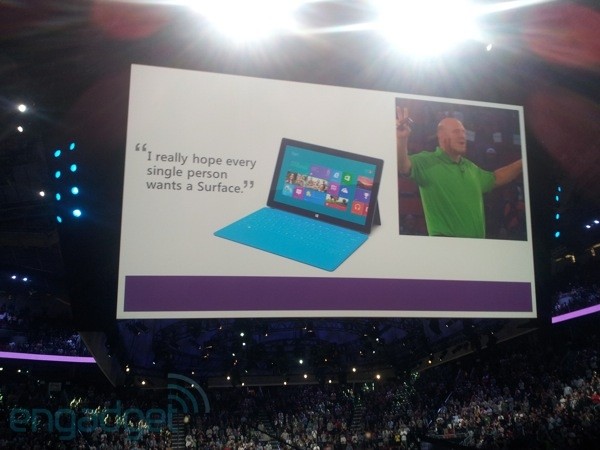
    Microsoft gifts full-time employees with Surface tablets, Windows 8 phones and PCs
     
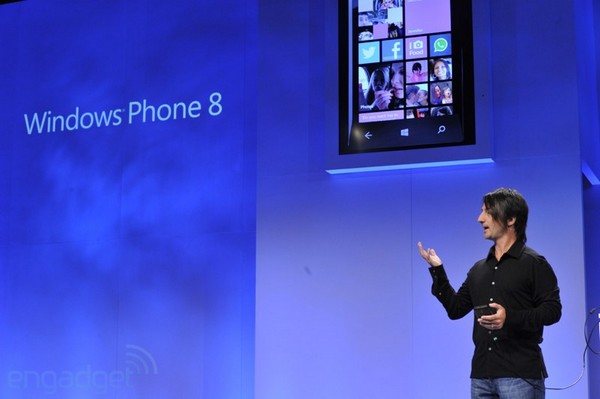
    Reprising a Windows Phone 7 giveaway from back in 2010, Microsoft boss Steve Ballmer announced at the company's annual event that all 90,000 or so full-time employees are getting a taste of its latest hardware. That's one Surface for Windows RT tablet and Windows Phone 8 phone (last time around these came with two year contracts)


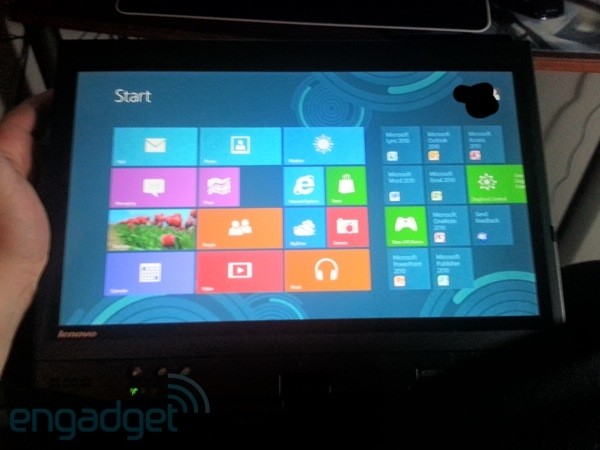
    in late December, along with a new touch compatible office computer running Windows 8, presumably arriving sooner. Forbes indicates those PCs can be a desktop, laptop, ultrabook or tablet, and engadget.com has a pic of one employee's new Lenovo-built slate running Windows 8 on a Core i7 CPU with 8GB of RAM. Pulling an Oprah, again, isn't just one way to improve employee morale, it also ensures everyone's familiar with the new products as they roll out and are ready to tell people about them.


    Will that provide the necessary bump to catch up with the competition from Apple and Google? Comment below!

  • Ed
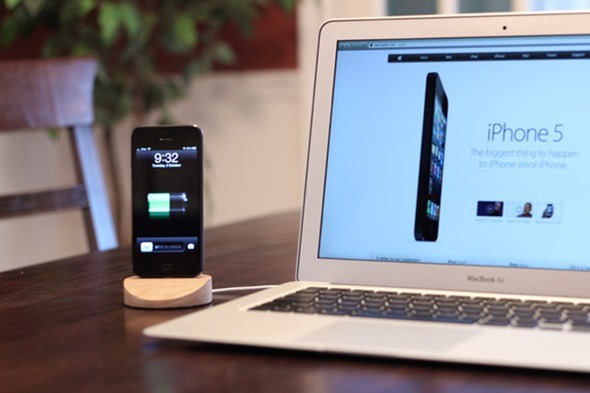
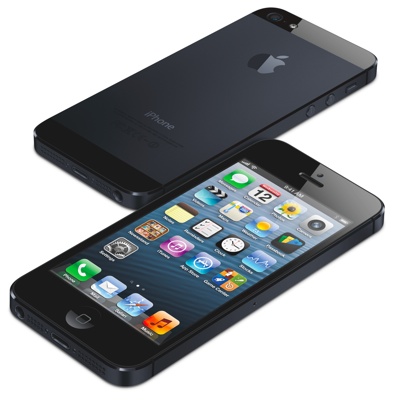
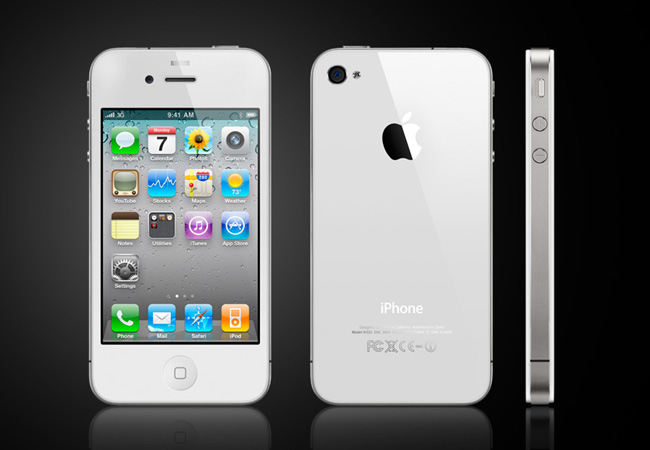
    After disappointing many avid iPhone fanboys last year with the release of the incremental upgrade, the iPhone 4S, Apple indulged its customers by releasing an all-new iPhone, and has dubbed it the iPhone 5.
     
    The most obvious difference is the increased screensize, up from 3.5" to 4", encased in an aluminium and glass enclosure. No more glass on the back to shatter. And the back is now akin to that of the original iPhone, with a two-tone finish both at the top and the bottom.
     
    Notable specs for the new iPhone 5 below:
    4" display with 1136x640 resolution
    Thinner: 7.6mm, down from 9.3mm
    Lighter: 112g, down from 140g
    Same width but taller: 123.8mm, up from 115.2mm
    LTE with support for 100mbps
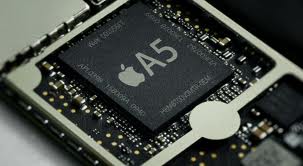
    A6 processor
    Available in black (including anodized black metal sides and back) and white (with raw aluminium instead of anodized black)
    All-new earphones, called "EarPods"
    All-new 80% smaller dock connector

    Apple is accepting pre-orders this Friday, 14th September, and will be available the following Friday, September 21st.
     
    Will you be upgrading?

  • Mr.D.
    Apple Reduces Memory Chip Orders From Samsung
     
    Apple has ordered less memory chips for its upcoming next-gen iPhone from Samsung in order to diversify its sourcing portfolio.
    The decision, according to a source that spoke with Reuters news service, has nothing to do with the patent war between the two companies, as Apple has been looking to widen its supply chain for a while.
     
    The Korea Economic Daily, citing an unnamed industry source, reported on Friday that Apple had dropped Samsung from the list of memory chip suppliers for the first batch of the new iPhone, the iPhone 5, which is widely expected to be unveiled mid-September. The report said Apple instead picked Japan's Toshiba Corp, Elpida Memory and Korea's SK Hynix to supply DRAM and NAND chips.
     
    "Samsung is still on the list of initial memory chip suppliers (for new iPhones). But Apple orders have been trending down and Samsung is making up for the reduced order from others, notably Samsung's handset business," the Reuters source said.
     
    Apple and Samsung have taken their bruising patent disputes to some 10 countries as they vie for market share in the booming mobile industry. Apple won a landmark victory last month after a U.S. jury found the South Korean firm had copied key features of the iPhone and awarded Apple more than one billion dollars(US) in damages.
     
    Still, Samsung remains the sole producer of Apple-designed micro chips that power the iPhone and iPad, making their relationship too important for either party to put at risk.
     
    New Mac Pros to Feature Nvidia’s Quadro K5000 GPU
     
    Nvidia has announced its Quadro K5000 GPU will be a part of Apple’s Mac Pro systems. On its own, the professional-grade graphics card costs over $2,200. It’s twice as fast than its predecessor, the Quadro 4000, comes with 4GB of memory, two DVI-DL and two DisplayPort connectors and supports 4K resolution.
     
    Engadget had a look at the new GPU running in a Mac Pro system, and found impressive performance from it when streaming HD video and adding effects in real time. Some programs like Adobe After Effects can utilize more than one GPU and perform advanced and computationally intensive ray tracing calculations for modeling lighting (reflections, shadows, etc.) around 3D models in real time. Engadget has a video of its time with the Mac Pro system, which outlines the speed of the system when coupled with the new GPU.
     
    The Quadro K5000 for Mac is slated to begin shipping "later this year" from resellers and system integrators—it's not clear if it will be directly available from Apple—with stand alone pricing starting at $2,249.
     
    Hidden files in the Mountain Lion version of Boot Camp appear to confirm the next generation of both the Mac Pro and iMac.
    Anyone care to confirm this - post below!


    Within a Boot Camp configuration file lies information that tells the software what models of Mac can boot Windows from a USB-drive, a task that only Macs of a more recent vintage can accomplish. The file includes mention of the existing Mac Mini and MacBook Air, but also mentions iMac 13,0 and MacPro 6,0 models -- machines that don't currently exist.
     
    After the Mac Pro was given a quiet update this year, many were wondering about the future of Apple's desktop line of Macs. Both Apple CEO Tim Cook and an unnamed Apple spokesperson have confirmed that the Mac Pro will receive a full redesign for delivery sometime in 2013, nearly three years after the last significant update to the product.
     
    A reader at macrumors.com who had emailed Apple CEO Tim Cook about his disappointment in the lack of a significant Mac Pro update this year, got CEO Tim Cook responding to indicate that users can expect significant upgrades next year.
     

    "Our pro customers are really important to us...don't worry as we're working on something really great for later next year."  
    Forbes now follows up with additional corroboration of both Mac Pro and iMac updates coming down the road, with the updates likely appearing next year. The information was provided directly by an Apple spokesperson.
     

    "An Apple spokesman just told me that new models and new designs of the Mac Pro, as well as the iMac desktop, are in the works and will likely be released in 2013. That confirms what New York Times columnist David Pogue said yesterday, citing an unnamed Apple executive, about Apple’s commitment to its desktop computers."  
    Perhaps this will give the hackintosh community some new drivers to work with.

  • Mr.D.
    Attachments:
    It appears the only place that Apple can win its lawsuits is the US. Tokyo District Judge Tamotsu Shoji ruled Friday morning that Samsung did not infringe upon Apple's patents. Apple sued Samsung last year in Japan, claiming the Galaxy S, Galaxy Tab and Galaxy S II infringed Apple's patent on synchronization, and sought 100 million yen in damages, according to court documents.
     
    Jury overly confused with decisions it needed to make?
     
    More and more complex patent law cases are being decided by juries, rather than judges. And juries tend to be more generous in the penalties awarded for patent violations.
     
    "This case is unmanageable for a jury," Robin Feldman, and intellectual property professor at the University of California Hastings Law School, said before the verdict was announced. "There are more than 100 pages of jury instructions. I don't give that much reading to my law students. They can't possible digest it."
     
    He may be right, in that the jury made several errors, one being a $2 million error that required them to be sent back into deliberations to fix that, and several other errors. Some are questioning the quickness of the verdict, especially in regards to the recent Rambus versus Micron case, in which the jury in that case took eight full weeks to deliberate and reach a verdict. The jury in this case arrived at its verdict after less than three days of deliberations, far swifter than many experts thought in view of the many complex issues. Alessandro17 points to an excellent article below outlining the many inconsistencies in this verdict.
     
    "The trial is evidence of a patent system that is out of control," Feldman said. "No matter what happens in this trial, I think people will need to step back and ask whether we've gone too far in the intellectual property system."
     
    Samsung has vowed to fight the case all the way to the U.S. Supreme Court. It will first ask the trial judge to toss the verdict. Failing that, Samsung will appeal to the Court of Appeals for the Federal Circuit in Washington D.C., a specialized court that hears nearly all patent appeals.
     
    Losing companies often appeal to the Court of Appeals for the Federal Circuit, which received 432 cases from the federal district courts in the 12-month period ending March 2011. The court reported that it reversed 19 percent of those cases, without differentiating between bench trials versus jury trials.
     
    After deliberating for just for 21 hours and 37 minutes following the three week trial, the jury in the patent infringement lawsuit reached a verdict awarding Apple more than one billion (US) dollars in damages. This amount is less than half of the $2.5 billion that Apple was seeking, but a big win never-the-less for apple in the light of three losses in court around the world in as many months.
     
    The jury decided Samsung did infringe on Apple's '381 bounceback patent with all 21 of its products in question. For the '915 patent on pinch-and-zoom, the jury ruled all but three of the devices listed infringed, and more damningly, found that Samsung executives either knew or should have known their products infringed on the listed patents.
     
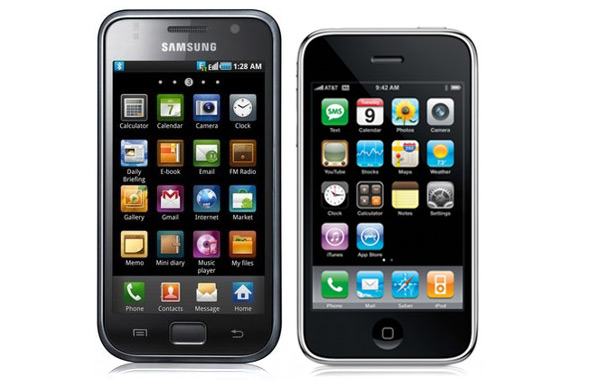
    The jury did not decide in favor of Apple regarding the Tab 10.1 and the iPad, mirroring an earlier decision by a judge in the UK who stated the Tab is 'uncool' and would not be mistaken for the iPad. The jury did however rule that Samsung's smartphones infringed on the iPhones design when it comes to Apple's contours on the back of the iPhone and its home screen GUI.
     
    Apple is seeking a preliminary injunction against Samsung's infringing products and Judge Lucy Koh has set September 20th as a date for the hearing. Apple has until the 29th to file its motion, which Samsung will have 14 days to respond to, before Apple has two days to craft a response of its own. As expected, Samsung has indicated it will appeal the ruling. Wall Street Journal's Evan Ramstad tweets that it plans to file post-verdict motions to overturn the decision and if those are unsuccessful, it will take its case to the Appeals Court.


    Post trial statements from both companies:
     
    Apple:

    We are gra teful to the j ury for their service and for investing the time to listen to our story and we were thrilled to be able to finally tell it. The mountain of evidence presented during the trail showed that Samsung's copying went far deeper than even we knew. The lawsuits between Apple and Samsung were about much more than patents or money. They were about values. At Apple, we value originality and innovation and pour our lives into making the best products on earth. We make these products to delight our customers, not for our competitors to flagrantly copy. We applaud the court for finding Samsung's behavior willful and for sending a loud and clear message that stealing isn't right.
    Samsung:

    Today's ve rdict should not be vie wed as a win for Apple, but as a loss for the American consumer. It will lead to fewer choices, less innovation, and potentially higher prices. It is unfortunate that patent law can be manipulated to give one company a monopoly over rectangles with rounded corners, or technology that is being improved every day by Samsung and other companies. Consumers have the right to choices, and they know what they are buying when they purchase Samsung products. This is not the final word in this case or in battles being waged in courts and tribunals around the world, some of which have already rejected many of Apple's claims. Samsung will continue to innovate and offer choices for the consumer.
     
    Apple is 0 for 3 versus Samsung worldwide and 0 for 1 versus Kodak. Apple claims that Samsung copied the look and feel of the iPhone in its products as well as various technologies contained within.
     
    Apple lost in the UK, in a judgment that forces Apple to publish on its website and in British newspapers that Samsung did not copy designs for the iPad. In fact, the judge called the Samsung products 'not as cool' as the iPad, and unlikely to be confused with Apple's tablet. The judge also described some differences between the form factors and the ease of use of the iPad which Samsung tablets do not posess.
     
    Apple also lost in South Korea where they brought suit against Samsung on their home turf. While the judge ruled both in favor and against Apple, the only fine that was imposed was against Apple. The real impact in this case is that the products described in the suit can no longer be sold in South Korea. The product list includes the iPhone 4, the iPad 2 and the Galaxy Tab 10.1, Galaxy S II and the Galaxy Nexus. All last generation products, these devices are now missing from stores and electronic retailers in South Korea.
     
    Apple also lost a patent case against Kodak earlier in the month when the judge dismissed the suit for being filed “unreasonably late”. Apple has filed a motion to reconsider while an appeal is prepared because Kodak is trying to sell those assets that are contested by Apple. The sale of the digital imaging patents that Apple has claimed is now being reconsidered by Kodak.
     
    Sources for this story include CNET, The Verge, Evan Ramstad (Twitter), Reuters, AP, Reuters(Japan)

  • Mr.D.
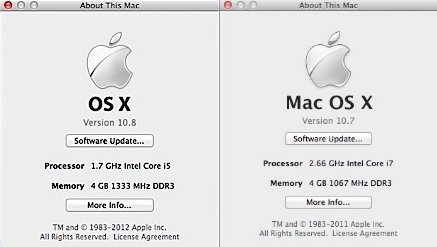
    Have you installed Apple's newest operating system upgrade? One change many of you might notice right away is the branding. Apple has removed “Mac” from the OS X title, and it is now branded simply as OS X. This falls in line with Apple bringing more and more of the iOS features “back into OS X”. This trend started with Lion and by all appearances, continues with Mountain Lion.
     
    Apple claims over 200 new features in Mountain Lion. Many of these features are system and security related. There are several that will improve useability for many of Apple's customers. Some of those features that may have a bigger impact include:
     
    Native support for iCloud. When you install Mountain Lion, you are prompted for your iCloud information. This information is then integrated into the file system, much like Microsoft has done with SkyDrive. One of the more interesting features is the ability to automatically create folders by dragging one document on top of another, in much the same way iOS currently supports. Not only are your files visible on all of your Apple devices, but it displays the documents for that particular app you are using. Don't have an iCloud account? When you run Mountain Lion for the first time it will prompt you to create one.
     
    iMessages. You can now send a message to anyone with an iOS 5 device, bypassing SMS or email all together. Apple has come under fire recently for SMS vulnerability, but the reality is that all SMS capable devices and carriers are vulnerable to the same spoofing threats that Apple devices are. You can read more about the vulnerability, and Apple's response to it here.
     
    Power Nap. Now when your computer is sleeping, it's doing it with one eye open. Mountain Lion can automatically update your mail, notes, reminders and messages so that when your Mac wakes up, you'll have all of your latest information. However, this feature is ONLY supported on a Mac notebook with built-in flash storage.
     
    Mac App Store. While not new, quite a few improvements have been made. OS X updates are available there, as Apple wants you to use the App Store for updating OS X and other installed apps. The App Store will also automatically download these updates for you. Apps can now be pushed to your Mac, no longer requiring you re-download apps to each computer.
     
    Game Center. You can use your Apple ID to setup and personalize your gaming experience. A feature directly imported from iOS, and using that account information or your Apple ID, the Game Center lets you see what your friends are playing, invite people to play a game with you, chat in-game, and keep track of you and your friends achievements in those games. It also appears to allow you to play across platforms, meaning you can play a game of chess on your Mac against someone on their iPad.
     
    Apple has also tightened the integration with Facebook and Twitter, made improvements to Safari, Accessibility, Auto Save, and in many other areas. If you happen to live in China, Apple has improved your experience quite a bit with updates specifically targeted and Chinese language support and Chinese Government approved search and social media outlets.
     
    A few things of note are absent or dropped from OS X 10.8. Some of them include the option to turn off smooth scrolling, a separate search box in Safari – its now integrated into the URL bar, and no more RSS feeds in Safari (or Mail). Some people are also experiencing decreased battery life, and your battery status is no longer displayed in the menu bar. You must now click on the battery icon to see it.
     
    For a full review of all the features in Mountain Lion, check out the Ars Technica review located here.

  • fallen101
    I was reading some news articles this morning this one caught my eye. Allegedly caught on video, his iphone explodes! take a look for yourself.
     
     
    http://news.cnet.com/8301-13579_3-57466521-37/did-iphone-explode-in-17-year-olds-pocket/?tag=cnetRiver

  • TH3L4UGH1NGM4N
    <link rel="stylesheet" href="http://f.cl.ly/items/110V3m3N2F1k3o0w2Q3f/IM%20topic%20template.css" type="text/css" media="screen">
     
    <br><br><br><br>
    <p class="styled">
    <font size="+4">T</font>hey come, make great changes, and leave with their shining talents for another star to rise to the plate. None of us are strangers to the Apple hardware but the senior engineer that is behind the scenes pulling the strings many of us are not fond of. Bob’s Mansfield is the man that orchestrated the development of Apple’s most renown product lines from the Mac line right down to the iDevices we currently walk around with.
    </p>
    <br><br>
    <p class="styled">
    Being with Apple for more than a decade, Mansfield’s role in the hardware department has been pivotal to the company’s success. The Mac products that you’re reading this article (sans us hackintoshers and hackintoshees that use custom hardware) are thanks to the above mentioned man’s aspiration to bring together better hardware in a computer. The design in California Apple products are all thanks to Mansfield’s artistry and passion to the Apple products that we’ve grown to love.
    </p>
    <br><br>
     
    <p class="styled">
    With his stock sold just more than a year ago, some may have foreseen Bob’s retirement but the reality has finally set in as his plans to retire in Bonny Doon are pieced together. Dan Riccio, Apple’s current Vice President of iPad Hardware Engineering will be taking over Mansfield’s position in the months to come. Stock holders and people alike should not fear, Riccio is no stranger to the hardware department of Apple as he’s dwelled within the iPad development. To our head of Hardware Engineering, Bob we bid you farewell as you head on Highway 1 to your new hamlet.
    </p>
    <br><br>
     
    <div class="source">
    Source: <br><br>
    <a href="http://9to5mac.com/2012/06/28/apple-senior-vice-president-of-hardware-engineering-bob-masfield-retiring/">9to5mac </a>
    </div>

×
×
  • Create New...