All Activity
- Past hour
-
 Zxi44 changed their profile photo
 -
 Rikbet training changed their profile photo
 -
 Роман Шрамченко changed their profile photo
 -
 NOHU FM In Net changed their profile photo
 -
 Mining Resumes changed their profile photo
 -
 Jogerkt ckeof changed their profile photo
 -
 Khairul Izwan Hairul Zaman changed their profile photo
 -
 John Son changed their profile photo
 -
 Utopian Tattoo Tribe Corp changed their profile photo
 -
 and_x1 changed their profile photo
 -
 Cheap Cigarettes Online joined the community
 -
 BD678 Game joined the community
 -
 Hi! After updating to latest BIOS on my AsRock X670E PG Lightning a bunch of problems arises. Ethernet not working (was resolved modifying the kext RTL812xLucy deeply, a post will be made). Unfortunately i'm stuck and not properly working Shutdown and also sleep and wake. i've tried making some patches to DSDT on my own but without success i'm wondering if my bios need the patches in this post. Both bioses attached 1.21 that was working and 3.5 that was not working. all the bioses after and included 2.0 exibit those problems. Can someone help me? ACPI 1.21 complete.zip ACPI 4.41 complete.zip shutdown troubleshooting recap.txt
 -
lhy2890 joined the community
-
.thumb.jpg.97e5d514eac520f6b959dfa316aa52e7.jpg) Forkman joined the community
Forkman joined the community -
 TBILS Travels Tourism joined the community
 -
 Agency Taskcover joined the community
 -
o8dance2 joined the community
- Today
-
Try this release: https://github.com/vbored/Launchback/releases/tag/Beta
-
 sunwin8org1 joined the community
 -
 S666 casino joined the community
 -
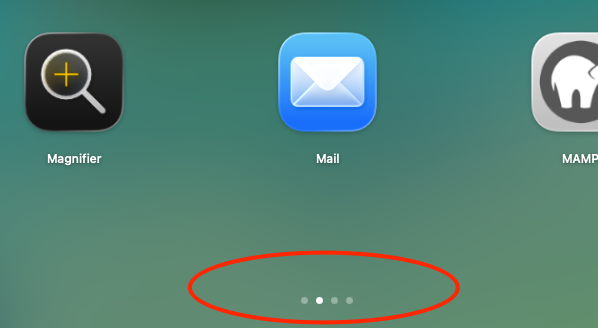
Thanks man..still work in progress..i just want to old launchpad back 🤣..the scroll wheel is there..working fixing noted bugs.. This? \
-
Looks like the real thing, only it’s a pity there’s no scroll wheel (middle button)! But still, respect! 👍
-

About This Hack (2009-Nissan-Cube version migrated to SwiftUI)
chris1111 replied to miliuco's topic in Hackintosh Tools
@miliuco About in 3 D
-
Thanks for the feedback...🫡..will work on those issues.
-
@ichelash I can tell you that it works on a M4. A bit glitchy, slow slides between pages, sometimes an icon overlaps another one when moving pages, but it runs.
-
Hello everyone, i made an app called LaunchBack..which bring back Launchpad in Tahoe and beyond..it should also work in M Series macs..(NOT tested) App Link: https://github.com/vbored/Launchback @Max.1974 you should test this for us in the M series macs/golden gate.. Kindly.
-
We live on
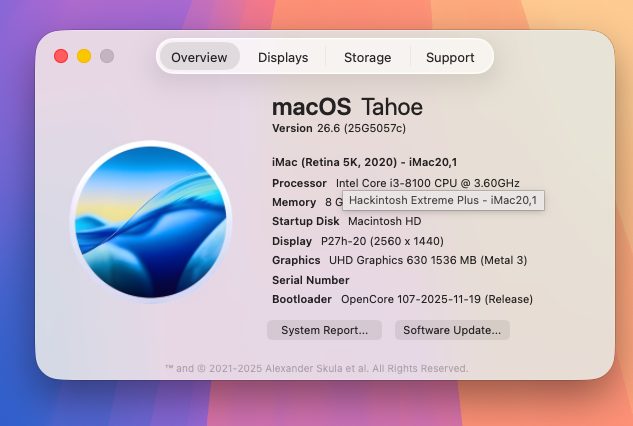
-
Same *_BS.xcodeproject. When you clone the sources then you have to switch branches git checkout traditional
-
Not ambition, but a reissue. GitHub won't let me use tag 5173 again.
- 31015 replies
-
- 2
-

-
- bootloader
- efi
- (and 2 more)
- Yesterday
-

Macos Golden Gate - Experiment Cpu Intel
Oyecomova replied to Ludox's topic in Front Page News and Rumors
Is Apple switching to Intel?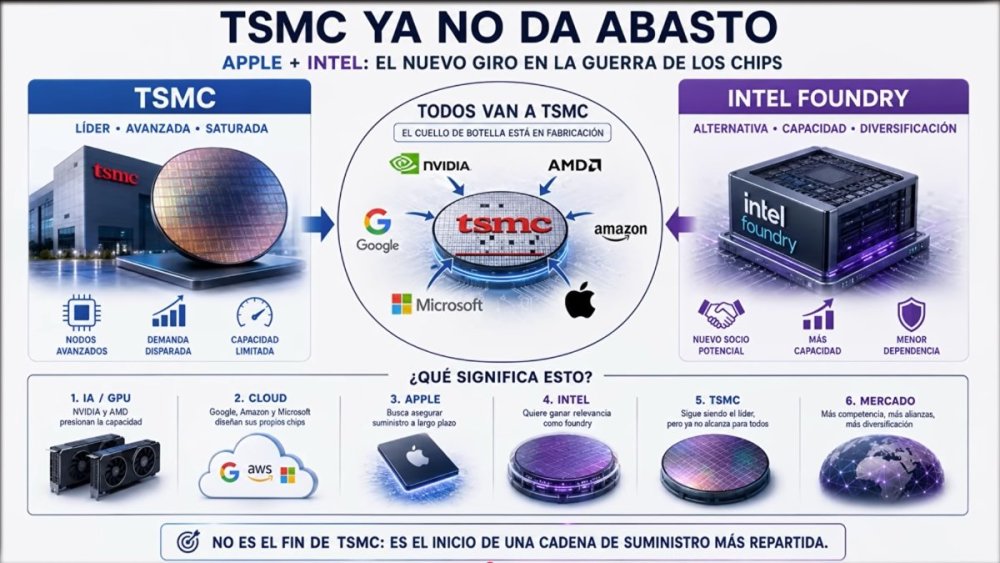
-
you are right. thank you. I don't undestand how is possible that i have 2 pc asus ht110 based where Tahoe has qe/CI but no audio and wifi.
-
There is no new Clover-5174. It is ambition of MakAsrock. The latest version is 5173.
- 31015 replies
-
- 1
-

-
- bootloader
- efi
- (and 2 more)
-
@cavallo Audio won't work in macOS Tahoe without taking additional measures. Wi-Fi depends on whether it's Intel or Broadcom and what chipset. It sounds like this must be your first macOS Tahoe installation on a hackintosh. You may want to install macOS Sequoia first (where your audio should be easier to address) and then upgrade to Tahoe after everything is working the way you want it to. If you need more help than that, this isn't the ideal help thread for you and is primarly where we're reporting success and possible issues with the Tahoe Beta release. I think It would be best for you to create a new thread where you can solicit help. EDIT: @cavallo Maybe I misunderstood - you are asking for help - correct?
-
I succesfully installed Tahoe 26,6 on Dell Optiplex 7090 MFF, Intel cometlake core i5 10400, intel uhd 630, 16gb ram. The systen is responsive but i haven't audio (alc3246), QE/CI, Wifi and open core gui. No patches installed config.plist
-

[Pre-release] macOS Sequoia 15.7.8
deeveedee replied to deeveedee's topic in New Releases and Updates
After applying the 15.7.8 RC4 update, Safari 26.6 Seed 3 update applied without issues.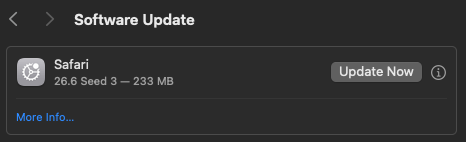
-
 Hi guys, for anybody interested in the current Intel awdl0 / AirDrop debugging status, functionality and remaining limitations with AirportItlwm-Ventura, I posted a technical update here: https://github.com/OpenIntelWireless/itlwm/issues/1062#issuecomment-4925166580
 -
 Hey @mitch_de and @jsl Can you guys test the latest build, that includes some patchets for Vega/GCN cards (RX-500 series), please test with and withow both Flash Attention enable and disable it... and start first with small models, and send me the logs... It should work, "should" because I still have no way of testing it directly myself; for the moment I'm going in blind and you're guiding me. It's just that, because of the earthquake, the person who was going to send me the card can't send it yet.
 -
 Well, I like it on that computer, on both systems, Tahoe and Tahoe Beta. I've left it with that kext; we'll see how it behaves in future beta updates, which will coincide with my vacation. I've created a simple informational video on the subject. Thanks to everyone for their contribution; long live Hackintosh! Regarding your program, or rather the control of the new version, I think it's spectacular. By the way, I just got an update error in version 4. And I'm waiting to see if you're going to add monitor outputs, both outputs and FreeBuffer; that would be interesting. False alarm, now it works! That's computer science for you, haha.
 -
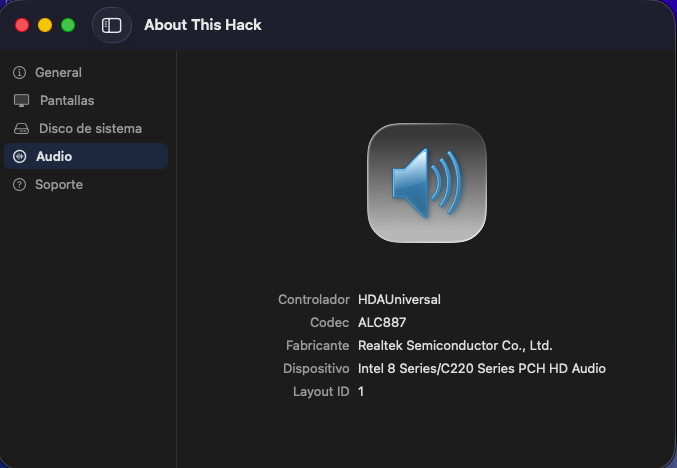
 @kaoskinkae My friend, the UI is the same in all audio systems. Tell me your comments about it. Thanks. EDIT: it has nothing to do with HDAUniversal.
 -
Perfect en OLD1: It works, but I don't like the way the outputs are displayed, but it's working.
-
Small follow-up regarding the AX210 Bluetooth BCM_4350C2 fallback state: I was able to recover my AX210 Bluetooth side under macOS 26.5.2 after it had remained stuck in the persistent BCM_4350C2 / Address NULL / State Off state. The interesting part is that the BCM_4350C2 state was still visible even after disabling IntelBluetoothFirmware, IntelBTPatcher, BlueToolFixup and AirportItlwm, and even after physically disconnecting the AX210 Bluetooth USB cable. With only Lilu loaded and no Intel 0x8087 USB Bluetooth device present anymore, System Information still showed the stale BCM_4350C2 / UART / Address NULL Bluetooth controller. At that point, this could no longer have been the real AX210 USB Bluetooth device, but looked more like a persistent macOS IOBluetooth ghost controller. The recovery path that finally worked was: 1. Temporarily reinstall BCM943602CDP. 2. Boot the native Broadcom/OCLP EFI. 3. Let macOS initialize a real Broadcom Bluetooth controller. 4. Shut down and remove power. 5. Switch back to AX210. 6. Boot again with IntelBluetoothFirmware 2.5.1, IntelBTPatcher 2.5.1 and BlueToolFixup 2.7.2. After that, AX210 Bluetooth came back as THIRD_PARTY_DONGLE again: Address: 20:BD:1D:D8:94:32 State: On Chipset: THIRD_PARTY_DONGLE Firmware Version: v12490 c12490 Transport: USB Magic Keyboard and Magic Mouse are connected again. So this is not a code fix, but at least in my case temporarily initializing a real Broadcom Bluetooth controller cleared the persistent BCM_4350C2 ghost controller state, while NVRAM reset, deleting Bluetooth preferences and long complete power-off alone did not.
-
Nice congrats!!
-