All Activity
- Past hour
-
 This project should be inserted in OCLP.
 -
 Australian Publishing Press joined the community
 - Today
-

About This Hack (2009-Nissan-Cube version migrated to SwiftUI)
miliuco replied to miliuco's topic in Hackintosh Tools
@jlrycm Thanks to you for collaborate in the improvement of the app. -

About This Hack (2009-Nissan-Cube version migrated to SwiftUI)
jlrycm replied to miliuco's topic in Hackintosh Tools
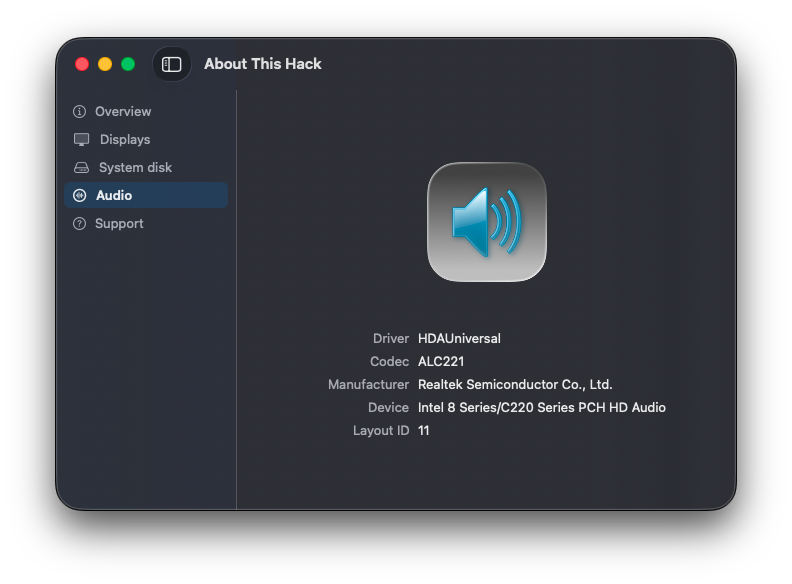
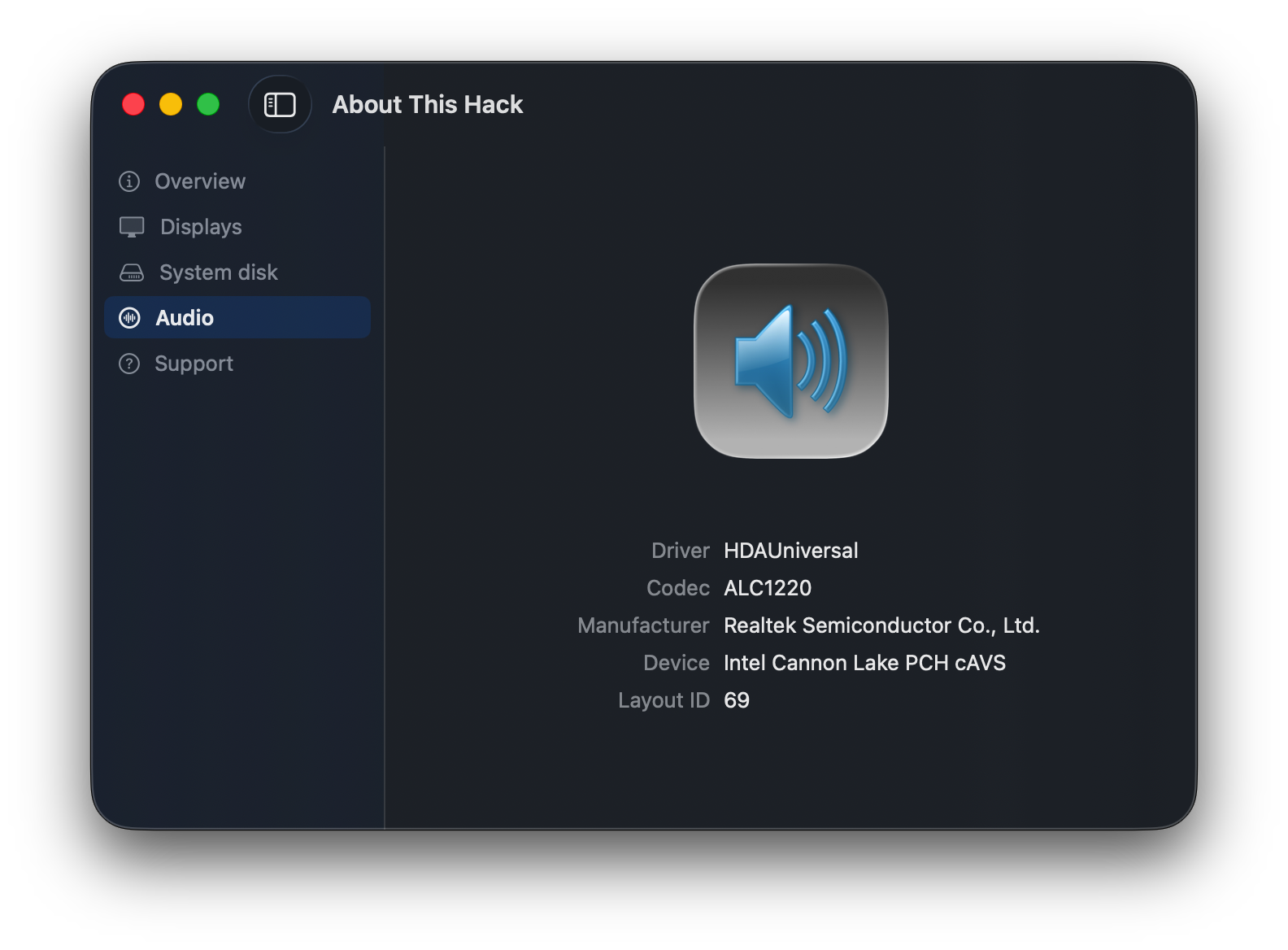
Kudos to @miliuco for updating so quickly the About My Hack app to integrate the audio stack specifics under the HDAUniversal kext. -
 williamstownws joined the community
 -
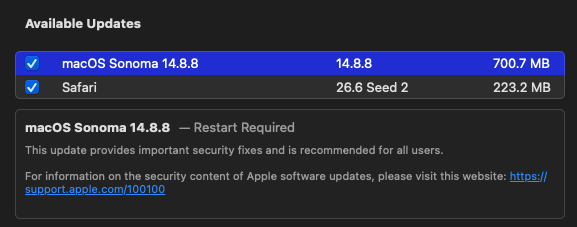
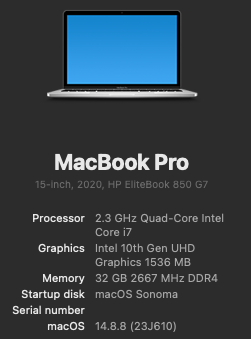
Sonoma 14.8.8 RC3 is now available. Smooth, unattended upgrade to Sonoma 14.8.8 RC3 and Safari 26.6 Seed 2. 🙌🙌 My config: SIP fully enabled (csr-active-config = <00000000>) Open Core 1.0.7 Wi-Fi: Intel with itlwm.kext and Heliport Bluetooth: Intel with IntelBT kexts 10th Gen Intel CometLake iGPU frame buffer patching here
-
- 1
-

-
About This Hack (2009-Nissan-Cube version migrated to SwiftUI)
jlrycm replied to miliuco's topic in Hackintosh Tools
@miliuco tested and looks good to me. -
 9777vipbetcom1 joined the community
 -
Fy7r joined the community
-
About This Hack (2009-Nissan-Cube version migrated to SwiftUI)
miliuco replied to miliuco's topic in Hackintosh Tools
@jlrycm Sorry, duplicated Intel label, fixed. https://github.com/perez987/About-This-Hack/releases/tag/4.3.8 -
 Tap In BJJ joined the community
 -
 Updates are available at the same link as the first post and are announced in the threads.
 -
@MaLd0n where do you publish any HDAUniversal kext new versions? In this website? Or would you publish on a GitHub repo?
-
About This Hack (2009-Nissan-Cube version migrated to SwiftUI)
jlrycm replied to miliuco's topic in Hackintosh Tools
@miliuco This is a new screenshot testing your new version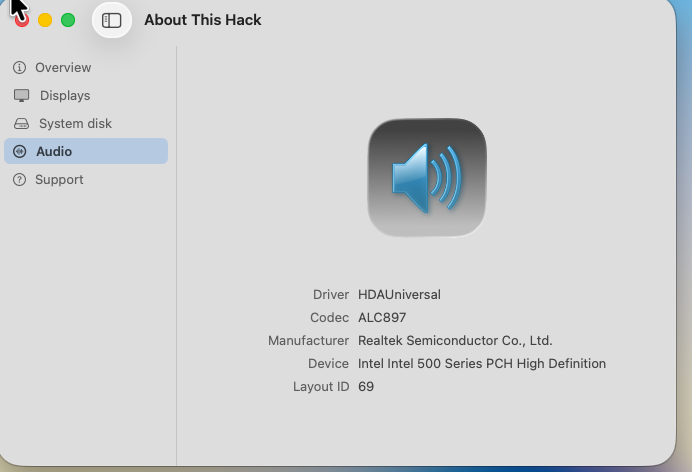
-
@Alpha22 @chris1111 Thank you!
-
.thumb.jpg.08ade64aa1f4801985718ea1da96fab1.jpg) jun88dad joined the community
jun88dad joined the community -
.thumb.jpg.13c5c8a65bfb20ed1b994cd3783c7609.jpg) thoitiethanoihomnay joined the community
thoitiethanoihomnay joined the community -
 Thefox safe joined the community
 -
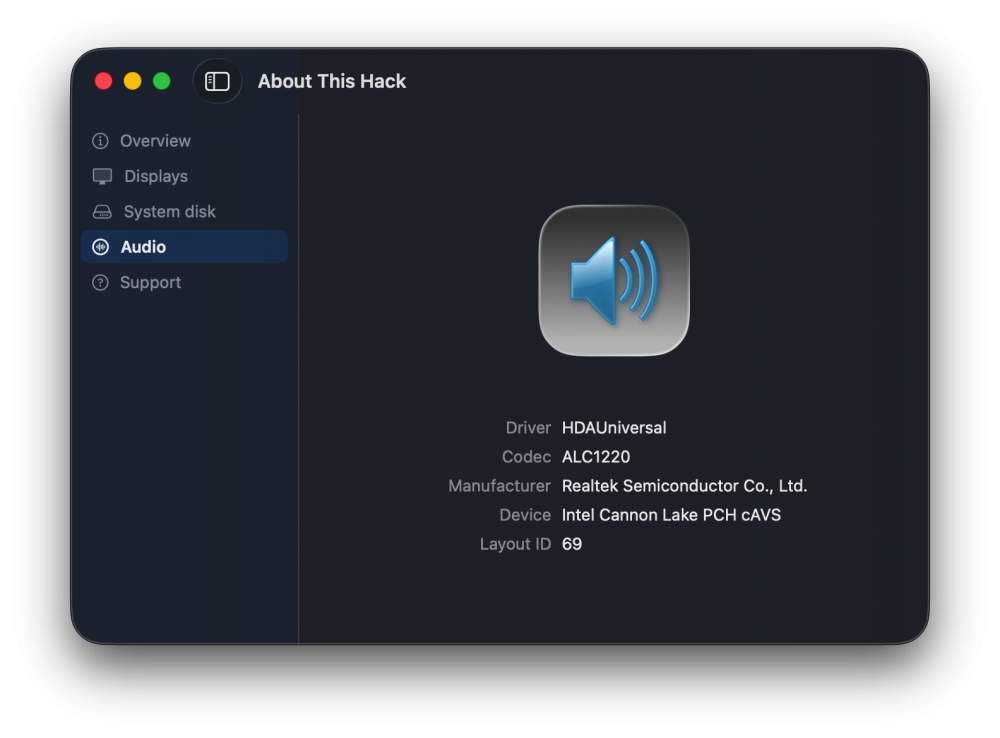
Please HDAUniversal users, I need feedback of About This Hack, is the Audio tab displaying data as expected? Thank you very much! https://github.com/perez987/About-This-Hack/blob/main/Audio-tab-WIP/About This Hack-glass.zip
-
About This Hack (2009-Nissan-Cube version migrated to SwiftUI)
miliuco replied to miliuco's topic in Hackintosh Tools
@jlrycm Can you test this and tell me if the device is well detected? Gracias! https://github.com/perez987/About-This-Hack/blob/main/Audio-tab-WIP/About This Hack-glass.zip -
 mb66black3 joined the community
 -
@MaLd0n Thank you!!!
-
 Generic Allglobal changed their profile photo
 -
HDA-Universal on NEWS Releases & Updates https://olarila.com/topic/46593-hdauniversal-applehda-like-audio-kext-for-macos-tahoe-and-hackintosh-systems/
-
@MaLd0n I see codec-info in Hackintosh tools in Olarila. I think that HDAUniversal is a very important project and must have a place in Hackintool tools. Please add it to the list. Thanks.
-
Yes. HdaUniversal now uses all codecs found in AppleALC’s Resources folder, greatly expanding codec detection and compatibility. It also includes improvements such as combo-jack handling, etc.
-
 xgjili changed their profile photo
 -
.thumb.jpeg.7082d67b3394c9399e80144027a7b397.jpeg) @MaLd0n Hdauniversal is using all the codecs found in applealc's resources folder?
@MaLd0n Hdauniversal is using all the codecs found in applealc's resources folder? -
NootedGreen.kext is on air! It's a long long road to complete..
Kourindou Hime replied to Stezza88's topic in Intel
any chance to get video decoding working on raptor lake? I was thinking to upgrade from i7-9700k to 14700k, however I'm used to have youtube video running all the time on separate screen. Vp9 works with hd630 so far. -
 Just stumbled upon an interesting situation that might be helpful to others... I'm swapping CPUs between EliteDesk 800 Mini motherboards to prepare for a test of i5-8600 performance with a 65W HP EliteDesk 800 G4 Mini motherboard. After initially assembling the new CPU/motherboard combo, my Geekbench 6 multi-core CPU scores were dismal at 2500-3000 (when I was expecting over 5700. Simply re-seating the CPU (completely removing it from the socket and re-installing it), fixed the problem. ChatGPT says that there are multiple reasons why this could be the case (e.g., poor pin connection, poor thermal connectivity, etc.). Now that I have a working i5-8600/G4 Mini 65W system to test, I should have updated GB6 results for this post.
- 1125 replies
-
- 1
-
-
- catalina
- hackintosh
- (and 17 more)
-
@Lost-Entrepreneur439 Have you seen this? Also, search for '[Solved] Enabling ATI Radeon HD 5450 in HS' to find a related thread over at TonyMacx86.
-
About This Hack (2009-Nissan-Cube version migrated to SwiftUI)
miliuco replied to miliuco's topic in Hackintosh Tools
@jlrycm Thanks for your help to debugging this. But I see another possible issue. Device is displayed as hex. It must have a name. Intel 0xf0c8 is the PCI device ID for the Intel 500 Series PCH High Definition (HD) Audio Controller. I’ll review if is in the devices list. -
The app now shows the available AppleALC layout IDs for the detected codec.
-
I think what's happening here is simply a misunderstanding. Wi-Fi Patcher Pro for the Clover bootloader uses the "Other" folder to install the kexts. Because of that, the only check it originally performed was: Does kext "X" exist in /EFI/Clover/Kexts/Other? If all the required Wi-Fi kexts were already in that folder, the app would skip copying them; otherwise, it would copy the required kexts. In your case, what happened is that you're using a macOS version-specific folder, in this case "26". So is it correct to say that the app duplicated the kext? No. The reason is that the routine for checking subfolders when using the Clover bootloader had not yet been implemented. However, I've already fixed that. The app now behaves as follows: it checks all subfolders inside /EFI/Clover/Kexts. If it finds any of the required Wi-Fi kexts—for example, AmfiPass.kext—it determines that this is the folder where the Wi-Fi kexts should be installed, if necessary. Otherwise, it skips the installation. If none of the required Wi-Fi kexts are found in any subfolder, the app installs them into /EFI/Clover/Kexts/Other. In that case, it's up to the user to move the kexts to a different folder if they prefer. That said, in my own testing, the system booted successfully with the Wi-Fi kexts located in the Other folder.