All Activity
- Past hour
-
I need a better agent. 🤣 I don't know which is more impressive - that you were creative enough to create the avatar 12 years ago, or that you started hacking at age 4. Admins: Please forgive me for this off-topic excursion. I couldn't help myself.
-
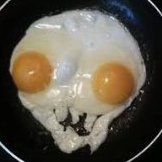
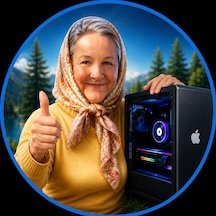
@deeveedee, the thumbs-up and the little computer mascot actually come from my former avatar, which I created myself about 12 years ago. ChatGPT just modernized it by combining it with an Image Playground avatar of myself. 😜 In case ChatGPT runs out of ideas, here’s the original 12-year-old master template: 😂 As for my friend kaoskinkae’s avatar, I honestly have no idea about its history. 😉

-
.thumb.jpg.46e8e88d2b196260e0d000148df6b566.jpg) gmncsurf joined the community
gmncsurf joined the community -
Make a signature
-
 hi88pink4 joined the community
 -
 ee88dhcomm joined the community
 -
 Cường Lee joined the community
 -
.thumb.png.7971f00eac9bdc5ec56b46d167519cda.png) VijaNaar Institue of AI joined the community
VijaNaar Institue of AI joined the community -
dyne6 joined the community
-
mexx656 joined the community
-
 Olivert Lopez joined the community
 - Today
-
.thumb.jpg.55eb1ce21f4838cd5d060d942d8b407f.jpg) gmnclimo joined the community
gmnclimo joined the community -
 8xbetviporg changed their profile photo
 -

Screen flickering issue on macOS / Hackintosh
deeveedee replied to brosce's topic in New Users Lounge
@brosce It would help to have the following from you: Your EFI (at least your config.plist), your graphics card or iGPU, the types of video cables that you are using (e.g., HDMI->HDMI, DP->HDMI, DP->DVI, VGA...) and the types / number of displays Did this start happening after a macOS upgrade? If so, what was the last version of macOS where your screen(s) did not flicker? Does this happen with both macOS and Windows -
Are you guys brothers, or do you have the same agent? ChatGPT told me this should be my new avatar. What do you think?


-
.thumb.jpg.8fd7adecc986b52f722fea9cda05c1b2.jpg) trangchu7c777one changed their profile photo
trangchu7c777one changed their profile photo -
I have been dealing with annoying screen flickering lately and can’t figure out what’s causing it. It happens randomly, sometimes after boot and sometimes while using the system normally. I already checked cables and basic display settings, and I also found this guide while troubleshooting: https://brokenscreen.org/blog/how-to-fix-screen-flickering/ Still no luck. Has anyone here faced something similar on macOS or Hackintosh? Any fix that actually worked?
-
 Genscommunity changed their profile photo
 -
 kaoskinkae changed their profile photo
 -
 Danielle Bush changed their profile photo
 -
 Don't worry, I figured out something like this. I will try if you succeed with that update.
 -
 dddjili1app changed their profile photo
 -
 Fields Couriers changed their profile photo
 -
 Sorry, i didnt notice because i was on the phone when i replied to you.. Your RX-580 is GCN/Polaris, not RDNA+... My AMD decode kernel is only instantiated for RDNA+ (RX-5000/6000 series) maybe others but needs further testing, so ToshLLM won't work atm on your RX-580 and 560 But I'm going to study integrating a GCN/Polaris-compatible patch. I'll need to rewrite the kernel to use 64-lane SIMD groups instead of RDNA's 32-lane simdgroups, which is more complex, but I'm interested in exploring it. I'll also study llama-metal old repo that i saw searching for this issue... to see if I can port it, to my patch to it and optimize it better for GCN GPUs. I'll update if I make progress on GCN support... would you be willing to test it when I get a working solution?
 -
I have both systems in my signature. Both based on CoffeeLake CPU's. RX 560 and 580.
-
 377vorg changed their profile photo
 -

Apple unveils "macOS Golden Gate"
Max.1974 replied to fantomas's topic in Front Page News and Rumors
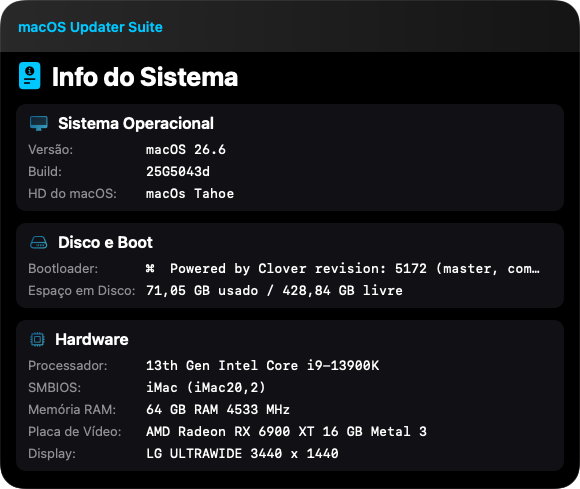
Hello everyone, I’d like to share that after I performed a DFU restore with Apple Configurator and reinstalled the factory version of Tahoe, I updated the system using the startosinstall utility (Apple’s original binary included in the installers), which is the same method I use in the macOS Updater Suite that I developed. After doing this, all of my applications started working correctly again, and every bug I had been experiencing was resolved. I believe that by using a similar approach, anyone with a Mac mini or another Apple Silicon (M-series) device can perform a truly clean installation, including firmware updates, and end up with a perfectly functioning system. I’m now using Golden Gate again, but my applications only worked 100% correctly after going through this rather crazy process. Best regards.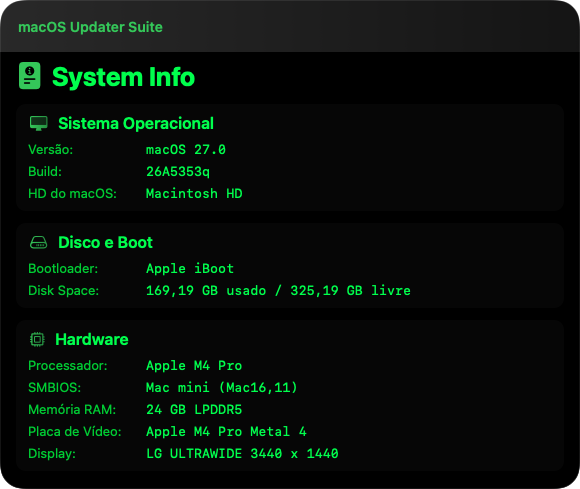
-
 neko may mắn changed their profile photo
 - Yesterday
-
 Sure thing man. No I just wanted to test and see how the app handles file attachment and attached several files and the error occurred, but it was able to analyze a single somewhat short text file without any errors. I have to say that the files I've attached were pretty large files so I guess that's what cause the error. Thanks, yeah I didn't expect much from that rig but since you've asked for a benchmark on Polaris/Vega GPUs though I share my experience. I will give it a try later and keep you posted.
 -
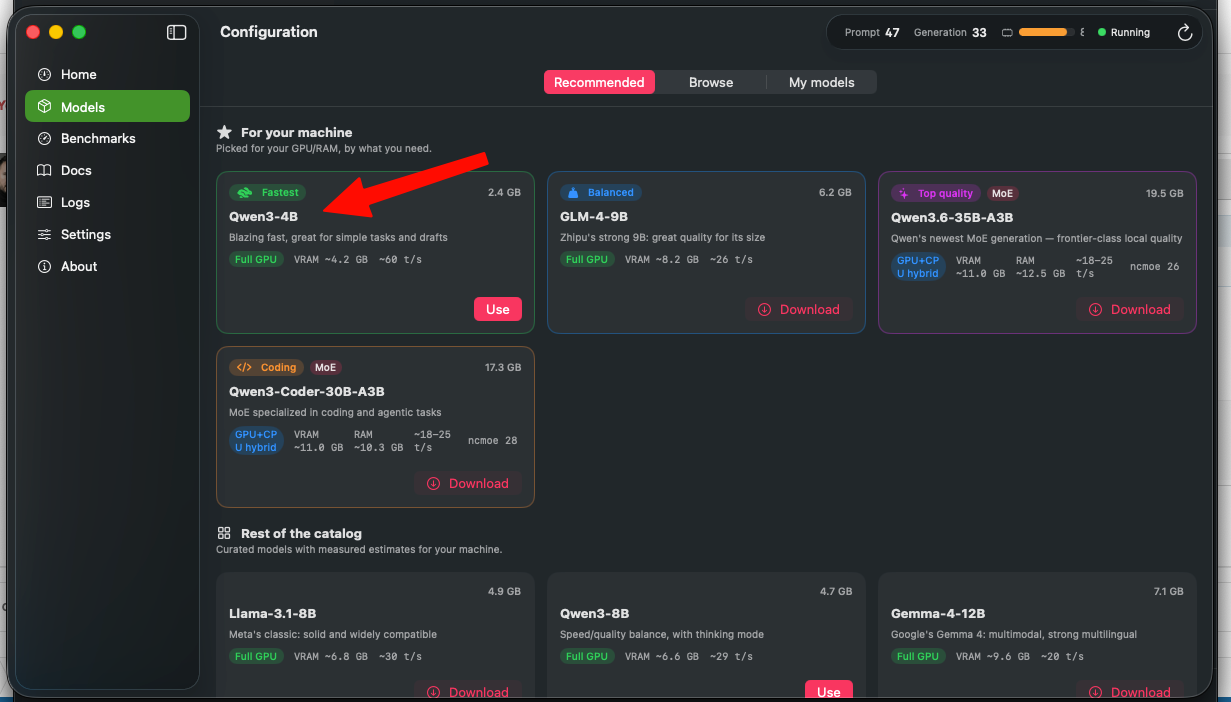
Hi, @Cyberdevs. Thanks for the feedback. Custom models folder: I will implement this in the next update. It is a good idea, as not everyone wants large models residing on their main drive. Attachments & Web UI: Acknowledged. File attachments and vision capabilities for compatible models are already planned for future updates, also for WebUI. Regarding the large file error: This might actually be an issue with the context window or response size limit, rather than the file size itself. Was the AI in the middle of generating a response when this error occurred? Also in settings theres is an option to increase the context size, if the problem was the response size, it will be implemented in the future update... Also you tested the experimental engine? maybe work better because it has a custom kernel for AMD. Regarding the system freeze on KabyLake/RX580: I will note it down, but keep in mind that hardware combination might simply hit its limits when benchmarking a 4B model like Qwen3.
-
@engeldlgado Hi there, nice job and thanks for sharing your awesome project. I know it's a work in progress but I have some suggestions if you feel up to it. 1. It would be nice to be able to load the models from another folder other than ~/models 2. The web UI doesn't support file attachment, it would be nice to be able to attach files from the web UI too. Two issues I've faced so far is that when I attach large files for the AI to examine it gives me this error which i guess it states the file is too large to be processed, is there a way to fix it? and the second issue is on my KabyLake rig with the RX580 the system froze while running benchmark on the Qwen3-4B-Q4_K_M.gguf file.

-
 f8betmeukk changed their profile photo
 -
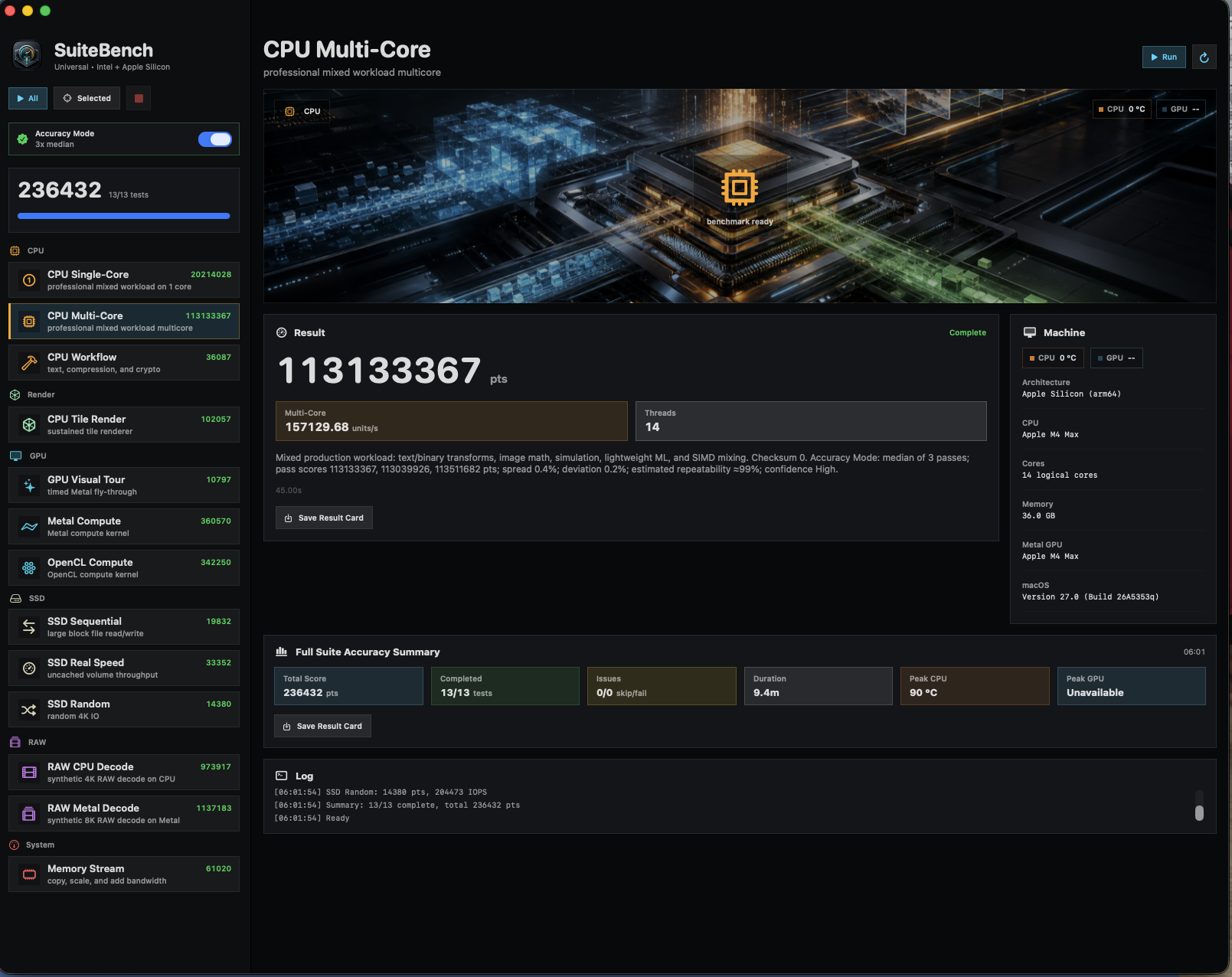
 Does it help if you download SuiteBench from here: https://limewire.com/d/85agk#0U2IFHltVg ? This version works flawlessly with my MacBook Pro M1.
 -
 @MaLd0n I dont see Peak GPU Temps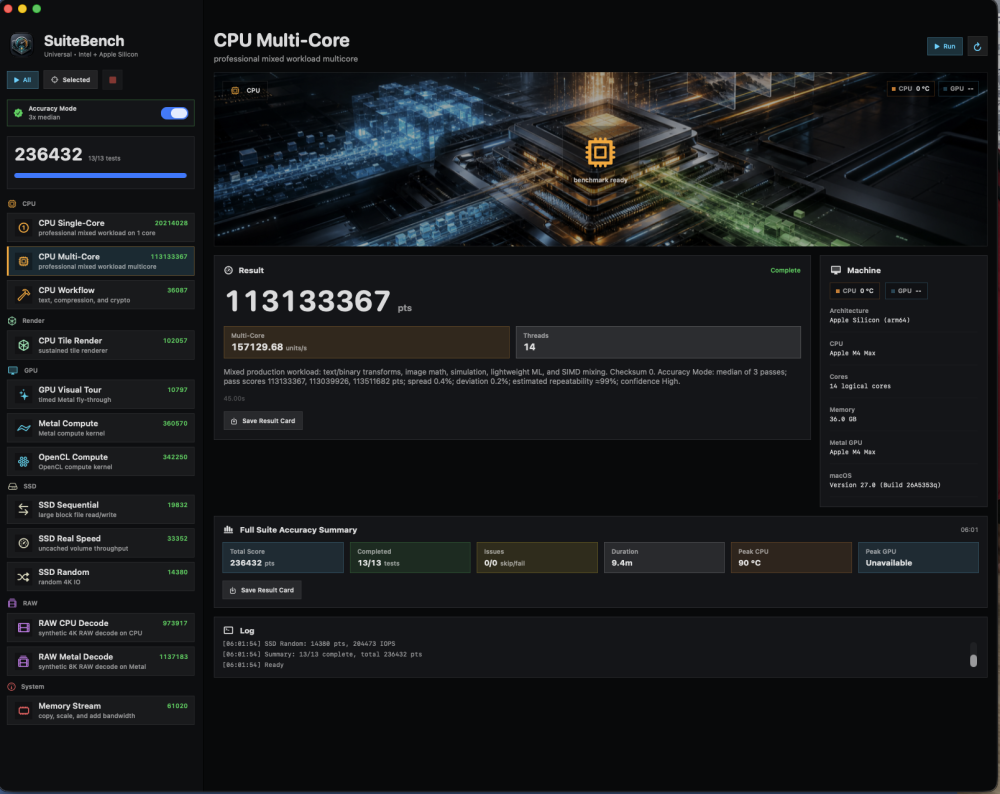
-
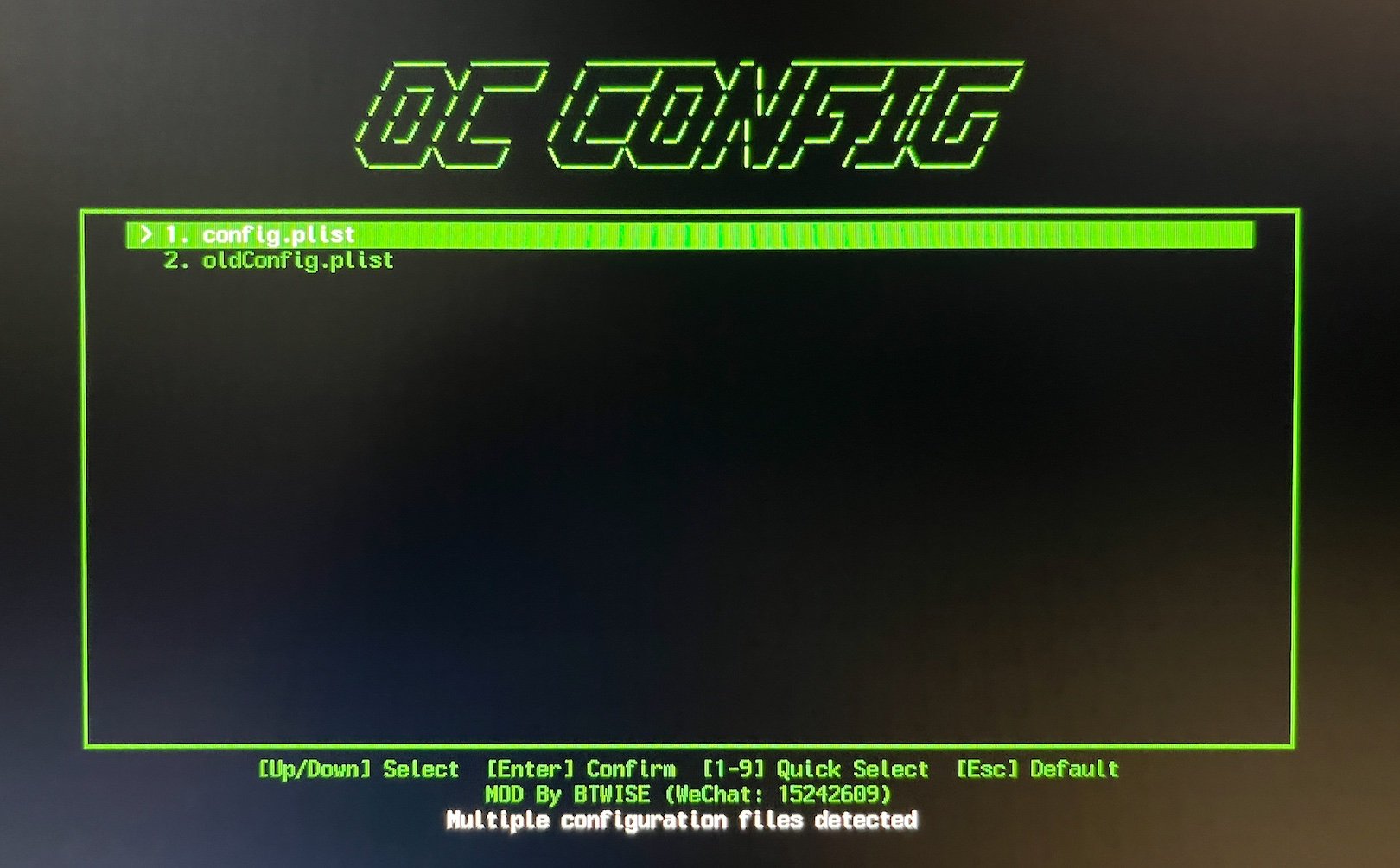
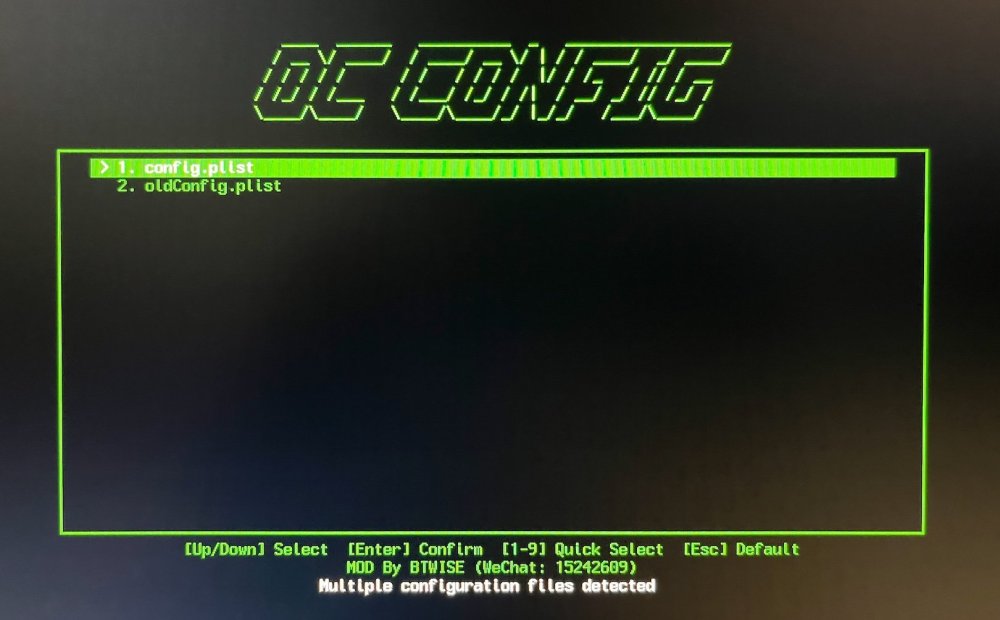
Can't find how to disable it... Doesn't matter how many config files i have - i want to make this ugly ass menu disappear forever and never appear again. How?
-
Can you test the experimental engine too in settings? it has a improvements about speed, etc The multi-GPU support will be available for testing on the next release (cooking update atm)
-
Understood. Thank you
-
 RX6600XT graphics card
 -
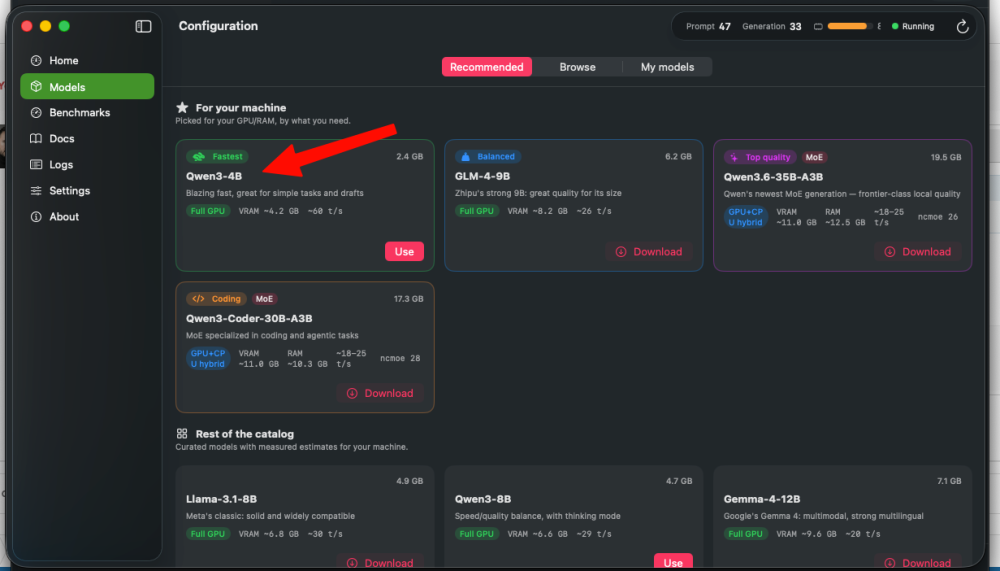
Try to use the smallest one first to test, btw, what kind of system spec you have? Qwen 4B
-
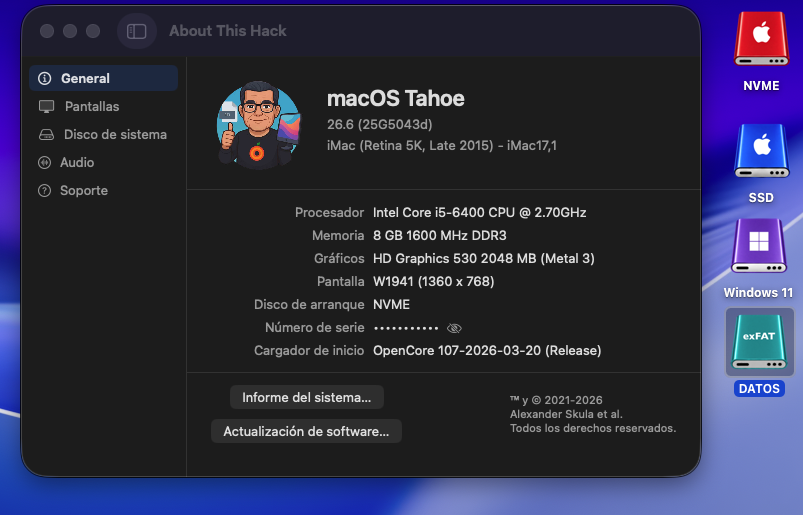
Perfect in OLD2: AppleHDA.kext + Wifi Intel OCLP (OpenCore Legacy Patcher) 😄 deleted and modified with custom icons. KGP
-
I don't know why, my both systems freeze (with repeatting beats on my speakers and no disk activity) even when I try to download the model recommended by the app.
-
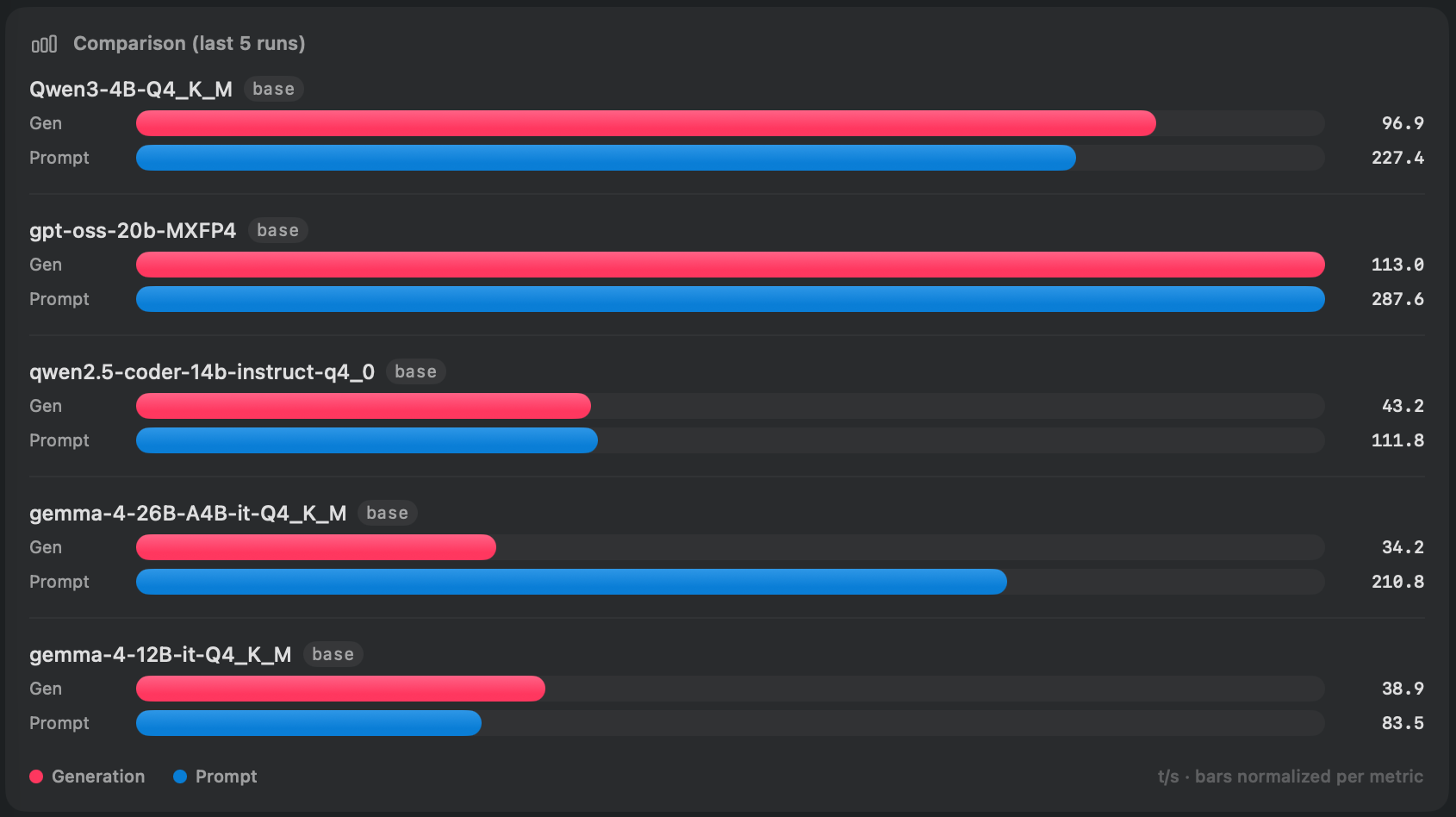
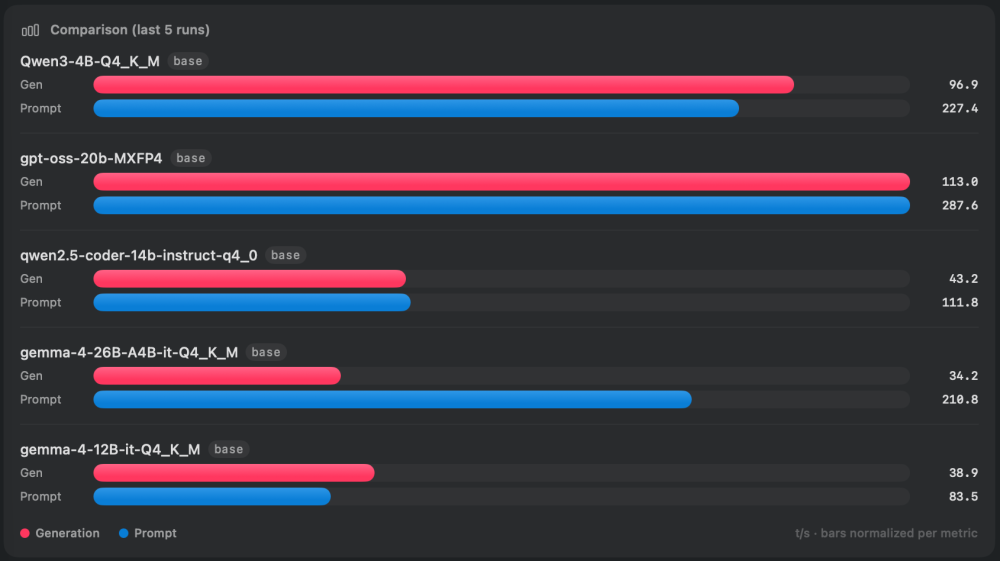
Nice tool. Here my benchmarks on RX 6800 and Ryzen 9800X3D
-
@nmano Are these patches compatible with Arrow Lake - Intel Core Ultra?
-