All Activity
- Past hour
-

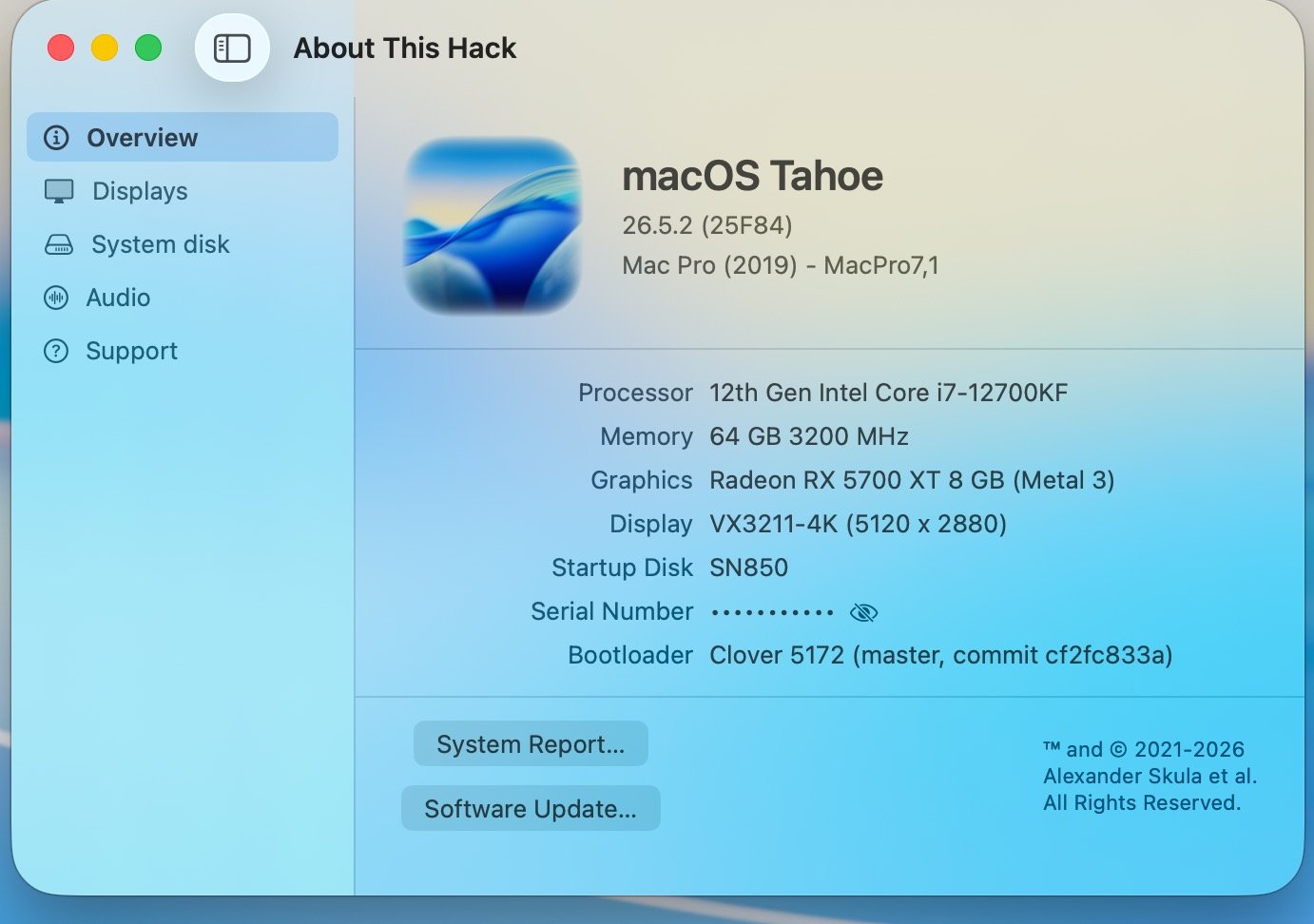
About This Hack (2009-Nissan-Cube version migrated to SwiftUI)
jlrycm replied to miliuco's topic in Hackintosh Tools
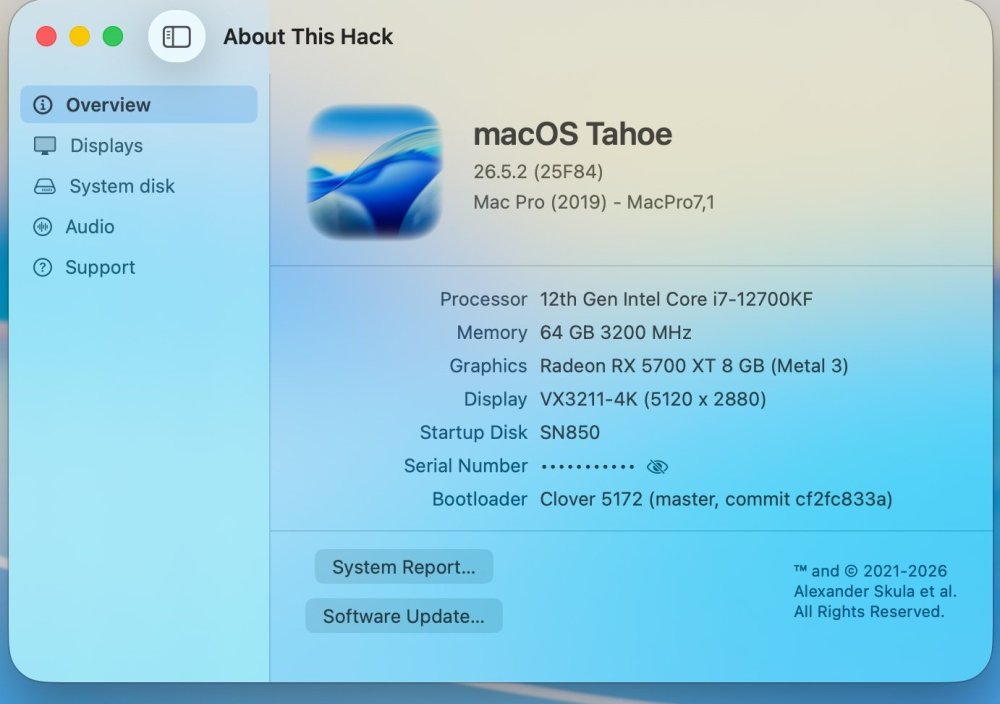
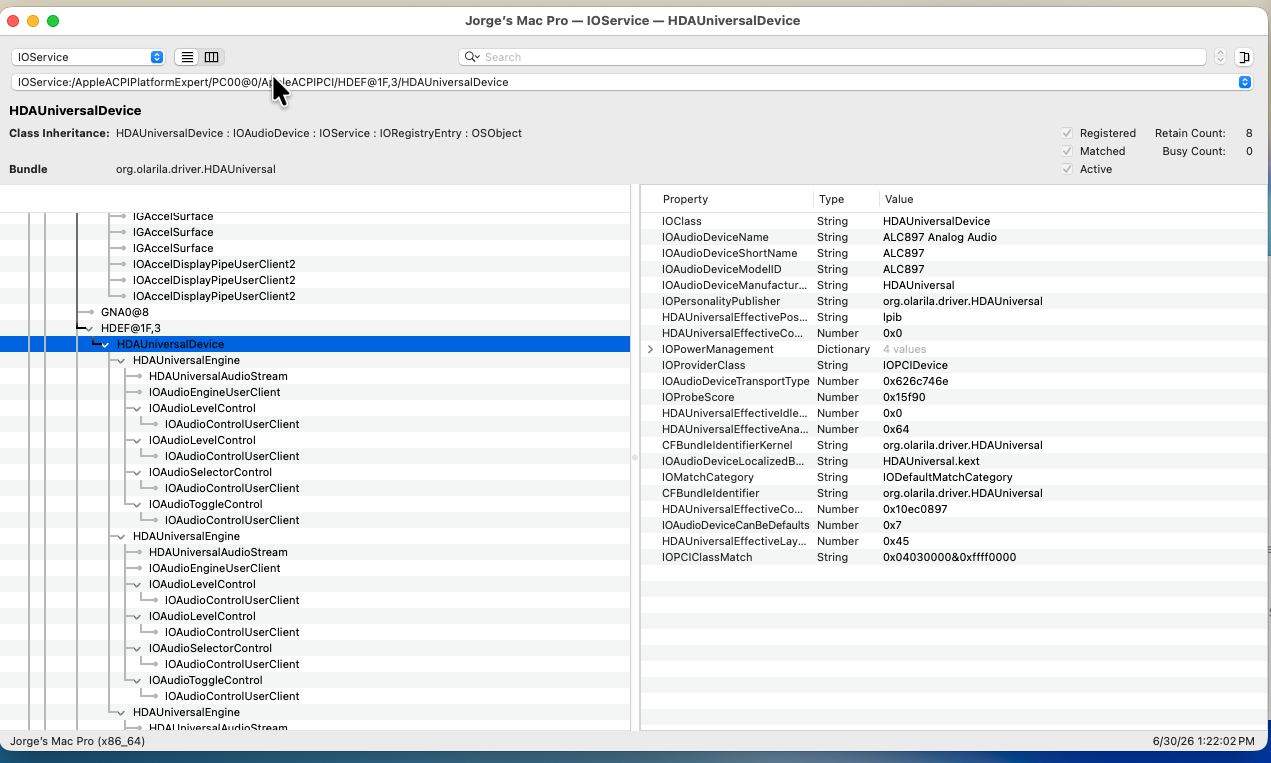
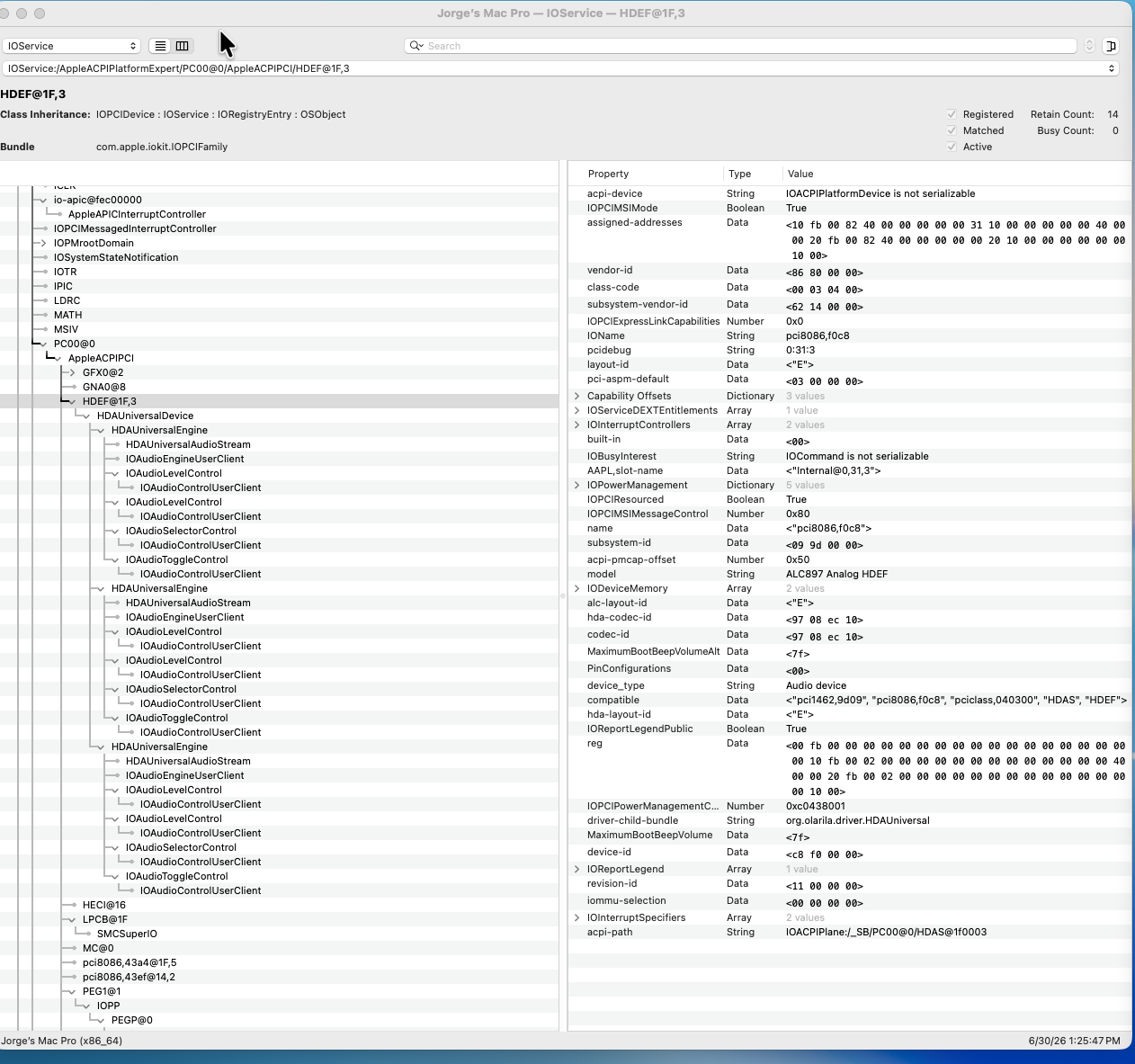
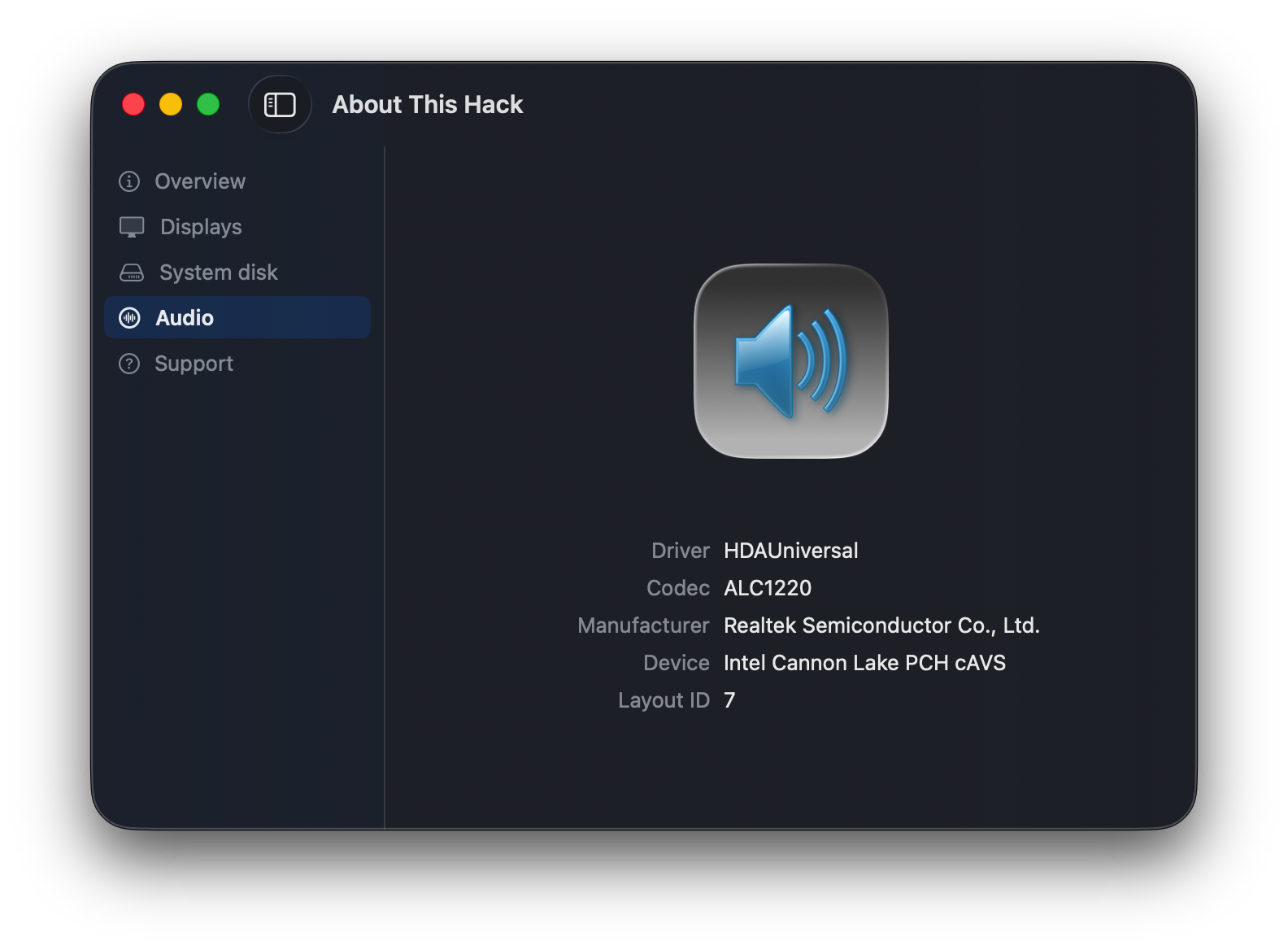
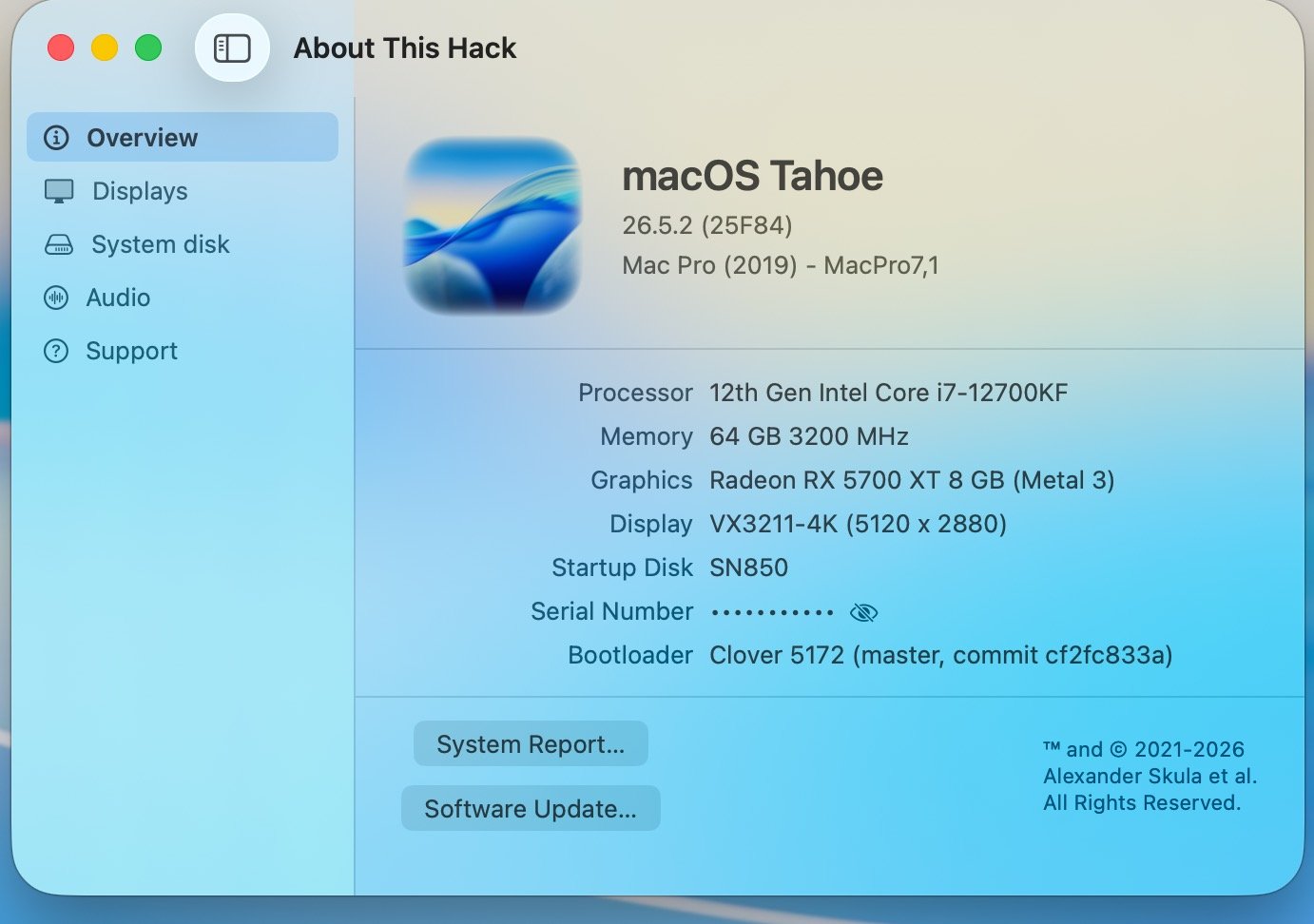
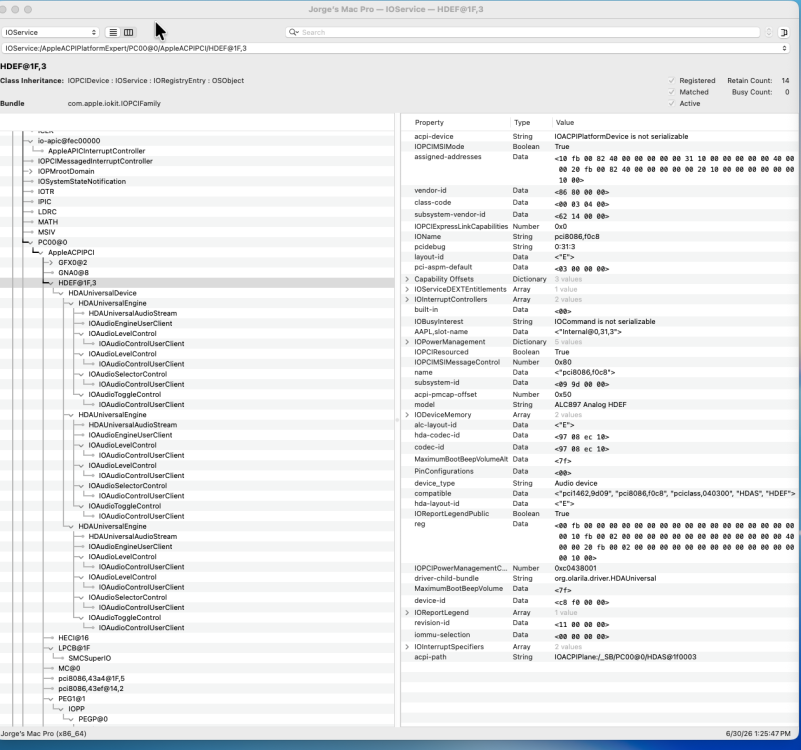
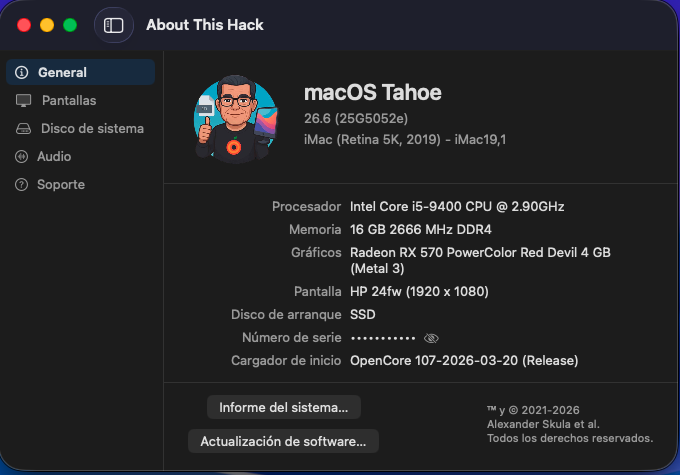
@miliuco please see in the screenshots the requested information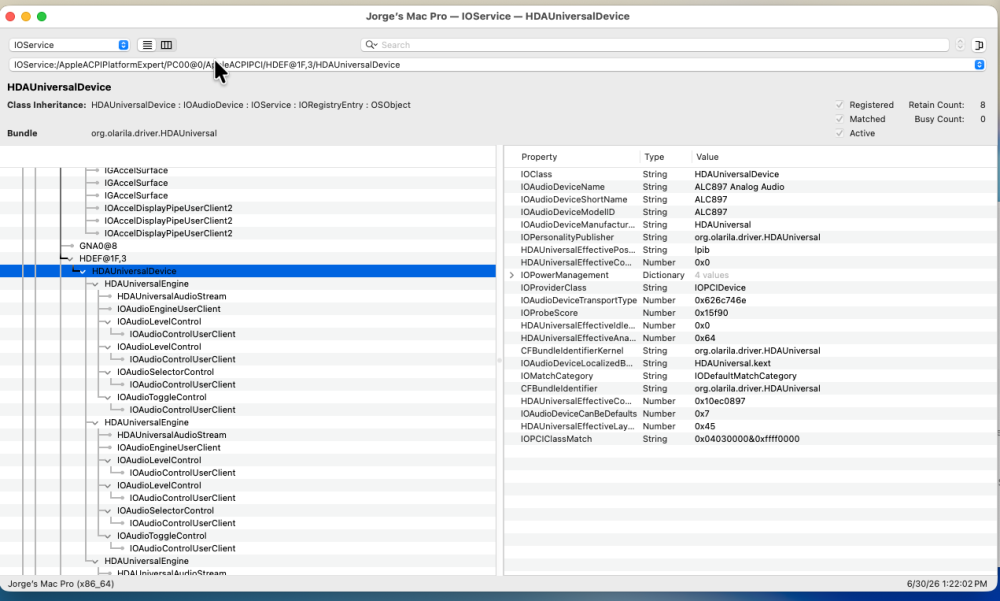
-
 I needed to perform some testing in macOS Catalina and made an interesting discovery: use of a Comet Lake graphics device-id (e.g., 0x9BC8) breaks the Chess app in macOS Catalina. The crash report points to a framebuffer problem. Fortunately, simply replacing the device-id with 0x3E9B (a Coffee Lake device-id) fixes the problem without changing the frame buffer patching required for working HDMI. I am now using device-id 0x3E9B, AAPL-ig-platform-id 3ea60005 (Intel Iris Plus Graphics 645 frame buffer) and framebuffer-con0-flags 0x98 for fully working internal display and HDMI port in Catalina, Sequoia and Tahoe (the only macOS versions I've tested on this hack). The working patches that I described previously in this thread also work with device-id 0x3E9B. EDIT: With the frame buffer patching that I have described in this thread, the internal display and HDMI port work as well as or better than they do in Windows 11 (the native OS for this laptop). in macOS, the HDMI port works when the display is connected at boot and also when the display is hot-plugged after boot. I did notice that, while making frame buffer patch changes during my experiments, there were times when I needed a second reboot for patches to become fully effective. This is consistent with what I have observed in my iGPU frame buffer patching with other PCs.
 -
 Alexandra Reid changed their profile photo
 -
 ohmaebiz1 joined the community
 -
 @LockDown @luxinhaus getcodecid-Release.zip Source getcodecid-master-command-xcodebuild-fallback-fix.zip
 - Today
-
 v9betcluborg01 joined the community
 -
 pulsarturbosystems joined the community
 -
 This is going to be awesome, 11th gen is such a leap in performance & efficiency on notebook and 12th gen on desktop is great. I see movement on the DRM github i hope it will result in something to test for normal users https://github.com/macintelk/drm
 -
 Pahal Desai joined the community
 -
 s8bus joined the community
 -
convenientjosi joined the community
-

About This Hack (2009-Nissan-Cube version migrated to SwiftUI)
miliuco replied to miliuco's topic in Hackintosh Tools
@MaLd0n Manufacturer seems to be well identified. Feedback is very welcome. Now it's time to fix the layout-id, since it doesn't work for @jlrycm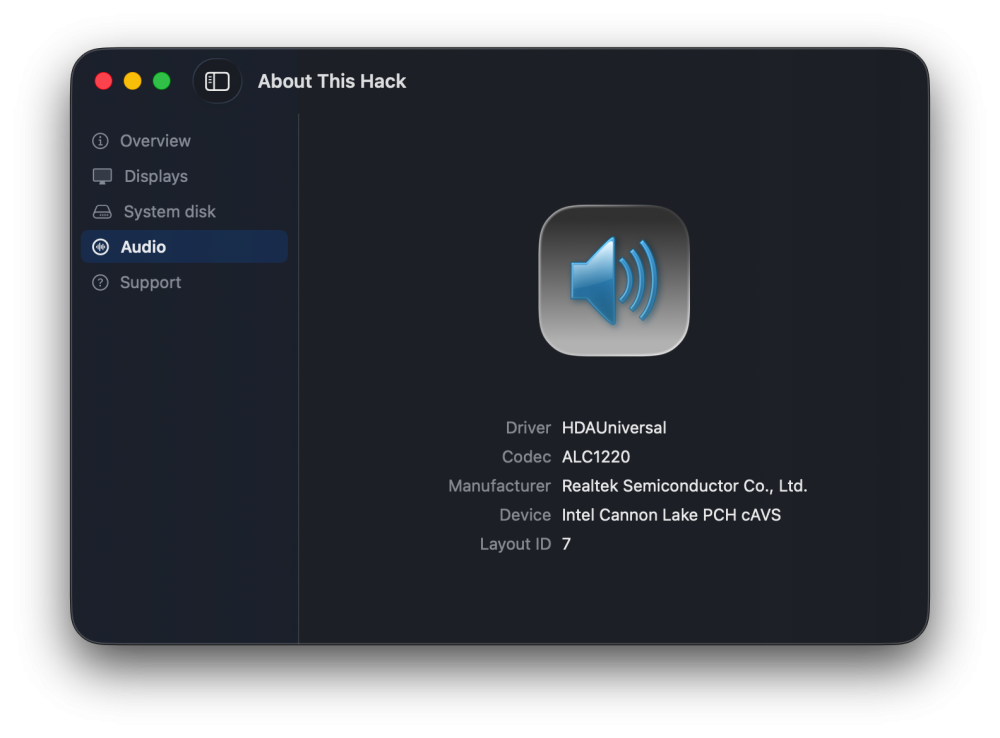
-
 jun88nav01 joined the community
 -
About This Hack (2009-Nissan-Cube version migrated to SwiftUI)
miliuco replied to miliuco's topic in Hackintosh Tools
@MaLd0n Thanks. I'll review the database. I've found where is the manufacturer in the output of the command ioreg -p IOService -r -w 0 -l -n HDAUniversalDevice It's the property "HDAUniversalEffectiveCodecID" = 283906592 283906592 is a decimal number for the hexadecimal 0x10EC1220, where 10EC corresponds to Realtek, as defined in the HCAudio.swift file of the project. So, I can extract the codec manufacturer from there. @jlrycm Please tell me the values you have in these 4 places in IOReg: /AppleACPIPlatformExpert/PCI0@0/AppleACPIPCI/HDEF@1F,3/HDAUniversalDevice IOAudioDeviceCanBeDefaults HDAUniversalEffectiveLayoutID IOService:/AppleACPIPlatformExpert/PCI0@0/AppleACPIPCI/HDEF@1F,3 layout-id alc-layout-id To see if all keys have the same value or, if they are different, the keys that have your right layout-id. -
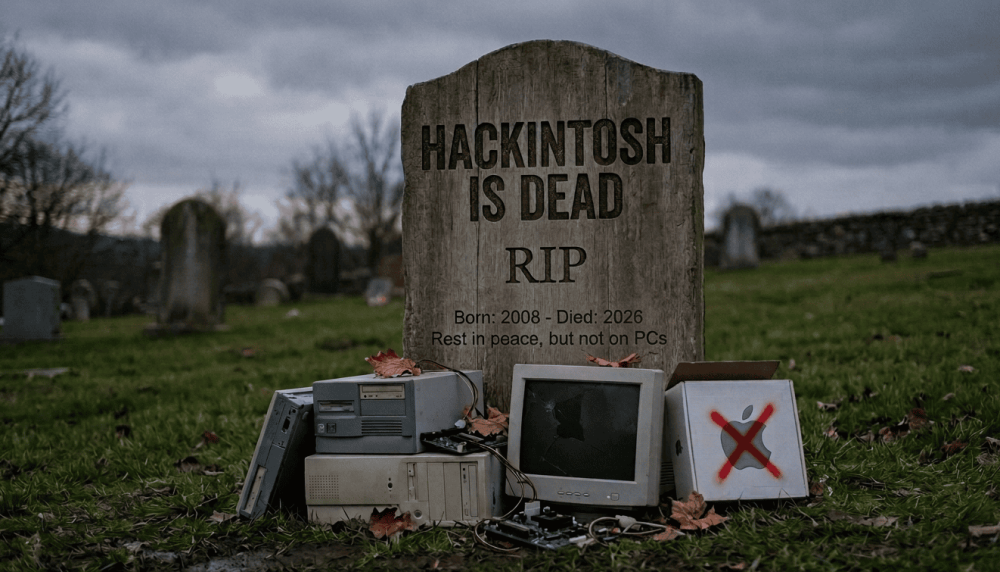
18 years of life, a sad age to die
-
About This Hack (2009-Nissan-Cube version migrated to SwiftUI)
MaLd0n replied to miliuco's topic in Hackintosh Tools
@miliucofor easy thing i created one full database audio codec audio-codecs-Release.zip Make the app always check against that database and filter the way you want. I create this for tool GlassFetch. A good idea is create one for lan too and check these databases everytime. Linux is always a good resource to consult. -
manclubbbabyy joined the community
-
Where can I find this CloverEditor?
-
lynslim joined the community
-
 socolive feedback changed their profile photo
 -
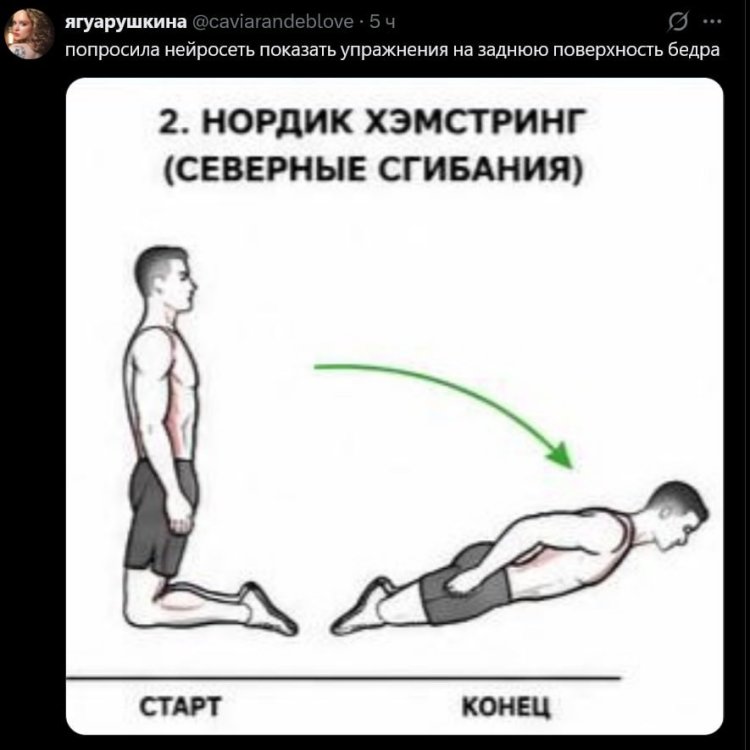
AI recommended hamstring exercises
-
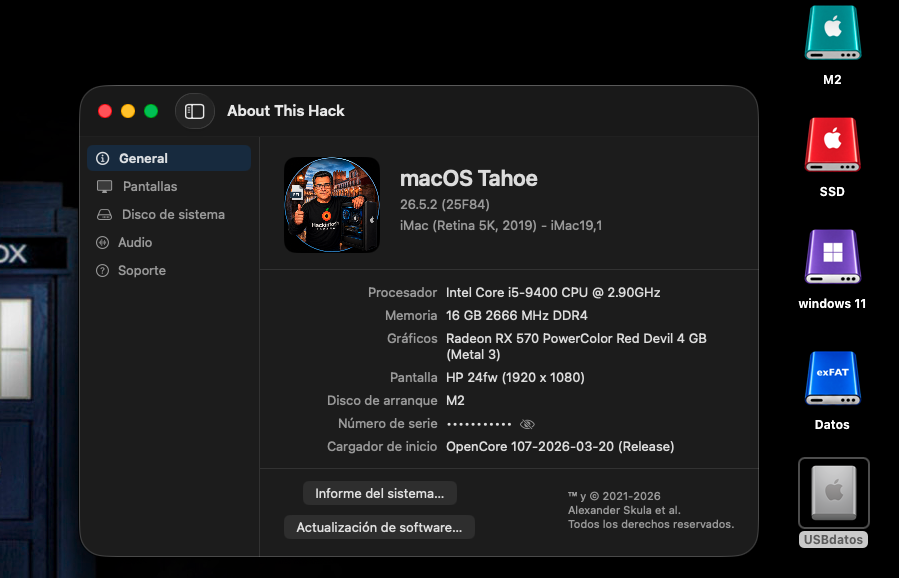
perfecto NEW: AppleHDA.kext MyKextInstaller
-
.thumb.png.d0b3287b28e3e9d096995a32c9967273.png) You and Me OT changed their profile photo
You and Me OT changed their profile photo -
Well for me the installation process is now becoming the same every time I update. Everything seems to go ok and I get to my desktop and am able to move around fine. Rebooting I get that same old screen "you have been updated to Tahoe" and that's it. I'm now in the process of reinstalling via Recovery and eventually will use a Time Machine backup to restore my profile. Sigh.... Cheers(I think), Howard
-
 Ushna Asif changed their profile photo
 -
@schrup21 thanks for sharing your experience. I will verify again. I usually do the same as you: disabling the kext to get the OTA updates done and enabling the kext after the OTA update is done. However, this time it did not load and after playing with the kext enabling/disabling, I came to the conclusion that something changed with this 26.5.2 update that is not allowing macOS to boot with the kext enabled. I will verify whether the firmware is still saved where it’s supposed to be. I haven’t touched the boot args or device properties defined for this kext / wifi card.
-
 dennanoco changed their profile photo
 -
About This Hack (2009-Nissan-Cube version migrated to SwiftUI)
miliuco replied to miliuco's topic in Hackintosh Tools
@jlrycm Anotado. I’ll check this issue. -
pefecto NEW: AppleHDA + wifi
-
 @jlrycm there's no issue with BCMC on 26.5.2, it's working as it should I enabled BCMC in macOS 26.5.1. Then I initiated the update to 26.5.2. BCMC or the Wi-Fi module has to be disabled during the update process, so I disabled BCMC in the `config.plist` before the first reboot (i.e., while the macOS update was downloading). After the update was complete, I re-enabled BCMC and rebooted, and everything is working as intended.
 -
2 copies if AMFiPass can cause KP too. Like 26 & Other
-
Is it not possible to improve the EFI check algorithm, taking into account the fact that cookies can be in the correct folder (26), and not in the common one (Other)? Due to KP, there were 3 extra kexts: AMFIPass.kext, IO80211FamilyLegacy.kext and IOSkywalkFamily.kext, which were already mistakenly placed in the folder "Other", although they were already in folder 26 at the address: EFI/CLOVER/kexts 😉
-
.thumb.jpeg.7082d67b3394c9399e80144027a7b397.jpeg) @MaLd0n or anyone Would be great if you can update the source of getcodecid to include your HDAUniversal
@MaLd0n or anyone Would be great if you can update the source of getcodecid to include your HDAUniversal -
The kernel panic log was not saved because it occurred before the main kernel boot started (Immediately at the partition selection stage). Asrock-Z690-PG-Riptide-hackintosh all final EFI folders are located here. I am using the latest version of CloverBootloader.
-
What was the KP @MakAsrock
-
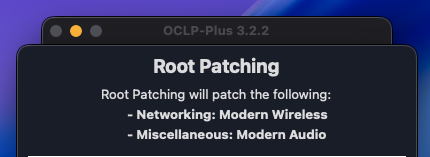
After using Wi-Fi Patcher Pro, I experienced a kernel panic upon reboot. Booting from a USB drive with a backup EFI was successful, and flashing the EFI to the ESP partition restored normal boot. Your utility is somehow messing with the EFI. As always, OCLP-Plus (Tahoe Patch Set) worked great. OCLP-Plus_3.2.2_2026-06-30_07-36-23-787102.log
-
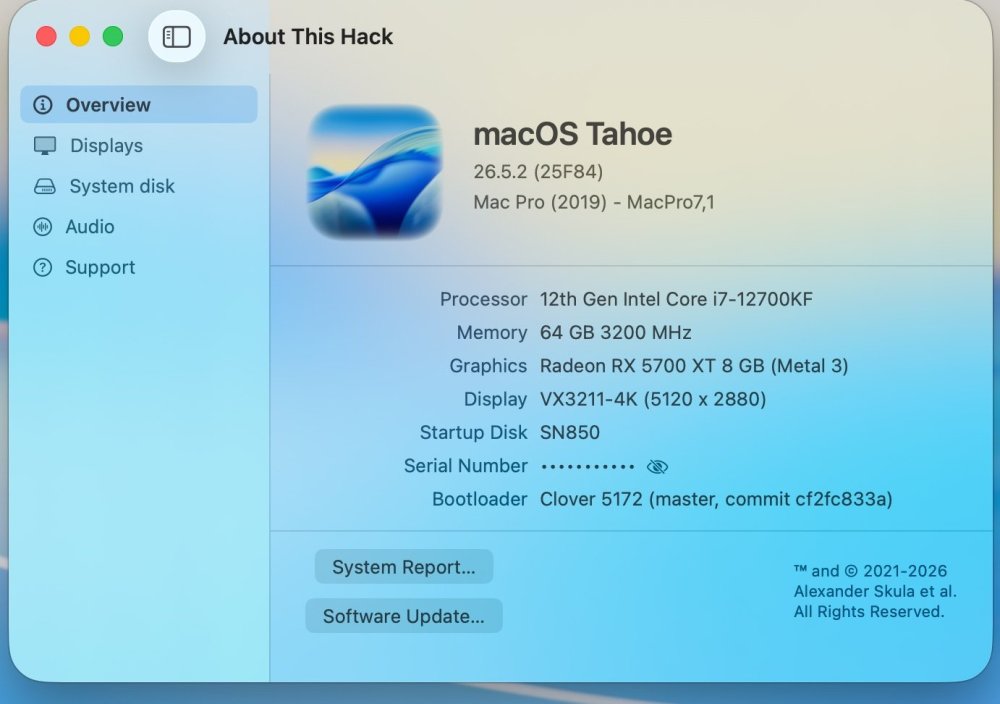
The update went smoothly and OCLP-Plus handled root patches again.