


Jump to content

5 Screenshots

About This File

This will enable your analog 6 channel surround sound using AppleHDA's native multi-channel DSP support. Furthermore, all jacks work!


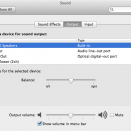
Under System Preferences, select Internal Speakers, and there the analog 6 channel surround sound should be.

No need to create aggregate device in Audio MIDI Setup!


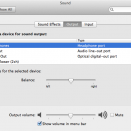
Internal Speakers can be automatically switched to headphone after plugging headphone in.

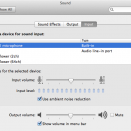
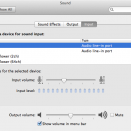
Internal microphone (rear mic) can be automatically switched to Line In (front mic) after plugging front mic in.


"Use ambient noise reduction" is available when using Internal microphone (rear mic.)


Add this Method DSM under HDEF:

Device (HDEF)        {            Name (_ADR, 0x001B0000)  // _ADR: Address            //...skip...            Method (_DSM, 4, NotSerialized)  // _DSM: Device-Specific Method            {                Store (Package (0x0E)                    {                        "AAPL,slot-name",                         Buffer (0x09)                        {                            "Built-in"                        },                         "name",                         Buffer (0x06)                        {                            "audio"                        },                         "model",                         Buffer (0x0F)                        {                            "Realtek ALC889"                        },                         "device_type",                         Buffer (0x16)                        {                            "High Definition Audio"                        },                         "layout-id",                         Buffer (0x04)                        {                             0x20, 0x00, 0x00, 0x00                        },                         "hda-gfx",                         Buffer (0x0A)                        {                            "onboard-1"                        },                         "PinConfigurations",                         Buffer (Zero) {}                    }, Local0)                DTGP (Arg0, Arg1, Arg2, Arg3, RefOf (Local0))                Return (Local0)            }        }

It is necessary for some motherboards (such as ASUS) to add IRQNoFlags under HPET, in order to load AppleHDA:

Device (HPET)                {                    //...skip...                    Name (BUF0, ResourceTemplate ()                    {                        IRQNoFlags ()                            {0}                        IRQNoFlags ()                            {8}                        IRQNoFlags ()                            {11}                        IRQNoFlags ()                            {15}                        Memory32Fixed (ReadOnly,                            0xFED00000,        // Address Base                            0x00000400,        // Address Length                            )                    //...skip...

**CAUTION** After updating to OS X Yosemite, it is necessary to add the boot argument "kext-dev-mode=1" in order to make this patched AppleHDA work:

kext-dev-mode=1

If you'd like to patch AppleHDA on your own, please check out my original topic.


PS. I can't guarantee it will work for all ALC889. Please don't PM me for this, as I don't have time to help each guy. Sorry!


Please do not upload this to other website especially Tonymac's forum!


What's New in Version v272.18.1 (10.10.4)   See changelog

Released

  • Update to v272.18.1 (10.10.4)

User Feedback

Recommended Comments

JorgeMax

Posted

Você tem uma nova kext para o codec ALC887?

chris1111

Posted

 Great job  shiecldk !  Do you make ALC 898 ?

shiecldk

Posted

 Great job  shiecldk !  Do you make ALC 898 ?

Sorry, I don't have time to work on this currently.

But I believe you'll be able to make one with my guide and EMlyDinEsH's guide.

Benevides Lecontes

Posted

I need this on my alc892, i have 5.1 sound box and 7.1 headphones, but only two channel works. How to patch for alc892?
Sorry for my english.

Bruxo

Posted

Could upload the files again

they lost
thank you !!!
shiecldk

Posted


Could upload the files again

they lost
thank you !!!


Updated. ;)

Perdu

Posted

on my P8Z68 Deluxe with ALC889 I could not get it to work after many trials

Thanks anyway

HmO

Posted

Thanks work perfect.

×
×
  • Create New...