All Activity
- Past hour
-
 j88tokyo8 changed their profile photo
 -
 Chicky May joined the community
 -
 Waqasleadsquanta joined the community
 -
 Windows XP human joined the community
 -
 GlitterandGloom joined the community
 -
I suppose we are talking about a laptop with the integrated graphics card disabled and an external NVIDIA GeForce GT 555M graphics card.
- Today
-
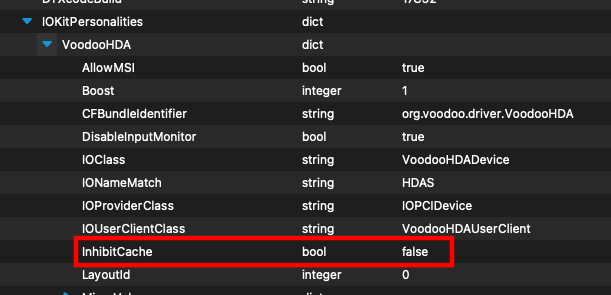
Thank you, @Slice. I am currently testing VoodooHDA.kext 3.6.4 with analog InhibitCache=false on my HP EliteBook 850 G7 laptop. Is that the only difference between 364 and 365? Analog HDA Audio quality is outstanding.
-
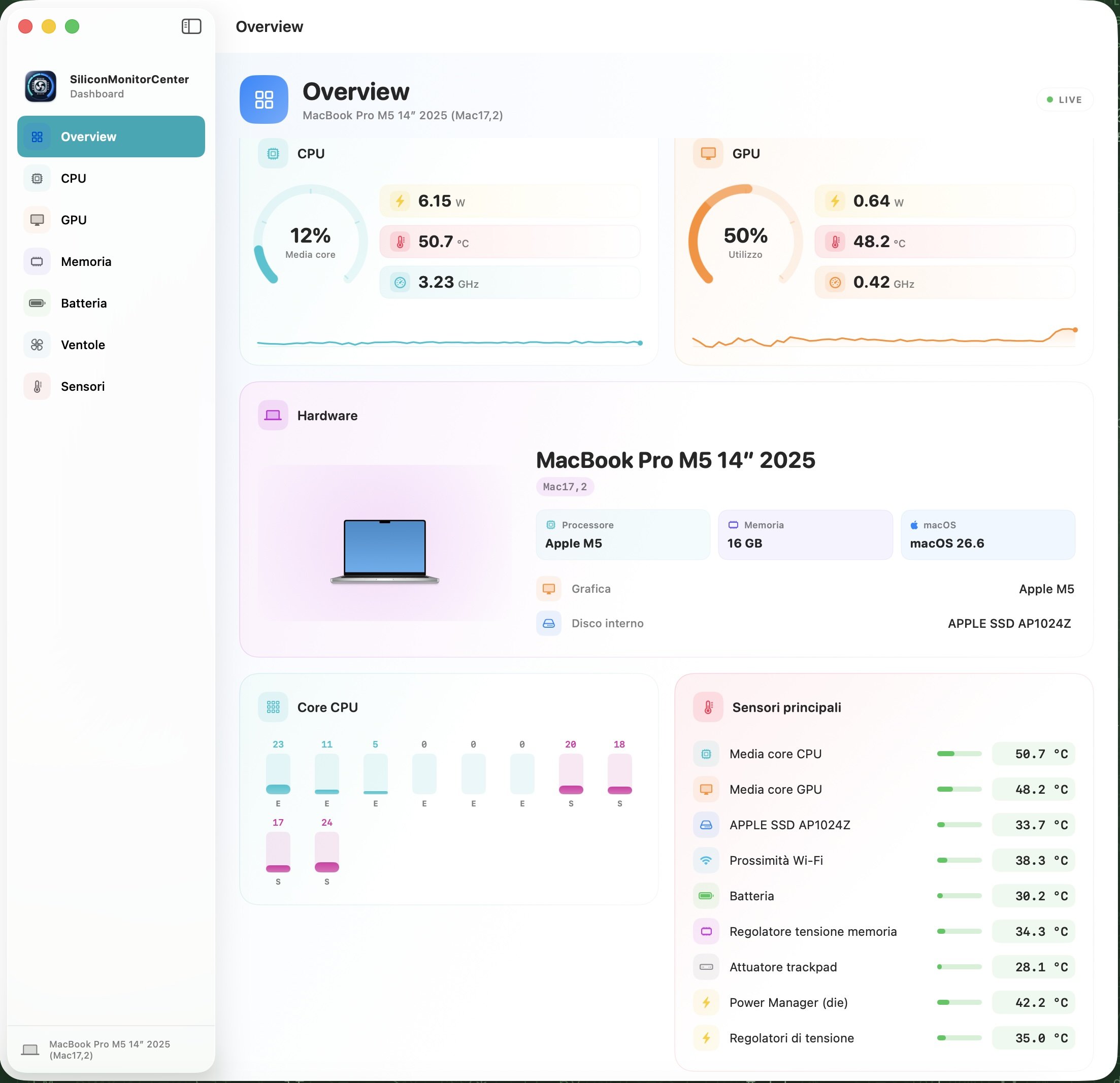
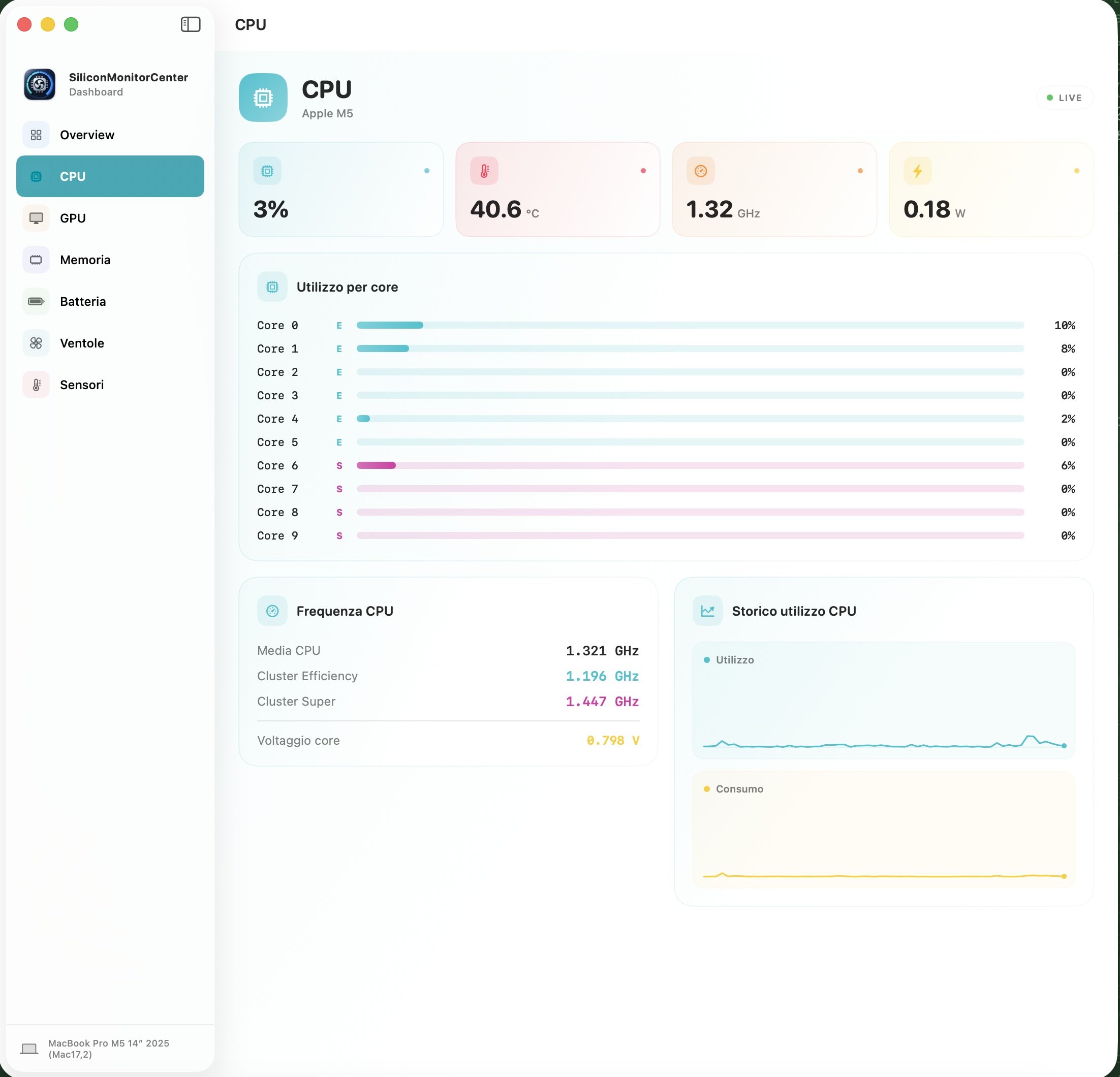
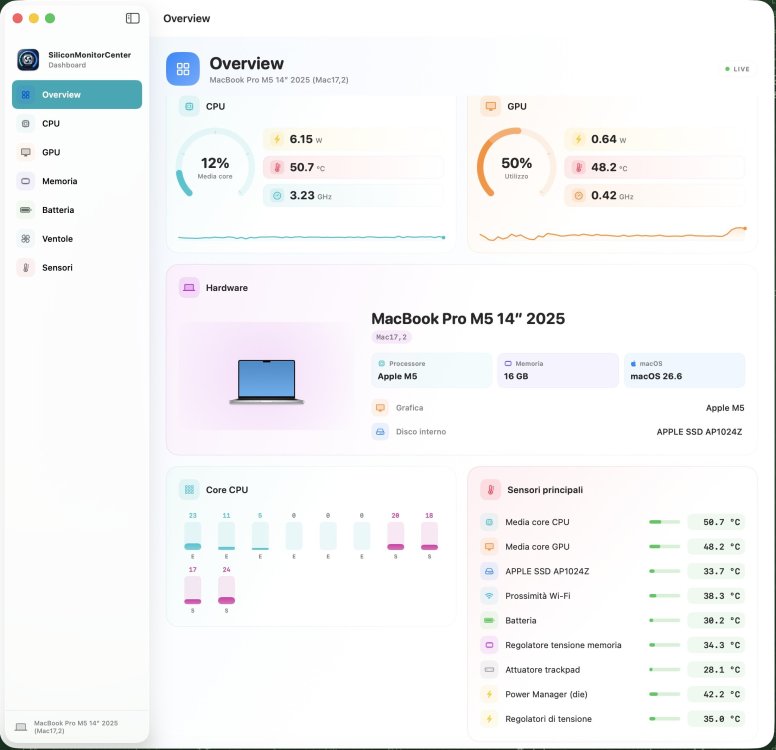
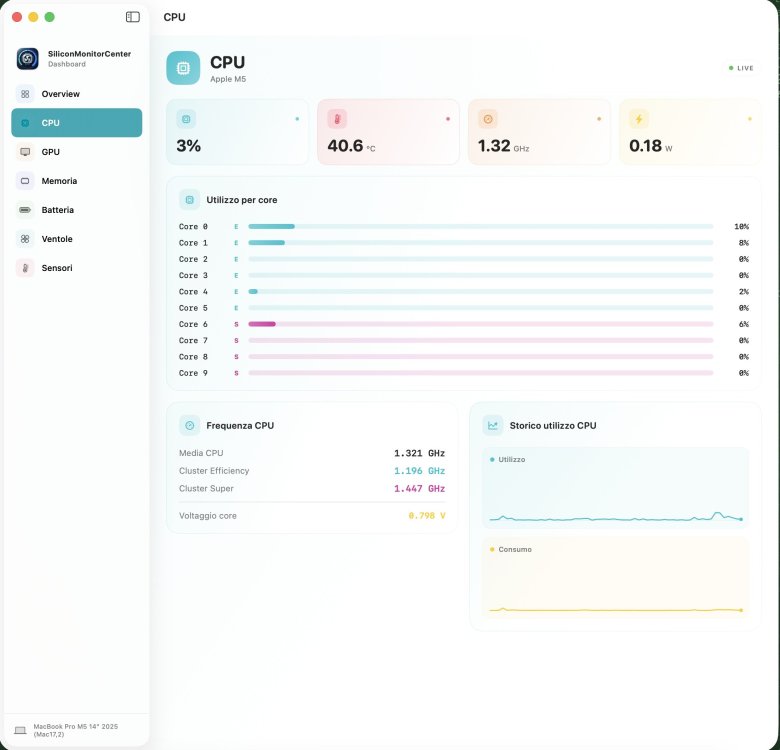
Guys, build b9 is ready; it would be great if you have an M5 (including Pro and Max variants) to test it on. I’m looking forward to sensor verification tests, sensor dumps, and diagnostic reports (from M1 to M5). Thanks for your testing and the time you dedicate to helping me. https://github.com/Lorys89/App-test/raw/refs/heads/main/SiliconMonitorCenter 1.0 b9.zip
-
 jakub Stopa joined the community
 -
 Ethan Massey joined the community
 -
 Karimberdi joined the community
 -
 Yellow Verandah changed their profile photo
 -
 Landscaping Albany NY joined the community
 -
 ywe lot joined the community
 -
 Hausfits changed their profile photo
 -
 BlueWaves Portable Toilet changed their profile photo
 -
I installed all kexts to System/Library/Extensions on my SATA MacBook and recreated the kextcache. Then I created from the installer disk utility a dmg of this volume. I wrote it on a partition on my NVME MacBook and it's working. My desktop system has a Core i7 3770S and a Sapphire GPRO 4200 GPU, which is based on the Radeon R7 250x. It also uses AMD7000Controller.kext like the R9 370X in the MacBookPro11,5. The MacBook version doesn't need the OSx86 drives and most of the OSx86 tools. My Kingston 4 TB SSD has 2.1 GB read and 2.6 GB write. Counting from the Apple logo, Yosemite needs just 9 seconds to reach the desktop.
-
 haywinicom changed their profile photo
 -
 s8mycom changed their profile photo
 -

Long-time lurker returning – Dell XPS 17 L702X 3D and XPS 9560 owner
Slice replied to Allen Cai's topic in New Users Lounge
It's a pity no. You have to make 5 posts in this section before you can post anywhere. Let discuss your problem here. First of all make signature with your hardware detail. What Nvidia presents on Dell XPS 17 L702X 3D variant? -
 Shivam Yadav changed their profile photo
 -
 naveen m changed their profile photo
 -
 Wedding In Italy changed their profile photo
 -
 Khanh An Business Law changed their profile photo
 -
 Hello InsanelyMac team, I registered in 2022 while reading the macOS Ventura on Dell XPS 17 L702x Optimus thread, but didn’t post at the time. I’m now coming back specifically because I own the Dell XPS 17 L702X 3D variant and I’m running into questions around the discrete NVIDIA GPU driver situation on this particular model. Since the 3D version has some hardware differences compared to the standard L702X, I’d like to ask a few things in the related thread, but I’m still under new user posting restrictions. Could a moderator please lift the limits on my account so I can join the discussion? Thanks for keeping this community alive for these older machines!
 -
I found the main reason of noise, clicks and wheezing. It is InhibitCache on or off. For example I had good sound on 48kHz but little clicks on 192kHz. Info.plist for analog sound contains InhibitCache=true. I changed it to false and the sound became clear. But for HDMI sound the story was opposite. So check both options. The version 364 is wrong as well as all previous versions after Traditional. I will publish 365 soon.
-
what made it work?
-
 @MaLd0n maybe a sneak peek of the source😃
 - Yesterday
-
Yep, now it works. On both MacBooks and my OSx86 machine.
-
For the tests of the next app b9 I would need users with mac m5 pro or max, if anyone owns them please come forward I integrated the logic of the P+S cores, and fixed the logic of the E+S cores on m5. Before finishing the b9 I have to prepare it for the logic for m5 ultra 4 die which has 2 die cpu and 2 die gpu.
-
 @mnfesq That does suggest that there might be a way. I didn't understand that from your initial post in this thread. Since this thread is for the HP EliteBook 850 G7 (iGPU only) and your issue is Off-Topic, I'd suggest that you create a thread for your laptop and solicit help there.
 -
 I understand what you are saying completely but, in my case, when I disable the dGPU in the BIOS and boot into Windows, I can use the HDMI port so there must be some way to get power to the HDMI port with IGPU.
 -
@mnfesq If you don't have an HP EliteBook 850 G7 Laptop, the framebuffer patching described in this thread may not work for you. I have seen others with a dGPU where the HDMI port is connected to the dGPU, so no amount of iGPU patching will enable the port.
-
I have read this thread very carefully and have tried various configurations suggested by you and others mentioned in this thread but no matter what framebuffer I try, I run into the same problem: the HDMI port has no power. I have both and IGPU and a DGPU and it is possible, even likely, that the HDMI port is connected to the DGPU. However, I recall having an HP laptop in the past that had the same set up and was still able to get the HDMI port powered up and somehow used by the IGPU for an external monitor. The exact method I used was not a recommended one. I used Whatevergreen.kext along with NvidiaGraphicsFixup.kext and that worked. Don't ask me why. Any thoughts about this issue?
-
@jessn
- 5508 replies
-
- 2
-

-
- hello
- insanelymac
- (and 2 more)
-
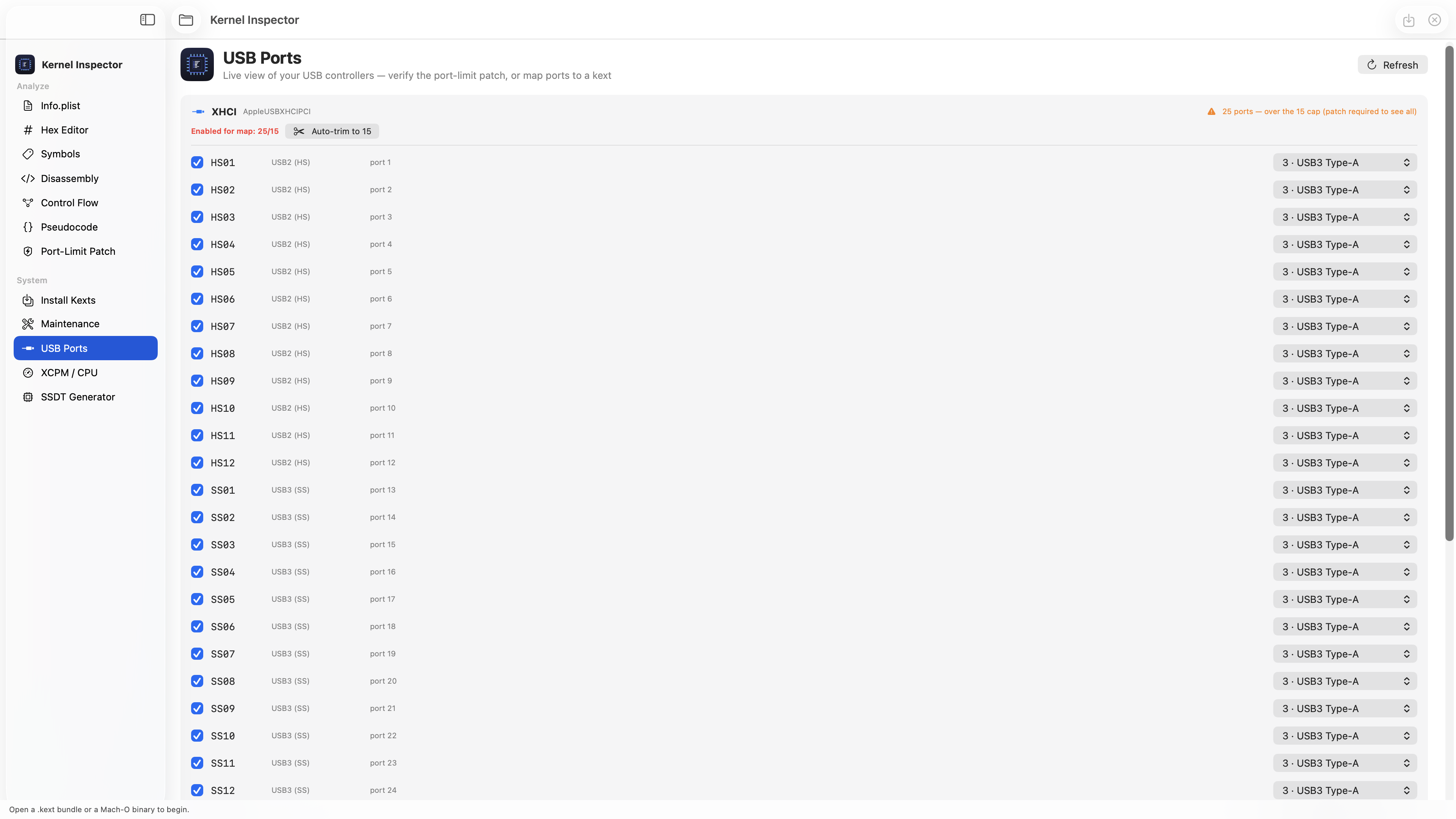
There are no XHCI in the platform at all. No need to bother about XHCIPortLimit etc.
-
 Have you checked if your USB ports are properly mapped for the M1530's chipset? Since it's an older system, you might need a custom USB map rather than relying on generic injectors. Also, the "still waiting for root device" error often points to USB ownership or EHCI handoff issues – try enabling FixOwnership in UEFI settings if you haven't already. For 10.13, you might also need a specific SMBIOS that matches the hardware age (like MacBookPro4,1 or similar). Have you tried booting with a USB 2.0 hub or a different port to rule out USB 3.0 conflicts?
 -
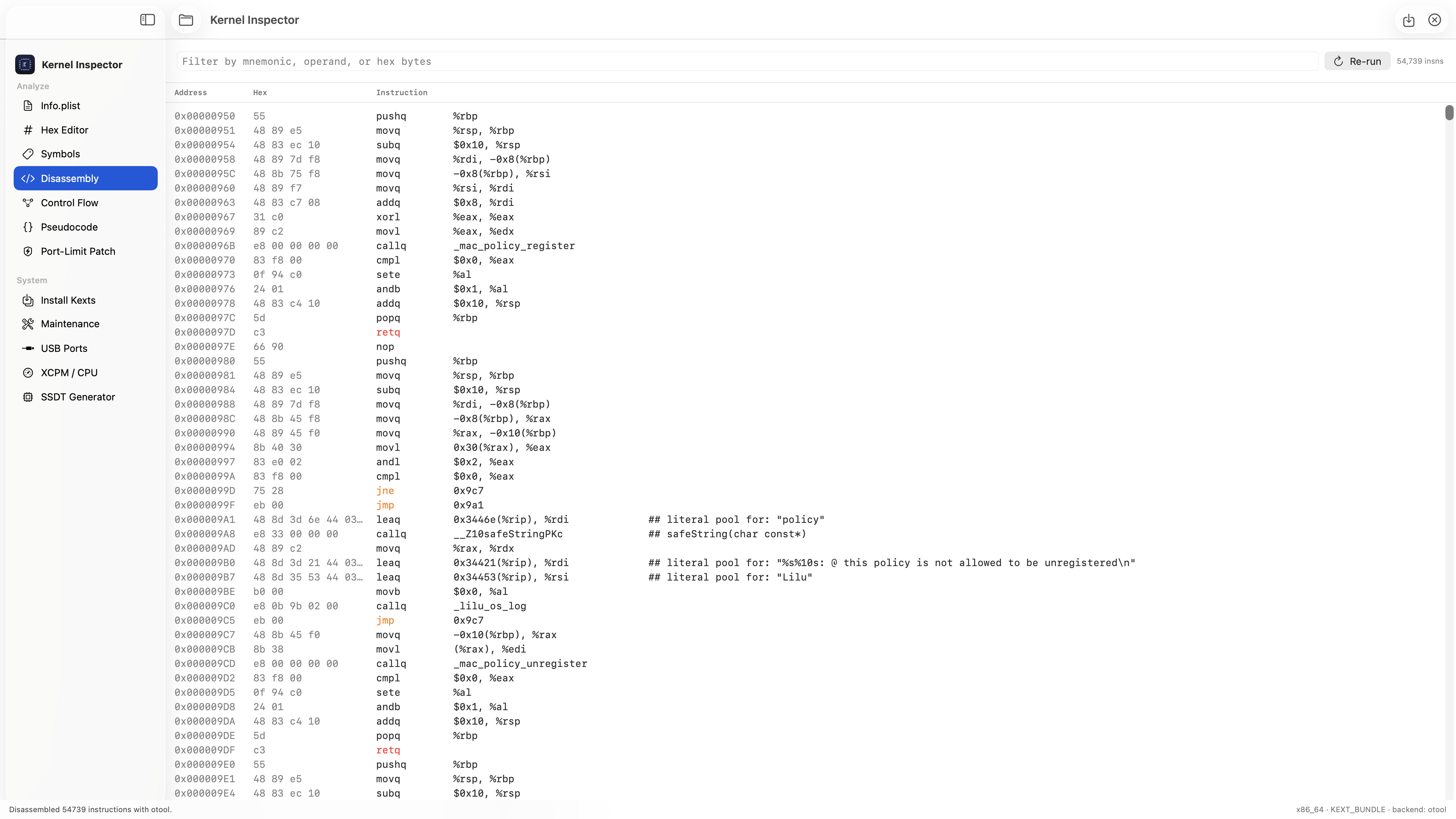
 Thanks! 🙏 Great suggestion — just added it. New Hex column in the Disassembly view (Address | Hex | Instruction), Hopper-v3 style. You can even filter by the hex bytes now to jump straight to an instruction. Screenshot below 👇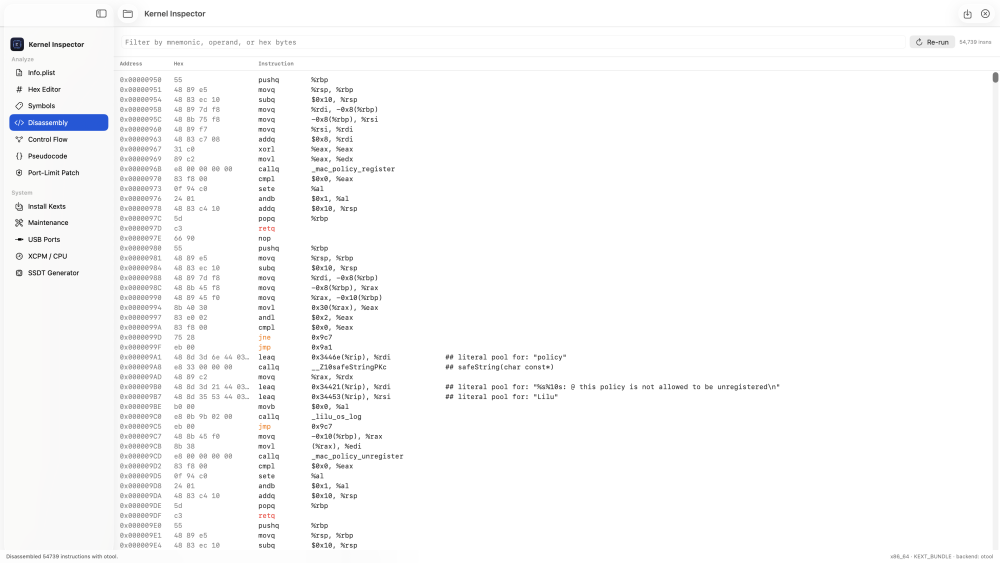
-
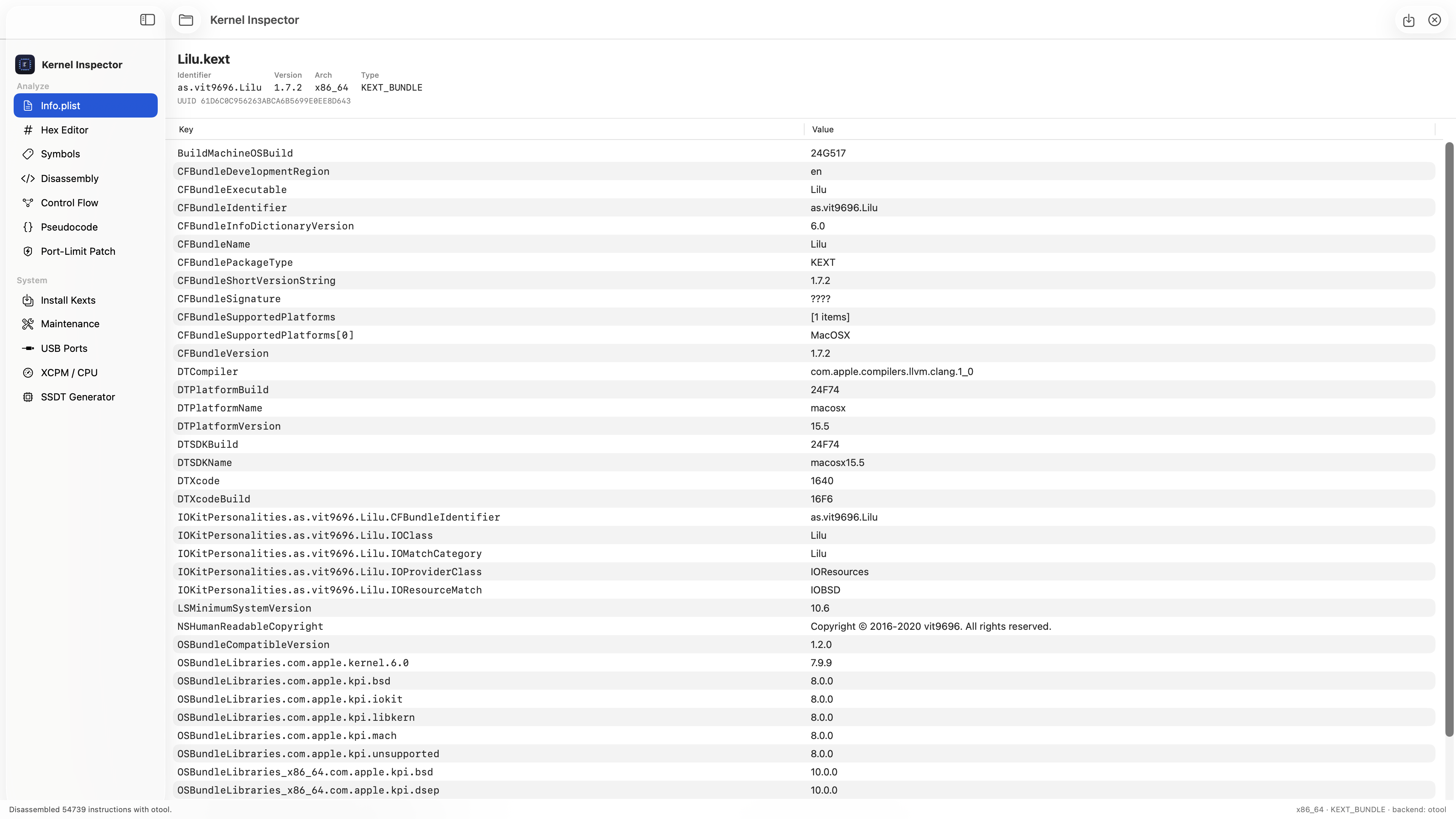
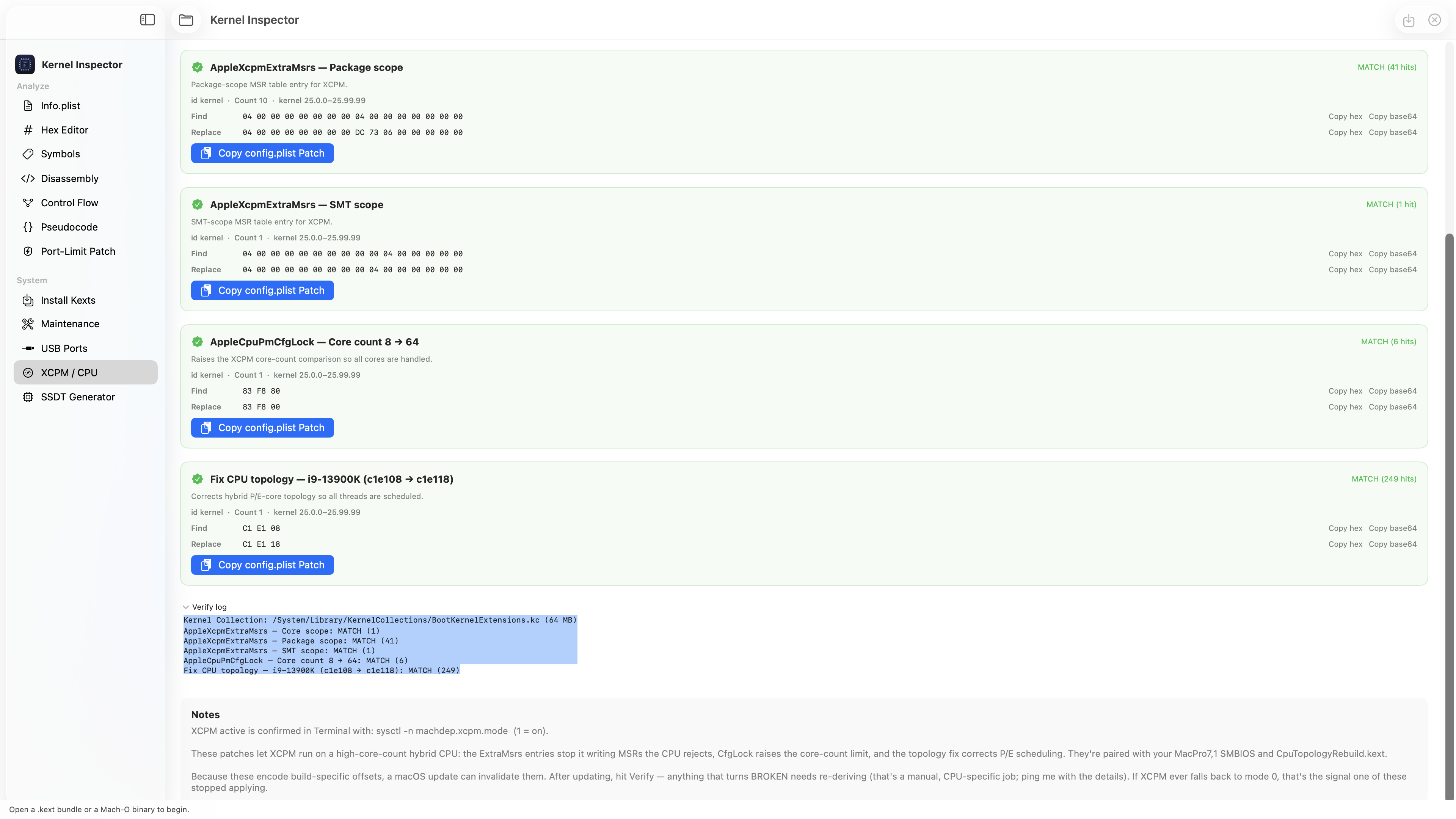
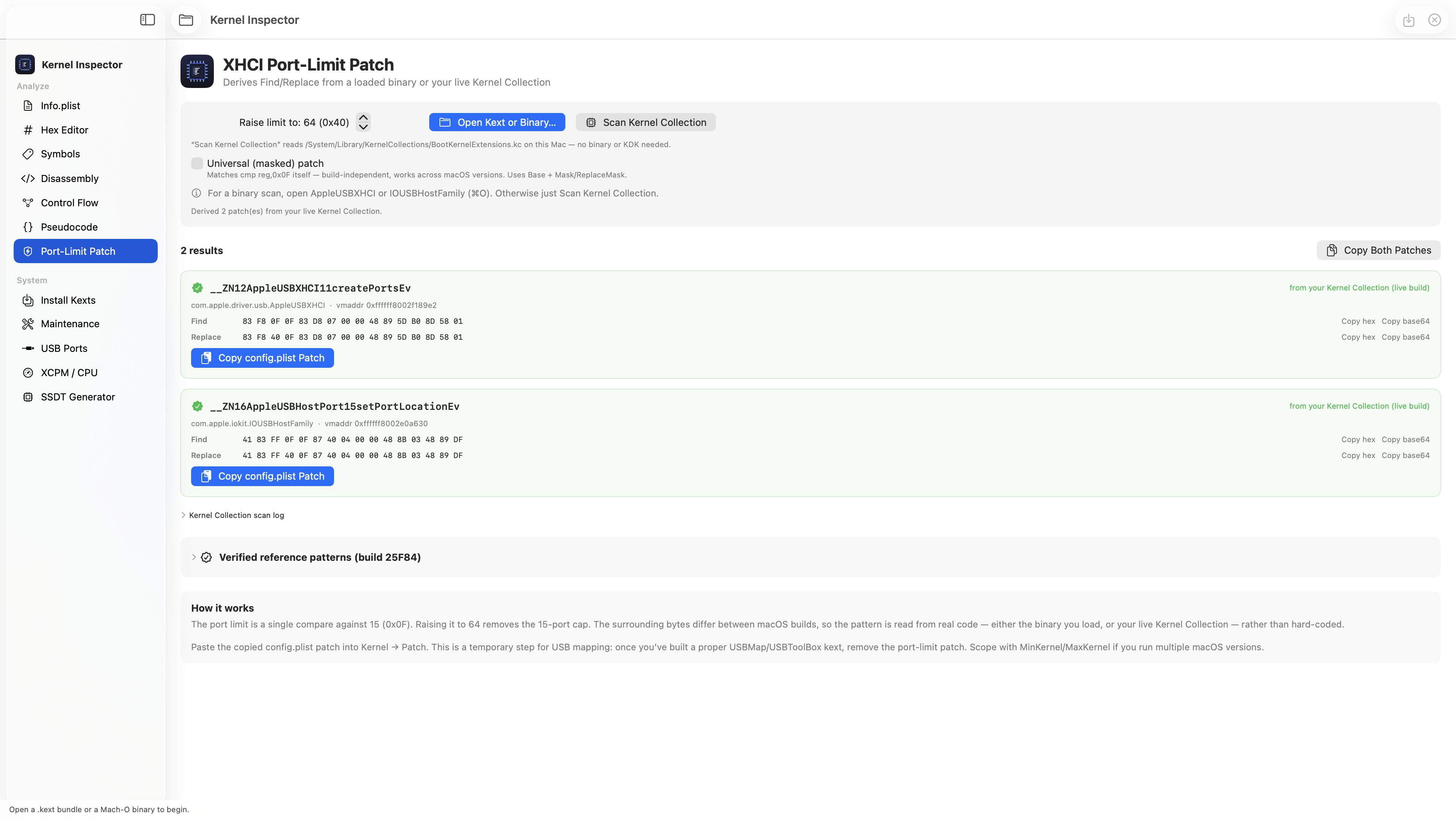
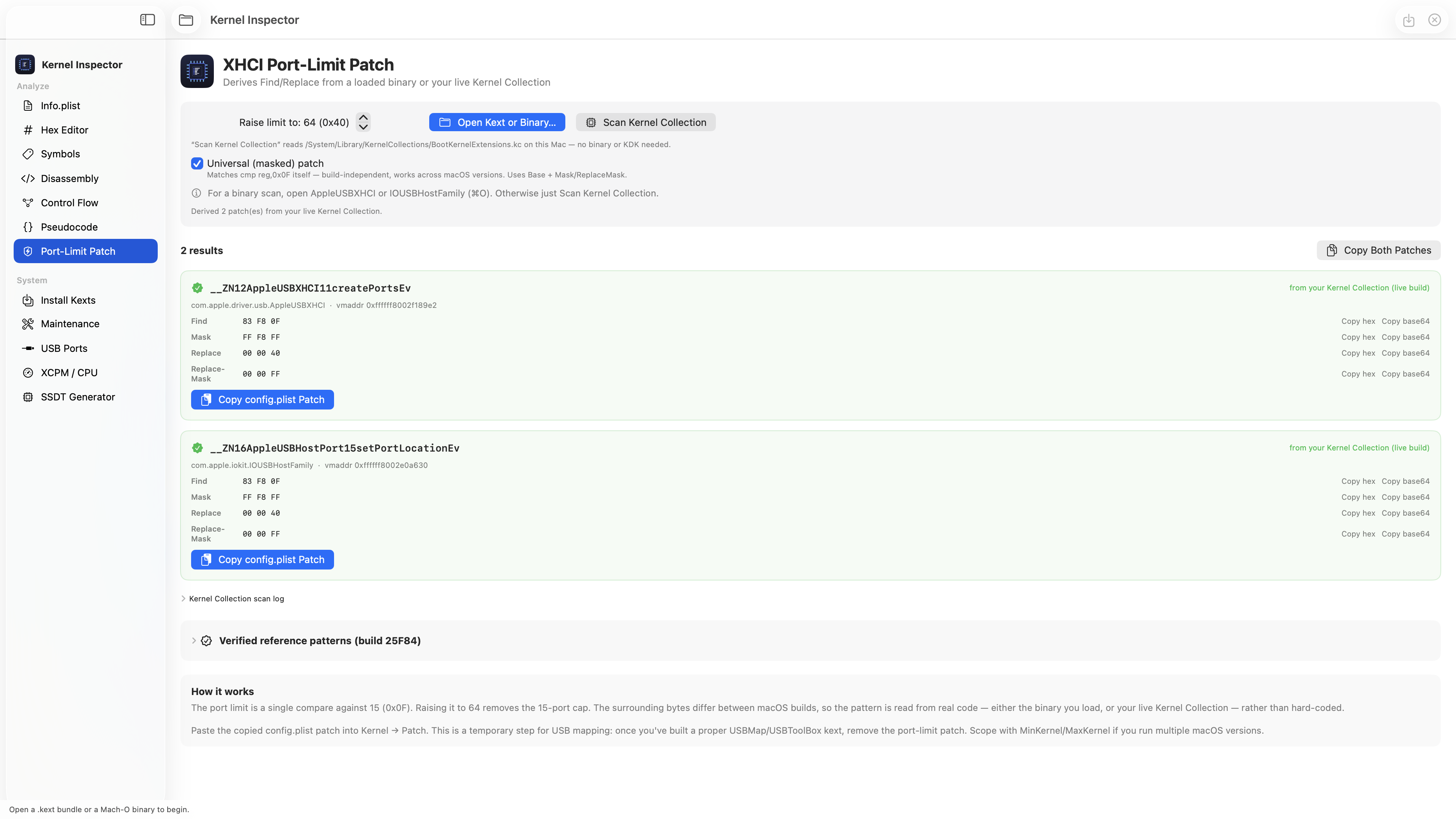
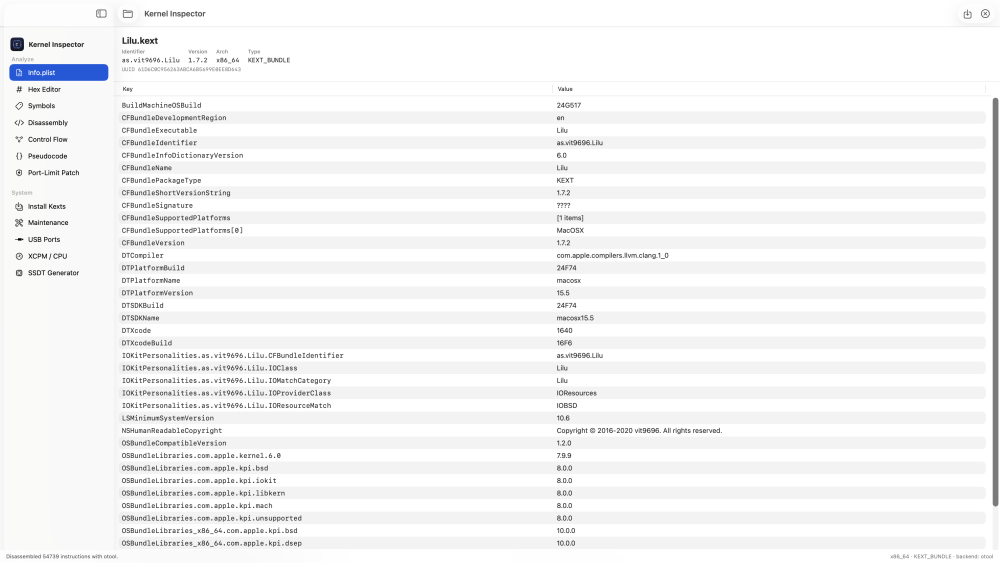
Hi all 👋 Started as a simple kext / Mach-O analyzer (Info.plist, hex, symbols, disassembly, control flow, pseudocode) and grew into a full toolbox: Mount EFI + install kexts and auto-register them in config.plist SSDT generator (compiles to .aml with iasl) XHCI port-limit patch — reads your live kernel and spits out the exact Find/Replace + config.plist entry for yourbuild. Optional masked mode so it survives macOS updates. USB port viewer + map exporter XCPM / CPU patch verifier — one click tells you if your CPU patches still match after an update The whole idea: stop hunting for byte patterns that break on every macOS update — derive them from your own kernel and verify them in seconds. Running great here on Z790 + i9-13900K, macOS 26.5. Still improving it — what would you want added?
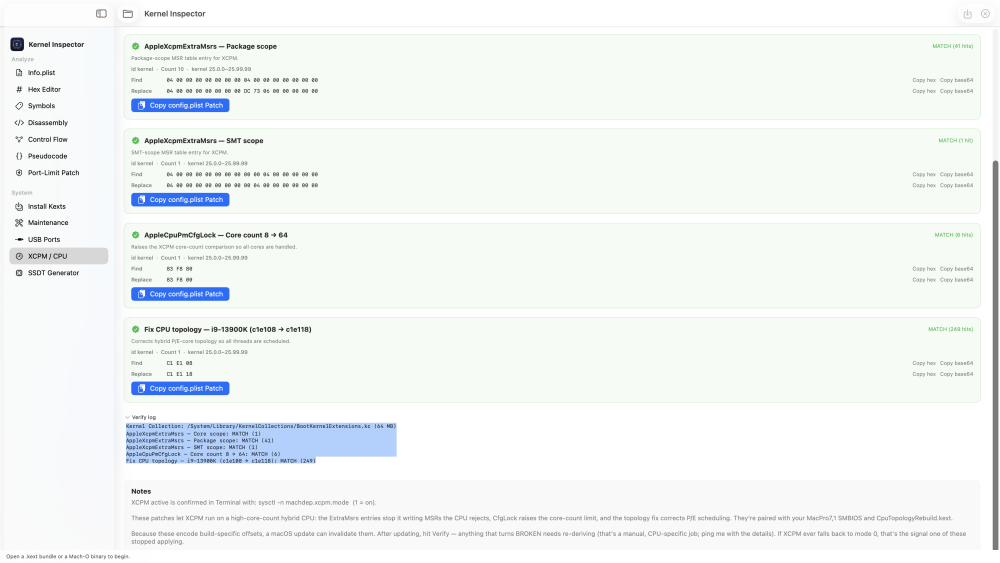
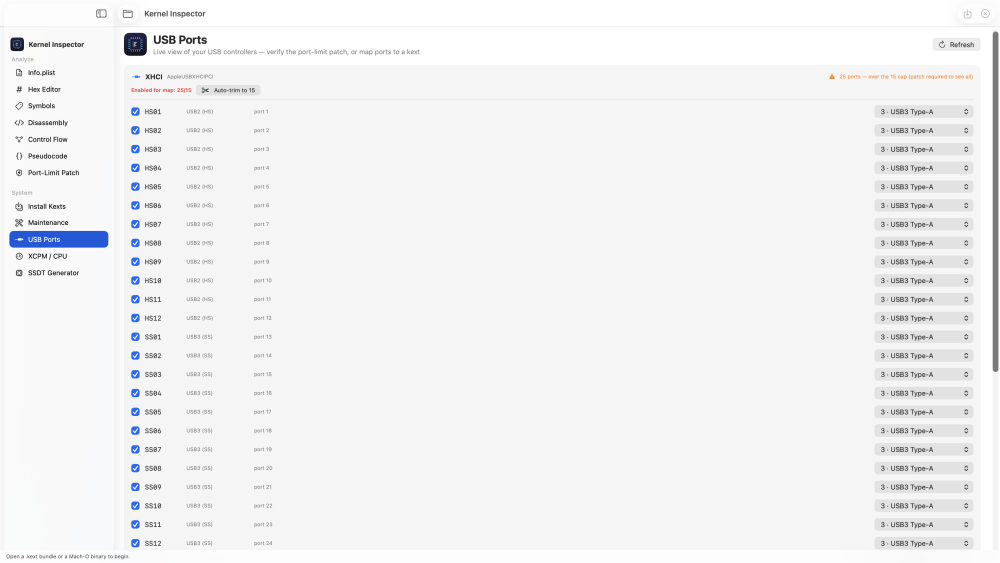
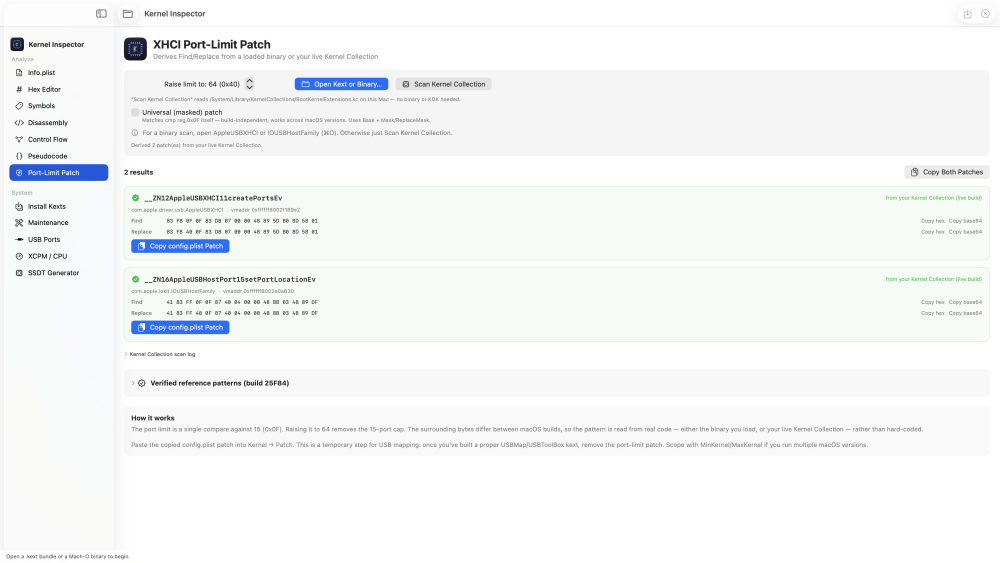
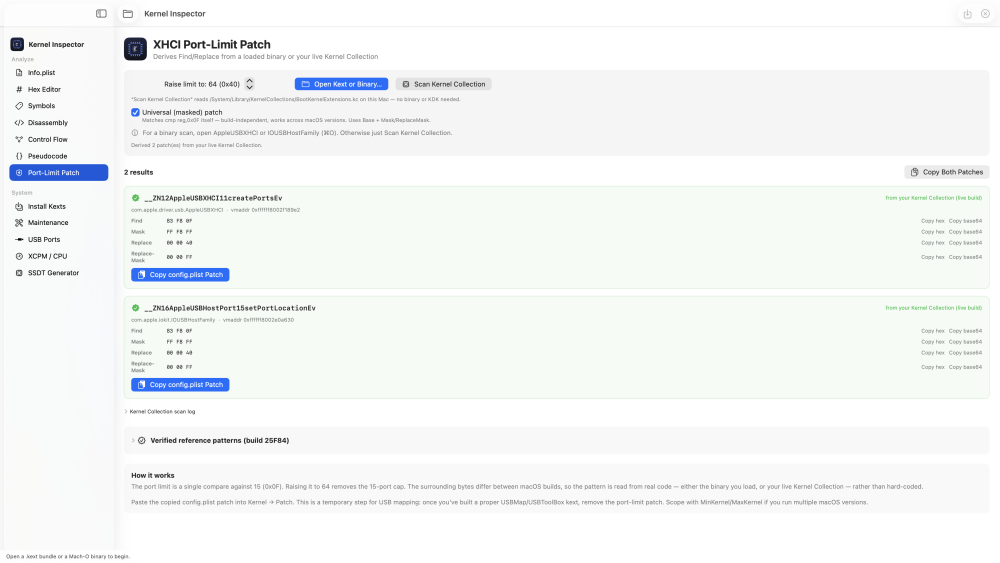
-
hello
- 5508 replies
-
- 1
-
-
- hello
- insanelymac
- (and 2 more)
-
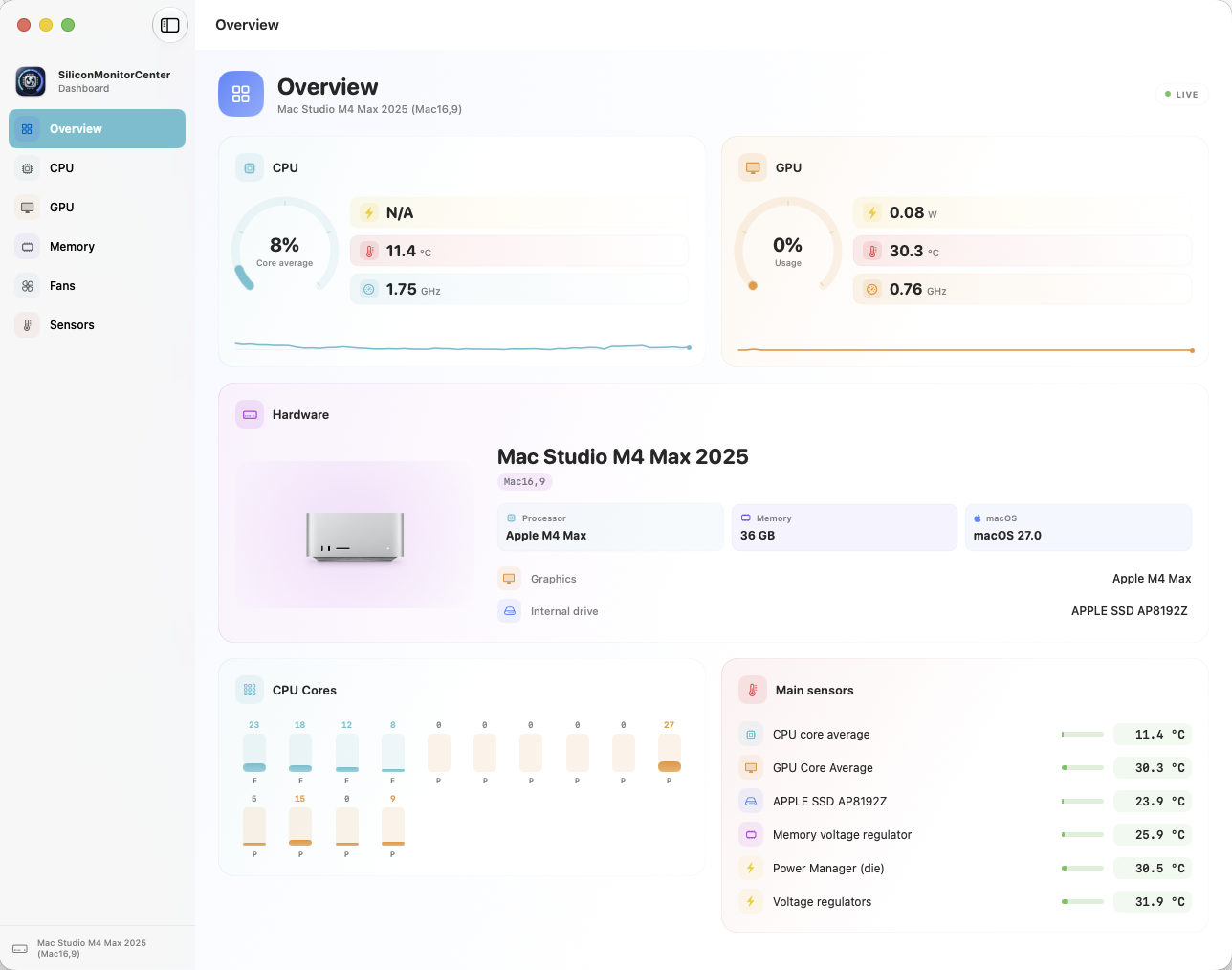
Hi everyone, I’m updating the app to version b8. It’s better not to show CPU wattage at all on macOS 27 beta than to display incorrect figures (it reports correctly on macOS 26). I’ve reported the bug to Apple, if they fix it in future betas, the app will go back to reading the correct wattage. On macos 27 it currently showed the total watts of Mac consumption and they are not good for the cpu alone. Alternatively, once Apple replies and I have more information, I’ll be able to fix the reading if they’ve changed something. Thanks for your testing. https://github.com/Lorys89/App-test/raw/refs/heads/main/SiliconMonitorCenter 1.0 b8.zip
- Last week
-
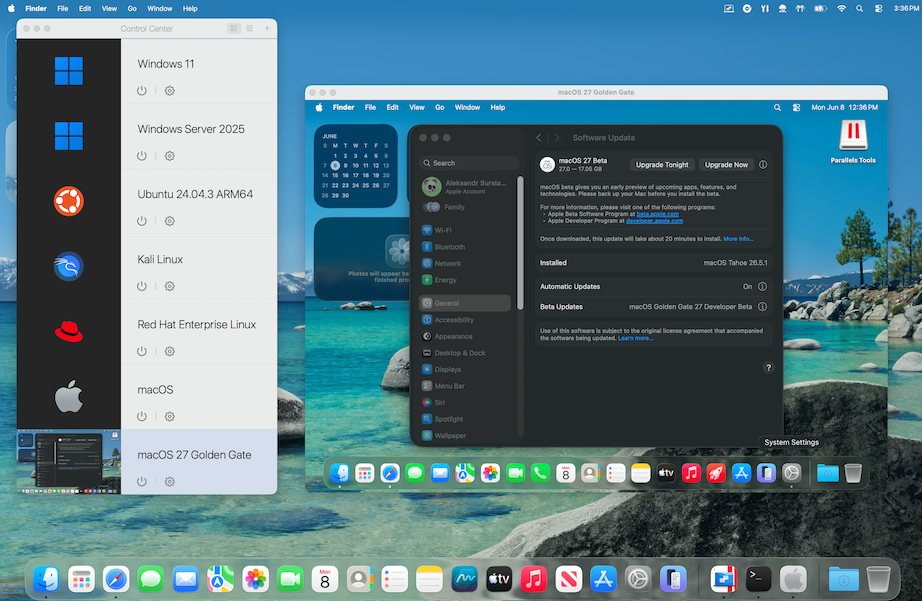
https://tinyurl.com/5cdyy3s8 Parallels Desktop page "With macOS 27 Golden Gate, Apple completes the transition it began five years ago. macOS 26 Tahoe was the final release to support Intel Macs, and Golden Gate arrives this fall as an Apple-silicon-only operating system. For Parallels Desktop users still running Intel Macs, nothing changes overnight. Parallels Desktop 26 continues to run on Intel hardware, and we're committed to supporting customers on that platform. Apple has confirmed security updates for Intel-based Macs for another three years, and we'll continue supporting Intel users for as long as we see meaningful adoption in our customer base. For everyone else, which is now the vast majority of Parallels Desktop users, this transition is already behind you. macOS 27 is simply the next chapter for a platform that keeps getting better year after year."
-
I would like to say, thank you for finding this workaround.