All Activity
- Past hour
-
 James Bonddadio joined the community
 -
 I re-tested UniversalHDA and VoodooHDA.kext 4.0 (in separate test volumes) just to be sure I am accurately reporting my test results. Through multiple sleep/wake cycles, macOS silently enters/exits sleep when using VoodooHDA.kext 4.0, but makes a loud "pop" with UniversalHDA. This is not enough of a problem to warrant much effort (my opinion), but I'm just reporting in case you want to fix. Note my tests are performed after updating to 26.6 Beta (25G5057c). The previous test was performed with 26.6 Beta (25G5052e). Attached are new logs collected with HDAUniversal-Collector after repeated sleep/wake cycles using HDAUniversal. The zip generated by Collect-HDAUniversal.command: attached Your codec model: Conexant CX20632 Your layout-id: 20 macOS version: 26.6 Beta (25G5057c) Bootloader used: Open Core 1.0.7 Whether the kext is installed in /Library/Extensions: Yes A clear description of the problem: On transition to sleep, audio generates a loud "tick"/"pop"; On wake, audio generates a loud "tick"/"pop". I do not observe this with VoodooHDA 4.0 or with AppleALC/AppleHDA. Steps to reproduce the issue: Sleep and listen for loud "tick"/'pop"; Wake and listen for loud "tick"/"pop" EDIT: Note that when using VoodooHDA.kext 4.0, the HP EliteDesk 800 G4 Mini requires DisableInputMonitor=True to avoid loud "pop" on macOS startup. HDAUniversal-Test-Logs-2026-07-07_15-26-06.zip
 -
 Alexander Tolstoy changed their profile photo
 -
- Today
-
 Soni Wijayanto joined the community
 -
 1win free promo code today joined the community
 -
.thumb.jpg.a9960d30b1b7063445ad7f63cf204c9f.jpg) hz88build1 changed their profile photo
hz88build1 changed their profile photo -
(3).thumb.png.cdc9ecb47d9772201ad71edbee28e9ee.png) skphysiobd12 changed their profile photo
skphysiobd12 changed their profile photo -
hz88build1 joined the community
-
skphysiobd12 joined the community
-
 xoso686com joined the community
 -
.thumb.jpg.1d1cd04d711adf0f07235a24c055c965.jpg) The Host Haus joined the community
The Host Haus joined the community -
 ko66cconline changed their profile photo
 -
 Ahmad Sharafat joined the community
 -
 Hitclub247 jp net changed their profile photo
 -
.thumb.png.0370afa682a09cd3d19f2ccc5d984b67.png) open88vsite0 joined the community
open88vsite0 joined the community -
 Berkhamsted Dental Practic changed their profile photo
 -
@kgp At the risk of keeping you up until 4am again , those of us using Intel Wi-Fi/Bluetooth on a regular basis should accept the fact that there will be limitations with Intel. Note that I'm not having any issues with AX201 Bluetooth and Tahoe 26.6 Beta (25G5057c), but it wouldn't surprise me that Intel behavior varies with different models (e.g., AX210).
-
 my88 joined the community
 -
I use the same config during installation and subsequent use. 😉🫠
- 31013 replies
-
- 2
-

-
- bootloader
- efi
- (and 2 more)
-
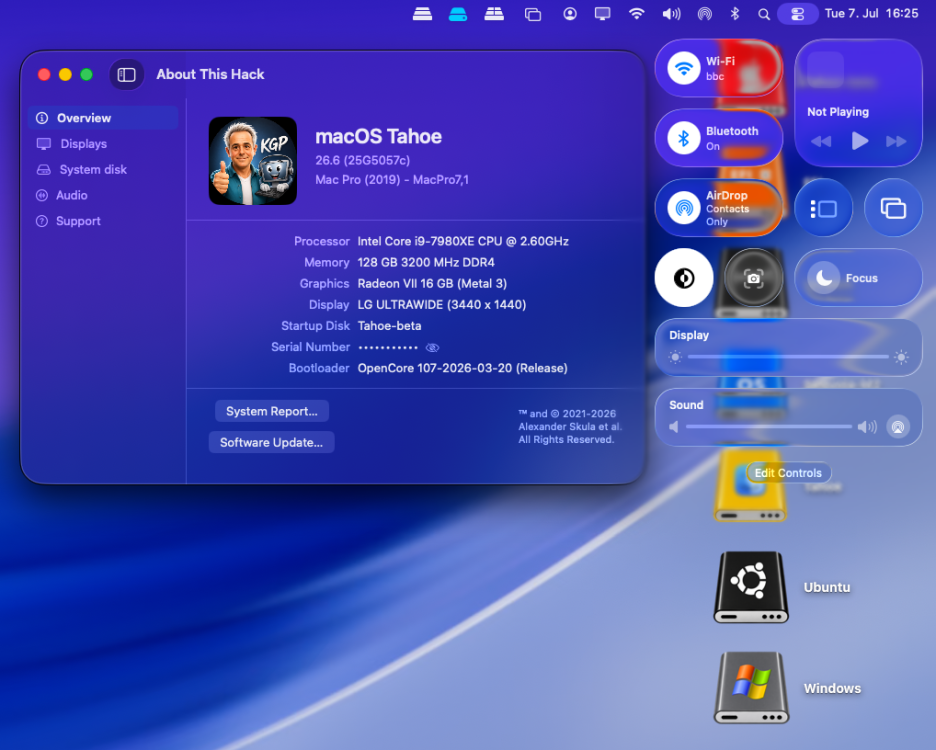
After switching back to my BCM943602CDP, the Broadcom/OCLP setup works under macOS 26.6 beta 4 as expected. AppleHDA, Wi-Fi, native Bluetooth, AirDrop, AirPlay, Screen Mirroring, Continuity Camera, Personal Hotspot and sleep/wake appear to be fine. I have not observed any macOS 26.6 beta 4-specific regression with the BCM943602CDP/OCLP setup so far.
-
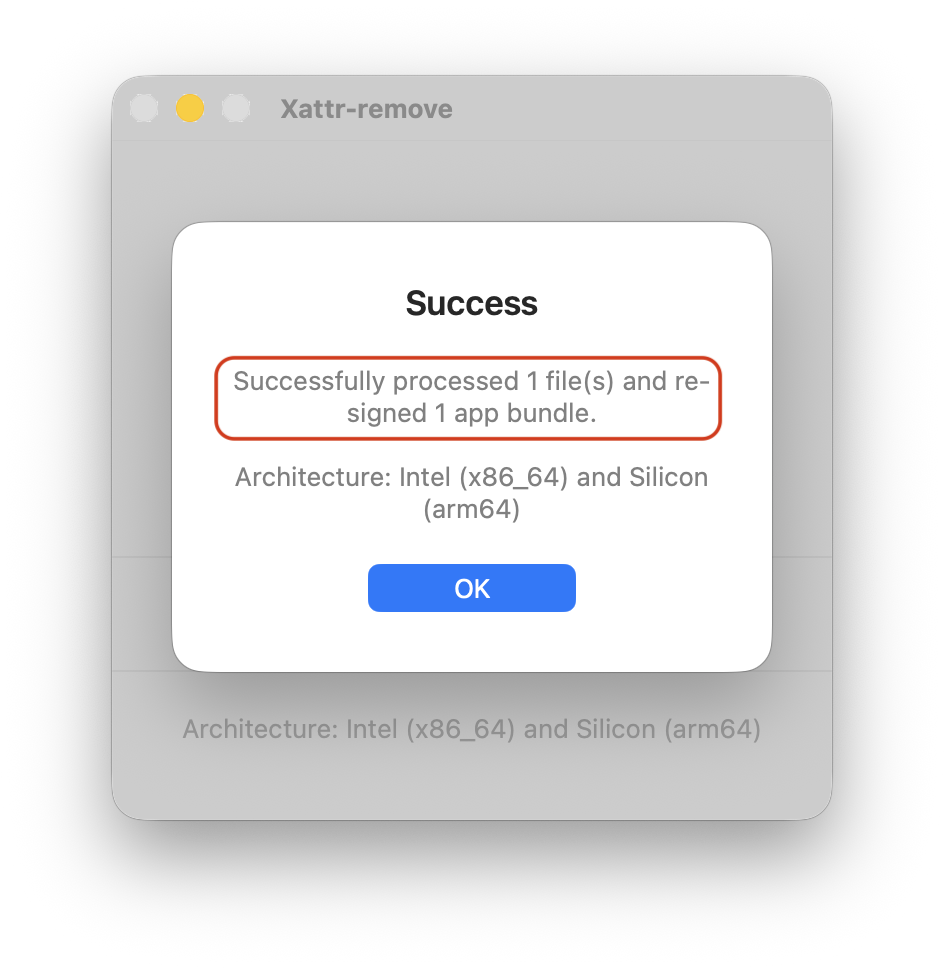
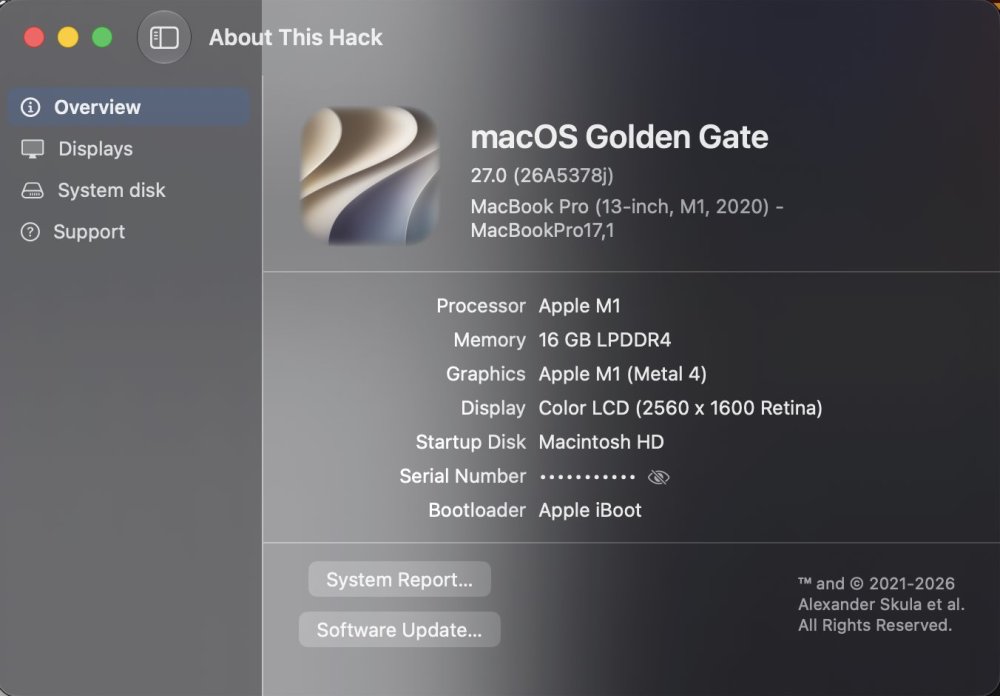
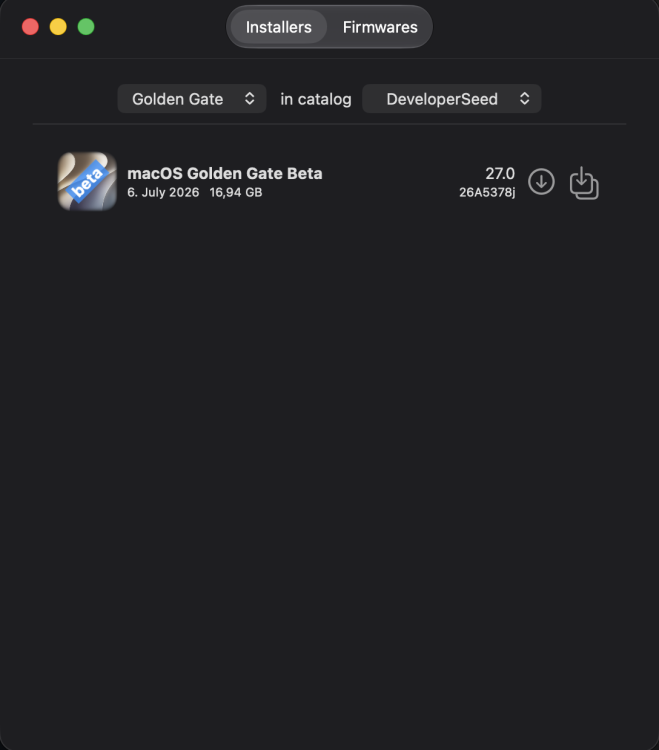
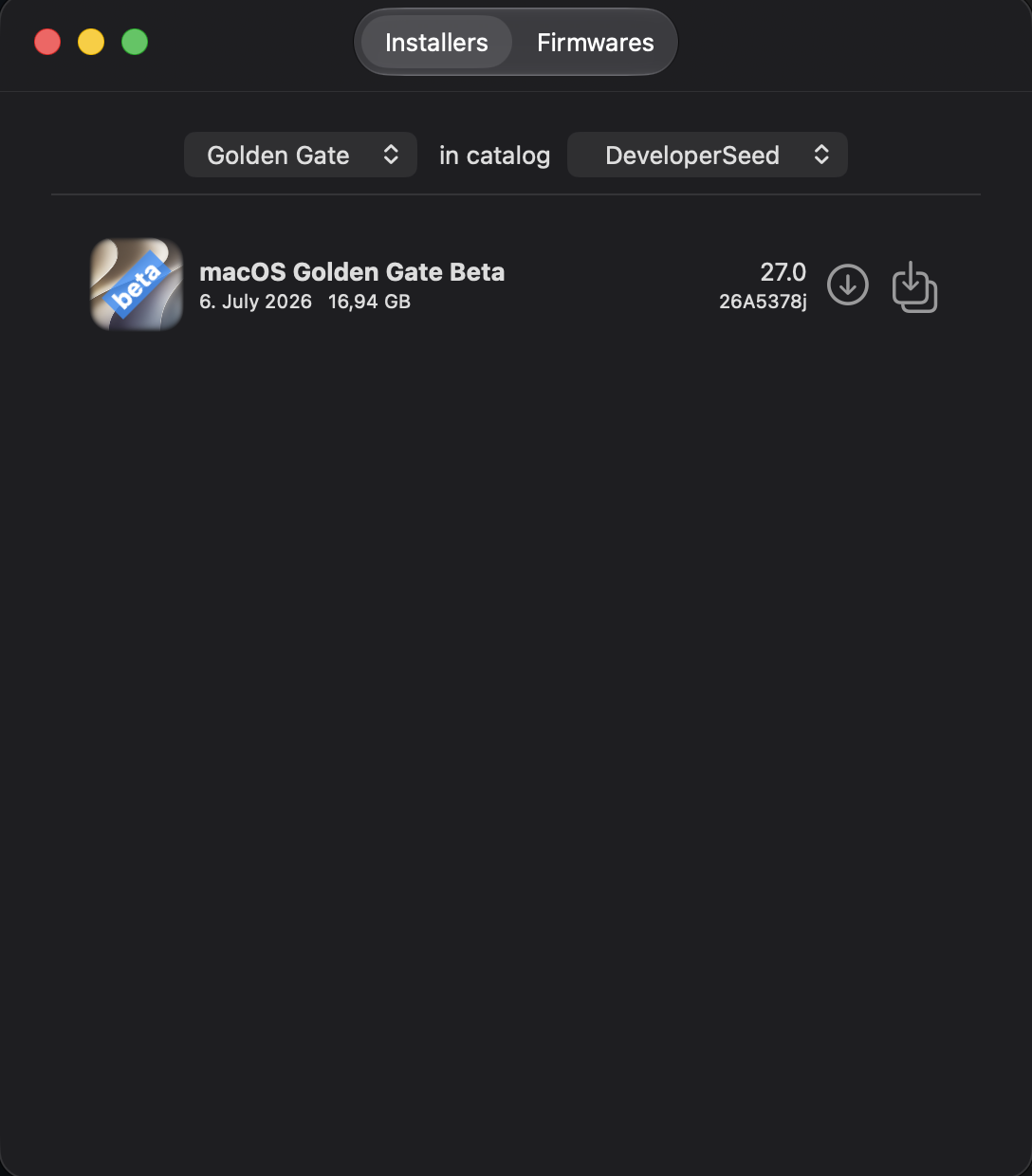
@miliuco, many thanks for your immediate feedback! 🤗 First, one observation I already observed quite a while ago: when downloading About.This.Hack-4.3.9-glass.zip. the included app is also named About\ This\ Hack.app and no longer About\ This\ Hack-glass.app. Nevertheless, the included version is definitely the glass version. What worked for me after downloading the app: 1.) codesign --force --deep --sign - \ About\ This\ Hack.app/Contents/Frameworks/Sparkle.framework codesign --force --deep --sign - \ About\ This\ Hack.app 2.) Subsequently dropping the app into the Sentinel.app or Xattr-remove.app This solved my issue with the app under macOS 27 beta 3. The same approach also worked for Download Full Installer 4.5.3:
- 69 replies
-
- 4
-
-
- macos
- golden gate
- (and 1 more)
-
@LockDown Yes, I have read it too, but also the contrary. I’ve tried both commands with no difference, Xattr-remove runs the whole command, I’ll test it again.
-
 That's exactly what I'm saying in the post, but I asked to see if it's possible somehow, but I don't think so.
 -
I read somewhere to avoid --deep when targeting Sparkle🤔
- 69 replies
-
- 1
-
-
- macos
- golden gate
- (and 1 more)
-
Many thanks for the clarification and comments on my original post, @Mirone! You are right that the placement of the KDK note directly before the Bluetooth regression description may have unintentionally suggested a connection between the two. That was not my intention. The KDK information was only meant as general update context for the macOS 26.6 beta 4 OTA report, as I usually document the selected KDK after each sequential update. It was not intended to suggest any connection between the KDK selection or OCLP root patches and the Intel Bluetooth regression. The Bluetooth issue is unrelated to both and should be treated separately, as it has been handled so far anyway. The Bluetooth part was meant as a separate observation: after booting macOS 26.6 beta 4, my AX210 Bluetooth side fell back from the previously working THIRD_PARTY_DONGLE state to the broken BCM_4350C2 / Address NULL / State Off state. Your comment that you know why Bluetooth devices show up as BCM_4350C2 when Bluetooth stops working is actually very helpful. If you find the time, I would be very interested in understanding what exactly causes this fallback state, since it matches the old pre-fix failure mode I had observed before. Maybe you also know whether there is a way to recover from this state without replacing the card with another one?
-
Well. Im used to installing an OS on a running OS. And since my running OS already has the svbmm flag, i never thought i would be needing it on a USB install method 😀 Do you consider that as a trick? Dont think so 😜✌️
- 31013 replies
-
- 1
-

-
- bootloader
- efi
- (and 2 more)
-
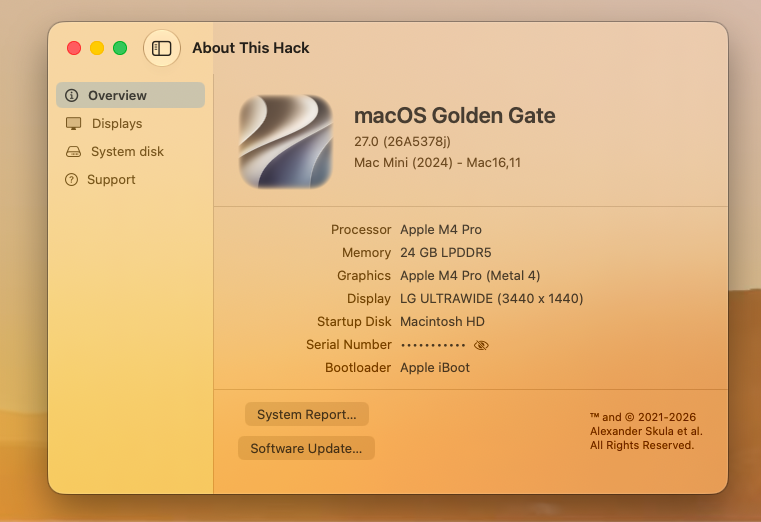
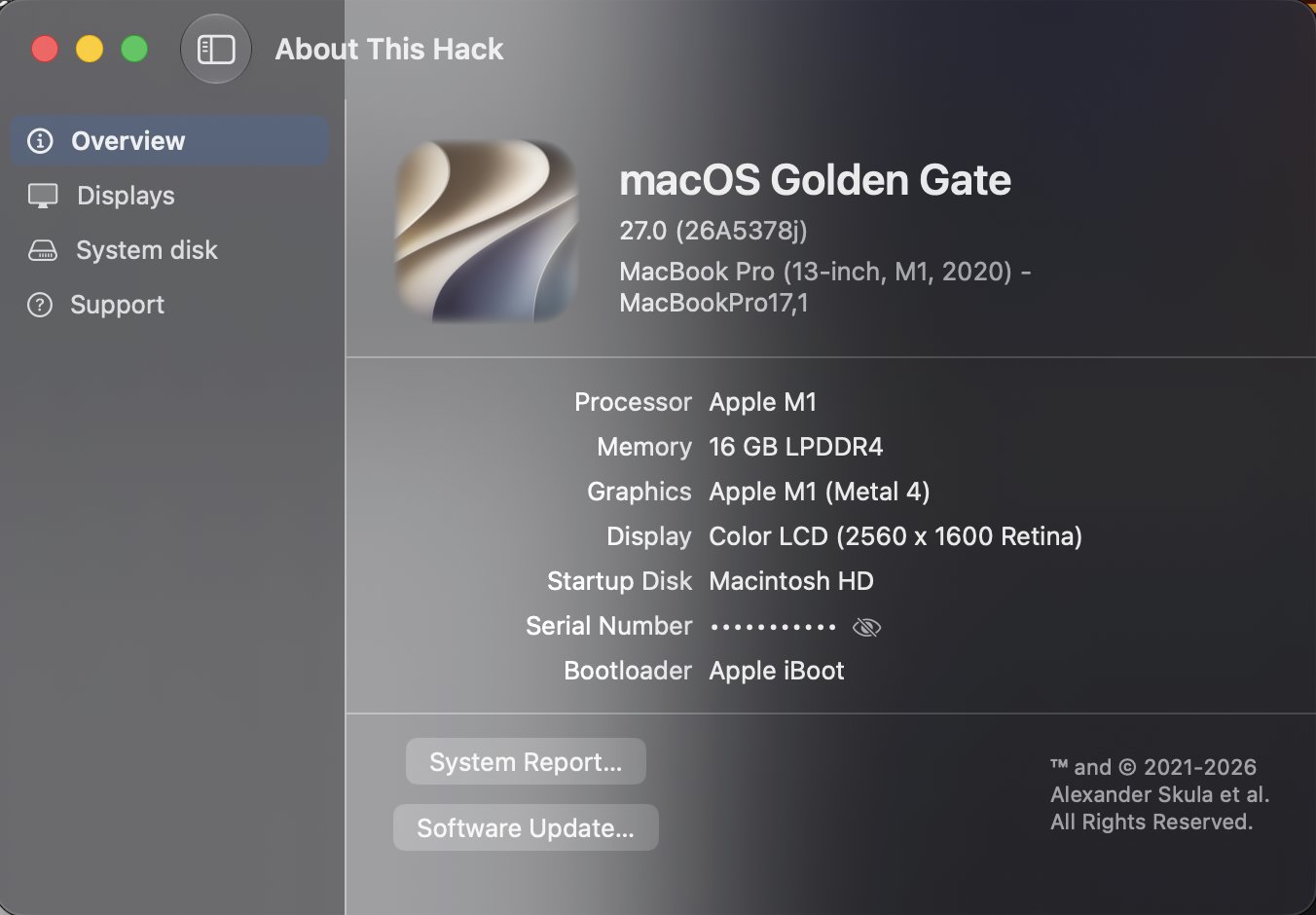
Hello my dear friends, @miliuco I used VS Code with Copilot to compile About This Hack with Xcode because I prefer the hidden serial number to open as a native option. I only had to grant permission in Sentinel and didn’t need to sign the application. It opened normally on Golden Gate Beta 3. Regards
- 69 replies
-
- 1
-
-
- macos
- golden gate
- (and 1 more)
-
 Chlomaki changed their profile photo
 -
If you're using Open Core, just create GUID formatted USB with a custom EFI and boot from the USB for your test. If you're using CLOVER, you can add another config.plist and select at boot.
-
You didn't explicitly say that the KDK affects Bluetooth, but that's clearly the impression your reply gave. You stated, "Apple has not yet released a Kernel Debug Kit for macOS 26.6 beta 4 (25G5057c). OCLP correctly selects Kernel Debug Kit 26.6 build 25G5052e, corresponding..." and then immediately went on to describe your Bluetooth issue. It's only natural that someone would connect the two. It may have been just a misunderstanding, but that's not really the point here. I haven't had the time to look through that GitHub link or the changes made to the IntelBT kext yet, although I do know why Bluetooth devices always show up as BCM_4350C2 when Bluetooth stops working. In any case, thanks for sharing it. Hopefully it'll be fixed soon and your Bluetooth will be working again.
-
I am using that on any macOS since Ventura. I couldn't imagine that someone wouldn't know about this trick. 😜
- 31013 replies
-
- 3
-
-
- bootloader
- efi
- (and 2 more)
-
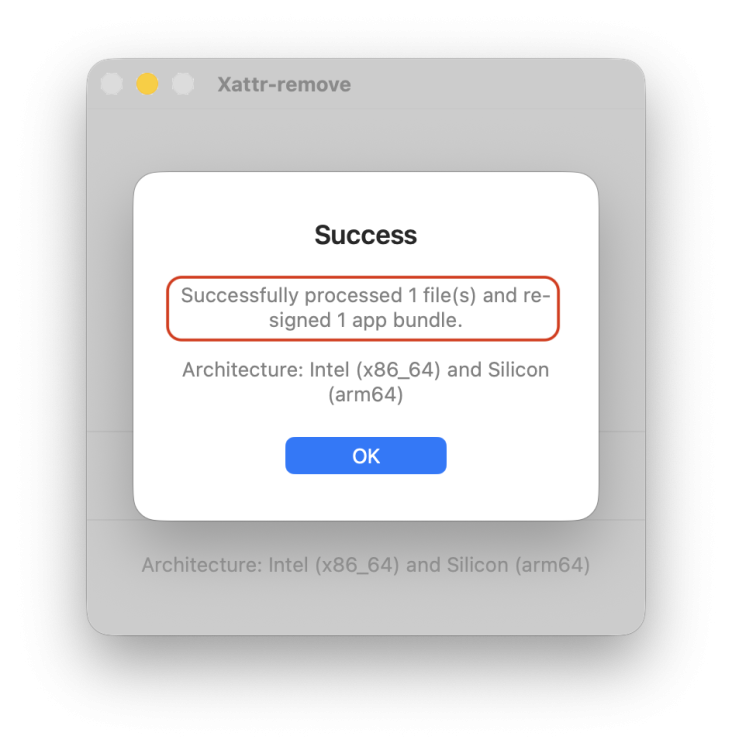
@kgp Indeed, xattr quarantine removal is not enough to run the app, but re-signing app and Sparkle does the job. Checking re-sing the app in Xattr-remove, I am able to run ATH as expected. This does the same as code signing Sparkle and app in your own machine: codesign --force --deep --sign - \ About\ This\ Hack-glass.app/Contents/Frameworks/Sparkle.framework codesign --force --deep --sign - \ About\ This\ Hack-glass.app I suppose that you must have at least one Apple account in Xcode settings or in the Keychain to this task to work.
- 69 replies
-
- 1
-
-
- macos
- golden gate
- (and 1 more)
-
I am using that on a already installed OS but not during install. Never thought the issue i posted above will fix it
- 31013 replies
-
- 3
-
-
- bootloader
- efi
- (and 2 more)
-
Interesting. This might offer a clue about how to fix. Since I'm not observing the sleep/wake audio "pop" with VoodooHDA.kext 4.0, VoodooHDA must have solved this as well. I will be able to extract new logs later today. Thank you.
-
I need to test it, but it will be after the holidays. I have three computers where it works perfectly. My question is: On all three computers, I have both Tahoe and Tahoe beta with the corresponding AppleHDA patches and both Intel and Broadcom Wi-Fi. My question is, is there any way to disable AppleALC and PCI or boot-arg injection so that it only loads on the system where I installed the kext? Or is my only option to create a bootable USB drive to test it on the hard drive of one of the three computers where I have the operating system installed? I'm not sure if this is the right question.
-
I have needed to use revpatch=sbvmm in my config.plist since Sonoma. I thought everyone was using it for their hacks - no? EDIT: This helped me for enrolling unsupported hack in Tahoe Beta
- 31013 replies
-
- 4
-
-
- bootloader
- efi
- (and 2 more)
-
Not only in Tahoe. Previous OSs now works too👍
- 31013 replies
-
- 3
-
-
- bootloader
- efi
- (and 2 more)
-
.thumb.png.a4dadf5e204705e699e70a2bc5535632.png) Company Registration Consultancy changed their profile photo
Company Registration Consultancy changed their profile photo -
@MakAsrock and All. I confirm too. Using long time ago, revpatch=sbvmm as Arguments is working fine on my Z390 (Coffee Lake-R) with MacPro7,1 SMBIOS.
- 31013 replies
-
- 2
-
-
- bootloader
- efi
- (and 2 more)
-
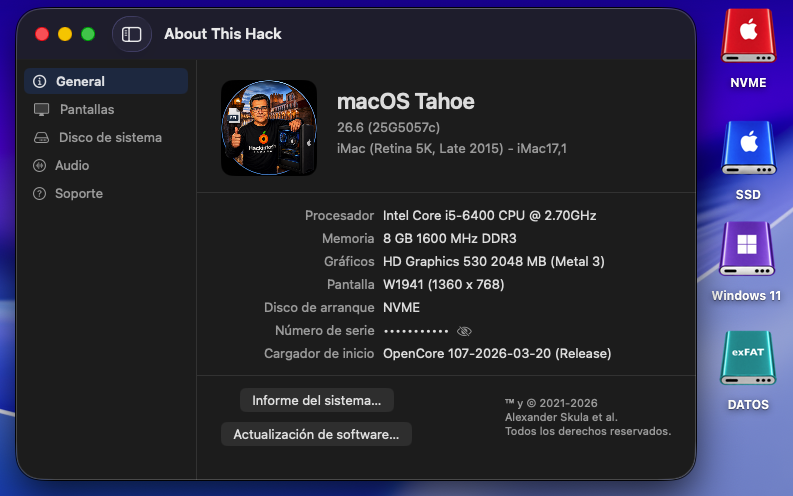
Perfect in OLD2: AppleHDA.kext + Wifi Intel OCLP (OpenCore Legacy Patcher) 😄
-
@kgp I already mentioned to @fantomas that Golden Gate is clearly more demanding than Tahoe with Gatekeeper, but until now Xattr-remove (sometimes requiring you to select "Re-sign app") or Sentinel (signing the app or disabling Gatekeeper) solved this issue. I'm worried after reading you that Apple has further tightened this system because then... what will we do with all the free, open-source apps that aren't notarized? What a problem! However, I see that @surenmunoo has uploaded a screenshot of ATH with GG beta 3. I haven't downloaded beta 3 yet; I'll do it later and comment.
- 69 replies
-
- 2
-
-
- macos
- golden gate
- (and 1 more)
-
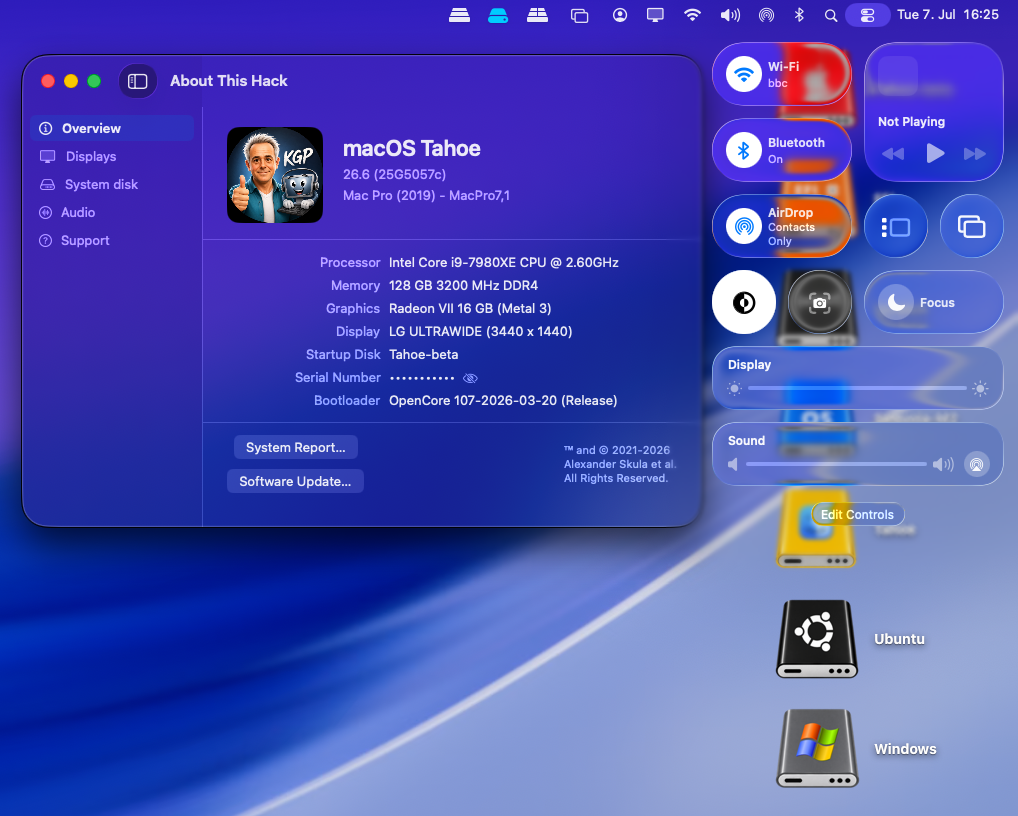
Yes, it works for me.
- 31013 replies
-
- 4
-
-
- bootloader
- efi
- (and 2 more)




.thumb.jpeg.7082d67b3394c9399e80144027a7b397.jpeg)