All Activity
- Past hour
-
 Diego Miqueias Andrade Oliveira changed their profile photo
 -
.thumb.png.21729732206db2b132ff422e7caf8c7d.png) Texla Dental Hospital joined the community
Texla Dental Hospital joined the community -
@Luminadevapps Is it possible to add a ‘disable’ option, as in Thunderbolt?
-
 LahoreCentre joined the community
 -
 Do you have hardware autodetect? If yes then it is wrong. Integrated GPU is right but switched off. Discrete GPU is wrong. I have Polaris LAN is wrong. I have Realtek 8111 Wi-Fi is absent at all.
-
 play456bdnet joined the community
 -
 Zippy Tie Man joined the community
 - Today
-
 Insurance Centrik joined the community
 -
Hi guys, I'm working on adding an app update check feature. I'm implementing it so it runs manually and at startup, with automatic installation if an update is found. Also, I had forgotten to include the "About" window that shows I'm the developer.
-
 Meredith Gonzalez joined the community
 -
 tintucpri joined the community
 -
 jita365 joined the community
 -
 Stefan Kuhnert joined the community
 -
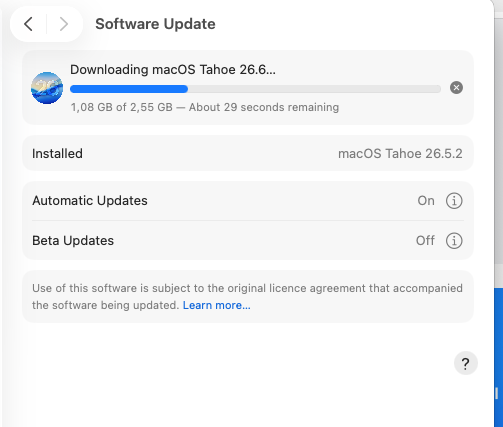
In my case upgrade 26.5.2 to 26.6 has 2.5Gb I also installed Xcode26.6 which has AI helper.
-
 ok88name1 joined the community
 -
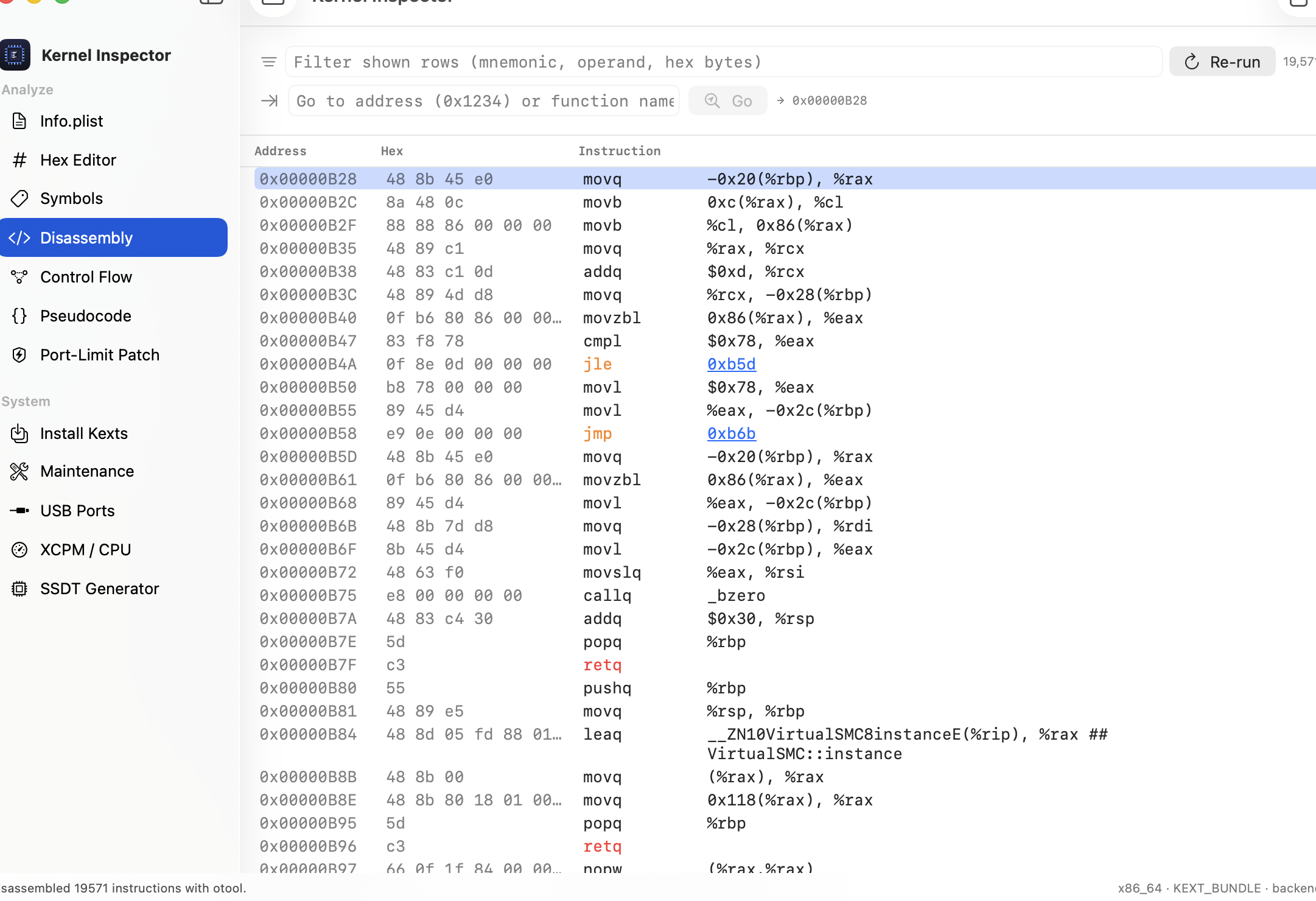
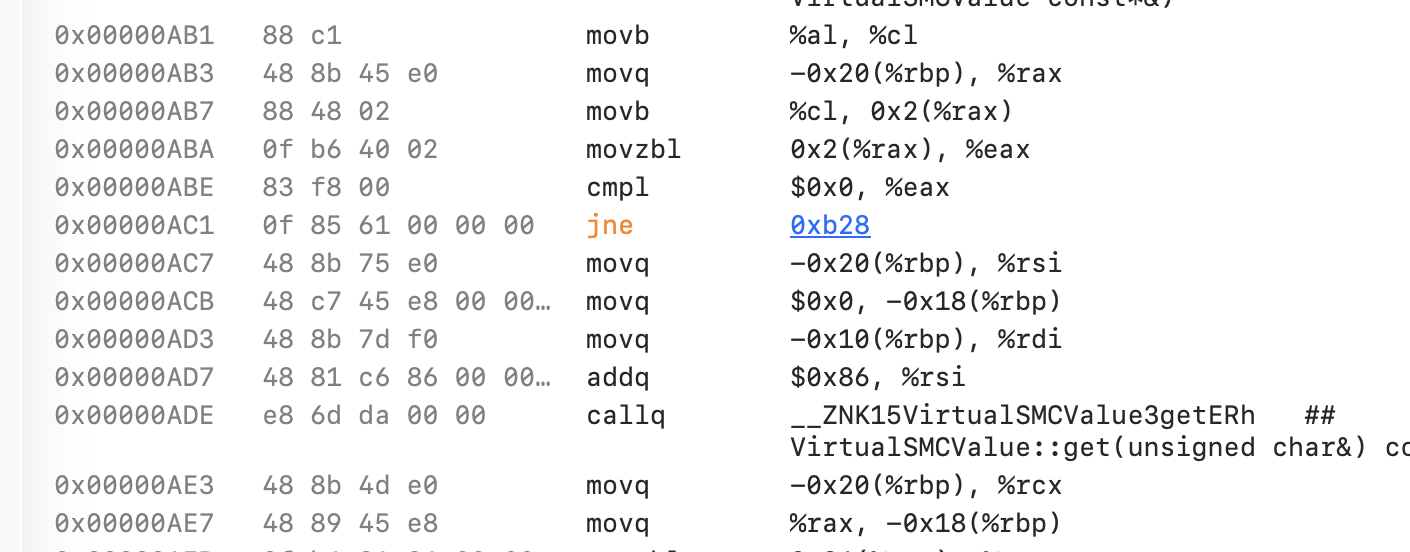
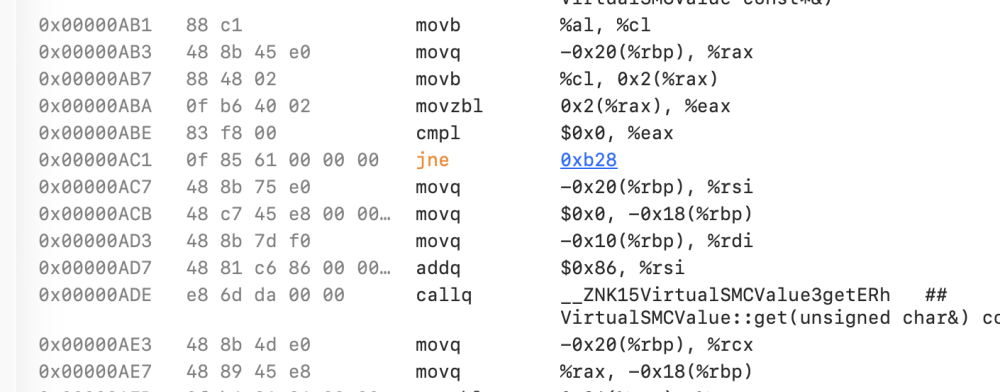
 Good idea — done! Added in 1.1.5. Branch and call targets are clickable now: click the 0x… operand on a jne (or call, b, bl, etc.) and it jumps straight to that address and highlights the line — same result as typing it into the Go to box, just by clicking. It works for any direct target; register-indirect jumps like br x8 aren't linked since there's no fixed address to go to. Grab 1.1.5 from the Releases page, or just relaunch the app and let it auto-update. Thanks for the suggestion — keep them coming! https://github.com/luminadevapps/KernelInspector/releases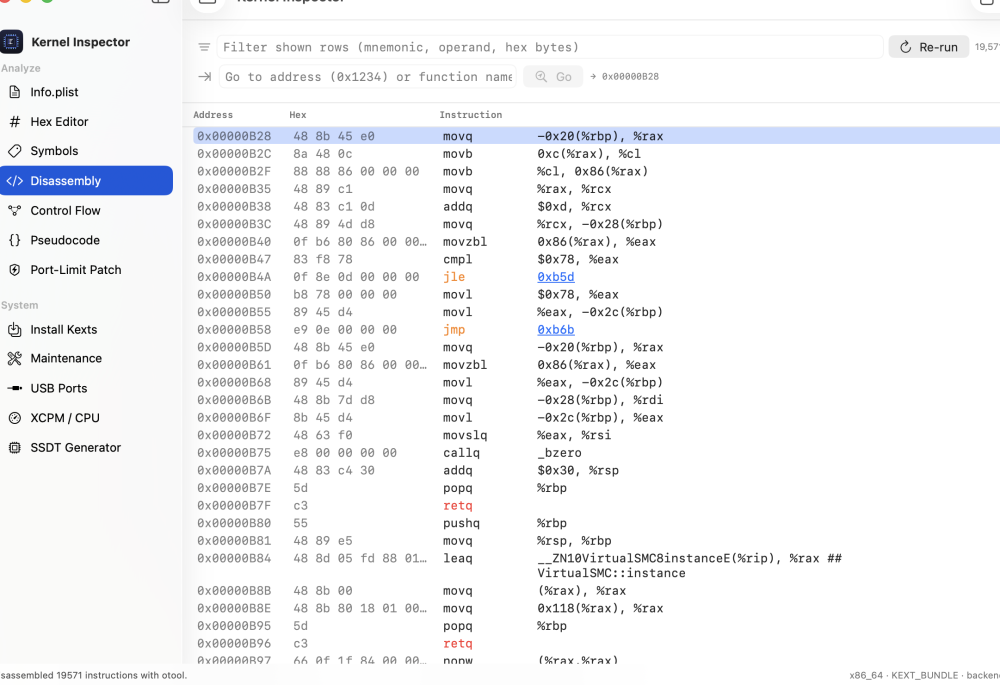
-
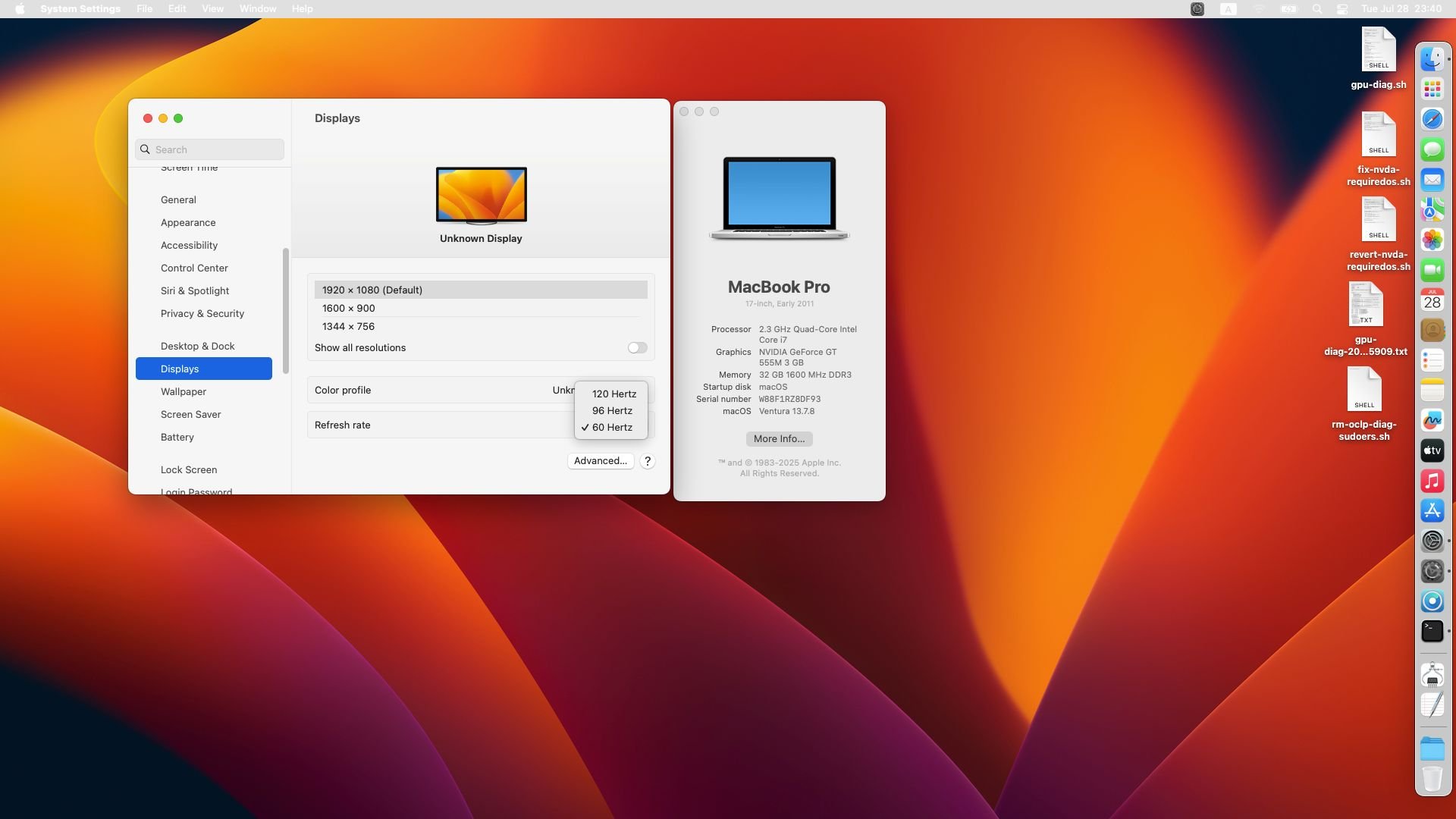
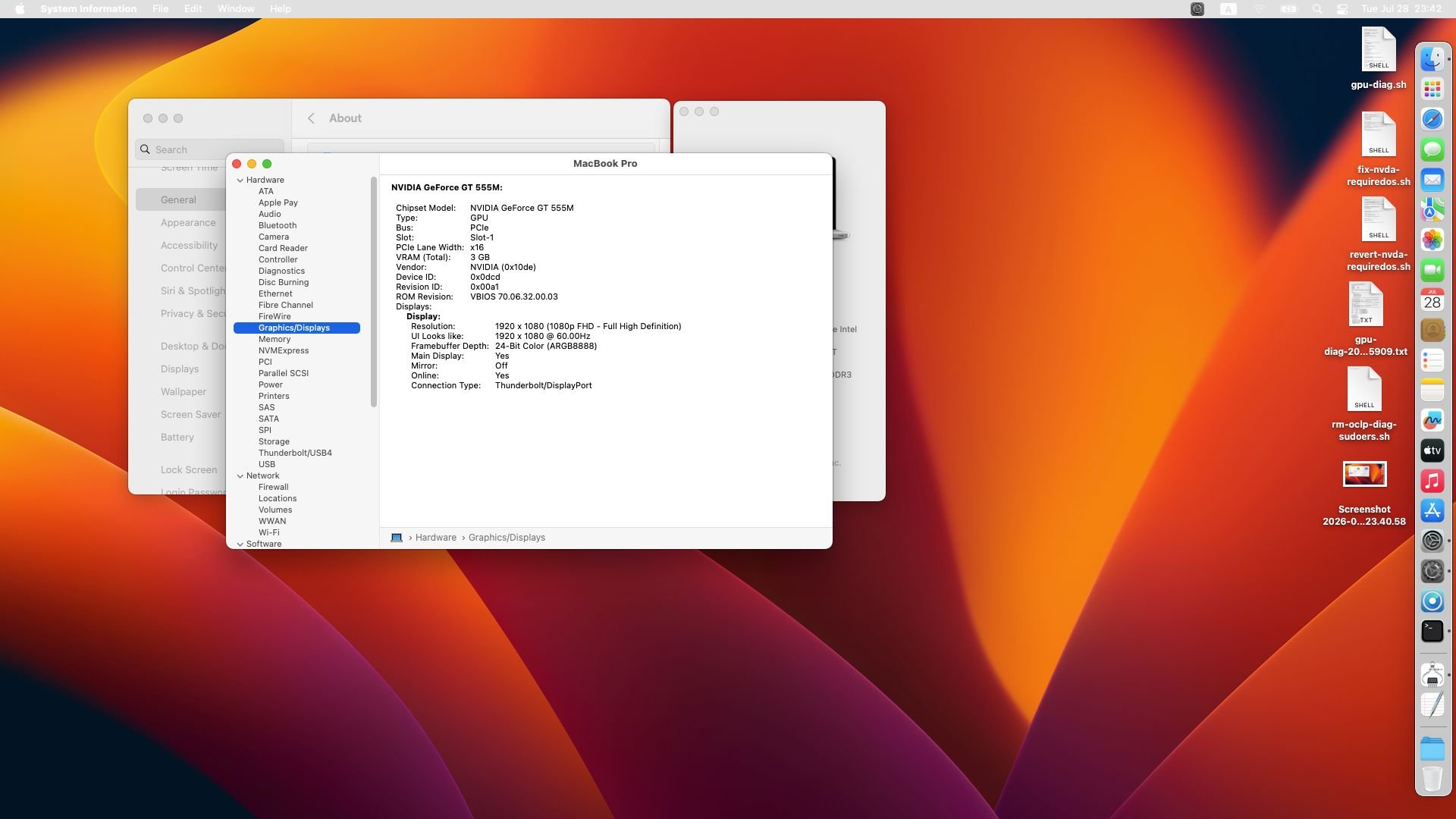
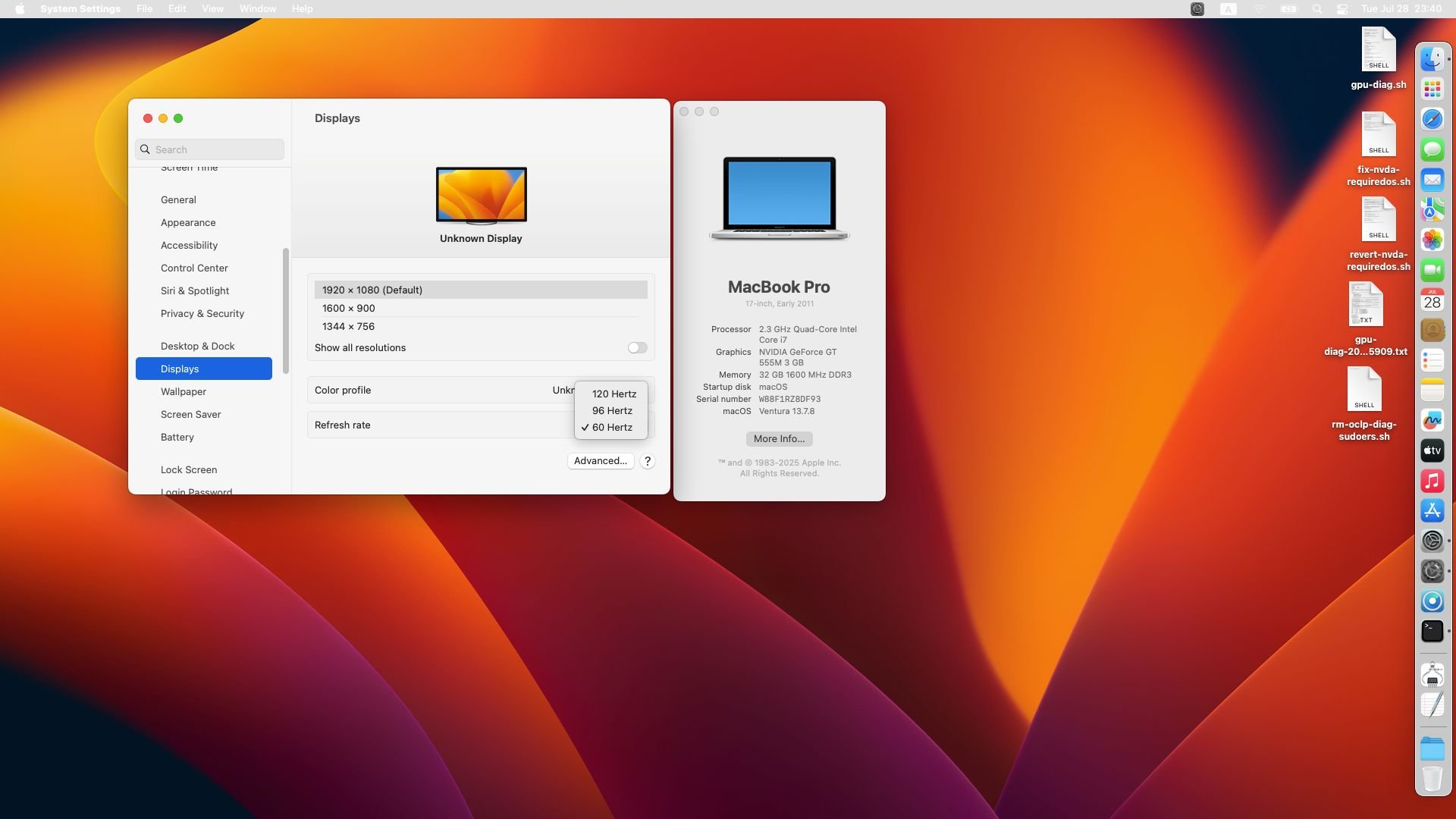
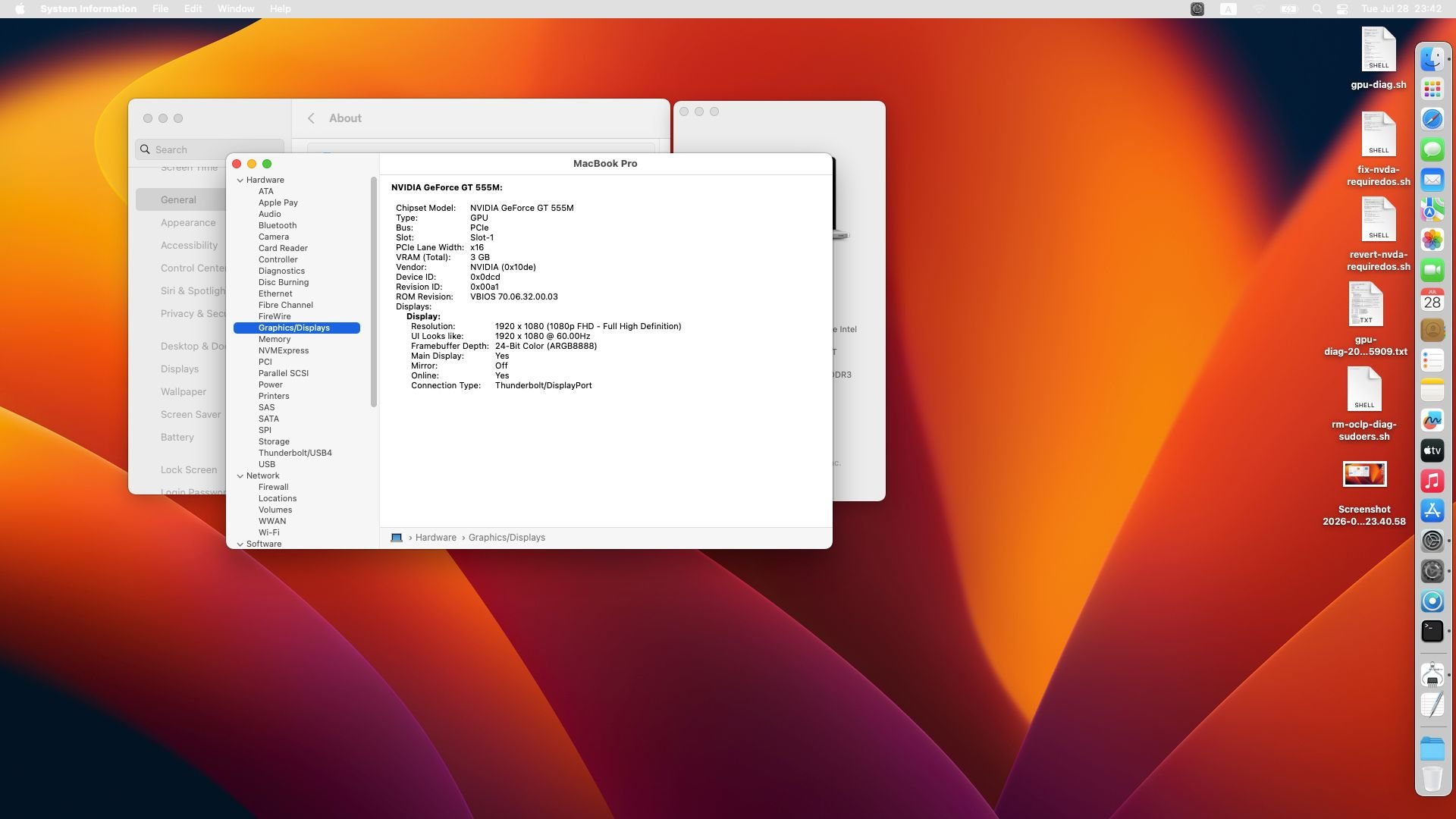
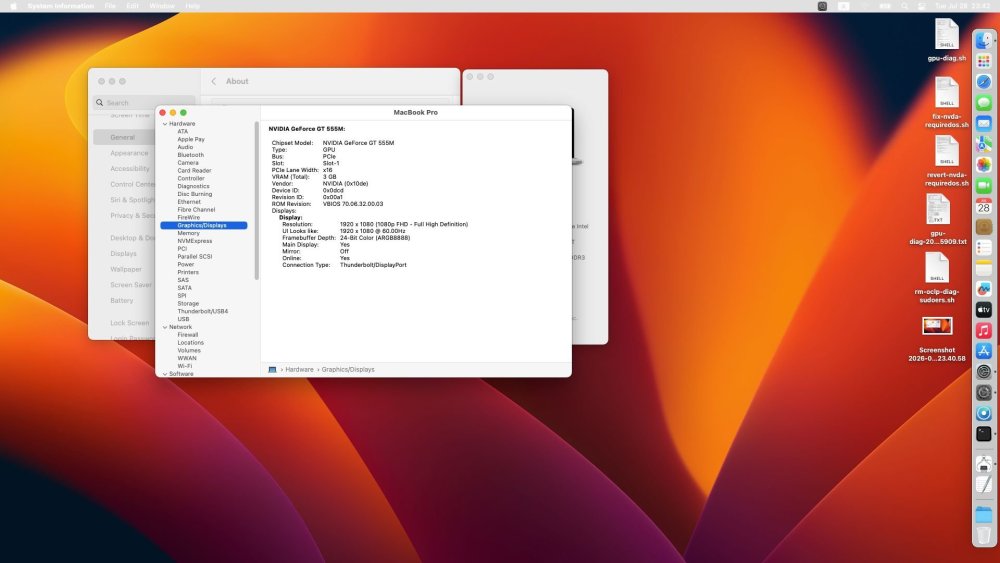
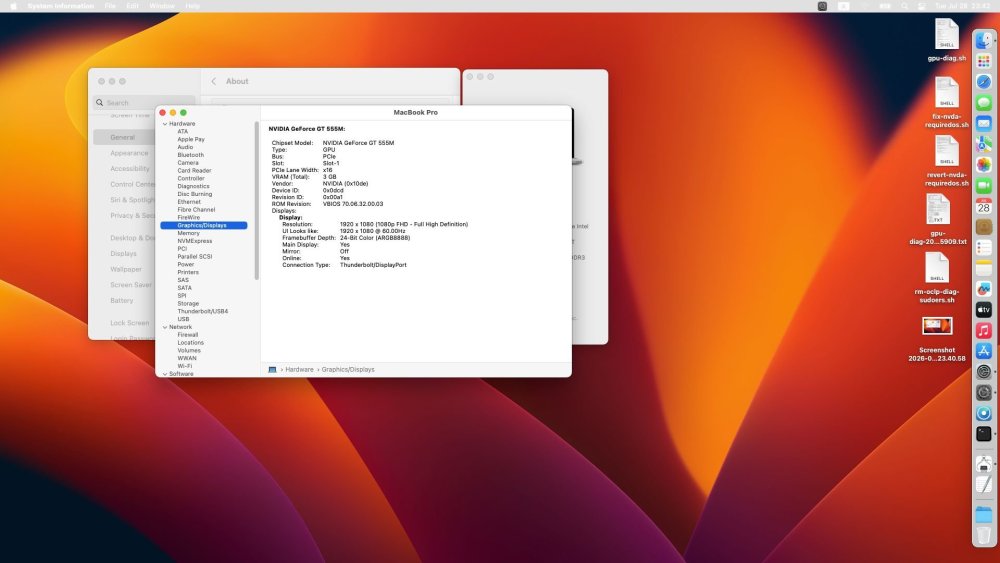
 Update: Ventura 13.7.8 display progress on Dell XPS L702X 3D (GT 555M only) — and why I’m moving to High Sierra 10.13.6 Quick note first: my machine is the XPS L702X 3D, not the Optimus L702X. On the 3D model the Intel HD 3000 is factory-disabled; only the NVIDIA GeForce GT 555M drives the internal panel and HDMI. So there is no iGPU fallback path. Display progression on Ventura 13.7.8 (OpenCore 1.0.7) I did get a usable desktop, but only in stages: 800×600 @ ~1 MB Basic/VESA-style output (typically with nv_disable=1 / no real NVIDIA framebuffer stack). Bootable, but almost unusable. 1280×1024 @ ~5 MB Intermediate framebuffer-ish state — better than 800×600, still wrong timings / limited VRAM reporting, not a daily driver. 1920×1080 @ 3 GB With the NVIDIA Web Driver framebuffer stack loaded (NVDAStartupWeb + NVDAResmanWeb + NVDAGF100HalWeb) and the accelerator (GeForceWeb.kext) kept out, I finally got a stable native 1920×1080 desktop, correct EDID / panel mode, and About This Mac reporting the GT 555M with 3 GB VRAM. So yes: full native resolution on Ventura is possible on this Fermi laptop — but that is not the same as GPU acceleration. Important: no GPU acceleration on Ventura Even at 1920×1080@3GB, WindowServer was still doing software compositing (very high CPU on WindowServer, laggy UI, poor daily UX). This is the key reminder for anyone chasing “working graphics” on Ventura with GT 555M: Why acceleration failed (what we actually verified) I tried the OCLP / Web Drivers route seriously (SSH diagnostics during white/garbled screens, AuxKC rebuilds, WEG flags, npci=0x2000, BAR placement, etc.). Short version of the hard limits: GT 555M is Fermi. Apple never shipped Fermi in a Mac. OCLP’s NVIDIA Web Driver path is aimed at real Mac NVIDIA GPUs (mostly Kepler-era stories), not this laptop’s wiring/driver combo. Loading GeForceWeb.kext (the accelerator) brought MMU / DMA faults (Channel exception / FAULT_PTE), white/garbled screen, etc. A WindowServer-free OpenCL test still failed: buffer write + read-back returned all zeros, while every OpenCL API call reported success. So host↔device DMA / GPU memory management is broken, not “just” the compositor. Kernel logs also showed ABI skew, e.g. unknown IOAccel context types and IOSurface “nonvolatile” skip behavior — classic mismatch between High Sierra–era accelerator (IOAcceleratorFamily2 ~378.x) and the newer userspace / IOSurface stack Ventura needs. Side finding: leftover Tesla Web Driver kexts in /Library/Extensions can break AuxKC linking (_VSLGestalt bind failure) and prevent GeForceWeb from loading at all. Worth cleaning if you experiment — but fixing that still did not make acceleration work on Ventura. Bottom line for me: on Ventura 13.7.8, GT 555M can do framebuffer / native res, but true GPU acceleration is not achievable with the available Web Driver + OCLP patch set. Not a config.plist tweak left to try. Downgrade plan: macOS High Sierra 10.13.6 I’ve stopped pursuing Ventura for daily use on this machine and I’m preparing / installing macOS High Sierra 10.13.6. Why High Sierra: It is the last macOS with official NVIDIA Web Drivers for this class of GPU. On 10.13.6, Web Drivers are a native stack (no Ventura-era IOSurface / accelerator ABI stitching). Goal: keep the XPS usable day-to-day with real GPU-composited UI, which Ventura cannot deliver on GT 555M. Trade-off accepted: older OS, but actually usable graphics. I’ve built a separate OpenCore 1.0.7 install EFI aimed at 10.13.6 (install-time nv_disable=1, FakeSMC/AICPM path closer to older working USB-EFI, then Web Drivers after install and drop nv_disable). Happy to share results once High Sierra + Web Drivers are up. If anyone on the Optimus L702X thread has a clean 10.13.6 + GT 555M Web Driver checklist that still works in 2026, I’d appreciate pointers — keeping in mind my 3D unit has no iGPU.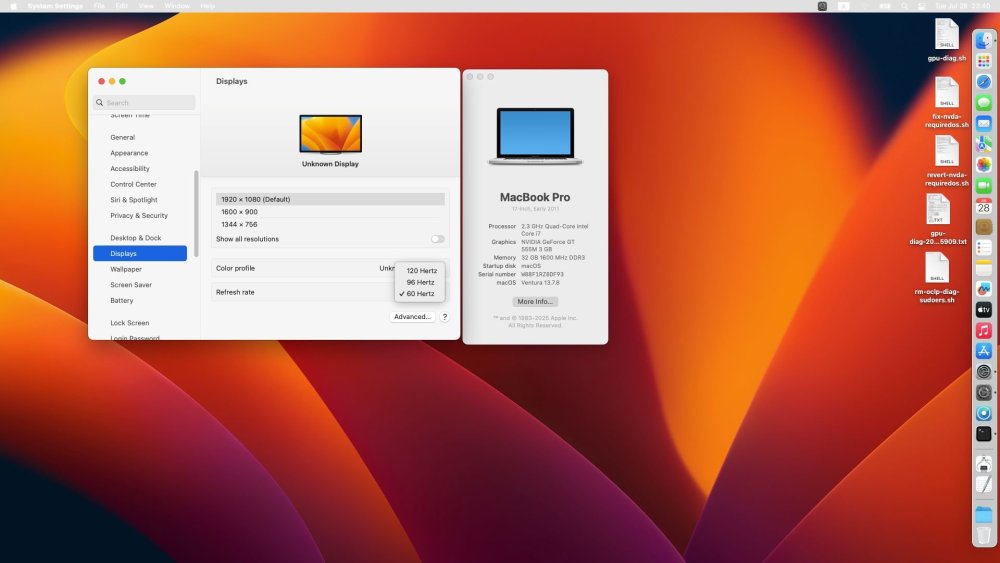
-
macOS Ventura on Dell XPS 17 L702x Optimus
Allen Cai replied to mackyreddy's topic in Installation Guides
Update: Ventura 13.7.8 display progress on Dell XPS L702X 3D (GT 555M only) — and why I’m moving to High Sierra 10.13.6 Quick note first: my machine is the XPS L702X 3D, not the Optimus L702X. On the 3D model the Intel HD 3000 is factory-disabled; only the NVIDIA GeForce GT 555M drives the internal panel and HDMI. So there is no iGPU fallback path. Display progression on Ventura 13.7.8 (OpenCore 1.0.7) I did get a usable desktop, but only in stages: 800×600 @ ~1 MB Basic/VESA-style output (typically with nv_disable=1 / no real NVIDIA framebuffer stack). Bootable, but almost unusable. 1280×1024 @ ~5 MB Intermediate framebuffer-ish state — better than 800×600, still wrong timings / limited VRAM reporting, not a daily driver. 1920×1080 @ 3 GB With the NVIDIA Web Driver framebuffer stack loaded (NVDAStartupWeb + NVDAResmanWeb + NVDAGF100HalWeb) and the accelerator (GeForceWeb.kext) kept out, I finally got a stable native 1920×1080 desktop, correct EDID / panel mode, and About This Mac reporting the GT 555M with 3 GB VRAM. So yes: full native resolution on Ventura is possible on this Fermi laptop — but that is not the same as GPU acceleration. Important: no GPU acceleration on Ventura Even at 1920×1080@3GB, WindowServer was still doing software compositing (very high CPU on WindowServer, laggy UI, poor daily UX). This is the key reminder for anyone chasing “working graphics” on Ventura with GT 555M: Why acceleration failed (what we actually verified) I tried the OCLP / Web Drivers route seriously (SSH diagnostics during white/garbled screens, AuxKC rebuilds, WEG flags, npci=0x2000, BAR placement, etc.). Short version of the hard limits: GT 555M is Fermi. Apple never shipped Fermi in a Mac. OCLP’s NVIDIA Web Driver path is aimed at real Mac NVIDIA GPUs (mostly Kepler-era stories), not this laptop’s wiring/driver combo. Loading GeForceWeb.kext (the accelerator) brought MMU / DMA faults (Channel exception / FAULT_PTE), white/garbled screen, etc. A WindowServer-free OpenCL test still failed: buffer write + read-back returned all zeros, while every OpenCL API call reported success. So host↔device DMA / GPU memory management is broken, not “just” the compositor. Kernel logs also showed ABI skew, e.g. unknown IOAccel context types and IOSurface “nonvolatile” skip behavior — classic mismatch between High Sierra–era accelerator (IOAcceleratorFamily2 ~378.x) and the newer userspace / IOSurface stack Ventura needs. Side finding: leftover Tesla Web Driver kexts in /Library/Extensions can break AuxKC linking (_VSLGestalt bind failure) and prevent GeForceWeb from loading at all. Worth cleaning if you experiment — but fixing that still did not make acceleration work on Ventura. Bottom line for me: on Ventura 13.7.8, GT 555M can do framebuffer / native res, but true GPU acceleration is not achievable with the available Web Driver + OCLP patch set. Not a config.plist tweak left to try. Downgrade plan: macOS High Sierra 10.13.6 I’ve stopped pursuing Ventura for daily use on this machine and I’m preparing / installing macOS High Sierra 10.13.6. Why High Sierra: It is the last macOS with official NVIDIA Web Drivers for this class of GPU. On 10.13.6, Web Drivers are a native stack (no Ventura-era IOSurface / accelerator ABI stitching). Goal: keep the XPS usable day-to-day with real GPU-composited UI, which Ventura cannot deliver on GT 555M. Trade-off accepted: older OS, but actually usable graphics. I’ve built a separate OpenCore 1.0.7 install EFI aimed at 10.13.6 (install-time nv_disable=1, FakeSMC/AICPM path closer to older working USB-EFI, then Web Drivers after install and drop nv_disable). Happy to share results once High Sierra + Web Drivers are up. If anyone on the Optimus L702X thread has a clean 10.13.6 + GT 555M Web Driver checklist that still works in 2026, I’d appreciate pointers — keeping in mind my 3D unit has no iGPU.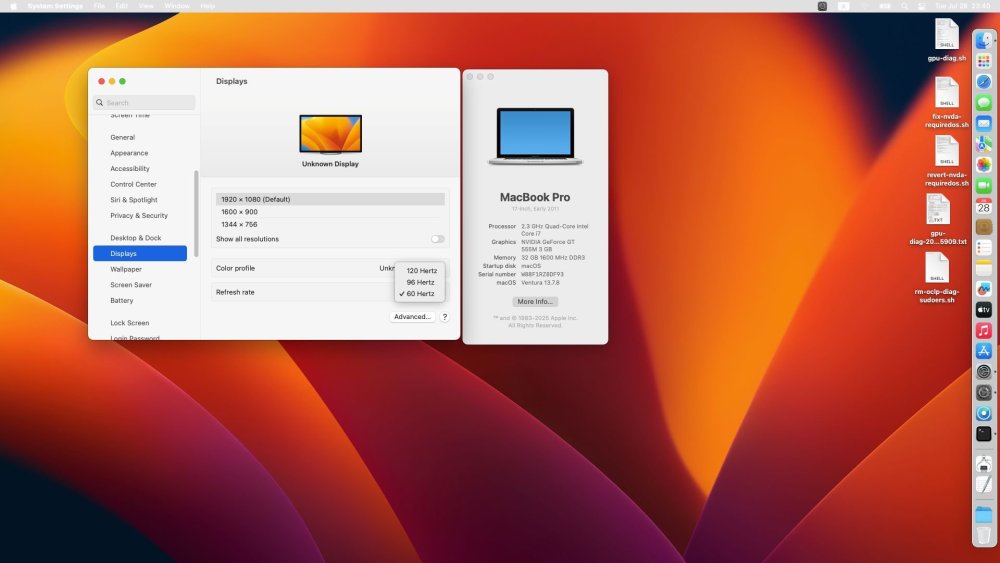
-
Yes, in the end I installed it with my original config on Sata SSD by just booting from Preboot over and over stages 3rd through 5th and ignoring the erratic behavior of the progress bars. I blocked RealtekRTL8111.kext to prevent it from connecting to Apple servers during the install. ResizeGPUBars=0 didn't seem to make any difference so I reverted it. I migrated the system from a TimeMachine backup of Catalina and it went smoothly about 15 minutes. Thanks a lot.
- 31045 replies
-
- 1
-

-
- bootloader
- efi
- (and 2 more)
-
So, the installation is successful?
- 31045 replies
-
- 3
-
-
- bootloader
- efi
- (and 2 more)
-
.thumb.jpg.f7420edb7a3edfc750309b29d81d73bc.jpg) o8o8cocom changed their profile photo
o8o8cocom changed their profile photo -
Ok, I got it, I deleted hiding of Preboot from config.plist. I'll try the install again on Sata SSD and also set ResizeGPUBars to zero to see if helps with the erratic progress bars during the install. I don't need this. What you don't see in the log is that there is an entry for Clover that I created manually with bcfg boot in efi shell and bios boots that. Thanks a lot.
- 31045 replies
-
- 2
-
-
- bootloader
- efi
- (and 2 more)
-
See 52:718 0:002 - [!] efi-boot-device-data not found 52:721 0:002 - found entry 0. 'Boot Microsoft EFI Boot from EFI', Volume 'EFI', DevicePath 'PciRoot(0x0)\Pci(0x1D,0x2)\Pci(0x0,0x0)\NVMe(0x1,64-60-4B-00-03-8E-E3-8C)\HD(1,GPT,70D4251A-99AF-4DE9-A93C-C8A8D4BCEEFA,0x800,0x64000)\EFI\microsoft\Boot\bootmgfw.efi' For such BIOSes we have the follow method: 1. Rename /EFI/microsoft/boot/bootmgfw.efi to /EFI/microsoft/boot/bootmgfw-orig.efi 2. Copy CloverX64.efi to be renamed to /EFI/microsoft/boot/bootmgfw.efi Now your BIOS will start /EFI/microsoft/boot/bootmgfw.efi but this is a Clover while the Clover will now how to boot Windows using bootmgfw-orig.efi
- 31045 replies
-
- 1
-
-
- bootloader
- efi
- (and 2 more)
-
Yes, this is only way
- 31045 replies
-
- 3
-
-
- bootloader
- efi
- (and 2 more)
-
@Zenith432 And why you hide Preboot? It is the only right way to boot a system 11+
- 31045 replies
-
- 2
-
-
- bootloader
- efi
- (and 2 more)
-
Tried the update this morning. After I got the final reboot I was presented with the same screen as before. Rebooted and I was able to get into my profile ok. Shut down and rebooted a few times and things look good. This happened after I modified the config list as per Deeveedee’s suggestions from a few weeks back. So thank you Deeveedee! Cheers, Howard
-
@Zenith432 if you have time test this EFI, Please try not changing anything to see https://limewire.com/d/H5ibS#7zm9H02UpJ
- 31045 replies
-
- 3
-
-
- bootloader
- efi
- (and 2 more)
-

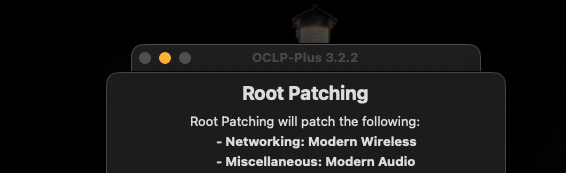
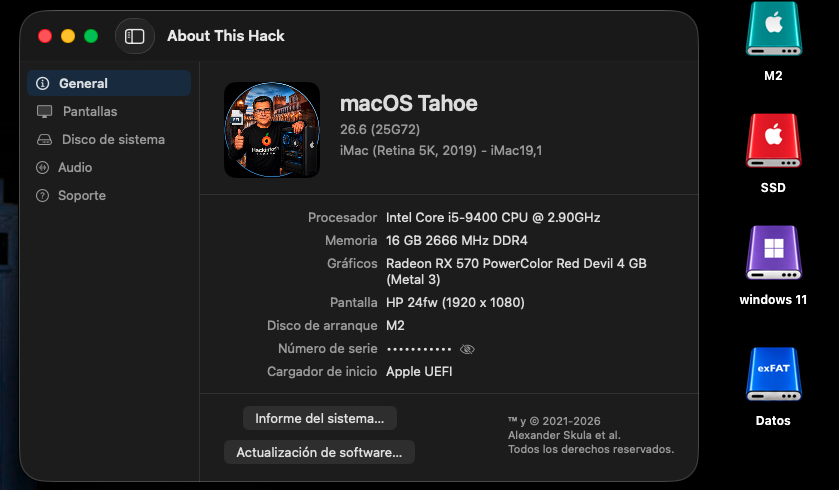
The OCLP-Plus 3.x (Tahoe Patch Set).
MakAsrock replied to MakAsrock's topic in New Releases and Updates
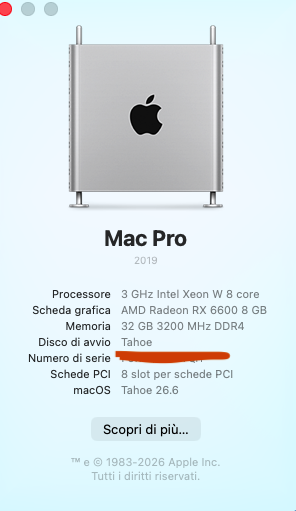
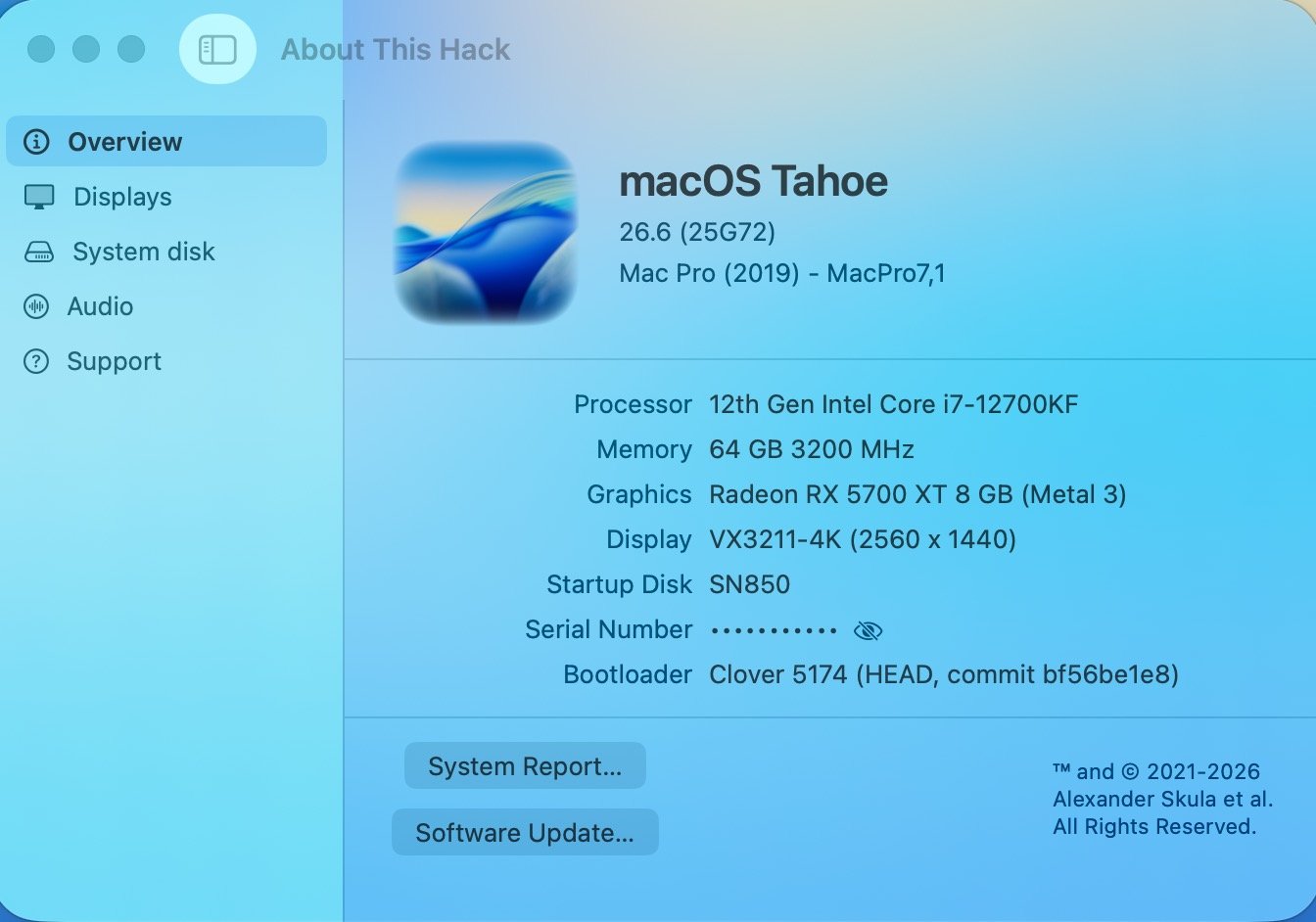
My OCLP-Plus is still running flawlessly on macOS 26.6 (25G72). Everything installed automatically with zero input from me while I had coffee. 🫠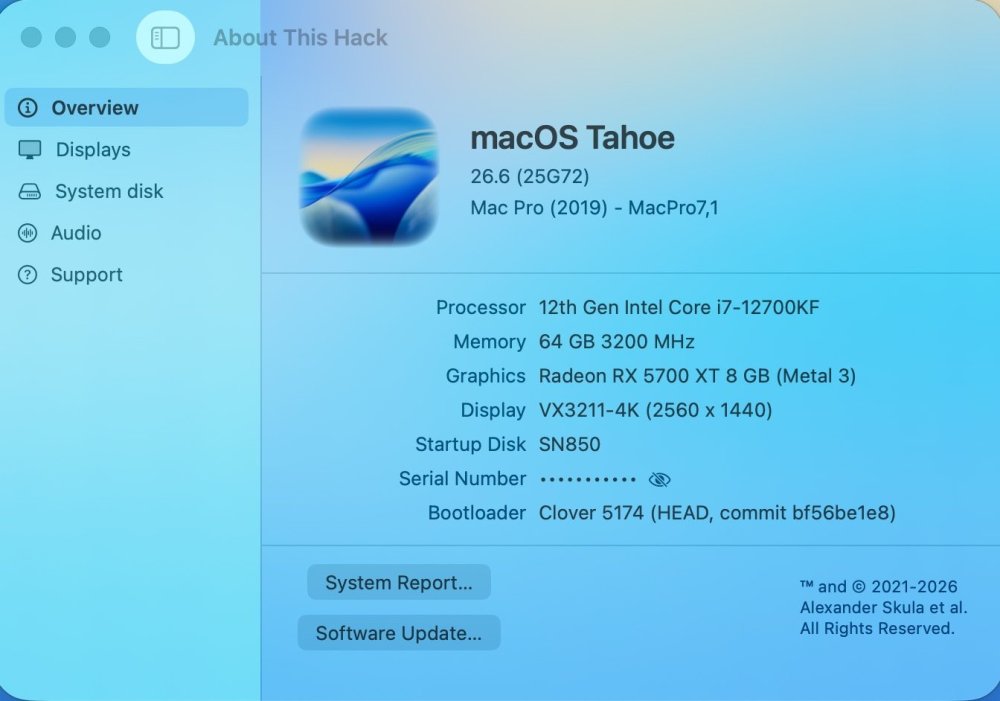
-
Everything installed automatically with zero input from me while I had coffee. 😉
-
.thumb.png.97b03055c1088efe5152658c3d141ea9.png) Gunnebah Addiction Retreat changed their profile photo
Gunnebah Addiction Retreat changed their profile photo -
Set ResizeGpuBars to 0 and I think everything will finally load.
- 31045 replies
-
- 2
-
-
- bootloader
- efi
- (and 2 more)
-
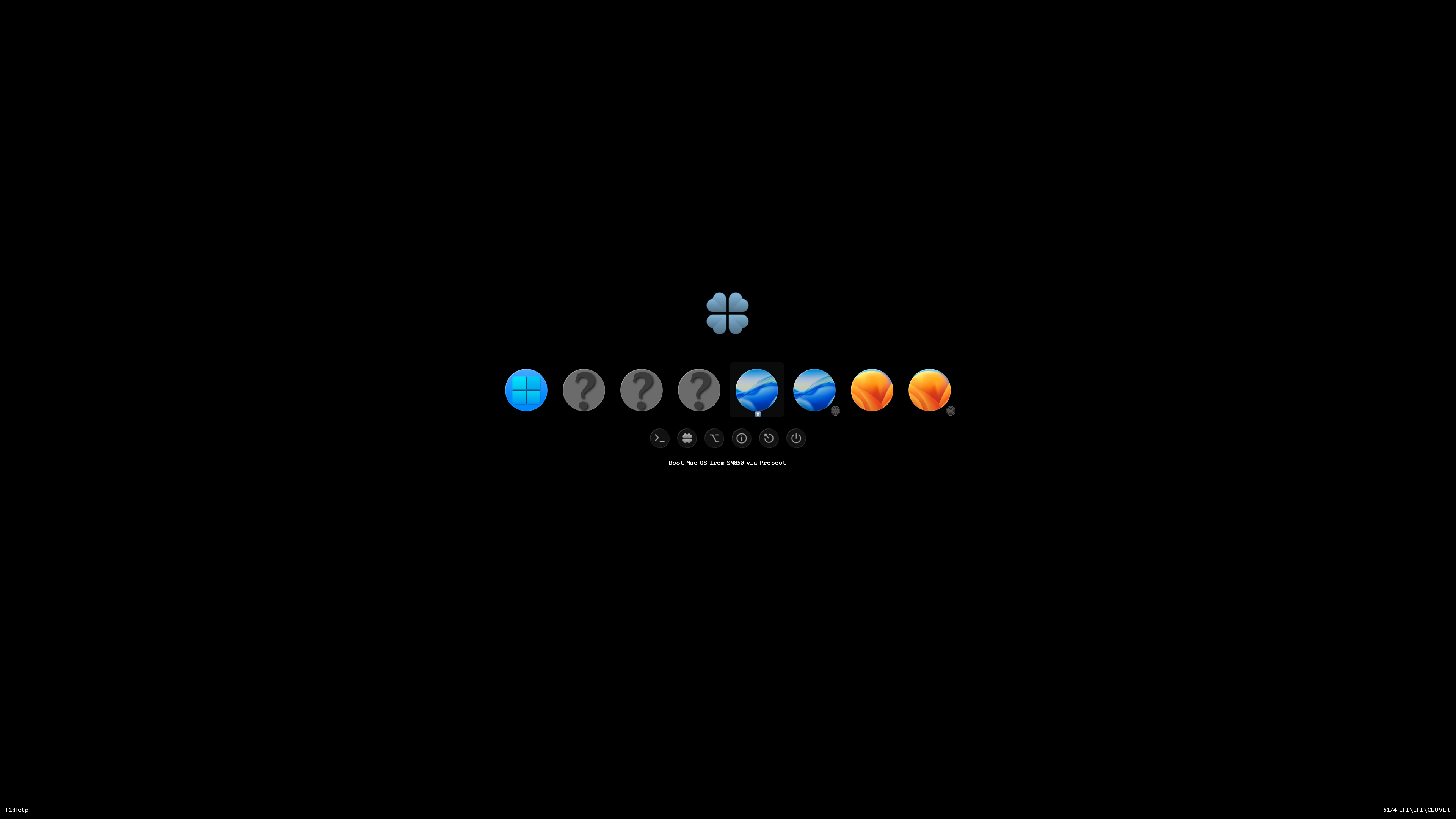
Strange you have a problem. What I did: 1. Start installation. I didn't use any USB, the package is located on other partition. Clover is located on EFI folder of the hard drive. 2. Reboot to Clover and I see a partition with "Boot Install macOS from..." and "Boot MacOS via Preboot...". Choose first automatically. 3. Second reboot there are no icon with "...Instal...", there are only "... macOS via Preboot...". Choose it automatically. I didn't touch keyboard or mouse. 4,5,6 As many reboots as needed always automatically. I can go to rest or drink. Clover knows what to choose at next reboot. May be you have a problem with external drive which was lost at next reboot? I made the whole process on internal drive.
- 31045 replies
-
- 2
-
-
- bootloader
- efi
- (and 2 more)
-
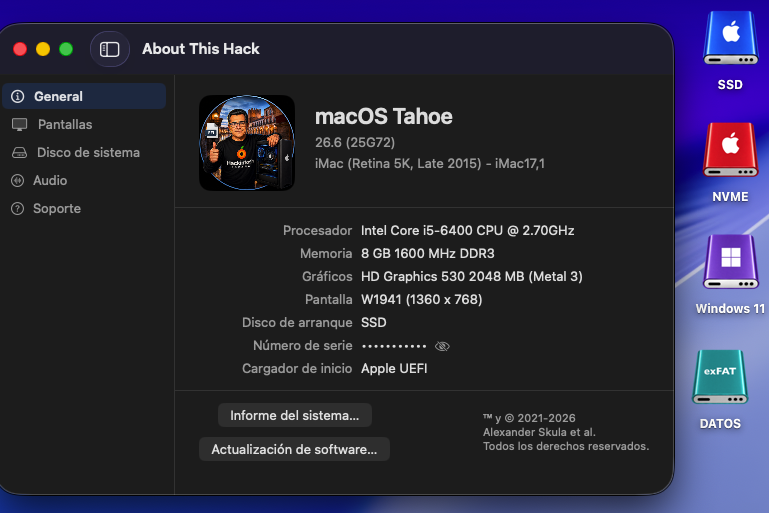
Perfect in OLD2: AppleHDA.kext + Wifi Intel OCLP (OpenCore Legacy Patcher) 😄
-
Attached is the log The device is PciRoot(0x0)\Pci(0x14,0x0)\USB(0x11,0x0)\USB(0x2,0x0)\HD(2,GPT... You can see that it finds volumes Preboot MacHD - Data Recovery MacHD Update (this is a snapshot) VM Then later when creating menu entries, it creates menu entries for Preboot and Recovery, and skips all the other volumes. 2026-07-28_09-46_CLOVERX64.EFI.log
- 31045 replies
-
- 1
-
-
- bootloader
- efi
- (and 2 more)
-
 thethaosol changed their profile photo
 -
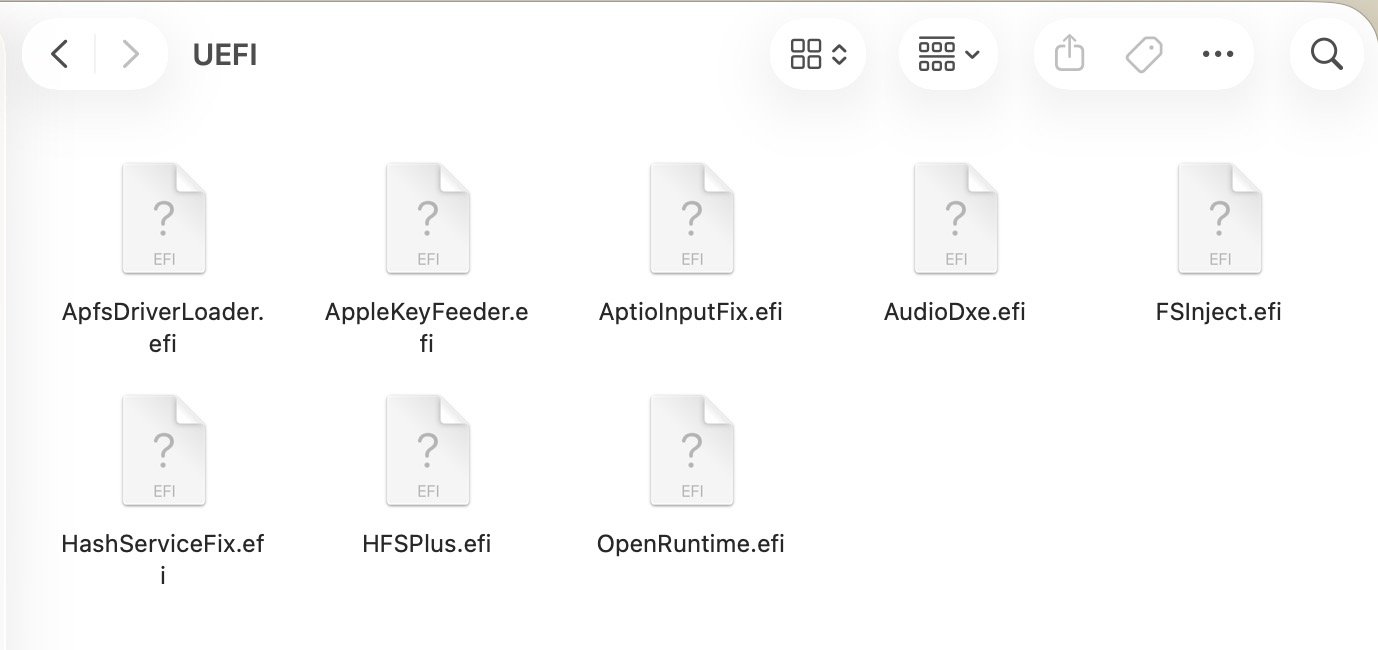
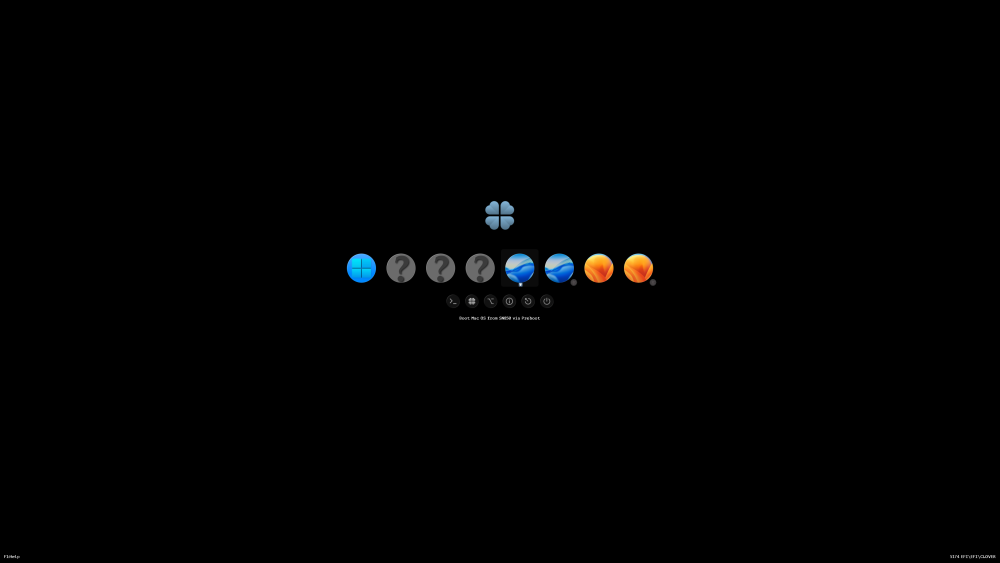
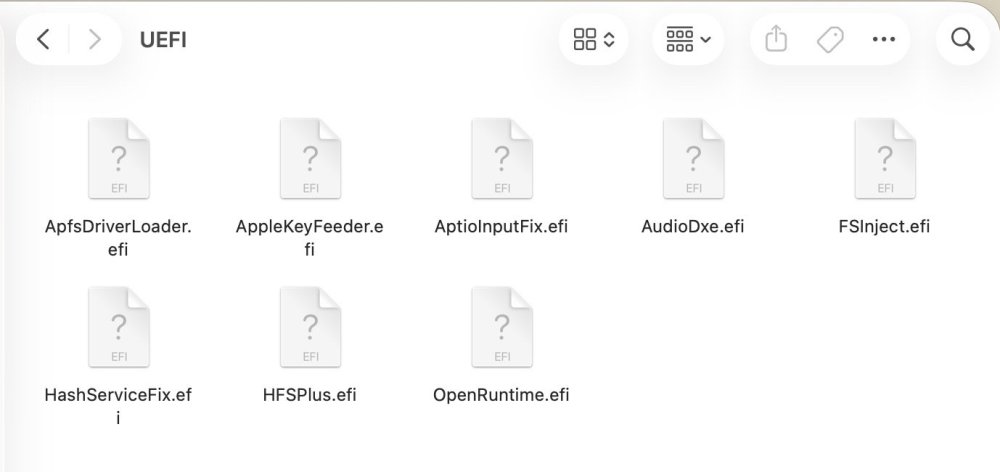
I didn't find anything significant in your configuration file that could prevent it from loading. But I didn't check for any quirks. Some of them do not match the recommended default values (It needs to be selected individually). Try this edited config. And this screenshots of the boot process and my driver folder: config.plist.zip
-
After a second or third attempt, it worked with OCPL PLUS on NEW: