All Activity
- Past hour
-
 Thank you.
 -
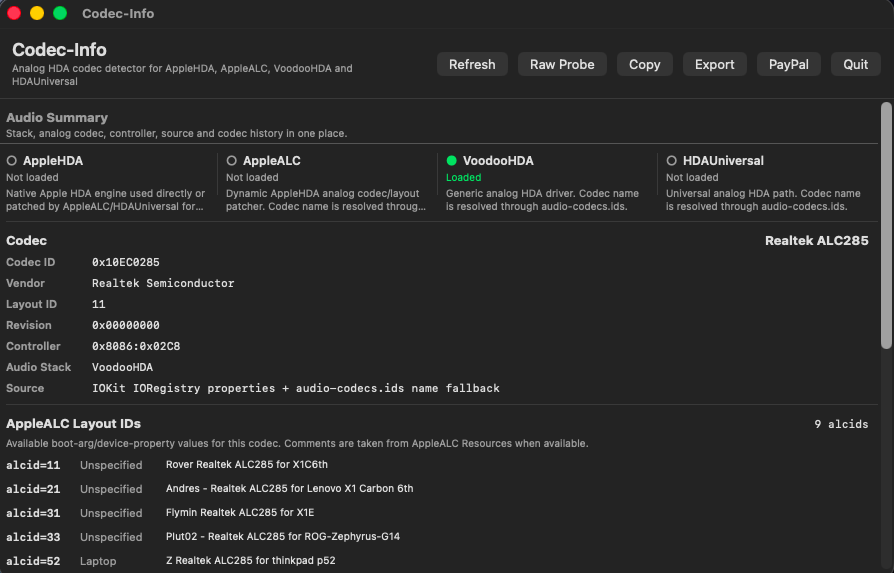
@MaLd0n Without making any other changes, I ACPI-patched my hack's HDAS._DSM and now have working Codec-Info in macOS Tahoe. I'm sure that UniversalHDA will work now. Thank you for providing this great solution! EDIT: I spoke too soon. After removing VoodooHDA.kext, rebooting, installing UniversalHDA.kext and allowing it in System Settings and rebooting, I have no audio. My HDAS._DSM fixes Codec-Info in Tahoe on my hack, but not UniversalHDA. My logs are attached. 1. The zip generated by Collect-HDAUniversal.command: attached 2. Your codec model: ALC285 3. Your layout-id: 11 4. macOS version: Tahoe 26.6 (25G5052e) 5. Bootloader used: Open Core 1.0.7 6. Whether the kext is installed in /Library/Extensions: yes 7. A clear description of the problem: UniversalHDA.kext does not load 8. Steps to reproduce the issue: Install UniversalHDA with installer, allow kext in System Settings when prompted, reboot, UniversalHDA.kext is not loaded. Note that audio works without issues using AppleALC in Catalina, Sonoma and Sequoia. Audio works without issues with VoodooHDA.kext 4.0 in Tahoe. HDAUniversal-Test-Logs-2026-07-02_18-58-24.zip
- Today
-
 ミゲル changed their profile photo
 -
 HdaUniversal is an IOAudioFamily-based kext in the sense that it is a real audio driver. It creates and publishes audio devices, engines, streams, volume controls, inputs/outputs, mixer controls, mute, jack sense, and so on. In other words, it directly participates in the `IOAudioFamily` / `IOAudioEngine` stack. HdaUniversal can use AppleALC layouts as a codec configuration source. These layouts provide codec-specific data such as layout IDs, pin configurations, path maps, node routing, input/output associations, speaker and headphone paths, microphone paths, combo-jack behavior, and other topology information. Instead of using those layouts to patch AppleHDA like AppleALC does, HdaUniversal can read and apply the same layout information inside its own driver logic. This allows HdaUniversal to configure the HDA codec, build the correct audio paths, create the proper IOAudio ports and controls, and publish the expected input/output devices directly through its own IOAudioFamily implementation. That is why, if your codec works with AppleALC, it will also work with HdaUniversal.
 -
 @deeveedee But to test HDAUniversal, you have to disable or remove any other audio kexts like VoodooHDA or AppleALC. Both kexts (HDAUniversal and VoodooHDA) don't work well together. No way to maintain VoodooHDA while testing HDAUniversal.
 -
 Gregori O M changed their profile photo
 -
 we have an entire tread dedicate to Dell Optiplex series Check in the first post you will see a link to my EFI for ATI 5450 card
 -
I'm sure the problem is on my end. I've tried with boot-arg alcid=11, DeviceProperty layout-id=11, but neither allows Codec-Info to detect my audio in Tahoe. I was hoping that your audio detection mechanism for Codec-Info was the same as UniversalHDA, so that I didn't have to uninstall VoodooHDA to test UniversalHDA. I will definitely test UniversalHDA. For now, VoodooHDA 4.0 works perfectly.
-
There were no issues with the import or anything else. So, the problem must be on your end. Use the `alcid=xx` parameter for AppleALC, and HDAUniversal will work. You can also attach a log; read the first post.
-
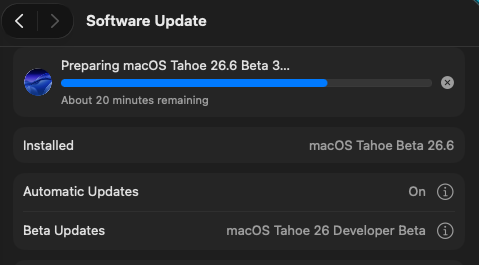
The method documented in this thread just fixed another one of my hack's with SMBIOS MacMini8,1. I had performed a clean installation of macOS Tahoe (in this case 26.6 Beta 1). The installation went without any problems, but this hack could not be enrolled in macOS Tahoe Beta. I switched to SMBIOS MacPro7,1, enrolled the hack in macOS Tahoe Developer Beta and then switched back to SMBIOS MacMini8,1. The hack remained enrolled in Tahoe Beta and I performed the update.
-
 GO88 us joined the community
 -
 I'm sorry not for reaching you yet, I have a lot of work to do, I hope I can help you with the translation soon!
 -
 Synoptix Ai changed their profile photo
 -
 8XBET SIO joined the community
 -
 Rafi 99 joined the community
 -
 8xbet8ltd changed their profile photo
 -
 JJJPH joined the community
 -
8xbet8ltd joined the community
-
 drritubaath27 joined the community
 -
bigswerte joined the community
-
 Azraels Armoury changed their profile photo
 -
I believe. 🤣🤣
-
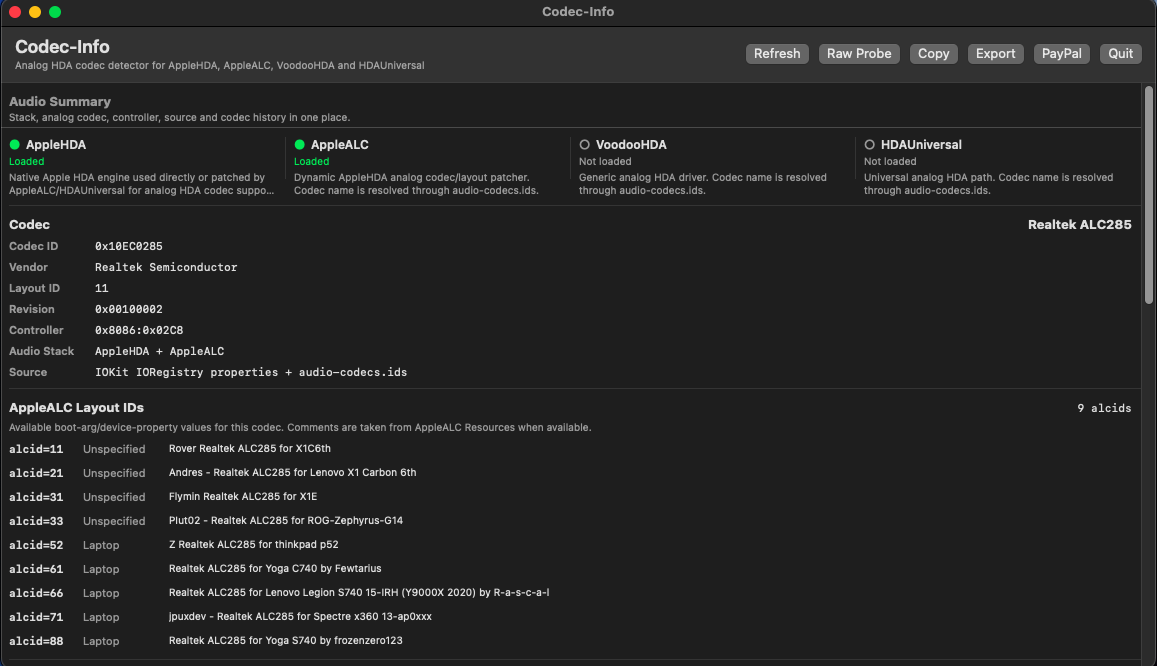
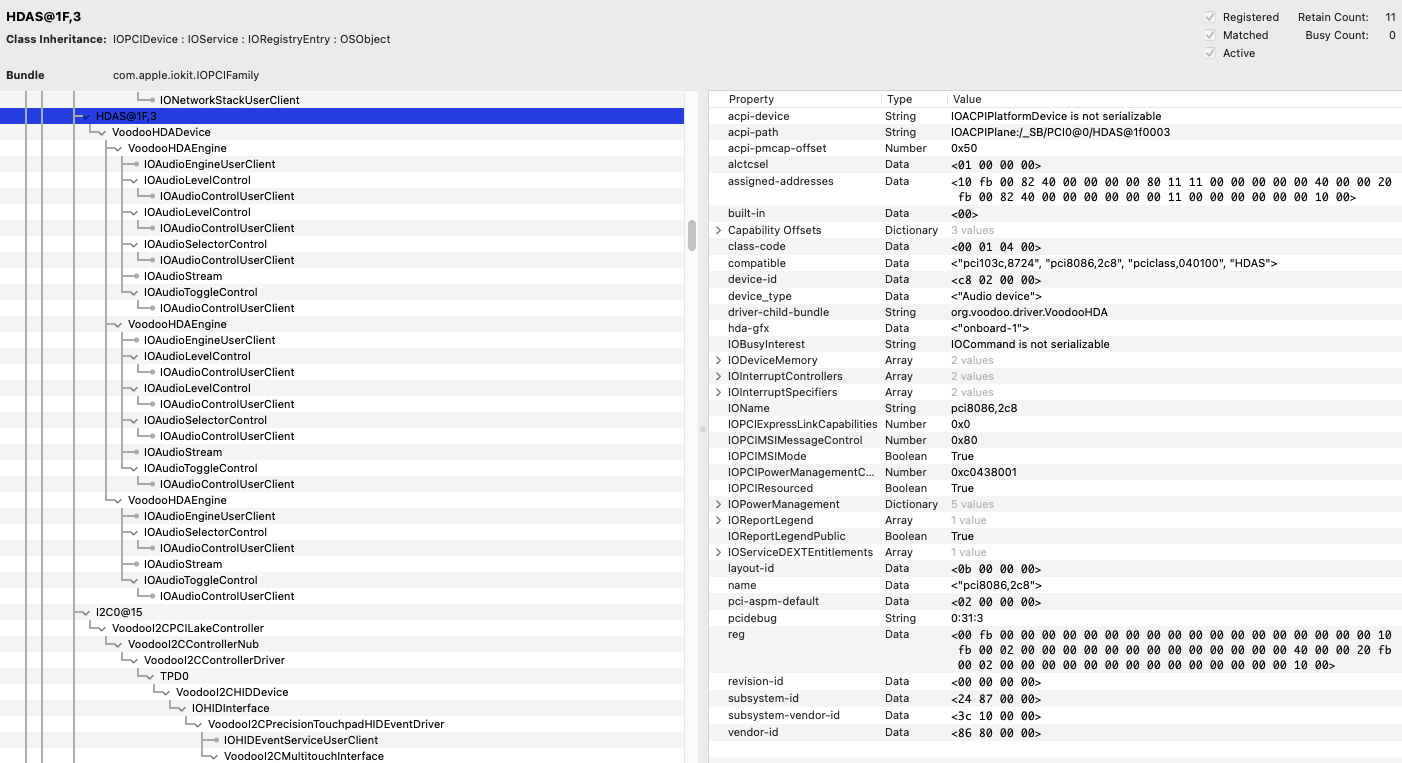
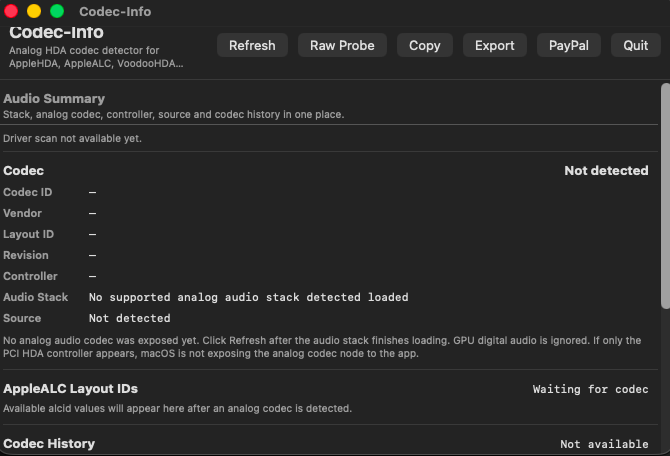
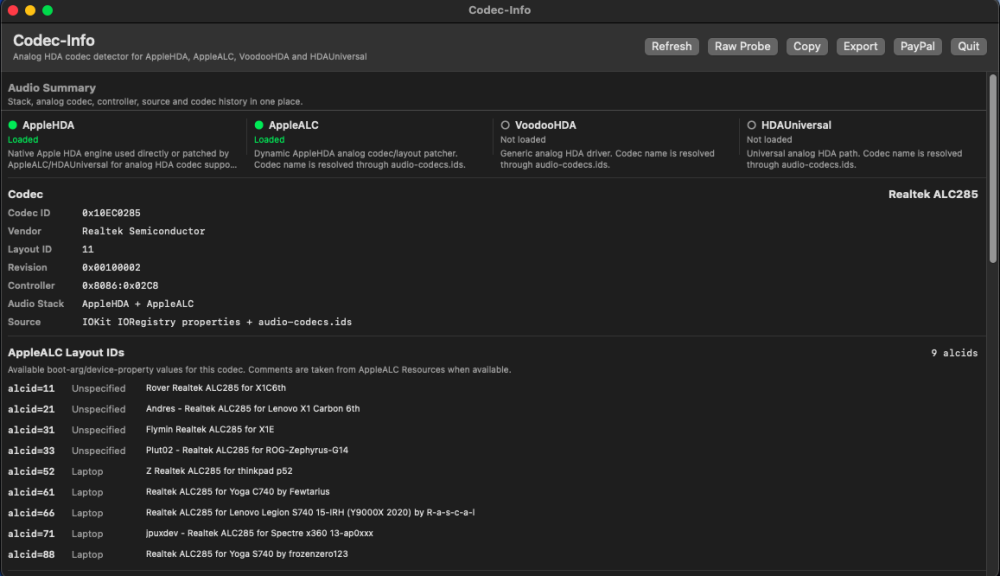
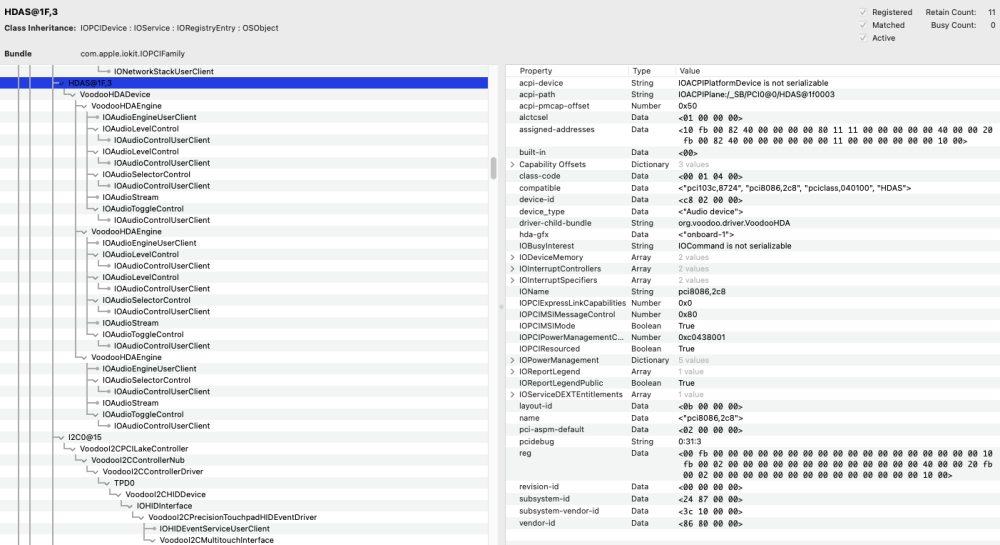
My HP EliteBook 850 G7 with CODEC ALC 285 is currently using VoodooHDA.kext 4.0 for perfectly working Intel HD audio in macOS Tahoe. When I run @MaLd0n's CodecInfo in Tahoe, it doesn't find audio: I suspect this means that UniversalHDA won't find my audio either. The corresponding Codec-Info-Report is attached. What am I missing? Is it possible to diagnose this before I attempt to install UniversalHDA.kext (since VoodooHDA.kext is working well for me)? EDIT: When I run Codec-Info in macOS Sonoma, it does detect my audio: The Codec-Info-Report when running Sonoma is also attached. EDIT: Here's my HDAS IOReg screenshot for macOS Tahoe Codec-Info-Report.txt Sonoma-Codec-Info-Report.txt
-
 小鹏 joined the community
 -
... many of us are still running macOS Sequoia on our hacks with SIP fully enabled. Thanks to projects like VoodooHDA.kext and UniversalHDA.kext, we can still run macOS Tahoe on our hacks with SIP still essentially enabled (only setting csr-active-config = <01000000> to allow untrusted kexts in /Library/Extensions).
-
 hi88ocom joined the community
 -
 kalashh11 joined the community
 -
@Slice It's a new release and I created a post for it. I hope no one believes I am staying with Sonoma.
-
Why you stay with Sonoma? Has it something not available in Sequoia?
-
 AFAIK it presents, may be at F7 key.
 -
1. AFAIK yes. 2. I think no. AppleGFXHDA provides support for some Intel iGPU but we didn't have attempts to make such audio. Dunno about UniversalHDA. I am busy last week but the VoodooHDA is not finished yet and I planned to continue. The purpose is to make AMD HDMI stable and appropriate for more AMD cards. More than AppleGFXHDA can.
-
 JLFF changed their profile photo
 -
I haven't yet had a chance to test UniversalHDA.kext. I feel a loyalty to VoodooHDA.kext which has served me well, so I'd only want to switch to UniversalHDA.kext conditional on the following: Is UniversalHDA.kext the "next version of VoodooHDA.kext" and thus replacing VoodooHDA.kext? Will VoodooHDA.kext eventually be providing support for Intel iGPU HDMI (not just AMD dGPU HDMI)? If not, does UniversalHDA.kext provide support for Intel iGPU HDMI?
-
.thumb.jpeg.7082d67b3394c9399e80144027a7b397.jpeg)
About This Hack (2009-Nissan-Cube version migrated to SwiftUI)
LockDown replied to miliuco's topic in Hackintosh Tools
As soon i get hold of Desktop1 again @miliuco Thanks -
 happybingo8ph changed their profile photo
 -
About This Hack (2009-Nissan-Cube version migrated to SwiftUI)
miliuco replied to miliuco's topic in Hackintosh Tools
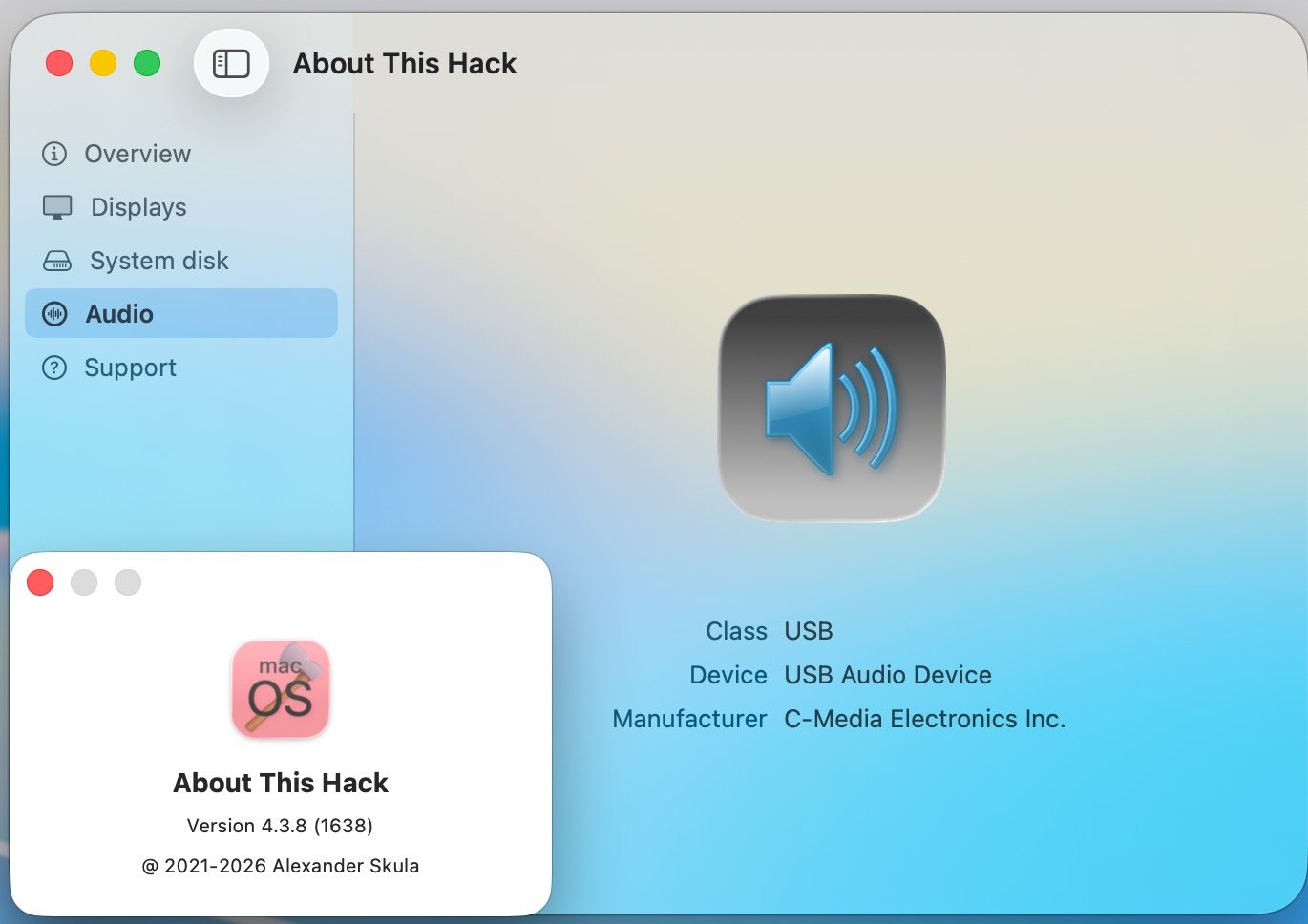
@LockDown Audio tab must be present if: - is not a real Mac (but real Macs with OCLP must have the tab) - audio system is AppleALC, VoodooHDA + getdump, HDAUniversal, USB, HDMI or Display Port. Tell me your configuration, to see if there is an issue to be fixed. -
 KatT changed their profile photo
 -
@Slice would be nice to have that feature
-
SIP is system protection against hackintosh.
-
 @schrup21 Thank you for your response. I have the same chip. Can I assume that the other lines / entries you added under Device Properties are the minimum mandatory per the repo instructions (i.e., firmware name and path)? Any other device properties you have added?
 -
 PTOEdge changed their profile photo
 -
About This Hack (2009-Nissan-Cube version migrated to SwiftUI)
LockDown replied to miliuco's topic in Hackintosh Tools
Audio works. Probably it is looking for something in ioreg that i do not have😀 -

About This Hack (2009-Nissan-Cube version migrated to SwiftUI)
MakAsrock replied to miliuco's topic in Hackintosh Tools
The audio tab is present if you have a working device, like mine.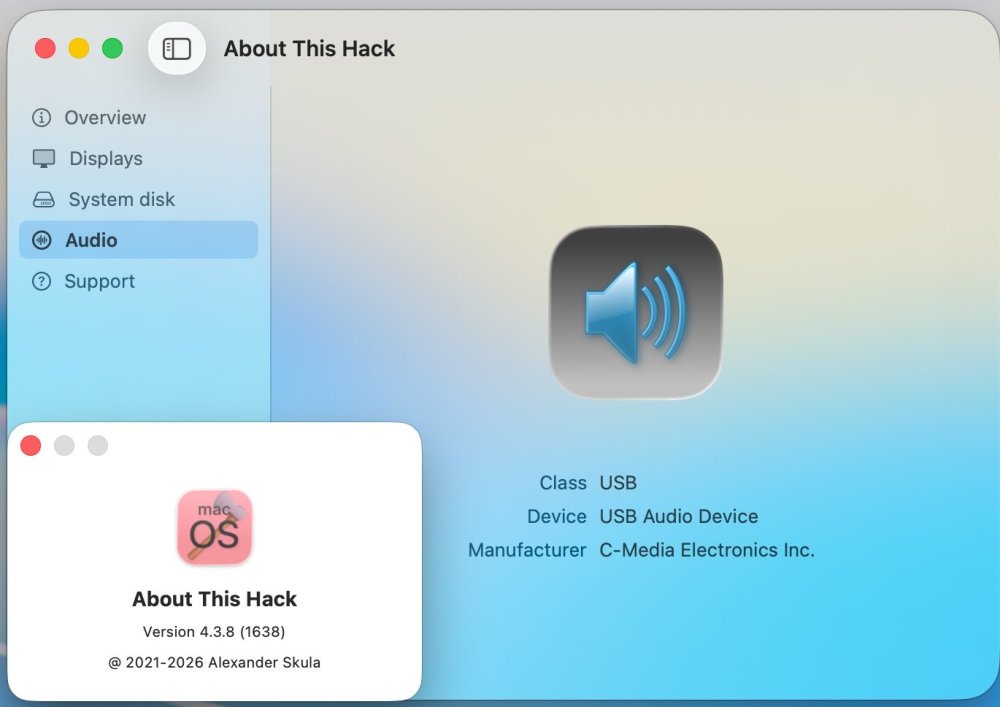
-
 My model is a BMC943602CS I have enabled AppleVTD, so `bcmc-disable-io-mapper` under `DeviceProperties` is set to `00000000` (Type: Data), and I have added the boot argument `wlan.pcie.detectsabotage=0`. Keep in mind that BCMC is still in the "beta" stage and there are some issues. I would say the two main problems are: KP while booting Recovery and macOS Installer KP after sleep / wake I have experienced on several occasions that the card effectively becomes "blocked" after a kernel panic (KP) occurs and only works again after the computer has been completely shut down (disconnecting the power supply and removing the battery). but you can't expect everything's fine at this state Driver Status: Beta Testing - Not Recommended for Daily Use
- 384 replies
-
- 2
-

-

-
- broadcom wifi
- macos sonoma
- (and 4 more)