All Activity
- Past hour
-
@Zenith432 try this https://limewire.com/d/1rH65#lr95NvdDat Direct uploading to the forum isn't working; I had to use an external site.
-
 goldfancywincom joined the community
 -
 keonhacai5ar joined the community
 - Today
-
 Павел Смирнов changed their profile photo
 -
 gede yoga ariasta joined the community
 -
That might be true. Why would you be booting Yosemite on a real Mac with OCLP? I probably misunderstood what you said. If so, my apologies.
-
 sree monir joined the community
 -
I noticed something: The volume is set to mute after a reboot, but I still have sound. If I press the mute key the first time, the volume is un-muted in the menu bar icon. After pressing it the second time the mute function is working. Weird. I didn't had this issue in any version of macOS. But it's not so dramatic. @deeveedee Resetting the PRAM on a real Mac with OpenCore Legacy Patcher can be a bit problematic, especcially if you are using a version which is not supported by OCLP.
-
 miTrobe097 joined the community
 -
 Ranjan Singh joined the community
 -
 getspikegame joined the community
 -
 wwblack joined the community
 -
 thethaowiki joined the community
 -
 iSeoServices joined the community
 -
Hi, I'm trying to install Macos Sequoia 15.7.7 with Clover with no luck and am looking for help. CPU i3-10100 H410 Chipset (Gigabyte H410M) Clover 5173 config.plist attached Injected kexts latest FakeSMC, Lilu, WhateverGreen and RealtekRTL8111.kext. Also a couple of Info.plist-only kexts to reassign pci-ids for Sata and Xhci to something Apple supports. Drivers ApfsDriverLoader, OpenRuntime and VBoxHFS. This setup works well with Macos Catalina 10.15.8 (including Apple's update distributed in 2026) The only ACPI patch is something to fix an undefined local variable error in _STA TZ10. I also replace ssdt6 with one to describe USB ports correctly and to effectively do the same as the _STA RTC patch. This patch chooses an RTC device called PNP0B00 instead of "Time and Alarm" Device called ACPI000E that macos doesn't like. No booter, kernel or kext patches are used. The OpenRuntime quirks are as in the config.plist distributed with Clover. I created a USB flash drive installer for Macos15.7.7. It works fine on a Mac Mini 2018, and also boots very well by itself with the above set up with Clover on PC. It boots a lot faster than a Catalina 10.15.7 installer USB. Then I go ahead and try to install Sequoia on an internal Sata SSD. I've tried both "upgrade install" from Catalina AND a fresh install on an empty APFS partition with single empty volume. I encounter the same problem both ways. The first stage of the install that copies files to the system "Data" volume works fine and then concludes with a message to reboot. I reboot. The second stage of the installer goes on for a while, counting down time. Then with about 8 or 9 minutes remaining it reboots. There's no message and I can't tell if this is a normal reboot at the end of the 2nd stage or an erroneous spontaneous reboot. After the reboot the "installed" system is unusable. Clover doesn't show any recognized boot loading option for it (i.e. doesn't find boot.efi or com.apple.Boot.plist in the allowed locations.) Clover does show an option to boot the APFS partition from the "Preboot" volume, but this starts and hangs midway eventually rebooting. When I examine the file systems created from the installer USB with Terminal, it looks like the file system structure on the two System volumes (code+data) was only partially created and is incomplete which why the system is unbootable. And ideas about this or where I can find logs to diagnose it? Thanks. config.plist
-

Long-time lurker returning – Dell XPS 17 L702X 3D and XPS 9560 owner
Slice replied to Allen Cai's topic in New Users Lounge
I afraid GT555 restricted to 10.11.6 ElCapitan -
Welcome! You have to create 5 posts in this section before you can post anywhere. Don't forget to create your signature.
-
I tested. How to go to an address? Or to a function begin?
-
@naquaada Did you try a web search or asking an AI chatbot? There are several reasons that can happen with Yosemite. This is the response from ChatGPT
-
 mega888jom changed their profile photo
 -
 Hi everyone, I'm laobamac. Some of you may know me from my Hackintosh work here — this time I'm sharing something different: Mirage, a native live wallpaper manager and renderer for macOS that I've been building over the past months. macOS still has no real answer to animated wallpapers. The tools that do exist are usually a video player behind a window, and none of them can run the enormous library of content people already own on Windows. Mirage takes the other route: it's a native SwiftUI/AppKit app with three dedicated renderer processes, and it can play scene, web, and video wallpapers — including Wallpaper Engine–style packages straight from the Steam Workshop. It's free and open source (GPL-3.0), Intel and Apple Silicon, no ads, no accounts, no telemetry. Source: https://github.com/laobamac/MirageWallpaper Documentation (CN): https://mirage.simplehac.cn/ Documentation (EN): https://mirage.simplehac.cn/en/ Downloads: https://github.com/laobamac/MirageWallpaper/releases What it does Three wallpaper types, three real renderers Component Tech Job Mirage SwiftUI + AppKit Library, Workshop, settings, process management, macOS integration SceneWallpaper C++20 + Vulkan via MoltenVK scene.pkg / scene.json: materials, particles, LUTs, text, user properties WebWallpaper Objective-C++ + WKWebView HTML/JS wallpapers, media, mouse events, user properties VideoWallpaper Objective-C++ + AVFoundation Looping video, volume, playback rate, fill mode MirageScreenSaver Swift + WebKit/AVFoundation/Metal Standalone live screen saver Renderers are separate processes driven by line-delimited JSON over stdin, so a misbehaving wallpaper can't take the app down with it. Scene playback goes through Vulkan → MoltenVK → Metal, with zero-copy VideoToolbox frame import for video layers inside scenes. Wallpaper library Search, sorting, filters by type/source/tag/content rating, favorites. Import any folder containing a project.json, or drop in an .mp4 / .mov / .m4v and Mirage wraps it into a local wallpaper package for you. Reads wallpapers from the system Steam client, Mirage's own SteamCMD directory, and any custom folders you add. Steam Workshop integration Browse trending / recent / popular / top-rated and tag-filtered Workshop content in-app. Managed SteamCMD install in an isolated directory (it does not touch your real Steam client data), Steam sign-in with Steam Guard (code or mobile confirmation), and a persistent authenticated session instead of re-logging in for every download. Your password is handed to the local SteamCMD process only and is never sent to a third-party server; logs redact secrets. Download queue with real launch/connect/download/validate/complete states and progress. Workshop presets are detected and labelled; if a preset needs a base wallpaper you don't have, Mirage tells you its name and size and asks before pulling it too. Browsing uses the Steam Web API. There's a shared built-in key, but you can drop your own into Settings → General to dodge the shared rate limit. Playback and macOS integration Multi-display coverage, menu-bar controls, launch at login, desktop placeholder image restore. Per-wallpaper volume, playback rate, fill mode, plus whatever custom properties the wallpaper author exposed. Wallpaper Engine–style playlists with per-screen rotation and transitions. Power/behaviour rules: continue, mute, pause, or stop when another app goes fullscreen, when another app plays audio, when the display sleeps, or when you're on battery. Survives the macOS "click the wallpaper to reveal the desktop" interaction and resumes properly. Web wallpapers get a security confirmation before their first run. Live screen saver Mirage ships a standalone MirageScreenSaver.saver you install from Settings → Screen Saver. It plays video, web, and scene wallpapers, keeps your chosen preset and custom properties, and does not require Mirage to be running. Honest status Mirage is early. Video and web wallpapers are in good shape. Scene compatibility is the hard part — it means reimplementing another engine's material, particle, shader, and scripting behaviour — and it's improving steadily, but complex scenes can still look wrong or miss effects. It is not, and may never be, a pixel-perfect clone. But now the rendering engine of Mirage can achieve more than 90% of the scene wallpaper effect, which is perfect enough! And I will continue to update this project in the future. Also worth stating plainly: Mirage is an independent, clean-room implementation. It ships no Wallpaper Engine code or assets, and it doesn't bypass anything — Workshop downloads happen through official SteamCMD under your own Steam account. If something breaks, a GitHub Issue with your macOS version, app version, repro steps, and logs is the fastest way to get it fixed. Reports of specific Workshop items that render incorrectly (with the item link) are especially useful — that's exactly how scene compatibility gets better. Feedback, testing on unusual configurations, and PRs are all very welcome. Thanks for reading. — laobamac
-
- 2
-

-

-
 keonhacai5wstop changed their profile photo
 -
I'm happy to be part of your platform and want to be helpful in areas where I have expertise. I'm especially interested in AI development.
-
Does anybody know why Yosemite has always volume muted after rebooting? I happens on both Mac and Hackintosh.
-
@LockDown That makes sense. The VoodooHDA.kext 3.6.4 Info.plist includes attribute LSMinimumSystemVersion = 10.13 (macOS High Sierra). If that is accurate and VoodooHDA targets 10.13 and later, then custom builds may be required for macOS versions earlier than High Sierra.

-

[Pre-release] macOS Sequoia 15.7.8
deeveedee replied to deeveedee's topic in New Releases and Updates
@Majonéz The 15.7.8 pre-release versions have problems with some VPNs and firewalls (e.g., Norton's Transparent Proxy is broken). Are you using any 3rd-party VPNs or Firewalls? For Norton's Firewall, toggling Transparent Proxy off and then on again fixes the problem until the next log-on. -
Gmail and Exchange accounts have been broken since the first 15.7.8 build and are still broken in 24G824. They can't be added in Internet Accounts, and Mail won't connect to existing accounts either.
-
 naveen m changed their profile photo
 -
deeveedee changed their profile photo
-
I do custom building to support my unlisted Yosemite
-
I think no one needs custom building. You have nothing to change except info.plist 364 and 365 have a big difference in 192kHz rate.
-
 Fred7h0mp5on changed their profile photo
 -
 on68acom1 changed their profile photo
 -
 Streetwearness Clothing changed their profile photo
 -
 KD Nursery changed their profile photo
 - Yesterday
-
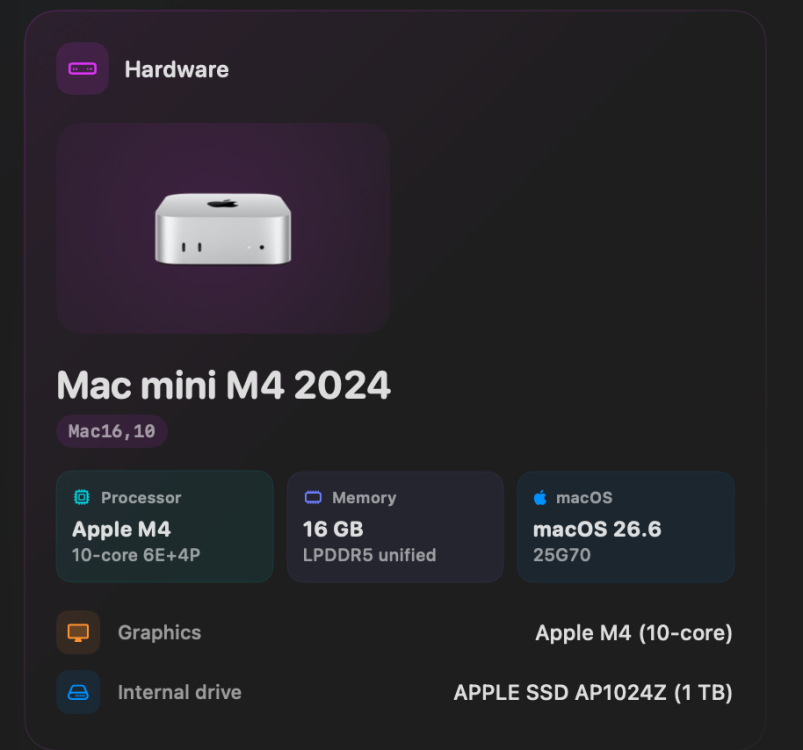
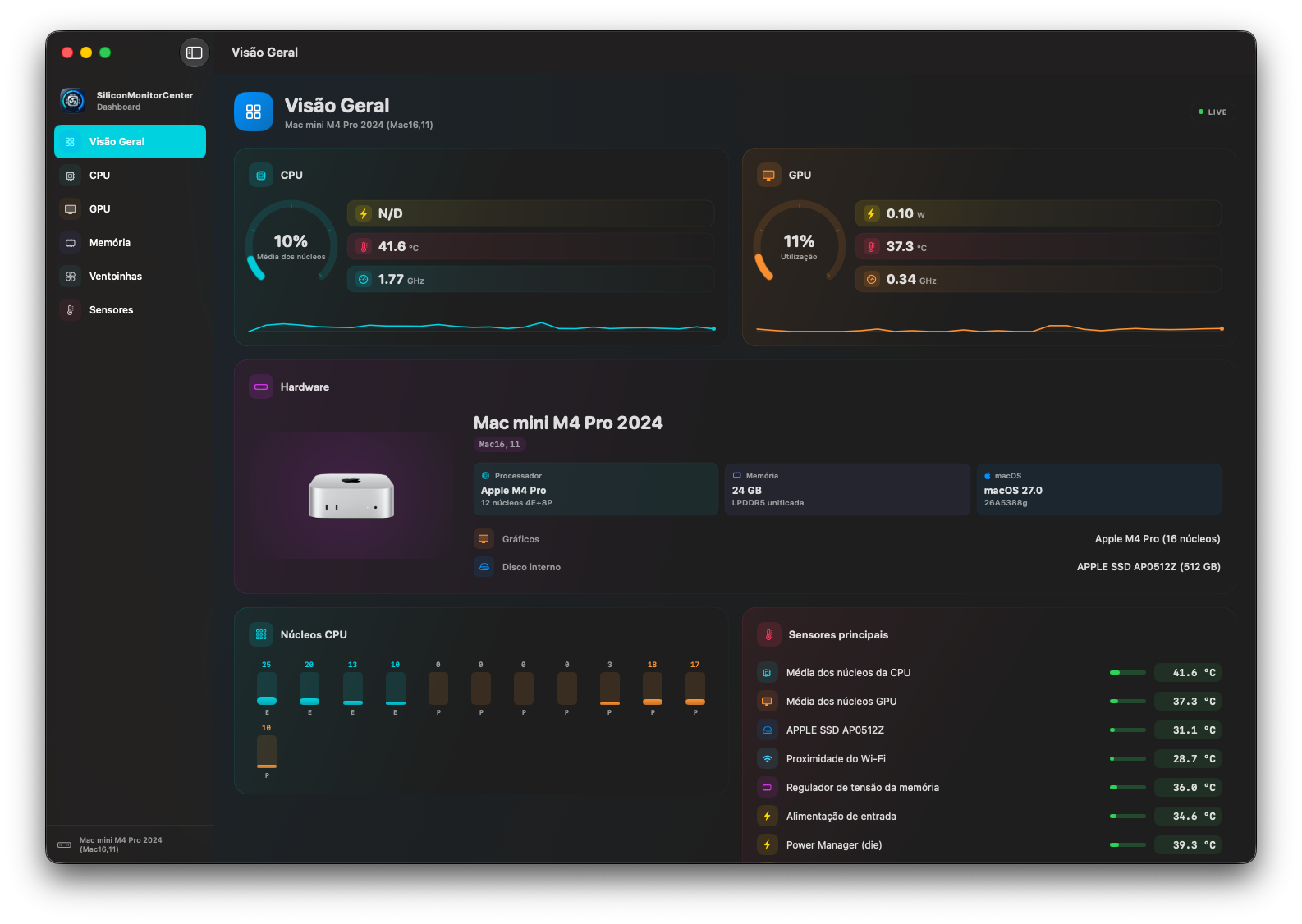
work === MAPPING DERIVED FROM MEASUREMENT === efficiency: Te05, Te0S * performance: Tp1j, Tp1n, Tp1t, Tp1w, Tp25, Tp28, Tp2B, Tp2E, Tp2J, Tp2M * a single key shared by 2 E-cores, and that is correct, 2 keys for 4 E-cores Thanks for your tests; you finally have the correct temperatures for all the cores.
-
sensor-verification-Mac16,9-1785003996.txt
-
 keonhacai5cha changed their profile photo
 -
@Max.1974 No offense, but that doesn't make any sense to me. Do you have a reference about this that I can learn from. I personally don't think anyone needs to be custom-building VoodooHDA, but I'm open to having my mind changed. If anyone else believes that they need to custom-build VoodooHDA, I'd like to learn why you think so. Thanks for your patience with my learning.
-
@Max.1974 @Slice @MaLd0n Should we all be building a custom VoodooHDA for our hacks? I have always used the kexts provided by Slice and MaLd0n (modifying only Info.plist as needed), but I'm open to your advice if you think that re-building the kext makes any difference.
-
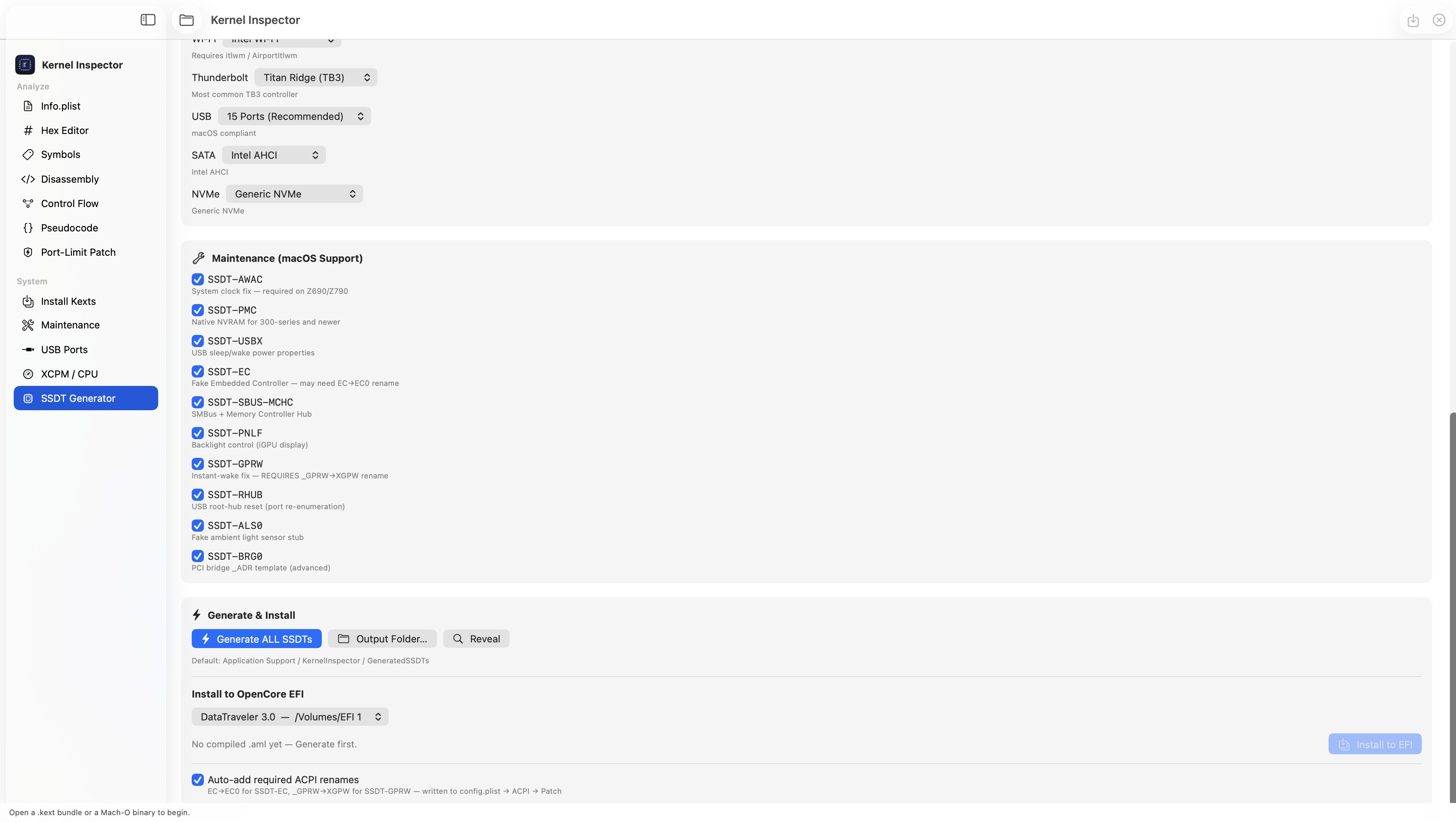
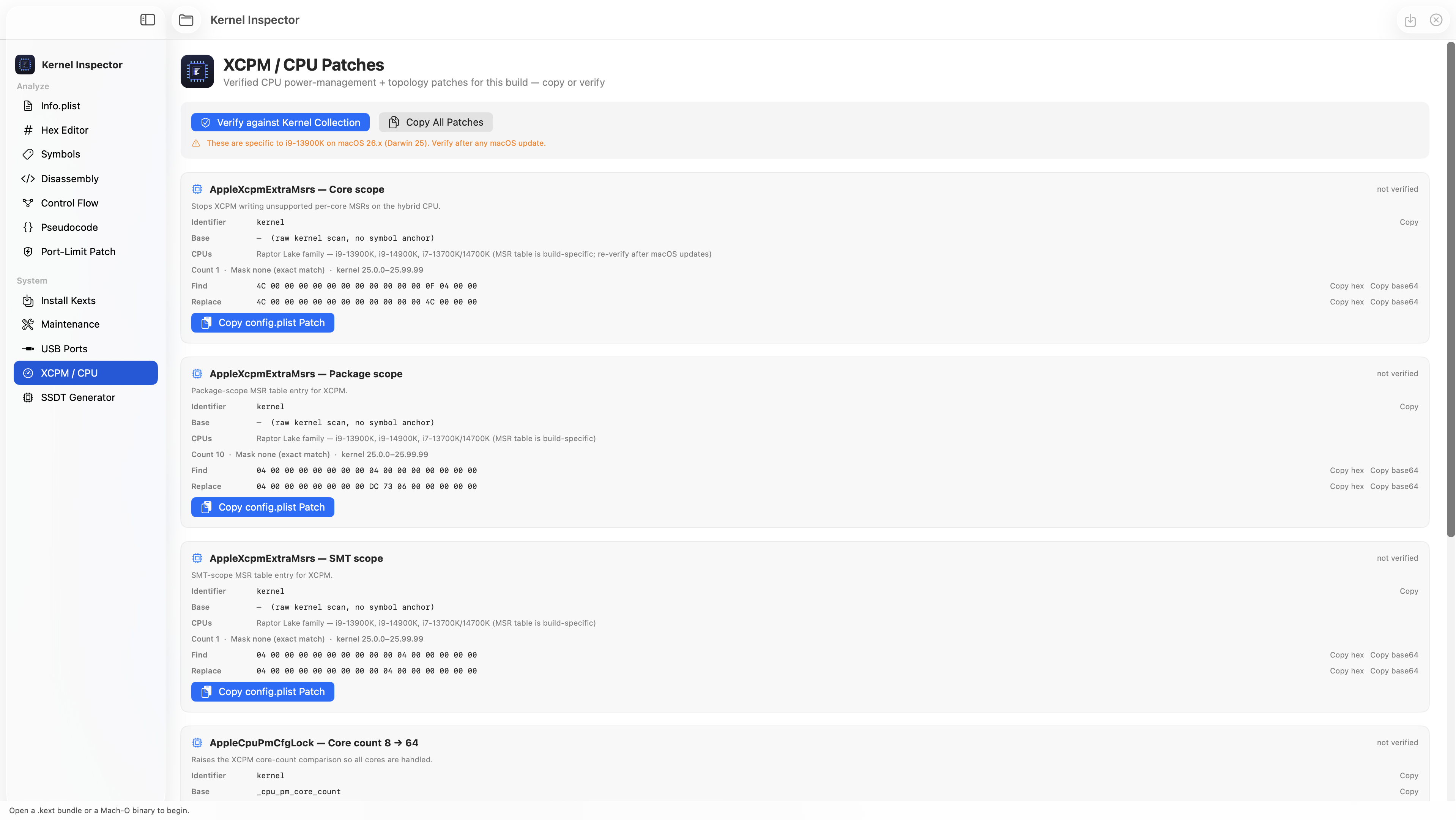
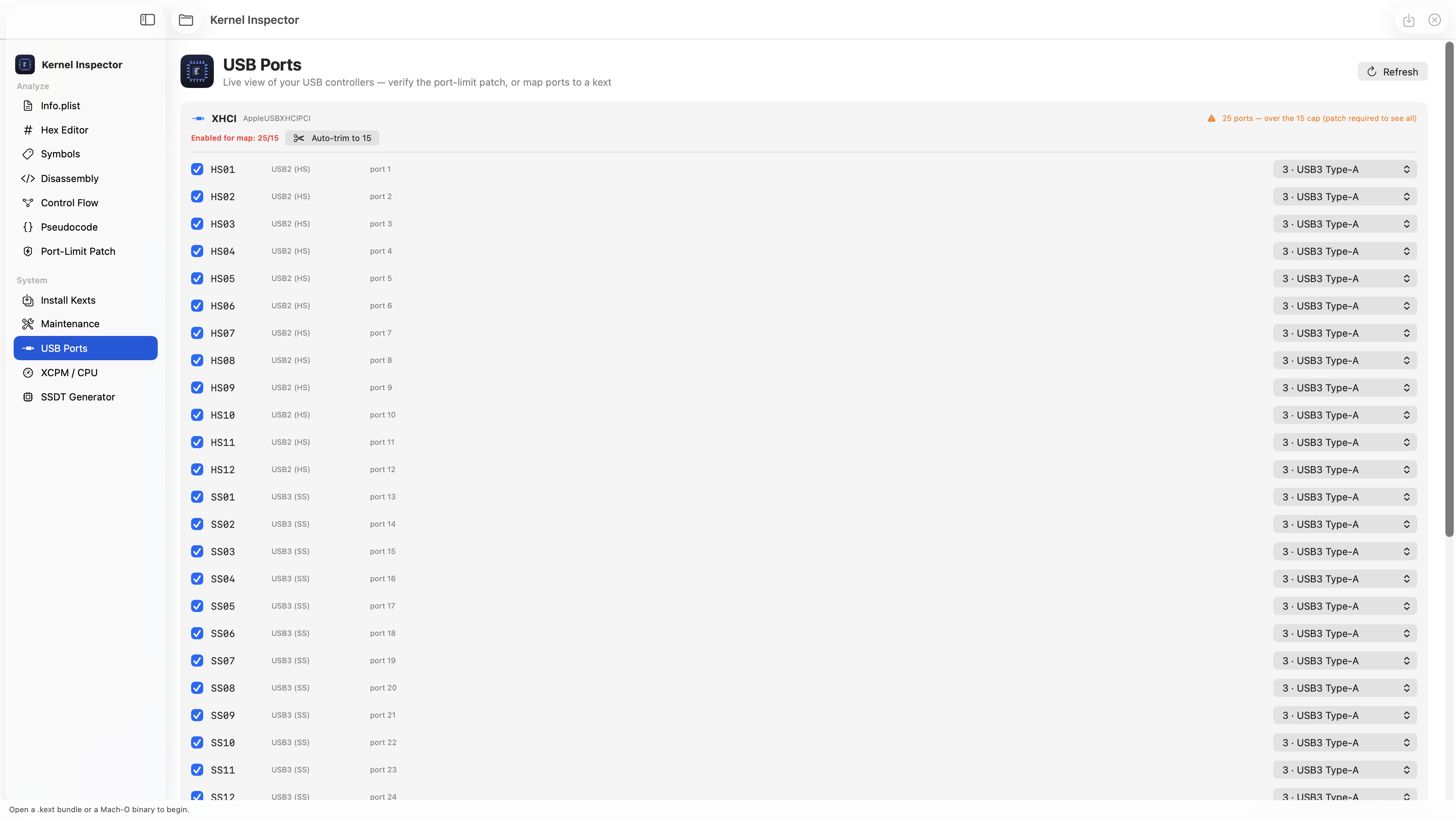
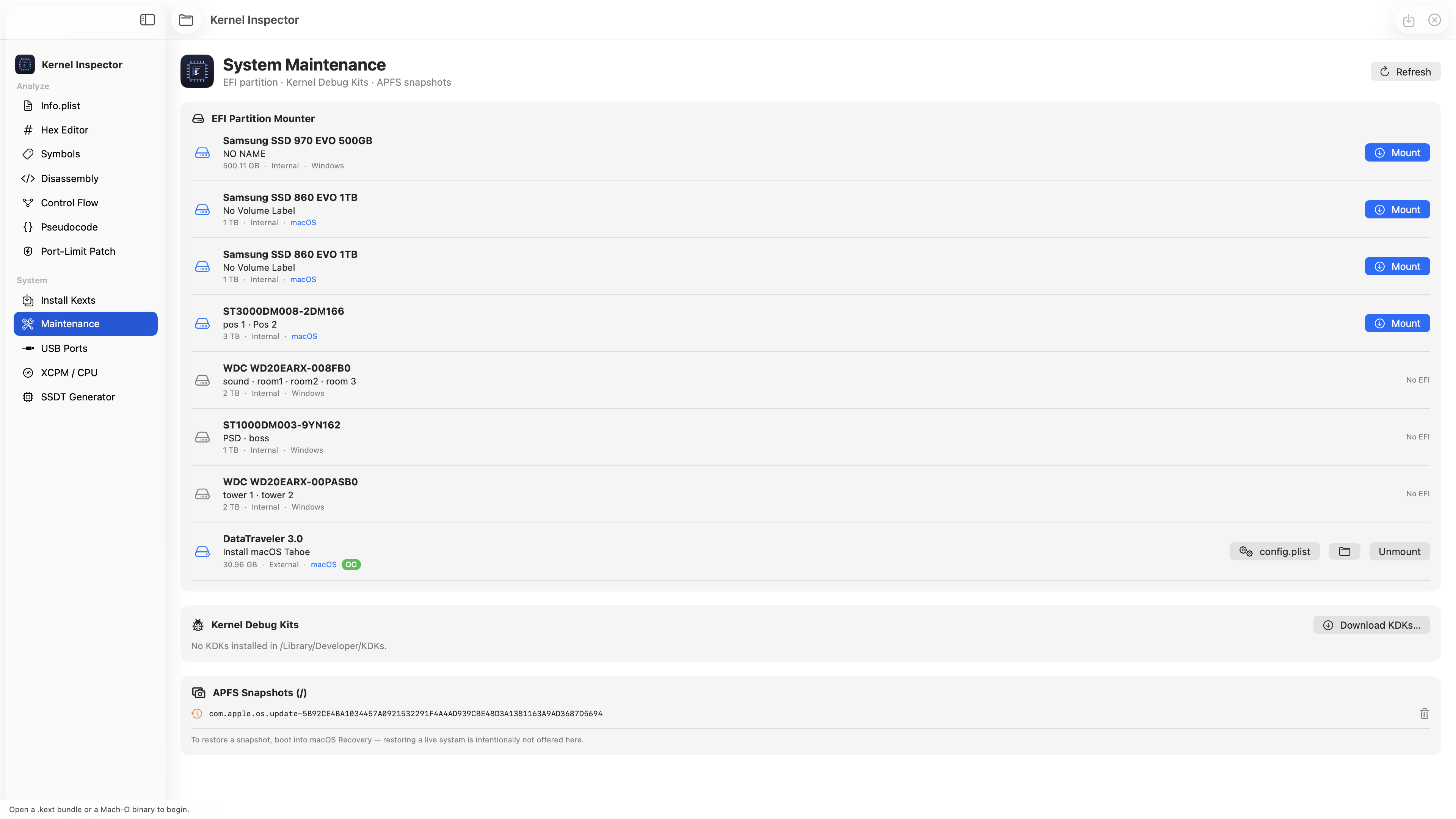
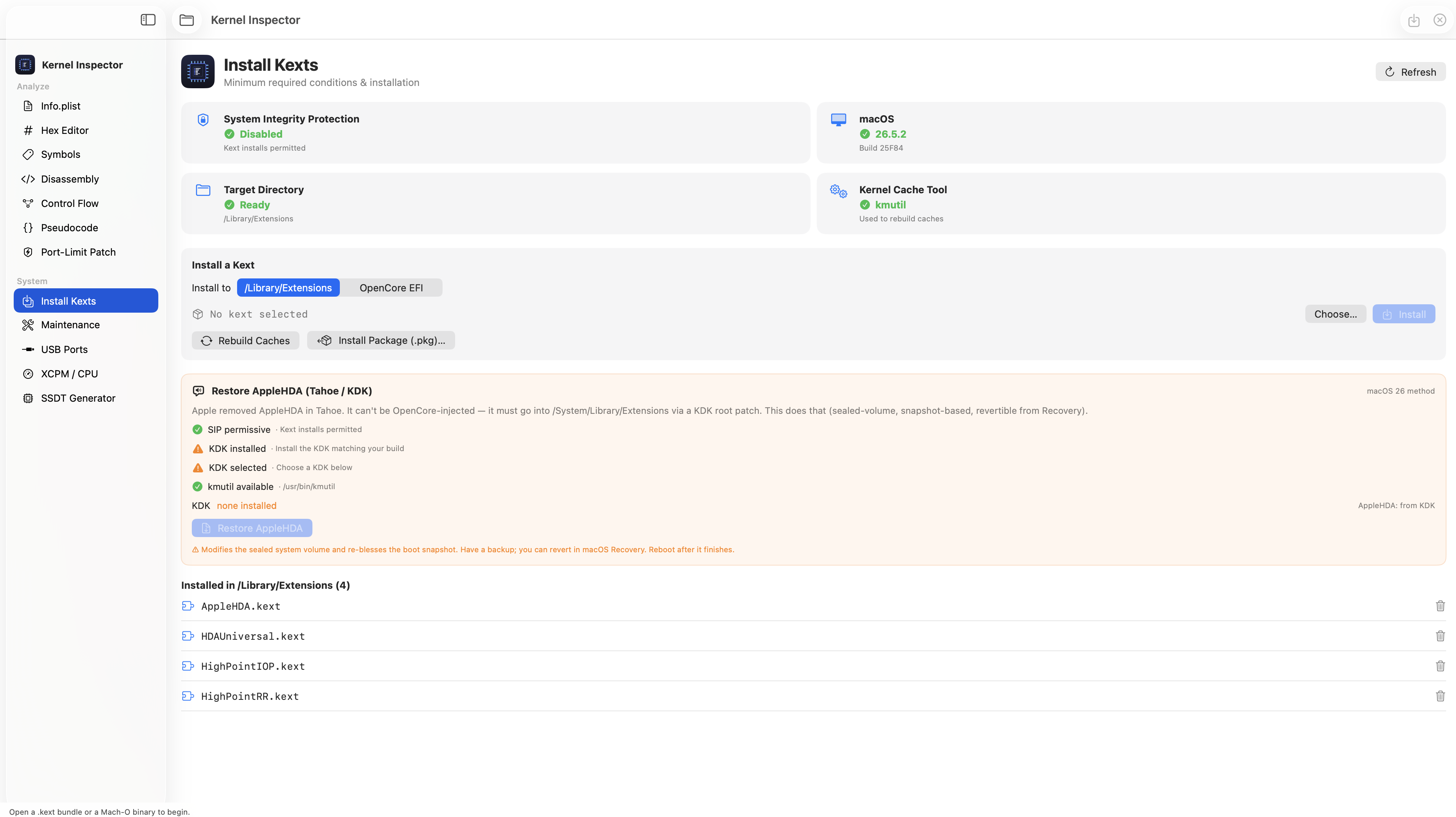
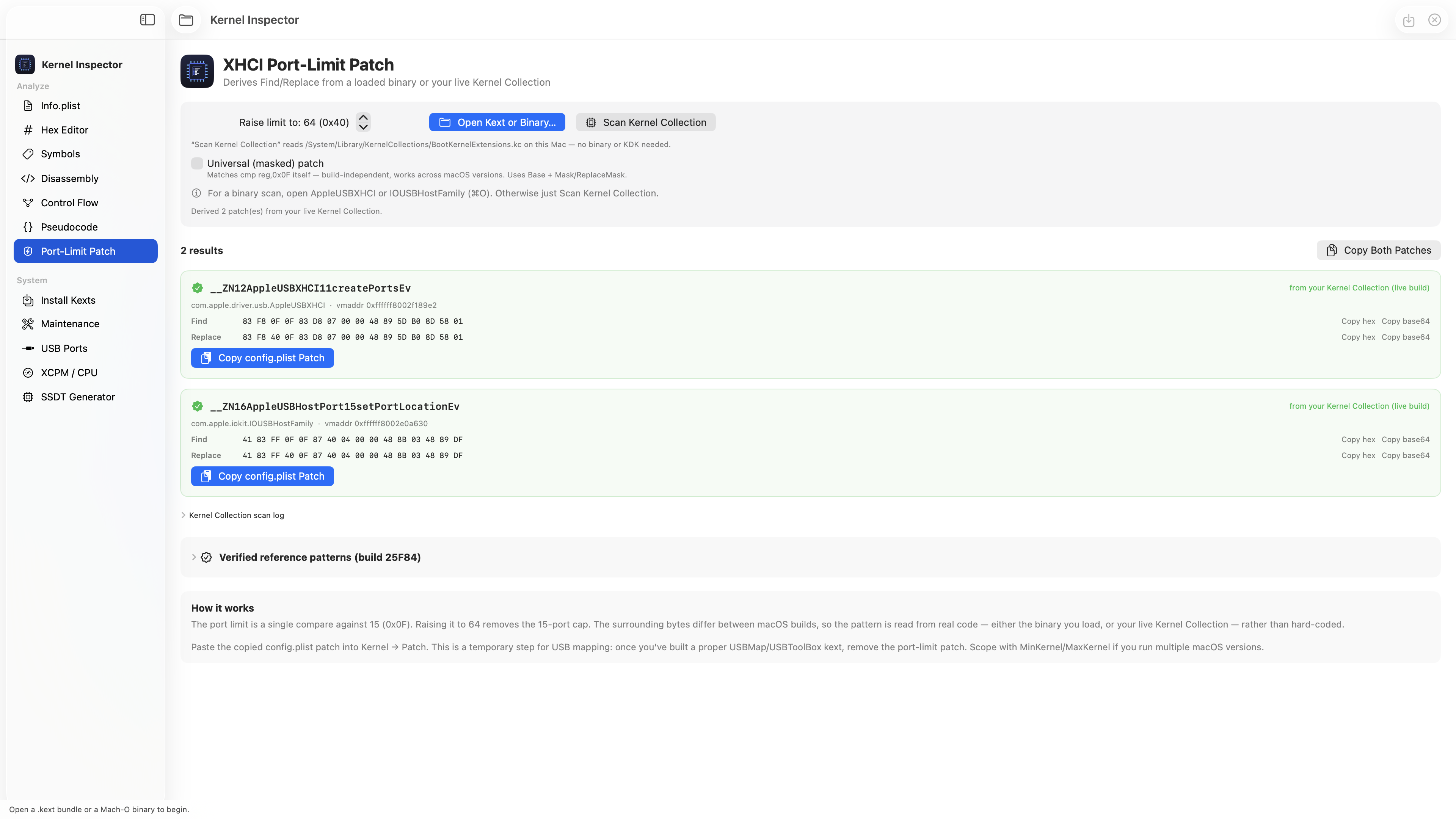
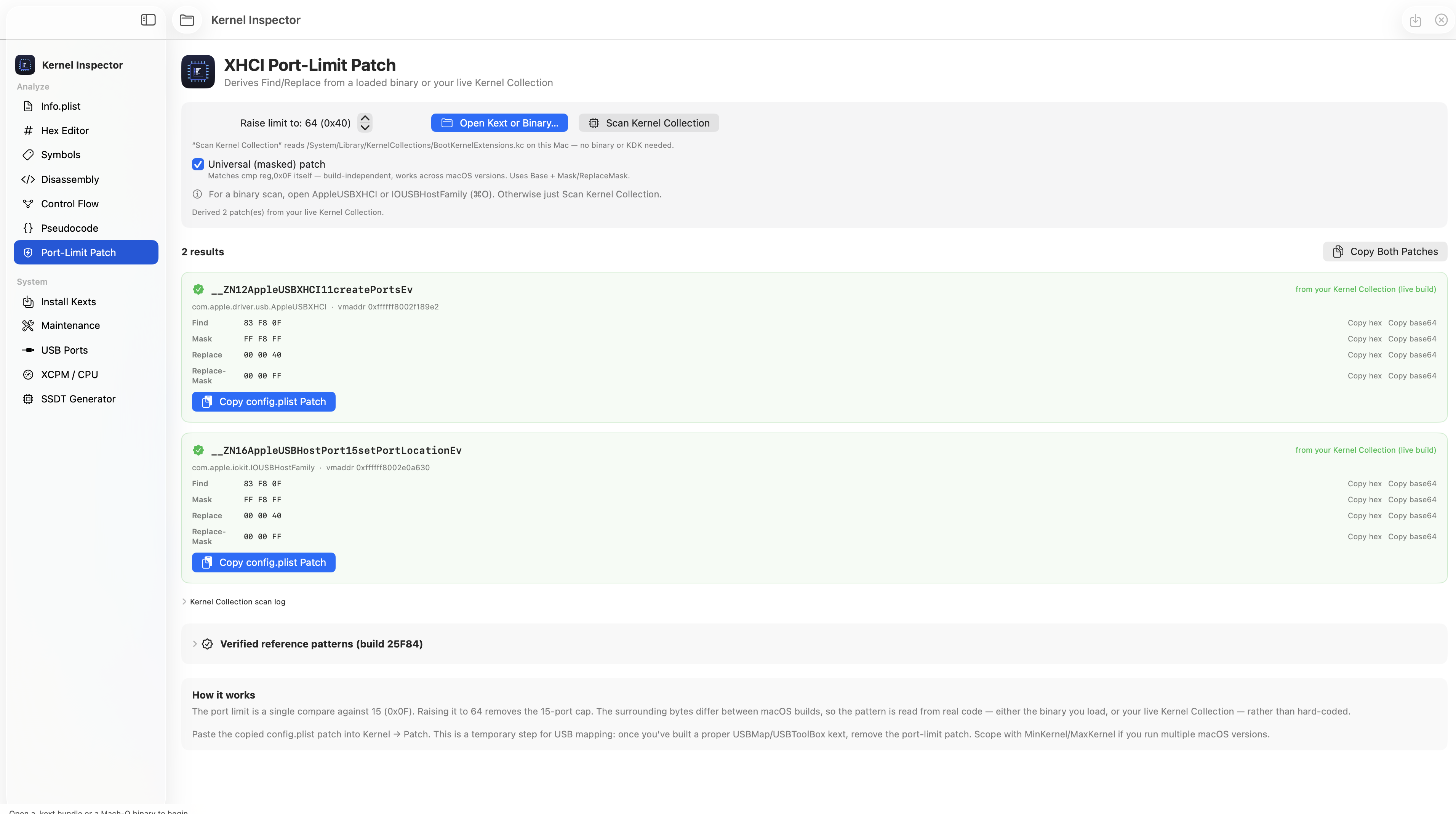
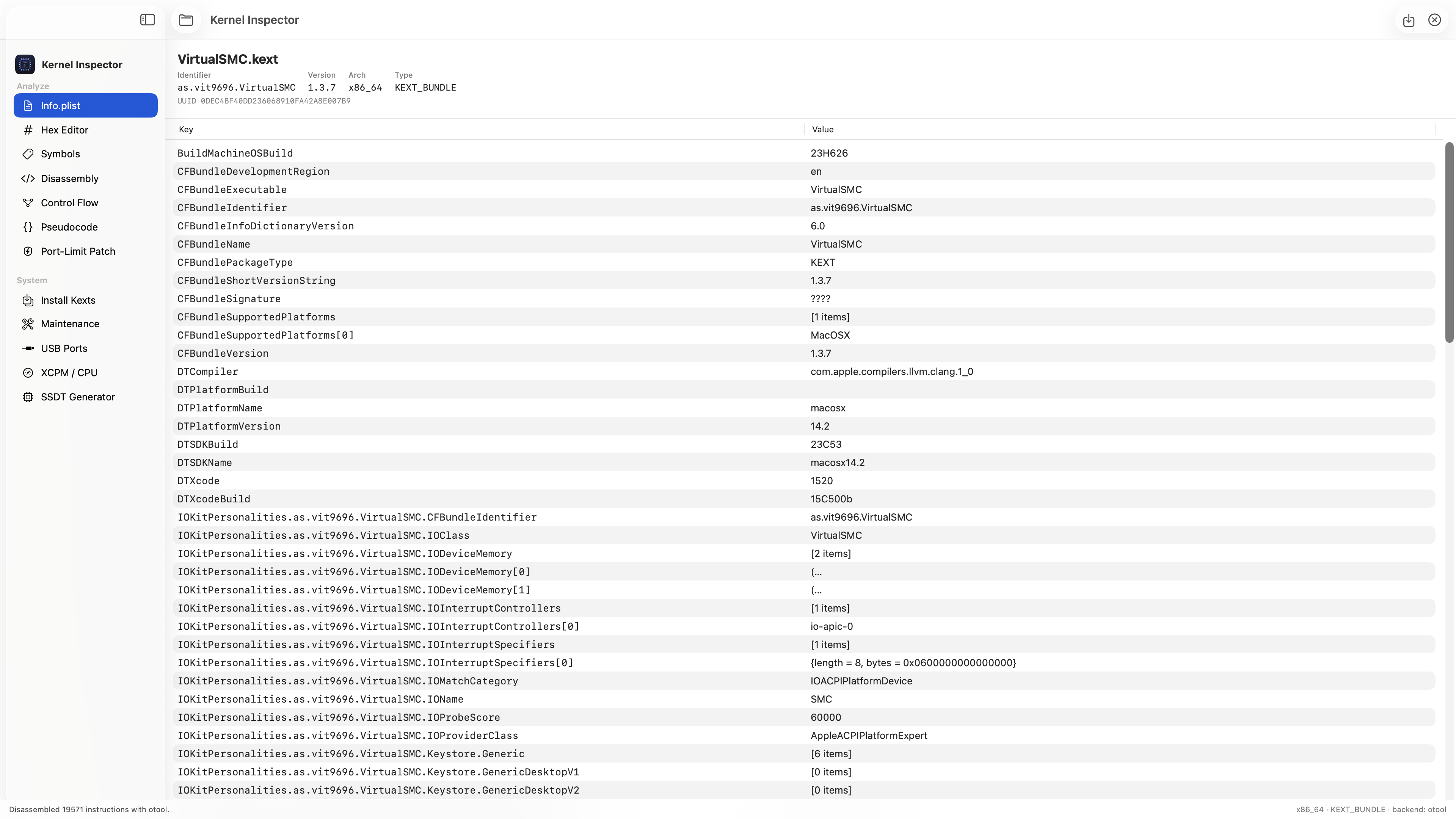
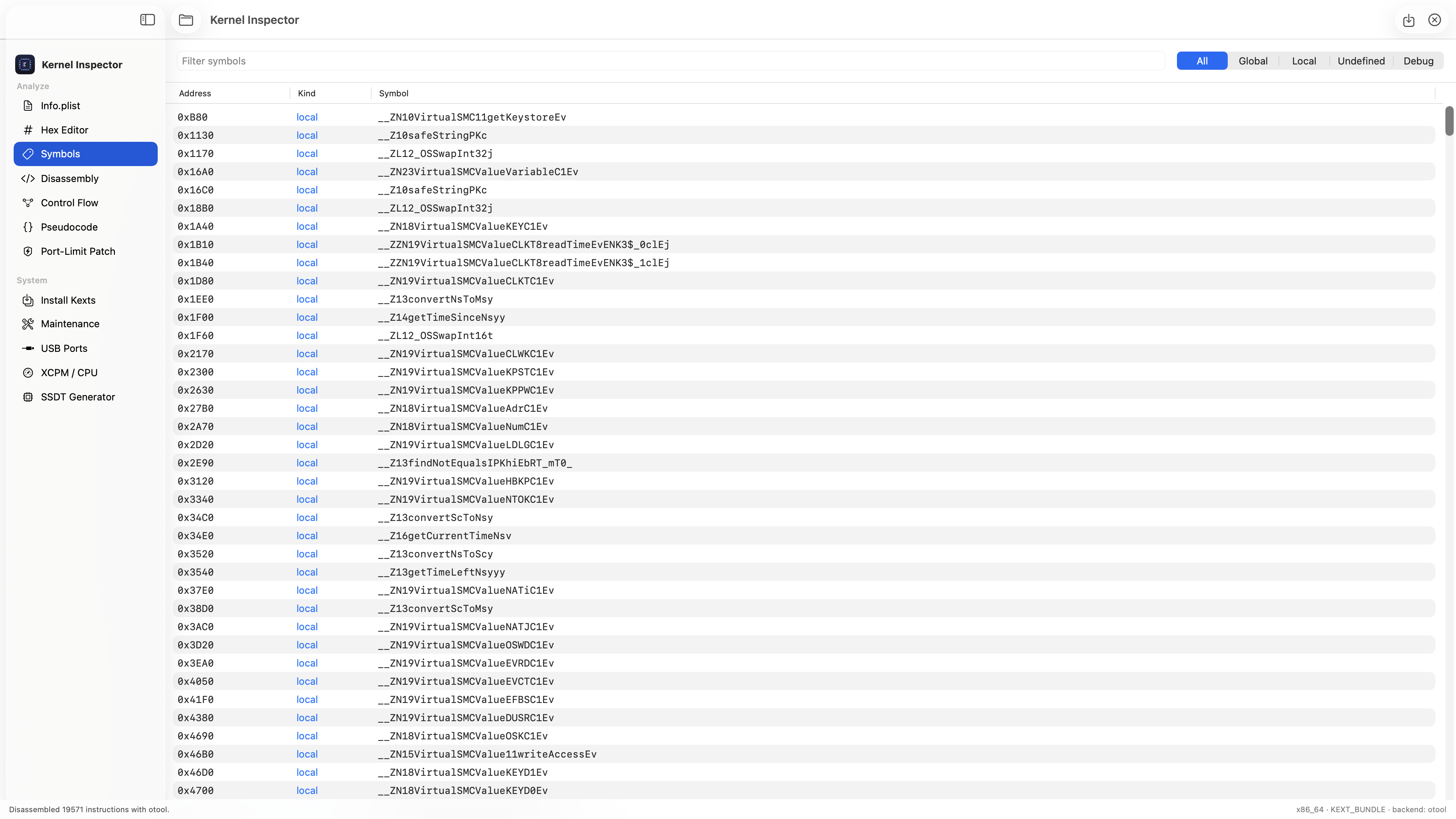
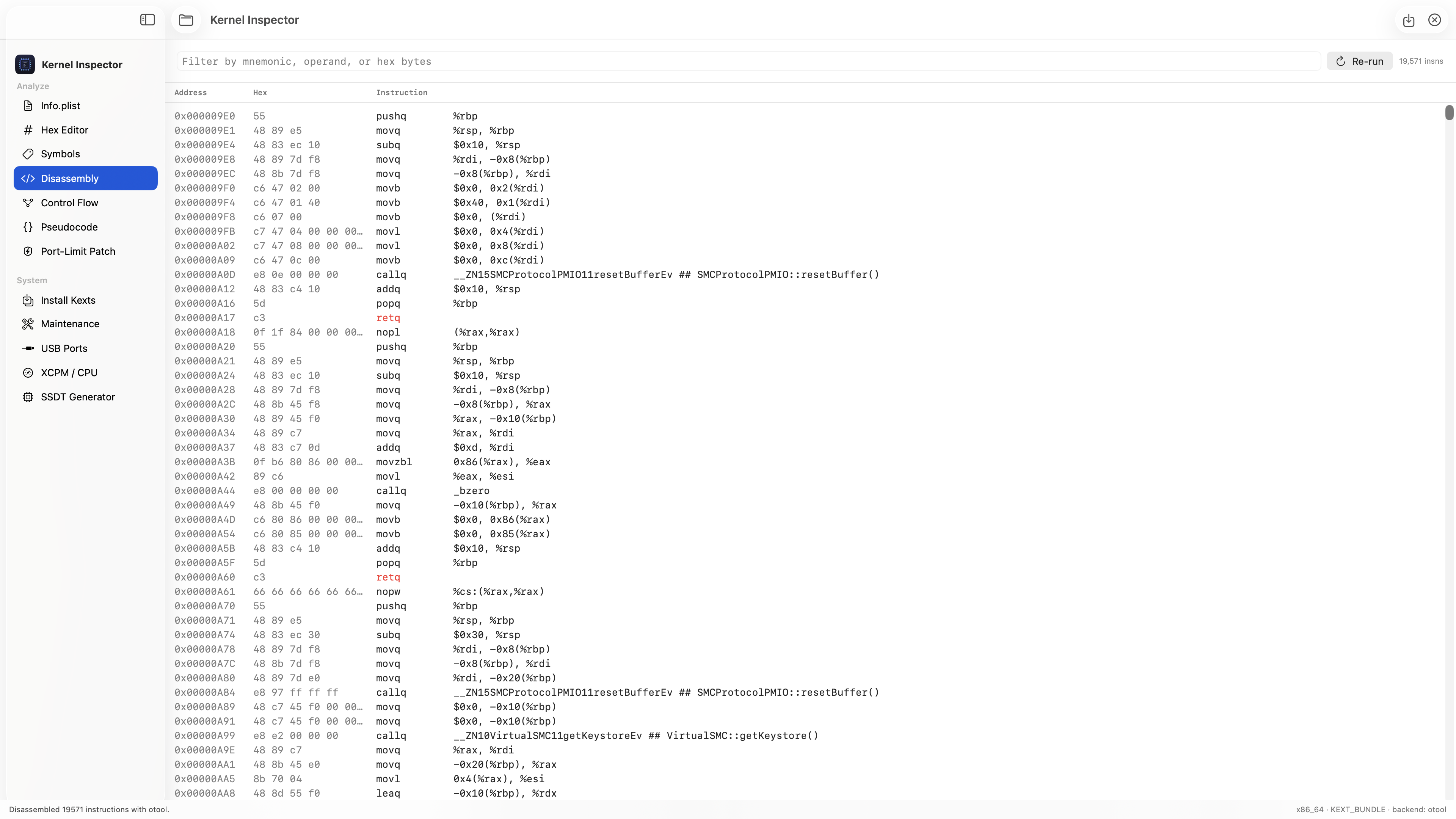
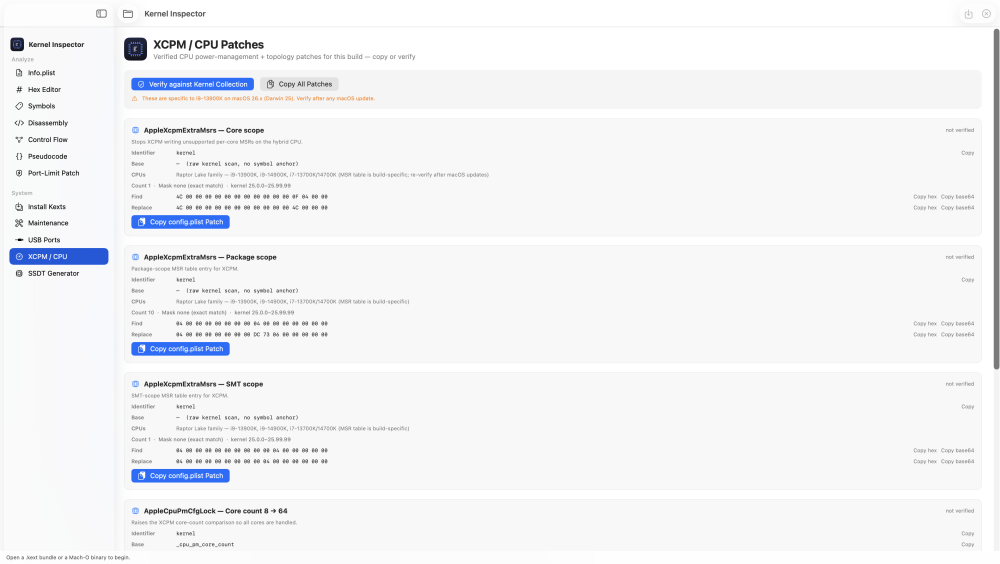
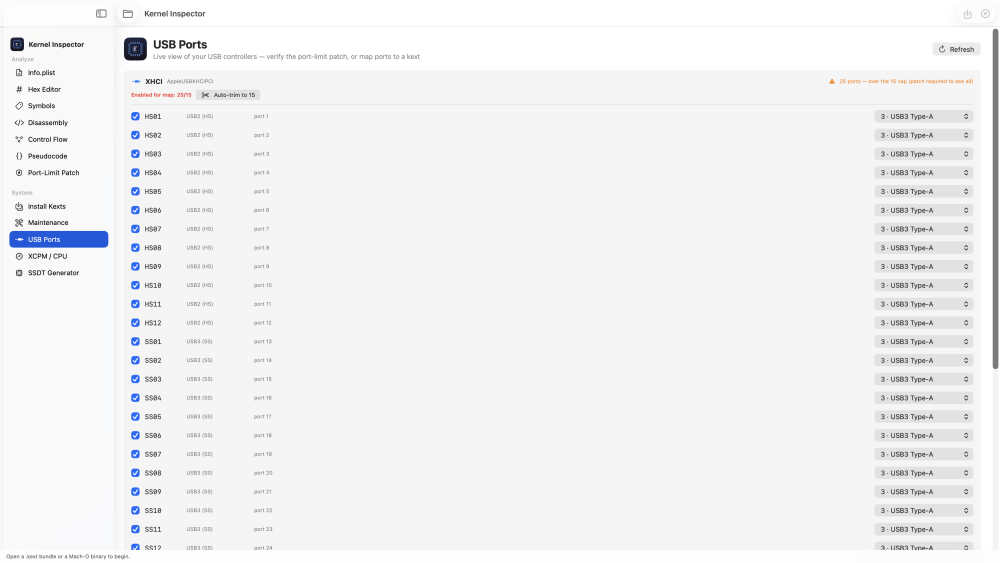
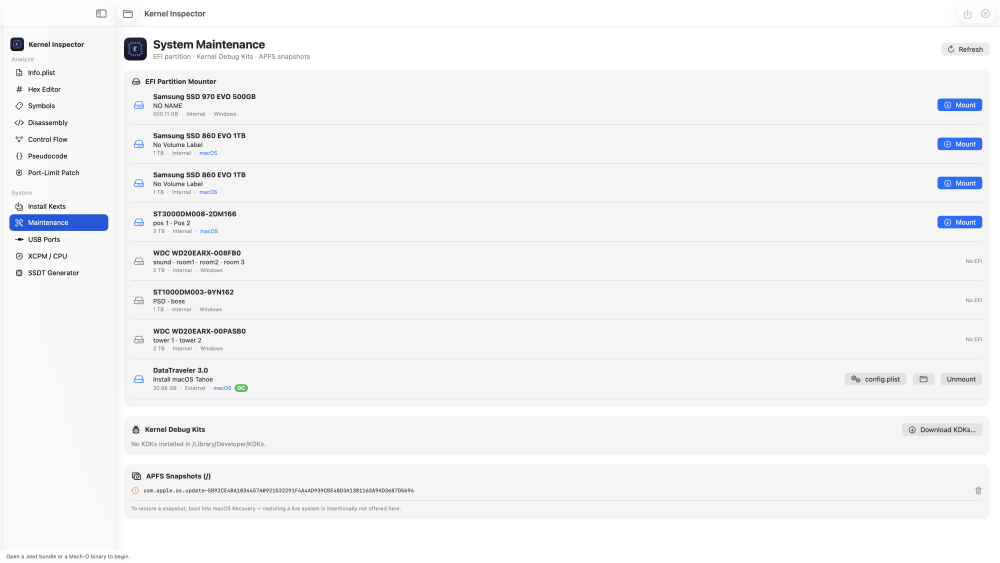
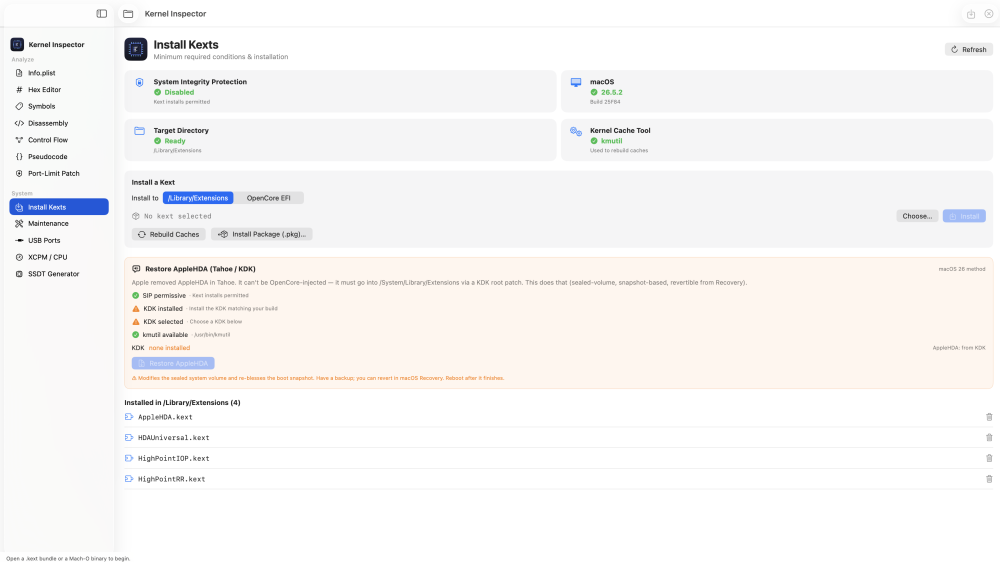
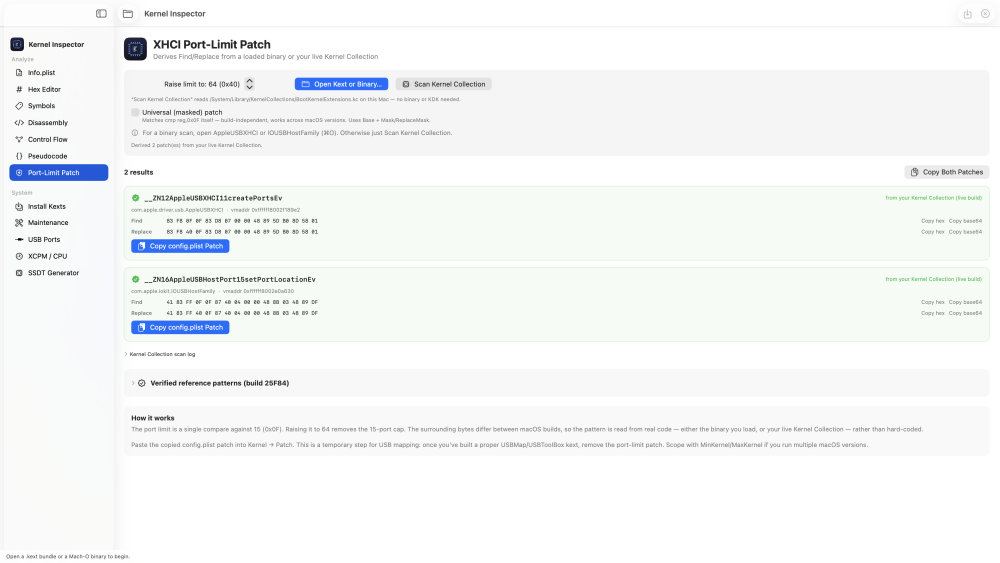
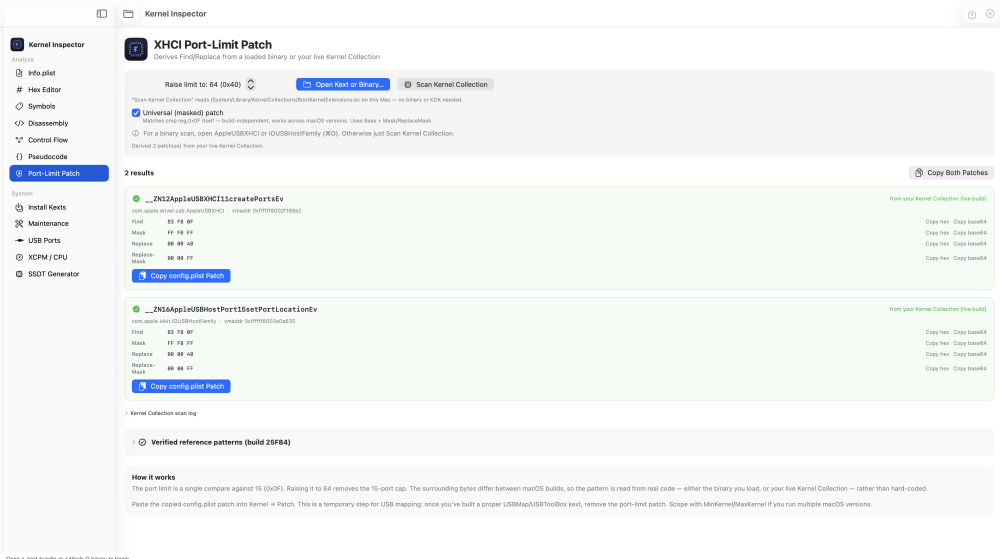
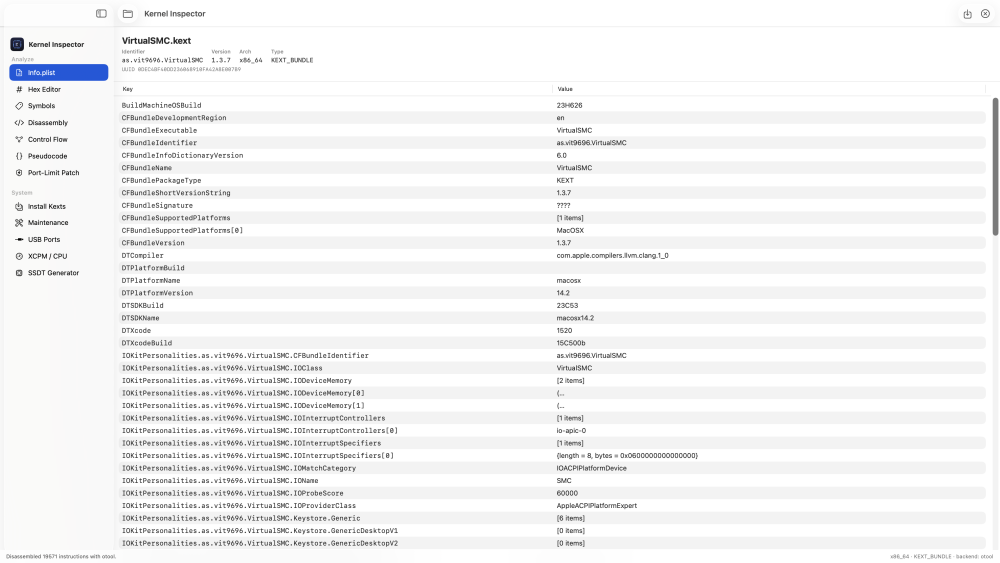
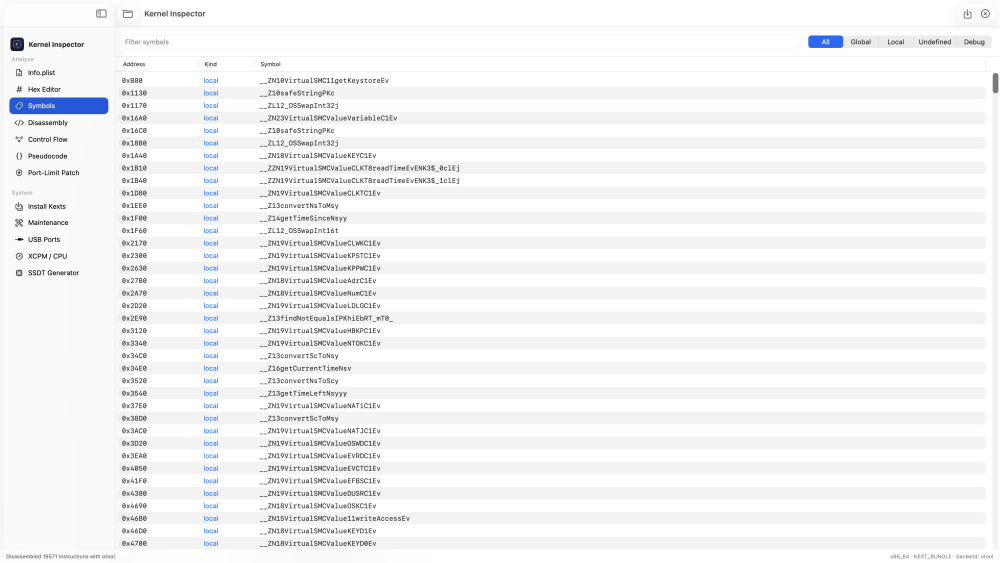
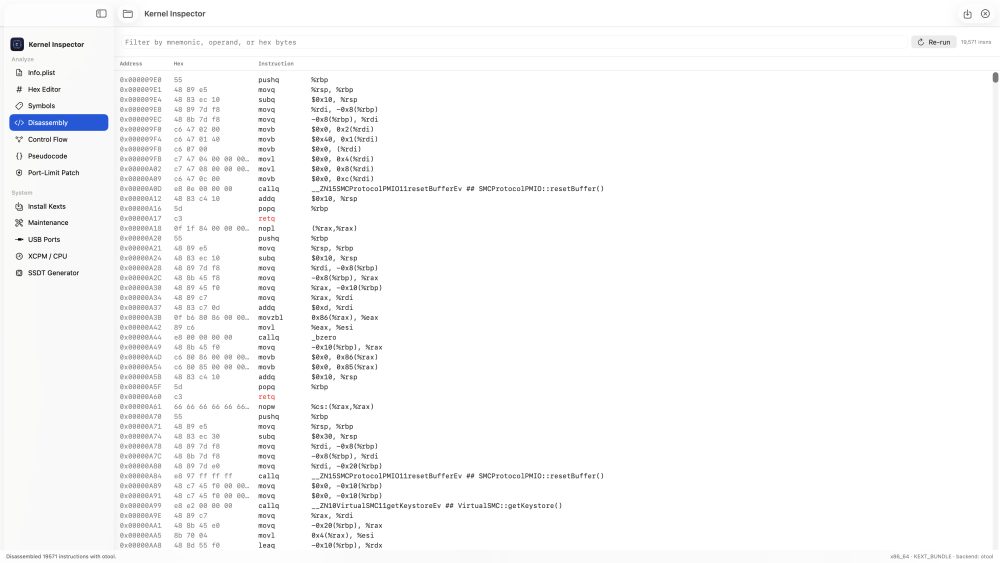
 Hi all — Kernel Inspector just got a big update (1.1.0). It still opens a .kext bundle or any Mach-O binary and lets you dig through it (think a lightweight Hopper), but the Hackintosh side has grown a lot: it now generates SSDTs, derives OpenCore patches from your own machine, and maps USB ports — on top of the install/maintenance chores it already did. Download: https://github.com/luminadevapps/KernelInspector/releases Source: https://github.com/luminadevapps/KernelInspector NEW IN 1.1.0 - SSDT Generator — pick your hardware, generate the maintenance SSDTs (AWAC, PMC, USBX, EC, PNLF, GPRW, RHUB, ALS0…), compile DSL → AML with iasl, then install the .aml straight into a mounted OpenCore EFI and register it under config.plist → ACPI → Add. It even adds the required renames (EC→EC0, _GPRW→XGPW) for you. - USB Ports — live view of your USB controllers from IOKit. Toggle which ports to keep, set each connector type, and auto-trim to the 15-port cap. - XCPM / CPU — the verified CPU power-management + topology patch set (AppleXcpmExtraMsrs, AppleCpuPmCfgLock, core-count fixes). Copy any entry as a config.plist patch, or verify it against your live Kernel Collection after a macOS update. - Port-Limit Patch — derives the XHCI port-limit patch from real bytes (a loaded binary or your live Kernel Collection) instead of a hard-coded pattern that only matches one build, with an optional universal (masked) variant. - Install Kexts now also targets a mounted OpenCore EFI and can restore AppleHDA on Tahoe via a KDK root patch; Maintenance gained per-volume config.plist access. WHAT IT DOES Analyze - Info.plist — kext identifier, version, UUID, linked libs, full searchable Info.plist - Hex Editor — byte view with hex find & replace and patch-to-file - Symbols — full nlist_64 table with global/local/undefined/debug filters - Disassembly — ARM64 / x86-64 of __text, colour-coded by branch/call/return - Control Flow — per-function basic-block graph - Pseudocode — heuristic pseudo-C (readability aid, not a decompiler) - Port-Limit Patch — derive an XHCI port-limit OpenCore patch from real bytes System (Hackintosh) - Install Kexts — readiness dashboard (SIP / macOS build / target / cache tool), install a .kext to /Library/Extensions or into your OpenCore EFI (auto-adds Kernel→Add + plugins to config.plist, backs it up first), rebuild caches, restore AppleHDA (Tahoe/KDK), uninstall - Maintenance — ESP-mounter style EFI partition mount/unmount, Kernel Debug Kit manager, per-volume config.plist viewer, APFS snapshot cleanup - USB Ports — live IOKit port map with keep/trim and the 15-port cap check - XCPM / CPU — verified CPU/XCPM patch set, checked against your live kernel - SSDT Generator — generate, compile and install OpenCore SSDTs from your hardware All privileged steps use the standard macOS admin prompt — the app never sees your password. INSTALL 1. Download KernelInspector-1.1.0.dmg from the Releases page 2. Drag Kernel Inspector into Applications 3. First launch only: right-click → Open → Open (it's ad-hoc signed, not notarized) Needs macOS 13+ and the Xcode Command Line Tools (xcode-select --install) — the disassembler shells out to otool/llvm-objdump. The SSDT Generator's compile step needs iasl (e.g. brew install acpica). NOTES Pseudocode/CFG are heuristic. Parser targets 64-bit Mach-O. The XCPM/CPU patches are verified on a specific machine (i9-13900K, macOS 26.x) — always re-verify against your own kernel after an update. The port-limit patch is a temporary aid for USB mapping; drop it once you've built a proper USBMap. It's a study/RE + Hackintosh aid for hardware you own. Feedback and bug reports welcome — cheers!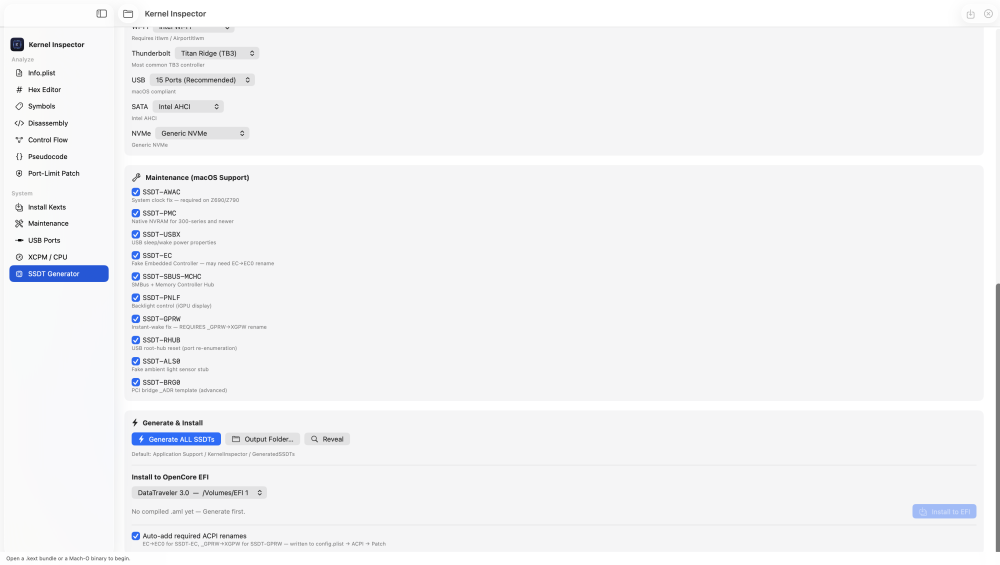
-
For Gigabyte Aorus Z790 Elite AX F16 (Bios) VoodooHDA-3.6.5.kext.zip
-
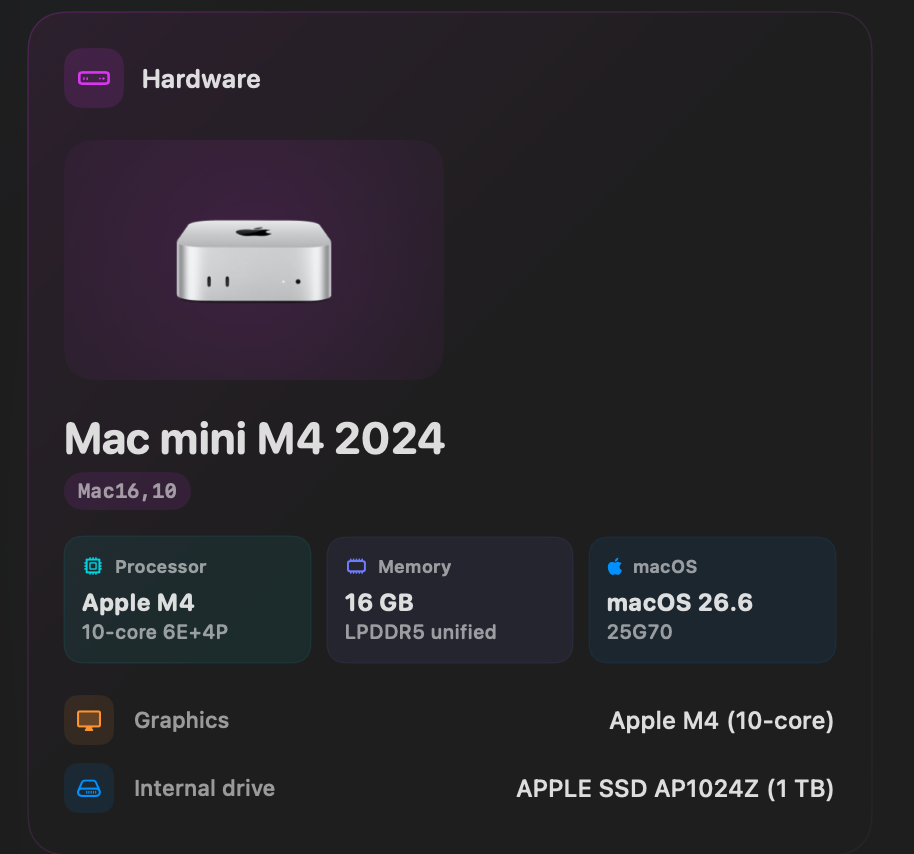
new info hardware
-
Hello Im Nick! I am trying to learn kernel development through macOS and through the last 10 years i've successfully made alot of hackintoshes. I used to daily drive a Tiger 10.4.8 and a Leopard 10.5.2 on the same Dell Latitude D505 for almost two years back in 2014-2015! It was a jam and since then I've came back to the hackintosh scene with renewed will for tinkering and learning!



.thumb.jpeg.7082d67b3394c9399e80144027a7b397.jpeg)