

Jump to content

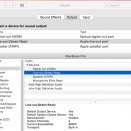
1 Screenshot

About This File

FULLY WORKING ALC662 with built-in speaker :) WITHOUT SOUND CRACKLING :)

before install please backup or copy AppleHDA.kext on /system/Library/extensions to your desktop

then delete it from /system/Library/extensions

install VoodooHDA.kext using Kext Drop

please report if you found any problem


after finishing installation please restart.. check your system preferences/audio and tab to output


What's New in Version 2.8.2

Released

  • :)

User Feedback

Recommended Comments

Chalitohn

Posted

I have sound working with voodooHDA but not HDA sound, with this i  will have HDA?

Chalitohn

Posted

It seems it worked! Well in info system it says nothing about "Sonido Intel de Alta Definition" but the sound Line-out says in "frecuencia de muestreo" 48000 and the sound works better than yesterday that I installed the kext. Anyways Thank you, I have a better sound :D

  • Like 1
dodik ismoko

Posted

It seems it worked! Well in info system it says nothing about "Sonido Intel de Alta Definition" but the sound Line-out says in "frecuencia de muestreo" 48000 and the sound works better than yesterday that I installed the kext. Anyways Thank you, I have a better sound :D


thanks for your comments, Your comment gave me spirit to continue learning about OS X :D please rate file with five stars :D

horizoli

Posted

Works thank you! 

OwleHex

Posted

bro. its gives too little noise when sound not playing and scrolling mouse ..

dodik ismoko

Posted

no problem for me.. your soundcard working well for windows??

Tobiyes

Posted

Hey there,


I tried your kext and it only last for one day and also microphone front and back won't work. After that day my system won't recognise your kext anymore.

It worked with installing it the clover way and when I tried it your way nothing happens.

I really don't get it :D


Some advise? Need more information?

  • Like 1
Tor-r

Posted

Cool! It works! Thanks

  • Like 1
krandv

Posted

I had a clover-based installation of Yosemite. It did work after I installed the kext to EFI partition. It didn't work if I installed it in /S/L/E

Kabootar

Posted

Thanks  your kext  completed my mackintosh build!  

ahendrickson

Posted

If you're running on an H61S Foxconn board, which uses the ALC662 codec, this is your audio kext! Be sure to remove the AppleHDA and any other VoodooHDA kexts before applying this, because I'm sure you tried several others before this.

Success on manual install -- didn't try using any of the gui's like #####, KextDrop, etc... This worked perfectly by simply copying the download into /System/Library/Extensions/ and double-checking folder permissions.

sudo cp -r ~/Downloads/VoodooHDA.kext /System/Library/Extensions/
ls -l

If the VooHDA-2.kext permissions or ownerships aren't right (aka the same as most everything else -- specifically, drwxr-xr-x root:wheel), you'll need to chmod/chown to correct it.

sudo chmod -R 755 name.kext
sudo chown -R root:wheel name.kext

sudo reboot, and tada!


Be sure to configure your audio settings afterwards (output tab), or no gold! << DON'T FORGET

  • Like 1
Kersul

Posted

That's the only one that works here! Thanks! :)

daegunlee

Posted

It works for my alc662 v2 internal sound card. Thanks!

cruncx

Posted

It works but the sound is low. the volume does not magnify.

×
×
  • Create New...