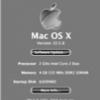
iCF-74 ToughMac Posted January 28, 2009 Share Posted January 28, 2009 I'd like to move to 4GB total, but not sure if I should order 1-2GB, or 2-2GB. If the configuration is an unknown (decided at the discretion of the builder) then I'll gladly lay it down to take a look. ** Also, if I head to a computer shop for this memory is there a particular type I should request? Thanks, Joe EDIT/ Duhhhhhh...."About my Mac". Nuff said. Ok, I have 2x1GB, so I need new memory. $%^& As in this article.. Last Modified: June 03, 2008Article: HT1423 Old Article: 306204 Summary This article describes how to install additional memory or replace the installed memory in your iMac (Mid 2007) computer. The iMac (Mid 2007) computer has two side-by-side Synchronous Dynamic Random-Access Memory (SDRAM) slots in the bottom of the computer, and comes with at least 1 GB Double Data Rate (DDR2) SDRAM installed into one slot. The maximum amount of random-access memory (RAM) you can install in the computer is 4 GB (2 GB SO-DIMM in each slot). Products Affected iMac (20-inch, Mid 2007), iMac (24-inch Mid 2007) You can use Small Outline Dual Inline Memory Module (SO-DIMM) that meet all of these criteria: PC2-5300 Unbuffered Nonparity 200-pin 667 MHz DDR2 SDRAM You can use RAM module sizes of 1 or 2 GB in each slot. DIMMs with any of the following features are not supported: Registers or buffers PLLs Error-correcting code (ECC) Parity Extended data out (EDO) RAM Next Q: my iMAC will then see 4GB, but will it be able to use all 4? Or will it use 3GB as I've read the older iMAC's would?? Joe Link to comment https://www.insanelymac.com/forum/topic/149721-upgraded-imac-to-2gb-when-i-purchased-it-last-year/ Share on other sites More sharing options...
inimicus Posted January 31, 2009 Share Posted January 31, 2009 It's a Mac. Not a Media Access Control. Thus, iMac. Stop asking questions and just buy the stuff, you'll be glad you did. Link to comment https://www.insanelymac.com/forum/topic/149721-upgraded-imac-to-2gb-when-i-purchased-it-last-year/#findComment-1063210 Share on other sites More sharing options...
iCF-74 ToughMac Posted February 1, 2009 Author Share Posted February 1, 2009 ....... and just buy the stuff, you'll be glad you did. An eventual given, but a few more questions remain Joe Link to comment https://www.insanelymac.com/forum/topic/149721-upgraded-imac-to-2gb-when-i-purchased-it-last-year/#findComment-1064171 Share on other sites More sharing options...
martin15s Posted February 1, 2009 Share Posted February 1, 2009 This model supports full 4gb - 2 x 2gb - go to Crucial for prices and full info. Link to comment https://www.insanelymac.com/forum/topic/149721-upgraded-imac-to-2gb-when-i-purchased-it-last-year/#findComment-1064386 Share on other sites More sharing options...
iCF-74 ToughMac Posted February 2, 2009 Author Share Posted February 2, 2009 This model supports full 4gb - 2 x 2gb - go to Crucial for prices and full info. I always seem to forget how inexpensive memory is these days. At least aftermarket stuff. Compared to $300/4GB from Apple! Heading to Futureshop here in Canada in the next 24. Thanks for the lead on Crucial...*beer* Joe Link to comment https://www.insanelymac.com/forum/topic/149721-upgraded-imac-to-2gb-when-i-purchased-it-last-year/#findComment-1066749 Share on other sites More sharing options...
iCF-74 ToughMac Posted February 3, 2009 Author Share Posted February 3, 2009 Done! Soooomuch better. Future shop had it on sale last nite for $52/4GB! Joe Link to comment https://www.insanelymac.com/forum/topic/149721-upgraded-imac-to-2gb-when-i-purchased-it-last-year/#findComment-1067577 Share on other sites More sharing options...

Recommended Posts