All Activity
- Past hour
-
I'm working on voodoo for full combo-jack and other things but it's just for fun and to improve a little on what's already good and honestly, audio is really complicated!... fry our brains.
-
 Big Update is comming and we need test it!
 -
 Ryan Soto joined the community
 -
 kjcpro11 joined the community
 -

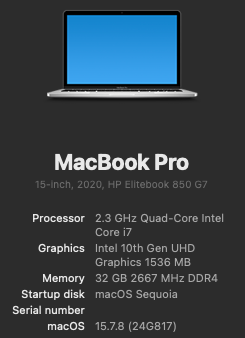
[Pre-release] macOS Sequoia 15.7.8
deeveedee replied to deeveedee's topic in New Releases and Updates
Another smooth, incremental update after temporarily disabling bluetoolfixup.kext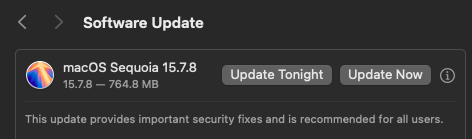
-
 Начинающий СS-ер changed their profile photo
 -
 naveen m changed their profile photo
 -
- Today
-

Macos Golden Gate - Experiment Cpu Intel
etorix replied to Ludox's topic in Front Page News and Rumors
Only in the sense that Apple intends to use Intel Foundry for some of its AppleSilicon chips. So future Macs (or iPhones?) may feature ARM chips "made by Intel" (but designed by Apple). No x86! -
 91clubbinn joined the community
 -
 Robert Robinson joined the community
 -
 ketquabongdafan joined the community
 -
[Pre-release] macOS Sequoia 15.7.8
strangeron replied to deeveedee's topic in New Releases and Updates
15.7.8 (24G817). 👍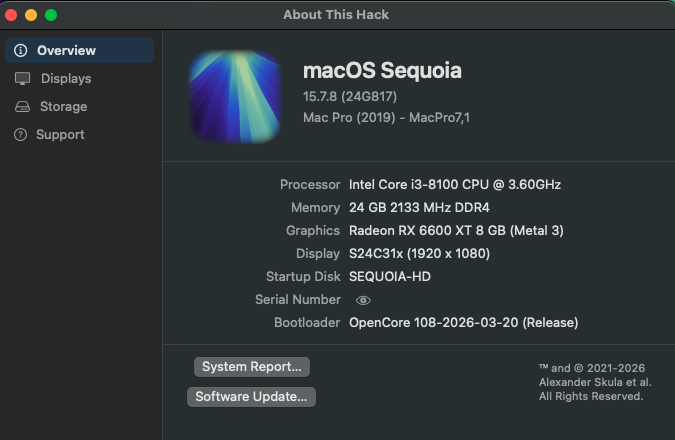
-
 quickqa joined the community
 -
👍
-
 ミゲル changed their profile photo
 -
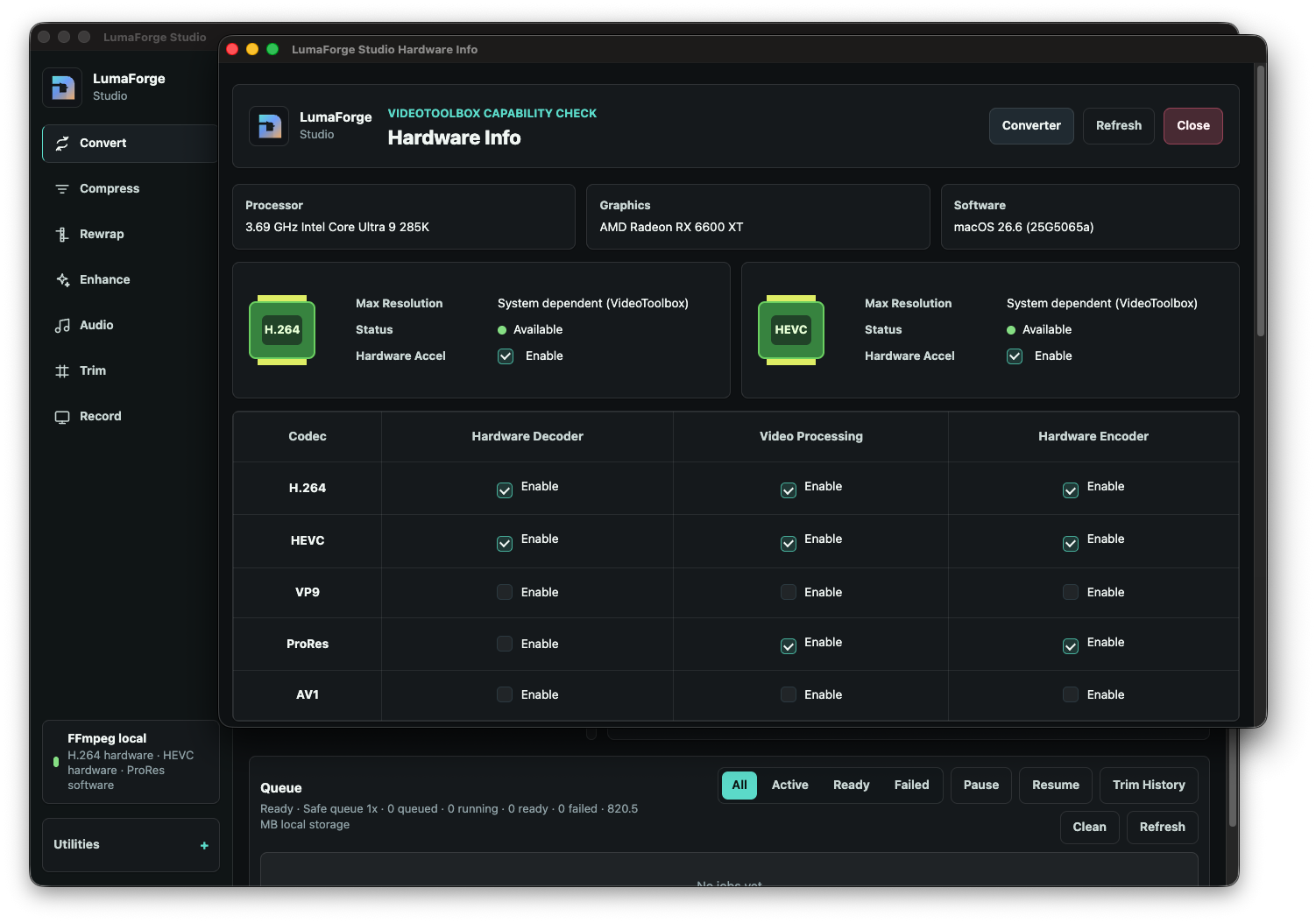
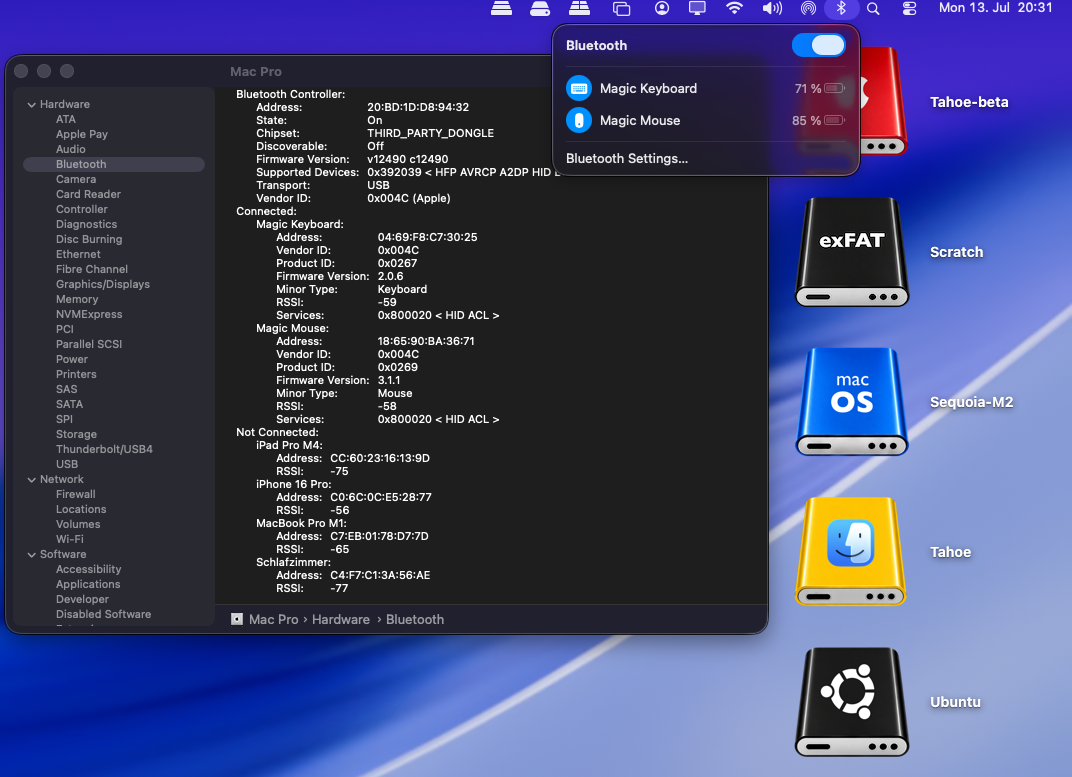
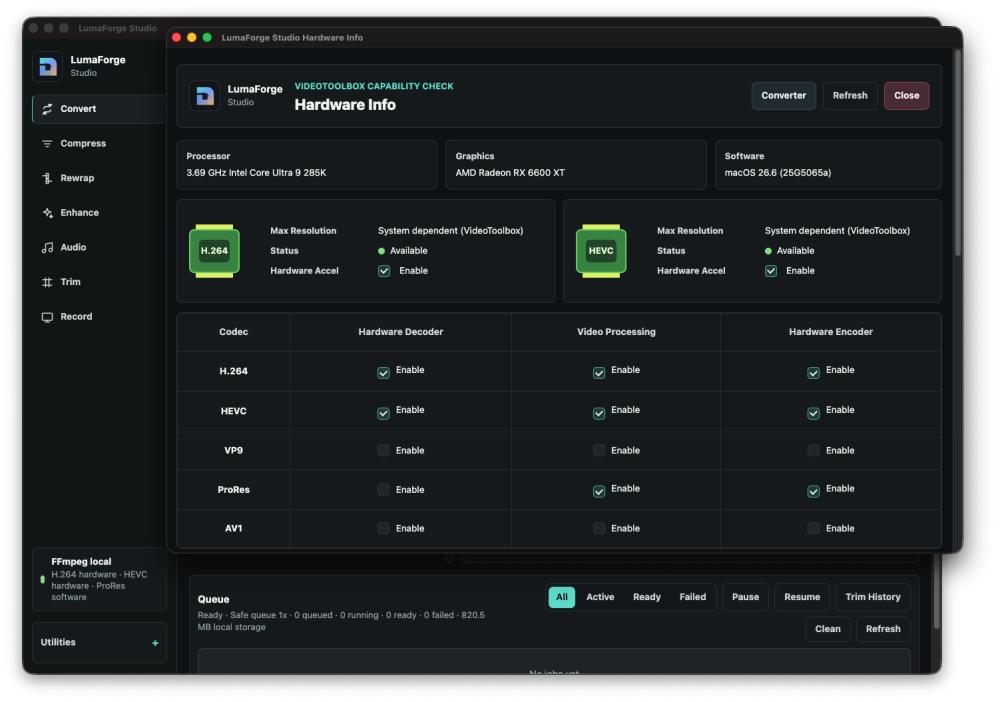
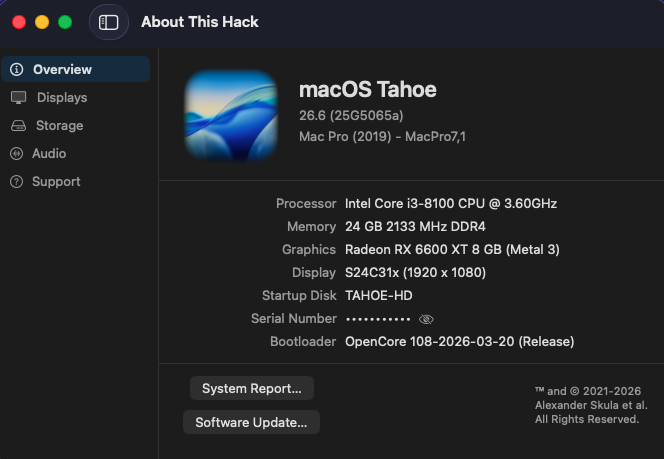
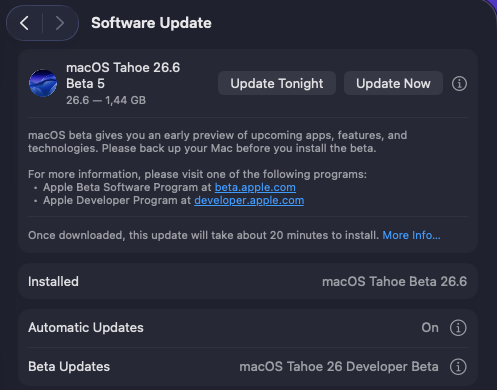
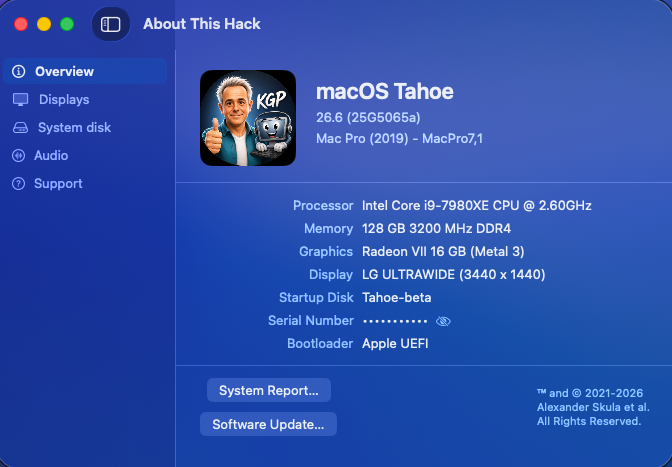
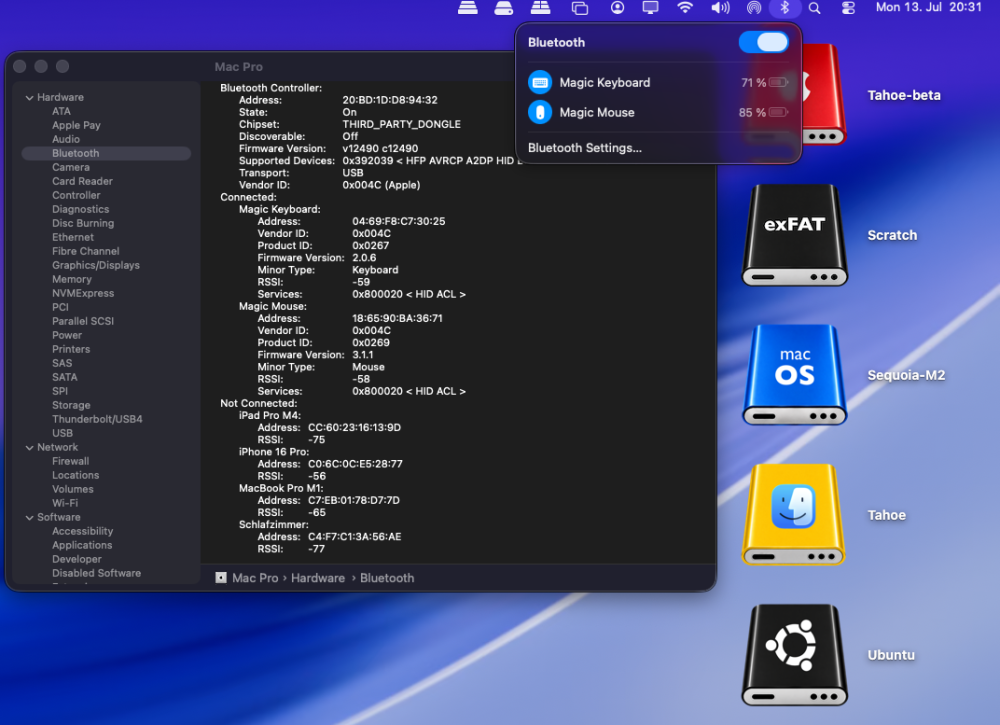
Sequential OTA update (1.44 GB) from macOS 26.6 beta 4 (25G5057c) to macOS 26.6 beta 5 (25G5065a). Apple has not yet released a Kernel Debug Kit for macOS 26.6 beta 5 (25G5065a). OCLP correctly selects Kernel Debug Kit 26.6 build 25G5052e, corresponding to macOS 26.6 beta 3, as the closest available match. My Broadcom/OCLP setup (BCM943602CDP) works under macOS 26.6 beta 5 as expected. AppleHDA, Wi-Fi, native Bluetooth, AirDrop, AirPlay, Screen Mirroring, Continuity Camera, Personal Hotspot, and sleep/wake all appear to be working properly. My Intel/OCLP/AirportItlwm setup (AX210) also works under macOS 26.6 beta 5 as expected. AppleHDA, Wi-Fi, Bluetooth, AirPlay, Screen Mirroring, and sleep/wake all appear to be working properly. Nevertheless, immediately after the update to macOS 26.6 beta 5, Intel Bluetooth once again fell back into the same broken state previously observed following the beta 4 update. As with beta 4, Bluetooth functionality on the AX210 was fully restored only after booting once with my Broadcom EFI and BCM943602CDP to perform a hardware reset, and then switching back to the Intel setup. I had already been able to restore Intel Bluetooth under beta 4 afterward using exactly the same procedure. This strongly suggests that the issue is not a general incompatibility with macOS 26.6, but rather a persistent controller or firmware state triggered by the update process.
-
 Wesley Boone joined the community
 -
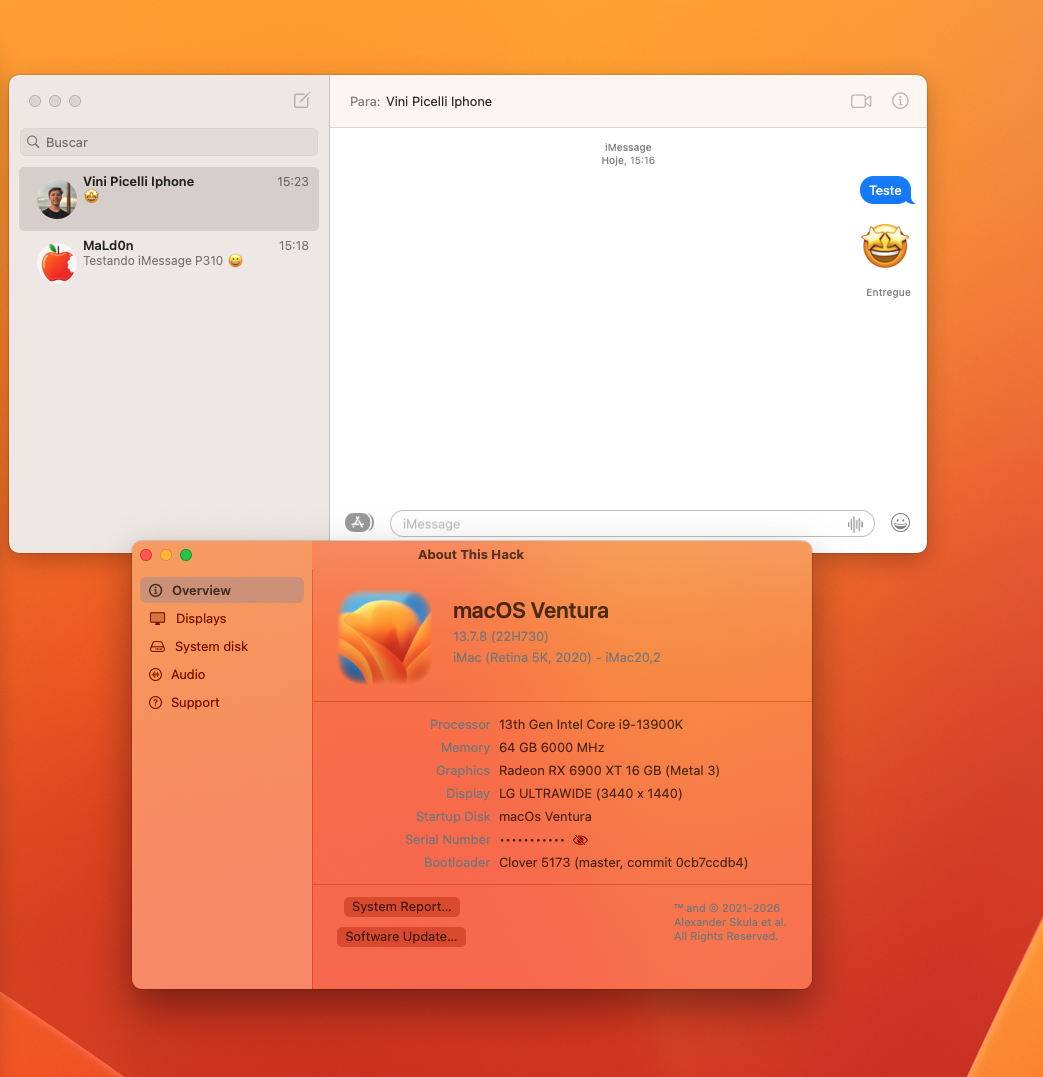
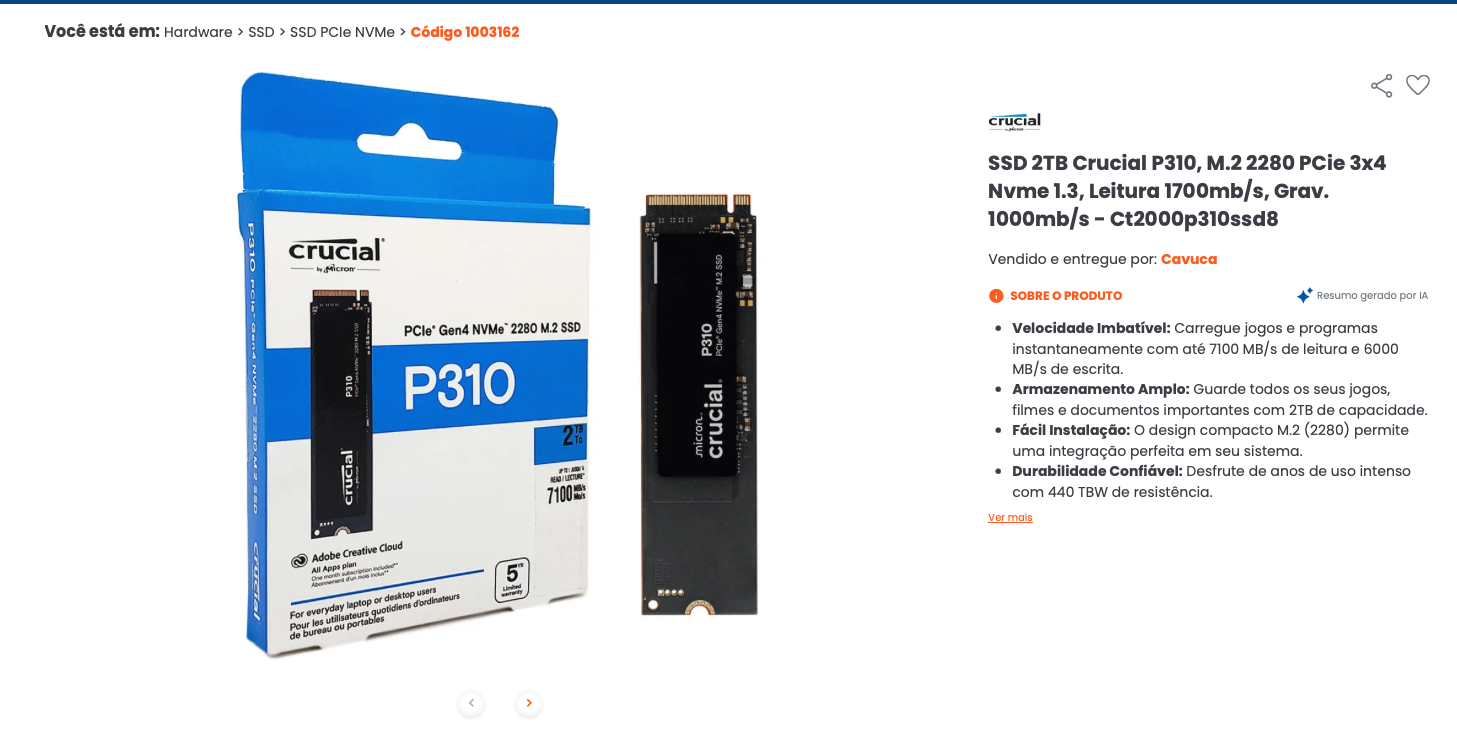
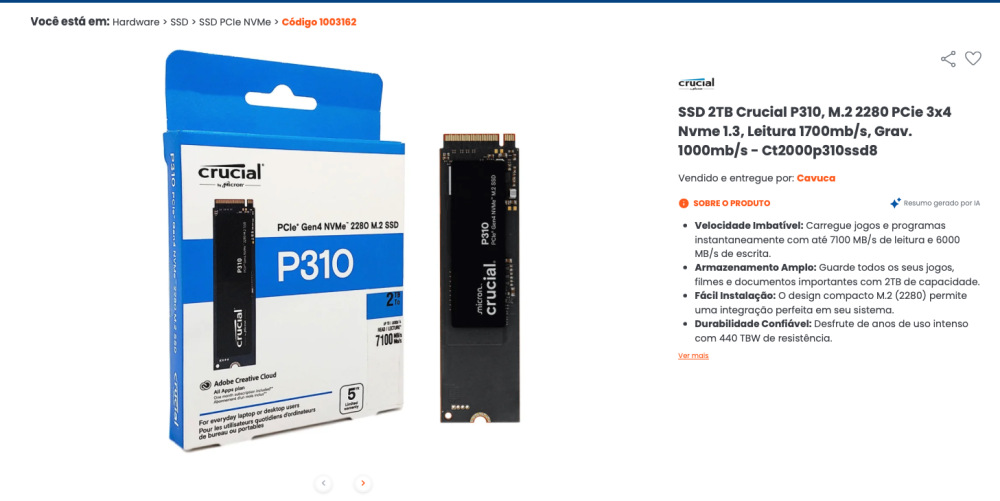
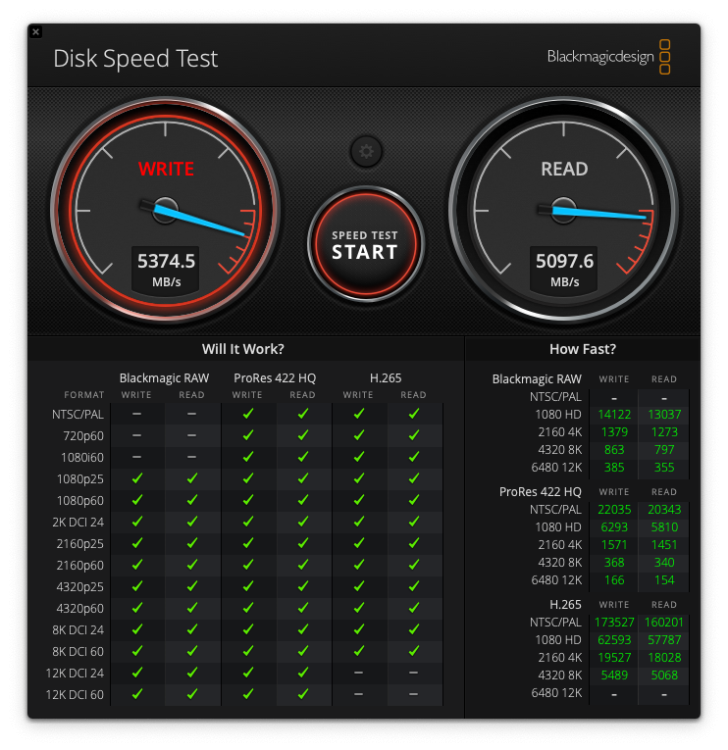
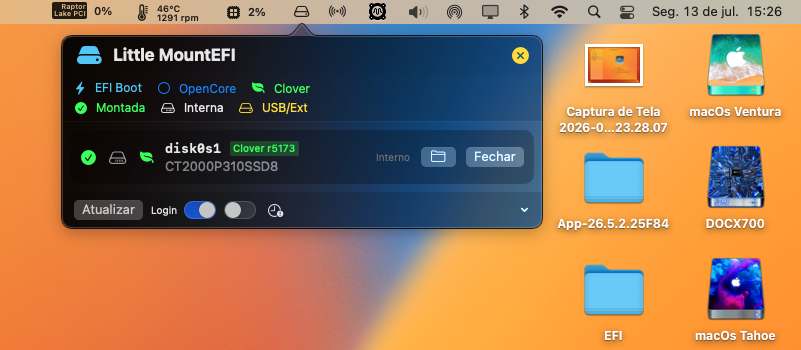
 Hello everyone. I believe I "accidentally" discovered that to get iMessage working with Clover, the chosen SSD/NVMe is crucial. And in the BIOS, I enabled the "Other OS" option instead of Windows. This helped a lot, and I also tested this good quality 2TB Crucial P310 NVMe.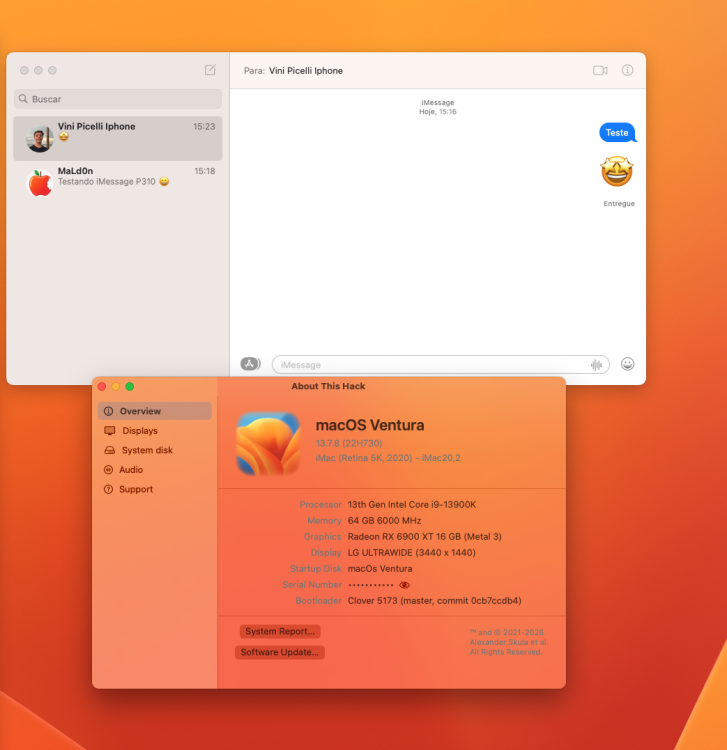
-
 barncoamish joined the community
 -
 Apex Recovery Massage changed their profile photo
 -
ug88tech1 joined the community
-

About This Hack (2009-Nissan-Cube version migrated to SwiftUI)
miliuco replied to miliuco's topic in Hackintosh Tools
Working fine in Golden Gate too 🙂 -
About This Hack (2009-Nissan-Cube version migrated to SwiftUI)
Max.1974 replied to miliuco's topic in Hackintosh Tools
Thanks @miliuco excellent work my friend!!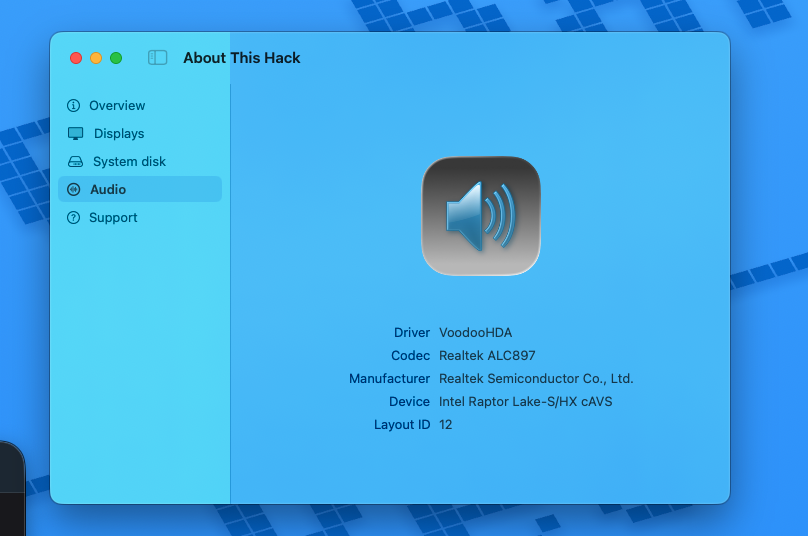
-
About This Hack (2009-Nissan-Cube version migrated to SwiftUI)
miliuco replied to miliuco's topic in Hackintosh Tools
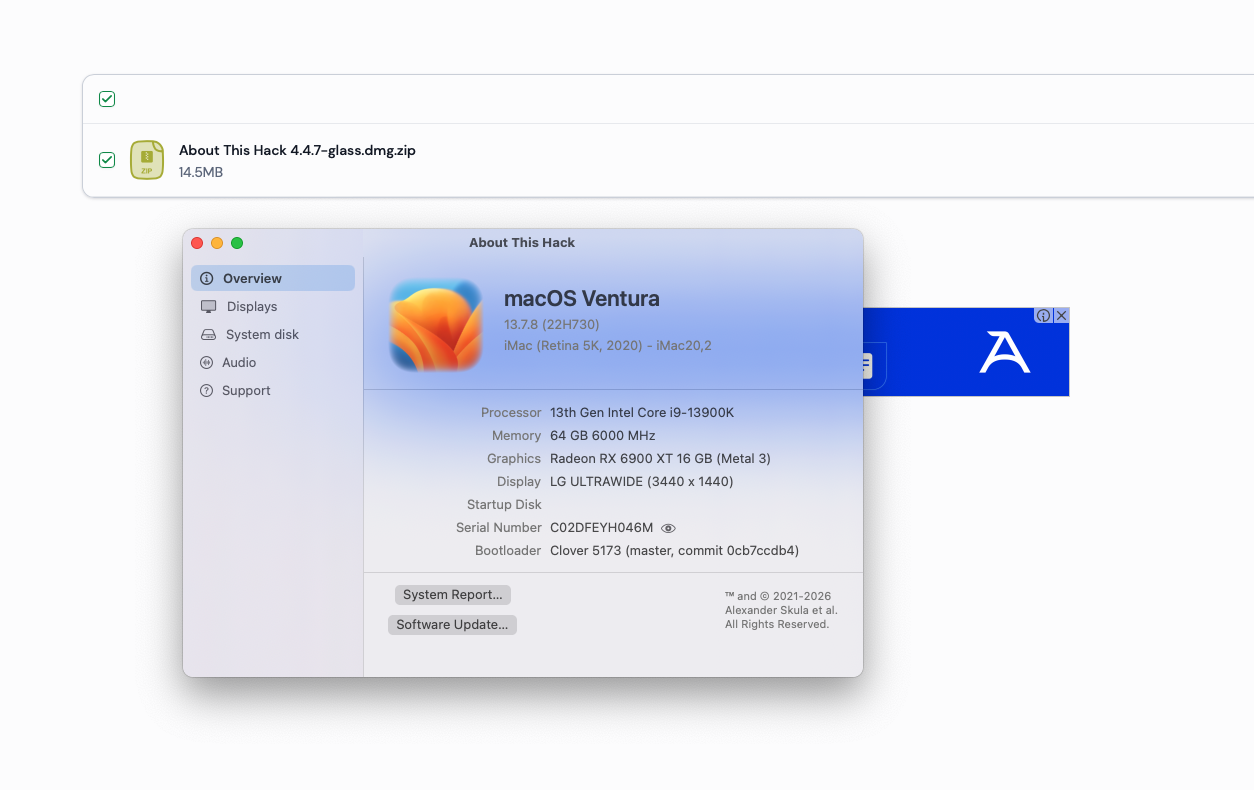
Version 4.4.7 Improve startup disk detection on macOS Ventura, thanks to @Max.1974 https://github.com/perez987/About-This-Hack/releases/tag/4.4.7 -
About This Hack (2009-Nissan-Cube version migrated to SwiftUI)
Max.1974 replied to miliuco's topic in Hackintosh Tools
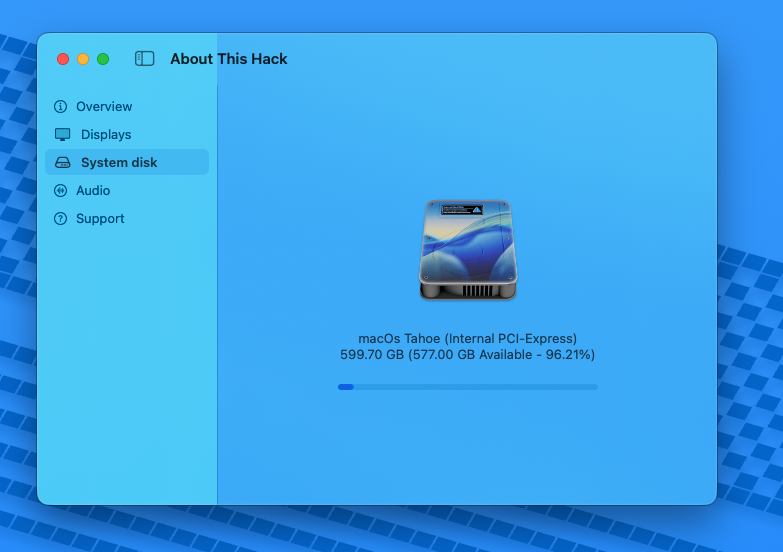
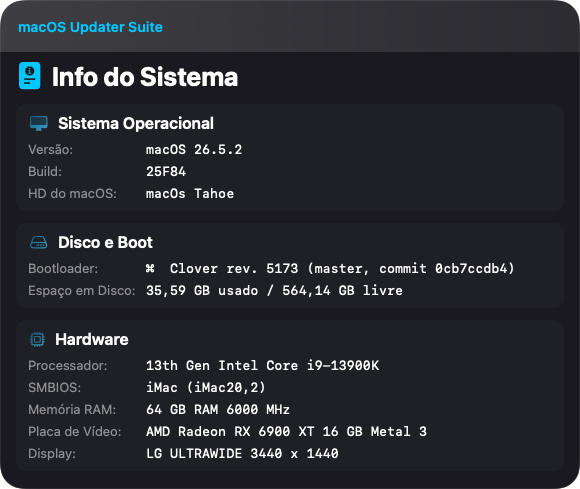
Thanks my friend, working on Tahoe in Dual Boot too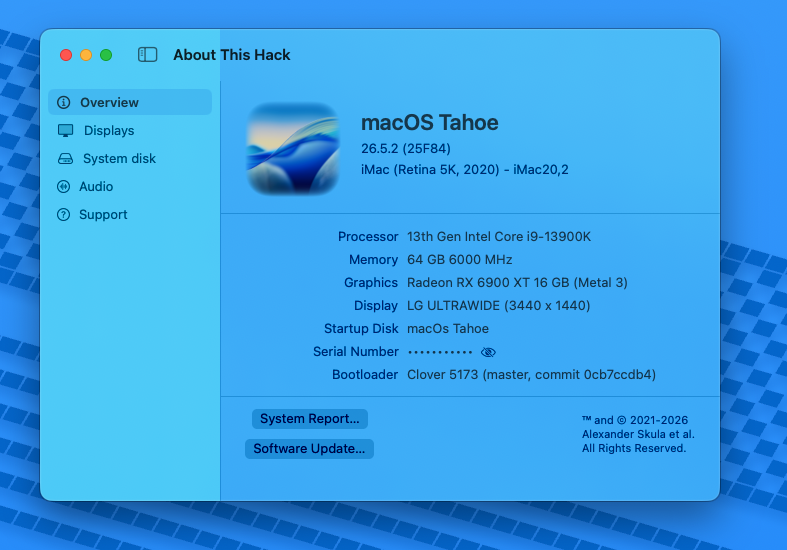
-
 Cassandra Shea joined the community
 -
About This Hack (2009-Nissan-Cube version migrated to SwiftUI)
miliuco replied to miliuco's topic in Hackintosh Tools
@Max.1974 I think that I'm finding the main code diffs. In the HCStartupDisk.swift file, var StartupDisk block has changed, plus minor changes in data collection. Copilot has done a good work. Thanks again. I'm preparing the repo and the releases. -
About This Hack (2009-Nissan-Cube version migrated to SwiftUI)
Max.1974 replied to miliuco's topic in Hackintosh Tools
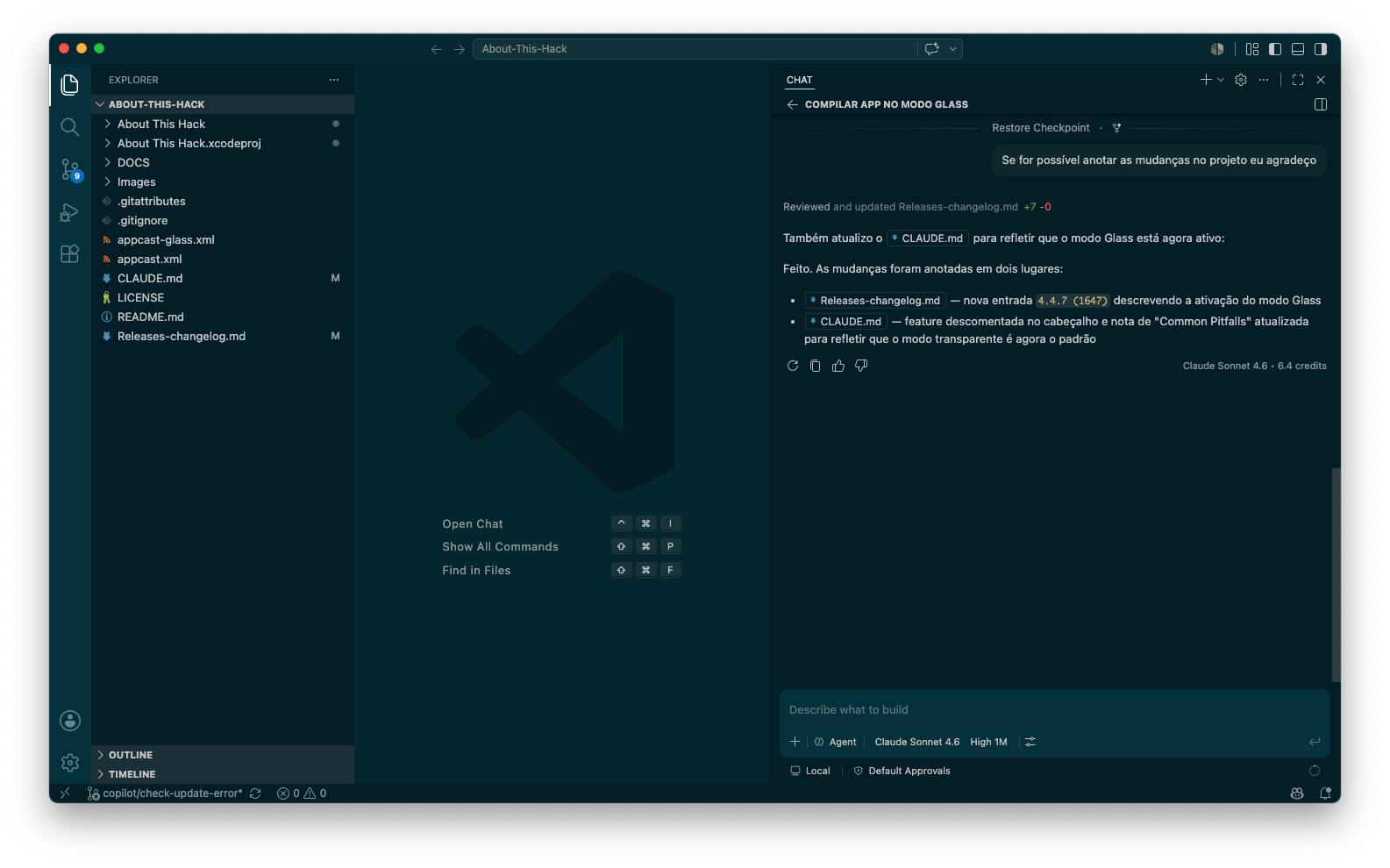
Yes my friend, I asked Claude to make the annotations in the Claude.MD and Releases-changelog.md files, and he detailed the changes. The code is in zip project for you https://www.mediafire.com/file/nf5cxxtpjtw9h6b/About-This-Hack-Glass-Ventura-Project-Notes.zip/file # Releases Changelog ## 4.4.7 (1647) - Jul 13, 2026 **Liquid Glass window style** - Enable transparent/liquid-glass window style: main window, Settings window, and Language Selector window now use `isOpaque = false` + `backgroundColor = .clear` + `titlebarAppearsTransparent = true` - SwiftUI backgrounds switched from `Color(NSColor.controlBackgroundColor)` to `.ultraThinMaterial` in `ContentView` and `SettingsView` ## 4.4.6 (1646) - Jul 12, 2026 **Sandboxed app** - App is sandboxed - Bundled as DMG instead of ZIP to avoid Sparkle updates issues - Add Sparkle entitlements - Fix persistence of custom logo - Minor localization changes in Storage label ## 4.4.4 (1644) - Jul 10, 2026 **Notarized app** - The app is now notarized, no more needing of `xattr` or any other Gatekeeper action but opening a file downloaded from Internet warning ## 4.4.0 (1640) - Jul 8, 2026 **Set macOS signing identity** - Configure the Xcode project to use the `Apple Development` code signing identity ## 4.3.9 (1639) - Jul 5, 2026 **Prefer scaled display resolution** - Update display to use `UI Looks Like` dimensions when present (scaled dimensions), falling back to `Resolution` (maximum resolution supported by the hardware); this improves reported display resolution for scaled modes ## 4.3.8 (1638) - Jun 30, 2026 **Add HDAUniversal audio** - Add HDAUniversal audio: detection of `HDAUniversal.kext` (new audio system for Hackintoshes, made by *Mald0n*) ## 4.3.7 (1637) - Jun 28, 2026 **Per-macOS-version artwork for displays** - Review the Displays tab: display images are now larger - Use per-macOS-version artwork for built-in screens (MacBook assets), generic external monitors and iMac screens (proper iMac icons has been added) - Several asset files have been cleaned up and normalized ## 4.3.6 (1636) - Jun 27, 2026 **Update Audio imageset** - Update `Audio` imageset, thanks to [chris1111](https://github.com/chris1111) - Adjust sidebar width in `ContentView.swift` to accommodate localized strings ## 4.3.5 (1635) - Jun 26, 2026 **Update Unknown imageset** - Update `Unknown` imageset, used when macOS version is not recognized; thanks to [chris1111](https://github.com/chris1111) ## 4.3.4 (1632) - Jun 24, 2026 **Refactor SIP and Mac model** - Improve Mac model identification - Refactor SIP detection (drop Objective-C files, not needed anymore) - Add Sparkle 2.9.3 by SPM replacing the integrated Sparkle `xcframework` - Update to macOS 27 Golden Gate ## 4.3.2 (1627) - May 19, 2026 **Update Sparkle to 2.9.2** - Update Sparkle integrated framework to 2.9.2 ## 4.3.1 (1626) - May 16, 2026 **Add German language** - Add German language (thanks to [kgp-macPro]( https://github.com/kgp-macPro)) - Rename `Storage` to `System disk` in locales ## 4.3.0 (1625) - May 15, 2026 **Update Sparkle and glass version** - Update Sparkle and app digital signatures by applying `codesign` to the compiled bundle - Glass version: apply translucent effect to language selector and about dialog ## 4.2.9 (1621) - Embed Sparkle.xcframework - Embed Sparkle by adding Sparkle.xcframework to the project - Remove the Swift package product dependency for Sparkle ## 4.2.8 (1620) — DisplayPort audio support - Add DisplayPort audio device support to the Audio tab ## 4.2.7 (1617) — Update documentation - Update Sparkle documentation ## 4.2.6 (1615) — HDMI audio support - Add HDMI audio device support to the Audio tab ## 4.2.5 (1613) — USB audio support · Get back Sparkle updater - Add USB audio device support to the Audio tab - Replace the custom GitHub-based update checker with Sparkle ## 4.2.4 (1610) — Native updater replaces Sparkle - Sparkle is replaced by a native, lightweight SwiftUI GitHub-based update checker that uses the GitHub versioning API and requires no third-party dependencies - Localize updater messages ## 4.2.2 (1608) — VoodooHDA audio detection - Improve audio detection and VoodooHDA support via the `getdump` tool (work in progress) - Fix accents in the French `Localizable.strings` file - README: Document audio tab behavior, `getdump` requirement for VoodooHDA, and update screenshot references - Assets: Renamed Audio screenshot for AppleALC and added a VoodooHDA screenshot ## 4.2.0 (1604) — Display detection · Audio tab - Add Audio sidebar tab (work in progress): - Displays audio codec information - Applies only to Hackintosh having AppleALC enabled - Hackintosh using VoodooHDA do not have an audio tab - Detection of `alc-layout-id` over `layout-id` - Treat OpenCore+OCLP as a Hackintosh (only when audio injection drivers are detected) - The custom updater system is replaced by Sparkle - Remove scr.txt intermediary file for SPDisplaysDataType: `system_profiler SPDisplaysDataType` is written to `scr.txt` and then read back into the cache; the file round-trip is unnecessary - Update Italian translation, thanks to [Anto65](https://github.com/antuneddu) - Add the refresh rate in the Displays tab - Add sidebar toggle button to hide / show the sidebar with animation - Center content when the sidebar is hidden - Conditionally show scroll indicator in Displays tab: hidden for 1–3 monitors, visible for 4 or more monitors ## 4.0.0 (1595) — Migrate to SwiftUI - Migrate main UI to SwiftUI keeping app functionality - Add language menu and language selector window (en, es, fr, it) - Keep existing Settings window (custom logo) behavior - Minimum target is macOS 13.5+ - Rework the Displays UI to use a horizontal `ScrollView` and enable full display counts (removed hard limit of 3) - Replace ATHLogger with print statements (error/warning prints where failures are meaningful for debugging) - Replace macOS version icons with liquid glass badges, thanks to [chris1111](https://github.com/chris1111) - The app bundle size has been reduced from 29 to 11 MB ## 3.0.0 (1580) — Faster startup and custom logo - Shorter app startup time - Introduces a new Preferences window for customizing the macOS logo in the Overview tab - Users can drag and drop a 1024×1024 PNG image to set a custom logo, which is persisted in UserDefaults - Replaces custom updater system by Sparkle - Adds missing image assets for Tahoe External/Internal HDD and SSD - UI fixes for macOS Tahoe - Minimum target is macOS 11.5+ -
About This Hack (2009-Nissan-Cube version migrated to SwiftUI)
miliuco replied to miliuco's topic in Hackintosh Tools
@Max.1974 Great job, confirmed also by @Alpha22 In Sonoma and newer works fine too. It's difficult for me to check the differences, can you show me the changes made by you to the project? I want to understand the code, learning new things. Thanks. -
About This Hack (2009-Nissan-Cube version migrated to SwiftUI)
Max.1974 replied to miliuco's topic in Hackintosh Tools
Thanks my friend, im send two project modes for you (with and without) glass, I hope you enjoy it Nice Congrats!! All done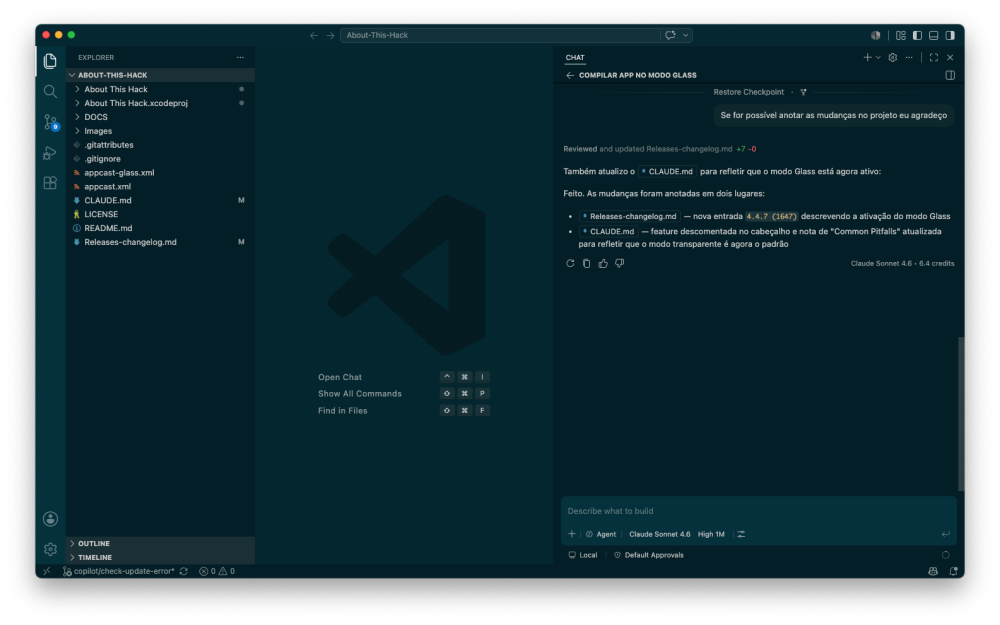
-

About This Hack (2009-Nissan-Cube version migrated to SwiftUI)
Alpha22 replied to miliuco's topic in Hackintosh Tools
@Max.1974 it works -
About This Hack (2009-Nissan-Cube version migrated to SwiftUI)
miliuco replied to miliuco's topic in Hackintosh Tools
@Max.1974 Thank you! Sure I’ll review it. I don’t have Ventura. Not being glass is not important, only a few commented / uncommented lines. -
About This Hack (2009-Nissan-Cube version migrated to SwiftUI)
Max.1974 replied to miliuco's topic in Hackintosh Tools
Now with Glass working smooth https://www.mediafire.com/file/7am2yqvzman67vc/About+This+Hack-Glass-Ventura.dmg/file App Project with Glass + Notes on MD file "Claude" https://www.mediafire.com/file/nf5cxxtpjtw9h6b/About-This-Hack-Glass-Ventura-Project-Notes.zip/file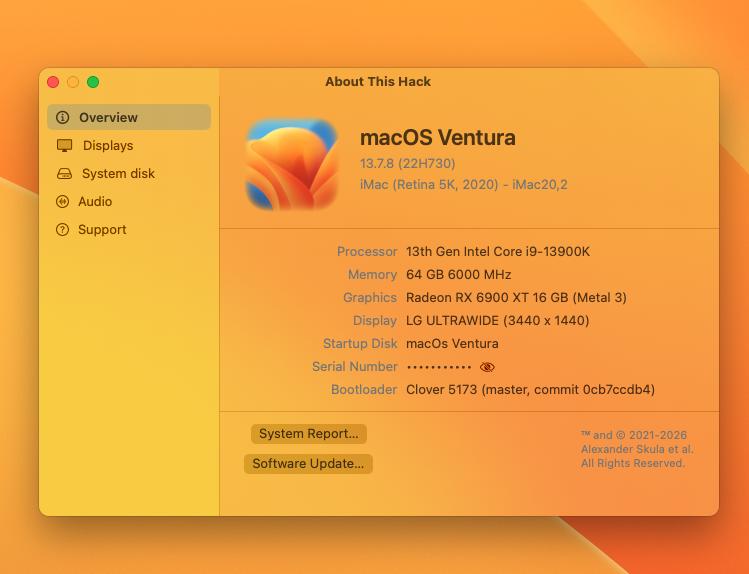
-
About This Hack (2009-Nissan-Cube version migrated to SwiftUI)
Max.1974 replied to miliuco's topic in Hackintosh Tools
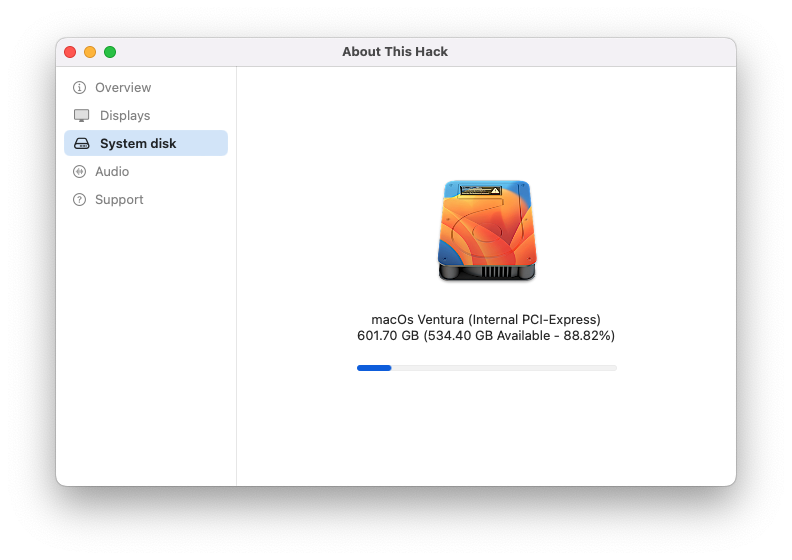
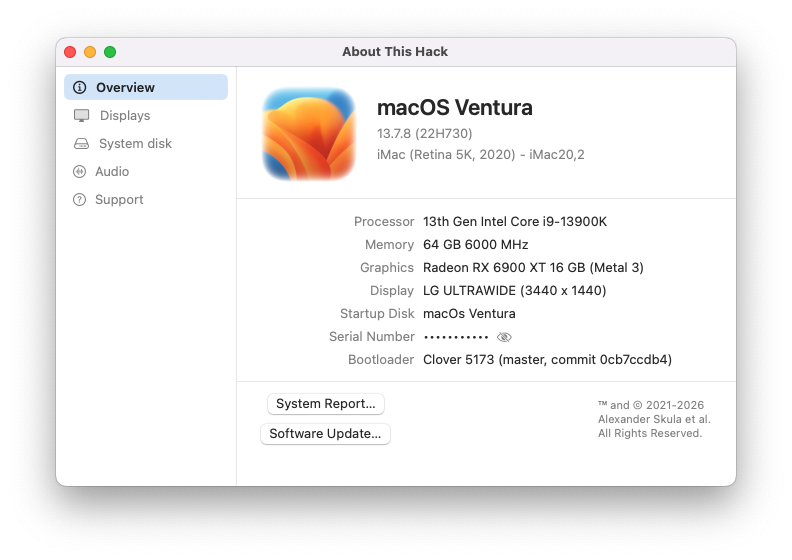
Hi my friends, thanks for link. tested the app from the link above, but it didn't work on Ventura. I made a few changes using Copilot Pro with VS Code, and it worked. Here's the project link. I hope it helps. It's not Glass, but you can ask VS Code to make the changes for you. I used Claude 4.6. 😉 https://www.mediafire.com/file/ttk0v30loo8o7c5/About-This-Hack-teste-hd-ventura-Project.zip/file With Changes: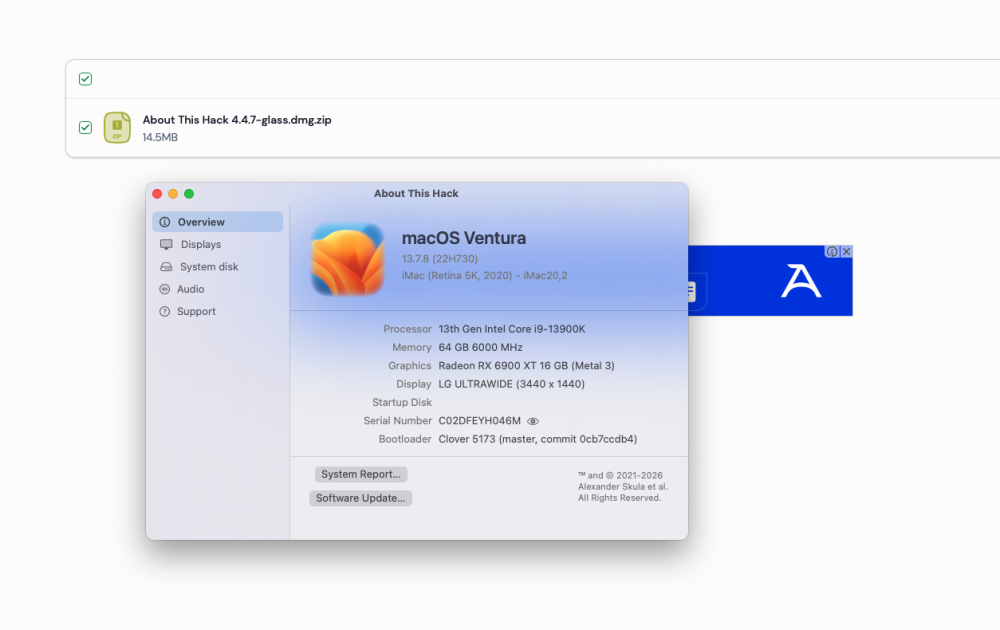
-
About This Hack (2009-Nissan-Cube version migrated to SwiftUI)
miliuco replied to miliuco's topic in Hackintosh Tools
Thanks. -
 vicclubwork1 changed their profile photo
 -
About This Hack (2009-Nissan-Cube version migrated to SwiftUI)
Alpha22 replied to miliuco's topic in Hackintosh Tools
https://limewire.com/d/MTJ8l#RyP49gqdJ7 -
Making VoodooHDA with AI. Prehistory. First version was made by Fassl on the base of FreeBSD sources. It was last version 0.2.2. Than we, Slice and AutumnRain, began own project based on Fassl's project and made repository on sourceforge.net. We begin from version 0.2.3 and than exclude zero => 2.3.1. Many users on forums made his contributions into the project. Zenith432 made the most important contribution. Version 2.8. I was left alone and moved the project on GitHub. After some improvements the version became 3.0.5 Traditional. New era with AI. New developer, rdmitry0911 with a help of Claude AI decided to remake VoodooHDA so that it works with tuning like AppleALC. Users should choose codec-id and ths is the whole tuning. Remind that traditional version make autotuning with a user possibility to change something. It was a complex method what to do to make all outputs and all inputs working as you want. Version 3.1.2. Some new updates 3.1.x-3.2.x expose a bug: Headphone was not working... Tens questions to AI and no result. We decided to revert to 3.1.2. There was a AI fault #1. Than I ask him to make AMD HDMI audio working as never before. Version begins from 3.3.0 and success! 3.3.4 works for many users. But not for all. In my case AMD RX570 + TV Samsung I have bad sound. Two months asking Claude and than Qwen and Deepseek didn't lead to result. This is a fault #2. In the version 3.3.5 we found new bug. In Russian ДНД. It means after switching LineOut->HeadPhone->LineOut sound was escaped at all. This is a fault #3. AI can't explain why version 3.3.5 has this bug while 3.0.5 no. I resolved this bug by rolling back again and begin new version based on version 3.3.3 which has no such bug. I wanted to make autodetect of connected TV. The work is not finished yet because the AI can't do this. This is the fault #4. But I hope to make it by myself. I will not discuss MaLdOn's version 4.x because it is not my work.
-
About This Hack (2009-Nissan-Cube version migrated to SwiftUI)
Max.1974 replied to miliuco's topic in Hackintosh Tools
@miliuco Hello, my dear friend. I couldn’t download it from this site or WeTransfer. If you could upload it somewhere more accessible that doesn’t require a login, such as MediaFire, I’d appreciate it, brother. I will check your project too my friend, thanks!!