All Activity
- Past hour
-
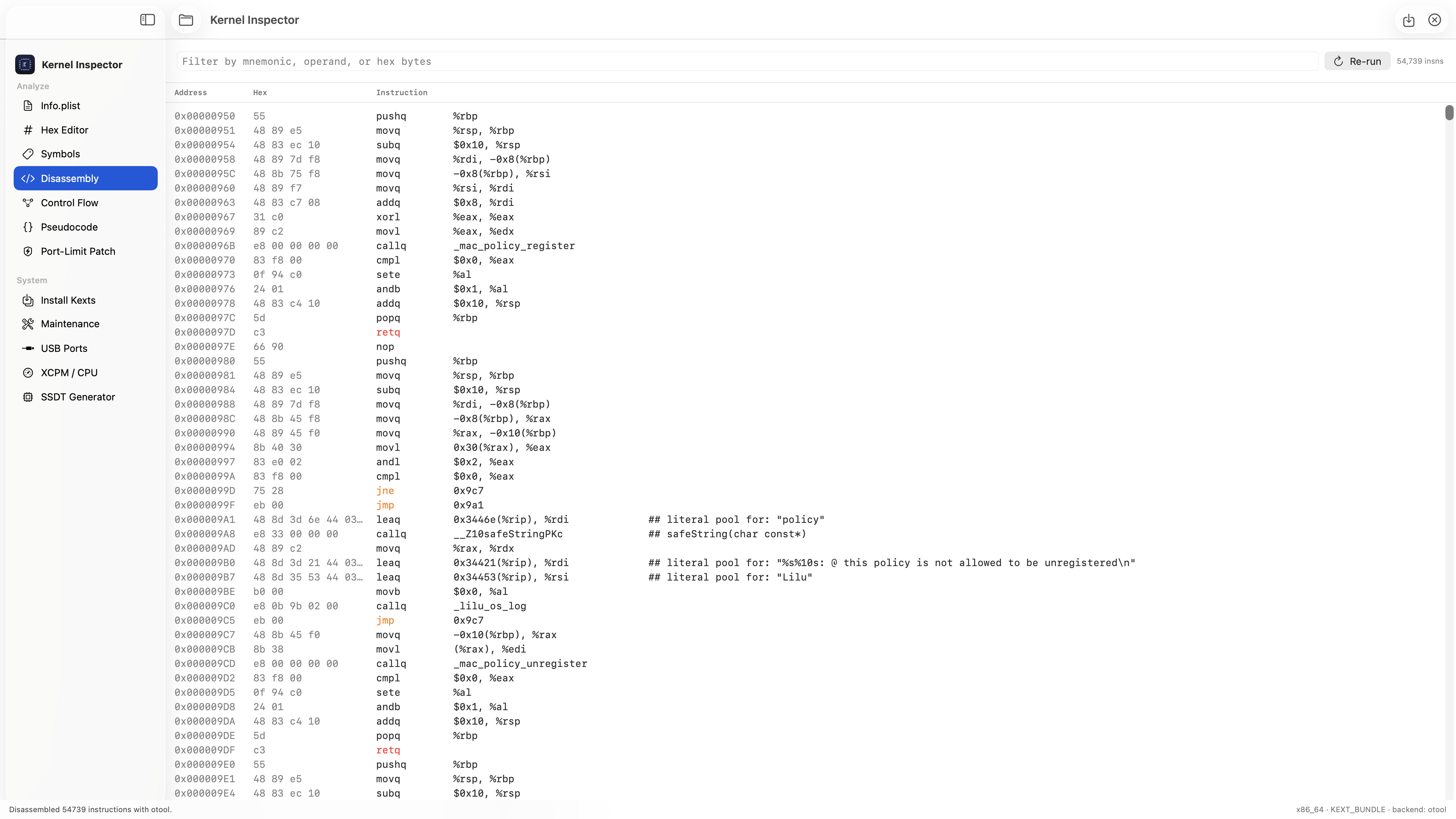
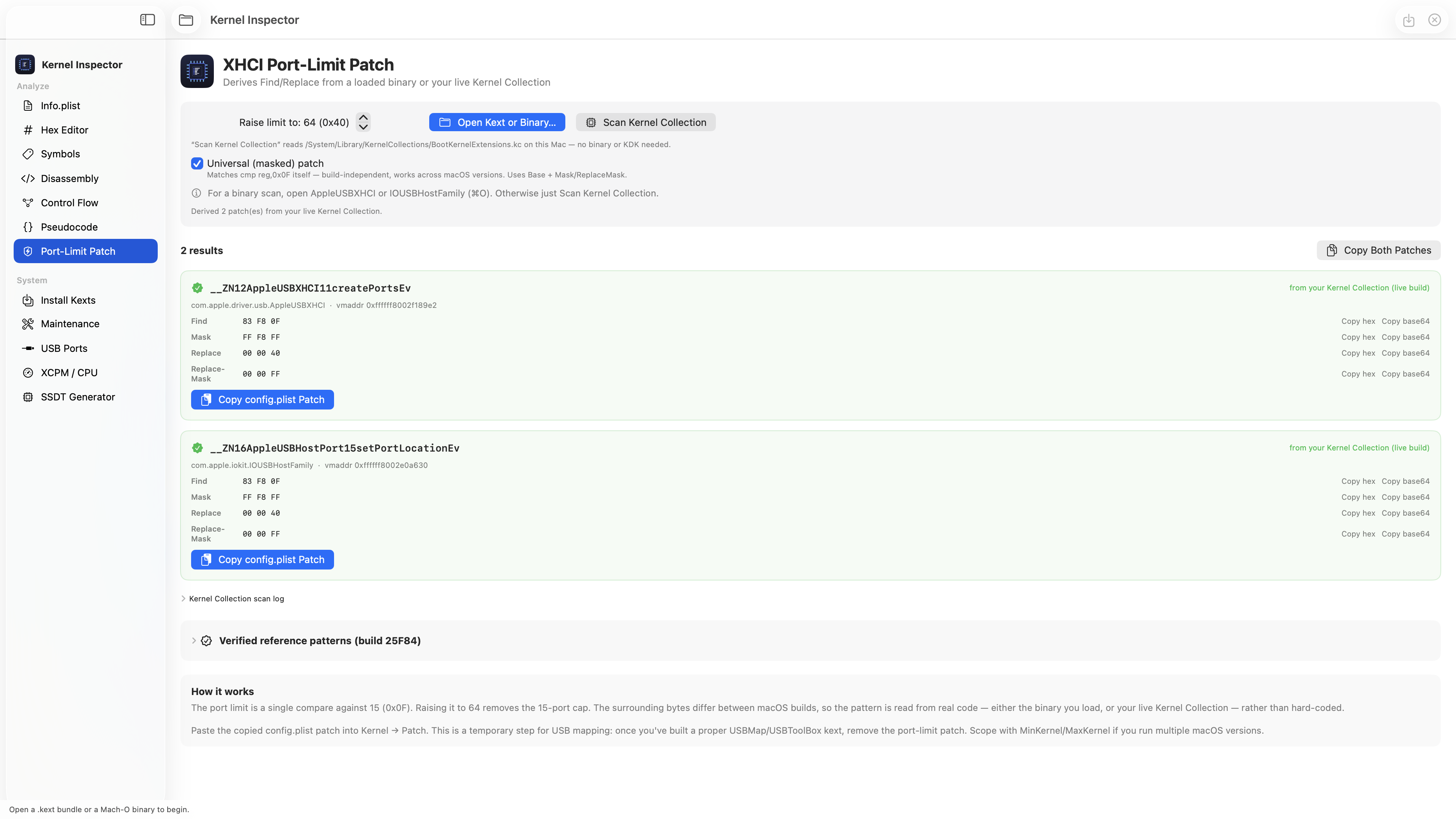
 Thanks! 🙏 Great suggestion — just added it. New Hex column in the Disassembly view (Address | Hex | Instruction), Hopper-v3 style. You can even filter by the hex bytes now to jump straight to an instruction. Screenshot below 👇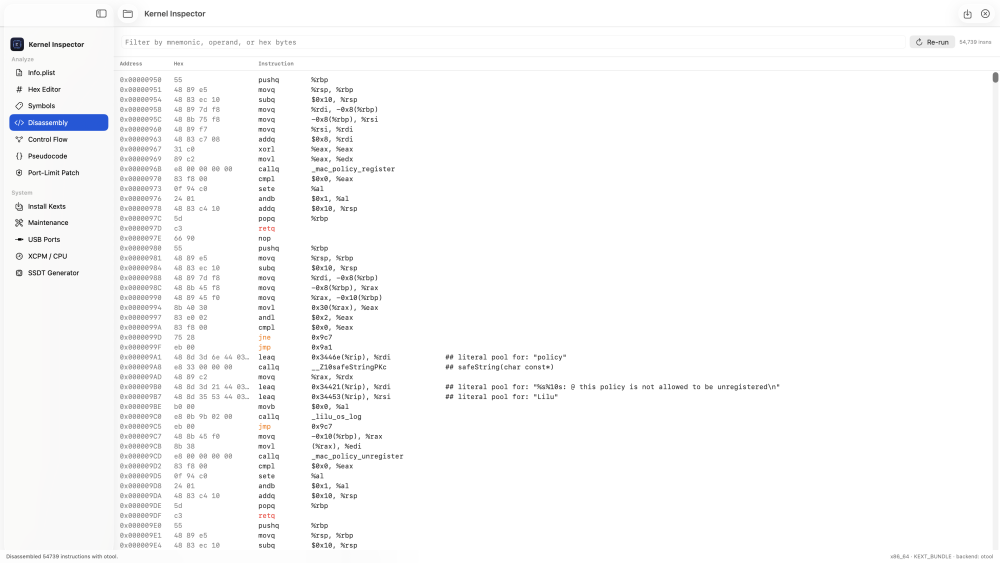
-
 sandeepkumar190 joined the community
 -
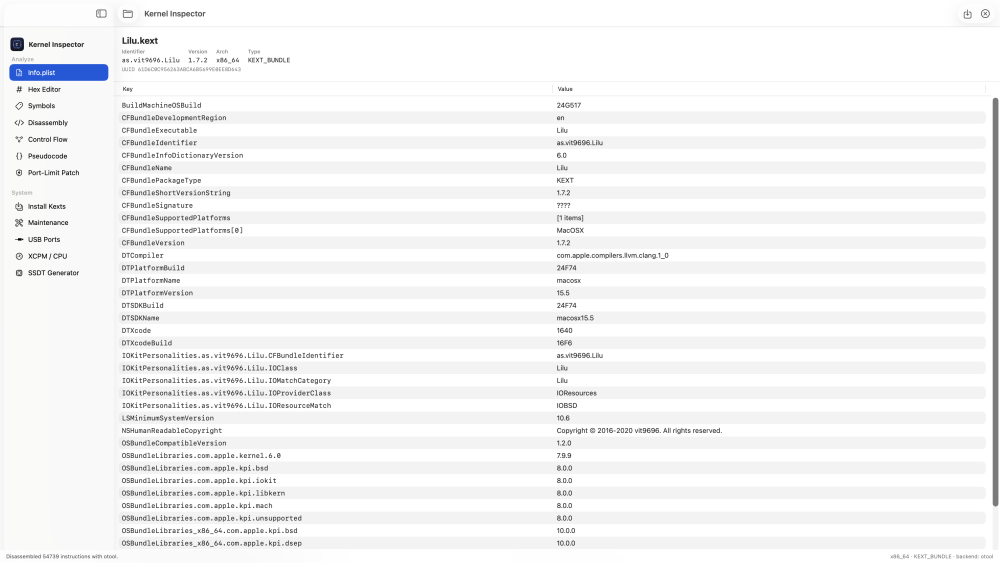
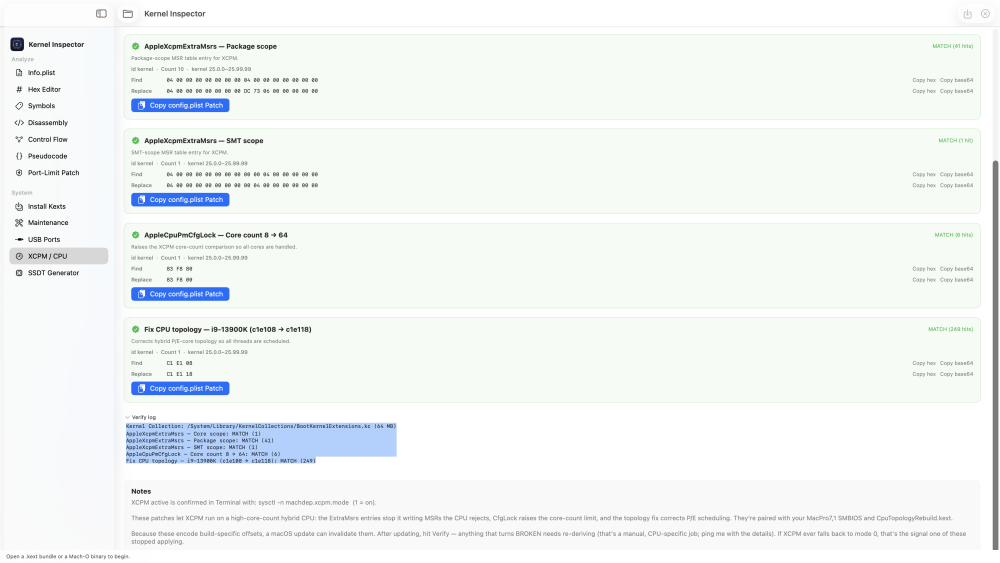
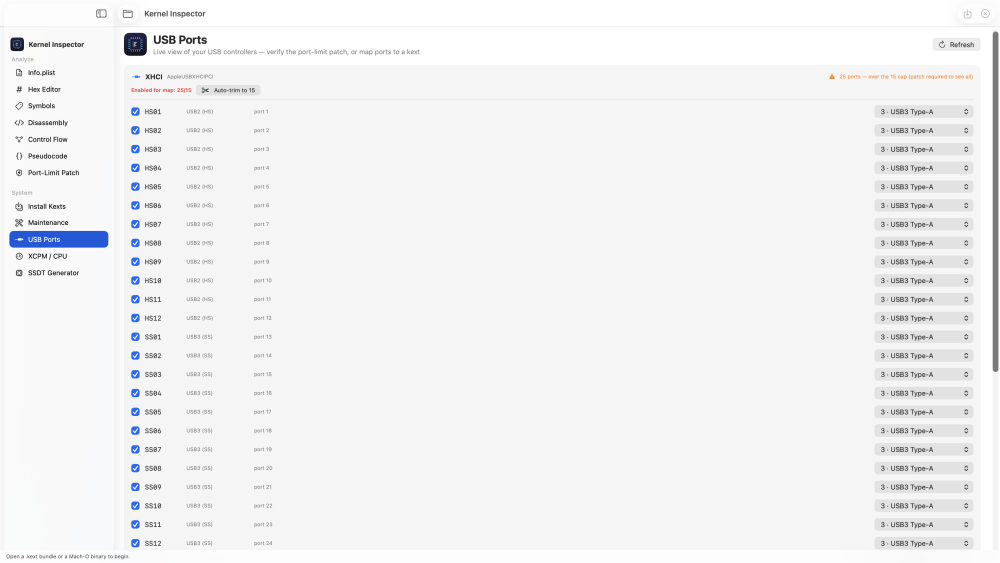
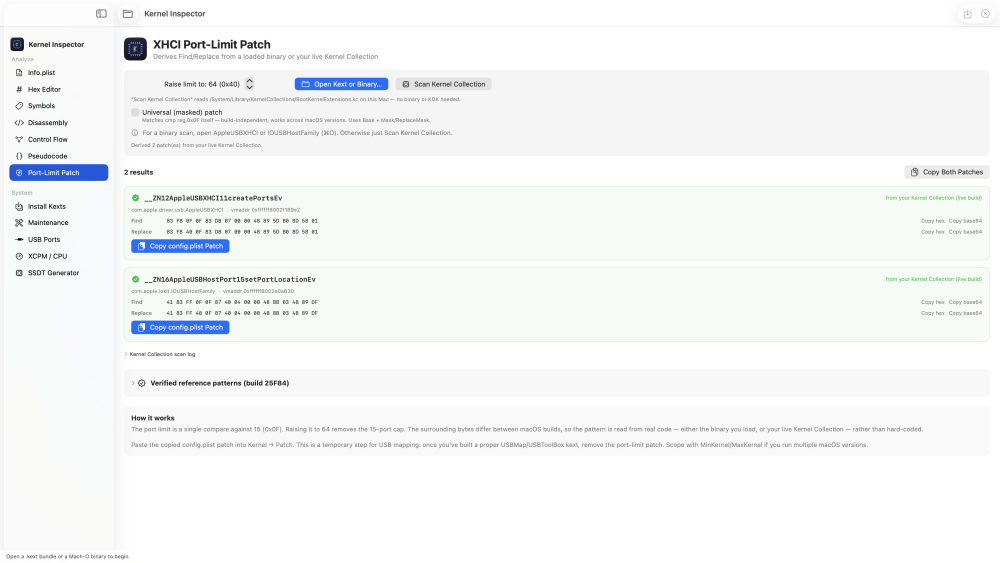
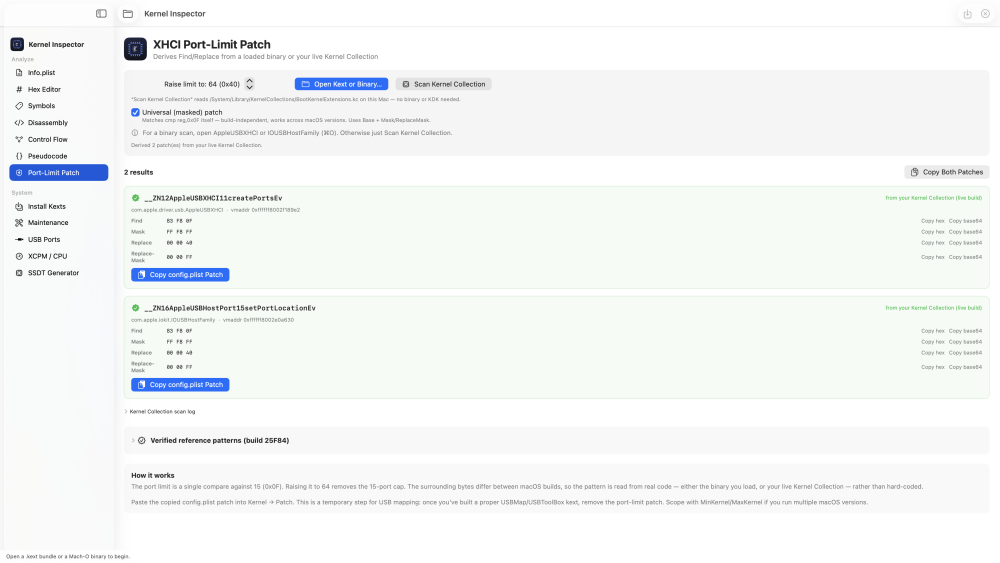
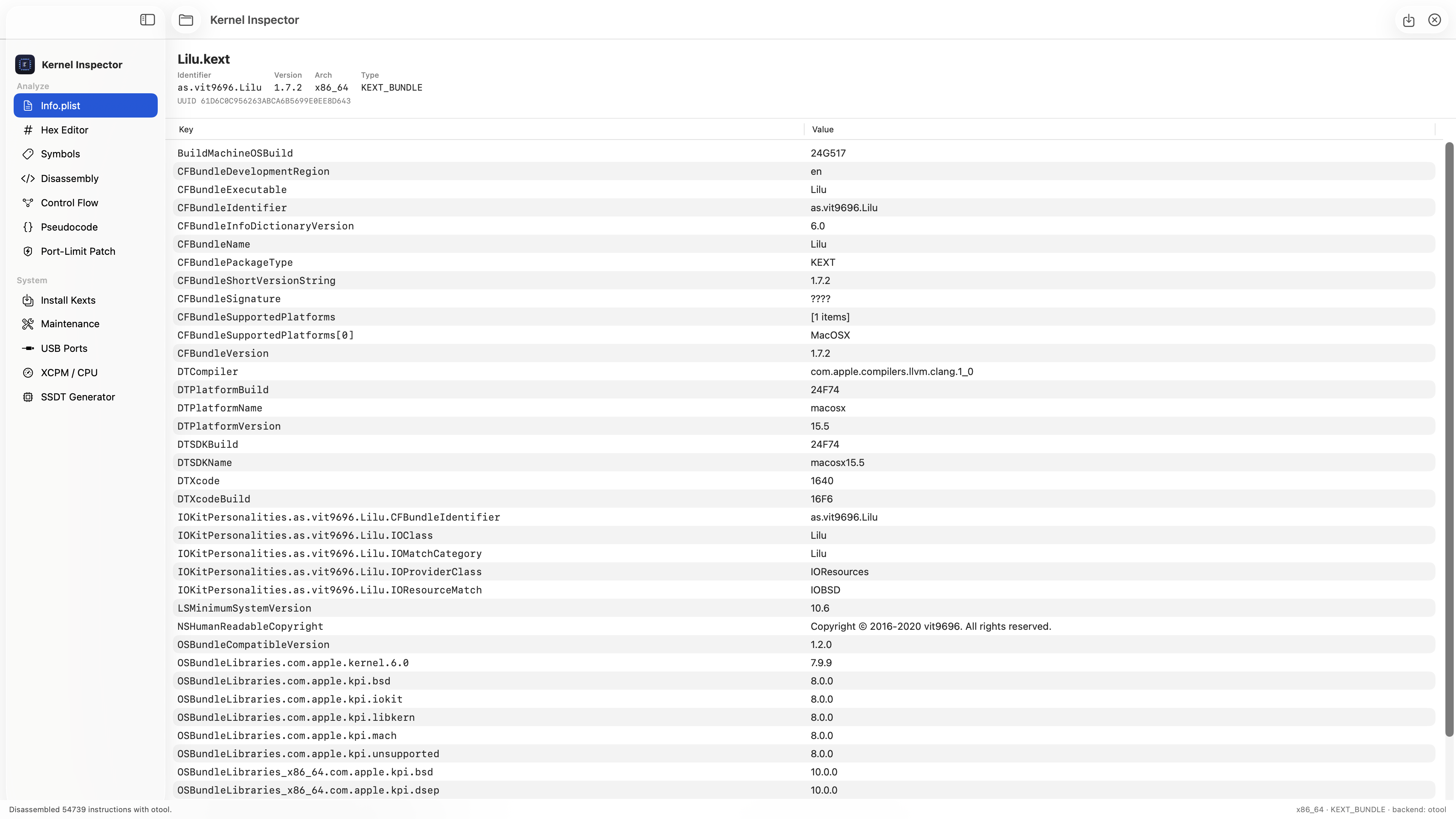
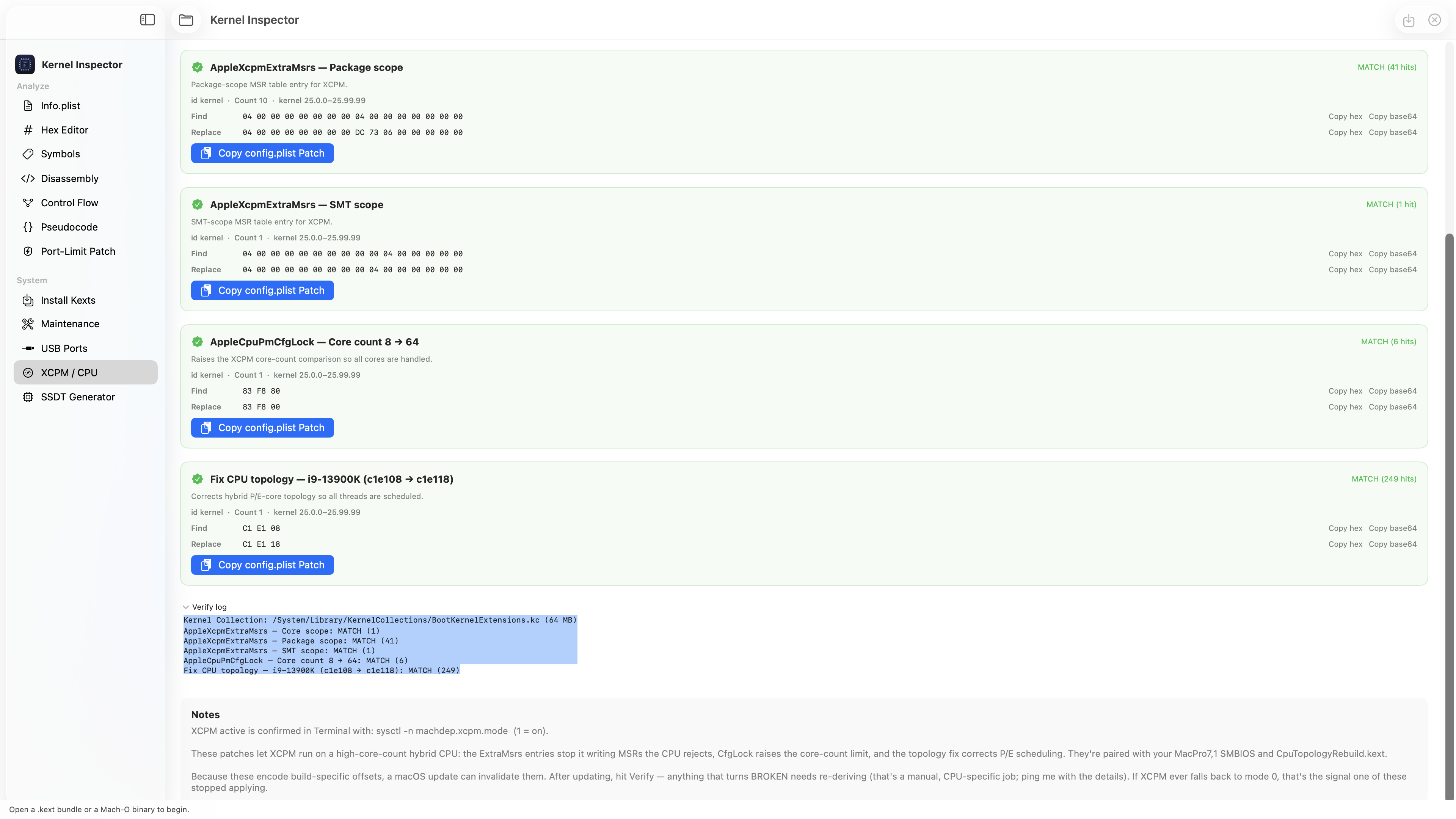
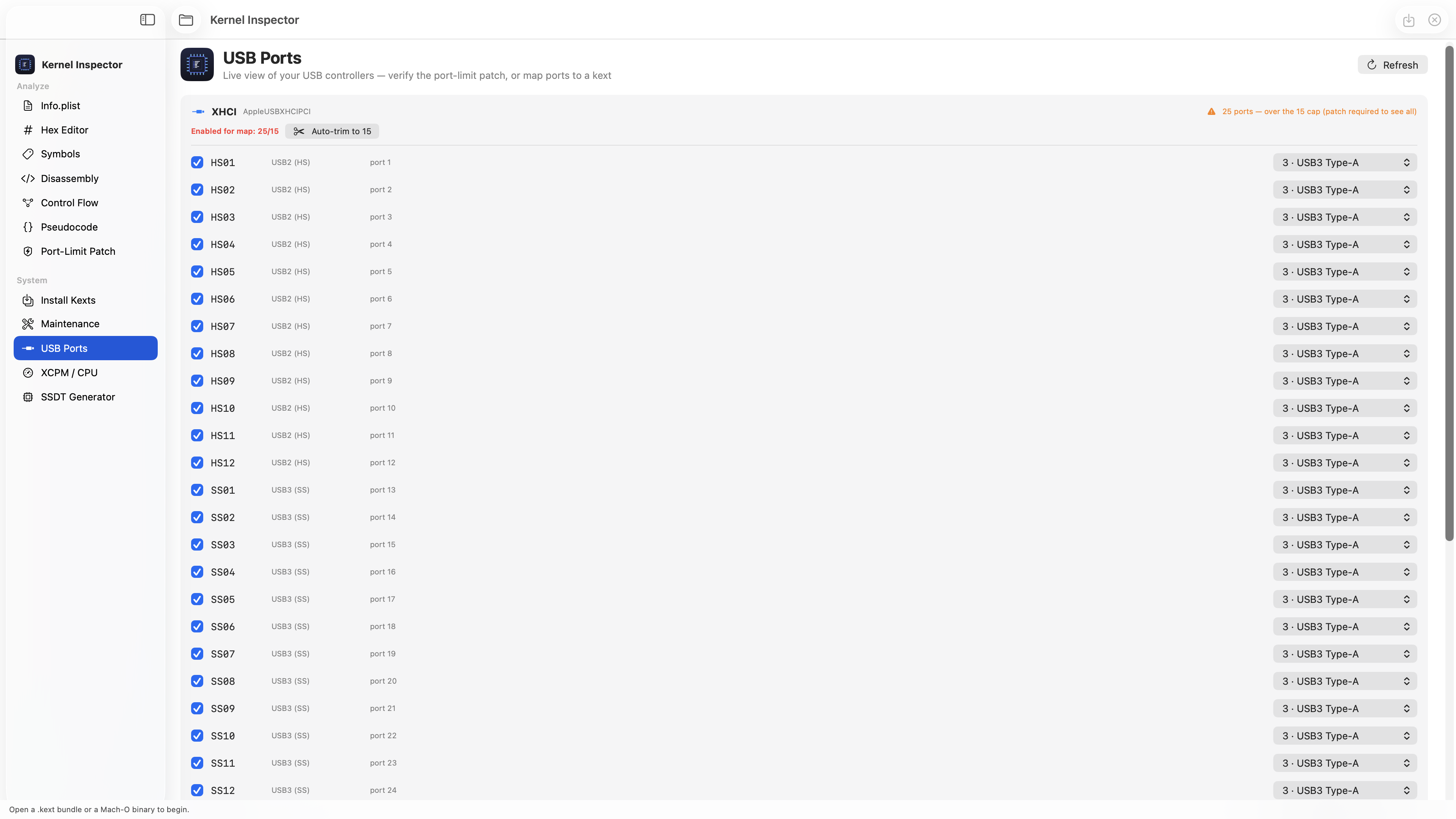
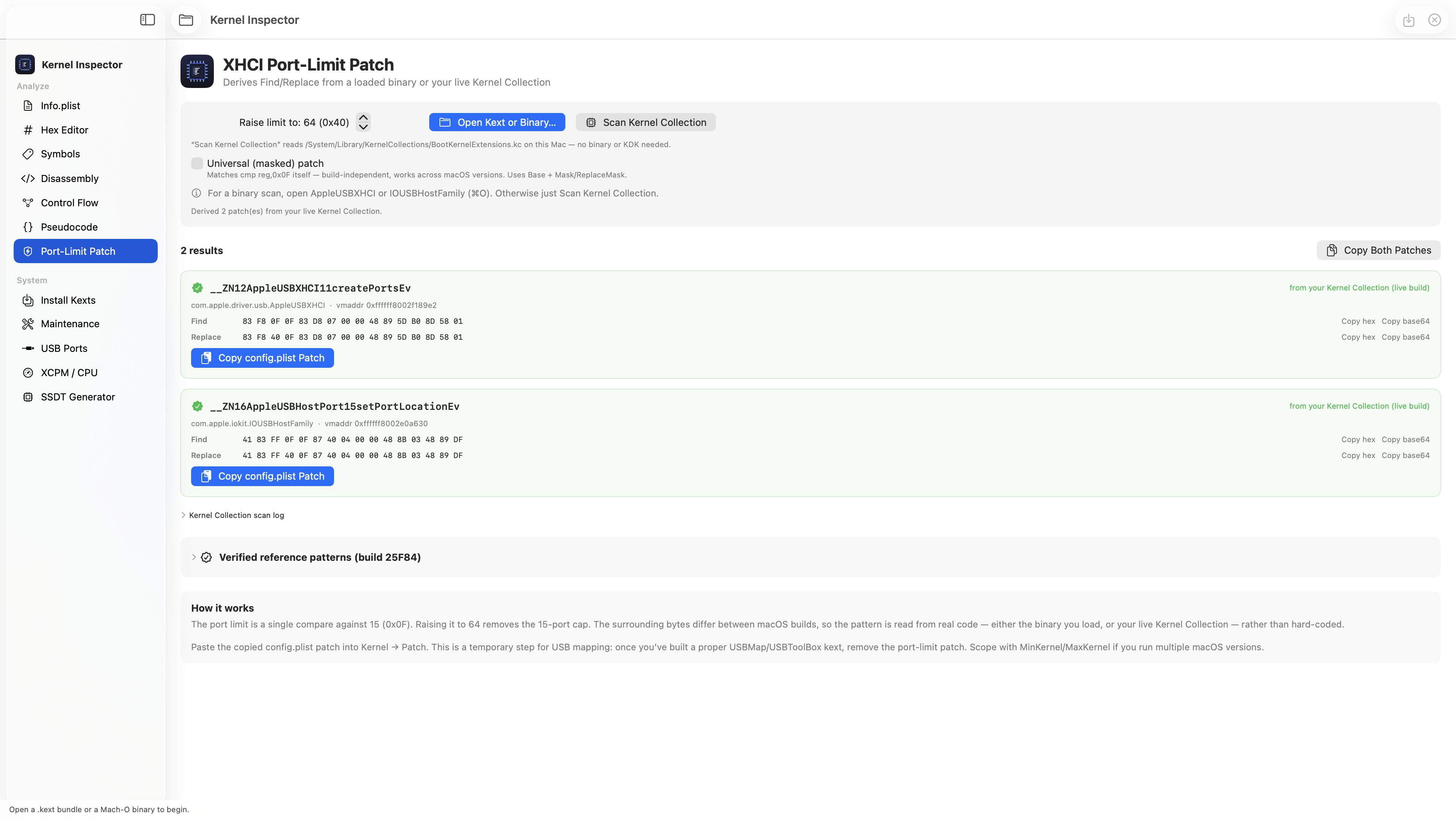
Hi all 👋 Started as a simple kext / Mach-O analyzer (Info.plist, hex, symbols, disassembly, control flow, pseudocode) and grew into a full toolbox: Mount EFI + install kexts and auto-register them in config.plist SSDT generator (compiles to .aml with iasl) XHCI port-limit patch — reads your live kernel and spits out the exact Find/Replace + config.plist entry for yourbuild. Optional masked mode so it survives macOS updates. USB port viewer + map exporter XCPM / CPU patch verifier — one click tells you if your CPU patches still match after an update The whole idea: stop hunting for byte patterns that break on every macOS update — derive them from your own kernel and verify them in seconds. Running great here on Z790 + i9-13900K, macOS 26.5. Still improving it — what would you want added?
-
 ceode88cxv1n joined the community
 - Today
-
 Le Hong Chi changed their profile photo
 -
 psrcomplianceseo joined the community
 -
hello
-
 jessn joined the community
 -
.thumb.jpg.3d3c6c0acf5a1f201d68638d9cc446a6.jpg) Every Bodies Dietetics joined the community
Every Bodies Dietetics joined the community -
 Big Mumbai Login joined the community
 -
Gaurav Saxena joined the community
-
.thumb.png.f073a98d28b5bf6af8a08a2e8ca65891.png) A Plus Physio changed their profile photo
A Plus Physio changed their profile photo -
 Hans-Peter Willig changed their profile photo
 -
Hi everyone, I’m updating the app to version b8. It’s better not to show CPU wattage at all on macOS 27 beta than to display incorrect figures (it reports correctly on macOS 26). I’ve reported the bug to Apple, if they fix it in future betas, the app will go back to reading the correct wattage. On macos 27 it currently showed the total watts of Mac consumption and they are not good for the cpu alone. Alternatively, once Apple replies and I have more information, I’ll be able to fix the reading if they’ve changed something. Thanks for your testing. https://github.com/Lorys89/App-test/raw/refs/heads/main/SiliconMonitorCenter 1.0 b8.zip
-
 Houston Civil Engineering changed their profile photo
 - Yesterday
-
 Bloodroot poetry journal changed their profile photo
 -
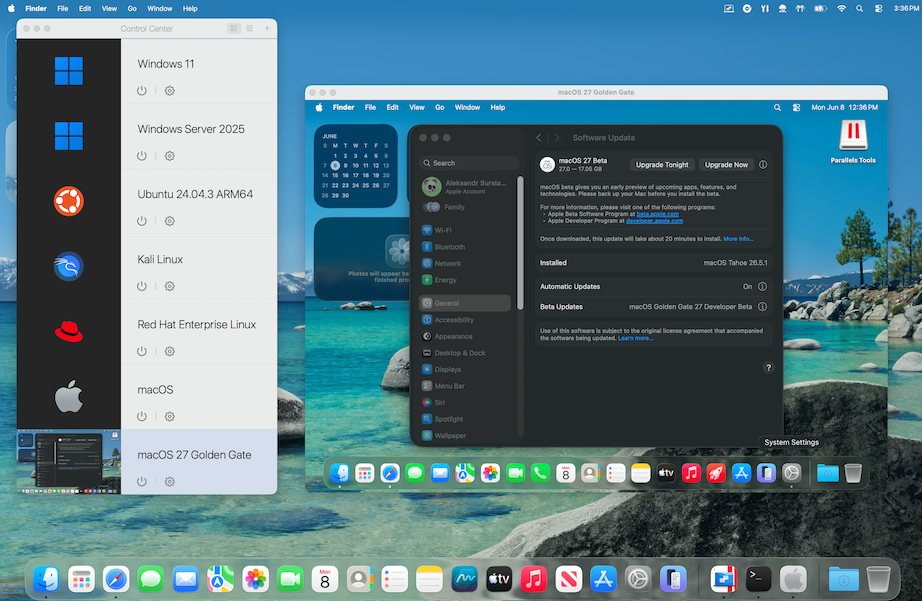
https://tinyurl.com/5cdyy3s8 Parallels Desktop page "With macOS 27 Golden Gate, Apple completes the transition it began five years ago. macOS 26 Tahoe was the final release to support Intel Macs, and Golden Gate arrives this fall as an Apple-silicon-only operating system. For Parallels Desktop users still running Intel Macs, nothing changes overnight. Parallels Desktop 26 continues to run on Intel hardware, and we're committed to supporting customers on that platform. Apple has confirmed security updates for Intel-based Macs for another three years, and we'll continue supporting Intel users for as long as we see meaningful adoption in our customer base. For everyone else, which is now the vast majority of Parallels Desktop users, this transition is already behind you. macOS 27 is simply the next chapter for a platform that keeps getting better year after year."
-
I would like to say, thank you for finding this workaround.
-
I did provide an update in the 5450 one. Not sure why my comment didn't go through. I just tried to post it again. E6400 was given to a friend who needed a laptop, hence why no updates.
-
I ended up just doing the "reinstall the Sierra kexts" strategy, it wasn't what I wanted to do, but it was the only way I could get accel to work.
-

Problem with iMessage and Face Time in Tahoe
mnfesq replied to ccsr's topic in New Releases and Updates
I am stuck with this issue now on my laptop and can't seem to get past it. I use messages many times daily and hate that I can't text typing on a keyboard rather than with thumbs on my phone. I also used it to send photos from my phone to my laptop since Airdrop doesn't work on my laptop either. I tried all of the suggestions in this thread but nothing seems to work, not even Apple telling me that activation is authorized. -
 Jon Shahbaz changed their profile photo
 -
 Still waiting for you to provide your status updates in the other two threads you started: Radeon HD 5450: acceleration possible in High Sierra? E6400/El Capitan: panics with seemingly a one line kernel panic
 -
 Anna Halchenko changed their profile photo
 -
.thumb.jpg.52e6510f6938c5ae80cb5ac02e1a6414.jpg) Spectacle Eyeware changed their profile photo
Spectacle Eyeware changed their profile photo -
.thumb.png.2094097b1d62aa32935741b679ecba3c.png) Bluum Peptides changed their profile photo
Bluum Peptides changed their profile photo -
I have a Dell Precision T1700 which I installed Big Sur on. Whenever I try to wake it from sleep, I get a Sleep Wake failure in EFI panic. Everything I can find online says this is a power management issue, but my IOReg suggests my power management is working. Anyone know how to fix this? System hardware is in my signature. config.plist and panic log are attached. config.plist panic log.diag
-
 Adsdad Digital changed their profile photo
 -
I haven't seen it until now. The binary in your version is identical, but you have a different info.plist.
-
I Pm'd you earlier with the version i had success long time ago
-
Yes, I had kext-dev-mode=1 in /Library/SystemConfiguration/com.apple.boot.plist and now it's also added in NVRAM using the nvram command. Kext dev mode is activated in Yosemite, I could see it in the Kext Utility. But I still need some time until It is configured well enough to be cloned to the 11,5.
-
No need for OCLP. flag it with kext-dev-mode=1 and install nvmegeneric
-
Hello, I have a 2015 MacBookPro11,5 and a MacBookPro11,4. It's the same but without the Radeon. I've planned a huge task: Backup all my data from 20 years hackintosh and sell the old drives to data recovering companies. That's why I needed Yosemite which has the original Disk Utility. Because I'm planning mostly to do compressed disk images for backups, this is the version to go. The MPB11,4 has a 256 GB SATA SSD, the MBP11,5 has a 4 TB NVMe SSD. Both are using OCLP and working fine with Sequoia. I still have the old 512 GB original Apple NVME SSD from the 11,5, so I wanted to add it in the 11,4. I've cloned the Yosemite installation from the 11,4 to the 11,5 and it won't boot 'still waiting for root device'. I've tracked down NVMeGeneric.kext, modified the info.plist from 10.11 to 10.10 and the kext is loaded on the 11,4. I haven't transferred this version to the 11,5 yet, I want to do some more optimizations first. Has someone else made tests with NVMe on older OS X versions on real Macs? Is it possible to use OCLP for NVMe support? Is it possible to inject the NVMeGeneric.kext? Greets, naquaada.
-
I asked Qwen.ai about new bug in the VoodooHDA latest version 3.6.5 and he said: But there was itself! He was "hallucinating" and now tell me about this.
-
 Hello, From the screenshot, there isn't a clear kernel panic. The logs repeatedly show: shared_region_check_np(...) failed forcing CS_RUNTIME launchd service errors These messages are usually symptoms, not the root cause. For a Ryzen 5 5600 + B550 + RX 6600 XT Hackintosh, the most likely causes are: AMD kernel patches are missing, outdated, or don't match your Monterey version. Your EFI/OpenCore version is outdated. BIOS settings are incorrect (Disable CSM, Enable Above 4G Decoding, Disable Secure Boot). Wrong SMBIOS (use iMacPro1,1 or MacPro7,1 for AMD).
- 1 reply
-
- 1
-

-
I am on 27 beta. sensor-verification-Mac16,9-1784691877.txt
- Last week
-
You need to send me the file found on the desktop after the sensor verification procedure; use the b7 version. (use macos26 please) The file will be named something like "sensor-verification..."; I'll be waiting for it—thanks for your testing.
-
Updated to beta 4 with no issues. Updated Xcode too. All seems to be working very well. Maybe too easy 😂
- 79 replies
-
- 1
-
-
- macos
- golden gate
- (and 1 more)
-
The next Sonoma 14.8.8 RC is a full update (not incremental) on my HP EliteBook 850 G7 laptop (Open Core 1.0.7, SIP fully enabled csr-active-config = <00000000>) macOS Sonoma 14.8.8 Update Easy update...
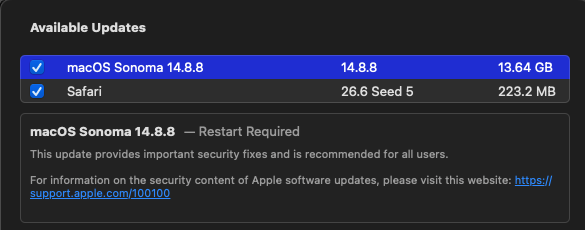
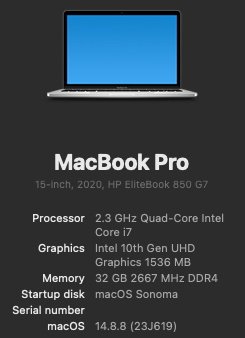
-
 @engeldlgado First of all I am sorry not for being to help you yet with the translation, I have a lot of unexpected work... I just wanted to post these tests I made with my dual d700 MacPro, working with the latest version of ToshLLM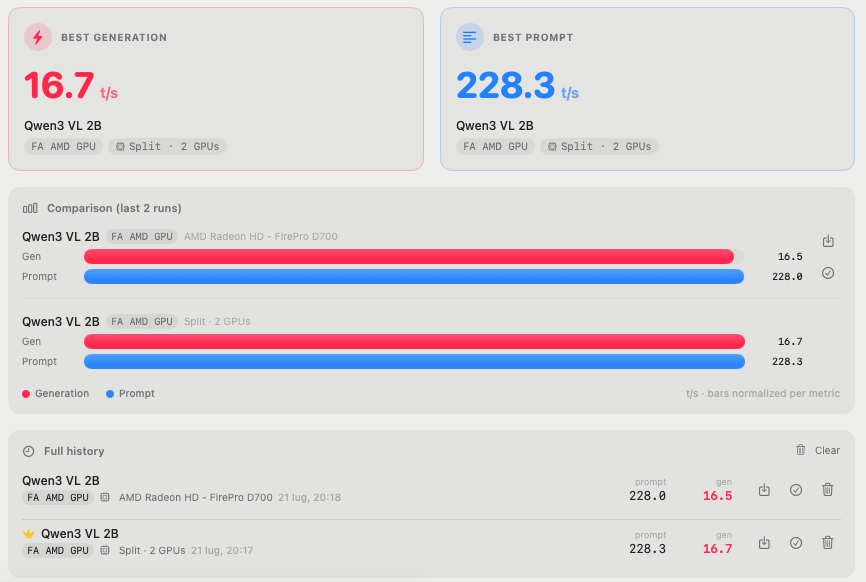
-
sensor-dump-Mac16,9-20260722-054222.txt SiliconMonitorCenter-Diagnostics-2026-07-22_0544.txt
-
[Pre-release] macOS Sequoia 15.7.8
deeveedee replied to deeveedee's topic in New Releases and Updates
@Thebes Knossos I wasn't saying that you are. Just letting you know how I got the update. Wait for the final release if you need to. The title of this thread is "Pre-release." When you see that in the thread title, you should assume that enrollment in Beta is required.

.thumb.jpeg.7082d67b3394c9399e80144027a7b397.jpeg)