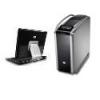
MagoSaGazzu Posted October 16, 2008 Share Posted October 16, 2008 Dopo il riuscitissimo esperimento sul notebook HP, mi sono avventurato sulla installazione di Leopard nel pc che ho assemblato in questi gg. CASE COSMOS 1000 COOLERMASTER - AXP 630WATT MAINBOARD ASUS STRIKE II FORMULA CHIPSET NFORCE 780i SLI CPU INTEL CORE 2 QUAD Q9550 2,83 Ghz CACHE L2 12MB 4GB DDR2 A-DATA PC2-800 VITESTA EXTREME EDITION 2X2GB GEFORCE 9800 GTX 512MB DDR3 2X HARD DISK SATAII 250GB MAXTOR RAID 0 STRIPE ( WINDOWS VISTA ULTIMATE 64BIT ) HARD DISK SEAGATE 160GB SATAII ( LEOPARD ?? ) HARD DISK MAXTOR 160GB eide ( LEOPARD ?? ) MASTERIZZATORE DVD SONY eide MASTRERIZZATORE DVD LG LIGHTSCRIBE eide Ho provato sia con la Kalyway 10.5.2 che con le iDeneb 10.5.4 - 10.5.5 e iAkos 10.5.4 sia sul disco sata che sul eide ma su entrambi si blocca su "still waiting for root device". Ho provato anche a fare il boot con -v e -x ma nulla! Qualche consiglio? Tanks Link to comment https://www.insanelymac.com/forum/topic/131489-leopard-on-my-game-machine/ Share on other sites More sharing options...
clipt81 Posted October 16, 2008 Share Posted October 16, 2008 ma perchè hai comprato una scheda madre con chipset nforce se dovevi mettere mac? credo che uno dei problemi potrebbe esse quello ma nn sono sicuro, poi hai disabilitato tutto il disabilitabile dalla bios? i desktop hanno molte opzioni nella bios e la maggior parte deve essere disattivata per far partire mac Link to comment https://www.insanelymac.com/forum/topic/131489-leopard-on-my-game-machine/#findComment-932504 Share on other sites More sharing options...
MagoSaGazzu Posted October 16, 2008 Author Share Posted October 16, 2008 ma perchè hai comprato una scheda madre con chipset nforce se dovevi mettere mac? credo che uno dei problemi potrebbe esse quello ma nn sono sicuro, poi hai disabilitato tutto il disabilitabile dalla bios? i desktop hanno molte opzioni nella bios e la maggior parte deve essere disattivata per far partire mac Non è che ho preso una nforce per il mac, il pc l'ho assemblato per tutt'altro scopo. Adesso volevo provare a far girare anche il mac, cosa poco probabile con il chipset 780i, ma ci voglio provare ugualmente. ciao Link to comment https://www.insanelymac.com/forum/topic/131489-leopard-on-my-game-machine/#findComment-932658 Share on other sites More sharing options...
MagoSaGazzu Posted October 18, 2008 Author Share Posted October 18, 2008 Aggiornamento: Boot con iATKOS 10.5.4 "nforce -v" ma alla prima scermata di benvenuto non funzionano ne tastiera e ne mouse!!! Link to comment https://www.insanelymac.com/forum/topic/131489-leopard-on-my-game-machine/#findComment-935086 Share on other sites More sharing options...
MagoSaGazzu Posted October 20, 2008 Author Share Posted October 20, 2008 Qualsiasi suggerimento è ben accetto! Link to comment https://www.insanelymac.com/forum/topic/131489-leopard-on-my-game-machine/#findComment-937295 Share on other sites More sharing options...
apollo13 Posted October 20, 2008 Share Posted October 20, 2008 la tastiera e il mouse sono usb??o ps2?? Link to comment https://www.insanelymac.com/forum/topic/131489-leopard-on-my-game-machine/#findComment-937472 Share on other sites More sharing options...
MagoSaGazzu Posted October 20, 2008 Author Share Posted October 20, 2008 la tastiera e il mouse sono usb??o ps2?? tastiera ps2 e mouse usb, di ps2 c'è solo la porta keyboard. Link to comment https://www.insanelymac.com/forum/topic/131489-leopard-on-my-game-machine/#findComment-937479 Share on other sites More sharing options...
apollo13 Posted October 20, 2008 Share Posted October 20, 2008 hai possibilità di provare mettendo entrambi usb?? saluti Link to comment https://www.insanelymac.com/forum/topic/131489-leopard-on-my-game-machine/#findComment-937483 Share on other sites More sharing options...
MagoSaGazzu Posted October 20, 2008 Author Share Posted October 20, 2008 hai possibilità di provare mettendo entrambi usb?? saluti ci provo, anche se mi pare strano che nemmeno il mouse usb venga riconosciuto. Link to comment https://www.insanelymac.com/forum/topic/131489-leopard-on-my-game-machine/#findComment-937549 Share on other sites More sharing options...
MagoSaGazzu Posted October 20, 2008 Author Share Posted October 20, 2008 Sono riuscito a far partire anche la iDeneb 10.5.5 ma alla richiesta della lingua principale non mi funzionano mouse e tastiera. URGH!!!! ho disabilitato LCD POSTER e adesso funzionano mouse e tastiera....... il progetto CONTINUA !! Link to comment https://www.insanelymac.com/forum/topic/131489-leopard-on-my-game-machine/#findComment-937991 Share on other sites More sharing options...
MagoSaGazzu Posted February 24, 2009 Author Share Posted February 24, 2009 Installato iDeneb 10.5.6 con il kernel 9.2.0 Speedstep, kext nforce sata test, kext ADI 1988B, nvinject 512Mb, patch seatbelt.kext per crash nel mount dei programmi e scheda di rete su bus PCI RTL 8139B. Adesso il sistema parte, nessun crash, tastiera e mouse sono ok e il tutto viaggia alla grande con tutti e 4 i core della CPU e 4Gb di ram. Faccio dei test con qualche applicativo e vediamo se il tutto regge!!! Link to comment https://www.insanelymac.com/forum/topic/131489-leopard-on-my-game-machine/#findComment-1090373 Share on other sites More sharing options...
clipt81 Posted February 25, 2009 Share Posted February 25, 2009 perchè hai messo il kernel 9.2.0 Speedstep??? potevi benissimo mettere il vanilla o al massimo il voodoo.... Link to comment https://www.insanelymac.com/forum/topic/131489-leopard-on-my-game-machine/#findComment-1090644 Share on other sites More sharing options...
Guest Posted February 25, 2009 Share Posted February 25, 2009 perchè hai messo il kernel 9.2.0 Speedstep??? potevi benissimo mettere il vanilla o al massimo il voodoo.... Con i chipset nForce 650i, 680i e 780i il vanilla da problemi vari (riconoscimento 1 sola CPU, kernel panic improvvisi etc.). Il voodoo sempre con gli stessi chipset, a volte dà problemi di KP con alcuni programmi (ad es che usano librerie openssl). @ MagoSaGazzu: perchè con il tuo hardware non 2 belle schede video con 4 monitor in Leopard? ( diavoletto tentatore). Giorgio Link to comment https://www.insanelymac.com/forum/topic/131489-leopard-on-my-game-machine/#findComment-1090732 Share on other sites More sharing options...
MagoSaGazzu Posted February 25, 2009 Author Share Posted February 25, 2009 Con i chipset nForce 650i, 680i e 780i il vanilla da problemi vari (riconoscimento 1 sola CPU, kernel panic improvvisi etc.).Il voodoo sempre con gli stessi chipset, a volte dà problemi di KP con alcuni programmi (ad es che usano librerie openssl). @ MagoSaGazzu: perchè con il tuo hardware non 2 belle schede video con 4 monitor in Leopard? ( diavoletto tentatore). Giorgio Come ha ben detto Giorgio, con gli altri kernel crash continui o panic al boot!!! Ho gia ordinato il supporto da tavolo per il doppio lcd, per 4 ancora non ho l'esigenza. ciao Link to comment https://www.insanelymac.com/forum/topic/131489-leopard-on-my-game-machine/#findComment-1091101 Share on other sites More sharing options...
Volcacius Posted February 25, 2009 Share Posted February 25, 2009 Ti consiglio il voodoo kernel 1.0 invece dello sleep, nforcelan.kext di eno, che funziona benissimo se vuoi usare l'adattatore di rete integrato e infine la versione modificata dell'applenforceata.kext di slashack per evitare panic causati dai 4GB che sicuramente ti si presenteranno con la versione che hai installato attualmente. Il thread di riferimento nel forum internazionale comunque è questo: http://www.insanelymac.com/forum/index.php...mp;#entry899331 Link to comment https://www.insanelymac.com/forum/topic/131489-leopard-on-my-game-machine/#findComment-1091195 Share on other sites More sharing options...
MagoSaGazzu Posted February 25, 2009 Author Share Posted February 25, 2009 Ti consiglio il voodoo kernel 1.0 invece dello sleep, nforcelan.kext di eno, che funziona benissimo se vuoi usare l'adattatore di rete integrato e infine la versione modificata dell'applenforceata.kext di slashack per evitare panic causati dai 4GB che sicuramente ti si presenteranno con la versione che hai installato attualmente. Il thread di riferimento nel forum internazionale comunque è questo: http://www.insanelymac.com/forum/index.php...mp;#entry899331 Grazie 1000, adesso provo a fare i cambiamenti che mi hai suggerito. Il tuo in quanto tempo fà il boot? Link to comment https://www.insanelymac.com/forum/topic/131489-leopard-on-my-game-machine/#findComment-1091319 Share on other sites More sharing options...
MagoSaGazzu Posted February 25, 2009 Author Share Posted February 25, 2009 Ho installato eno nForceLan.kext adesso entrambe le schede lan onboard funzionano ma ha smesso di funzionare Time Machine, errore: Impossibile configurare Time Machine. Non è stato possibile trovare l'interfaccia integrata del network. Ho trovato questo fix ma il problema rimane. -Run EFIStudio -change 'device' to ethernet -Click Add Device - Click write to com.apple.boot.plist -reboot. Link to comment https://www.insanelymac.com/forum/topic/131489-leopard-on-my-game-machine/#findComment-1091352 Share on other sites More sharing options...
MagoSaGazzu Posted February 25, 2009 Author Share Posted February 25, 2009 Anche il kernel Voodoo V1 è andato alla grande senza crash o panic, non riesco a risolvere il problema del Time Machine Link to comment https://www.insanelymac.com/forum/topic/131489-leopard-on-my-game-machine/#findComment-1091389 Share on other sites More sharing options...
Alex//3oo1 Posted February 25, 2009 Share Posted February 25, 2009 ciao MagoSaGazzu per time machine risolvi qui a presto Link to comment https://www.insanelymac.com/forum/topic/131489-leopard-on-my-game-machine/#findComment-1091396 Share on other sites More sharing options...
MagoSaGazzu Posted February 25, 2009 Author Share Posted February 25, 2009 ciao MagoSaGazzuper time machine risolvi qui a presto QUOTE(MacUser2525 @ Dec 15 2008, 06:46 PM) Copy the file contained in the attachment into the /System/Library/Extensions/IONetworkingFamily.kext/Contents/MacOS/ directory over-writing the one already there then as root in Terminal. CODE rm -r /System/Library/Extensions/Caches rm -r /System/Library/Caches rm /System/Library/Extensions.mkext Reboot then hit the F8 key when the drive starts to be accessed to get to the Darwin boot loader to type in then enter key -f to force the reloading/caching of all .kext on the system it should now work. Non trovo il file da aggiungere! Link to comment https://www.insanelymac.com/forum/topic/131489-leopard-on-my-game-machine/#findComment-1091422 Share on other sites More sharing options...
MagoSaGazzu Posted February 25, 2009 Author Share Posted February 25, 2009 Riprende a funzionare se inserisco nello slot PCI la scheda di rete Realtek anche senza plaggarla allo switch. Quando la levo rimane il servicio ethernet nel menu network ma time machine smette di funzionare. Link to comment https://www.insanelymac.com/forum/topic/131489-leopard-on-my-game-machine/#findComment-1091530 Share on other sites More sharing options...
Alex//3oo1 Posted February 25, 2009 Share Posted February 25, 2009 la Realtek che modello è? magari si trovano notizie a riguardo!!!! Link to comment https://www.insanelymac.com/forum/topic/131489-leopard-on-my-game-machine/#findComment-1091561 Share on other sites More sharing options...
MagoSaGazzu Posted February 26, 2009 Author Share Posted February 26, 2009 la Realtek che modello è?magari si trovano notizie a riguardo!!!! La notte porta consiglio. Ho risolto!!! Praticamente le schede onboard prendevano l'id en1 e en2. Ho modificato il file delle schede ethernet da en1 a en0 e adesso anche time machine ha ripreso a funzionare. Link to comment https://www.insanelymac.com/forum/topic/131489-leopard-on-my-game-machine/#findComment-1092051 Share on other sites More sharing options...

Recommended Posts