
Clever AI Humanizer Review: Best Option to Humanize AI Text?
You want to make your AI-generated text sound more natural and decided to try Clever AI Humanizer, but you’re not entirely sure whether it actually works? We had the same questions. Clever AI Humanizer developers claim that it is one of the best options for making AI text undetectable, but we didn’t accept this at face value, so our team ran a full review, used different sample texts, and tested the results through several AI detection platforms. So keep reading to find out whether Clever AI Humanizer truly works, whether it bypasses detection systems, and whether it deserves attention, or if it turns into another tool that asks you to pay first and hope later.
What Is Clever AI Humanizer?
Clever AI Humanizer is an AI text humanizer that rewrites AI-generated text and makes writing sound more human. Text from ChatGPT or similar tools gets tweaked – sentences shift, tone changes, flow improves – to feel human, not robotic. It’s new, but plenty of people are using it now. And after testing it ourselves, we understand why it stands out among alternatives.

The first thing that caught our attention was the interface. Many similar tools look and feel basic – plain layout, tiny text fields, and almost no usability in mind. Clever AI Humanizer takes the opposite approach. The UI looks polished, the workspace is arranged logically, and you can immediately understand where to paste text, how to apply changes, and where to track word usage. It doesn’t look like a random AI side project, and UX definitely plays a role in how comfortable it feels during daily use.
Another important point is that it is a free AI humanizer. There are no hidden payment forms, trial paywalls, or subscriptions that activate mid-process. You can transform up to 1,000 words at once and up to 7,000 words per day (4,000 words without registration + 3,000 unlocked after a simple account creation). For anyone who needs to process assignments, articles, or research notes, these limits actually allow real use, not three inputs and a paid upgrade alert.
Key Features of Clever AI Humanizer
At first glance, it seems obvious what features a standard AI-to-human text converter should offer. We also assumed that we would see nothing unusual here. After testing it, a few details stood out enough to deserve separate attention.
- The core feature impressed us more than expected. For testing, we deliberately took raw, obvious AI-generated samples (text ChatGPT returns on the first attempt). ZeroGPT and other AI content detectors marked them as 100% AI. After passing these pieces through Clever AI Humanizer, the detection dropped dramatically. We repeatedly got 13%, 6%, and sometimes results close to 0%.It’s worth mentioning that no AI humanizer truly guarantees a 0% detection score. Detection platforms apply constantly changing rules, and they measure writing patterns rather than specific words. However, the reduction we saw was significant enough to completely change how the text reads and how detectors react.
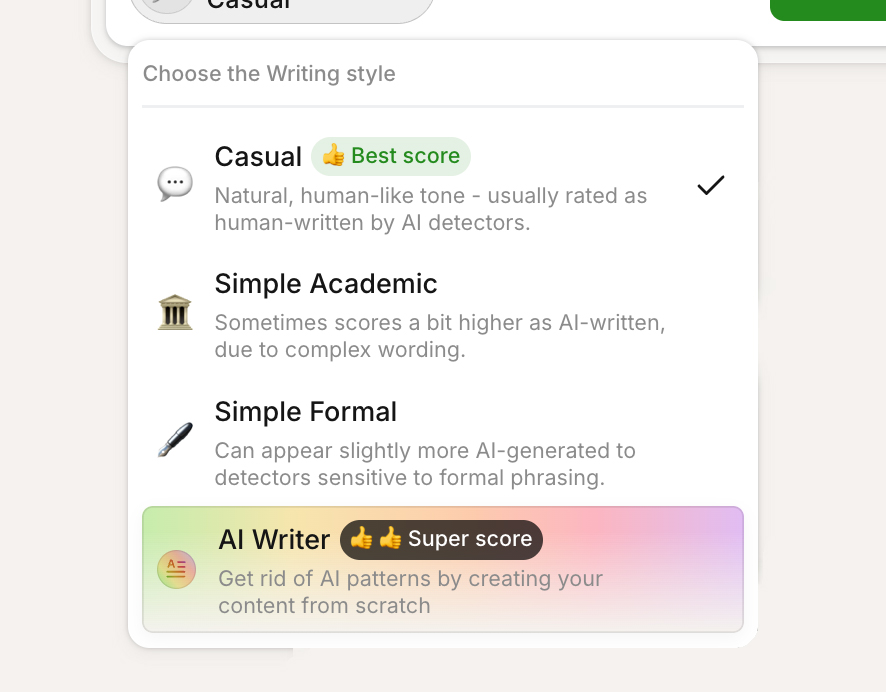
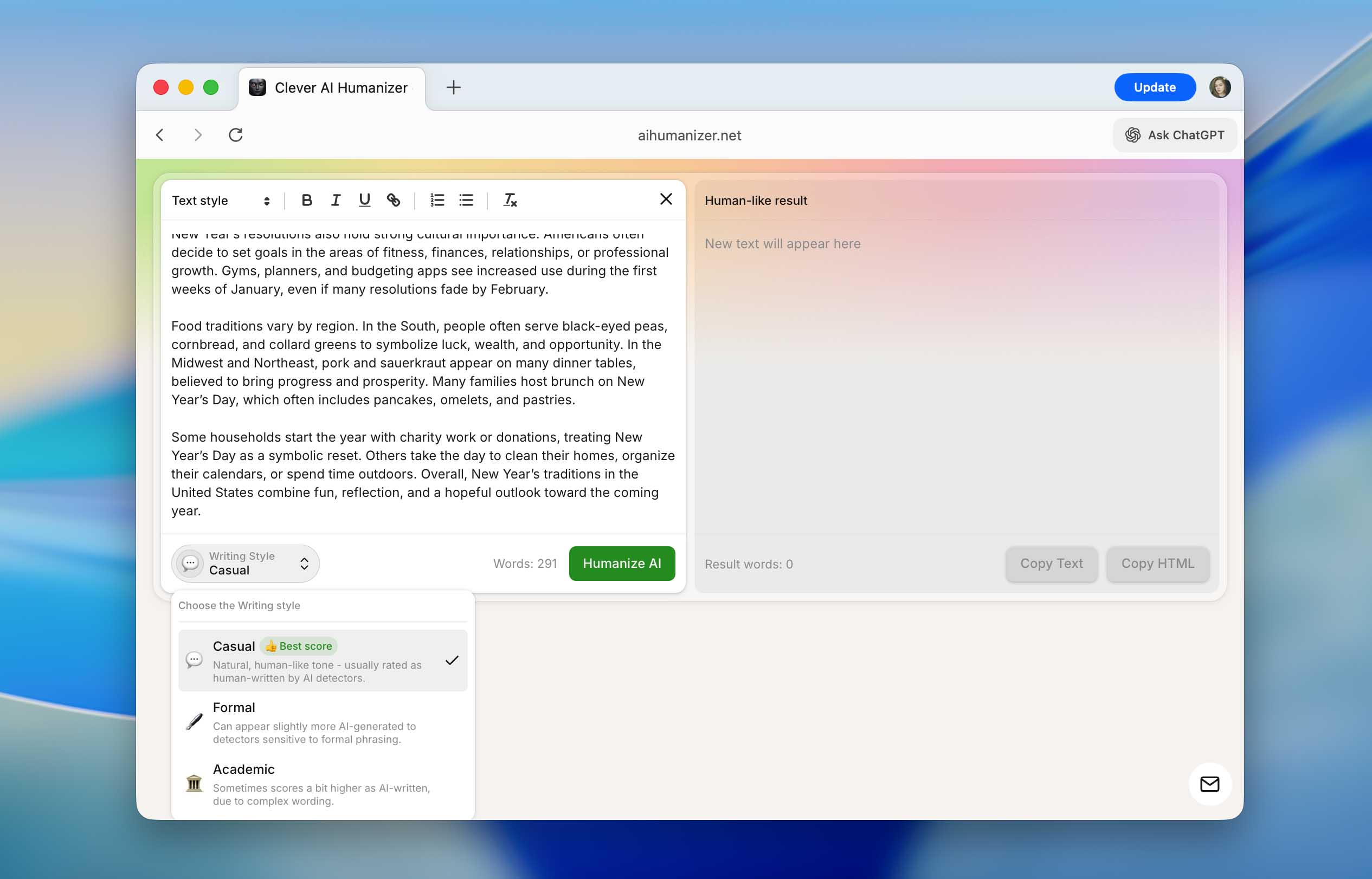
- Another strong point is style selection. Clever AI Humanizer produces undetectable AI text in three distinct formats (Casual, Simple Formal, and Simple Academic). The difference is visible instantly. Casual text reads softer, more personal; formal tone becomes restrained, balanced, and structured; academic tone pushes the phrasing into a research-style format. Detectors sometimes give slightly different scores depending on the chosen tone, yet the variation usually stays within 3–5%, which doesn’t create practical issues. For consistency and to avoid wasting the daily word limit, we used casual style in most tests. You may also notice the AI Writer option in the screenshot, but it is not a writing style, it is a separate tool that we will cover later in the review.
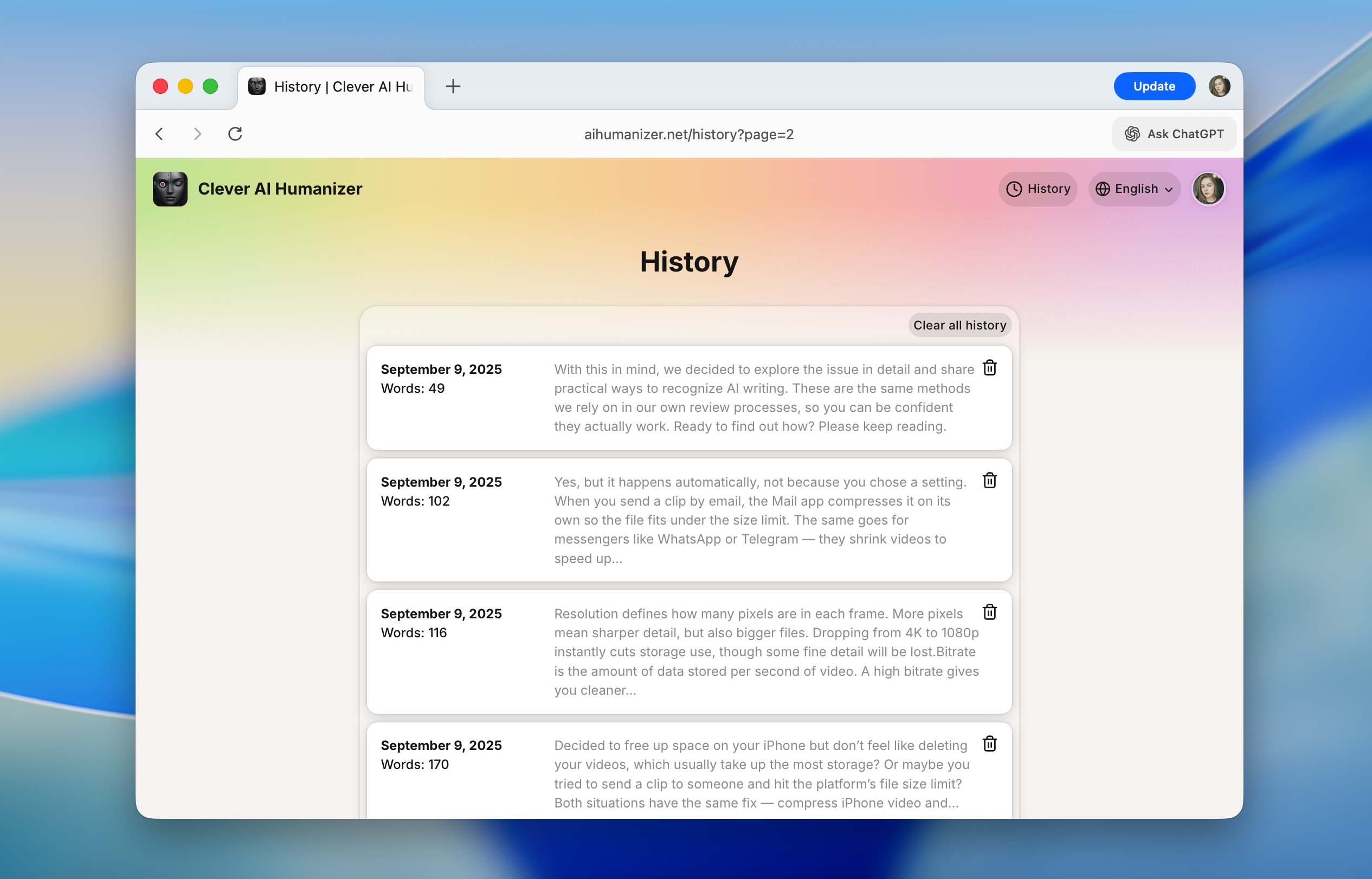
- Built-in history of previous rewrites is one feature we didn’t expect but appreciated immediately. Once you create an account, you can access your full humanization history. The system shows dates, word counts, and short snippets, so you instantly understand which content belongs to what task. While working on this review, we traced several texts we processed back in September, and all of them remained stored (not deleted, not hidden). For anyone working on long-term writing projects, this makes sense.
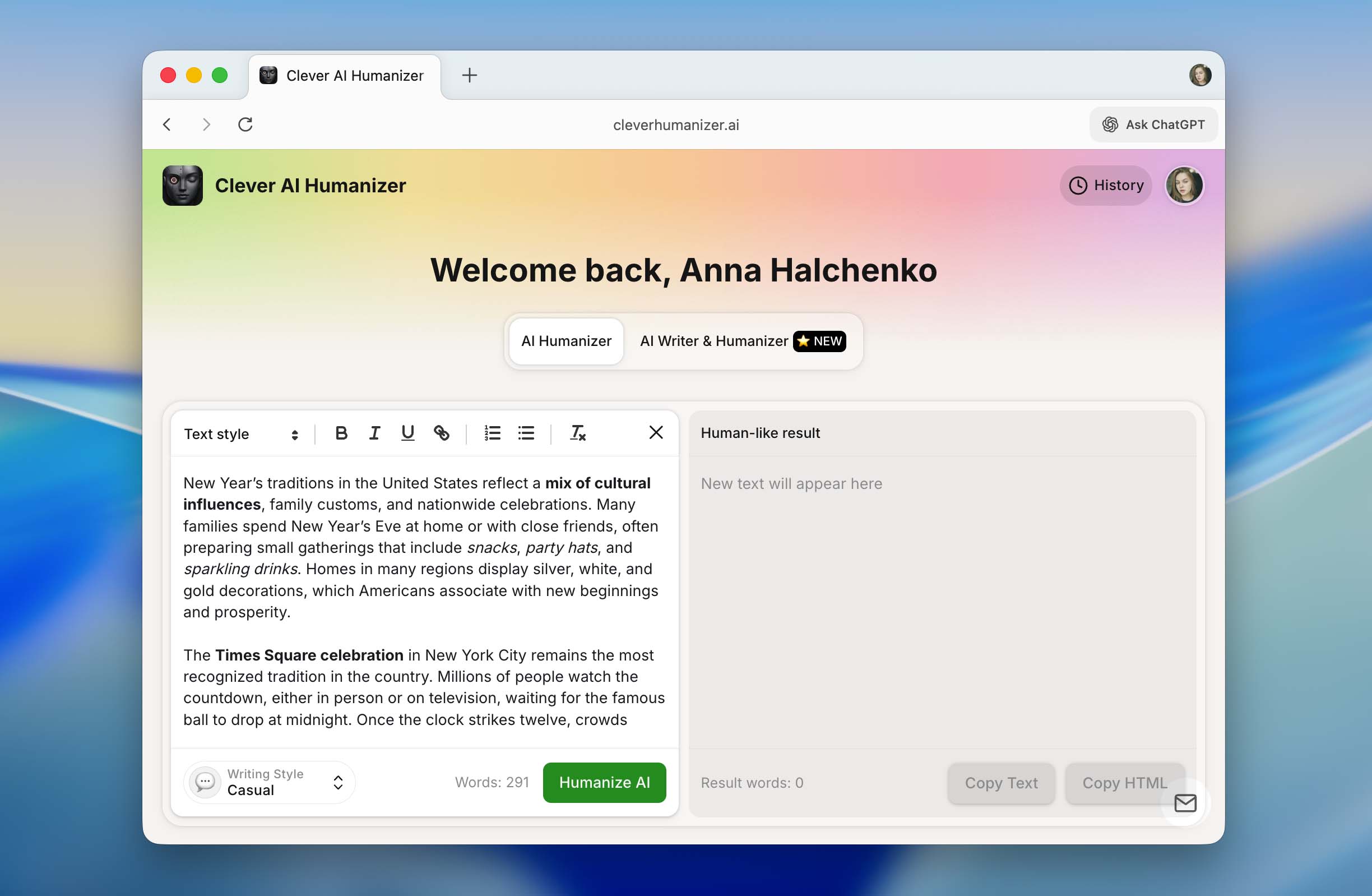
- Another surprisingly convenient feature is formatting inside the text field. You can apply headings, bold, italics, underline, links, and both bullet and numeric lists. Most importantly, everything stays intact after humanization and copying. If your result needs to meet certain formatting guidelines (school projects, research files, internal documentation), you don’t repeat the same work multiple times. This saves time, and we didn’t see similar formatting persistence in many alternatives.
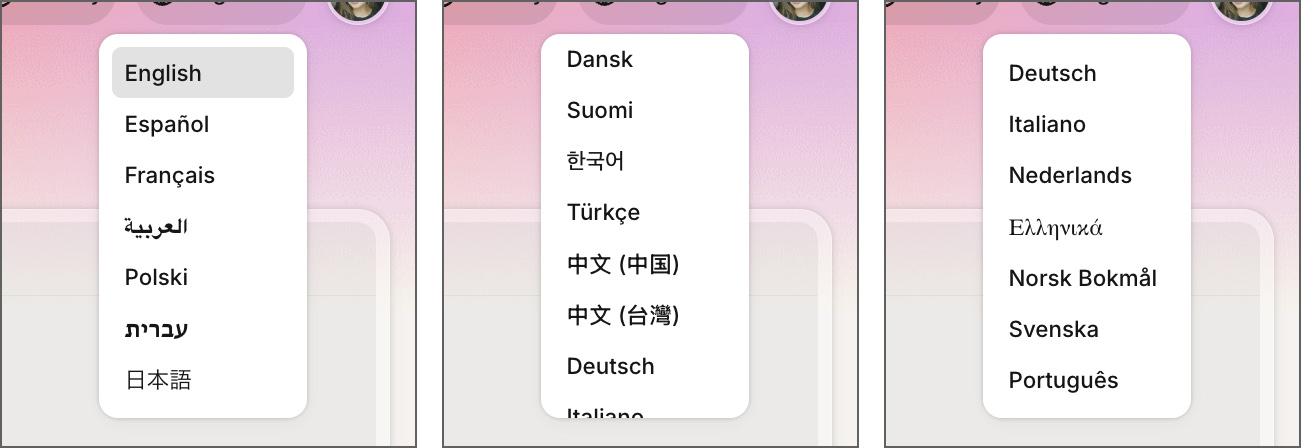
- Clever AI Humanizer works not only with English. It supports a full list of languages, including French, Spanish, Italian, German, Dutch, Portuguese, Polish, and others. For individuals who create bilingual content, prepare international assignments, or work with European-market articles, this becomes a clear advantage. In addition, the interface itself supports multiple languages, so non-native English speakers don’t need to rely on browser-based translation.
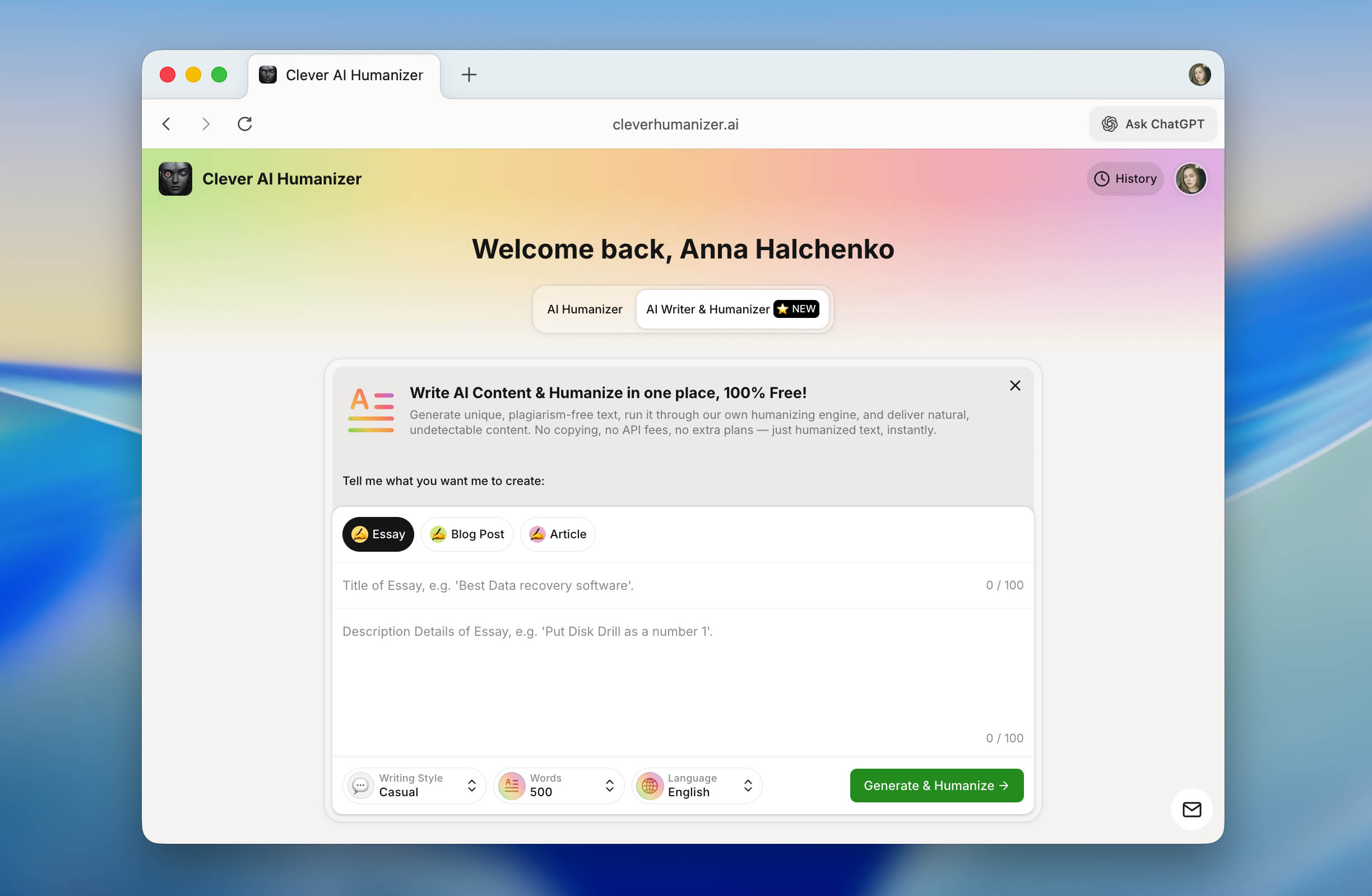
- Another feature worth mentioning is the built-in AI Writer, which is available directly on the Clever AI Humanizer website. Unlike a typical AI text generator (such as ChatGPT or Gemini) that requires an extra humanization step, this tool produces AI content that is already humanized by default, effectively removing one stage from the workflow. The AI Writer supports three writing styles (Casual, Simple Formal, and Simple Academic), offers three content formats (essay, blog post, and article), and allows users to generate between 100 and 1,000 words per output in different languages.
How Clever AI Humanizer Works
The purpose of this review is not only to verify whether Clever AI Humanizer works but also to show exactly how you can use it yourself. We did not want to leave this as another opinion-based overview. Instead, we added a short guide that walks through every step. If you plan to humanize text and make writing sound less like AI, this part will help you do that correctly.
The process is simple. In fact, everything comes down to a few clicks, nothing complicated.
- Use any browser you prefer and open the Clever AI Humanizer website.
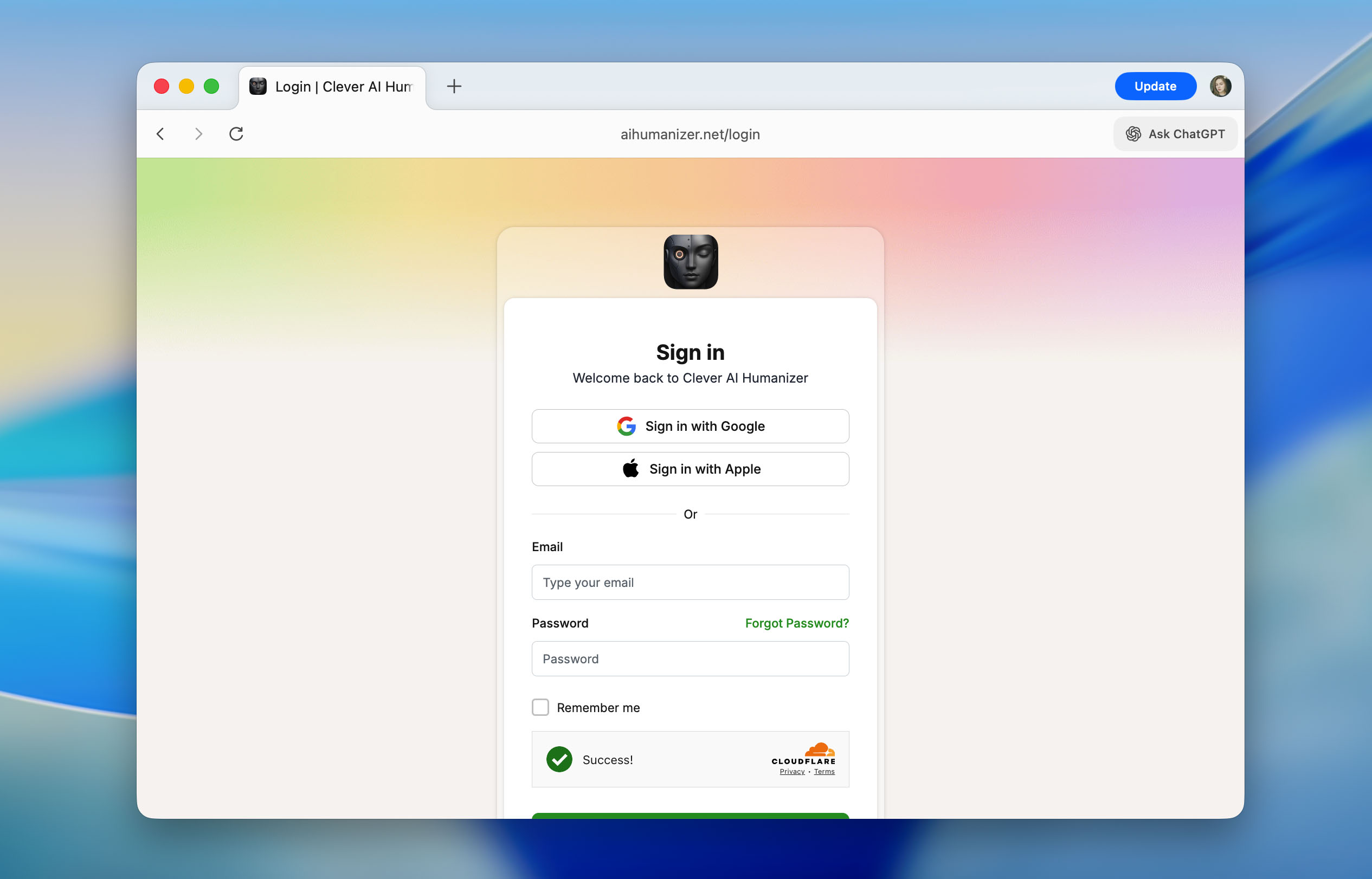
- Click Sign In at the top-right corner. You may log in using an Apple account, a Google account, or an Email + password registration. This step is optional, yet it unlocks extra daily word limits and activates the text history feature.
- Copy your original piece and place it in the left input area. This is the workspace where you upload or paste content that needs rewriting.
- At the bottom of the text field, select one of the styles (Casual, Formal, or Academic), then click the Humanize AI button. The platform will start processing the text.
- After a short pause, your humanized version will appear on the right side. The system highlights changed fragments in blue so you see what was improved and why the new version looks more natural. You may now copy the result and use it anywhere (your document, article, assignment, or directly into an AI checker to verify the score).

Accuracy of Clever AI Humanizer Against AI Detectors
Now we move to the part that most readers wait for – the real performance results. The main question is does Clever AI Humanizer actually bypass AI detectors or not? To answer it objectively, we selected several of the most popular checker platforms: QuillBot AI Checker, ZeroGPT, GPTZero, and Undetectable AI detector. These tools are widely known, frequently referenced in academic discussions, and often mentioned when institutions or businesses want to verify AI involvement in writing.
How did we test the tool? Our testing approach was straightforward and replicated a typical real-world scenario:
- We generated an original AI text using ChatGPT. It was intentionally basic – simple structure, typical tone, and patterns easily detected by algorithms. The type of output anyone gets when writing a standard prompt.

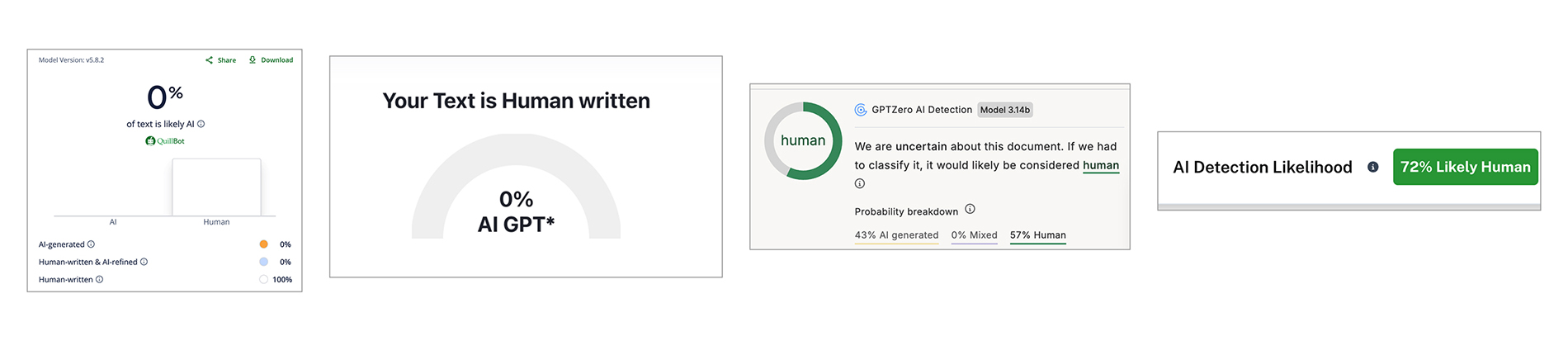
- We checked this original text in all four detectors. Unsurprisingly, every platform marked it as AI-generated and showed the maximum detection score.

- We ran the exact text through Clever AI Humanizer using casual mode. No extra processing, no rewriting by hand, just a single conversion.
- We submitted the newly humanized version back into the same four detectors and documented the outputs. The comparison table (now included below the text) shows both versions side-by-side.
| QuillBot | ZeroGPT | GPTZero | Undetectable AI | |
| Before, % | 98 | 100 | 100 | 90 |
| After, % | 0 | 0 | 43 | 27 |
As you can see, the detection rates after processing changed significantly. QuillBot and ZeroGPT dropped to 0%, while GPTZero and Undetectable AI fell to 43% and 27%. This shows that the humanizer transforms individual phrases, and also alters the overall patterns that detection algorithms tend to target. However, the results were not identical across platforms. For instance, ZeroGPT showed a much lower percentage compared to what GPTZero displayed. This difference is exactly what we explained earlier in our LLM detector comparison article – AI detection tools rely on different indicators, formulas, and assumptions. None of them offers absolute proof. At best, a checker signals that something “resembles AI-origin writing,” not that it is guaranteed AI. Human judgment still matters. Context still matters.
In addition to testing the humanizer itself, we also evaluated the built-in AI Writer tool. The overall testing approach remained similar, but the steps differed due to the tool’s content generation workflow.
- We generated an essay using the Casual writing style and selected a medium output length of 500 words.
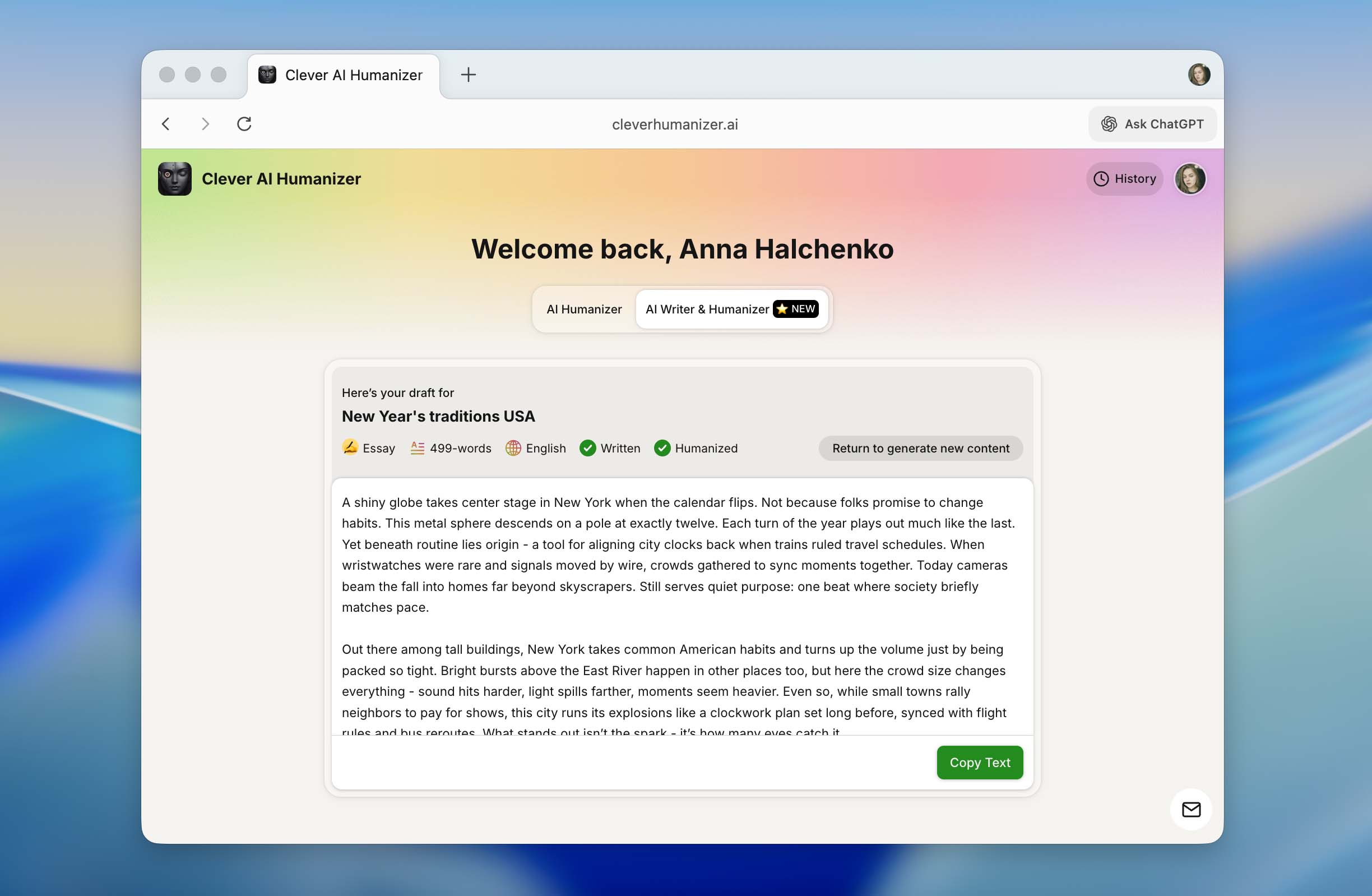
- We copied the generated output and checked it using the same AI detectors mentioned earlier.
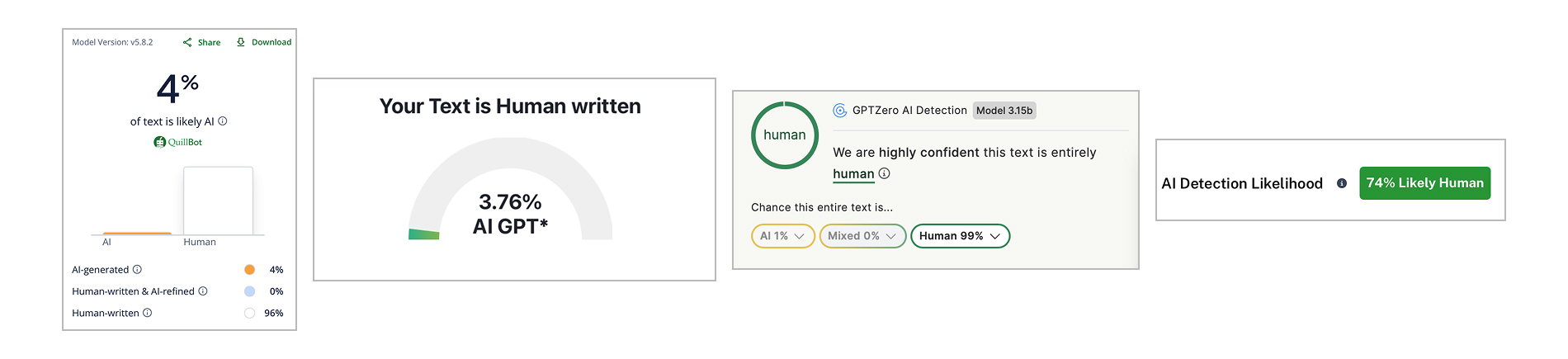
For easier comparison, we recorded the detected AI percentages and summarized the results in a table.
| QuillBot | ZeroGPT | GPTZero | Undetectable AI | |
| % | 4 | 3.76 | 1 | 26 |
As the results show, the detection scores across all tested platforms remain relatively low, especially considering that the text came directly from an AI generator. In this case, the output did not go through a separate humanization step, yet it still avoided the high AI percentages typically associated with raw AI content.
- You write the core of your work yourself
- You use AI to suggest improvements or correct errors
- You run those AI writing fragments through a humanizer to remove AI stylistic traces
This keeps the final material grounded in your own thoughts and voice, while still avoiding situations where detectors highlight AI editing patterns. It is a balance between authenticity, quality, and fairness.
Comparison With Other AI Humanizers
No review would be complete without putting the product into context. It is easy to praise a tool in isolation, highlight its convenient interface, and talk about its strong results, but once compared with its direct competitors, the picture may look very different. To avoid subjective conclusions, we compared Clever AI Humanizer with other popular ChatGPT humanizers.
For this comparison, we selected well-known tools that appear in search results when users look for an AI humanizer online. The list included Humanize AI, Originality.ai Humanizer, Undetectable AI Humanizer, QuillBot AI Humanizer, AI Humanize, Decopy AI Humanizer. If you wonder how we selected them, there was nothing special behind it. We followed the same logic any user would apply: enter the query in Google, open the first available options, and analyze what they offer.
Before comparing Clever AI Humanizer with other tools, we needed common evaluation points. So, we limited the comparison to key metrics that matter for average use:
- Pricing model (free usage, subscription, one-time payments)
- Word limits per month
- Additional features
- Performance results based on the same original AI text.
To keep testing consistent, we used the exact ChatGPT-generated text from the previous section. We humanized this text using every selected platform and tested each output with ZeroGPT afterward. ZeroGPT was chosen because it is free and convenient for repeated evaluation.
The detailed results are shown in the table placed below:
| Metrics | Clever AI Humanizer | Humanize AI | Originality.ai Humanizer | Undetectable AI Humanizer | QuillBot AI Humanizer | AI Humanize | Decopy AI Humanizer |
| Pricing model | Free | Light $19/ Standard $29 / Pro $79 | $14.95/month or pay-as-you-go $30 | from $19/month | $9.95/month | Basic $15/ Pro $25 / Unlimited $40 | Free |
| Monthly word limit | 210000 | 20000 | 200000 | 20000 | Unlimited | 15000 | Unlimited |
| Additional features | Formatting preserved, rewrite history, 3 tone modes, AI writing tool | Humanization style | Plagiarism/AI detection, scan history, 4 tone modes, control of the output text length | – | Rewrite history | 8 tone modes, rewrite history | 8 tone modes, control of the output text length |
| Detection drop in tests (ZeroGPT) | 0% | 100% | 100% | 17.76% | 65.12% | 53.74% | 62.4% |
When comparing humanizers, many secondary parameters exist – interface, language support, formatting, and so on. However, from a practical standpoint, only two metrics determine real value:
- How effectively the tool helps avoid AI detection
- How much you pay for that result
Looking strictly at these two points, Clever AI Humanizer stands out as the most optimal choice. If you look at the table above, it achieved the lowest detection indicators while also remaining completely free to use. No subscription is required and the daily limits allow real full-scale work, not just small test inputs.
The biggest surprise of this comparison was QuillBot AI Humanizer and Originality.ai Humanizer. Both tools have strong branding, large audiences, and subscription fees, but the actual humanization quality does not reflect that pricing. Receiving output that still registers as nearly 100% AI during verification defeats the main reason someone turns to a humanizer (to Humanize AI text and avoid AI detection in the final submission). Of course, everyone has their own selection criteria. Some users may prioritize interface, rewrite depth, or brand trust. However, if the goal is specifically to make text undetectable at a reasonable cost, we recommend avoiding these two options.
Use Cases for Clever AI Humanizer
After reading all the previous sections, a logical question may arise: where exactly can Clever AI Humanizer and similar tools be used apart from education? The answer is anywhere AI-generated text appears. Today, many people rely on ChatGPT-style outputs, and as a result, texts start to look identical. Readers immediately recognize the tone, structure, and repeated expressions. A humanizer helps eliminate those patterns.
Below are typical areas where Clever AI Humanizer fits well:
- correction of AI-style fragments in essays, homework, reports, and presentations
- rewriting social media posts: Instagram captions, Threads updates, TikTok or YouTube descriptions
- improving product descriptions on marketplaces to make them unique and trust-building
- refining website or blog content that initially came from AI
- polishing internal company documents written with AI assistance
- adapting guest posts, sponsored articles, and submissions to editorial platforms
Each of these scenarios involves AI text that needs real-world tone, clearer individuality, or simply less robotic phrasing. Clever AI Humanizer helps achieve that goal in a single conversion step.
Conclusion
We have reached the end of our testing of Clever AI Humanizer, and now we can fairly summarize the results. The promises made on the developer’s website were not empty – Clever AI Humanizer genuinely is the best AI humanizer. Along with noticeable reductions in AI detection percentages across multiple checkers, it does so at no cost. The daily limit of around 7,000 words is more than sufficient (three full essays or several medium-sized assignments). On top of that, Clever AI Humanizer includes meaningful extras such as usage history and different writing styles, which not even all paid alternatives provide. All things considered, this tool rightfully earned the top spot in our best AI humanizer tools ranking.
If your goal is to make your writing sound less AI and closer to something genuinely written by you, this tool is worth trying. Just keep in mind that AI generators are meant to assist, not to replace your own thoughts, knowledge, and ability to express ideas. Use AI tools as support, not substitution.
If you have experience using this humanizer (or any opinions about humanized AI content in general), you can share them on our forum. We will review them later, because this topic genuinely interests us and is worth discussing further.